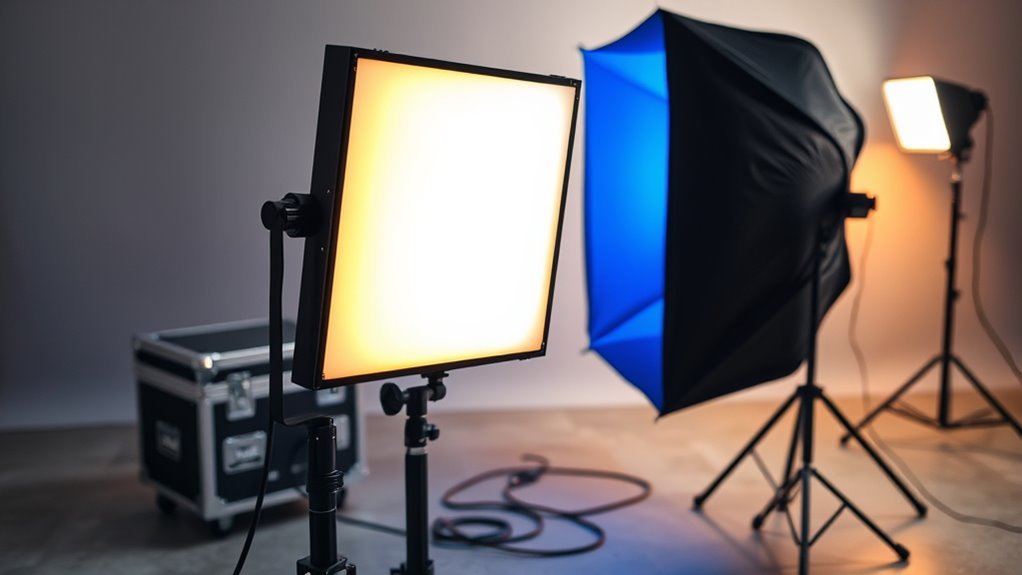
A bicolor LED soft light panel and a softbox can produce similar lighting, but they are different types of equipment. One is an adjustable light fixture; the other is a modifier that shapes light from another source. Understanding that difference helps you choose the right setup for portraits, interviews, video, and product photography.
Quick Answer
A bicolor LED soft light panel is functionally similar to a softbox because both can create soft, flattering illumination. However, an LED panel generates its own adjustable light, while a softbox modifies light from a separate fixture. Some LED panels also support lighting effects, including strobe, but these do not automatically replace photographic flash.
Key Takeaways
- A bicolor LED panel combines warm and cool emitters to adjust white-light color temperature without changing gels.
- A softbox uses reflective surfaces and diffusion material to spread and shape light from a compatible fixture.
- Light softness depends heavily on the apparent size of the light source relative to the subject.
- Some LED panels accept additional softboxes, diffusion cloths, and grids for greater lighting control.
- Built-in strobe effects mainly create flashing visual effects; photographic motion freezing requires suitable flash duration and synchronization.
- Compare measured brightness, color accuracy, diffusion, power options, and mounting compatibility before buying.
What Is a Bicolor LED Soft Light Panel?
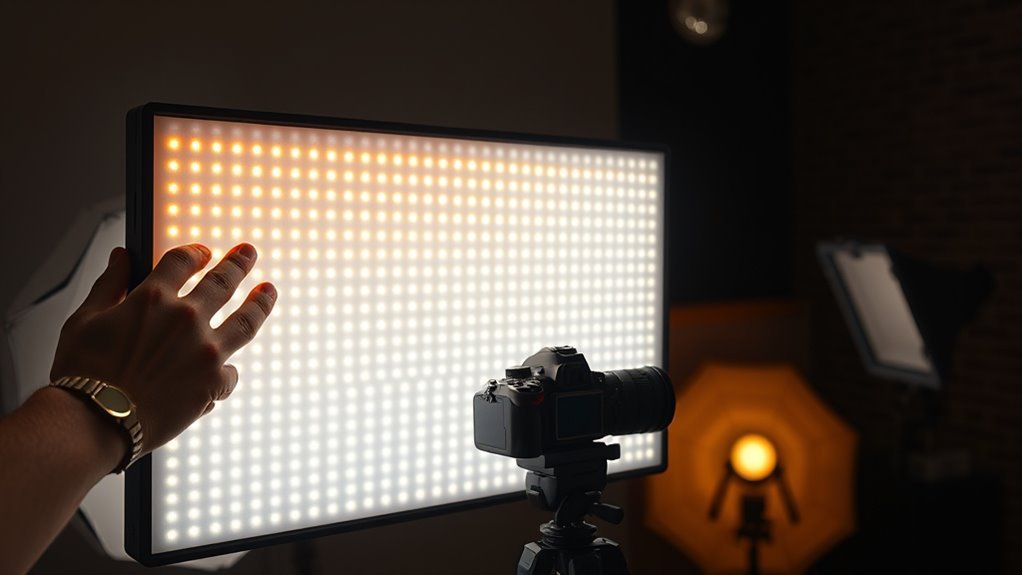
A bicolor LED soft light panel is a lighting fixture that produces adjustable white light using warm and cool LED emitters. You can change its color temperature and brightness without replacing the light source.
Color temperature is measured in Kelvin (K). Lower settings produce warmer, more yellow-looking light, while higher settings produce cooler, more daylight-like illumination.
Many bicolor panels offer a range around 2700K to 6500K, although the actual limits depend on the model.
For example, the amaran F21x specifications confirm a 2500K–7500K adjustment range, CRI of at least 95, and TLCI of at least 98.
The F21x is a flexible LED mat rather than a conventional rigid panel. It also supports an additional softbox, diffusion materials, and a light-control grid.
This shows an important distinction: an LED panel can produce soft light on its own and can also use a separate modifier.
The fixture’s diffused surface helps spread illumination across the subject. However, its actual softness depends on the emitting area, distance, diffusion quality, and lighting angle.
Most models offer onboard brightness and color-temperature controls. Some also provide wireless app control, DMX integration, or battery operation.
These features make bicolor LED panels practical for interviews, portraits, product photography, livestreaming, and location filming.
Is a Bicolor LED Soft Light Panel a Softbox?
No. A bicolor LED panel is a complete light source, while a softbox is a light modifier. Both can produce soft illumination, but they achieve it in different ways.
An LED panel generates light directly. Its diffuser spreads that light, while its electronic controls adjust brightness and color temperature.
A softbox normally attaches to a compatible LED fixture or photographic flash. Its reflective interior directs light toward a front diffusion panel.
For example, the Profoto RFi softbox design uses a reflective interior, double-layered diffusion, and an optional grid to shape illumination.
The distinction becomes clearer when comparing their features.
| Feature | Bicolor LED Panel | Softbox |
|---|---|---|
| Main function | Produces adjustable illumination | Modifies another light source |
| Color temperature | Electronically adjustable | Determined mainly by the attached light |
| Diffusion | Built-in or attached, depending on design | Fabric diffusion across its opening |
| Power | Requires AC or compatible batteries | Does not require power itself |
| Light shaping | Depends on panel design and accessories | Controlled through size, shape, depth, and grids |
Neither option is automatically softer. A large panel close to a subject can produce softer shadows than a small softbox positioned farther away.
Conversely, a large softbox can create a broad, even light source with better control over unwanted spill.
If portability and fast adjustments matter most, a panel can be convenient. If you want precise control over the size and shape of the light, a compatible fixture with a softbox offers more options.
You can also combine both approaches. Some flexible LED panels accept dedicated softboxes and grids, allowing you to adjust color temperature electronically while controlling diffusion through the modifier.
What Does Strobe Mode Do on Bicolor LED Panels?
Strobe mode makes a compatible LED panel flash repeatedly instead of providing steady illumination. It is primarily a lighting effect used to create rhythmic flashes, simulate events, or add visual energy to video scenes.
Not every bicolor LED panel includes this feature. Available settings also differ between models.
Some fixtures provide several effects, such as paparazzi flashes, lightning, fireworks, pulsing, and strobe.
The manufacturer’s Aputure F21x and F22x lighting documentation confirms these effects and explains how users select or trigger them.
It does not establish a universal flash-frequency range for all bicolor panels.
The original 1 Hz to 25 Hz figure should therefore not be treated as a standard specification. Check the particular fixture’s controls and documented behavior.
Most importantly, an LED panel’s strobe effect should not be confused with a camera-synchronized photographic flash.
| Setting | Range | Effect |
|---|---|---|
| Frequency | Model-dependent | Controls flashing rhythm |
| Output | Pulsed | Creates a flashing effect |
| Control | Model-dependent | Onboard or remote adjustment |
| Quality | Measured color performance | Helps assess fidelity |
| Check | Grey card or color checker | Reveals visible color changes |
For video work, test the effect using your intended frame rate and shutter setting. Unwanted bands, uneven exposure, or unpredictable flashes can appear when the camera and light are not working together as expected.
Warning: Rapid flashing can trigger seizures in some people with photosensitive epilepsy. Inform everyone on set before using strobe effects, and avoid exposing anyone who reports sensitivity to flashing light.
The Epilepsy Foundation’s photosensitivity guidance explains how flash frequency, brightness, contrast, and exposure can affect susceptible individuals.
Does Strobe Mode Affect Color Accuracy?
Strobe mode can affect color consistency, but the amount depends on the fixture and its electronic design. A good color-rendering specification in continuous mode does not automatically establish performance during rapid flashes.
For accurate results, evaluate the light under the operating conditions you intend to use.
Strobe Color Shift
A bicolor LED panel mixes warm and cool emitters to produce its selected white-light setting. If their relative output changes during pulsed operation, the resulting light may appear warmer or cooler.
Color stability depends on the fixture’s driver electronics, LED characteristics, and operating conditions.
It is reasonable to examine lower-cost fixtures carefully, but price alone does not establish whether a particular panel will show color drift.
Watch for changes in skin tones, white clothing, and neutral backgrounds when comparing continuous and strobe operation.
These differences can become more noticeable when several lights illuminate the same scene.
Testing Color Accuracy
Test color accuracy in the mode you actually plan to use. A CRI or TLCI value published for steady illumination does not prove identical performance during an LED lighting effect.
CRI measures general color-rendering performance, while TLCI evaluates color rendering for television-camera use.
For a broader assessment, the Illuminating Engineering Society provides guidance on TM-30 color-rendering measurements, including fidelity and gamut characteristics.
You can perform a practical comparison without a laboratory:
- Set the panel to your intended color temperature and brightness.
- Place a grey card or color checker in the subject’s position.
- Lock the camera’s white balance and exposure settings.
- Record the card under steady illumination.
- Repeat the recording with the intended lighting effect.
- Compare the resulting colors and look for exposure bands or visible shifts.
Keep the camera settings consistent so the comparison reflects changes in the light rather than automatic camera adjustments.
A grey card helps reveal white-balance differences. A color checker provides a broader view of how individual colors appear.
For demanding professional work, request measured data for the relevant operating modes rather than relying only on a headline CRI rating.
When Should You Choose a Bicolor LED Panel With Strobe?
Choose a strobe-capable bicolor LED panel when you need adjustable continuous lighting and occasional flashing effects. It can serve interviews, creative videos, music productions, and scenes that call for simulated light changes.
If your main requirement is freezing fast action in photographs, evaluate dedicated photographic flash equipment instead.
Strobe for Motion Freeze
A strobe effect does not automatically freeze a moving subject in a photograph. Effective motion freezing depends on the duration of the light pulse, exposure conditions, and synchronization with the camera.
For example, a rapidly flashing LED effect may produce repeated subject positions or uneven exposure during a long shutter opening.
A dedicated photographic flash is designed to deliver a controlled burst of light. When that burst provides most of the exposure, its duration can help arrest motion.
Profoto’s motion-freezing photography guide explains the importance of short flash duration and controlling ambient light.
For athletes, dancers, splashing water, and other fast-moving subjects, distinguish between these two goals:
- Flashing visual effects: Choose an LED panel with suitable built-in effects.
- Sharp action photographs: Choose a photographic flash with appropriate pulse duration and camera synchronization.
Some specialist lighting systems support advanced triggering, but that capability must be confirmed for the specific model.
Color Accuracy in Burst
Color consistency matters when a flashing effect appears alongside other lights. Noticeable differences can make skin tones, clothing, and neutral objects change appearance between frames.
High CRI and TLCI ratings are useful starting points, but they do not replace testing during the actual effect.
For work requiring consistent color, compare steady and pulsed output at your intended settings.
Also consider the camera’s shutter behavior. Exposure differences caused by timing can resemble inconsistent light output, even when the fixture itself is operating as designed.
A documented burst profile is useful when a manufacturer provides one. Otherwise, practical camera testing helps reveal whether the effect meets your requirements.
How Do Power and Synchronization Affect Strobe Use?
Wireless control makes it easier to adjust a fixture from the camera position. However, wireless control and wireless power are separate features.
A panel controlled through an app still needs electricity from an AC adapter or compatible battery.
Some models support V-Mount batteries, while others use NP-F batteries or dedicated power solutions.
Before selecting a fixture, consider these requirements:
- Power: Confirm battery compatibility and whether full brightness is available on battery power.
- Control: Check whether onboard, app-based, or DMX adjustment suits your setup.
- Timing: Confirm whether the fixture offers any required external triggering or camera synchronization.
- Consistency: Test the effect for stable brightness and unwanted exposure artifacts.
DMX provides lighting-control communication, but its presence does not automatically mean a fixture supports precise photographic flash synchronization.
For multi-light effects, confirm that your chosen control system provides the timing behavior your production requires.
What Should You Check Before Buying?
Compare a bicolor LED panel using its actual specifications rather than assuming all panels provide the same softness, brightness, or features. Your intended shooting distance and lighting setup should guide the decision.
The following checks cover the features that affect everyday performance.
1. Color Temperature Range
Choose a panel that covers the warm and cool lighting conditions you regularly encounter.
The original 2700K–6500K range is a useful reference, but different fixtures offer different limits.
For example, the amaran P60x offers a 3200K–6500K range, along with CRI 95+ and TLCI 97+ ratings.
Also check whether brightness changes significantly as you move between warm and cool settings.
2. Actual Light Output
Compare illuminance in lux at the same distance, color temperature, and modifier configuration.
A single lux figure is not enough when two manufacturers use different measurement conditions.
As a verified example, the amaran F21x produces approximately 3632 lux at one meter and 5600K without its softbox.
With its specified half-stop softbox diffusion, the published measurement falls to approximately 1944 lux at the same distance and color temperature.
This demonstrates the trade-off between diffusion and available illumination.
The original suggestion of 1500 lux at half a meter should not be treated as a universal buying benchmark.
3. Diffusion and Light-Shaping Options
Look at the panel’s emitting area, diffuser quality, and compatible accessories.
A larger apparent light source generally produces more gradual shadow transitions.
Additional diffusion can make illumination more even, while a grid helps direct light and reduce spill onto nearby walls or backgrounds.
For interviews, position the light where it produces the desired facial shadows without creating distracting reflections.
4. Color Rendering
A CRI rating of 95 or higher is a useful target for color-sensitive photography and video work.
However, CRI alone does not describe every aspect of color quality.
Compare TLCI and other published measurements where available, particularly when accurate skin tones, fabrics, or products matter.
If you use several fixtures, consider how consistently they match at the same color-temperature setting.
5. Power, Portability, and Construction
A lightweight panel can simplify location work, but the mounting system and frame must support secure positioning.
Check the complete carrying weight, including the controller, power supply, brackets, and accessories.
Battery support can reduce cable dependence. However, compatible batteries may be separate purchases, and operating brightness may depend on the power source.
Flexible panels are useful in tight spaces, while rigid panels may offer simpler mounting for some setups.
6. Controls and Additional Features
Choose controls that match how you work.
- Onboard dials allow direct brightness and color-temperature adjustment.
- App control helps when the fixture is outside easy reach.
- DMX support can be useful in coordinated lighting setups.
- Strobe and other effects provide creative options when supported.
- Compatible diffusion and grids increase light-shaping flexibility.
Finally, confirm that the fixture works with your intended stand and accessories.
A panel with excellent specifications is less useful if its mounting arrangement does not fit your production setup.
Frequently Asked Questions
What Does Bicolor LED Mean?
Bicolor LED means a light uses warm and cool emitters to produce adjustable white illumination. You can change its color temperature without replacing the LEDs or adding color-correction gels. This makes it useful for matching indoor lighting, daylight, and changing shooting conditions.
Which Is Better, LED Panel Lights or Softbox Lights?
Neither is universally better because they perform different functions. An LED panel generates adjustable light, while a softbox shapes light from another fixture. Choose according to your required softness, portability, brightness, and beam control. Some LED panels also accept softboxes, allowing you to use both together.
What Is the Difference Between Daylight and Bicolor LED Lights?
A daylight LED light produces white illumination at a fixed daylight-oriented color temperature, commonly around 5600K. A bicolor LED light lets you adjust between warmer and cooler settings. Daylight-only fixtures suit consistent lighting conditions, while bicolor models offer more flexibility when ambient light changes.
Is Soft White or Daylight Better for Eyes?
Neither color temperature is automatically better for everyone. Some people find warm white lighting more comfortable, particularly in the evening. Brightness, glare, flicker, and the surrounding environment also affect visual comfort. For reading or detailed tasks, choose enough illumination without directing an intense light into your eyes.
Can You Attach a Softbox to a Bicolor LED Panel?
Yes, some bicolor LED panels support dedicated softboxes. Compatibility depends on the fixture’s design and mounting system. Flexible LED mats may use purpose-built fabric modifiers, while other lights require different accessories. Confirm compatibility before buying because a standard softbox will not fit every panel.
Conclusion
A bicolor LED soft light panel provides adjustable illumination, while a softbox controls the light from a separate fixture. Both can create soft results, and some systems combine their advantages.
For interviews and everyday video work, prioritize adequate brightness, accurate color, and suitable diffusion. If you need dramatic flashing effects, consider a strobe-capable panel. For precise photographic motion freezing, evaluate dedicated flash equipment instead.
Sources
- amaran F21x specifications: Color-temperature range, light output, diffusion accessories, and control features.
- Profoto RFi Softbox: Softbox construction, diffusion, and light-shaping characteristics.
- amaran P60x specifications: Bicolor range, color-rendering ratings, battery support, and lighting effects.
- Aputure F21x/F22x Manual Light Modes: Continuous-light controls and built-in lighting effects.
- Profoto Motion-Freezing Guide: Flash duration, ambient-light control, and photographic motion freezing.
- Illuminating Engineering Society: TM-30 color-rendering measurement and interpretation.
- Epilepsy Foundation: Photosensitive epilepsy and risks associated with flashing lights.

