As an Amazon Associate, we earn from qualifying purchases. This review is based on published specifications, documentation, and owner feedback rather than hands-on testing.
By Nathan Rhodes | GoMyReview | Updated October 11, 2026
The LAUNCH Creader Elite for Mercedes Sprinter offers more than basic check-engine-light scanning. The Mercedes-focused version supports full-system fault diagnostics, live sensor data, bi-directional component tests, and selected service and coding functions. It is designed for owners who need more information than a basic OBD2 scanner provides.
Its biggest appeal is access to Mercedes-specific systems without buying a full workshop diagnostic setup. However, exact functions depend on your Sprinter’s model year, control modules, scanner version, and installed software. Confirm those details before buying, especially if you need one specific reset or coding procedure.
Quick Verdict: LAUNCH Creader Elite for Mercedes Sprinter
Editorial assessment: 7.5/10 Based on advertised capabilities, documentation, and published owner feedback; not a hands-on test.
Best for: DIY Sprinter owners and independent technicians who need Mercedes-specific fault information, live data, and supported component tests.
Skip if: You only read generic engine codes, require guaranteed programming for a particular module, or need official Mercedes-Benz workshop software.
Bottom line: This can be a useful middle ground between a simple OBD2 reader and a professional diagnostic system. Its value depends on verified compatibility with your van.
Before You Buy: Four Important Checks
- Confirm the exact version. Creader Elite V2.0, V3.0, and newer related models may have different hardware and software.
- Verify functions by VIN. Broad Sprinter coverage does not guarantee that every active test, reset, or coding option works on your vehicle.
- Check the seller’s warranty. Manufacturer documentation and individual seller offers may describe different coverage periods.
- Understand the update policy. Updates for included software may be free, while additional vehicle software from the app marketplace can involve charges.
Article Contents: Jump to a Section
- Specifications and package contents
- Who should buy or skip it
- Key takeaways
- Pros and cons
- Overall value
- Sprinter compatibility
- Diagnostic functions
- Bi-directional testing
- Service resets and coding
- Updates and warranty
- DIY use and setup
- Owner experiences
- Alternatives
- Buying value
- Review methodology
- Frequently asked questions
- Bottom line
LAUNCH Creader Elite Specifications and Package Contents
The Creader Elite name covers more than one hardware generation. The specifications below describe the Mercedes-focused scanner family, while the exact screen, storage, charging system, and included accessories can differ between versions.
| Specification | Details |
|---|---|
| Brand | LAUNCH |
| Product family | Creader Elite / X431 Creader Elite |
| Vehicle-focused software | Mercedes-Benz, Maybach, and Sprinter |
| Display | Approximately 4-inch touchscreen on commonly listed V2.0 and V3.0 models |
| Operating system | Android-based; listed versions commonly use Android 8.1 |
| Diagnostics | System scans, DTC reading and clearing, ECU information, live data, and freeze-frame data |
| Advanced functions | Supported active tests, service resets, adaptations, and ECU coding |
| Vehicle connection | Wired OBD2 diagnostic connection |
| Software updates | Wi-Fi updates for supported installed software |
| Warranty | Depends on the seller, version, and applicable manufacturer terms |
What’s in the Box?
The commonly listed Mercedes Creader Elite V2.0 package includes the diagnostic unit, an OBD2 cable, a quick-start guide, and a user manual. Other versions may include a separate USB charging cable or additional accessories.
Check the package list for your exact model. Do not assume that a carrying case, adapter for older connectors, or additional software license is included unless the listing says so.
Who Should Buy the LAUNCH Creader Elite?
This scanner is best suited to owners who already handle some of their own vehicle maintenance. It offers the most benefit when you need information from several Sprinter systems rather than engine fault codes alone.
Good Reasons to Buy It
- You maintain a Mercedes Sprinter and want access to engine, transmission, brake, and restraint-system fault information where supported.
- You need live sensor readings to narrow down an intermittent problem.
- You want to run supported actuator tests during electrical or mechanical troubleshooting.
- You regularly perform service work that may require a reset or adaptation.
- You want a dedicated handheld scanner instead of relying only on a phone application.
When to Choose Another Scanner
- You only need generic check-engine codes and emissions readiness information.
- You work on many unrelated vehicle brands and need broad manufacturer-specific coverage without buying more software.
- You require guaranteed online programming, factory software updates, or security-related procedures.
- You need a documented professional workflow for a particular Sprinter module that the seller cannot verify.
Key Takeaways
- The Mercedes-focused LAUNCH Creader Elite offers more functions than a basic engine-code reader.
- Its main advantages are multi-module diagnostics, live data, bi-directional testing, and supported service functions.
- U.S. Sprinter generations commonly include NCV3 models from 2007–2018 and VS30 models beginning with the 2019 model year. Actual scanner coverage still needs confirmation.
- ECU coding, battery registration, ABS bleeding, and similar features vary by vehicle and software version.
- Included diagnostic software may receive lifetime free updates, but extra software and warranty support depend on product and seller terms.
LAUNCH Creader Elite Pros and Cons
Pros
- Mercedes-focused full-system diagnostics
- Bi-directional testing on supported components
- Live data and diagnostic reports
- Useful service resets and adaptations
- Wi-Fi updates for included software
Cons
- Advanced functions vary by vehicle and version
- Setup and menus can take time to learn
- Not a complete replacement for Mercedes XENTRY
- Warranty and support depend on the seller
- Exact product generation can be confusing
The biggest buying risk is assuming that a feature listed for the scanner works on every Sprinter. Check your required function before buying. This matters more than a long advertised feature list.
Is the Launch Code Reader Worth It for Sprinter Owners?
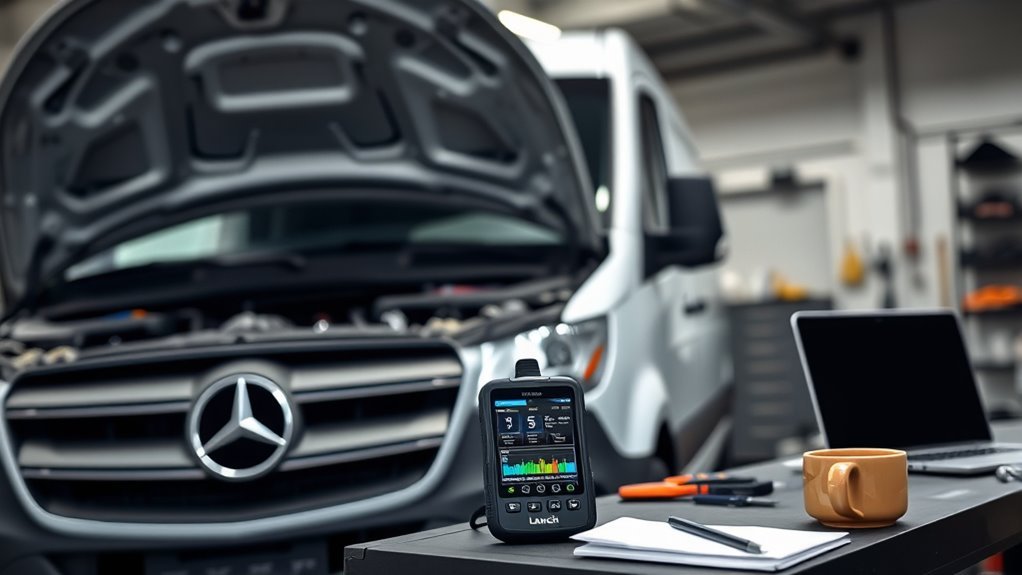
For owners who regularly maintain a Sprinter, the LAUNCH Creader Elite can be a worthwhile purchase. It combines fault-code reading with deeper module access and diagnostic tests that simple OBD2 readers may not provide.
Consider a cooling fan that does not operate as expected. A basic scanner may show an engine code, while a compatible bi-directional tool may let you command the fan and inspect related data. That extra information can help separate a control problem from a component problem.
The scanner can also reduce unnecessary parts replacement. Instead of treating every trouble code as proof that one component has failed, you can review live readings, stored conditions, and available tests before deciding what to repair.
However, OE-level diagnostics is not the same as complete dealer-equivalent access. Manufacturer security controls, online programming requirements, and unsupported vehicle modules can still require professional equipment.
For an occasional owner who only wants to identify an engine warning light, a simpler scanner may provide enough information. The Creader Elite becomes more attractive when you expect to use its advanced functions repeatedly.
Which Mercedes Sprinter Models Does It Support?
The Mercedes-focused LAUNCH Creader Elite is advertised for Mercedes-Benz, Maybach, and Sprinter vehicles. But support for a vehicle family does not mean identical diagnostic access on every model year, engine, or equipment package.
For U.S. Sprinter owners, the main generations to distinguish are NCV3 and VS30. Mercedes introduced the NCV3 globally in 2006, with U.S. models generally beginning in 2007. The newer VS30 arrived for the 2019 U.S. model year.
| Sprinter Generation | U.S. Model Years | What to Confirm |
|---|---|---|
| NCV3 / 906 | 2007–2018 | Installed modules, diesel or gasoline engine, service functions, and coding coverage |
| VS30 / 907 and related variants | 2019 onward | Software coverage, required communication protocols, module security, and available functions |
Some earlier Mercedes and Sprinter vehicles use different diagnostic connectors or require extra hardware. A regular 16-pin OBD2 cable should not be assumed to cover every older model.
To confirm compatibility, identify your van’s VIN, model year, engine, and the task you need to perform. Ask the seller for written confirmation of that exact function, not just a general statement that Sprinter is supported.
The scanner may work with both diesel and gasoline variants where the correct software supports the vehicle. However, an engine type alone does not establish which manufacturer-specific systems are accessible.
What Does the LAUNCH Creader Elite Diagnose?
The main benefit of this scanner is access to more than emissions-related engine data. On supported Sprinters, it can communicate with installed control modules, identify fault codes, show live readings, and display electronic control unit information.
Engine and Transmission Diagnostics
The scanner can read and clear diagnostic trouble codes (DTCs), display available sensor values, and retrieve stored operating conditions. These functions help investigate engine performance, emissions faults, and transmission-related warnings.
A DTC identifies an area of concern, not necessarily the failed part. For example, an abnormal sensor reading may result from a wiring issue, poor connection, control fault, or mechanical problem.
ABS, Stability Control, and Airbag Systems
With compatible software and modules, the scanner can retrieve faults from anti-lock braking and supplemental restraint systems. This gives you more information than a generic engine-only scanner.
These are safety-critical systems. Reading stored codes is useful, but brake and airbag repairs should follow the vehicle’s approved service procedures. Clearing a warning without repairing its cause does not make the system safe.
Live Data, Freeze Frames, and ECU Information
Live data displays values reported by vehicle sensors and control units. You may be able to compare readings, review trends, and observe changes while performing a controlled test.
Freeze-frame information can show selected conditions recorded when a fault occurred. ECU information can help identify a control module and its software details when the vehicle makes that data available.
OBD2 and Emissions Readiness
The scanner also offers standard OBD2 functions for compatible vehicles. These include code reading, clearing, monitor status, and emissions-related tests.
Checking readiness monitors before an inspection is useful. Keep in mind that clearing DTCs can reset those monitors, so the vehicle may need to complete the required driving conditions before they report ready again.
How Do Bi-Directional Tests Work?
Bi-directional testing allows a scanner to send supported commands to a vehicle control module. Instead of only reading information, you can request a component action and observe the response.
The LAUNCH Creader Elite family advertises active-test functions for selected components, such as cooling fans, pumps, windows, and other electrically controlled devices. The commands available depend on the vehicle and installed control modules.
Example: Testing a Cooling Fan
If a cooling fan is not operating correctly, a supported active test may let you request fan operation. You can then compare the commanded state with the component’s actual response.
If the fan responds, that result helps narrow the investigation. If it does not respond, additional checks may be required for power, ground, wiring, control signals, and the fan itself.
Example: Checking a Fuel Pump or Actuator
A supported fuel-pump or actuator test may help identify whether a component responds to an electronic command. However, the scanner’s ability to issue a command does not prove that fuel pressure, mechanical output, or electrical supply is correct.
You may still need a multimeter, pressure gauge, wiring diagram, or another test instrument to confirm the fault.
Safety warning: Active tests can operate moving parts without using their normal controls. Keep hands and tools clear, secure the vehicle, use proper ventilation, and follow the manufacturer’s test instructions. Do not perform unsafe actuator tests or change safety-system settings.
Bi-directional control is valuable because it adds another way to investigate a fault. It does not replace careful diagnosis or guarantee that a particular component test exists on your Sprinter.
LAUNCH Creader Elite Reset and Coding Features
The LAUNCH Creader Elite advertises service functions beyond ordinary fault-code clearing. Depending on the vehicle, these may include maintenance resets, battery-related procedures, brake service operations, calibrations, and component adaptations.
Service and Maintenance Resets
Advertised functions across the Creader Elite Mercedes range include oil-service resets, electronic parking brake procedures, battery registration, steering-angle calibration, ABS bleeding, and selected diesel service functions.
Availability varies. For example, a scanner may list battery registration as a general feature but not expose the required routine on a particular vehicle’s battery management module.
ECU Coding and Adaptations
ECU coding changes supported settings or configuration data within an electronic control unit. An adaptation or relearn procedure may help a replacement component work correctly with the vehicle.
The scanner family advertises certain coding and adjustment capabilities, but that does not establish universal support for replacement-module programming, security authorization, or online coding.
Some Mercedes procedures require access to manufacturer servers, authorized credentials, or a professional diagnostic system. The LAUNCH scanner should not be treated as a guaranteed substitute for those services.
O2 Sensor and Diesel Emissions Tests
Standard OBD2 functions can include oxygen-sensor monitor results and other emissions-related information. These are not necessarily the same as commanding an oxygen sensor through a bi-directional actuator test.
For diesel Sprinters, advertised service menus may include functions related to diesel particulate filter regeneration and injector coding. Only use these procedures when supported for your engine and when all required safety conditions are met.
Forced regeneration can create very high exhaust temperatures. It should not be used as a shortcut for identifying the underlying cause of repeated emissions faults.
What Updates, Warranty, and Support Do You Get?
The Creader Elite Mercedes versions commonly advertise Wi-Fi software updates and free lifetime updates for included diagnostic software. That is useful for maintaining the tool, but it does not guarantee every future Sprinter or new electronic system will become supported.
Software Updates
After registering the scanner, you can connect to Wi-Fi and use the available update menu to download software releases. The exact screen labels may differ by hardware generation.
LAUNCH documentation distinguishes pre-installed vehicle software from optional software purchased through its marketplace. Additional software can carry different update terms or renewal requirements.
Warranty and Technical Support
The original article described a two-year warranty, local returns, WhatsApp assistance, and expert support. These should not be treated as universal benefits of every Creader Elite unit.
Some seller listings advertise two-year or longer protection, while available LAUNCH documentation also describes a one-year manufacturer warranty. The responsible service organization may depend on where the unit was purchased.
Before ordering, confirm the seller’s identity, written warranty period, return window, and contact information. Also verify whether your particular unit receives support from the regional distributor or a separate overseas seller.
Software and warranty terms are important because scanner failures can affect repairs. A useful diagnostic tool needs dependable updates and a clear support path, not simply an extensive feature list.
Is the LAUNCH Creader Elite Good for DIY Sprinter Repairs?
Yes, for suitable tasks and compatible vehicles. The Creader Elite can help a Sprinter owner understand fault information, compare live sensor values, and carry out supported service functions without beginning every diagnosis at a repair shop.
It works best when you combine scan results with basic mechanical and electrical checks. A scanner identifies clues, but it cannot inspect damaged wiring, confirm a leaking hose, or measure a component’s output by itself.
| Function | Benefit |
|---|---|
| DTC lookup | Helps identify the system reporting a fault |
| ECU coding | Allows supported configuration and adaptation tasks |
| Battery/Oil reset | Supports compatible maintenance procedures |
| Health reports | Provides a record of diagnostic findings |
Best Use: Investigating Warning Lights
A full-system scan can show which available modules have stored codes. This helps when a warning involves ABS, stability control, transmission, or another system that a generic code reader cannot access.
Best Use: Checking Intermittent Faults
Live data can help you observe readings during a repeatable fault condition. Compare suspicious values with related sensor information and the vehicle’s service specifications before replacing a part.
Best Use: Routine Maintenance
Supported oil-service resets, battery procedures, and related routines can be convenient after correctly completing the maintenance work. Always confirm that the displayed function matches the vehicle and service performed.
How to Use the LAUNCH Creader Elite on a Sprinter
- Identify your scanner version. Confirm the exact model and install the correct Mercedes-focused software.
- Complete initial setup. Follow the device prompts for language, registration, and network configuration.
- Update the scanner. Connect to Wi-Fi and install available updates for the included diagnostic software.
- Prepare the vehicle. Park safely, apply the parking brake, and turn the ignition off before connecting the cable.
- Connect the OBD2 cable. Locate the vehicle’s diagnostic connector and attach the scanner according to its manual.
- Identify the Sprinter. Use Auto VIN detection if supported, or manually select the correct model and year.
- Perform a diagnostic scan. Save the available codes and report before making changes.
- Inspect the relevant system. Review live data, freeze frames, and applicable service information.
- Run only appropriate tests. Use active tests or service procedures when the vehicle and software explicitly support them.
- Verify the repair. Recheck the affected system after completing the repair. Clear codes only when appropriate, then confirm whether faults return.
Practical tip: Save the original diagnostic report and any available configuration backup before clearing codes or changing settings. That gives you a reference if a later procedure fails or the original fault returns.
If Auto VIN detection fails, try manual model selection after confirming the installed software. If communication still fails, check the diagnostic connection, vehicle voltage, software version, and compatibility before attempting another operation.
What Owners Report About the LAUNCH Creader Elite
Published owner feedback is mixed, which is common for diagnostic scanners with advanced functions. Some users report successful coding and maintenance operations, while others describe confusing menus or software problems.
The examples below come from public owner discussions and published customer feedback. They are self-reported experiences, not independent testing, and most concern Mercedes passenger vehicles rather than a specific Sprinter configuration.
- Successful adaptations: One owner specifically reported that a Mercedes-version Creader worked well on a Sprinter for initialization, adaptation, reset, and relearn tasks.
- Useful module access: Mercedes owners have described finding vehicle-system information and settings that simple OBD2 readers did not offer.
- Coding capability: Some owners reported changing supported convenience settings or saving control-module configurations.
- Learning curve: Users have noted that advanced features can be difficult to locate and that menus may require exploration.
- Software reliability concerns: Some reports describe update, registration, communication, or settings-saving problems.
- Support limitations: Owners have reported that support arrangements differ for devices sold through overseas channels.
These reports show why it is important to separate advertised capability from verified results on your exact Sprinter. A successful coding procedure on a Mercedes sedan does not prove that the same menu exists on a Sprinter van.
LAUNCH Creader Elite vs. Other Mercedes Diagnostic Tools
The Creader Elite is not your only option. The right scanner depends on whether you mainly need code reading, guided troubleshooting, broader vehicle coverage, or factory-level service access.
| Diagnostic Tool | Main Strength | Main Trade-Off | Best Fit |
|---|---|---|---|
| LAUNCH Creader Elite for Benz | Mercedes-focused system scans, active tests, and supported coding | Functions vary by model and scanner version | DIY Mercedes and Sprinter maintenance |
| iCarsoft MB V3.0 | Mercedes-focused full-system diagnostics and advertised active tests | Function coverage requires checking by vehicle | Mercedes owners seeking a dedicated alternative |
| Autel MaxiCOM MK808S | Multi-brand diagnostics, active tests, and a larger touchscreen | More features and a larger platform than many single-brand owners need | Multi-vehicle households and repair technicians |
| Mercedes-Benz XENTRY Diagnosis Kit 5 | Official manufacturer diagnostic platform | Professional software, registration, and ongoing access requirements | Qualified workshops needing official access |
iCarsoft MB V3.0
The iCarsoft MB V3.0 is built for Mercedes-Benz, Sprinter, and related vehicles. Its published features include full-system diagnostics, bi-directional tests, and multiple service functions. It is worth comparing if you prefer a dedicated Mercedes scanner with a physical-button interface.
Autel MaxiCOM MK808S
The Autel MK808S suits buyers who work on more than one vehicle brand. Autel lists full-system code access, live data, bi-directional active tests, and multiple maintenance functions. Its larger touchscreen can also be useful for viewing diagnostic information.
Mercedes-Benz XENTRY Diagnosis Kit 5
XENTRY is Mercedes-Benz’s official professional diagnostic platform. It is better suited to workshops requiring supported manufacturer procedures and access to the official diagnostic environment.
It is not simply a more expensive handheld scanner. Mercedes requires compatible software, registration, and applicable access arrangements, so the total ownership process is different.
Is the LAUNCH Creader Elite Worth the Price?
The LAUNCH Creader Elite can offer good value when its supported functions match the repairs you actually perform. Reading several vehicle systems, capturing fault information, and running compatible tests can make a meaningful difference during troubleshooting.
The original article quoted a discounted purchase price, but scanner listings and promotions change. A fixed price is therefore not a reliable basis for a long-term review.
Compare the exact seller offer with the iCarsoft MB V3.0 and other suitable tools. Focus on included software, the operations available for your Sprinter, warranty coverage, and the support provider rather than the advertised number of features.
If you need only one simple engine-code reader, the extra diagnostic capabilities may be unnecessary. If you maintain multiple Sprinters or perform advanced service work, the additional features may justify a more capable tool.
Buying decision: Choose the Creader Elite when the seller can verify the functions you need on your VIN. If that confirmation is unavailable, consider a tool with documented coverage for your repair.
How We Evaluated the LAUNCH Creader Elite
We assessed this scanner using publicly available product information, LAUNCH documentation, published owner experiences, and specifications for competing diagnostic tools.
We focused on five factors: Sprinter compatibility, diagnostic depth, supported active tests, maintenance functions, and ownership limitations such as updates and warranty support.
We did not perform physical testing on a Sprinter, measure scanner speed, or independently verify every advertised coding function. The editorial assessment reflects the tool’s documented capabilities and important purchase risks rather than a laboratory performance score.
The assessment should be reconsidered if a specific model version, supported vehicle list, or reliable hands-on test becomes available.
Frequently Asked Questions
What Is the Best Diagnostic Tool for a Mercedes Sprinter?
The best diagnostic tool depends on the repairs you need to perform. The LAUNCH Creader Elite is a practical option for compatible full-system scans, live data, and active tests. Mercedes XENTRY is the official professional platform. Before choosing, confirm the exact functions supported for your Sprinter’s VIN and model year.
What Is the Best LAUNCH Scanner for Mercedes-Benz?
The Creader Elite Mercedes version is a reasonable choice for DIY owners who need more than basic code reading. A broader LAUNCH X431 professional scanner may suit workshops with several brands and advanced diagnostic needs. Compare actual vehicle coverage, required functions, updates, and support before selecting a model.
Do You Need a Special Code Reader for Mercedes?
A generic OBD2 reader can retrieve standard emissions-related information from compatible Mercedes vehicles. However, reading manufacturer-specific faults in ABS, airbag, transmission, and other modules often requires a scanner with Mercedes system coverage. Advanced adaptations and coding may need additional software, specialized hardware, or authorized diagnostic access.
What Is the Best Diagnostic Tool for Mercedes-Benz?
Mercedes XENTRY is the manufacturer’s official diagnostic platform and is intended for professional service use. For DIY maintenance, the LAUNCH Creader Elite and iCarsoft MB V3.0 offer more accessible alternatives. Neither should be assumed to perform every factory procedure. Choose according to the vehicle, the task, and confirmed software coverage.
Does the LAUNCH Creader Elite Work on 2019 and Newer Sprinters?
The Mercedes-focused Creader Elite is advertised for Sprinter vehicles, including newer models. However, a model’s year alone does not confirm full support for every module or service function. Newer electronics and communication requirements can affect coverage. Verify your VIN, exact scanner version, and intended diagnostic procedure with the seller before buying.
Can the LAUNCH Creader Elite Reset a Sprinter Service Light?
The Creader Elite family advertises oil and maintenance reset functions, but availability is vehicle-specific. A supported reset may help after completing the required service. Confirm that your Sprinter’s exact model and system appear in the scanner’s coverage information. A generic code-clear operation is not the same as a maintenance service reset.
Can the LAUNCH Creader Elite Program a Mercedes ECU?
Some Creader Elite versions advertise ECU coding, adaptations, and configuration adjustments. These functions should not be confused with unrestricted factory ECU programming or online software flashing. Certain Mercedes modules require manufacturer authorization or professional equipment. Ask for confirmation of the specific coding operation and vehicle before relying on this scanner.
Are LAUNCH Creader Elite Software Updates Free for Life?
Many Creader Elite listings advertise lifetime free updates for the diagnostic software included with the device. Optional vehicle software purchased through the marketplace may have separate terms or renewal costs. Free updates also do not guarantee support for every future vehicle. Confirm the policy for the exact version and seller.
Conclusion: Should You Buy the LAUNCH Creader Elite?
The LAUNCH Creader Elite is a capable option for Mercedes Sprinter owners who need deeper diagnostic access than a simple OBD2 code reader. Its strongest features are multi-system scanning, live data, supported bi-directional tests, and selected maintenance and coding procedures.
Its limitations are equally important. Advanced functions are not universal, software versions differ, and seller warranty arrangements can vary. It cannot guarantee the same access as official Mercedes XENTRY equipment.
Final Recommendation
Consider buying: If you maintain your own Sprinter and the seller confirms support for your exact van and the functions you need.
Consider an alternative: If you only need generic codes, maintain multiple brands, or require official Mercedes programming.
Next step: Confirm the scanner generation, your Sprinter VIN, the required diagnostic functions, and written warranty terms before making your purchase.

