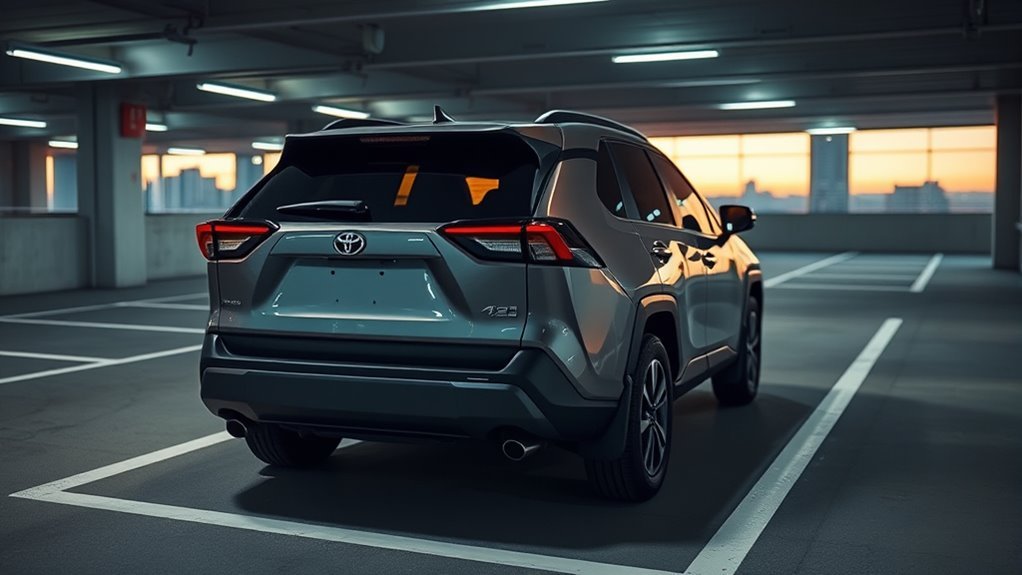
The 2026 Toyota RAV4 self-parking system, officially called Toyota Teammate Advanced Park, helps drivers enter and exit suitable parking spaces with less manual steering. It supports parallel and perpendicular parking, uses cameras and sensors to recognize spaces, and offers adjustable parking settings. The feature is available on selected 2026 RAV4 versions, including the German-market Lounge trim, but equipment and controls can vary by country.
Quick Answer
The 2026 Toyota RAV4 offers Toyota Teammate Advanced Park on selected models. With the vehicle stopped and the brake depressed, you activate the system, select a parking space, and follow the screen instructions. On the documented U.S. system, releasing the brake starts movement. The driver must supervise the entire maneuver.
Key Takeaways
- The 2026 RAV4 Lounge sold in Germany includes an intelligent parking assistant identified as Toyota Teammate Advanced Park.
- The system can recognize painted parking boundaries and nearby parked vehicles, although detection depends on conditions.
- Available settings include a speed profile, obstacle detection range, preferred parking direction, and parking-path adjustments.
- Advanced Park is not fully autonomous driving. The driver remains responsible for checking obstacles and stopping the vehicle.
What Makes the 2026 RAV4 Self-Parking Different?
)
The 2026 Toyota RAV4’s Toyota Teammate Advanced Park combines camera information, parking sensors, and automated vehicle control to assist with parking. Unlike basic parking sensors that only warn about obstacles, Advanced Park can control steering, gear changes, acceleration, and braking during a supported maneuver.
It can assist with parallel parking along a curb and perpendicular parking in a typical parking lot. It also provides supported exit functions for certain spaces.
A useful advantage is its ability to recognize painted parking-space lines. Some parking-assistance systems depend heavily on neighboring vehicles or other physical boundaries. Toyota’s system can use visible road markings as well as information from nearby parked vehicles.
That does not mean it will recognize every empty space. Faded paint, poor lighting, unusual layouts, and obstacles can prevent reliable detection.
The German-market RAV4 Lounge is equipped with an intelligent parking assistant, according to Toyota Germany’s official 2026 RAV4 model information. Toyota identifies the feature as Teammate Advanced Park in its German vehicle listings.
In the United States, Toyota offers Advanced Park on selected RAV4 configurations, but Lounge is not a U.S. trim designation. Toyota’s listed U.S. grades include LE, XLE Premium, SE, Woodland, XSE, and Limited, with separate plug-in hybrid configurations.
Advanced Park helps control the parking maneuver, but the driver must watch the surroundings and remain ready to stop the vehicle.
The biggest practical difference is reduced manual vehicle control. Instead of repeatedly turning the steering wheel and adjusting the vehicle’s position, you select a suitable space and supervise the guided movement.
How to Start Park Assist
To start Toyota Teammate Advanced Park, stop near a suitable parking space, apply the brake, and activate the dedicated Advanced Park main switch. The multimedia display then shows available parking options and guidance.
The following procedure follows Toyota’s official 2026 RAV4 Plug-in Hybrid Advanced Park instructions. Exact controls and available functions can differ between markets.
- Stop the vehicle near a suitable parking space on a level surface.
- Keep your foot on the brake pedal and ensure your seat belt is fastened.
- Press the Advanced Park main switch.
- Review the detected parking spaces on the multimedia display.
- Select the desired space and parking direction when options are available.
- Check the surrounding area for people, vehicles, curbs, and other obstacles.
- With the brake still depressed, select Start on the display.
- Release the brake as directed so Advanced Park can begin moving the vehicle.
- Watch the maneuver and be ready to press the brake immediately.
- Wait for the system to indicate that parking assistance has finished.
Warning: Do not hold the brake throughout the entire maneuver expecting the RAV4 to move automatically. Toyota’s documented system requires brake pressure to begin assistance, followed by releasing the pedal for movement. Keep your foot ready to brake whenever necessary. Never rely only on the camera display to check for people or obstacles.
Park Assist Button
The Advanced Park main switch starts and cancels parking assistance. In Toyota’s U.S. 2026 RAV4 Plug-in Hybrid manual, the illustrated switch is near the center console, below the central dashboard area, rather than on the steering wheel.
The switch is identified by a parking-assistance symbol. Once pressed, the system activates its parking interface on the multimedia display.
| Step | Action | Expected Result |
|---|---|---|
| 1 | Stop near a suitable space | Vehicle ready for selection |
| 2 | Hold brake and press Advanced Park switch | Parking interface opens |
| 3 | Review detected spaces | Available targets displayed |
| 4 | Select target and Start | System prepares to maneuver |
| 5 | Release brake when directed | Vehicle begins guided movement |
Pressing the Advanced Park switch during an active maneuver cancels assistance. If the vehicle has already started moving, use the brake to stop safely before canceling.
Spot Detection Options
Advanced Park uses cameras and parking sensors to detect possible parking spaces. Depending on the surrounding environment, the system may identify spaces using painted lines, neighboring vehicles, or both.
The multimedia display presents a target parking-space box when a usable space is recognized. The driver can select the desired space and, when available, switch between parallel and perpendicular parking methods.
Perpendicular parking may offer forward-entry and reverse-entry choices. The available options depend on the position of the vehicle and the surrounding space.
Detection is not guaranteed. Toyota explains that worn parking lines, contrasting road surfaces, shadows, and other environmental factors may reduce recognition accuracy.
Obstacle detection range is also configurable. This setting changes the distance at which the system attempts to avoid detected obstacles; it should not be confused with a guarantee that parking spaces will be recognized from farther away.
Brake to Begin
Brake operation is an essential part of starting Advanced Park. Toyota requires the vehicle to be stopped with the brake pedal depressed before assistance begins.
After the driver selects a parking space and presses Start, the system can control the vehicle’s movement when the brake is released.
| Step | Action |
|---|---|
| 1 | Stop and hold the brake pedal |
| 2 | Activate Advanced Park |
| 3 | Choose a parking space and select Start |
| 4 | Release the brake when instructed and supervise movement |
During the maneuver, the RAV4 can operate its steering, accelerator, brakes, and shift position. You must still watch the surroundings.
Press the brake if a collision seems possible. Toyota instructs drivers to stop the vehicle and cancel assistance when necessary rather than trusting the system to detect every hazard.
Choose Your Parking Mode and Speed
The 2026 RAV4 Advanced Park system includes settings for parking method, vehicle speed, obstacle detection range, and parking path. These allow the driver to adjust supported parking behavior for different conditions.
To access the settings on the documented U.S. system, activate Advanced Park, select the customization control on the multimedia display, and choose Advanced Park from the settings screen.
The available settings include:
- Speed profile: Changes the vehicle’s movement speed while parking assistance operates.
- Obstacle detection range: Adjusts the distance used for avoiding detected objects.
- Preferred parking method: Sets a preferred display choice when parallel and perpendicular parking are possible.
- Preferred parking direction: Selects a preferred forward or reverse entry direction when supported.
- Preferred exit direction: Sets the preferred direction for leaving suitable parallel or perpendicular spaces.
- Parking path adjustment: Allows the planned parking course to be adjusted inward or outward.
- Road width adjustment: Changes the amount of lateral movement used during certain parking maneuvers.
Some configurations also offer camera-view and final parking-position adjustments.
Toyota confirms that a speed profile can be selected, but the exact labels should be taken from the vehicle’s own menu. The original description of a “super fast” mode is not established by the 2026 RAV4 owner’s manual.
For a first attempt, prioritize a clear, level parking area over speed. A faster setting does not improve the system’s ability to identify pedestrians, curbs, or low obstacles.
Path adjustments should be made carefully. Toyota warns that an incorrect setting can bring the vehicle too close to parking blocks, curbstones, or other objects.
Park in Empty Spaces Marked by Paint
One useful feature of the 2026 RAV4 self-parking system is its ability to detect suitable spaces defined by painted parking lines. A neighboring parked car is not always necessary for space recognition.
This can be particularly helpful in large parking lots with clearly marked bays and relatively few parked vehicles.
The system evaluates camera and sensor information before presenting a target location. It then plans a supported parking maneuver based on the selected space and surrounding conditions.
| Feature | Function |
|---|---|
| Painted markings | Help define the parking-space boundaries |
| Cameras | Provide visual information about lines and surroundings |
| Parking sensors | Help identify nearby objects and vehicles |
| Driver supervision | Allows intervention whenever necessary |
| Advanced Park control | Assists with the selected parking maneuver |
However, painted-line detection has limitations. Toyota identifies several conditions that may prevent reliable recognition:
- Faded, dirty, or unclear parking lines.
- Wet pavement with strong reflections.
- Dark parking areas or poor lighting.
- Snow covering parking boundaries.
- Strong sunlight shining into a camera.
- Shadows crossing the parking space.
- Unusual road markings or repaired pavement.
The system may also misinterpret unrelated pavement markings as parking boundaries. This is why the driver must check that the displayed target corresponds to a real, usable space.
Parking spaces on steep slopes or surfaces with major height differences are unsuitable for Advanced Park. Toyota warns that the vehicle could finish at an incorrect angle or position.
Use the 360° Camera in Tight Spots
The available Panoramic View Monitor provides camera views around the RAV4, including an overhead perspective that can help the driver judge nearby objects and parking boundaries.
On supported 2026 configurations, the system provides a 3D panoramic view for a better understanding of the vehicle’s immediate surroundings.
The panoramic camera helps you see the area around the RAV4, but it cannot replace looking directly through the windows and checking the mirrors.
The camera display is especially helpful when approaching a parking bay with limited side clearance or nearby curbs.
Depending on the selected view, parking guidelines may help indicate the vehicle’s direction or stopping position. The available views and guidelines depend on equipment and display mode.
To make effective use of the camera:
- Select an available overhead or surrounding-area view before parking.
- Look for nearby vehicles, pillars, curbs, and parking blocks.
- Compare the displayed surroundings with your mirrors and direct view.
- Check the alignment of the parking target before starting assistance.
- Stop immediately if the displayed guidance no longer matches the actual surroundings.
Low objects, thin poles, protruding structures, and obstacles outside the camera’s visible area may not appear clearly. Camera images can also distort distances.
Advanced Park uses both cameras and sensors, but neither can guarantee that every object will be detected. Even when the vehicle appears centered on the display, physically checking available clearance remains necessary.
Fix Common RAV4 Self-Parking Issues
Most common RAV4 Advanced Park problems involve operating conditions, space recognition, obstructed cameras, or driver inputs. A system message often identifies why assistance cannot start or continue.
Begin with the simple checks below before assuming that a camera or sensor has failed.
1. Advanced Park Will Not Activate
Make sure the vehicle is stopped, the brake is depressed, the driver’s seat belt is fastened, and the doors are closed. The outside mirrors must also be unfolded.
Other conditions may block activation, including an engaged parking brake, an active driving-assistance intervention, trailer towing, or operation on a steep slope.
If the display reports that assistance is unavailable, correct the indicated condition before trying again.
2. No Parking Space Is Detected
When the system reports No available parking space, its cameras or sensors may not have recognized a suitable target.
Move to a better-aligned position near a clearly marked space. Check whether parked vehicles, pavement markings, and surrounding objects are visible.
Do not attempt to force the system into a space that its display cannot recognize reliably.
3. The Camera View Is Unclear
Inspect the exterior camera lenses for dirt, water droplets, snow, or other obstruction. Clean them carefully using appropriate vehicle-cleaning methods.
Bright light, reflections, darkness, and heavy rain can also reduce image quality.
Do not attempt a guided parking maneuver if you cannot adequately see the area around the vehicle.
4. Parking Assistance Stops Mid-Maneuver
Advanced Park may suspend or cancel assistance when certain driver actions or vehicle conditions occur. These can include steering-wheel input, accelerator use, shift-position changes, or detection of a possible collision.
Check the multimedia display for instructions. If the system suspends assistance, resume only after confirming that it is safe.
If the system cancels assistance, take control of the vehicle and park manually when necessary.
5. The System Reports an Obstacle
An Obstacle detected message indicates that the system has identified a potential conflict with a moving or stationary object.
Check the space directly and through the mirrors. Do not restart merely because the warning disappears.
If an object is too close, choose another parking location or complete the maneuver manually.
6. The Vehicle Parks at an Incorrect Angle
Uneven pavement, sensor alignment problems, incorrect parking-path settings, or tire-related changes can affect the displayed target and final position.
Toyota also warns that worn tires, incorrect inflation, heavy loads, and changes to tire size can interfere with parking accuracy.
If the target repeatedly appears displaced from the actual space, have the vehicle inspected by a Toyota dealer. Sensor or camera calibration may be needed.
Set Exit Direction and Path Control
Toyota Teammate Advanced Park can assist with leaving certain parallel and perpendicular parking spaces. Supported exit functions guide the vehicle toward a position where the driver can safely continue driving.
The system allows a preferred exit direction to be selected when the parking layout supports more than one option.
Available adjustments include:
- Perpendicular exit direction: Select the preferred direction when the system offers suitable forward or reverse exit choices.
- Parallel exit direction: Choose an available left or right departure direction.
- Parking path adjustment: Refine the inward or outward course used by the system.
- Road width adjustment: Change the lateral movement used in certain constrained spaces.
For a supported exit procedure, the vehicle is stopped with the brake depressed and the shift position in Park. The driver activates Advanced Park, selects an available exit direction, and follows the screen instructions.
Exit assistance may be unavailable if vehicles are too close, a pedestrian is detected, or an obstacle blocks the intended path.
When assistance ends, the driver must resume normal control. Advanced Park does not take responsibility for merging into traffic or continuing the journey.
On certain market-specific 2026 RAV4 configurations, remote parking functions may also be available. These allow supported parking operations to be controlled through a smartphone while the driver stands outside the vehicle.
However, remote parking and in-cabin Advanced Park are not identical features. Remote availability, device requirements, and operating conditions depend on the vehicle’s equipment and market.
What Future Updates Could Improve?
Future software developments could improve Advanced Park’s detection, interface, and handling of difficult parking situations. However, Toyota has not guaranteed that every 2026 RAV4 will receive new self-parking functions after purchase.
The sixth-generation RAV4 introduces Toyota’s Arene software platform. The company has also described the role of over-the-air updates in supporting its newer safety and multimedia systems.
According to Toyota Europe’s 2026 RAV4 technology announcement, the new vehicle introduces updated safety technology, a 3D panoramic camera system, and remote-controlled Advanced Park functionality in supported configurations.
Potential areas for future development include:
| Update Area | Possible Improvement | Potential Benefit |
|---|---|---|
| Space recognition | Better interpretation of difficult markings | Fewer rejected spaces |
| Camera processing | Improved handling of difficult lighting | Clearer visual guidance |
| Parking path planning | More refined maneuver selection | Less repositioning |
| Driver interface | Clearer instructions and warnings | Easier supervision |
These are possible development directions, not confirmed upgrades for existing vehicles. Improvements to sensor hardware would also require suitable physical equipment; software alone cannot add cameras or sensors that a vehicle lacks.
Advanced Park should therefore be evaluated based on the features and performance supplied with the vehicle, rather than expectations of future AI learning or automatic improvement through repeated parking attempts.
Frequently Asked Questions
Does the 2026 Toyota RAV4 have self-parking features?
Yes, some 2026 Toyota RAV4 versions offer Toyota Teammate Advanced Park. The German-market Lounge lists this feature, while availability differs by country and trim. Advanced Park can assist with parallel and perpendicular parking, but it does not replace the driver. Check the equipment list for the exact vehicle.
How do I turn on parking assist on my Toyota RAV4?
On a 2026 RAV4 equipped with Advanced Park, stop near a suitable space, hold the brake and press the dedicated Advanced Park main switch. Choose the detected space on the multimedia screen and select Start. Release the brake when instructed so the system can move the vehicle, while watching for hazards.
Which Toyotas have Intelligent Park Assist?
Toyota has used names such as Intelligent Parking Assist and Toyota Teammate Advanced Park on different models and in different markets. The 2026 RAV4 offers Advanced Park on selected versions. Do not assume a Toyota has self-parking simply because it has parking sensors or a reversing camera; those features work differently.
What features are included in the driver-assist package of the 2026 Toyota RAV4?
The 2026 RAV4 has Toyota Safety Sense 4.0, which includes pre-collision and lane-related driving assistance. Other features, such as blind-spot monitoring, front and rear parking sensors, panoramic cameras and Advanced Park, vary by grade and market. Advanced Park is a parking feature, not the same as adaptive cruise control or parking sensors.
Do I have to hold the brake while the RAV4 parks itself?
No. For Toyota’s documented 2026 RAV4 Plug-in Hybrid Advanced Park procedure, hold the brake while choosing the parking space and pressing Start. The vehicle begins moving when you release the brake. Keep your foot ready to stop immediately if anyone or anything enters its path.
How do I cancel Toyota Advanced Park?
Press the brake pedal to stop the vehicle if there is danger, then press the Advanced Park main switch to cancel assistance. Toyota also warns that steering-wheel input, accelerator use and certain vehicle conditions can suspend or cancel the process. Take over manually whenever the display indicates that assistance has ended.
Conclusion
The 2026 RAV4 Lounge’s Toyota Teammate Advanced Park offers a useful way to reduce manual steering and vehicle control during supported parking maneuvers. Its camera-based space recognition, selectable parking methods, adjustable settings, and exit assistance can make parking in marked spaces more convenient.
However, its usefulness depends on clear parking conditions and active driver supervision. Before using the feature, learn the controls for your specific market, practice in a clear and level parking area, and remain ready to stop the vehicle whenever necessary.
Sources
- Toyota Germany: The New RAV4: Confirms German-market Lounge equipment and the intelligent parking assistant.
- Toyota: 2026 RAV4 Plug-in Hybrid Owner’s Manual, Advanced Park: Supports operating steps, brake operation, camera and sensor limitations, parking modes, customization, and troubleshooting.
- Toyota USA: 2026 RAV4: Confirms U.S. vehicle grades and available Advanced Park technology.
- Toyota Europe: All-New RAV4 Worldwide Debut: Supports remote Advanced Park, panoramic camera advancements, and Toyota’s software technology announcements.

