As an Amazon Associate, we earn from qualifying purchases.
By Editorial Team | Updated October 11, 2026 | Editorial review based on published specifications, independent reviews, and manufacturer documentation.
The SKYROVER X1 Fly More Combo is a compact camera drone with 4K/60fps HDR video, 48MP photography, omnidirectional obstacle sensing, and up to 32 minutes of advertised flight time per battery. Its larger bundles add three batteries, a charging hub, spare propellers, and a carrying bag.
It is an appealing alternative to premium compact drones, especially for travel photography and recreational flying. However, the standard X1 Combo and the X1 Combo with a built-in screen controller are different packages. Knowing that difference, along with the drone’s software and safety limitations, is essential before buying.
Editorial Rating: 7.5/10 | Good overall value with notable trade-offs
48MP Photos
4K/60fps HDR
32-Minute Rated Flight
360° Sensing
3-Axis Gimbal
Best for: Recreational pilots, travel photographers, and creators who want capable camera features in a small drone.
Skip if: You need a waterproof drone, a long-established software ecosystem, or fully proven sensing performance in difficult environments.
Bottom line: The X1 offers impressive specifications, but compare the exact controller and battery package before deciding. This rating is an editorial assessment, not a hands-on test score.
Before You Buy
- The standard X1 Combo has three batteries but uses a phone-connected controller.
- The X1 Combo (RC with Screen) includes the 5.5-inch display controller and costs more.
- Advertised flight time and transmission range are maximum ratings, not guaranteed field results.
- SKYROVER CARE has eligibility rules, exclusions, and replacement fees. It is not unlimited free crash protection.
Article Contents
Key Takeaways
- Strong camera specifications: The X1 offers a 1/1.32-inch CMOS sensor, 48MP still photos, 4K/60fps HDR recording, and 4K/100fps slow motion.
- Different bundle options: The X1 Combo includes three batteries, a charging hub, and a carrying bag. The Screen Combo adds a controller with a built-in display.
- Portable design: The aircraft weighs under 249g with its standard flight setup, reducing registration requirements for qualifying U.S. recreational operations.
- Safety assistance: Omnidirectional obstacle sensing and automatic Return-to-Home are useful, but neither removes the need for active pilot supervision.
- Good creative flexibility: True vertical 4K video, automated flight modes, HDR photography, and supported color profiles help with social media and travel content.
- Important limitations: Battery endurance, app reliability, weather protection, and after-sales support deserve attention before purchasing.
Is the SKYROVER X1 Fly More Combo Worth It?
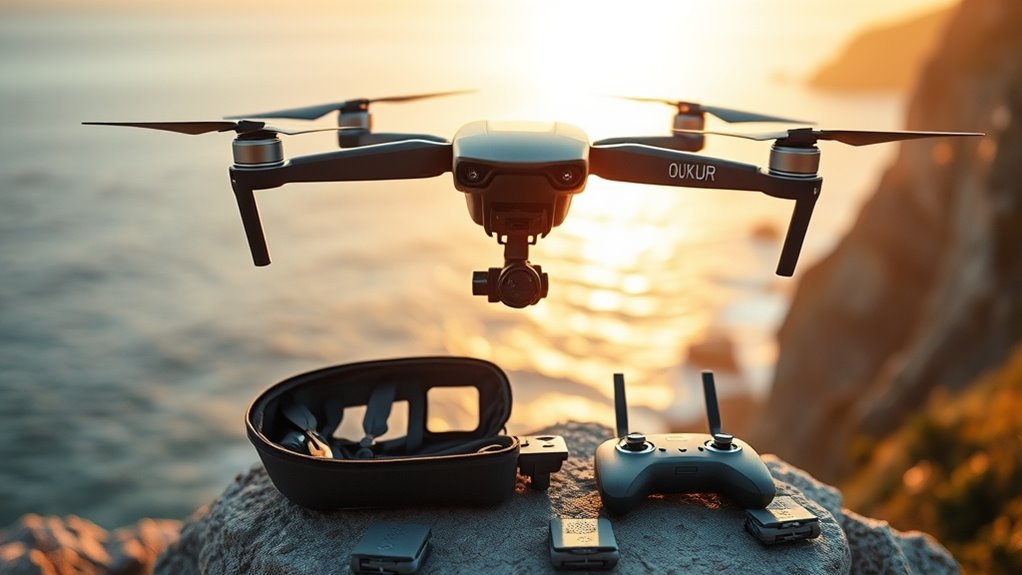
Yes, the SKYROVER X1 can be worth buying if you want advanced camera features without moving to a larger drone. Its strongest selling points are image resolution, portable design, obstacle sensing, and the convenience of multi-battery packages.
The biggest reason to compare carefully is that SKYROVER sells multiple configurations. A low advertised starting price does not necessarily include three batteries or a touchscreen controller.
SKYROVER X1 Specifications at a Glance
| Specification | SKYROVER X1 |
|---|---|
| Aircraft weight | Under 249g |
| Camera sensor | 1/1.32-inch CMOS |
| Maximum photo resolution | 48MP, marketed as 8K photos |
| Maximum standard video | 4K/60fps HDR |
| Slow-motion video | 4K/100fps |
| Stabilization | 3-axis mechanical gimbal |
| Rated flight time | Up to 32 minutes per battery |
| Maximum transmission range | 15km / approximately 9.32 miles under ideal conditions |
| Wind resistance | Level 5 rated |
| Obstacle sensing | Omnidirectional, marketed as 360° |
| Vertical recording | True 4K vertical shooting |
| Screen-controller option | 5.5-inch Full HD display, 700 nits |
These are published manufacturer specifications. Maximum ratings depend on test conditions, and software features can change with firmware. See the official SKYROVER X1 specifications for the current configuration details.
Who Should Buy the SKYROVER X1?
The X1 suits people who value a capable camera and easy transport more than a long-established drone ecosystem.
- Travel photographers: The folding body and three-battery bundle make it easier to carry equipment for several flights.
- Social media creators: True vertical recording, slow motion, and tracking modes offer useful shooting options.
- Intermediate recreational pilots: Manual camera controls and automated features provide room to learn.
- Beginners with a suitable budget: GPS-assisted flight, obstacle warnings, and guided setup may reduce the initial learning curve.
You should consider another model if you require weather sealing, have little tolerance for software issues, or rely on a mature professional accessory and repair network.
SKYROVER X1 Pros and Cons
Pros
- 4K/60fps HDR video, 4K/100fps slow motion, and 48MP photos
- Omnidirectional sensing and automated Return-to-Home
- Three-battery combo options with charging hub and carry bag
- Lightweight body and true vertical 4K shooting
Cons
- Maximum flight and transmission figures assume ideal conditions
- Screen controller costs more than the phone-based combo
- Sensor alerts and app limitations appear in independent reporting
- Newer support ecosystem and no waterproof construction
Why the X1 Stays Under 249g
The SKYROVER X1 weighs under 249g in its standard configuration. That helps with portability and can reduce registration requirements for qualifying recreational flights in the United States.
However, a lightweight drone is not automatically exempt from every aviation requirement. The reason for your flight matters, and added accessories may affect takeoff weight.
Low weight makes a drone easier to carry, but it does not replace safe flight planning or compliance with airspace rules.
FAA Registration and Recreational Rules
Under current FAA rules, drones weighing less than 250g generally do not need registration when flown solely under the recreational exception. Non-recreational operations under Part 107 generally require registration regardless of weight.
For U.S. recreational flying, you must also:
- Complete the free Recreational UAS Safety Test (TRUST) and carry proof.
- Maintain visual line of sight, or use a qualifying visual observer under the applicable rules.
- Follow airspace restrictions and obtain authorization when required.
- Observe applicable altitude limits and yield to other aircraft.
- Comply with Remote ID rules when registration is required, unless a permitted exception applies.
These requirements come from the FAA recreational flyer guidance. The FAA also explains registration and Remote ID requirements separately.
Safety warning: A sub-249g drone is not permission to fly beyond visual line of sight, enter restricted airspace, or fly over people without meeting applicable rules. Commercial operators must check Part 107 requirements before using the X1 for paid work.
What’s Included in the Fly More Combo?
The name Fly More describes a more complete package, but SKYROVER uses several bundle configurations. The most important differences are battery count and controller type.
| Configuration | Batteries | Controller | Main Difference |
|---|---|---|---|
| X1 Drone Only | 1 | Phone-connected | Basic flight package |
| X1 Combo | 3 | Phone-connected | Charging hub, spare propellers, carry bag |
| X1 Combo (RC with Screen) | 3 | Built-in 5.5-inch screen | Fly without using your phone as the display |
Do not assume the 256GB microSD card is standard equipment. The manufacturer’s October 2026 promotion lists it as an eligible bonus for the X1 Combo, not the base model or Screen Combo. Promotional terms can change.
Bundle Contents
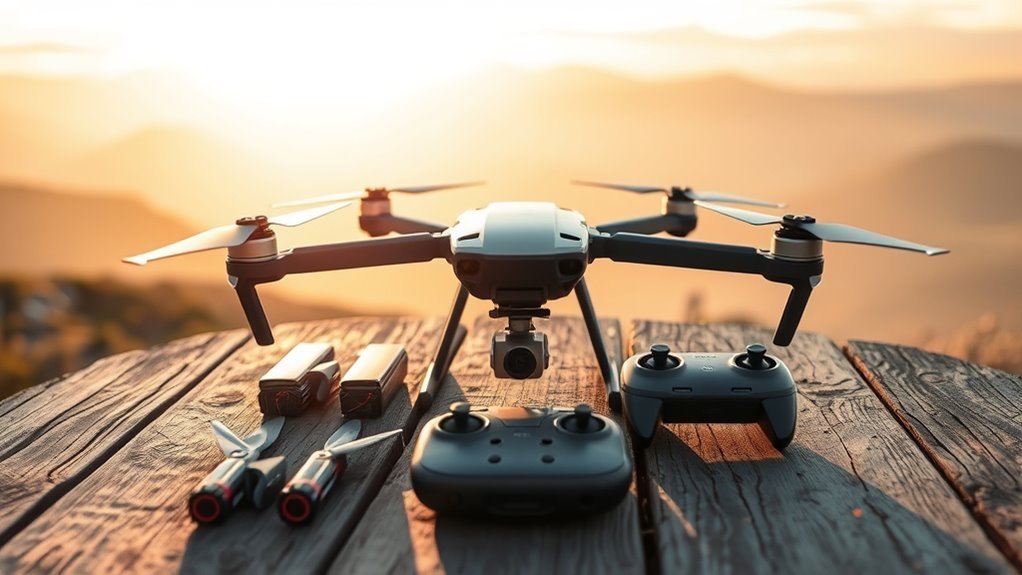
The retailer-listed X1 Fly More Combo with Screen Controller includes the aircraft and accessories needed for longer shooting sessions.
- One SKYROVER X1 drone
- One remote controller with built-in 5.5-inch screen
- Three intelligent flight batteries
- One battery charging hub
- Five pairs of spare propellers
- One carrying bag
- Gimbal protector
- Compatible controller connection cables and USB-C cable
- Manufacturer documentation
The charging equipment is useful for multi-location shoots. Spare propellers also help you prepare for wear or minor damage, although damaged propellers should always be replaced before the next flight.
Package contents are supported by the published retailer specifications. Check the exact SKU because online sellers sometimes use Fly More for different controller packages.
Extra Batteries Included
Three batteries are one of the most useful reasons to choose the X1 Combo over the basic kit.
SKYROVER claims a maximum flight time of 32 minutes per battery. With three fully charged batteries, that gives a theoretical total of 96 minutes across multiple flights, not one continuous flight.
In real use, reserve battery capacity for returning and landing safely. Wind, flight speed, video recording, and temperature can shorten endurance.
The charging hub charges batteries in sequence rather than making every battery instantly ready. SKYROVER states that a compatible 30W USB PD charger can recharge three batteries in about three hours under its specified conditions.
How the X1 Camera Performs
The X1’s camera is one of its strongest reasons to buy. Its 1/1.32-inch CMOS sensor and mechanical gimbal provide a solid foundation for detailed aerial photos and stabilized video.
SKYROVER advertises 4K/60fps HDR video, 4K/100fps slow motion, and 48MP still photography. These figures are competitive for a lightweight consumer drone, though specifications alone do not prove image quality.
4K Video and Slow Motion
Recording at 4K/60fps offers smoother movement than standard 30fps recording. It is useful for flights over landscapes, moving subjects, and travel footage.
The 4K/100fps mode gives you additional flexibility for slow-motion sequences. It is especially useful for capturing motion that would otherwise pass too quickly.
Keep in mind that resolution and frame rate do not automatically guarantee sharp results. Exposure, lighting, stabilization, and compression also affect footage quality.
48MP Photography and HDR
The X1 captures high-resolution 48MP still photos, often marketed as 8K photography. This refers to still-image resolution, not 8K video recording.
For landscape photography, higher-resolution files provide more room for cropping and printing. Auto Exposure Bracketing can capture different exposures for HDR processing, helping retain detail in scenes with bright skies and dark foregrounds.
The camera also supports RAW photography for users who want greater editing flexibility.
Vertical Recording and Color Modes
True vertical shooting lets you record portrait-format footage without relying entirely on cropping a horizontal video. This is useful for Instagram Reels, TikTok, and YouTube Shorts.
SKYROVER also documents SR-Log and supported HDR color modes. SR-Log footage can look flat before editing, so the official conversion LUT can help produce a natural finished image.
The manufacturer now advertises SR-Log and 10-bit HLG capabilities for the X1. Because firmware and recording settings affect access to these features, confirm the current software version and supported combinations before relying on them for professional production.
AI Night Mode and Creative Tools
SKYROVER’s AI Night Mode is designed to improve low-light footage. It may help with dusk scenes or illuminated city views, although darkness can still increase noise and reduce obstacle-sensing reliability.
Additional creative features include automated SmartGo flight patterns, AI subject tracking, panoramas, hyperlapse options, and compatibility with ND filters.
The official flight patterns include Lift, Vista, Loop, Twist, and Asteroid. ND filters are useful for controlling exposure in bright daylight but should not be assumed to come with every package.
How the X1 Handles Wind and Range
The SKYROVER X1 carries a Level 5 wind-resistance rating and a maximum advertised transmission distance of 15km, approximately 9.32 miles. Those are capability ratings under suitable conditions, not permission to fly that distance in everyday operation.
Strong wind can increase power use and make the return journey harder. If the drone has to fight a headwind, the remaining battery may drain much faster than expected.
Real-World Flight Time
SKYROVER advertises up to 32 minutes per battery. An independent review by Adam Clark, published by The Drone Girl in June 2026, described shorter practical flight periods during testing.
Some owners also report flight times below the advertised maximum. That is not unusual for battery-powered drones, since controlled ratings rarely match every outdoor flight.
For safer planning, treat 32 minutes as a ceiling rather than your regular usable flight budget.
Transmission Range Limitations
The advertised 15km transmission range describes the radio system’s capability in favorable conditions. Trees, buildings, interference, terrain, and antenna orientation can reduce usable range.
Even if the signal remains strong, the pilot must follow the flight rules that apply locally. In the United States, ordinary recreational operations require maintaining visual line of sight.
For most hobby pilots, dependable nearby signal and safe Return-to-Home behavior matter more than the maximum published distance.
How 360° Obstacle Avoidance Works
The X1 uses multiple visual sensors to detect obstacles around the aircraft. The manufacturer describes this as 360-degree or omnidirectional obstacle sensing.
When the system recognizes an obstacle, the drone can react according to its flight mode and configured avoidance behavior. This helps reduce collision risk but cannot guarantee that every object will be detected.
Detection Range Basics
Obstacle sensing works best with adequate light and surfaces that provide recognizable visual detail. SKYROVER states that some sensing functions require lighting above 15 lux and suitably textured surfaces.
Detection can be less reliable around:
- Thin branches, wires, or small objects
- Very dark or poorly lit areas
- Reflective, transparent, or low-texture surfaces
- Fast-changing lighting and glare
- Conditions that interfere with camera visibility
The sensing system also has a finite detection range. A drone moving quickly toward an obstacle may have less time to react than one moving slowly.
Safer Flight Response
The X1 combines obstacle sensing with automated Return-to-Home features. According to SKYROVER, Return-to-Home can activate after certain low-battery or signal-loss events.
The feature is valuable, but you should confirm the home point, return altitude, and available clearance before takeoff. Automated return may not successfully avoid every obstacle or account for every environmental hazard.
Independent testing has also identified occasional false obstacle warnings. That means pilots should not treat the sensing system as infallible.
Warning: Never depend on obstacle avoidance alone when flying near people, trees, power lines, or buildings. Maintain control, choose conservative routes, and leave enough clearance to recover from unexpected movement.
Best Uses for the SKYROVER X1
The X1 is best suited to situations where camera quality, portability, and creative flight modes matter more than rugged construction.
Travel and Landscape Photography
The folding body, stabilized camera, and high-resolution stills are useful for scenic viewpoints, countryside photography, and planned outdoor trips.
Extra batteries make it easier to capture different angles without ending a session after one flight.
Social Media Video
True vertical shooting and automated flight patterns can help produce short clips for social platforms. Slow-motion video adds another option for filming action or moving subjects.
Practice these modes in open spaces before using them near obstacles.
Real Estate and Commercial Content
The X1’s high-resolution photography, stabilized video, and automated modes can support aerial property photography.
However, business use requires the proper operating authority and aircraft compliance. Before purchasing for work, verify Remote ID acceptance, registration requirements, and the reliability of the features your assignments depend on.
Beginner Flight Practice
The beginner-oriented tutorial and GPS-assisted hovering are useful for learning basic controls. Start in an open area with calm weather and clear visibility.
Obstacle avoidance is helpful as an additional safeguard, not a substitute for learning how to fly manually.
How to Set Up the SKYROVER X1 Safely
Prepare the batteries, remote, app, and memory card before your first flight. The X1 includes assisted flight functions, but a careful setup is still essential.
- Charge the equipment. Fully charge the flight batteries and remote controller with suitable charging equipment.
- Inspect the aircraft. Check the propellers, arms, battery contacts, and gimbal cover for damage.
- Install storage. Insert a compatible microSD card before recording footage.
- Connect the controller. Use the SKYROVER app with the phone-connected version, or prepare the built-in display on the screen-controller model.
- Check firmware. Review available aircraft and controller updates through the official SKYROVER software.
- Confirm flight conditions. Check weather, airspace authorization, local restrictions, and obstacles.
- Wait for positioning. Allow the aircraft to establish its positioning information and verify the home point.
- Set Return-to-Home correctly. Choose settings appropriate for the surrounding terrain and obstacles.
- Begin with a low hover. Check movement, positioning, video feed, and control response before moving farther away.
- Land with a battery reserve. End the flight before remaining charge becomes critical.
The official SKYROVER download center provides the app, manuals, and supported software resources.
What Owners and Independent Reviewers Report
Available reviews suggest the X1 has genuine strengths, but feedback is not uniformly positive. Owner comments are anecdotal and do not establish failure rates.
One owner on the manufacturer’s product page reported approximately 25 to 28 minutes per battery. That personal observation is below the rated maximum, but it should not be treated as a universal result.
Reported Problems and Limitations
- False sensing alerts: Independent testing documented intermittent rear obstacle warnings even when the flight path appeared clear.
- Airspace information: An independent reviewer reported that the app did not provide the same airspace-awareness information available in some competing systems.
- Body construction: The reviewer noted a visible housing gap on the test aircraft and raised concerns about dust or moisture reaching internal components.
- Software learning curve: Some buyers report needing time to understand the available modes, app functions, or updates.
- Support experiences: Individual reports vary, with both successful assistance and complaints about troubleshooting or response quality.
These findings come from published owner feedback and independent SKYROVER X1 testing. The independent test is not a test performed by this site’s editorial team.
Practical takeaway: The X1’s image quality may be its strongest advantage. Software behavior, sensor warnings, and long-term support are more meaningful buying questions than the advertised transmission distance alone.
SKYROVER X1 vs. Alternatives
The SKYROVER X1 competes with established compact-camera drones and more affordable beginner models. The right choice depends on which capabilities you actually need.
| Drone | Video | Rated Flight Time | Main Strength |
|---|---|---|---|
| SKYROVER X1 | 4K/60fps HDR, 4K/100fps | 32 minutes | Strong camera features and 360° sensing |
| DJI Mini 4 Pro | 4K/60fps, 4K/100fps | 34 minutes with standard battery | Established DJI platform and advanced camera controls |
| Potensic ATOM | 4K/30fps | 32 minutes | Simple compact photography with 3-axis stabilization |
| SKYROVER S1 | Up to 4K/60fps | 40 minutes | Beginner-focused features and longer rated endurance |
SKYROVER X1 vs. DJI Mini 4 Pro
The DJI Mini 4 Pro is the more established alternative. It offers advanced recording modes, omnidirectional sensing, and a mature software and accessory ecosystem.
DJI rates it for up to 34 minutes with the standard battery and a maximum FCC transmission range of 20km under ideal conditions. The X1 offers many similar headline camera specifications but has less independent long-term coverage.
Choose the Mini 4 Pro if proven software maturity and DJI’s accessory ecosystem are priorities. Choose the X1 if the overall bundle offers better value for your intended use.
SKYROVER X1 vs. Potensic ATOM
The Potensic ATOM is a simpler alternative with a 3-axis gimbal, 4K/30fps video, and up to 32 minutes of rated flight time.
It makes sense for recreational photographers who do not require 4K/60fps or the X1’s omnidirectional obstacle sensing. The X1 has stronger headline camera specifications, but that alone does not make it necessary for every beginner.
SKYROVER X1 vs. SKYROVER S1
The SKYROVER S1 is positioned as the brand’s beginner-friendly model. It offers a longer advertised maximum flight time, while the X1 adds a more advanced camera feature set and broader obstacle sensing.
Choose the S1 if you mainly want basic aerial photography and straightforward recreational flight. The X1 is more suitable if higher-frame-rate recording and more advanced sensing justify the additional cost.
How the SKYROVER X1 Compares on Price
The X1’s value depends heavily on which bundle you purchase. Comparing its basic promotional price with a competitor’s multi-battery screen-controller package would create a misleading comparison.
As of October 11, 2026, SKYROVER’s U.S. store advertises these October offers:
- X1 Drone Only: $413 after code OCTX1.
- X1 Combo: $449 after code OCTX1COMBO, including three batteries and additional accessories.
- X1 Combo (RC with Screen): $699 advertised for the screen-controller configuration.
These are manufacturer-store promotional prices, not Amazon prices. The advertised codes are scheduled to end October 31, 2026, Pacific Time, and final eligibility is determined at checkout.
The standard combo looks attractive if you are comfortable using a phone as your flight display. The screen-controller bundle is more convenient for pilots who prefer a self-contained remote, but the higher price changes the value comparison.
The manufacturer also advertised free SKYROVER CARE with eligible X1 purchases and a promotional 256GB microSD card with the standard X1 Combo. These incentives should not be treated as permanent package contents.
SKYROVER CARE, Returns, and Warranty
SKYROVER advertises a 12-month manufacturing-defect warranty and a 30-day return service for qualifying direct-store purchases.
Its published policy requires appropriate proof of purchase and imposes conditions on product condition, packaging, missing accessories, and unauthorized modifications. Purchases from other retailers follow the applicable seller policies.
SKYROVER CARE provides a separate accidental-damage replacement service. The one-year plan can allow up to two approved replacements, but each approved replacement requires a fee. The manufacturer lists a replacement fee of $149 for the X1 Combo under its published plan terms.
The manufacturer’s after-sales service policies explain exclusions, replacement procedures, and warranty eligibility.
What to Check Before Buying the X1
Before ordering the SKYROVER X1 Fly More Combo, confirm the features you actually need and the exact configuration being sold. The controller and accessory differences matter more than a broad product name.
Prepurchase Checklist
- Controller: Confirm whether the bundle includes the built-in screen or requires a compatible phone.
- Battery count: Check whether you are purchasing the single-battery aircraft or the three-battery combo.
- Charging equipment: Confirm the hub and any required power adapter.
- Camera settings: Verify the firmware required for SR-Log, HDR recording, and other advanced features.
- Storage: Check whether a compatible microSD card is included or sold separately.
- Remote ID: For operations requiring it, confirm the aircraft firmware and applicable FAA compliance documentation.
- Support: Read the exact seller’s return policy, warranty eligibility, and accidental-damage plan terms.
- Weather: Plan to fly in suitable dry conditions. The X1 is not waterproof.
Remote ID Compatibility
Earlier retailer information stated that the X1 lacked built-in Remote ID. SKYROVER’s current official FAQ now states that Remote ID is built in and can be enabled for applicable operations.
Those statements should not be treated as equivalent. If you intend to use the X1 under Part 107, confirm that your exact aircraft and firmware meet the relevant requirements. An advertised Remote ID switch alone does not establish FAA acceptance.
Use the FAA Declaration of Compliance database to check accepted Remote ID declarations and refer to the manufacturer’s support documentation for the aircraft’s serial number and firmware.
How We Evaluated the SKYROVER X1
This review is based on published information rather than direct testing of a SKYROVER X1 aircraft.
We compared the manufacturer’s current specifications with retailer package listings, FAA regulatory guidance, published owner comments, and independent testing. The main evaluation factors were camera capability, flight endurance, sensing, portability, package value, and support limitations.
Manufacturer specifications are treated as stated maximums, not independently confirmed results. Comments from owners and third-party reviewers are attributed to those sources and are not presented as our own flight experience.
The editorial rating reflects this evidence and the balance of advantages and disadvantages. It should not be interpreted as a laboratory performance score or a guarantee of reliability.
Frequently Asked Questions
Are SKYROVER drones good?
The X1 offers strong published camera and flight specifications for its size. Independent testing praises its photos, stable flight, and beginner tutorial, but also reports occasional sensor warnings and concerns about construction. That makes it a reasonable option for careful recreational pilots, not a proven replacement for every established drone.
What should I know before buying a drone?
Decide whether you will fly for fun or for work, then check the rules that apply. Compare total kit contents, controller type, camera modes, battery endurance, spare-part access, and return conditions. Plan to take the FAA TRUST test for U.S. recreational flying and keep the aircraft within visual line of sight.
What are the current SKYROVER X1 discount codes?
The manufacturer advertised October 2026 codes OCTX1 for the base X1 and OCTX1COMBO for the three-battery X1 Combo, with offers scheduled to end October 31. The screen-controller version has a separate advertised price. Promotions can change, so confirm the exact model and checkout total before purchasing.
Does the SKYROVER X1 have Remote ID?
SKYROVER now says the X1 has built-in Remote ID that can be enabled for applicable operations. This differs from older retailer answers claiming the feature was absent. Before commercial use, confirm your firmware, the broadcast function, and FAA acceptance for your exact aircraft model and serial number.
Does an under-249g SKYROVER X1 need FAA registration?
Not when it is flown solely under the qualifying U.S. recreational exception and remains below 250 grams at takeoff. Recreational pilots still need to pass TRUST and follow airspace and line-of-sight rules. Part 107 operations generally require registration regardless of weight, along with applicable Remote ID compliance.
Does the Fly More Combo include a touchscreen controller?
Only the X1 Combo (RC with Screen) includes the built-in 5.5-inch display controller. The standard three-battery X1 Combo uses a controller that connects to your phone. Both versions offer extra batteries and a charging hub, so read the full bundle name instead of relying on the words Fly More.
How long can the X1 fly with three batteries?
SKYROVER rates the X1 for up to 32 minutes on one battery, giving three batteries a theoretical combined total of 96 minutes across separate flights. Wind, cold, tracking, and the return trip reduce practical time. An independent tester reported shorter results, so do not plan around the full claimed maximum.
Is the SKYROVER X1 waterproof?
No. SKYROVER explicitly says the X1 is not waterproof and should not fly in rain or wet conditions. An independent review also raised concerns about gaps in the body shell and possible dust or moisture exposure. Keep the aircraft away from rain, sea spray, blowing sand, and heavy mist.
What does SKYROVER CARE actually cover?
SKYROVER CARE is an optional or promotional protection plan for eligible accidental damage, not unlimited free repair. It allows up to two approved replacements during its stated period, with a replacement fee for each claim. Loss, ordinary wear, and some other events are excluded. The standard manufacturing-defect warranty is separate.
Conclusion: Is the SKYROVER X1 Fly More Combo a Good Buy?
The SKYROVER X1 Fly More Combo offers a convincing mix of camera capability, portability, and useful accessories. Its 48MP photography, 4K/60fps HDR video, true vertical shooting, and omnidirectional sensing make it competitive in the lightweight drone category.
The important trade-offs are software maturity, real-world battery endurance, weather resistance, and the limitations of automated safety features. The standard three-battery combo is attractive for pilots happy to use a phone, while the screen-controller version offers greater convenience at a higher cost.
Our verdict: The X1 earns consideration as a capable compact camera drone, but it is not an automatic replacement for established competitors. Match the exact bundle to your needs, confirm compliance for your intended flights, and assess the support terms before buying.
Final Buying Verdict: 7.5/10
A capable travel and recreational camera drone with attractive multi-battery options, but software and long-term support limitations deserve attention.
Best choice: The standard X1 Combo if you prefer value and do not need a built-in controller screen. Choose the RC with Screen version if controlling the drone without relying on a phone is worth the additional cost.

