
A Toyota Camry “Check Hybrid System” message means the vehicle has detected a fault involving the hybrid powertrain or a related control system. The cause may be as simple as low 12V battery voltage, but it can also involve the traction battery, cooling fan, inverter, wiring, sensors, engine controls, or another component. Treat the message as a real warning until diagnostic codes identify the affected system.
Quick Answer
Stop in a safe place if your Camry loses power, overheats, smells burnt, will not enter READY mode, or displays a red warning. Otherwise, record the messages, avoid clearing codes, check the 12V battery and battery-cooling intake, and have all hybrid-system trouble codes read with a Toyota-capable diagnostic tool.
Key Takeaways
- The warning is a general alert, not a diagnosis of a failed hybrid battery.
- A weak 12V battery can prevent READY mode or create multiple warning messages, but it is only one possible cause.
- Do not disconnect the battery or clear codes before saving the DTCs and freeze-frame data.
- Do not open the traction-battery case or touch orange high-voltage cables.
- Use the owner’s manual and recall information for your exact Camry model year and VIN.
At a Glance
| Time Required | 10–30 minutes for basic checks; professional diagnosis may take longer |
| Difficulty | Basic inspection is easy; hybrid-system repair requires trained personnel |
| Tools Needed | Owner’s manual, flashlight, 12V battery tester or multimeter, and a Toyota-capable scan tool |
| Cost | Visual checks may cost nothing; testing, diagnosis, and repairs vary by the cause and repair facility |
Warning: Toyota hybrid systems contain potentially lethal high voltage. Do not touch orange cables, open the traction-battery enclosure, remove the high-voltage service plug, probe inverter terminals, or attempt battery-module repairs unless you have the required training, protective equipment, and service information.
Understanding the “Check Hybrid System” Warning Light
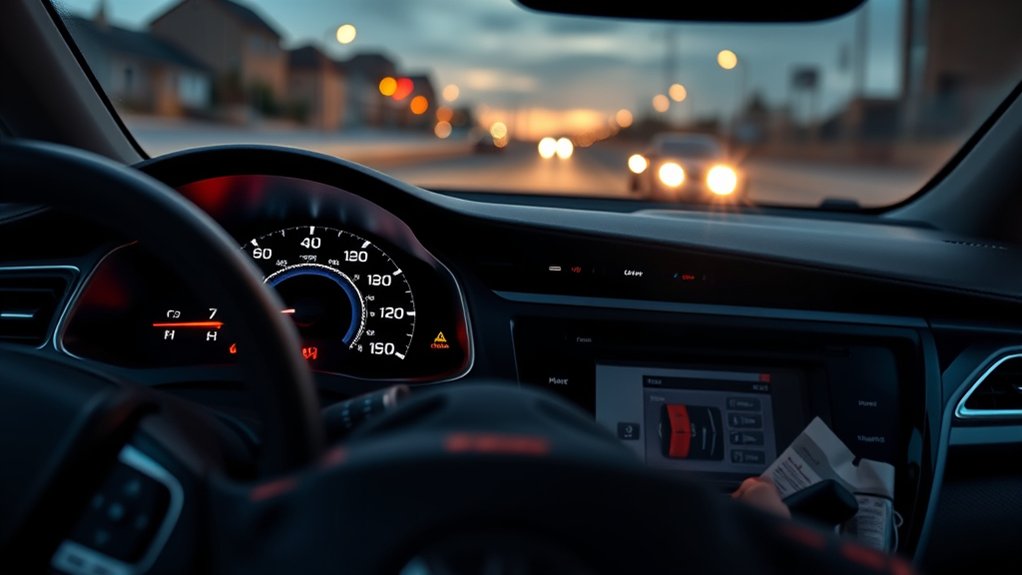
The “Check Hybrid System” message means one or more control modules detected a fault that may affect hybrid operation. It does not automatically mean the high-voltage battery needs replacement.
The warning may appear when you start the vehicle, while driving, or after another electrical problem occurs. Depending on the fault, the Camry may continue operating normally, limit power, disable electric operation, prevent READY mode, or shut down the hybrid system.
Look for other warning lights and messages at the same time. The master warning light, check-engine light, charging-system warning, temperature warning, and brake-system warnings can provide important clues. Use the Toyota warning-light resource and the owner’s manual for your exact model year.
“Check Hybrid System” identifies the system that detected a problem. The stored diagnostic codes identify where testing should begin.
Can You Drive With a Check Hybrid System Warning?
Whether you should continue driving depends on the vehicle’s behavior and the other warnings displayed.
| What you notice | Recommended response |
| Loss of propulsion, repeated stalling, smoke, a burning smell, overheating, severe shaking, red warnings, or the vehicle will not enter READY mode | Stop safely, switch the vehicle off, and arrange a tow. Do not keep restarting it. |
| Reduced power or abnormal engine operation without smoke or overheating | Avoid highways and heavy acceleration. Move to a safe location and obtain prompt diagnosis. |
| The message appears, but the vehicle feels normal and no red warning is present | Limit driving to what is necessary for diagnosis. Record the warning, scan the vehicle, and follow the model-year manual. |
A warning that disappears after restarting the vehicle may still have stored history or pending codes. A temporary disappearance does not prove the problem has been repaired.
Common Causes of Hybrid System Problems
A Camry Hybrid combines a gasoline engine, motor-generators, a high-voltage battery, an inverter and converter, cooling equipment, multiple control modules, and a conventional 12V electrical system. A fault in any related area can trigger the warning.
Weak or Failing 12V Battery
The auxiliary battery powers computers, relays, locks, lighting, and other low-voltage systems. If voltage drops too far during startup, control modules may fail to initialize correctly or may store low-voltage and communication codes.
A low 12V reading does not prove the battery is the only problem. Test its resting voltage, voltage under load, charging behavior, terminal condition, and age before replacing it.
High-Voltage Battery or Cooling Problems
Age, temperature, cell imbalance, sensor faults, blocked airflow, a failing cooling fan, or electrical connection problems can affect the traction battery. Signs may include rapid changes in the battery gauge, frequent engine operation, reduced fuel economy, loud cooling-fan operation, or battery-related DTCs.
Keep the battery air intake clear of dust, pet hair, clothing, seat covers, and luggage. Its location varies by model year, so use the correct owner’s manual before inspecting or cleaning it.
Inverter, Converter, or Cooling Faults
The inverter and converter manage electrical power between the traction battery, motor-generators, and 12V system. Internal faults, coolant-pump problems, low inverter coolant on applicable generations, wiring faults, or overheating can produce a warning and reduced-power mode.
Do not open or electrically test inverter components yourself. These parts operate at dangerous voltages and require model-specific procedures.
Wiring, Sensors, and Control Modules
Damaged wiring, corrosion, poor grounds, loose connectors, temperature sensors, current sensors, communication faults, or control-module problems can trigger the message. Recent collision repair, water intrusion, rodent damage, an incorrect jump-start, or accessory installation may provide useful diagnostic context.
Engine or Emissions-Related Faults
The gasoline engine is part of the hybrid powertrain. Misfires, throttle problems, fuel-delivery faults, overheating, or other engine-control issues may cause the hybrid system to limit operation. Reading only the hybrid-control module can therefore miss the original cause.
Recalls or Service Campaigns
Some issues apply only to specific years, production ranges, or VINs. Check both the Toyota recall and service-campaign lookup and the NHTSA recall database.
Identifying Symptoms of Hybrid System Issues
Symptoms can help determine urgency, but they cannot identify the failed component by themselves. Watch for:
- Reduced acceleration or limited power
- The vehicle failing to enter READY mode
- Unexpected engine shutdowns or restarts
- Rapid or unusual traction-battery gauge changes
- Unusually frequent gasoline-engine operation
- A loud battery-cooling fan
- Grinding, whining, buzzing, or pump noises
- Overheating or high-temperature messages
- Multiple warning lights appearing together
- Climate-control or electrical systems behaving abnormally
- Repeatedly discharged 12V battery
- Lower fuel economy without another clear explanation
Record when each symptom occurs. Note outside temperature, vehicle speed, fuel level, recent maintenance, whether the engine was cold or warm, and whether the vehicle entered READY mode. These details can help a technician reproduce an intermittent problem.
Understanding Diagnostic Trouble Codes (DTCs)
Diagnostic Trouble Codes are standardized or manufacturer-specific identifiers stored when a control module detects an abnormal condition. The code points to a system, circuit, or test result. It does not always identify the part that must be replaced.
A basic generic OBD-II reader may retrieve engine codes but miss hybrid-control, battery-control, brake, body, or manufacturer-specific information. Toyota Techstream or another scan tool with full Toyota system coverage is more useful for this warning.
Pro Tip: Save every current, pending, history, and permanent code together with freeze-frame data before clearing codes or disconnecting the 12V battery. That information may show the voltage, temperature, speed, and operating conditions present when the fault occurred.
Common DTC Examples
| Code | General meaning | What it does not prove |
| P0A80 | Replace hybrid battery pack | It does not identify the weak block, confirm warranty eligibility, or rule out related wiring and sensing faults. |
| P0A82 | Hybrid battery pack cooling fan 1 performance or stuck off | It does not automatically mean the traction-battery cells have failed. |
| P0A94 | DC/DC converter performance | It does not by itself prove that an inverter assembly must be replaced. |
| P0A9B | Hybrid battery temperature sensor “A” circuit range or performance | It does not specifically identify an inverter failure. |
Code wording, information codes, testing steps, and component locations can vary by Camry generation. Confirm them with the repair information for the exact year and VIN through the Toyota Technical Information System.
Why Complete DTC Diagnosis Matters
- It identifies the correct system: A general warning may be caused by the battery, inverter, engine, brake system, wiring, or low voltage.
- It prevents unnecessary parts replacement: A code can be caused by wiring, airflow, voltage, connectors, or a sensor rather than the most expensive component named in the description.
- It preserves intermittent evidence: Freeze-frame and history data may reveal a fault that is not present during a later inspection.
- It exposes related faults: One module may store a secondary warning while another module contains the original code.
Why Your Hybrid’s 12V Battery Is Crucial

Your Camry Hybrid has two different battery systems. The 12V auxiliary battery supplies low-voltage electronics and helps the vehicle’s computers close the high-voltage relays so the car can enter READY mode. The high-voltage traction battery supplies propulsion power and normally allows a motor-generator to crank the gasoline engine.
A weak 12V battery can cause dim lights, clicking, failed READY mode, communication codes, or several warning messages at once. However, replacing it without testing may waste money if a charging, wiring, parasitic-draw, or hybrid-system problem caused the low voltage.
Have the battery load-tested and inspect the terminals for looseness or corrosion. If you use a multimeter, remember that a resting-voltage reading alone does not measure the battery’s full condition.
Note: Do not confuse the 12V auxiliary battery with the high-voltage traction battery. Testing or replacing one does not diagnose the other.
Troubleshooting the “Check Hybrid System” Warning Light
1. Stop and Assess the Vehicle
Pull over safely if the vehicle loses power, overheats, shakes severely, smells burnt, produces smoke, or displays a red warning. Switch it off and arrange professional assistance rather than repeatedly attempting to restart it.
2. Record the Dashboard
Photograph every message and warning light before turning the vehicle off. Note whether the READY indicator was illuminated and whether the gasoline engine was running.
3. Restart Only Once if Conditions Are Safe
If no severe symptom is present, switch the vehicle off completely, wait briefly, and restart it once. A successful restart may allow you to move the car to a safer location, but it does not confirm a repair.
4. Check the 12V System
Inspect the battery terminals for looseness, corrosion, damage, or an incorrect recent connection. Test the battery and charging system properly. Do not assume that a jump-start proves the battery is healthy.
5. Inspect the Battery-Cooling Intake
Find the intake location in the owner’s manual for your Camry year. Remove visible obstructions around the exterior grille or approved serviceable filter. Do not insert tools deeply into ducts or dismantle the traction-battery enclosure.
6. Scan All Relevant Control Modules
Use a scan tool that can communicate with Toyota hybrid-control, battery-control, engine, brake, and body modules. Save all codes, information codes, and freeze-frame data.
7. Check Recalls, Campaigns, and Warranty Coverage
Enter the VIN in Toyota’s recall lookup and the NHTSA database. Also review the warranty guide for your exact model year. Toyota states that applicable hybrid batteries receive a 10-year or 150,000-mile limited warranty, whichever comes first, while other hybrid components and older model years may have different coverage and conditions.
8. Follow the Code-Specific Test Procedure
Do not replace the battery, inverter, cooling fan, or sensor based only on a code name. Follow the Toyota test sequence, which may include checking voltage, resistance, airflow, temperatures, connectors, coolant operation, insulation, and related information codes.
Preventing Future “Check Hybrid System” Warnings
- Maintain the 12V battery: Test it when starting becomes slow, electrical behavior changes, or the battery approaches the end of its expected service life.
- Keep cooling intakes clear: Prevent luggage, pet hair, clothing, dirt, or seat-cover material from blocking the traction-battery air intake.
- Follow scheduled maintenance: Use the maintenance guide for your exact year, mileage, and operating conditions.
- Address warning lights promptly: Continued driving can turn a cooling, wiring, or voltage issue into a more expensive failure.
- Use correct jump-start procedures: Reversed polarity can damage electronic components.
- Check for campaigns: Recheck your VIN periodically because campaigns and recall status can change.
- Protect the vehicle from water intrusion: Repair body, trunk, windshield, or cabin leaks that could reach wiring or electronic equipment.
Knowing When to Consult a Professional for Hybrid Problems
Basic visual checks and code retrieval can help you describe the problem, but many hybrid faults require a trained technician. Seek professional diagnosis when:
- The vehicle will not enter READY mode
- The warning returns after a restart
- Power is reduced or the engine behaves abnormally
- A high-voltage, isolation, inverter, battery, or temperature code is stored
- The traction-battery fan runs loudly or continuously
- The vehicle overheats or displays a red warning
- Codes return after 12V battery replacement
- You find damaged orange wiring, collision damage, water intrusion, or a burning smell
- The diagnosis would require opening a high-voltage component
Information to Give the Technician
Provide the complete code list, photos of the dashboard, the conditions under which the warning appeared, recent repairs, jump-start history, battery-test results, and any unusual sounds or smells. This information can reduce diagnostic time.
Choosing a Repair Facility
Choose a Toyota dealer or an independent shop with hybrid training, appropriate safety equipment, Toyota-capable diagnostics, and access to service information. Ask whether the diagnostic fee includes code retrieval only or full testing of the identified system.
How to Connect With Other Camry Hybrid Owners for Support
Toyota forums, Camry owner groups, and hybrid communities can help you compare symptoms, locate cooling intakes, or understand common model-year concerns. Search using the model year, complete DTC, information code, mileage, and exact dashboard message.
Treat owner reports as leads rather than proof. Two vehicles can display the same message for different reasons, and an online recommendation to replace a battery or inverter may skip the required testing.
Do not share your complete VIN, home address, license plate, or other private information publicly. A partial VIN production range may be useful only when discussing an official campaign.
How to Evaluate Owner-Reported Solutions
Owner experiences often mention a weak 12V battery, blocked battery-cooling intake, failed cooling fan, traction-battery deterioration, inverter fault, wiring damage, or an issue that appeared after a jump-start. These reports can help you prepare questions, but they should not replace a complete scan and test procedure.
Be especially cautious with advice to disconnect the battery, clear codes repeatedly, replace individual traction-battery modules, bypass cooling equipment, or continue driving until the vehicle stops. Clearing the warning can remove evidence while leaving the underlying fault unchanged.
Document each occurrence instead. Record the date, outside temperature, mileage, road speed, fuel level, battery-gauge behavior, warning messages, and whether the vehicle entered READY mode. Patterns can help identify heat-related, low-voltage, or intermittent wiring faults.
Frequently Asked Questions
What does the Toyota Camry hybrid system warning mean?
It means a control module detected a problem involving the hybrid powertrain or a related system. The message alone does not identify the failed part. Read all stored codes and follow the diagnostic procedure for your exact model year.
Can you drive with a Check Hybrid System warning?
Do not continue driving if the Camry loses power, overheats, smells burnt, produces smoke, shows a red warning, or will not remain in READY mode. If it operates normally with no severe symptoms, limit driving and arrange prompt diagnosis rather than assuming the warning is harmless.
Can I drive with a charging-system warning light?
A charging-system warning can mean the 12V system is not receiving proper power from the converter or that another electrical fault is present. Electrical systems may shut down as voltage falls. Move to a safe location and have the vehicle inspected promptly.
What causes a Toyota Camry hybrid-system malfunction?
Possible causes include low 12V voltage, traction-battery deterioration, blocked battery airflow, cooling-fan failure, inverter or converter faults, engine-control problems, damaged wiring, faulty sensors, communication errors, overheating, or model-specific recall conditions.
Can a weak 12V battery trigger the warning?
Yes. Low auxiliary-battery voltage can interfere with module initialization, communication, and READY-mode operation. Test the battery under load and check its connections, but do not assume it is the only cause without scanning the vehicle.
Will disconnecting the 12V battery reset the warning?
It may clear some temporary information, but it does not repair the fault and may erase useful diagnostic evidence. Save the DTCs and freeze-frame data before disconnecting or clearing anything.
Conclusion
A Toyota Camry “Check Hybrid System” warning can result from a weak 12V battery, a cooling or wiring issue, an engine fault, or a more serious traction-battery or inverter problem. The safest approach is to assess the vehicle’s behavior, preserve all diagnostic information, avoid high-voltage components, and use a Toyota-capable scanner.
Do not replace expensive hybrid parts based only on the dashboard message or a single code description. Check the exact owner’s manual, recalls, warranty coverage, related codes, and Toyota’s model-specific test procedure before authorizing repairs.
Sources
- Toyota Manuals and Warranties — model-specific owner’s manuals and warranty guides
- Toyota Warning Lights — official warning-light guidance and manual lookup
- Toyota Technical Information System — factory repair information, diagnostics, service bulletins, and Techstream resources
- Toyota Hybrid Battery Warranty — current U.S. hybrid-battery warranty information
- Toyota Recall and Service-Campaign Lookup — VIN-based Toyota campaign information
- NHTSA Recall Lookup — U.S. government vehicle recall database
