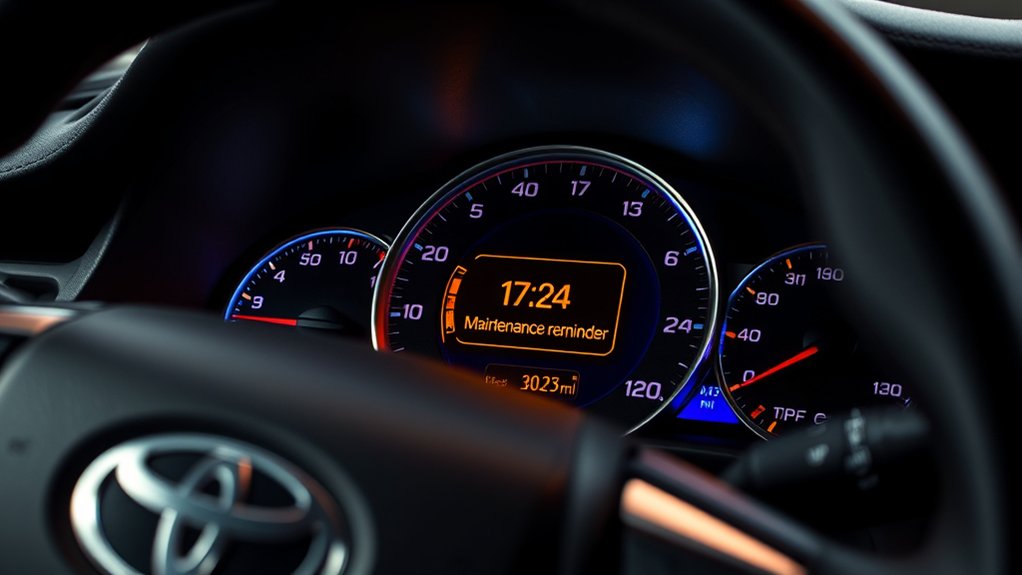
The Toyota Camry maintenance reminder helps you keep track of scheduled service, but it does not directly test your engine oil or diagnose mechanical problems. The message, timing, and reset procedure vary by model year, so the exact wording on your dashboard and the maintenance schedule for your Camry should guide your next step.
Quick Answer
A Toyota Camry “Maintenance Required” message usually means the vehicle has reached a scheduled service interval based on mileage or time since the reminder was reset. It is not the same as a check-engine or low-oil-pressure warning. Complete the service listed for your model year, then reset the correct maintenance counter.
Key Takeaways
- The basic maintenance reminder normally tracks a scheduled interval; it does not analyze the physical condition of the oil.
- A 5,000-mile service reminder does not always mean an oil change is due. Current schedules may call for inspections and tire rotation at 5,000 miles but oil replacement at 10,000 miles under normal conditions.
- Newer Camrys normally reset through the multi-information display, while many older models use the Trip A and odometer-reset-button procedure.
- Do not reset the reminder until the required maintenance has been completed.
- A red oil-pressure, brake, or temperature warning is not a routine maintenance reminder and may require you to stop driving.
At a Glance
| Time Required | About 2–5 minutes after maintenance is complete |
| Difficulty | Easy |
| Tools Needed | None; use the steering-wheel controls or odometer reset button |
| Cost | $0 to reset; maintenance costs depend on the service due |
Note: Dashboard wording, service intervals, and reset menus differ by model year, trim, powertrain, and market. Confirm the instructions in the Toyota owner’s manual and warranty guide for your specific Camry.
How the Toyota Camry Maintenance Reminder System Works

The Toyota Camry maintenance reminder is designed to alert you when a scheduled service interval is approaching or has been reached. On many models, it counts the distance driven since the system was last reset. Newer vehicles may also display separate entries for scheduled maintenance and oil maintenance.
The reminder should not be described as a sensor that measures oil quality. It generally does not sample the oil, calculate contamination, or determine how much useful oil life remains. It simply helps you follow the maintenance schedule.
For example, Toyota’s 2025 U.S. Camry Warranty & Maintenance Guide calls for scheduled maintenance every 5,000 miles or six months, whichever comes first. Under normal operating conditions, engine oil and filter replacement is generally listed every 10,000 miles or 12 months.
That distinction is important. A reminder at 5,000 miles may correspond to tire rotation, fluid-level checks, brake inspection, wiper inspection, and other scheduled items rather than an automatic oil change.
For a 2025 U.S. Camry, scheduled service is listed every 5,000 miles or six months, while normal-condition engine oil service is generally listed every 10,000 miles or 12 months.
Some supported vehicles can also send maintenance notifications through Toyota Service Connect, the Toyota app, or a My Toyota account. These connected notifications are separate from the basic dashboard counter and depend on vehicle equipment, registration, network availability, and service eligibility.
Understanding the Maintenance Light Alert: What It Means
The safest way to interpret a dashboard alert is to read the exact message and identify the accompanying symbol. “Maintenance Required Soon” is not the same as a red oil-pressure warning, an overheating warning, or a check-engine light.
Maintenance Reminder Versus Warning Lights
| Display or Indicator | What It Usually Means | Recommended Action |
|---|---|---|
| Maintenance Required Soon | A scheduled interval is approaching. | Review the maintenance guide and arrange the service. |
| Maintenance Required or MAINT REQD | The scheduled interval has been reached. | Complete the listed maintenance and reset the reminder. |
| Yellow triangle with an exclamation mark | A master warning that accompanies a message; it is not exclusively a maintenance icon. | Read the message shown on the multi-information display. |
| Red oil-can symbol | Engine oil pressure may be dangerously low. | Stop safely, switch off the vehicle, and follow the owner’s manual. |
| Red brake or temperature warning | A potentially urgent brake-system or overheating condition. | Stop when safe and follow the warning instructions. |
| Check-engine light | The vehicle has detected an engine, emissions, or related system fault. | Arrange diagnosis; a flashing light requires more urgent attention. |
Warning: Do not assume every dashboard alert is a routine maintenance reminder. If a red oil-pressure, brake-system, charging-system, or high-temperature warning appears, stop in a safe place and follow the instructions in your owner’s manual.
Why Reminder Mileage Varies
Certain older Camrys display an advance notice at approximately 4,500 miles after the previous reset and a persistent reminder at approximately 5,000 miles. Other model years use different wording, menus, counters, or time-based settings.
There is no universal official 5,500-mile warning stage. If the reminder remains on after 5,000 miles, it usually continues to indicate that the scheduled interval has been reached until the appropriate counter is reset.
Immediate Steps When the Maintenance Light Activates
Follow this sequence rather than automatically changing the oil or immediately resetting the message:
- Read the exact dashboard message. Note whether it says “Maintenance Required,” “Oil Maintenance Required,” or something else.
- Check for additional indicators. A red warning or flashing check-engine light changes the urgency.
- Check the mileage and date. Maintenance may be due by elapsed time even when you have driven relatively few miles.
- Open the maintenance schedule for your model year. Identify the work listed at the current mileage and time interval.
- Complete the required service. This may include inspections, tire rotation, fluid checks, filter service, or an oil change.
- Reset the correct counter. Some models list scheduled maintenance and oil maintenance separately.
- Record the service. Save the date, mileage, work performed, and receipts.
Pro Tip: Photograph the dashboard mileage and the service invoice. Resetting the reminder restarts a counter, but the photo and invoice document what was actually performed.
How Often Will You Get Maintenance Alerts?
The interval depends on the model year and the way the reminder was configured or reset. As a current example, Toyota recommends scheduled maintenance for the 2025 U.S. Camry every 5,000 miles or six months, whichever occurs first.
| 2025 U.S. Camry Example | Typical Interval | Examples of Listed Work |
|---|---|---|
| Scheduled maintenance visit | Every 5,000 miles or 6 months | Inspect fluid levels, wiper blades, brakes, and floor-mat installation; rotate tires; reset the scheduled reminder. |
| Engine oil and filter under normal conditions | Generally every 10,000 miles or 12 months | Drain and refill engine oil and replace the oil filter. |
| Engine oil under specified special conditions | Every 5,000 miles or 6 months | Applies when the vehicle is driven primarily on dirt or dusty roads or is repeatedly used for trips under five miles below freezing. |
| Low-mileage vehicle | Use the time limit even if mileage is low | Obtain the scheduled service when six months has passed rather than waiting to reach 5,000 miles. |
This table is an example, not a universal schedule for every Camry. Older gasoline and hybrid models may have different oil, filter, coolant, spark-plug, transmission-fluid, and battery-cooling-system requirements.
Essential Maintenance Tasks for Your Toyota Camry

A maintenance reminder is a prompt to consult the schedule, not a complete diagnosis. Depending on mileage, time, powertrain, and operating conditions, the service may include:
- Tire rotation and inspection: Promotes more even tread wear and provides an opportunity to check pressure, damage, and remaining tread depth.
- Brake inspection: Checks brake pads, discs, linings, drums, hoses, and other visible components at the intervals listed for the vehicle.
- Fluid-level inspection: Includes applicable coolant, brake fluid, washer fluid, and other listed systems.
- Engine oil and filter replacement: Performed when required by the model-year schedule and operating conditions.
- Cabin and engine air-filter service: Filters may require inspection, cleaning, or replacement at different intervals.
- Wiper-blade inspection: Checks for cracking, streaking, skipping, or poor windshield contact.
- Hybrid-system maintenance: Hybrid Camrys may have additional inspection or cleaning requirements, including the traction-battery cooling intake filter.
Do not use a generic online chart as a substitute for the schedule assigned to your vehicle identification number, model year, engine or hybrid system, and market.
Why Resetting Your Maintenance Reminder Matters
Resetting the correct reminder after service allows the vehicle to begin counting toward the next scheduled interval. If the counter is not reset, the message may remain on even though the work has been completed.
Resetting too early creates the opposite problem. The display may suggest that more time or mileage remains than is actually available, making it easier to miss the next service.
A reset does not:
- perform any maintenance;
- measure the new oil’s quality;
- repair a mechanical or emissions fault;
- turn off every diagnostic warning;
- create a service receipt; or
- prove that the work was completed.
Reset the reminder only after the scheduled work is complete, and keep a separate record showing the date, mileage, parts, and services performed.
How to Reset the Maintenance Reminder in Your Camry
Park the vehicle safely before using the instrument-panel menus. The following procedures cover common Camry configurations, but menu names and button sequences can vary.
2025 and Newer Camry Models
- Park the vehicle and turn the power on.
- Use the steering-wheel controls to open the settings or gear-icon screen in the multi-information display.
- Select Vehicle Settings.
- Select Scheduled Maintenance.
- Choose Reset and confirm Yes.
- If the display has a separate Oil Maintenance option and the oil was changed, reset that counter as well.
- Turn the vehicle off and restart it to confirm that the message no longer appears.
Many 2018–2024 Camry Models
- Turn the ignition or power mode on and leave the vehicle parked.
- Use the steering-wheel arrows to display the settings menu.
- Open Vehicle Settings or the maintenance-settings menu.
- Select Scheduled Maintenance, Oil Maintenance, or the corresponding reminder shown on your display.
- Select Yes to reset it.
- Restart the vehicle and verify that the reminder has cleared.
Some trims and production years may use different menu wording. Do not reset an oil-maintenance counter unless the oil service was actually completed.
Many Older Camry Models Using the Trip A Method
- Turn the ignition on and display Trip A on the odometer.
- Turn the ignition off.
- Press and hold the odometer or trip-reset button.
- While continuing to hold the button, turn the ignition to the ON position without starting the engine. On a push-button model, this commonly means pressing the start button without pressing the brake pedal.
- Continue holding the button while the display shows dashes or a countdown followed by zeroes.
- Release the button after the reset is confirmed.
- Restart the vehicle and check the display.
Not every older Camry uses this exact sequence. Some hybrid or multi-information-display models use a menu or a slightly different ignition-button procedure.
What to Do If the Reminder Will Not Reset
- Confirm that you selected the correct counter. “Scheduled Maintenance” and “Oil Maintenance” may be separate.
- For an older button-based procedure, confirm that Trip A, not Trip B or the main odometer, was displayed before switching the ignition off.
- Make sure the ignition is in the required ON mode without starting the engine when using the Trip A procedure.
- Hold the reset button until the countdown or confirmation is complete.
- Check whether the message is actually a maintenance reminder rather than a diagnostic warning.
- Consult the exact owner’s manual if the menu wording differs.
- If the reminder immediately returns despite a confirmed reset, have the system checked by a qualified technician.
Should You Go Professional or DIY for Your Maintenance?
The best choice depends on the work required, your equipment, and your experience.
| DIY May Be Suitable When | Professional Service Is Safer When |
|---|---|
| You understand the exact procedure and specifications. | A red warning light, leak, unusual noise, or drivability problem is present. |
| You have appropriate tools, lifting equipment, and protective gear. | The work involves the hybrid high-voltage system, advanced diagnostics, brakes, or safety systems. |
| The task is a basic inspection, filter replacement, or another owner-approved procedure. | You are unsure which service is due or which fluid, part, torque value, or reset procedure applies. |
| You can document the mileage, parts, and work performed. | The vehicle is under warranty and the problem may require diagnosis or warranty repair. |
Toyota’s warranty guide states that maintenance and repair services may be performed by the owner or by another automotive service provider. A warranty claim should not be denied solely because a nondealer performed the maintenance. However, damage caused by improper maintenance or repairs may not be covered, so accurate procedures and records remain important.
Benefits of Staying Ahead With Regular Vehicle Maintenance
Following the correct schedule can provide practical benefits without treating every reminder as an emergency:
- More predictable ownership costs: Routine inspections can identify wear before it develops into a larger repair.
- Better tire life: Regular rotation and pressure checks help promote even tread wear.
- Consistent braking and visibility: Brake and wiper inspections help identify worn components.
- Proper engine protection: Changing the oil and filter at the specified interval helps control wear and contamination.
- Clear service documentation: Records can support warranty questions, troubleshooting, and resale.
- Accurate future reminders: Resetting the correct counter after service prevents false or mistimed alerts.
The goal is not simply to make the dashboard message disappear. It is to complete the correct work at the correct interval and leave the reminder accurately set for the next service.
Frequently Asked Questions
What does “Maintenance Required” mean on a Toyota Camry?
It usually means the Camry has reached a scheduled maintenance interval based on mileage or time since the reminder was reset. Check the maintenance guide for your model year to determine which inspections or services are due.
What triggers the Toyota Camry maintenance required light?
On many Camrys, the reminder is triggered by the distance driven since the maintenance counter was last reset. Some newer models also provide separate scheduled-maintenance and oil-maintenance settings. It is generally not a direct measurement of oil condition.
Does the maintenance required light always mean I need an oil change?
No. A scheduled reminder may correspond to tire rotation, inspections, fluid checks, filter service, or an oil change. For example, current Camry schedules may include service every 5,000 miles while listing normal-condition engine oil replacement every 10,000 miles.
Can I still drive when the Camry says maintenance required?
If the maintenance reminder appears by itself and the vehicle is operating normally, you can usually drive long enough to arrange the scheduled service. Check the service due promptly. Stop driving if a red oil-pressure, brake, charging, or temperature warning appears, or if the vehicle develops abnormal symptoms.
How many miles can I drive after the maintenance light comes on?
There is no universal safe grace mileage. The answer depends on the service due, how long it has been overdue, your driving conditions, and whether another warning is present. Review the maintenance schedule and arrange the service rather than relying on a fixed 300- or 500-mile allowance.
Why did the maintenance message return after I reset it?
You may have reset the wrong counter, stopped the reset sequence too early, or left a separate oil-maintenance reminder active. The message may also be a diagnostic warning rather than a scheduled-maintenance notice. Check the exact wording and repeat the model-specific procedure.
Should I reset the maintenance reminder before the service?
No. Reset it only after the required work has been completed. Resetting it early changes the reference point for the next alert and can make future reminders inaccurate.
Conclusion
The Toyota Camry maintenance required light is normally a scheduled-service reminder, not proof of an oil problem or an immediate engine failure. Read the exact message, check for separate warning lights, and use the maintenance schedule for your model year to identify the work due. After the service is complete, reset the appropriate counter and retain a separate record of the maintenance.
Sources
- Toyota 2025 Camry Warranty & Maintenance Guide — scheduled service, oil-change intervals, special operating conditions, warranty records, and service-provider guidance.
- Toyota Manuals and Warranties — model-year-specific owner’s manuals and maintenance guides.
- Toyota Dashboard Warning Lights — meanings and urgency of yellow and red dashboard indicators.
- Toyota Connected Services — Service Connect maintenance reminders and vehicle-health notifications.
- Toyota 2018 Camry Warranty & Maintenance Guide — earlier-generation scheduled-maintenance intervals and special operating conditions.
