Last updated: September 19, 2026
Editorial basis: This guide cross-checks Toyota owner/service information and current U.S. emissions-inspection guidance. It does not claim hands-on testing of every Toyota Camry generation. Exact readiness conditions vary by model year, engine, hybrid system, emissions calibration, and inspection jurisdiction.
OBD2 readiness monitors tell you whether your Toyota Camry has completed its emissions-system self-tests since diagnostic information was last cleared or ECM power was interrupted. A monitor marked “Incomplete” or “Not Ready” has not finished its test; it does not automatically mean a component has failed. Use your scanner’s cumulative I/M Readiness or “Since DTCs Cleared” screen to identify the exact incomplete monitor before deciding what to do next.
Quick Answer
“Ready” or “Complete” means a supported OBD2 monitor has encountered the conditions needed to run its self-test since diagnostic memory was reset. “Incomplete” or “Not Ready” means the test has not finished—not automatically that a part is bad. Open the scanner’s I/M Readiness or “Since DTCs Cleared” screen, check for confirmed, pending, and permanent codes, avoid clearing memory unnecessarily, and target the operating conditions required by the specific incomplete monitor.
Key Takeaways
- Ready means the monitor ran, not that the entire vehicle is automatically fault-free. Check the MIL and diagnostic trouble codes separately.
- Incomplete does not identify a failed part. The monitor may simply be waiting for the correct operating conditions.
- Do not clear codes just before an inspection. Clearing OBD memory or interrupting ECM power normally resets readiness information.
- There is no single drive cycle for every Camry. Requirements vary by model year, engine, hybrid system, calibration, and incomplete monitor.
- Inspection rules are local and can change. Verify the current requirements where the vehicle will actually be tested.
At a Glance
| Time Required | One or more suitable trips; some monitors also require a key-off or cold-soak period. No fixed mileage or number of days guarantees completion. |
| Difficulty | Easy to check; moderate or professional-level if diagnosis is required |
| Tools Needed | OBD2 scan tool or compatible app; exact-vehicle Toyota service information if normal driving does not complete the monitor |
| Cost | No driving-specific cost; scan-tool, inspection, diagnosis, and repair costs vary |
Understanding OBD2 Readiness Monitors in Your Toyota Camry
Your Toyota Camry’s OBD2 system checks emissions-related components and systems while the vehicle is operating. A scan tool reports whether each supported monitor has completed since OBD memory was last cleared or otherwise reset.
The most important status terms are:
| Status | What It Means |
|---|---|
| Ready or Complete | The supported monitor encountered the conditions needed to complete its diagnostic test. This status alone does not prove that the entire emissions system is fault-free. |
| Incomplete or Not Ready | The supported monitor has not completed since diagnostic memory was cleared, reset, or interrupted. |
| Unsupported or Not Available | The vehicle is not designed to use that monitor. An unsupported monitor does not need to become ready. |
| DTC or MIL fault | The OBD system detected a problem. Readiness status and fault status are separate pieces of diagnostic information. |
Which Readiness Screen Should You Use?
For emissions-inspection preparation, use the scanner’s cumulative readiness view, commonly labeled I/M Readiness, Since DTCs Cleared, or similar wording. It shows which supported monitors have completed since diagnostic information was last reset.
A screen labeled This Drive Cycle usually shows whether applicable tests ran during the current ignition cycle. That view can help diagnosis, but it should not be confused with the cumulative readiness status normally used when preparing for an OBD-based inspection.
Continuous monitors generally evaluate misfire, fuel-system operation, and comprehensive components while the engine is operating and the required conditions exist. Non-continuous monitors run only under particular conditions and may include the catalyst, evaporative-emissions system, oxygen or air-fuel-ratio sensors, sensor heaters, secondary-air system, and EGR or variable-valve-timing functions.
The exact list depends on your Camry’s model year, engine, emissions certification, and powertrain. A gasoline Camry, a Camry Hybrid, and an older V6 Camry may not report the same monitors.
What Does It Mean When a Monitor Is “Ready”?
A “Ready” or “Complete” result means the monitor encountered the conditions required to run its diagnostic. It does not mean the entire emissions system has automatically passed an inspection or that no diagnostic fault exists elsewhere.
Readiness answers “Did the test run?” Diagnostic trouble codes and the malfunction indicator lamp answer “Did the system detect a problem?”
If a completed monitor detects a malfunction, the OBD system may store a pending or confirmed diagnostic trouble code. Depending on the fault and how often it occurs, the system may also command the Malfunction Indicator Light (MIL), commonly called the Check Engine light, to turn on.
For that reason, check all of the following before an emissions inspection:
- The MIL is not commanded on while the engine is running.
- The MIL illuminates normally during the key-on bulb check when that check applies to the vehicle and inspection program.
- Required readiness monitors are complete under your current local inspection rules.
- No DTC condition that causes failure under the applicable inspection program is present; treatment of permanent DTCs varies by jurisdiction and vehicle.
- The vehicle communicates correctly with the applicable scan or inspection equipment.
Common Reasons for Incomplete Monitor Status
A monitor commonly shows “Incomplete” because its stored completion status was reset or because the Camry has not yet encountered all operating conditions required for that specific diagnostic.
Common causes include:
- Codes were recently cleared: Using a scan tool’s erase function resets readiness information for applicable monitors.
- ECM power was interrupted: A disconnected battery, a battery that went flat enough to interrupt module memory, a blown ECM-related fuse, or other loss of power can reset readiness status.
- A repair was recently completed: Applicable monitors may need to rerun so the OBD system can verify operation after the repair or memory reset.
- Trips are too short: The engine may not reach the temperature or operating state required by a non-continuous monitor.
- Driving conditions are too uniform: Some monitors require different combinations of cold start, warm-up, acceleration, cruising, deceleration, and vehicle-off soak time.
- The EVAP monitor is waiting for suitable conditions: Fuel level, ambient temperature, soak time, tank conditions, and the vehicle’s exact calibration can affect when this monitor runs.
- A fault is preventing the monitor from running: A sensor problem, thermostat issue, exhaust leak, wiring fault, pending DTC, or another failed prerequisite may block completion.
- The reported monitor is unsupported: Some scan tools display unsupported monitors in a confusing way. Verify whether the monitor is actually supported by your Camry.
Warning: Do not erase codes or disconnect the battery merely to turn off the Check Engine light before an inspection. This normally resets applicable readiness information and does not repair the underlying fault. A permanent DTC also cannot normally be erased on command; the OBD system must verify the repair before removing it.
Steps to Take if Your Monitor Is Not Ready
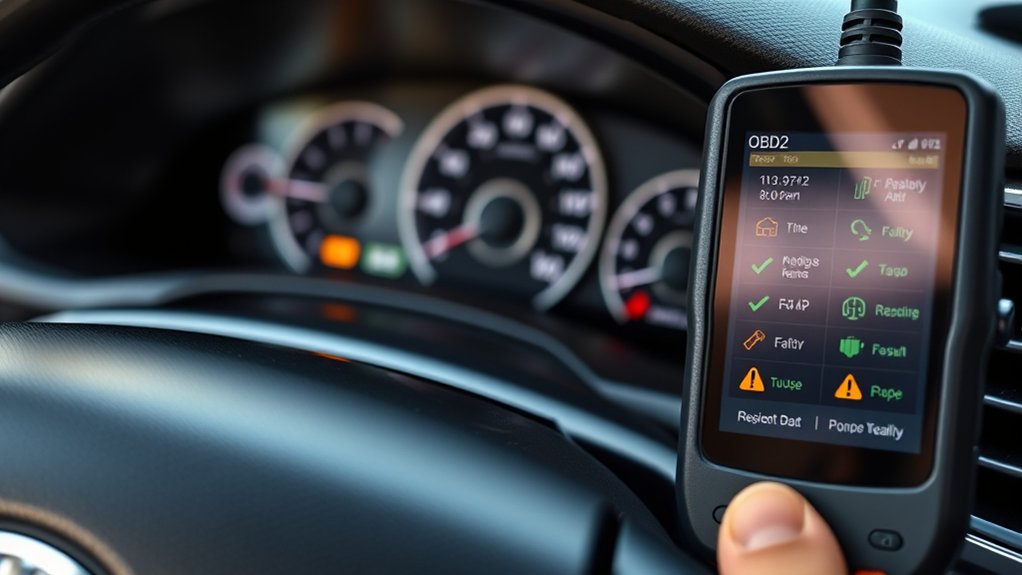
- Connect an OBD2 scan tool. Open the cumulative I/M Readiness or “Since DTCs Cleared” screen instead of relying only on the dashboard light.
- Identify the exact incomplete monitor. Catalyst, EVAP, oxygen or air-fuel-ratio sensor, heater, and EGR/VVT monitors can have different enabling conditions.
- Check confirmed, pending, and permanent codes. Record the codes and available freeze-frame information before clearing or changing anything.
- Verify that the monitor is supported. “Unsupported” or “N/A” is not the same as “Incomplete.”
- Correct known faults first. An illuminated MIL, abnormal engine warm-up, unstable electrical supply, exhaust leak, or relevant DTC can prevent completion.
- Drive through appropriate normal conditions. When safe and applicable, include a cold start, full warm-up, city driving, steady cruising, gentle acceleration, and normal closed-throttle deceleration.
- Allow normal vehicle-off soak periods. Some diagnostics require the vehicle to remain parked before a later start or key-off test.
- Recheck the same readiness screen. Compare the result with the previous scan so you know which monitor completed.
- Use exact Toyota service information if the same supported monitor remains incomplete. Select the correct year, engine, powertrain, emissions configuration, and monitor rather than repeating a generic drive route indefinitely.
Pro Tip: Take a photo of the scanner’s readiness screen before driving. After each suitable trip, compare the new screen with the previous one. If only one monitor remains incomplete, stop treating the problem as a general drive-cycle issue and focus on that monitor’s prerequisites.
How to Complete the Drive Cycle for OBD2 Readiness
There is no single universal Toyota Camry drive cycle that works for every model year, engine, hybrid system, emissions calibration, and monitor. Toyota service procedures can specify monitor-specific temperature, speed, engine-load, fuel-level, warm-up, or soak conditions.
When the exact procedure is not available, safe mixed driving can provide several common enabling conditions. Treat the routine below as a general opportunity for monitors to run—not as a guaranteed factory drive cycle.
Drive Cycle Requirements Overview
| Step | Action | Purpose |
|---|---|---|
| 1 | Begin after the vehicle has been parked long enough for a genuinely cold start when the incomplete monitor requires one. | Provides a cold-start opportunity for diagnostics that depend on startup temperature conditions. |
| 2 | Start normally and allow a brief stable idle without racing the engine. | Allows initial startup checks and normal warm-up to begin. |
| 3 | Drive through normal stop-and-go conditions using gentle acceleration. | Provides changing speed, load, and temperature conditions. |
| 4 | Include a period of steady lawful-speed cruising when road conditions permit. | May provide conditions used by catalyst, oxygen/air-fuel-ratio sensor, and related diagnostics. |
| 5 | Use normal gradual deceleration and braking as traffic requires. | Provides changing-load and closed-throttle conditions without unsafe coasting. |
| 6 | Park normally, allow any required key-off or soak period, and repeat only when appropriate. | Some monitors require more than one trip or an engine-off condition. |
| 7 | Check cumulative readiness again with the scanner. | Confirms actual completion instead of relying on mileage or time estimates. |
Warning: Traffic laws and road safety always take priority over a diagnostic drive pattern. Do not hold an unsuitable speed, coast excessively, impede traffic, or avoid necessary braking merely to complete a monitor.
Key Driving Conditions
Depending on the monitor and Camry calibration, readiness can depend on conditions such as:
- A cold start after an adequate soak period
- Normal engine operating temperature
- A stable electrical system and healthy 12-volt battery
- Specific ambient, coolant, or intake-air temperatures
- Steady cruising under an appropriate engine load
- Gentle acceleration and closed-throttle deceleration
- A suitable fuel level for an EVAP-system test
- Enough uninterrupted operating time
- No relevant DTC or failed prerequisite blocking the monitor
If the EVAP monitor is the only incomplete monitor, avoid assuming that additional highway mileage alone will set it. Fuel level, ambient temperature, key-off time, tank conditions, and the specific EVAP design can determine when the test runs. Use Toyota’s exact criteria when available.
Camry Hybrid models can require different procedures because the gasoline engine starts and stops automatically. Do not improvise methods to force the engine to run. If the exact Toyota procedure specifies an inspection or service mode, follow that model-specific procedure or have a qualified technician perform it.
Troubleshooting Incomplete Monitors
| Incomplete Monitor | Conditions or Problems to Check |
|---|---|
| Catalyst | Engine temperature, required cruising conditions, oxygen or air-fuel-ratio sensor operation, exhaust leaks, fuel-control faults, and relevant pending codes |
| EVAP | Fuel level, fuel-cap sealing, ambient temperature, key-off or soak time, purge/vent faults, pressure-sensor readings, and EVAP codes |
| Oxygen or air-fuel-ratio sensor | Adequate warm-up, sensor response, heater operation, exhaust leaks, wiring, and fuel-control problems |
| Oxygen-sensor or A/F-sensor heater | Cold-start opportunity, battery voltage, heater circuit, fuse, wiring, and stored or pending heater codes |
| EGR or VVT | Whether that monitor is supported, oil condition and level where relevant, actuator operation, passages, temperature, load conditions, wiring, and related codes |
| Multiple monitors | Recent DTC clearing, battery or ECM power interruption, low voltage, very short trips, abnormal engine warm-up, or a scan-tool interpretation problem |
If many supported monitors are incomplete at once, start by asking whether diagnostic memory was recently cleared or ECM power was interrupted. That pattern often points to a recent reset rather than several emissions components failing simultaneously.
If only one supported monitor remains incomplete, focus on that monitor. Check its enabling conditions, related pending codes, live data, temperature or fuel requirements, and the exact Toyota drive procedure instead of repeatedly driving the same generic route.
Do not replace a catalytic converter, oxygen sensor, purge valve, or another emissions component solely because its monitor is incomplete. An incomplete result identifies an unfinished diagnostic, not a failed part.
Drive Cycle Requirements for Toyota Camry
Toyota’s exact monitor procedures are tied to the vehicle’s model year, engine, powertrain, emissions calibration, and the monitor being tested. A procedure written for an older four-cylinder Camry should not be assumed to apply to a newer V6 or Camry Hybrid.
Current California BAR guidance also shows why model-specific information matters: its OBD Test Reference identifies 2000–2006 Toyota models as vehicles where readiness monitors can be difficult to complete and directs technicians to Toyota service information for the appropriate drive cycle. That California note does not mean every Camry from those years has a fault or that the same inspection rule applies elsewhere.
Historical Toyota service bulletins and repair-manual drive patterns can be useful when they match the exact vehicle. They should not be treated as universal Camry instructions.
For the most reliable procedure:
- Record the model year, engine, VIN, fuel type, emissions certification when available, and hybrid or non-hybrid configuration.
- Identify the exact incomplete monitor with an OBD2 scanner.
- Check confirmed, pending, and permanent DTCs before clearing anything.
- Consult the applicable Toyota manuals and warranty information.
- Use Toyota Technical Information System or professional repair information when owner documentation does not contain the monitor-specific procedure.
- Follow only the procedure that matches the vehicle and monitor.
Note: A scanner may label a monitor “N/A,” “Unsupported,” “Not Available,” or “Not Applicable.” That status is normal when the vehicle does not use the corresponding monitor. It should not be confused with “Incomplete” or “Not Ready.”
Identifying and Fixing Common Monitor Readiness Problems
If appropriate driving does not complete a supported monitor, stop adding mileage at random and look for the prerequisite or fault preventing that specific diagnostic from running.
Check these areas in order:
- Recent reset or power interruption: If several monitors are incomplete, first determine whether codes were cleared, the battery was disconnected, an ECM-related fuse lost power, or the battery went flat.
- Battery voltage and charging performance: Low or unstable voltage can interfere with normal module operation and diagnostic testing.
- Engine warm-up: A thermostat or cooling-system problem that keeps the engine below its required operating temperature can prevent temperature-dependent monitors from completing.
- Pending and confirmed codes: A pending fault can reveal a developing problem before the MIL is commanded on.
- Permanent codes: These may remain after a repair until the OBD system verifies that the monitored fault no longer exists.
- Exhaust leaks: Leaks near oxygen or air-fuel-ratio sensors can distort readings and interfere with catalyst or sensor monitoring.
- Intake or vacuum leaks: Unmetered air can affect fuel control and monitor prerequisites.
- EVAP sealing and control: Check the fuel cap, hoses, purge valve, vent valve, pressure sensor, and related wiring when the EVAP monitor repeatedly will not complete.
- Sensor and actuator data: Compare live data with the correct Toyota specifications before replacing components.
- Software, bulletin, recall, or calibration issues: Some vehicles have manufacturer-specific readiness or inspection accommodations that should be checked before unnecessary parts replacement.
Professional diagnosis is appropriate when the same supported monitor stays incomplete after suitable operating conditions, a pending or permanent code returns, the engine does not reach normal temperature, the MIL is on, live data is abnormal, or an exact Toyota procedure cannot be completed safely.
How to Prepare for Your Emissions Test
This page focuses on interpreting and troubleshooting Toyota Camry readiness monitors. For the broader inspection workflow, see the separate guide to Toyota Camry emissions readiness for inspection.
Before visiting an emissions-testing station:
- Confirm that your vehicle is subject to testing in your location.
- Check the current rules for incomplete monitors, exemptions, permanent DTCs, and retesting.
- Verify that the Check Engine light behaves normally under the inspection rules that apply to the vehicle.
- Read confirmed, pending, and permanent DTCs.
- Use the cumulative I/M Readiness or “Since DTCs Cleared” screen to confirm each supported monitor’s status.
- Do not clear codes or disconnect the battery shortly before the test merely to hide a warning light.
- Complete required repairs before trying to force monitors to run.
- Use the applicable Toyota procedure when a particular monitor remains incomplete.
- Recheck readiness with the scanner before visiting the station.
- Bring repair receipts or inspection documents when your local program requests them.
Inspection rules are not identical throughout the United States. The U.S. Environmental Protection Agency’s motorist information page links to state and local emissions programs.
California illustrates why current official rules should be checked rather than memorized. BAR adopted stricter readiness-monitor regulations effective October 1, 2025, requiring completion of monitors that can feasibly be set, but BAR states that implementation is gradual and data-driven. Its current published OBD Test Reference still lists the previous incomplete-monitor allowances while data are collected, including the evaporative-system monitor for 2000-and-newer gasoline vehicles. BAR says future changes will be announced as implementation progresses. Check the current California BAR OBD Test Reference before relying on those allowances.
How to Leverage Community Resources for Monitor Readiness
Community discussions can help identify patterns, but they should supplement—not replace—Toyota service information, official inspection rules, and diagnosis of the actual incomplete monitor.
Use resources in this order:
- Toyota owner, warranty, and exact-vehicle service information
- Your state or local inspection-program website
- A qualified repair professional with appropriate scan equipment
- The National OBD Clearinghouse and other established technical resources
- Owner forums and community discussions for secondary experience
Online Forums and Communities
Forums such as ToyotaNation may contain reports from owners who completed a difficult monitor or found a model-specific fault. Before applying a forum procedure, confirm that the post identifies:
- The same Camry model year
- The same engine and hybrid or non-hybrid powertrain
- The same incomplete monitor
- Similar ambient and driving conditions
- Whether codes were recently cleared
- Whether the vehicle had unresolved repairs or modifications
Do not follow a forum drive pattern that requires speeding, unsafe coasting, excessive idling, disabling a vehicle system, or repeatedly clearing codes.
Shared Drive Cycle Guides
A shared drive-cycle guide is useful only when it matches the vehicle and clearly identifies its source. Compare any exact speed, time, temperature, fuel-level, or soak instructions with the applicable Toyota service information before relying on them.
When asking a community or technician for help, include the Camry’s model year, engine, hybrid status, cumulative readiness screen, confirmed and pending codes, recent battery or repair history, and the driving conditions already attempted. Those details produce more useful answers than simply saying the vehicle is “not ready.”
Frequently Asked Questions
How do I know when my Toyota Camry’s OBD2 monitors are ready?
Connect an OBD2 scan tool and open its cumulative I/M Readiness or “Since DTCs Cleared” screen. Check each supported monitor for Ready or Complete status and compare the remaining incomplete monitors with your current local inspection rules. Do not rely only on the Check Engine light.
What is the difference between “Since DTCs Cleared” and “This Drive Cycle”?
“Since DTCs Cleared” is the cumulative readiness view used to show which supported monitors have completed since diagnostic memory was reset. “This Drive Cycle” generally shows tests completed during the current ignition cycle. For inspection preparation, use the cumulative I/M readiness view unless the applicable inspection program specifies otherwise.
How many monitors must be ready to pass an emissions inspection?
The answer depends on the inspection jurisdiction, model year, fuel type, supported monitors, and current program rules. There is no universal number that applies to every Toyota Camry. Check the official requirements for the location where the vehicle will be inspected.
Can a Toyota Camry pass with one monitor not ready?
Possibly, but there is no nationwide one-monitor rule. The answer depends on which monitor is incomplete, the Camry’s model year and fuel type, and the current rules of the inspection program performing the test. Verify the official local requirements before assuming one incomplete monitor is acceptable.
How long does it take Toyota Camry readiness monitors to become ready?
There is no reliable fixed mileage, number of trips, or number of days. Some monitors may complete during one suitable trip, while others require a particular cold start, warm-up, cruise, key-off period, fuel level, or temperature range. Scan the vehicle after appropriate conditions instead of using mileage alone as the test.
How do I fix OBD2 monitors that are not ready?
First identify the exact incomplete monitor and check confirmed, pending, and permanent codes. Correct known faults, avoid resetting diagnostic memory unnecessarily, meet the monitor’s safe operating conditions, and recheck the cumulative readiness screen. If the same monitor remains incomplete, use the exact Toyota procedure or diagnose the missing prerequisite.
What does “emission ready” mean?
“Emission ready” is an informal phrase usually meaning that the required supported OBD2 monitors have completed and the vehicle appears prepared for an OBD-based inspection. It does not override MIL, DTC, communication, tampering, or local inspection requirements.
Will clearing the codes make my Camry ready for inspection?
No. Clearing diagnostic information normally resets applicable readiness monitors to Incomplete and erases useful diagnostic data. It may turn the MIL off temporarily, but an unrepaired fault can return after the applicable diagnostic runs again.
Why is the EVAP monitor often the last one to become ready?
The EVAP system can require a suitable fuel level, ambient and vehicle temperature, a vehicle-off or cold-soak period, and specific tank-pressure conditions. Those conditions may not occur on every trip, so additional highway mileage alone may not make the EVAP monitor complete.
Conclusion
A Toyota Camry readiness monitor marked “Incomplete” or “Not Ready” has not yet completed its diagnostic; that result alone does not identify a defective component. Use the scanner’s cumulative I/M Readiness or “Since DTCs Cleared” screen, identify the exact incomplete monitor, save the DTC information, and avoid resetting diagnostic memory unnecessarily.
If many monitors are incomplete, investigate a recent reset or power interruption first. If only one remains incomplete, focus on that monitor’s enabling conditions and related faults. Use the exact Toyota procedure when available, then verify the current inspection rules in your jurisdiction before assuming a particular incomplete monitor is acceptable.
Sources
- Toyota Manuals and Warranties — official model-specific owner, warranty, and vehicle-information access.
- California Bureau of Automotive Repair: On-Board Diagnostic Test Reference — current readiness, MIL, communication, permanent-DTC, and California pass/fail standards.
- California Bureau of Automotive Repair: New OBD Readiness Monitor Regulations Explained — explains the October 1, 2025 regulatory change and phased implementation.
- U.S. EPA: General Information for Motorists — explains emissions inspection programs and links to state and local requirements.
- U.S. EPA: Vehicle Emissions Inspection and Maintenance — federal information and technical resources for inspection programs.
- National OBD Clearinghouse — technical OBD and inspection-program resources.
