Toyota RAV4 Dynamic Radar Cruise Control (DRCC) can reduce the work of maintaining speed and following distance on suitable highways. However, the buttons, display messages, and available distance settings differ by model year. The instructions below explain those differences so you can operate the system without confusing newer Toyota controls with the controls used in earlier RAV4 models.
Quick Answer
To use Toyota RAV4 Dynamic Radar Cruise Control, turn on cruise control, reach the minimum set speed shown in your owner’s manual—about 20 mph on current full-speed systems—press SET, and choose a following gap. Keep watching the road: DRCC manages speed and distance, but it is not autonomous and cannot handle every traffic or weather condition.
Key Takeaways
- The 2024–2025 U.S. RAV4 uses a dedicated cruise-control main switch, +RES, -SET, CANCEL, and three following-distance settings.
- The redesigned 2026 RAV4 uses Toyota Safety Sense 4.0 and an updated driver-assistance interface, so its controls should not be assumed to match earlier models.
- About 20 mph is generally the minimum speed for setting current Full-Speed Range DRCC, not the lowest speed the system can manage after it is active.
- DRCC is not hands-free or self-driving. You remain responsible for steering, braking, speed selection, and avoiding hazards.
- Cancel the system and drive manually whenever visibility, traction, traffic, or sensor performance makes automatic following unsafe.
At a Glance
| Time Required | About 1–2 minutes to learn and set |
| Difficulty | Easy, once you identify your model-year controls |
| Tools Needed | None; your current Toyota owner’s manual is recommended |
| Cost | $0 |
Warning: DRCC is a driver-assistance feature, not an autonomous or hands-free driving system. Keep your attention on the road, maintain control of the steering wheel, and be ready to brake immediately. Do not wait for DRCC to respond when a collision risk develops.
Understanding Toyota RAV4 Dynamic Radar Cruise Control
Dynamic Radar Cruise Control is Toyota’s form of adaptive cruise control. When no slower vehicle is detected ahead, the RAV4 attempts to travel at the speed you set. When it detects a slower vehicle in your lane, it can reduce acceleration and apply the brakes to help maintain the selected following distance.
If the lane becomes clear, the system may accelerate toward the set speed again. Your selected speed is therefore a maximum target under normal DRCC operation, not a promise that the vehicle will travel at that speed continuously.
Toyota describes Full-Speed Range DRCC as a feature intended primarily for highway use. On current systems, you generally set it while traveling at about 20 mph or faster. Once active, the full-speed system can manage lower following speeds and may slow the vehicle to a stop in supported conditions. Review the official Toyota Safety Sense information and the manual for your exact model before relying on any specific behavior.
DRCC can reduce workload on a suitable highway, but the driver remains responsible for steering, braking, selecting a safe speed, and responding to hazards.
What DRCC Controls—and What It Does Not
DRCC mainly controls the RAV4’s forward speed and following distance. It can accelerate, coast, and apply limited braking in response to a detected vehicle ahead.
DRCC itself does not keep the vehicle centered in its lane. Lane centering, when equipped and enabled, is provided by Lane Tracing Assist (LTA). LTA may add steering assistance while DRCC is operating, but that combination still does not make the RAV4 self-driving. Keep your hands on the wheel and continue checking lane markings, curves, traffic, and road conditions.
Check Your Model Year Before Following Button Instructions
| RAV4 version | What to know |
|---|---|
| Earlier model years | DRCC availability, low-speed capability, button labels, and resume behavior vary. Use the manual for your exact year, powertrain, market, and trim. |
| 2024–2025 U.S. RAV4 | The documented system uses a dedicated cruise-control main switch, +RES, -SET, CANCEL, and three gap settings: Long, Middle, and Short. See the 2024 RAV4 Quick Reference Guide and Toyota’s 2025 RAV4 feature overview. |
| 2026 U.S. RAV4 | The redesigned model uses Toyota Safety Sense 4.0 and an updated assistance interface. Follow the steering-wheel icons, instrument display, and current manual rather than assuming the earlier button sequence. Toyota confirms that Full-Speed Range DRCC is designed to be set above 20 mph. See the official 2026 RAV4 overview. |
Core DRCC Features You Should Understand
- Preset speed: You choose the target cruising speed. The vehicle may travel more slowly when following traffic.
- Vehicle-to-vehicle distance control: DRCC attempts to preserve the selected gap from a detected vehicle ahead.
- Automatic acceleration and deceleration: The system can adjust speed as the lead vehicle slows, accelerates, or leaves your lane.
- Full-speed following: Supported RAV4 systems can follow at low speed and may stop behind a detected vehicle.
- Approach warning: A flashing message and warning tone can tell you that automatic deceleration is insufficient. Brake immediately.
- Cancel and resume: Pressing the brake pedal or CANCEL normally suspends speed control. The stored set speed may remain available for resumption while the cruise system stays on.
- Constant-speed mode: Many RAV4 versions can also operate like conventional cruise control without automatic following-distance control.
Note: DRCC responds only to what its sensors detect and classify. It may not respond as expected to every stopped vehicle, cut-in, motorcycle, object, curve, lane change, or rapidly developing hazard.
How to Activate DRCC on a Toyota RAV4

Before You Turn It On
Complete this quick check before activating DRCC:
- Use it on a suitable highway or other road allowed by your owner’s manual.
- Confirm that traffic, visibility, and traction are stable enough for cruise control.
- Make sure the front radar area and the windshield in front of the camera are clean and unobstructed.
- Check that no DRCC, pre-collision, camera, or radar warning is displayed.
- Identify the cruise, set, resume, cancel, and distance controls before moving into traffic.
Pro Tip: Practice setting and canceling DRCC on a dry, open highway with light traffic. Learning the controls in a low-workload setting is safer than experimenting during congestion.
Activating DRCC on a 2024–2025 RAV4
- Press the cruise-control main switch. Confirm that the radar-ready or DRCC indicator appears in the multi-information display.
- Accelerate to the speed you want. The minimum set speed is approximately 20 mph on the documented Full-Speed Range system.
- Press -SET. The current speed becomes the set speed, and the display should show the stored value.
- Select the following distance. Press the vehicle-to-vehicle distance control to cycle through Long, Middle, and Short.
- Confirm the indicators. Check the set speed, preceding-vehicle symbol, and gap display before relying on the system.
If no vehicle is detected ahead, the RAV4 attempts to maintain the set speed. If it detects a slower vehicle, it can reduce speed to maintain the selected gap and may accelerate again when the lane clears.
Activating DRCC on a 2026 RAV4
- Use the steering-wheel driver-assistance controls to select adaptive or dynamic radar cruise mode.
- Confirm that the DRCC indicator appears in the instrument display.
- Travel above the minimum set speed shown by the vehicle—Toyota describes the system as designed to be set above 20 mph.
- Press the displayed set/decrease control to store the current speed.
- Use the distance control to choose the gap offered by your vehicle, then verify the setting in the display.
The 2026 interface and software differ from the 2024–2025 arrangement. Use the labels shown in your vehicle and the current owner’s manual rather than relying on an older RAV4 diagram.
Setting and Adjusting Your DRCC Speed
Setting the Desired Speed
Turn on DRCC, reach a suitable speed, and press the SET or decrease control shown for your model. The set-speed value should appear in the instrument display.
Choose a legal speed that is also appropriate for traffic, visibility, traction, curves, construction, and weather. The posted limit is not automatically a safe DRCC setting under every condition.
Making Small or Large Speed Adjustments
Use the increase/resume and set/decrease controls to adjust the stored speed. On the 2024–2025 RAV4, a brief press changes the set speed in a small increment, while holding the control makes a larger adjustment.
Make changes gradually. A large increase can cause the vehicle to accelerate firmly when the lane ahead clears. Check the displayed set speed after each adjustment so you do not resume at an unexpectedly high value.
Pressing the accelerator can temporarily make the vehicle travel faster than the set speed. When you release it, DRCC may return toward the stored speed if the system remains active and conditions allow. The accelerator does not transfer responsibility for speed control to the system.
Resuming a Previous Speed
If you cancel DRCC with the brake pedal or CANCEL control, the set speed usually remains stored while the cruise system stays on. Press +RES or the equivalent resume control to return toward that speed when conditions are safe.
Check the stored value before resuming. The system may accelerate toward it, so do not press resume while approaching slower traffic, a curve, a work zone, an exit, or a lower speed limit.
Adjusting the Vehicle-to-Vehicle Distance
The distance control changes how much space DRCC attempts to maintain behind a detected vehicle. The actual road distance changes with vehicle speed, so the same selected setting creates a larger physical gap at higher speeds.
On the official 2024–2025 RAV4 control arrangement, the button cycles through three settings:
| Setting | Typical use | Important limitation |
|---|---|---|
| Long | Best default for additional reaction space and unfamiliar traffic. | Other drivers may enter the gap, and DRCC may need to react to the cut-in. |
| Middle | A moderate gap for stable highway traffic in good conditions. | It is not automatically safe for rain, poor visibility, or slippery pavement. |
| Short | The closest available DRCC spacing when conditions are suitable. | It leaves the least reaction room and should not be treated as permission to follow closely. |
Use the longest practical setting when you need more reaction time. If rain, snow, fog, glare, ice, or traffic instability makes even the longest setting unsafe, cancel DRCC and control the vehicle manually.
Warning: A selected distance is not a guaranteed safe stopping distance. DRCC may react late or lose track of a vehicle, especially during cut-ins, curves, poor visibility, rapid braking, or sensor obstruction.
Switching Between DRCC and Conventional Cruise Control
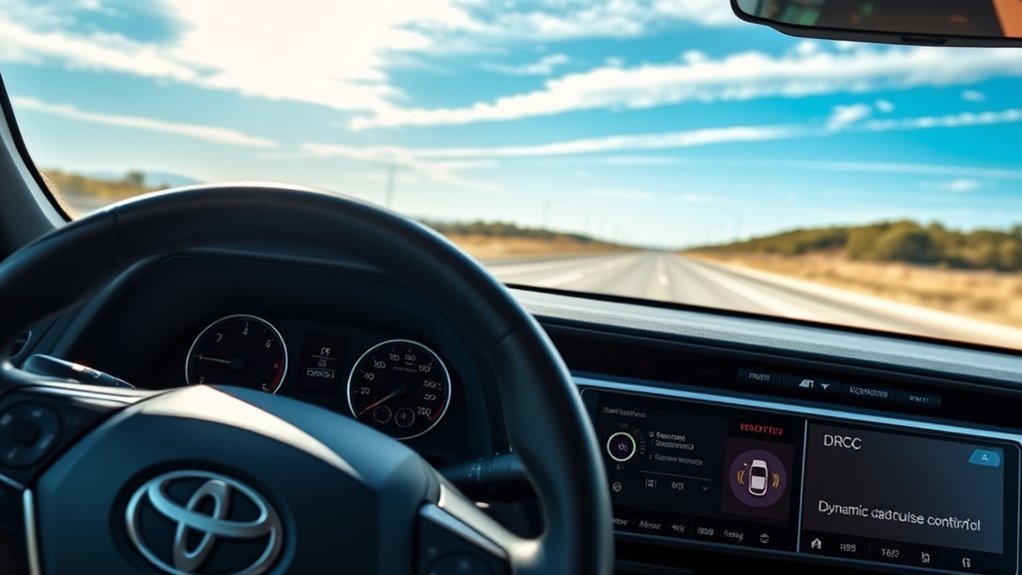
DRCC changes speed in response to a detected vehicle. Conventional cruise control holds a fixed set speed and does not automatically preserve a following gap. Understanding that difference is more important than the button sequence.
When DRCC Is the Better Choice
DRCC is generally more useful on a suitable highway where traffic speed changes gradually. It can reduce repeated accelerator and brake inputs, but you must continue monitoring vehicles, ramps, curves, lane changes, and the road surface.
How to Select Constant-Speed Mode
On the documented 2024 RAV4 system, turn DRCC off and then press and hold the cruise-control main switch for at least approximately 1.5 seconds to select constant-speed cruise control. Confirm the conventional cruise indicator before setting a speed. After the vehicle is turned off, the system normally defaults back to DRCC the next time cruise control is activated.
Newer RAV4 controls may provide a mode-selection function instead. Use the instrument display to verify which mode is active rather than assuming the system is maintaining a following distance.
Do Not Use Conventional Cruise in Heavy Traffic
Conventional cruise control should not be selected because traffic is heavy. It cannot slow automatically for vehicles ahead. Use it only when the road is appropriate for fixed-speed operation and you can cancel it well before reaching slower or unpredictable traffic.
Using Full-Speed DRCC in Stop-and-Go Traffic
Full-Speed Range DRCC can reduce speed as a detected vehicle slows and may bring the RAV4 to a stop. This can reduce pedal work in suitable stop-and-go highway traffic, but it does not make dense traffic risk-free.
After the vehicle ahead begins moving, your RAV4 may resume automatically after a brief stop or may require you to press +RES or touch the accelerator. The exact behavior depends on model year, stop duration, system status, and operating conditions.
Watch for motorcycles, vehicles cutting into the gap, a vehicle leaving your lane, and traffic stopped beyond a curve. DRCC may accelerate when the vehicle it was following changes lanes even though another hazard is present farther ahead.
Warning: If the approach display flashes or a warning tone sounds, apply the brake immediately. The warning means the system may not be able to reduce speed enough on its own.
Essential Tips for a Smoother DRCC Experience
| Tip | What to do | Why it helps |
|---|---|---|
| Start with the longest gap | Use Long until you understand how your RAV4 responds. | It provides more reaction space than the shorter settings. |
| Scan beyond the lead vehicle | Watch several vehicles ahead, ramps, brake lights, and lane changes. | You can react before DRCC detects a developing problem. |
| Verify the mode | Check whether the display shows adaptive or constant-speed cruise. | It prevents you from expecting automatic following while fixed-speed mode is active. |
| Keep the sensors clear | Remove dirt, snow, ice, and heavy moisture from the radar and camera areas. | Obstructions can limit detection or make the feature unavailable. |
| Cancel before complex areas | Disengage before sharp curves, exits, work zones, toll areas, or unstable merging traffic. | Manual control lets you respond directly to several hazards at once. |
| Check before resuming | Look at the stored speed and road ahead before pressing RES. | It prevents an unexpected return to a high set speed. |
Avoid These Common DRCC Mistakes
Ignoring the Distance Setting
Do not leave the following distance at an unsuitable setting simply because it was already selected. Reassess the gap whenever speed, traffic density, visibility, or road conditions change.
The shortest setting is not a substitute for safe following judgment. If you feel that DRCC is keeping the vehicle too close, select a longer gap or cancel the system.
Making Abrupt Speed Adjustments
Large set-speed increases can produce noticeable acceleration when the lane clears. Adjust the speed in small steps and verify the displayed value. Before pressing resume, make sure the stored speed is appropriate for the current road.
Treating DRCC as Hands-Free Driving
Do not look away from the road, remove your hands for extended periods, or assume the system will steer around a hazard. DRCC controls forward speed; any available steering assistance remains limited and requires continuous supervision.
Leaving DRCC Active in Unsafe Conditions
Cancel the system when heavy rain, snow, fog, ice, glare, poor lane visibility, construction, sharp curves, complex merging, or erratic traffic makes automatic following unreliable.
Confusing Cancel With Fully Off
Pressing CANCEL or the brake pedal normally suspends speed control while leaving the cruise system ready to resume. Turning the cruise system fully off clears or changes stored settings on many versions. Watch the instrument display so you know whether the feature is canceled, ready, resumed, or completely off.
Canceling, Overriding, and Resuming Cruise Control
You have several ways to take direct control:
- Press the brake pedal: This normally cancels active speed control and gives you direct braking control.
- Press CANCEL: This suspends cruise operation without necessarily turning the entire system off.
- Press the accelerator: This can temporarily override the set speed. Release it carefully because DRCC may return toward the stored speed.
- Press +RES: This resumes the stored speed when the system permits and conditions are safe.
- Press the main switch: This turns cruise control off rather than merely canceling active control.
Note: Cancel early rather than waiting for DRCC to make a difficult decision. You can always reactivate it after you pass the curve, construction area, congestion, or weather hazard.
Troubleshooting “Radar Cruise Control Unavailable”
Check for Temporary Sensor Blockage
DRCC may become unavailable when the radar or forward camera cannot obtain a reliable view. Common causes include dirt, road salt, snow, ice, heavy water droplets, condensation, fog, direct glare, or severe weather.
- Move to a safe place and stop before inspecting the vehicle.
- Check the front radar area, which may be located behind the Toyota emblem or another specified section of the grille.
- Check the windshield around the forward-facing camera near the rearview mirror.
- Remove loose dirt, snow, ice, and moisture with a clean, soft cloth that will not scratch the sensor cover or glass.
- Defog the windshield and allow severe weather or extreme temperatures to improve.
- Restart the vehicle only after it is safe, then see whether the message clears.
Do not place stickers, accessories, coatings, or decorations over the sensor areas. Toyota’s RAV4 driving-support guidance instructs owners to keep the radar sensor and its cover clean and to use a soft cloth.
When the Warning Persists
Arrange professional diagnosis if the warning remains after the sensors are clean and conditions improve. Service may also be necessary after:
- A front-end collision or impact near the radar sensor
- Removal or replacement of the grille, emblem, bumper, radar unit, or mounting bracket
- Windshield replacement near the forward camera
- Suspension, wheel-alignment, or body repairs that affect sensor aim
- Repeated unexpected braking, acceleration, or loss of the detected vehicle
- Simultaneous pre-collision, camera, radar, or driver-assistance warnings
Radar and camera calibration requires the correct equipment and procedures. Do not attempt to realign a sensor by bending its bracket or adjusting it by eye.
If DRCC Brakes or Accelerates Unexpectedly
Press the brake or CANCEL control, take over manually, and reassess the road. A curve, vehicle entering or leaving the lane, roadside object, dirty sensor, crest, grade, or poor visibility may have affected target detection.
If the behavior repeats in normal conditions, stop using DRCC until a qualified Toyota technician or repair facility has inspected the system.
When You Should Not Use DRCC
DRCC is intended for suitable driving conditions, not every road. Cancel it and control speed manually in situations such as:
- Heavy rain, snow, fog, dust, smoke, or spray that limits sensor performance
- Snow, ice, mud, dirt, or condensation covering a sensor area
- Icy, flooded, loose, or otherwise slippery pavement
- Sharp or repeated curves, steep grades, or limited sight distance
- Construction zones, lane shifts, temporary markings, or narrow lanes
- Busy entrances, exits, toll plazas, intersections, or complex merging areas
- Traffic with frequent cut-ins, abrupt stops, or unpredictable lane changes
- Any condition in which you cannot maintain a safe speed and following distance
- Towing or carrying conditions that your owner’s manual identifies as unsuitable for cruise control
Toyota warns that driver-assistance performance depends on road, traffic, weather, vehicle, and sensor conditions. NHTSA likewise describes adaptive cruise control as assistance that still requires active driver monitoring; see its driver-assistance technology guidance.
Familiarize Yourself With the DRCC Controls
The exact icons vary, but these are the controls you are most likely to use:
| Control | Typical function | What to confirm |
|---|---|---|
| Main cruise or assistance switch | Turns cruise control on or selects the cruise function. | Look for the DRCC or radar-ready indicator. |
| SET or -SET | Stores the current speed or reduces the stored value. | Verify the set speed in the display. |
| RES or +RES | Resumes control or increases the stored speed. | Check the road and stored speed before pressing it. |
| CANCEL | Suspends active speed control. | Confirm that the active-set indicator changes or disappears. |
| Distance control | Cycles through the available following gaps. | Use the number and labels displayed by your RAV4. |
| Brake pedal | Normally cancels active cruise control while applying manual braking. | Continue braking as needed; do not rely on DRCC to complete the stop. |
Frequently Asked Questions
Can RAV4 DRCC operate in heavy traffic?
Full-Speed Range DRCC can help manage speed in suitable stop-and-go highway traffic and may slow the vehicle to a stop. It still requires continuous supervision and may need RES or accelerator input to begin moving again. Do not treat this as approval for hands-free driving or for use in complex urban traffic.
Is DRCC included on every Toyota RAV4?
No universal answer applies to every year, market, trim, and powertrain. The 2025 U.S. RAV4 includes Full-Speed Range DRCC as part of Toyota Safety Sense 2.5, while the 2026 model uses Toyota Safety Sense 4.0. Earlier vehicles may have different versions, controls, and low-speed capabilities. Confirm your equipment in the vehicle’s manual or specification sheet.
How does DRCC handle a sudden stop ahead?
It may reduce throttle and apply the brakes when it detects a rapidly slowing vehicle, but it cannot guarantee that it will recognize the hazard or stop in time. If an approach warning appears, a tone sounds, or you see traffic slowing abruptly, brake immediately and take control.
Will DRCC work in rain, fog, or snow?
Performance can be limited by heavy rain, fog, snow, road spray, ice, glare, dirt, or moisture on the sensor areas. Even if the system remains available, poor visibility or traction may make its use unsafe. Cancel DRCC and drive manually whenever conditions are doubtful.
Can I manually override DRCC while it is active?
Yes. Pressing the accelerator can temporarily raise vehicle speed, while pressing the brake pedal or CANCEL normally suspends active cruise control. Check the stored speed before releasing the accelerator or pressing RES because the vehicle may return toward that value.
How many following-distance settings does the RAV4 have?
The official 2024 RAV4 guide shows three settings: Long, Middle, and Short. Some newer Toyota Safety Sense interfaces offer a different number of gaps, so use the settings displayed by your specific RAV4 rather than assuming that every model has three or four.
Does DRCC steer the RAV4?
DRCC controls forward speed and following distance, not lane centering. Lane Tracing Assist may provide limited steering assistance when equipped, enabled, and operating under suitable conditions. You must still hold the steering wheel, watch the road, and steer whenever needed.
Why does my RAV4 say “Radar Cruise Control Unavailable”?
A blocked radar or camera, severe weather, condensation, glare, extreme temperature, or a system fault may cause the warning. Safely clean the specified radar and windshield camera areas and allow conditions to improve. Seek professional diagnosis if the warning persists or follows collision, windshield, grille, or sensor-related repairs.
Does using DRCC improve fuel economy?
It does not guarantee better fuel economy than conventional cruise control or attentive manual driving. Smooth speed changes may help in some situations, but traffic, hills, wind, temperature, selected speed, following behavior, and acceleration can produce different results.
Conclusion
Toyota RAV4 Dynamic Radar Cruise Control is most useful when you understand exactly what your model can do. Activate the correct mode, set an appropriate speed, select a safe gap, and check the display before relying on automatic following. Remember that the 2024–2025 RAV4 uses a different documented control arrangement from the updated 2026 model.
Most importantly, use DRCC as assistance rather than protection from every hazard. Keep scanning the road, cancel early when conditions become complex, and brake whenever the system’s response may be insufficient. That approach makes the feature more predictable without giving it more responsibility than it was designed to handle.
Sources
- Toyota 2024 RAV4 Quick Reference Guide — backs the documented cruise controls, operating range, three distance settings, warning behavior, and constant-speed mode procedure.
- Toyota: 2025 RAV4 Features and Safety Systems — confirms Toyota Safety Sense 2.5 and Full-Speed Range DRCC on the 2025 RAV4.
- Toyota: 2026 RAV4 and Toyota Safety Sense 4.0 — confirms the newer safety-system generation and DRCC set-speed description.
- Toyota Safety Sense — explains current DRCC, Lane Tracing Assist, system availability, and driver-assistance limitations.
- Toyota 2026 RAV4 PHEV Driving-Support Systems Excerpt — supports the driver-responsibility, steering-attention, and assistance-system warnings.
- NHTSA Driver Assistance Technologies — explains adaptive cruise control as supervised driver assistance rather than autonomous driving.
