
The Toyota RAV4 Brake Hold system keeps the service brakes applied after you bring the vehicle to a complete stop, allowing you to remove your foot from the brake pedal during short waits. It is useful in stop-and-go traffic and at traffic lights, but it is not a parking brake and should not be trusted to hold the vehicle on every slope or slippery surface.
Last updated: September 19, 2026 — checked against Toyota’s 2019, 2024, 2025, and 2026 U.S. documentation.
Quick Answer
Close the driver’s door, fasten your seat belt, release the parking brake, and press the HOLD button. A green indicator means Brake Hold is ready. After you stop firmly, a yellow indicator means it is holding the brakes. Press the accelerator gently to move again.
Key Takeaways
- Green means the system is on and standing by; yellow means it is actively holding the vehicle.
- Toyota’s 2019–2025 U.S. RAV4 documentation describes Brake Hold in D, S, or N; Toyota’s redesigned 2026 RAV4 keeps Brake Hold standard, but you should follow the 2026 owner’s manual for its exact operating conditions.
- Brake Hold may not hold on a steep incline or when tire grip is limited on a slippery surface.
- Use Park and the electronic parking brake for parking or extended stops.
At a Glance
| Time Required | Less than 1 minute to learn |
| Difficulty | Easy |
| Tools Needed | None |
| Cost | $0 |
How to Activate and Use Brake Hold in Your RAV4
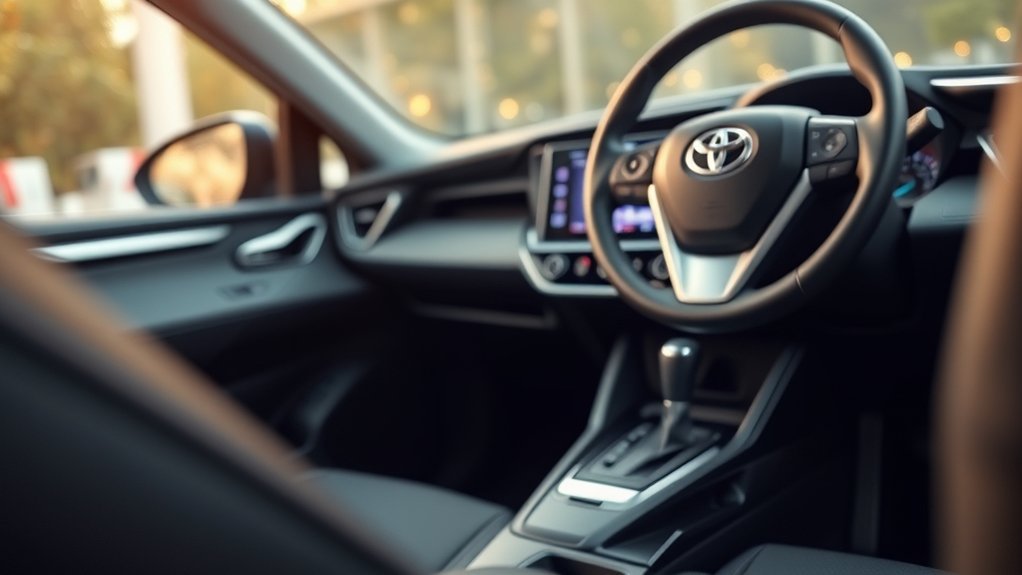
The Brake Hold switch is normally labeled HOLD and is located beside the electronic parking-brake switch on the center console. The precise switch and indicator design can differ by model year.
- Start the RAV4. Keep control of the brake pedal while preparing to move.
- Close the driver’s door and fasten your seat belt. Brake Hold cannot be enabled when either operating condition is not met.
- Make sure the electronic parking brake is released. The Brake Hold system cannot be switched on while the parking brake is engaged on applicable models.
- Press the HOLD switch once. The green Brake Hold standby indicator should illuminate.
- Select a permitted shift position and stop normally. Toyota’s 2019–2025 U.S. RAV4 documentation describes Brake Hold in D, S, or N. For the redesigned 2026 RAV4, Toyota confirms Brake Hold remains standard; use the 2026 owner’s manual for the exact shift-position and operating-condition details.
- Press the brake pedal firmly enough to stop completely. When the system begins holding the brakes, the yellow operated indicator illuminates.
- Remove your foot from the brake only after confirming the yellow indicator. Continue watching traffic and remain ready to brake.
- Press the accelerator gently to move. In a forward drive position, Brake Hold releases as the vehicle starts.
The operating sequence is confirmed in Toyota’s 2025 RAV4 Hybrid Owner’s Manual and the 2024 RAV4 and RAV4 Hybrid Quick Reference Guide.
Warning: Do not remove your foot from the brake until the vehicle is completely stopped and the yellow Brake Hold operated indicator is visible. Brake Hold is a convenience feature, not a substitute for attentive braking.
How to Turn Brake Hold Off
When the system is on but not actively holding, press the HOLD switch again. The green standby indicator should turn off.
If Brake Hold is actively holding the vehicle, firmly depress the brake pedal first and then press the HOLD switch. Do not rely on a light tap of the brake pedal to disable the system.
Pro Tip: Practice activating, holding, releasing, and switching the feature off in a flat, open area before relying on it in heavy traffic.
What Do the Green and Yellow Brake Hold Lights Mean?
The two Brake Hold indicators communicate different system states. Check the instrument cluster or multi-information display rather than assuming that pressing the switch alone means the brakes are being held.
| Indicator or Condition | What It Means | What to Do |
|---|---|---|
| Green Brake Hold standby indicator | The system is on and ready. | Continue using the brake pedal until the vehicle stops and the yellow indicator appears. |
| Yellow Brake Hold operated indicator | The system is actively holding the service brakes. | You may remove your foot while remaining attentive and ready to brake. |
| No green indicator | An operating condition may not be met, or a malfunction may be present. | Check the door, seat belt, parking brake, and displayed warning messages. |
| Flashing yellow indicator or warning message | The system may require attention. | Keep the brake pedal applied, follow the display instructions, and arrange inspection if the warning remains. |
Green Indicator Meaning
The green Brake Hold standby indicator means the system is switched on and its basic operating conditions are satisfied. It does not mean that the vehicle is currently being held. Continue pressing the brake pedal until you have stopped and the yellow operated indicator appears.
Yellow Operated Indicator Meaning
Toyota calls the active-hold lamp the brake hold operated indicator and identifies its color as yellow. When it is illuminated, the system is applying the brakes to keep the stopped RAV4 stationary.
The indicator is not limited to Drive on the RAV4 models documented for 2024 and 2025; the system can also hold in S or N when the relevant conditions are satisfied.
Where the Indicators Appear
Look in the instrument cluster or multi-information display for the Brake Hold symbols. Their exact position and appearance vary with the gauge-cluster design, trim, market, and model year. Do not rely on a universal top-right or bottom-right screen location.
Note: If glare makes the indicators difficult to see, adjust the instrument-panel brightness or your seating position only while the vehicle is safely stopped.
What Are the Benefits of Using Brake Hold?
Brake Hold reduces the need to keep constant pressure on the brake pedal during brief stationary periods. It can reduce foot and ankle fatigue in stop-and-go traffic, at traffic lights, in a drive-thru, or during other short delays.
It also provides a smooth transition from a stop because the brakes release when the accelerator is pressed in a permitted forward drive position. Toyota describes the feature as a way to reduce driver effort while waiting in traffic, including on the redesigned 2026 RAV4.
Brake Hold is designed for temporary stops. Park and the electronic parking brake are the correct controls for securing the vehicle.
Brake Hold vs. the Electronic Parking Brake
| System | Primary Purpose | Typical Release |
|---|---|---|
| Brake Hold | Temporary stops in traffic | Accelerator input in an allowed forward position |
| Electronic parking brake | Securing a parked vehicle or taking over after an extended Brake Hold stop | Parking-brake switch or supported automatic release |
| Hill-start Assist Control | Brief rollback assistance while moving from the brake to the accelerator | Releases automatically as drive force is produced |
RAV4 Brake Hold by Model Year: 2019–2025 vs. 2026
Toyota has kept the basic purpose of Brake Hold consistent, but the RAV4 changed generations for 2026. That matters because the surrounding brake hardware and model-year instructions are not identical.
| Model Years | What Toyota Documents | What the Driver Should Do |
|---|---|---|
| 2019–2025 U.S. RAV4 | Toyota documentation describes Brake Hold while stopped in D, S, or N, with green standby and yellow operated indicators. Applicable manuals also describe automatic transfer to the electronic parking brake after about three minutes of active holding with the brake pedal released. | Use the instructions for your exact model year, especially for operating conditions and warning messages. |
| 2026 U.S. RAV4 | Toyota says Brake Hold is standard on the redesigned sixth-generation RAV4. Toyota also introduced a new electronically controlled brake system for 2026 and describes Brake Hold as reducing driver effort at traffic lights and in heavy traffic. | Do not assume every 2019–2025 control detail carries over unchanged. Follow the 2026 owner’s manual for exact operating conditions and warnings. |
For a documented starting point, see Toyota’s 2019 RAV4 Quick Reference Guide and Toyota’s 2026 RAV4 launch information.
When Should You Not Use RAV4 Brake Hold?

Brake Hold has important limits that should shape when and how you use it.
- It does not operate in Reverse. Keep your foot on the brake while backing and maneuvering.
- It may not hold on a steep incline. Toyota warns that the driver may need to keep applying the brake pedal and that the system may not activate depending on the slope angle.
- It cannot overcome lost tire grip. If the tires cannot grip a slippery road, Brake Hold cannot guarantee that the vehicle will remain stationary.
- It is not intended for parking. Shift to P and set the electronic parking brake before leaving the vehicle or turning it off.
- The driver’s door must remain closed and the seat belt fastened. If either condition changes while the system is actively holding, a warning is issued and the electronic parking brake is set automatically.
- An extended active hold transfers to the parking brake. On the 2025 RAV4 Hybrid, the electronic parking brake is set automatically after approximately three minutes with the brake pedal released.
- The system does not replace driver attention. Traffic, road conditions, vehicle load, and tire traction still require judgment and pedal control.
Warning: On a steep or slippery surface, keep the brake pedal applied and be prepared to set the electronic parking brake. Do not assume the yellow indicator guarantees sufficient tire grip.
When Should You Use Brake Hold in a RAV4?
Brake Hold is best used for short, controlled stops on a stable road surface:
- Stop-and-go traffic: It reduces repeated brake-pedal pressure when traffic pauses frequently.
- Traffic lights: It can make a normal wait more comfortable after you confirm the yellow indicator.
- Drive-thru lines: It helps during repeated short stops, but you must remain alert to the vehicle ahead.
- Ordinary road grades: It may assist during a routine stopped condition, but keep your foot ready and do not depend on it on a steep incline.
- Brief delays: It can be useful while waiting for crossing traffic or a short obstruction to clear.
For a long railroad crossing, roadside wait, parking situation, or any stop where you may become distracted, use P and the electronic parking brake rather than treating Brake Hold as a long-term restraint.
Why Is RAV4 Brake Hold Not Working?
If Brake Hold will not activate, start with the operating conditions before assuming the system has failed.
Green Standby Indicator Does Not Turn On
- Close the driver’s door fully.
- Fasten the driver’s seat belt.
- Confirm the electronic parking brake is released.
- Make sure the vehicle is started and ready to drive.
- Press the HOLD switch once and check the instrument cluster.
- Read any warning message on the multi-information display.
If the green indicator still does not illuminate while all documented conditions are met, Toyota advises having the vehicle inspected.
Green Indicator Is On, but the Yellow Indicator Does Not Appear
The green light only means Brake Hold is ready. Bring the vehicle to a complete stop with firm, steady brake-pedal pressure. The yellow indicator should appear only when the system has actually taken over the stationary hold.
If you are in Reverse, the system will not hold the vehicle. Shift positions supported by the feature also vary by model year, so compare your display with your owner’s manual.
Brake Hold Disengages Unexpectedly
Check whether the driver’s seat belt was unfastened, the driver’s door was opened, the electronic parking brake was applied, or a system warning appeared. When a required operating condition changes during an active hold, the RAV4 may transfer the vehicle to the electronic parking brake.
The Parking Brake Engages After Waiting
This can be normal. Toyota’s 2025 RAV4 Hybrid manual says that after Brake Hold has been actively holding for about three minutes with the brake pedal released, the electronic parking brake is set automatically. A buzzer and display message accompany the change.
A Warning Message or Flashing Indicator Appears
Keep the brake pedal firmly applied, stop in a safe place, and follow the message shown in the multi-information display. Messages such as “Brake Hold Malfunction” require professional inspection. Avoid probing brake-system wiring or replacing parts based only on a dashboard symptom.
Note: Brake Hold relies on the vehicle’s electronic braking systems. Persistent warnings should be diagnosed by a qualified Toyota technician or another properly equipped repair professional.
Driving Tips for Using Brake Hold Effectively
- Confirm yellow before releasing the pedal. Green alone means standby.
- Accelerate gently. A smooth accelerator input releases the hold without an abrupt start.
- Keep your right foot ready. Do not move it far away from the pedals or become distracted.
- Use extra caution on grades. Maintain brake pressure when the incline appears steep or the vehicle does not feel securely held.
- Avoid relying on it on ice, snow, mud, gravel, or other low-grip surfaces. For related tire-slip behavior, see the RAV4 traction-control guide.
- Use the parking brake for parking. Shift to P, set the electronic parking brake, and verify that the vehicle is secure before exiting.
- Recheck the system after restarting. Do not assume Brake Hold is active at the start of a new trip; confirm the green standby indicator.
Frequently Asked Questions
Can Brake Hold be used in all driving conditions?
No. Brake Hold is for temporary stops after the driver has stopped the vehicle. It should not be relied on in Reverse, on a steep incline, on a slippery road, or when tire grip is uncertain.
Will Brake Hold affect my RAV4’s fuel efficiency?
Toyota presents Brake Hold as a convenience feature, not as a fuel-economy system. Its stated purpose is to keep the brakes applied during a temporary stop and reduce driver effort. Toyota does not claim a fuel-economy benefit from using Brake Hold.
Is Brake Hold available on every Toyota RAV4?
No. Availability varies by model year, market, and specification. Toyota documents Brake Hold on the U.S. RAV4 from the 2019 fifth-generation model onward, and Toyota states that Brake Hold is standard on the redesigned 2026 U.S. RAV4. Check the manual and controls for your exact vehicle.
How does Brake Hold interact with adaptive cruise control?
Brake Hold and Dynamic Radar Cruise Control are separate systems with different operating conditions. Do not assume that turning on Brake Hold changes how cruise control follows or stops for traffic. Follow the instructions for each system in your model-year manual.
Can I manually override or cancel Brake Hold?
Yes. Press the accelerator gently in a permitted forward drive position to move and release the active hold. To switch the system off while it is holding the brakes, firmly depress the brake pedal and press the HOLD switch.
Why did the electronic parking brake turn on while I was using Brake Hold?
This can be normal. On applicable RAV4 manuals, the electronic parking brake is set automatically after Brake Hold has been active for about three minutes with the brake pedal released. It can also take over when an operating condition changes, such as the driver’s door opening or the driver’s seat belt being unfastened. Check the message in the instrument display.
What should I do if the green Brake Hold light will not turn on?
Close the driver’s door, fasten the driver’s seat belt, release the electronic parking brake, start the vehicle, and press the HOLD switch again. If the green standby indicator still does not illuminate or a malfunction message appears, arrange a professional inspection.
Does buckling the seat belt turn Brake Hold on?
No. A fastened driver’s seat belt is an operating condition, but you must still switch Brake Hold on. Confirm the green standby indicator before expecting the system to hold the vehicle.
Is Brake Hold the same as the electronic parking brake?
No. Brake Hold is for temporary stops during driving. The electronic parking brake is used to secure the vehicle when parked and can take over automatically after an extended Brake Hold stop or when a required operating condition changes.
Should I assume Brake Hold is still on after restarting the RAV4?
No. At the start of each trip, confirm the green Brake Hold standby indicator instead of assuming the system is active. If the green indicator is not on, follow your model-year manual before relying on the feature.
Conclusion
The Toyota RAV4 Brake Hold system can make traffic lights and stop-and-go driving more comfortable when it is used within its limits. Remember the basic sequence: confirm the operating conditions, press HOLD, look for green standby, stop completely, and wait for the yellow operated indicator before removing your foot.
Stay ready to brake, especially on a steep or slippery surface. Brake Hold is not a parking brake, does not operate in Reverse, and may transfer the vehicle to the electronic parking brake after an extended stop or a change in the driver’s door or seat-belt status. When parking, shift to P and set the electronic parking brake.
Sources
- Toyota 2019 RAV4 Quick Reference Guide — fifth-generation Brake Hold operation and indicator basics.
- Toyota 2025 RAV4 Hybrid Owner’s Manual, publication OM0R193U — operating conditions, indicators, automatic parking-brake handoff, warnings, and troubleshooting.
- Toyota 2024 RAV4 and RAV4 Hybrid Quick Reference Guide — Brake Hold operation in D, S, or N and accelerator release.
- Toyota: The Next Adventure Begins — 2026 RAV4 — standard Brake Hold, the redesigned braking system, and intended traffic-light and heavy-traffic use.
- Toyota 2026 RAV4 Brochure — Brake Hold description and model-year limitations reference.
- Toyota Warranty and Owner’s Manuals — model-year-specific operating instructions and equipment information.
