
The Toyota Tundra’s integrated trailer brake controller can make towing smoother by coordinating compatible trailer brakes with the truck’s braking input. Safe results depend on correct trailer wiring, brake condition, cargo load, model-year settings, and careful gain calibration—not on one universal gain number.
Quick Answer
The Toyota Tundra trailer brake controller sends adjustable electrical output through the trailer connector to compatible brakes. Connect and inspect the trailer, select the correct brake setting for your model year, and tune the gain with controlled low-speed stops until braking feels smooth and firm without grabbing or wheel lockup.
Key Takeaways
- Gain controls the maximum trailer-brake output; it does not change the Tundra’s towing capacity.
- There is no single correct gain setting for every trailer, load, road, or model year.
- Increase gain slightly if the trailer pushes the truck, and decrease it if the trailer brakes grab or lock.
- Never continue a test until the tires smoke. Smoke, burning odor, dragging, or overheating means you should stop towing and inspect the brakes.
- Confirm electric-over-hydraulic compatibility, menu instructions, and warning messages in the owner’s manual for your exact Tundra.
At a Glance
| Time Required | About 15–30 minutes for inspection and initial calibration |
| Difficulty | Beginner to intermediate |
| Tools Needed | Model-year owner’s manual, properly loaded trailer, safe level test area, wheel chocks, and optional electrical tester or multimeter |
| Cost | Usually $0 for setup; diagnosis or brake repairs vary by fault |
Understanding the Toyota Tundra Trailer Brake Controller
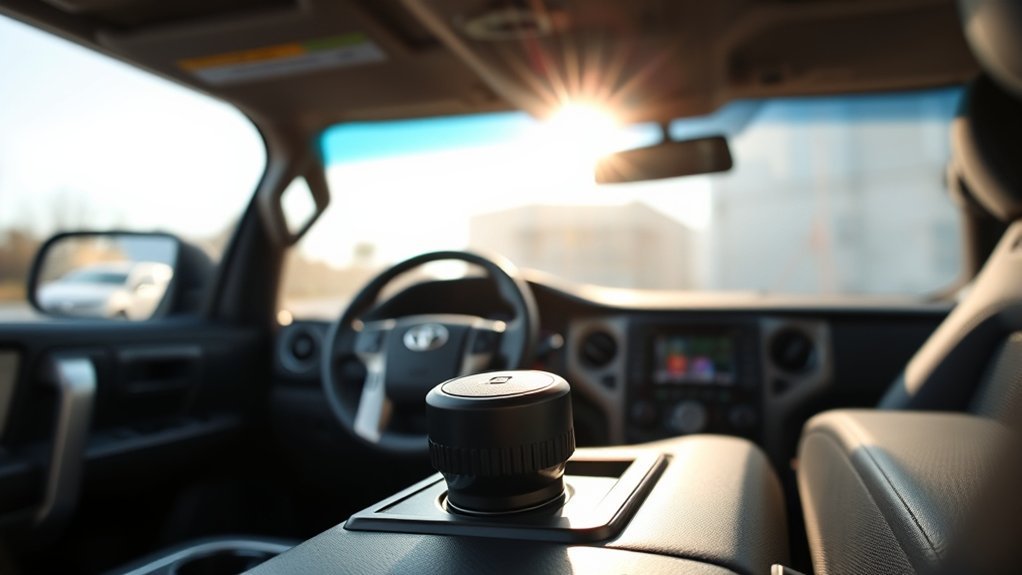
On an equipped Toyota Tundra, the integrated trailer brake controller regulates the electrical output sent through the trailer-brake circuit. When the truck slows, the controller commands compatible trailer brakes to provide part of the stopping force.
The controller does not independently adjust pressure at each trailer wheel. The trailer’s wiring, magnets or hydraulic actuator, mechanical brake adjustment, drums or rotors, and tires determine how the commanded output is converted into actual braking force.
What Trailer Brake Gain Means
Gain is the maximum brake output the controller is allowed to command. Raising the gain generally makes the trailer brakes respond more strongly. Lowering it reduces the maximum response.
- Too little gain: The trailer may push the truck, stopping distance may increase, and the truck’s brakes may carry too much of the load.
- Too much gain: The trailer may jerk, skid, or lock its wheels, especially when lightly loaded or on wet, icy, gravel, or loose surfaces.
- Correct gain: The truck and trailer slow together smoothly without the trailer pushing, grabbing, or locking its wheels.
The exact control layout, displayed scale, compatible brake types, saved trailer profiles, and warning messages can differ by model year and equipment. Use Toyota’s interactive owner’s manual or select your exact Tundra year from Toyota’s manual portal before changing model-specific settings.
Note: A conventional electric trailer-brake controller does not normally operate a self-actuating hydraulic surge-brake system. Electric-over-hydraulic operation should be used only when both the Tundra’s exact controller and the trailer actuator are confirmed compatible.
Top Features That Enhance the Integrated Brake Controller
Depending on the Tundra’s model year and equipment, the integrated controller may provide several useful towing functions:
- Adjustable trailer-brake gain from controls within easy reach of the driver.
- A manual control that applies trailer brakes without pressing the truck’s brake pedal.
- Brake-output or gain information in the instrument or multi-information display.
- Connection or fault messages when the truck detects a problem in the trailer-brake circuit.
- Integration with the truck’s braking inputs for smoother response than a basic time-delay controller.
- Trailer-setting or profile options on certain configurations.
Trailer-Sway Control is a separate vehicle-stability aid. It may help the driver during some sway events, but it cannot correct an overloaded trailer, poor cargo distribution, an unsuitable hitch, excessive speed, damaged tires, or an incorrect gain setting.
The best gain is not the highest setting. It is the setting that lets the truck and loaded trailer stop together smoothly without wheel lockup.
Before You Adjust the Trailer Brake Gain
Gain adjustment cannot compensate for damaged, badly adjusted, overheated, or incorrectly wired trailer brakes. Complete these checks before testing:
- Confirm the Tundra, receiver, ball mount, hitch ball, coupler, and trailer are all rated for the actual loaded weights.
- Secure the coupler, hitch pin, safety chains, cargo, and any weight-distribution equipment.
- Connect the breakaway cable to a suitable point on the tow vehicle that is separate from the safety chains.
- Confirm the breakaway battery is charged and the switch works according to the trailer manufacturer’s procedure.
- Fully seat the trailer connector and inspect it for water, corrosion, bent contacts, dirt, or looseness.
- Test the brake lights, turn signals, running lights, and hazard lights.
- Inspect trailer tires, inflation, wheel fasteners, visible wiring, brake components, and wheel bearings.
- Make sure the trailer brakes have been adjusted and, when required, burnished according to the axle or brake manufacturer’s instructions.
- Load the trailer as it will be used. An empty trailer may require a different gain than the same trailer when fully loaded.
Warning: Perform brake tests only in a level, open area with no traffic, pedestrians, obstacles, or loose cargo. Do not deliberately continue braking until tires smoke. If you notice smoke, a burning odor, severe pulling, dragging, or abnormal heat, stop towing and have the trailer inspected.
Adjusting Gain Settings for Optimal Performance
There is no universal Toyota Tundra gain setting. The correct value changes with trailer weight, cargo, brake adjustment, brake type, tire grip, weather, and road surface.
- Load and connect the trailer. Calibrate it in the same general condition in which it will be towed.
- Confirm the trailer setting. If your Tundra provides brake-type or trailer-profile choices, select only the option confirmed by the truck and trailer documentation.
- Choose an initial gain. Use the starting point in the model-year owner’s manual. When no specific value is provided, begin conservatively rather than starting at maximum output.
- Drive straight at about 20–25 mph. Use a dry, level, traffic-free test area with ample stopping distance.
- Make a controlled stop. Apply the truck’s brake pedal firmly but not as an emergency stop.
- Evaluate the result. Increase gain in a small step if the trailer clearly pushes the truck and all trailer brakes are working. Decrease it if the trailer jerks, grabs, skids, or locks a wheel.
- Repeat as needed. Continue controlled tests until the combination slows smoothly and remains straight.
- Recheck after conditions change. Recalibrate after major cargo changes, brake service, trailer changes, or a change from dry pavement to a low-grip surface.
A general brake-controller calibration procedure is also described in CURT’s trailer brake controller guide. Your Toyota owner’s manual takes priority for truck-specific controls and warnings.
| What You Feel | Likely Meaning | What to Do |
|---|---|---|
| Trailer pushes the truck during a normal stop | Gain may be low, or the trailer brakes may be weak | Verify brake operation, then increase gain one small step and retest |
| Trailer jerks or grabs | Gain may be high for the load or surface | Reduce gain slightly and retest |
| Trailer wheels lock | Output is excessive, grip is low, or braking is uneven | Reduce gain immediately; inspect the brakes if only one wheel or axle locks |
| Brakes remain weak at a high setting | Possible wiring, ground, voltage, adjustment, wear, or compatibility problem | Do not keep raising gain; inspect and test the trailer brake system |
| Braking is harsh when the trailer is empty | The lighter load needs less brake output | Lower the gain and recalibrate for the empty condition |
Pro Tip: Record the successful gain for each trailer and typical load as a starting reference. Still perform a low-speed brake check before every trip because cargo, brake wear, weather, and road grip can change the required setting.
Set Up Your Trailer Brake Controller Easily

Use this general process to set up the integrated controller. Button names, menu paths, profile options, and supported brake types vary, so compare each step with the manual for your exact truck.
- Park the truck and loaded trailer on level ground, apply the parking brake, and use wheel chocks when appropriate.
- Secure the hitch, coupler, safety chains, breakaway cable, cargo, and trailer connector.
- Start the Tundra and check whether the display recognizes a connected trailer or shows a brake-system warning.
- Open the applicable towing, trailer, or brake-controller settings if your model provides them.
- Select the correct trailer profile or brake type only when the option is supported by both the Tundra and the trailer braking equipment.
- Set an initial gain using the owner’s manual or a conservative starting value.
- Use the manual control at very low speed to confirm that the trailer brakes respond.
- Complete controlled 20–25 mph test stops and adjust the gain in small steps.
- After changing a brake type or trailer profile, check the displayed gain again instead of assuming the previous value was retained or reset.
- Perform one final brake, light, connector, and warning-message check before entering traffic.
Model-Year Differences to Check
Before following screenshots or instructions from another owner, confirm these details for your truck:
- Whether the truck was factory-equipped with an integrated controller.
- The location and operation of the gain buttons and manual control.
- The gain scale and display behavior.
- Whether a brake-type selection is available.
- Whether electric-over-hydraulic actuators are supported.
- Whether trailer profiles can store individual settings.
- What happens to gain when a profile or brake type is changed.
- The meaning of each trailer-related warning message.
Toyota provides separate resources for older and newer trucks, including the 2021 Tundra manual portal and the 2026 Tundra manual portal.
How to Use the Manual Trailer Brake Control
The manual slider or lever applies the trailer brakes without applying the Tundra’s service brakes. Depending on the model and owner’s-manual instructions, it can be useful for:
- Confirming that the trailer brakes respond after hookup.
- Checking brake response during initial gain calibration.
- Applying a light trailer-only braking input when permitted to help settle minor sway.
Apply the control smoothly. It is not a parking brake, a substitute for the trailer breakaway system, or a method for continuously dragging the trailer brakes on a long descent.
Warning: If sway becomes severe, do not make abrupt steering movements or accelerate. Hold the steering wheel steady, reduce speed gradually, and stop in a safe place to inspect speed, cargo distribution, tongue load, tires, hitch setup, and road conditions.
How to Fix Common Trailer Brake Problems
A controller warning does not always mean the in-dash unit has failed. Many problems begin in the trailer connector, ground path, brake wiring, breakaway circuit, actuator, or mechanical brakes.
| Symptom | Possible Causes | Recommended Checks |
|---|---|---|
| “Trailer Disconnected” or trailer not recognized | Loose or corroded connector, poor ground, open brake circuit, damaged wiring, or incompatible equipment | Park safely, reseat the connector, inspect and dry the contacts, check the ground and visible wiring, and test with proper electrical equipment |
| No braking or weak braking | Low gain, worn or misadjusted brakes, weak ground, voltage loss, failed magnet, actuator problem, or incompatible brake type | Confirm settings, then inspect voltage, grounds, brake adjustment, wear, magnets, and actuator compatibility |
| Harsh braking or wheel lockup | Gain too high, light trailer load, low-grip pavement, shorted wiring, or uneven brake adjustment | Reduce gain and retest; inspect the trailer if one wheel or axle behaves differently |
| Intermittent connection warning | Loose plug, spread contacts, moisture, chafed wiring, poor frame ground, or movement at a junction box | Inspect the connector and harness while parked; repair damaged wiring instead of relying on repeated reconnection |
| Manual control works, but brake-pedal application does not | Truck-side brake input, controller module, configuration, fuse, or software fault | Stop towing until the truck-side system is diagnosed using Toyota service information |
| Burning smell, smoke, or unusually hot hubs | Dragging brakes, excessive gain, seized component, failed bearing, or incorrect adjustment | Stop in a safe place, keep clear of hot components, and have the trailer inspected before continuing |
| Electric-over-hydraulic actuator does not respond | Incorrect brake-type selection, unsupported actuator, poor power or ground, low breakaway battery voltage, or actuator fault | Confirm compatibility in both manuals and test the actuator power, ground, and control circuit |
Do not replace the factory controller solely because the trailer is not detected. Diagnose the trailer and truck circuits first. If your Tundra lacks a compatible controller, a properly matched aftermarket unit may be an option, but installation and configuration should follow the controller and vehicle manufacturers’ instructions.
For a persistent truck-side fault, contact a Toyota service center. You can also check the truck’s VIN through the NHTSA recall lookup for applicable safety recalls or campaigns.
Warning: Do not tow on public roads when the trailer brakes are required but do not respond, the controller repeatedly loses the trailer connection, or the brakes overheat. Gain adjustment cannot repair an electrical or mechanical defect.
Essential Safety Tips for Towing With Your Tundra
- Stay within the lowest applicable rating for the truck, hitch, ball mount, hitch ball, coupler, trailer, tires, and cargo equipment.
- Confirm actual payload, tongue or pin load, axle loads, and total trailer weight rather than relying only on an advertised maximum tow rating.
- Follow trailer-brake and breakaway-system laws for every state, province, or territory where you tow.
- Secure cargo so it cannot shift during braking or cornering.
- Use the correct hitch setup and weight-distribution equipment when required.
- Leave more following distance because a truck and trailer need additional space to slow and stop.
- Reduce speed for curves, wind, rain, snow, gravel, construction zones, and downhill grades.
- Recheck the gain after loading changes, trailer brake work, or a change in road grip.
- Test the controller, breakaway system, lights, tires, connector, and hitch before every trip.
- Remember that Trailer-Sway Control cannot overcome excessive speed, poor loading, unsuitable equipment, or damaged components.
Trailer-brake gain changes braking balance; it does not increase the Tundra’s payload, axle, hitch, or towing ratings.
Trailer Brake Maintenance Checklist
Before Every Tow
- Inspect and fully seat the trailer connector.
- Confirm the truck recognizes the trailer without a warning.
- Test the manual control at low speed.
- Check the breakaway cable, switch, and battery.
- Test all trailer lights.
- Inspect the visible brake wiring and junction box.
- Check tires, wheel fasteners, hitch components, and safety chains.
Periodic Trailer Brake Service
- Inspect and adjust drum brakes at the interval specified by the axle or brake manufacturer.
- Inspect brake shoes or pads, magnets, drums or rotors, springs, seals, and hardware.
- Check wiring, grounds, connectors, and breakaway-battery condition.
- Service wheel bearings and verify hub condition according to the trailer manufacturer’s schedule.
- Test electric-over-hydraulic fluid level, actuator operation, hydraulic lines, and bleeding requirements when applicable.
- Recalibrate the controller after brake adjustment, component replacement, or a major load change.
Note: Service intervals differ among trailer, axle, brake, and actuator manufacturers. Follow the shortest applicable interval and inspect sooner after water immersion, storage, heavy mountain towing, or evidence of overheating.
Related Guides
Frequently Asked Questions
Can I use the brake controller with different trailer types?
You can use it with trailers that have a compatible electrically controlled braking system. Confirm each trailer’s brake type before selecting a setting. A self-actuating hydraulic surge-brake trailer normally does not use the truck’s electric brake output, while electric-over-hydraulic compatibility must be verified in both manuals.
How do I know if my trailer brakes are functioning properly?
After completing the mechanical and electrical inspection, apply the manual control gently at very low speed. You should feel the trailer resist the truck without jerking or pulling to one side. Controlled brake-pedal tests should then produce smooth, balanced stops without warnings, lockup, smoke, or excessive heat.
Is professional installation required for the brake controller?
A factory-equipped integrated controller is already installed. Professional help may be appropriate when retrofitting a controller, repairing wiring, diagnosing a module fault, programming vehicle equipment, or matching an electric-over-hydraulic actuator.
What maintenance is needed for the brake controller?
The in-dash control usually needs little routine maintenance, but the complete system does. Inspect the connector, wiring, grounds, breakaway battery, trailer brakes, actuator, and warning messages regularly. Recheck gain after brake service or a major load change.
Are there warranty considerations for the brake controller?
Warranty coverage depends on the truck’s applicable warranty guide, the failed component, the cause of failure, and local law. An aftermarket modification does not automatically determine every warranty claim, but damage caused by unsuitable equipment or incorrect installation may not be covered. Keep installation and service records.
Is a gain setting of 5.0 correct for every trailer?
No. A value that works for one loaded trailer may be too strong for an empty trailer or too weak for a heavier one. Use the owner’s manual as the starting reference, then adjust in small steps through controlled test stops.
Why does my Tundra say “Trailer Disconnected” when the plug is connected?
The truck may not see a complete trailer-brake circuit because of corrosion, moisture, loose contacts, a poor ground, damaged wiring, a failed brake magnet, or incompatible equipment. Park safely and inspect the circuit rather than repeatedly reconnecting the plug while driving.
Can I use the manual brake control to stop trailer sway?
A light manual application may help settle minor sway when your owner’s manual permits it. It is not a cure for severe sway. Reduce speed gradually, avoid abrupt steering, stop safely, and correct the loading, hitch, tire, speed, or equipment problem before continuing.
Conclusion
A properly adjusted Toyota Tundra trailer brake controller helps the truck and trailer slow together without pushing, grabbing, or wheel lockup. Begin with a sound trailer braking system, confirm model-year compatibility, inspect the connection and breakaway equipment, and adjust gain through controlled low-speed stops.
Recheck the system whenever the trailer, cargo, brakes, weather, or road surface changes. Stop towing when the brakes fail to respond, repeatedly disconnect, drag, smoke, or overheat. Correct diagnosis and maintenance are more important than selecting a high gain number.
Sources
- Toyota 2026 Tundra Manuals and Warranties — model-specific owner information, interactive manual access, and warranty guidance.
- Toyota 2021 Tundra Manuals and Warranties — owner information for an earlier Tundra model year.
- Toyota Interactive Owner’s Manual — vehicle-specific feature and warning-message lookup.
- CURT: How to Use a Trailer Brake Controller — brake-controller operation, gain adjustment, controlled testing, and surge-brake distinctions.
- NHTSA Recall Lookup — VIN-based safety recall and campaign checks.

