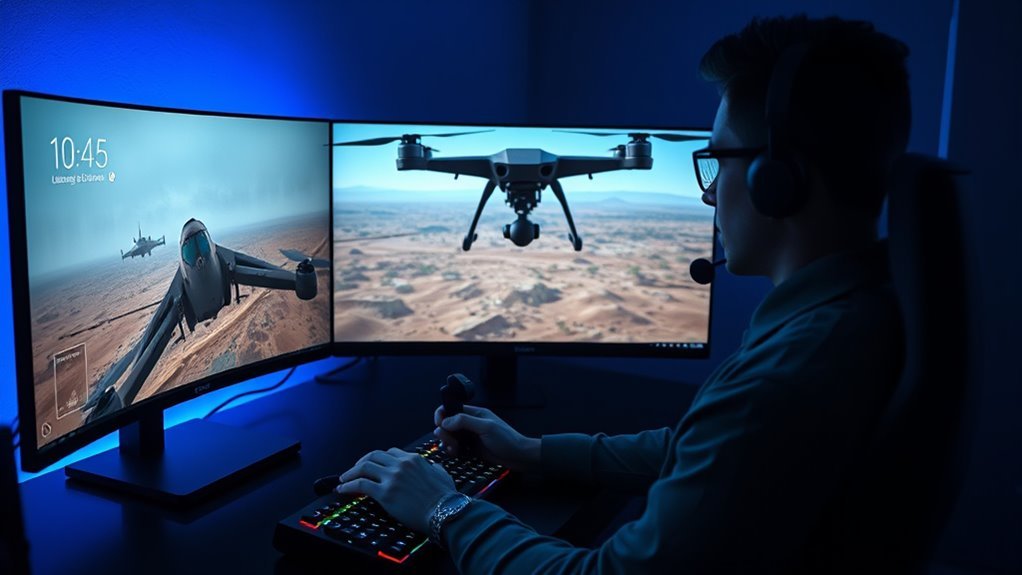
If you want a realistic drone game for PC without paying upfront, the choice is narrower than many older roundups suggest. FPV.SkyDive is the most established fully free FPV option in this guide, while SPLIT FPV: Drone Racing is a newer free-to-play simulator released in August 2026. Other popular names such as DRL Simulator, VelociDrone, Liftoff, FPV Freerider, and Tiny Whoop GO are paid products or limited free trials rather than permanently free games.
Quick Answer
For a fully free, established FPV simulator on PC in 2026, FPV.SkyDive is the strongest starting point because the base game is free-to-play and supports racing, freestyle, controllers, and current updates. SPLIT FPV is a newer free alternative released in August 2026, but it is still in Early Access.
Key Takeaways
- FPV.SkyDive has a genuinely free-to-play base game, although several expanded features are sold as optional DLC.
- SPLIT FPV launched on August 28, 2026 and is free-to-play, but it remains in Early Access and its multiplayer is not yet ready.
- DRL Simulator, VelociDrone, Liftoff, and FPV Freerider are paid products, not free alternatives.
- Tiny Whoop GO offers a free trial rather than unlimited free access.
- For useful real-world practice, controller calibration and matching your normal FPV rates matter at least as much as graphics.
What Makes a Good Free Drone Game?
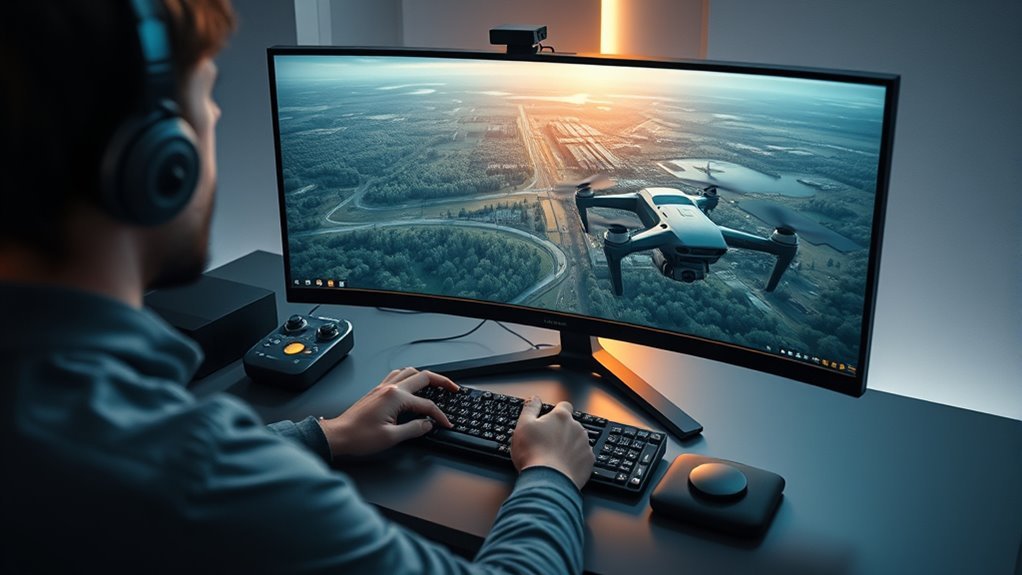
A good free FPV drone game should first have predictable flight physics. No consumer simulator perfectly reproduces every real quad, but consistent throttle response, momentum, camera angle, rates, and acro-mode behavior can make virtual practice much more useful.
Controller support is equally important. A normal gamepad can help you understand movement, but a compatible RC transmitter gives stick travel and control geometry that are closer to real FPV flying.
Good simulators also provide enough variety to keep practice useful. Racing gates teach line choice and precision, while freestyle environments encourage throttle management, recovery, orientation, and smooth stick inputs.
Graphics matter less than stable frame rate. A beautiful simulator that stutters can make control feel inconsistent, while a simpler game running smoothly can be much easier to train with.
Finally, check what “free” actually means. Some products are fully free-to-play, some have paid DLC, some offer only a trial, and others are simply inexpensive paid simulators.
The most useful FPV simulator is not necessarily the one with the best graphics; consistent physics, a properly calibrated controller, and familiar rates usually matter more for practice.
Free vs. Trial vs. Paid Drone Simulators in 2026
| Simulator | 2026 Access | Best Fit | Main Caveat |
|---|---|---|---|
| FPV.SkyDive | Free-to-play base game | Racing, freestyle, beginners | Some Flight School, Track Builder, and other content is paid DLC |
| SPLIT FPV | Free-to-play | Training, missions, customization | Early Access; multiplayer not ready |
| Tiny Whoop GO | Free trial | Micro-drone and Tiny Whoop practice | Full access is not permanently free |
| DRL Simulator | Paid; Steam currently lists $9.99 | FPV racing | Current community reports describe online connection problems |
| VelociDrone | Paid; base license currently £16.99 | Serious racing practice | Extra quad classes and freestyle content can require paid packs |
| Liftoff | Paid | Racing, freestyle, community content | Current PC requirements are relatively demanding |
| FPV Freerider | Paid; Steam currently lists $5.99 | Older or modest PCs | Simpler visuals and fewer modern features |
DRL Simulator: Strong Paid Racing Pick
The Drone Racing League Simulator is still a recognizable FPV racing simulator, but it should not be classified as free in 2026. Its current Steam listing is $9.99.
DRL describes the simulator as using aerodynamic modeling informed by real drones, and it includes official-style racing courses, an interactive tutorial, drone customization, a course editor, and transmitter support.
That makes it relevant for racing practice, but readers searching specifically for a free simulator should start with FPV.SkyDive or SPLIT FPV instead.
DRL Training Value
The simulator includes an interactive tutorial that covers basic FPV controls and maneuvers. Replays can also help pilots study racing lines and lap times.
- Structured introductory training helps new pilots understand FPV controls.
- Official DRL-style courses emphasize racing lines and gate accuracy.
- RC transmitter support makes control inputs more representative than keyboard-only practice.
Older descriptions sometimes cite a specific number of training levels, but the current official Steam listing does not verify the “30-plus” figure used in the original article. It is safer to describe the current tutorial without attaching an unsupported count.
Why DRL Works
DRL’s main appeal is its racing focus. It includes tracks based on Drone Racing League competition environments, drone-building options, multiplayer features in the Steam listing, leaderboards, and a course editor.
| Feature | Practical Value |
|---|---|
| Interactive tutorial | Guided introduction to FPV control |
| DRL-style tracks | Focused racing-line practice |
| Course editor | Custom practice layouts |
| Transmitter support | More realistic stick control |
Note: Steam still lists multiplayer for DRL Simulator, but multiple 2026 community posts report server or connection problems. Buy it mainly for its available racing and offline practice value unless current online functionality has been confirmed.
FPV.SkyDive for Free Racing and Freestyle Practice
FPV.SkyDive from ORQA remains a true free-to-play PC option in 2026. The base simulator supports racing, freestyle practice, challenges, controller calibration, several aircraft types, and multiplayer features.
It is also actively maintained. ORQA released update 2.9 in 2026 with expanded control schemes, followed by 2.9.1 patches. The August 25, 2026 patch addressed issues including multiplayer-server visibility and controller behavior inside the multiplayer interface.
FPV.SkyDive works with compatible RC controllers as well as supported game controllers. Recent updates also expanded keyboard and mouse control options, making it easier to try the simulator before buying a dedicated transmitter.
- The base simulator is free-to-play.
- Racing and freestyle modes cover different practice styles.
- Controller calibration helps users adapt their own input hardware.
- Optional DLC expands features such as Flight School, micro drones, and track building.
The main pricing detail to understand is that not every expanded feature is free. The Flight School contains five units, but only the first unit is included free; the remaining four are sold through the Flight School DLC.
Pro Tip: If your goal is real FPV training, use the free base game first and spend time calibrating your transmitter and rates before buying extra content. Consistent controls usually improve practice more than adding new maps immediately.
SPLIT FPV: New Free 2026 Option
SPLIT FPV: Drone Racing is one of the most important additions to the free-PC category in 2026. It launched on Steam on August 28, 2026 as a free-to-play Early Access simulator.
The game currently includes free flight, racing, delivery and search tasks, a campaign, detailed drone customization, seven locations, and multiple flight modes including Acro, Stable, 3D, position hold, altitude hold, and Casual.
It accepts an RC transmitter, gamepad, or keyboard, so it can be tested before buying specialized control hardware.
Its main weakness is maturity. The developer states that multiplayer and game balancing are not ready yet and are still being developed during Early Access. That makes SPLIT FPV an interesting current alternative, but FPV.SkyDive has a longer track record as an established free simulator.
Caution: Early Access games can change substantially. SPLIT FPV is playable now, but performance, balance, multiplayer, and features may change as development continues.
VelociDrone vs Liftoff: Which Feels Better?
VelociDrone and Liftoff are both paid simulators, so neither directly answers a search for a completely free PC drone game. They are still useful reference points because both are widely used for FPV practice.
VelociDrone places strong emphasis on racing, high frame rates, track variety, online competition, and adjustable quad behavior. Its official base license is currently listed at £16.99, with separate premium packs for micro quads, freestyle aircraft, and other content.
Liftoff combines racing and freestyle with drone customization, multiplayer, Steam Workshop support, track creation, and transmitter integration. Its current desktop build also asks for substantially more graphics hardware than lightweight older simulators.
Physics and Handling
There is no independently standardized test that proves one consumer FPV simulator has the single “most realistic” physics model for every aircraft and pilot.
VelociDrone is designed heavily around racing and advertises realistic flight dynamics across many racing quad types. This makes it especially relevant to pilots who care about lap practice and precise racing lines.
Liftoff also describes its physics as fully simulated and combines those flight dynamics with broader customization, community content, racing, and freestyle environments.
- VelociDrone: strongly racing-oriented with extensive quad and track options.
- Liftoff: broader mix of freestyle, racing, customization, and community content.
- Best training match: whichever simulator lets you reproduce your transmitter calibration, camera angle, and rates most closely.
Racing vs Freestyle
For racing, VelociDrone’s large selection of race quads, tracks, leaderboards, events, and racing-focused physics makes it a natural option to compare.
Liftoff supports racing too, but its environments, customization, Workshop content, and freestyle-oriented play give it broader appeal to pilots who enjoy tricks and exploratory flying.
Neither needs to be declared universally “better.” A racer may value repeatable gate practice and frame rate, while a freestyle pilot may care more about open environments, camera feel, and freedom to build or share setups.
Tiny Whoop GO for Micro-Drone Practice
Tiny Whoop GO is the official Tiny Whoop simulator and remains a useful option for pilots who specifically want micro-drone practice. The important correction is that its current offer is a free trial, not unlimited free access.
The full simulator includes 30 Career Mode tracks spread across 10 environments, an interactive Tiny Whoop Flight School, scavenger hunts, online multiplayer, and a track-building system.
- The trial gives new pilots a no-cost way to test the simulator.
- Career progression moves from novice to more difficult tracks.
- The simulator is focused specifically on the feel and scale of small ducted FPV aircraft.
Tiny Whoop GO is also not the lightest simulator for old PCs. Its official minimum recommendation calls for Windows 10, an Intel i5 dual-core CPU, a GTX 1050-class graphics card or equivalent, 4 GB RAM, and an internet connection.
Which Sim Has the Most Realistic Physics?
There is no objective universal winner because “realistic” depends on the quad being simulated, weight, tune, rates, camera angle, prop behavior, controller calibration, frame rate, and the pilot’s real aircraft.
VelociDrone is strongly focused on racing and advertises realistic physics across its desktop and mobile products. DRL Simulator says its aerodynamic model uses data from real drones. Liftoff uses fully simulated physics and advanced flight dynamics, while FPV.SkyDive describes its physics as optimized for realistic racing and freestyle flight.
For skill transfer, the practical goal is not to find a simulator with a perfect marketing claim. It is to choose one with stable frame rate, consistent physics, a good transmitter connection, and settings that resemble the quad you actually fly.
Which Drone Game Runs on Low-Spec PCs?
If your PC is genuinely old or low-powered, the lightest verified option in this group is FPV Freerider, although it is not free. Its Steam minimum lists 2 GB RAM, 1 GB of storage, and much older graphics hardware than most modern FPV simulators. The current Steam price is $5.99.
Among the genuinely free options, FPV.SkyDive is more reasonable than many newer visually demanding simulators. Its listed Windows minimum includes 8 GB RAM, a GTX 650-class GPU with 2 GB VRAM, and 2 GB of storage.
Tiny Whoop GO asks for a GTX 1050-class GPU, while the new SPLIT FPV lists a GTX 1060 6 GB-class GPU and 8 GB RAM. Liftoff’s current Windows requirements are heavier still, including an RTX 2060 or RX Vega 56-class GPU in its published minimum specification.
- FPV Freerider: lightest published requirements here, but paid.
- FPV.SkyDive: best verified fully free choice for a moderately capable older gaming PC.
- Tiny Whoop GO: free trial, but requires stronger graphics than its simple micro-drone focus may suggest.
- SPLIT FPV: free, but comparatively demanding for low-end hardware.
If performance is marginal, reduce resolution, shadows, effects, and other graphics options before changing flight physics. Stable frame rate is more useful for control practice than maximum visual quality.
How Do You Connect a Radio Controller?
Most modern FPV transmitters that support USB joystick or gamepad mode can connect directly to a PC with a data-capable USB cable. The connector may be USB-C or another USB type depending on the radio.
For EdgeTX radios, connect the transmitter and select the appropriate USB joystick/gamepad mode. EdgeTX supports both Classic and Advanced USB joystick configurations.
- Connect the transmitter with a USB cable that carries data, not a charge-only cable.
- Select USB joystick or gamepad mode on the radio if prompted.
- Open the simulator and choose the detected controller.
- Run the simulator’s stick calibration.
- Confirm throttle, yaw, pitch, and roll move in the correct directions.
- Set dead zones only as high as necessary to eliminate unwanted input.
- Match your preferred rates and camera angle after calibration.
EdgeTX recommends turning both the internal and external RF modules off when the radio is being used as a USB joystick. This avoids transmitting unnecessarily and can improve simulator-mode performance.
A DJI FPV controller may work with some simulators, but compatibility should be checked per simulator rather than assumed universally. FPV Freerider, for example, specifically lists DJI FPV controllers among hardware that has been used successfully.
Pro Tip: Calibrate the physical radio first, then calibrate it again inside the simulator. If the sticks do not reach their full range or center correctly, changing rates will not fix the underlying calibration problem.
Best Beginner Sim Settings
Beginner settings should make the aircraft controllable without creating habits that must later be unlearned. There is no universal “50% sensitivity” setting because different simulators and rate systems define sensitivity differently.
If you already own an FPV quad, the best training approach is usually to reproduce its camera angle and rate profile as closely as the simulator allows. If you do not yet have a real quad, start with the simulator’s beginner or default preset and adjust only one setting at a time.
Recommended Beginner Sensitivity
Instead of choosing arbitrary percentages, focus on three concepts: center sensitivity, maximum rotational rate, and expo.
Betaflight’s current rate systems allow pilots to control how quickly the quad responds near stick center and how fast it can rotate at larger stick deflections. The official Betaflight documentation notes that racers commonly use lower maximum rotation rates than aggressive freestyle pilots, but there is still no single correct rate profile.
- Start with the simulator’s default or beginner rate preset.
- Keep the center response comfortable enough for small corrections.
- Avoid extremely high maximum rates while learning basic orientation.
- Change one variable at a time and fly several sessions before making another change.
- If you own a real quad, copy or convert its rates rather than inventing a separate simulator setup.
This produces a much more repeatable learning process than using fixed percentage recommendations that mean different things in different games.
Easier Physics Presets
Beginner-friendly aids can reduce frustration during the first sessions, especially while learning stick orientation. However, pilots who eventually want to fly FPV in Acro mode should gradually reduce assistance rather than relying on self-leveling permanently.
| Setting | Effect | Beginner Benefit |
|---|---|---|
| Angle / Stable mode | Self-levels the aircraft | Makes first hovering and orientation exercises easier |
| Lower camera angle | Reduces the forward speed needed to see ahead | Easier for slow practice |
| Moderate rates | Reduces very fast rotations | Gives more time to correct mistakes |
| Reduced graphics settings | Improves frame-rate consistency | Makes stick response easier to judge |
Once hovering, turns, altitude control, and recovery feel comfortable, move toward Acro mode and settings that resemble the aircraft you eventually plan to fly.
Other Free Drone Sims Worth Trying
The list of verified, genuinely free PC FPV simulators is shorter than it first appears.
FPV.SkyDive is the established free-to-play choice, with racing, freestyle, challenges, controller support, and active 2026 development.
SPLIT FPV is the newest fully free option in this guide. It offers several flight modes, missions, customization, and a campaign, but it is still in Early Access.
Tiny Whoop GO is worth trying for micro-drone practice, but its free access is a trial. DRL Simulator, FPV Freerider, VelociDrone, and Liftoff are paid.
Real Drone Simulator also appears in some older lists, but a current primary-source PC listing with clear 2026 pricing and support status could not be verified during this update, so it is not included as a recommended current free pick.
- FPV.SkyDive: established free racing and freestyle simulator.
- SPLIT FPV: new free Early Access alternative with missions and customization.
- Tiny Whoop GO: useful micro-drone simulator with a limited free trial.
- FPV Freerider: inexpensive paid alternative for lower-end hardware.
Frequently Asked Questions
What is the best free drone simulator for PC?
FPV.SkyDive is the strongest established free-to-play choice in this comparison because it combines racing, freestyle, controller support, multiplayer features, and active 2026 development. SPLIT FPV is another fully free option, but it launched in August 2026 and remains in Early Access.
Which drone simulator is the most realistic?
There is no independently proven universal winner. VelociDrone is strongly focused on racing physics, DRL uses aerodynamic modeling informed by real drones, Liftoff offers fully simulated flight dynamics, and FPV.SkyDive emphasizes realistic racing and freestyle behavior. Matching your transmitter, rates, camera angle, and frame rate is essential for useful practice.
What are some good drone games for PC?
Good FPV-oriented PC options include FPV.SkyDive and SPLIT FPV for free play, Tiny Whoop GO for micro-drone practice through its trial, and paid simulators such as VelociDrone, Liftoff, DRL Simulator, and FPV Freerider. The right choice depends on racing, freestyle, micro-drone training, hardware performance, and budget.
What is the most realistic free flight simulator for FPV drones?
FPV.SkyDive is the more established fully free FPV choice, while SPLIT FPV is a promising newer alternative. Neither can be called objectively the most realistic for every quad. Controller setup, rates, camera angle, and stable frame rate have a major effect on how closely practice resembles a real aircraft.
Is DRL Simulator free in 2026?
No. The Drone Racing League Simulator is currently listed on Steam for $9.99. It remains useful for racing practice, but it should not be included in a list of permanently free PC drone simulators.
Is Tiny Whoop GO completely free?
No. Tiny Whoop currently promotes a free trial of Tiny Whoop GO. It is still useful for testing micro-drone practice before paying, but it should be described as a trial rather than an unlimited free simulator.
Conclusion
For a free realistic drone game on PC in 2026, FPV.SkyDive is the most established free-to-play starting point in this comparison. It covers racing and freestyle, supports real controllers, and continues to receive updates. SPLIT FPV is the most notable new free alternative, although its Early Access status means some features are still developing.
Tiny Whoop GO is better described as a free-trial option for micro-drone practice, while DRL Simulator, VelociDrone, Liftoff, and FPV Freerider are paid. Whichever simulator you choose, prioritize a stable frame rate, correct controller calibration, and rates that resemble your real FPV setup if your goal is transferable practice.
Sources
- FPV.SkyDive on Steam — free-to-play status, features, controller support, DLC, and system requirements.
- SPLIT FPV: Drone Racing on Steam — August 2026 release, Early Access status, free pricing, modes, features, and requirements.
- The Drone Racing League Simulator on Steam — current price, tutorial, physics description, courses, controller support, and multiplayer listing.
- Tiny Whoop GO official simulator page — trial access, Career Mode, Flight School, tracks, and multiplayer features.
- VelociDrone official shop — current base-license price, premium packs, and PC requirements.
- EdgeTX USB Joystick documentation — USB joystick modes, channel behavior, and RF-module guidance for simulator use.

