
Lane Tracing Assist (LTA) can help your Toyota Camry maintain its lane position while Dynamic Radar Cruise Control is operating and the required conditions are met. It is designed for driver support, not hands-free or automated driving. Keep your hands on the steering wheel, watch the road, and be prepared to steer, brake, or accelerate immediately.
Quick Answer
Use Toyota Camry Lane Tracing Assist only on roads permitted by your model-specific manual, with Dynamic Radar Cruise Control active and the dashboard showing that LTA is operating. Keep your hands on the wheel, monitor traffic continuously, and steer manually whenever the detected path, road conditions, or system response becomes uncertain.
Key Takeaways
- LTA works with Dynamic Radar Cruise Control and provides limited steering assistance when its operating conditions are met.
- Many newer Camry manuals specify highways and expressways, so do not assume LTA is intended for every road with lane markings.
- Visible lane lines support operation, but some versions may also use the path of preceding or surrounding vehicles.
- Ordinary LTA requires the driver to grip the steering wheel. Available Traffic Jam Assist is a separate function with different rules.
- Follow the current digital manual for your model year and Toyota Safety Sense software version, especially after a software update.
Warning: Lane Tracing Assist does not make a Toyota Camry autonomous. Never use it as permission to text, look away, rest your hands in your lap, or reduce your normal attention. Even when LTA, cruise control, or another driving-support feature is active, you remain responsible for the vehicle.
When Lane Tracing Assist (LTA) Is Most Effective
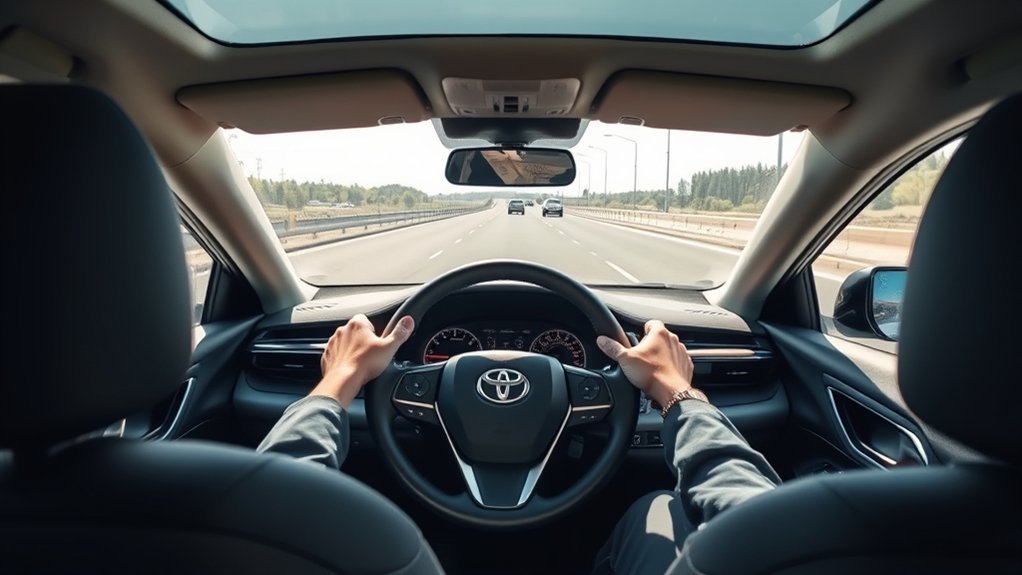
Toyota describes Lane Tracing Assist as a system that works with Dynamic Radar Cruise Control and uses lane markings and, on supported versions, information about preceding vehicles to help maintain the vehicle’s lane position.
LTA is generally best suited to steady highway or expressway driving with a predictable lane, gradual curves, stable traffic, good traction, and an unobstructed sensor view. The 2025 U.S. Camry driving-support manual, for example, instructs drivers to use LTA only on highways and expressways. Other model years may use different wording, so follow the road restrictions in your exact manual.
Do not depend on a fixed rule such as “only above 60 mph.” LTA, Lane Departure Alert, Dynamic Radar Cruise Control, Lane Change Assist, and Traffic Jam Assist can each have different speed and operating conditions. Check the LTA status on the Multi-Information Display rather than applying a threshold published for another feature or model year.
| Condition | Why It Helps | What You Should Do |
|---|---|---|
| Recognizable driving path | The system can use visible lane lines and, on some versions, the path of preceding or surrounding vehicles. | Confirm that the display shows active assistance and steer manually if the intended path becomes unclear. |
| Clear camera and radar areas | Dirt, fog, ice, snow, stickers, water, glare, or damage may interfere with detection. | Keep the permitted windshield and radar-cover areas clean without touching or altering the sensors. |
| Predictable road shape | Gradual curves and a consistent lane give the system a clearer path to follow. | Steer manually through sharp curves, exits, merges, intersections, and unusual lane layouts. |
| Good visibility and traction | The sensors and driver have a better chance of recognizing the road and nearby traffic. | Avoid relying on LTA in heavy rain, fog, snow, intense glare, flooding, or slippery conditions. |
| Attentive driver | The driver can respond when assistance weakens, follows an unsuitable path, or stops. | Grip the steering wheel, watch the roadway, and remain ready to take full control. |
An active LTA indicator confirms that steering support is operating; it does not confirm that the road is safe or transfer responsibility away from the driver.
Check Your Camry Model Year, Safety Sense Version, and Software
Toyota has used different Toyota Safety Sense generations across Camry model years. Their controls, button icons, displays, alerts, lane-recognition abilities, operating conditions, and available driver-monitoring features can differ.
Before using LTA, identify your Camry’s model year and review the Lane Tracing Assist section through the official Toyota Owner’s Manual portal. That manual is the controlling source for your vehicle’s permitted roads, warning messages, indicator colors, speed conditions, and switch sequence.
Some newer Toyota Safety Sense systems can also receive software updates. Toyota’s 2025 Camry documentation warns that an update may change operating methods and directs owners to use the digital manual that corresponds to the installed software version. Where supported, the Toyota app can show software-version and update information.
Note: Do not copy activation steps, speed thresholds, warning colors, or hands-free claims from a different Camry year or Toyota Safety Sense generation. After an over-the-air update, check the current digital manual before assuming the controls still work exactly as they did before.
How to Set Up and Use LTA in a Toyota Camry
At a Glance
| Time Required | About one minute to activate after you understand the controls; allow longer for the first manual review |
| Difficulty | Easy to activate, but continuous supervision and judgment are required |
| Tools Needed | No physical tools; use the current model- and software-specific owner’s manual |
| Cost | No separate activation cost for ordinary LTA when it is installed on the vehicle |
- Check the road and weather. Use LTA only on a road permitted by your manual and only when visibility, traction, traffic, and road shape allow you to drive safely without assistance.
- Inspect the sensor-view areas. Clear dirt, water, fog, snow, or ice from the windshield area in front of the camera and from the appropriate radar cover or grille area. Do not touch a camera lens.
- Turn on LTA. Many newer Camrys have a dedicated steering-wheel LTA switch. Other versions may use different controls or settings, so follow your manual.
- Activate Dynamic Radar Cruise Control. Use the correct steering-wheel controls to turn on DRCC, choose a safe set speed, and select an appropriate following distance.
- Read the Multi-Information Display. Confirm that LTA has changed from standby to operating. Cruise control being active does not automatically prove that steering assistance is active.
- Maintain normal steering contact. Grip the wheel, look well ahead, and continue checking traffic, mirrors, road edges, exits, and lane changes.
- Override or cancel when necessary. Steer along the safe path whenever assistance is unsuitable. Use the brake or cruise-cancel control as described in your manual when speed assistance should also end.
Understand the LTA Dashboard Indicators
The exact graphics and colors vary, but the 2025 Camry Quick Reference Guide provides a useful example:
| Typical Display State | Meaning | Driver Response |
|---|---|---|
| White indicator with gray or white lane graphics | LTA is on but waiting for all operating conditions. | Continue steering normally; do not expect lane-centering assistance. |
| Green indicator, lane graphics, and steering icon | LTA steering assistance is operating. | Keep gripping the wheel and supervise the vehicle continuously. |
| Flashing yellow indicator or lane graphic | The vehicle is moving toward the indicated side of the lane. | Check the surroundings and steer the vehicle back along the safe path. |
Conditions That Enhance Lane Tracing Assist Performance
LTA performs more consistently when its sensors can recognize a stable driving path. Lane markings, nearby vehicles, visibility, windshield condition, radar cleanliness, traffic position, and road shape can all affect whether assistance starts or remains available.
Clear Lane Markings and a Stable Vehicle Path
Visible white or yellow lane boundaries help LTA determine where the vehicle should travel. The system may have difficulty with faded paint, repaired pavement, tire marks, shadows, snow-covered lines, road edges, or several overlapping sets of markings.
Some Camry versions can also use the path of preceding or surrounding vehicles when lane lines are difficult to see. That capability does not guarantee a correct path. A vehicle ahead may sway, change lanes, drive near an edge, or leave the lane, and your Camry may respond to that movement.
- Watch the display for changes between standby and active assistance.
- Do not follow the system toward an exit, shoulder, temporary line, or another vehicle’s unsuitable path.
- Steer manually whenever you cannot clearly identify the correct lane.
Good Weather and Stable Traction
Clear weather can improve camera and radar performance, but weather is only one factor. Heavy rain, fog, blowing snow, road spray, smoke, glare, or a fogged windshield may reduce recognition. Ice, flooding, loose gravel, and other low-traction surfaces also increase the need for direct driver control.
Do not treat a green or active indicator as proof that conditions are safe. Reduce speed, increase following distance, cancel cruise assistance, or drive manually whenever the road requires more careful control.
Daylight, Night, and Glare
Daylight often makes road lines easier for both the driver and camera to recognize. However, darkness alone does not determine whether LTA can operate. Headlight coverage, reflective pavement, glare, weather, lane quality, nearby traffic, and the vehicle’s operating conditions matter more.
At night, take control if lines disappear beyond the headlights, reflections on a wet road create conflicting markings, glare blocks the camera view, or the display repeatedly switches between detected and undetected states.
Keep the Camera and Radar Areas Clear
Keep the exterior windshield area in front of the camera and the applicable radar-cover area clean. Do not attach stickers, transparent film, accessories, aluminum tape, or other objects where they could obstruct a sensor. Do not paint, move, disassemble, or modify a radar sensor or camera.
Pro Tip: Before a long trip, clean the accessible exterior glass and radar-cover areas with suitable materials. Never touch the front-camera lens or spray cleaner onto it. If the inside glass immediately around the installed camera is dirty, follow your manual or contact a Toyota dealer.
How to Maintain Driver Engagement With LTA
Maintain a comfortable, secure grip on the steering wheel and steer naturally with the road. You do not need to make artificial movements every few seconds, but you must remain involved and respond immediately to any visual or audible request for input.
LTA may reduce or stop assistance when it loses the driving path, detects insufficient driver involvement, reaches an operating limit, or encounters difficult conditions. Do not wait for an alert when you can already see a hazard, confusing lane layout, unexpected vehicle movement, or unsuitable road edge.
- Keep your eyes on traffic and the road rather than staring at the dashboard.
- Check mirrors and blind spots before changing lanes.
- Use the turn signal and normal steering input for a lane change.
- Expect ordinary lane-position assistance to pause or change when the turn signal is operating.
- Apply normal steering pressure whenever the vehicle needs correction.
- Never use a phone or perform another distracting task.
- Cancel assistance when you are tired, uncertain, or uncomfortable with its behavior.
The National Highway Traffic Safety Administration distinguishes lane-centering assistance from automation and explains that the driver remains responsible for supervising the vehicle.
Note: Some newer Camrys include an Emergency Driving Stop System that may attempt to slow and stop the vehicle if it determines the driver is nonresponsive. Never test this feature or depend on it as a substitute for staying alert and controlling the vehicle.
Scenarios Where LTA Should Not Be Used

Turn off or stop relying on LTA whenever the road requires more direct judgment than the system can provide. Common examples include:
- Poor visibility: Heavy rain, dense fog, blowing snow, smoke, intense glare, or road spray can obscure the driving path.
- Unclear lane boundaries: Faded paint, snow-covered lines, pavement seams, shadows, road repairs, or old markings may create conflicting guidance.
- Construction zones: Temporary lines, cones, barriers, equipment, and shifting lanes may conflict with permanent markings.
- Sharp or complex curves: Take control before a sharp curve, ramp, roundabout, intersection, toll area, or lane split exceeds the system’s ability.
- Merges and exits: LTA may not know which branch you intend to follow when lanes divide or combine.
- Obstructed sensors: Dirt, insects, ice, condensation, damage, stickers, or accessories near the camera or radar areas can reduce detection.
- Poor traction: Do not rely on lane-centering assistance on icy, flooded, loose, deeply rutted, or otherwise unstable surfaces.
- Crosswinds and turbulence: Strong wind or airflow from nearby large vehicles may move the Camry faster than the assistance can safely correct.
- Unstable surrounding vehicles: A vehicle ahead that sways, changes lanes, or travels close to an edge may create an unsuitable path for LTA to follow.
- Unexpected system behavior: Cancel assistance immediately if steering feels abrupt, incorrect, delayed, or unsuitable for the road.
Best Ways to Keep Your Hands on the Wheel
Use a relaxed two-handed grip that lets you guide the vehicle without fighting the steering assistance. Keep your arms comfortable and remain prepared to add steering pressure as soon as the road, traffic, or detected path changes.
Do not hold the wheel so lightly that you cannot respond quickly, and never experiment to see how long the Camry will steer without your involvement. Warning timing and hands-on detection can vary with vehicle equipment, grip position, gloves, steering-wheel covers, road surface, and driver input.
- Keep both hands within easy reach of normal steering positions.
- Grip an area of the wheel that your model’s hands-on detection can recognize.
- Make smooth corrections instead of sudden movements whenever conditions permit.
- Look through curves and plan your steering before reaching them.
- Respond to steering-wheel and display warnings immediately.
- Cancel LTA or DRCC whenever continuous manual control is safer.
How to Override, Cancel, or Troubleshoot LTA
You can normally override LTA steering assistance by steering the Camry along the safe path. The system is intended to assist rather than prevent normal driver control.
Using the turn signal and steering normally lets you perform a lane change, but the exact response differs by model and by whether separate Lane Change Assist is installed. Do not expect LTA itself to check your blind spot or choose a safe gap.
To cancel related cruise assistance, use the cruise-control cancel control or brake input described in your manual. Learn the procedure while parked before relying on it in fast or dense traffic.
What to Do If LTA Is Unavailable
- Read the complete message on the Multi-Information Display.
- Check whether LTA is switched on and DRCC is operating.
- Determine whether the display shows a recognizable lane or vehicle path.
- Look for rain, fog, snow, glare, faded markings, construction, a sharp curve, or another condition preventing operation.
- When safely parked, inspect the exterior camera-view and radar-cover areas for dirt or obstruction.
- Allow an overheated or extremely cold camera area to return to a suitable temperature if the message indicates a temperature limitation.
- Drive manually instead of repeatedly trying to reactivate LTA in unsuitable conditions.
- Review the warning-message section in the current manual for your software version.
When to Request Service
Contact a Toyota dealer or qualified repair facility if a malfunction warning remains after normal conditions return and permitted sensor areas are clear. Do not remove, reposition, paint, or attempt to align the camera or radar sensors yourself.
Camera recalibration may be required after windshield replacement. Radar recalibration or inspection may also be required after relevant sensor, bumper, grille, or collision work. Follow the repair procedures for your exact Camry year and equipment before using LTA again.
Do Not Confuse LTA With Traffic Jam Assist
Ordinary Lane Tracing Assist requires the driver to grip the steering wheel. Some newer Camrys may also have Traffic Jam Assist, a separate feature that uses LTA, Dynamic Radar Cruise Control, map or roadway information, and a driver-monitoring camera under specified low-speed conditions.
When all required conditions are met, available Traffic Jam Assist may permit the driver to remove their hands from the wheel temporarily. That does not make it autonomous. The driver must continue facing the road, monitor traffic, remain ready to take control, and place their hands back on the wheel as soon as instructed.
Warning: Never assume that a Camry has Traffic Jam Assist merely because it has LTA. Feature availability, subscriptions or connected-service requirements, supported roads, driver-monitor conditions, and speed limits vary. Confirm the exact equipment and instructions in your manual.
Comparing LTA With Other Driver Assistance Features
LTA, Lane Departure Alert, Steering Assist, Dynamic Radar Cruise Control, and available Traffic Jam Assist perform different jobs. Understanding each function prevents you from expecting one feature to handle a task it was not designed to perform.
LTA vs. Lane Departure Alert
| Feature | Primary Function | Important Limitation |
|---|---|---|
| Lane Tracing Assist | Provides continuing steering assistance to help maintain lane position while DRCC and other operating conditions are met. | It may weaken or stop when the required path, sensor, road, or driver conditions are not met. |
| Lane Departure Alert | Warns when the system detects an unintended departure from a lane or supported road edge. | A warning does not continuously center the vehicle. |
| LDA with Steering Assist | May provide gentle corrective steering when an unintended departure is detected. | Corrective lane-departure assistance is not the same as continuing lane tracing. |
| Traffic Jam Assist, if equipped | May provide low-speed lane, acceleration, braking, and stopping support under strict conditions. | Availability is limited, driver monitoring remains active, and it is not automated driving. |
Activation speeds and available functions vary by Toyota Safety Sense generation. A speed listed for Lane Departure Alert, Lane Change Assist, Traffic Jam Assist, or DRCC should not be presented as a universal LTA threshold.
LTA and Dynamic Radar Cruise Control
Dynamic Radar Cruise Control manages the vehicle’s set speed and following distance under specified conditions. LTA provides steering assistance intended to help maintain lane position. When both operate together, the Camry may assist with speed and steering at the same time.
This combination still requires full driver supervision. According to NHTSA’s automation guidance, a system that assists with both steering and acceleration or braking can still require the driver to remain fully engaged, monitor the road, and control the vehicle.
Frequently Asked Questions
How Do You Use Toyota Lane Tracing Assist?
Turn on LTA with the control specified in your manual, activate Dynamic Radar Cruise Control, select a safe speed and following distance, and confirm that the Multi-Information Display shows LTA operating rather than waiting on standby. Grip the steering wheel and supervise the roadway continuously.
When Should You Use Lane Tracing Assist?
Use it only on road types permitted by your Camry’s manual and when traffic, visibility, traction, curves, and sensor conditions are suitable. Many newer manuals specify highways and expressways. Avoid relying on LTA in construction, severe weather, sharp curves, confusing merges, or unstable traffic.
What Is Toyota Lane Tracing Assist?
Lane Tracing Assist is a driver-assistance feature that works with Dynamic Radar Cruise Control. When the operating conditions are met, it uses detected lane lines and, on supported versions, information about preceding or surrounding vehicles to provide limited steering assistance.
How Does Toyota Camry Lane Assist Work?
A forward-facing camera and other applicable sensors monitor lane boundaries, road information, and nearby vehicles. When LTA and DRCC are active and all required conditions are met, the electric steering system applies limited assistance to help maintain the vehicle’s lane position.
Can Toyota LTA Work Without Visible Lane Lines?
Some versions may use the path of preceding or surrounding vehicles when lane lines are difficult to see, such as in certain traffic jams. This capability is limited and does not guarantee that the selected path is correct. Follow the display status and steer manually whenever the lane is uncertain.
Does Toyota LTA Work at Night?
It may operate at night when the required path and other conditions can be detected. Performance can decline when lighting is poor, wet pavement or headlights create glare, road lines are faded, or weather blocks the sensor view. Take over whenever recognition becomes uncertain.
Is Toyota Lane Tracing Assist Hands-Free?
No. Ordinary LTA requires the driver to grip the steering wheel. Some newer Camrys may have a separate Traffic Jam Assist function that permits temporary hands-off operation under strict conditions, but it still requires driver monitoring and immediate readiness to take control.
What Is the Minimum Speed for Toyota Camry LTA?
There is no single threshold that should be applied to every Camry. The operating conditions depend on the model year, Toyota Safety Sense generation, software version, DRCC status, and related equipment. Do not confuse LTA conditions with published thresholds for LDA, LCA, DRCC, or Traffic Jam Assist.
Conclusion
Lane Tracing Assist can provide useful steering support when your Camry is on a permitted road, Dynamic Radar Cruise Control is operating, the display confirms active assistance, and the surrounding conditions are suitable. Its availability can change from moment to moment, so keep the sensor areas clear, grip the steering wheel, and continue driving normally.
Use LTA as an extra layer of assistance rather than a substitute for judgment. When lane information becomes confusing, traffic moves unpredictably, visibility or traction declines, a warning appears, or the steering response feels wrong, override the system and continue under full manual control.
Sources
- Toyota Safety Sense — describes Lane Tracing Assist, Dynamic Radar Cruise Control, Lane Departure Alert, and differences among Toyota Safety Sense generations.
- Toyota Owner’s Manuals and Warranties — provides model- and software-specific controls, operating conditions, warnings, and indicator information.
- 2025 Toyota Camry Owner’s Manual Excerpt for Driving Support Systems — supports the LTA operating conditions, hands-on requirement, software-update guidance, sensor precautions, recalibration, EDSS, and Traffic Jam Assist distinctions.
- 2025 Toyota Camry Quick Reference Guide — shows the LTA switch, dashboard status examples, and relationship between LTA and DRCC.
- NHTSA Driver Assistance Technologies — distinguishes lane centering, lane keeping, and adaptive cruise control.
- NHTSA Automated Vehicle Safety — explains why combined steering and speed assistance still requires driver supervision.

