
Toyota Camry Lane Tracing Assist (LTA) is lane-centering steering support that works while Dynamic Radar Cruise Control (DRCC) is operating and the system can determine a usable lane or vehicle path. For U.S.-market Camrys, the key model-year split is simple: 2018–2020 models used Lane Departure Alert with Steering Assist but did not have LTA, while LTA arrived with Toyota Safety Sense 2.5+ for 2021. The 2025–2026 Camry uses Toyota Safety Sense 3.0 with LTA. Exact controls and display graphics still vary by model year, so use your vehicle’s owner’s manual as the final reference.
Last updated: September 11, 2026
Quick Answer
Toyota Camry Lane Tracing Assist helps keep an equipped Camry near the center of its lane when LTA is enabled, Dynamic Radar Cruise Control is operating, and the required lane or vehicle-path information is detected. It is not self-driving technology. Keep your hands on the wheel, watch the road, and be ready to steer, brake, or cancel the assistance.
Key Takeaways
- U.S.-market 2018–2020 Camrys have Lane Departure Alert with Steering Assist but not Lane Tracing Assist; LTA arrived for the 2021 Camry.
- Lane Tracing Assist provides continuing lane-centering support; Lane Departure Alert warns or briefly intervenes when the vehicle begins leaving its lane.
- Active lane tracing requires Dynamic Radar Cruise Control to be operating and the other LTA conditions to be met.
- The often-quoted 30- or 32-mph threshold usually refers to Lane Departure Alert or a DRCC setting condition, not one universal LTA operating speed.
- Controls, menu paths, icons, warning messages, and retained settings vary by Camry model year and market.
- LTA is a driver-assistance feature, so you must remain attentive and maintain control of the vehicle.
At a Glance
| Time Required | About 1–2 minutes to confirm settings and engage the system |
| Difficulty | Easy |
| Tools Needed | None; use the steering-wheel controls and driver-information display |
| U.S. Model-Year Coverage | LTA: 2021–2026 Camry; 2018–2020 models use LDA with Steering Assist instead |
| Cost | $0 when the vehicle is equipped with LTA |
How this guide was checked: This article compares official Toyota Safety Sense information, Toyota Camry model-year documentation, and Toyota owner-manual guidance available through September 11, 2026. It does not claim hands-on testing and does not replace the owner’s manual for your exact Camry.
What Is Toyota’s Lane Tracing Assist?

Toyota’s Lane Tracing Assist, commonly abbreviated as LTA, is a lane-centering driver-assistance feature. When the required operating conditions are met, it applies gentle steering input to help keep the Camry near the center of its detected lane or vehicle path.
According to Toyota Safety Sense documentation, LTA operates with Dynamic Radar Cruise Control and can use visible road lines and, on supported systems, information about preceding vehicles to guide the vehicle’s lane position.
LTA does not steer through every curve, recognize every road edge, or remove the need for driver input. Assistance can reduce or stop as lane visibility, traffic, weather, road shape, vehicle input, and sensor conditions change.
Warning: Lane Tracing Assist is not an autonomous-driving system. Keep your hands on the steering wheel, watch the road and surrounding traffic, and be ready to steer, slow down, brake, or cancel the system immediately.
LTA vs. Lane Departure Alert and Dynamic Radar Cruise Control
Three related features are often mistaken for one another:
| Feature | Primary Job | What the Driver Feels or Sees |
|---|---|---|
| Lane Tracing Assist | Provides continuing steering support to help center the vehicle while DRCC is operating and lane-tracing conditions are met. | Small steering corrections plus LTA, lane, or steering-support indicators. |
| Lane Departure Alert with Steering Assist | Warns when the vehicle may unintentionally leave its lane and may provide brief corrective steering. | A visual, audible, or vibration warning and, in some situations, a short steering correction. |
| Dynamic Radar Cruise Control | Adjusts vehicle speed to help maintain a selected following distance from traffic ahead. | Automatic acceleration and deceleration within the system’s limits. |
Lane Departure Alert reacts to an unintended departure; Lane Tracing Assist provides continuing centering support while DRCC and the required detection conditions are satisfied.
Which Toyota Camry Years Have Lane Tracing Assist?
For U.S.-market Camrys, Lane Tracing Assist is primarily a 2021-and-newer feature. Earlier eighth-generation Camrys can have Lane Departure Alert with Steering Assist and radar cruise control without having LTA lane-centering.
| U.S. Camry Model Years | Toyota Safety Sense | Lane Assistance |
|---|---|---|
| 2018–2020 | Toyota Safety Sense P | Lane Departure Alert with Steering Assist; no Lane Tracing Assist lane-centering feature. |
| 2021–2024 | Toyota Safety Sense 2.5+ | Lane Tracing Assist included. DRCC type and operating details can vary by model and equipment. |
| 2025–2026 | Toyota Safety Sense 3.0 | Lane Tracing Assist is part of the standard TSS 3.0 safety suite on the U.S.-market Camry. |
Toyota introduced Toyota Safety Sense 2.5+ on the 2021 Camry and described LTA as providing steering assistance when DRCC is set and engaged. See Toyota’s 2021 Camry announcement. The 2025 redesign moved the U.S. Camry to Toyota Safety Sense 3.0, and Toyota’s current 2026 Camry information continues to list Lane Tracing Assist with TSS 3.0.
Note: The table above is for U.S.-market Camrys. Equipment and naming can differ in other countries. Check the Toyota Safety Sense section of the owner’s manual for your exact year, trim, and market through Toyota’s owner-manual portal.
How to Activate Lane Tracing Assist in Your Toyota Camry
The exact switch behavior and menu labels vary by generation. The basic sequence is to enable LTA, engage Dynamic Radar Cruise Control, and verify that the instrument display shows active steering support rather than standby.
For a more detailed button-by-button procedure, see our step-by-step guide to using Lane Tracing Assist in a Toyota Camry.
- Confirm that LTA is enabled. With the vehicle safely parked, use the LTA switch or driver-support settings specified in the owner’s manual for your model year.
- Drive on a suitable road. Choose a clearly marked road with predictable curves and enough space to use driver-assistance features safely.
- Turn on Dynamic Radar Cruise Control. Select radar cruise mode and set an appropriate cruising speed and following distance.
- Wait for active detection. Check the lane, LTA, and steering-support graphics. Do not assume the system is steering simply because an LTA icon is visible.
- Maintain steering control. Keep your hands on the wheel and continue monitoring the road. Your steering input can override the assistance.
What Conditions Does LTA Need to Operate?
On the 2025-generation U.S. Camry, Toyota lists operating conditions that include active Dynamic Radar Cruise Control, detectable lane lines or a usable path from surrounding vehicles, a lane roughly 10–13 feet wide, no active turn signal, no sharp curve, no unusually strong steering input, and the vehicle traveling near the center of the lane. Assistance can temporarily cancel when those conditions are no longer met and may return when they are restored.
Do not rely on one universal speed threshold. For the 2021 Camry, Toyota described DRCC as normally being set around 30 mph. Current Toyota Safety Sense 3.0 documentation describes Full-Speed Range DRCC as designed to be set above about 20 mph. Lane Departure Alert has its own threshold, around 30 mph on current TSS 3.0. These numbers describe different functions rather than one universal LTA activation speed.
Pro Tip: Try LTA for the first time on a dry, familiar, well-marked road with light traffic. Learn the difference between a standby display and active steering assistance before depending on the feature during a longer highway trip.
Interpreting Lane Tracing Assist Indicators and Messages
Toyota has used different instrument-cluster graphics across Camry generations. The 2025-generation U.S. Camry provides a useful example: white/gray graphics indicate standby, green LTA/lane/steering graphics indicate active operation, and a yellow flashing lane display can indicate departure toward that side. Earlier Camrys can use different colors or symbols, so the owner’s manual remains the final authority.
| Typical Display State | What It Usually Means | What to Do |
|---|---|---|
| LTA icon visible with gray or white lane/steering graphics | LTA is enabled or standing by, but active steering-assistance conditions are not fully met. | Continue steering normally and wait for the required conditions to return. |
| LTA, lane, or steering-support graphics turn green | Lane tracing is actively providing steering assistance on systems that use this display logic. | Keep your hands on the wheel and monitor the road. |
| Only one lane boundary or incomplete lane information is displayed | Detection may be incomplete, so assistance can be limited, altered, or interrupted. | Steer normally and do not assume the vehicle will remain centered. |
| Yellow flashing lane/departure display | The vehicle may be departing toward the indicated side. | Check the road and correct the vehicle’s path immediately. |
| Driver-attention or steering-wheel warning | The system has not detected the required driver steering/attention input. | Grip the wheel, steer actively, and respond immediately. |
| LTA unavailable, camera blocked, or system malfunction warning | Visibility, sensor obstruction, temperature, road conditions, or a system fault may be preventing operation. | Drive without assistance, inspect for obvious obstructions when safe, and seek service if the warning persists. |
The icon shape, colors, and exact wording in your vehicle may differ. Use the indicator diagrams in your model-year owner’s manual as the final reference.
How to Disable or Pause Lane Tracing Assist When Needed
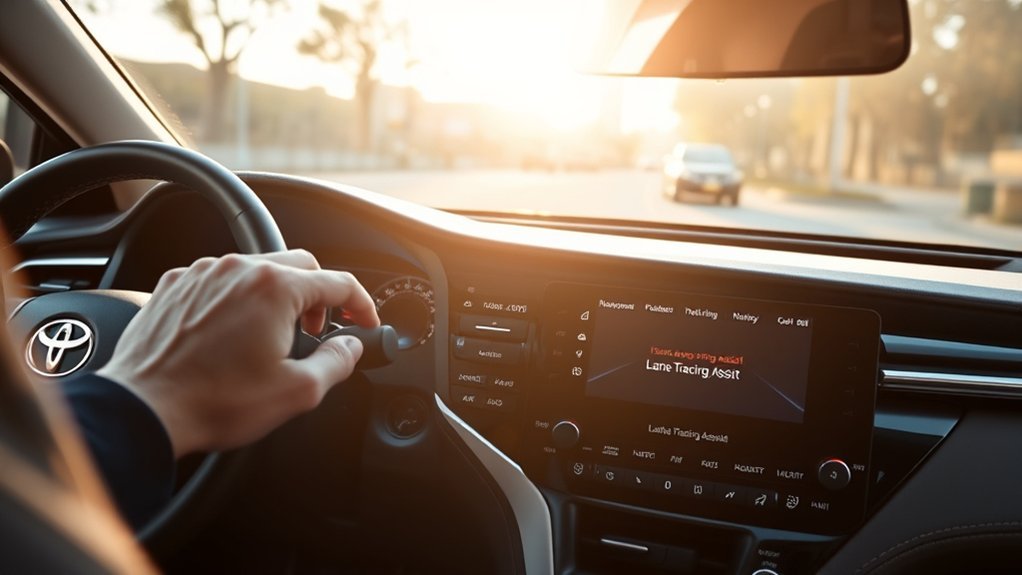
You can stop active lane tracing by canceling the cruise-control operation it depends on, or you can switch LTA itself off. Those are different actions.
Pause Active Lane Tracing
To stop active lane-centering assistance, cancel Dynamic Radar Cruise Control using the appropriate cruise-cancel control or brake pedal when it is safe to do so. Because the LTA lane-centering function depends on operating DRCC, canceling DRCC stops that active centering assistance.
Turn Off the LTA Setting
Turn LTA off using the dedicated LTA or lane-assistance switch or the driver-support setting specified for your model year. Confirm the new state on the instrument display. Whether the LTA selection remains stored after the vehicle is restarted varies by model year and market, so check the indicator again on the next drive.
Do not assume Lane Departure Alert has also been disabled. LTA and LDA are distinct functions, and their controls/settings differ among Camry generations. Check the multi-information display after changing a lane-assistance setting.
Canceling Dynamic Radar Cruise Control stops active LTA lane centering; switching LTA itself off changes whether the lane-centering function is available when its other conditions are met.
To reactivate LTA, turn the feature back on if necessary, engage DRCC again, and wait for the display to confirm that active lane-tracing conditions have returned.
When Lane Tracing Assist May Not Work
LTA can reduce or stop assistance whenever the vehicle cannot confidently determine a usable lane or path. Common causes include:
- Faded, missing, covered, merging, diverging, or confusing lane markings
- Construction zones, lane splits, toll areas, intersections, or temporary traffic patterns
- Sharp curves, steep hills, crests, rough roads, or rapidly changing road geometry
- Heavy rain, snow, fog, spray, glare, darkness, bright pavement, or strong shadows
- Dirt, ice, stickers, damage, or condensation affecting the camera’s view
- A dirty, blocked, damaged, or improperly serviced forward-sensing component
- Surrounding vehicles blocking the camera’s view of useful lane or path information
- Repair seams, curbs, snow tracks, shadows, or other features that can resemble lane boundaries
- A turn signal, strong steering input, hard acceleration, or hard deceleration
- Crosswinds or turbulence from nearby vehicles
- Dynamic Radar Cruise Control being off, canceled, or temporarily unavailable
Why Is My Camry’s Lane Tracing Assist Not Working?
- Confirm that your Camry is equipped with Lane Tracing Assist rather than only Lane Departure Alert.
- Verify that LTA is switched on.
- Make sure Dynamic Radar Cruise Control is selected rather than conventional constant-speed cruise mode where both modes are available.
- Set DRCC at a speed permitted by your Camry’s system version.
- Check whether the display shows standby rather than active steering assistance.
- Move to a road with clear lane markings and gradual curves.
- Check the windshield area in front of the camera and relevant sensor areas for dirt, snow, ice, condensation, stickers, or damage.
- Check the instrument panel for camera, radar, cruise-control, or Toyota Safety Sense warnings.
- If the system was temporarily unavailable, reassess it only after road, weather, and sensor conditions improve.
- If an unavailable or malfunction warning persists under suitable conditions, arrange an inspection with a qualified Toyota service department.
Note: Windshield replacement, damage near the forward camera, collision repair, or work involving forward-sensing components can require inspection or calibration under Toyota repair procedures. Do not attempt to reposition or adjust a camera or radar sensor yourself.
System Limitations Explained
Lane Tracing Assist is designed for suitable roads and conditions, not every driving environment. It may temporarily cancel when the required detection or operating conditions disappear. Assistance can also become limited on tight curves, near exits or intersections, in construction areas, or where lane geometry changes quickly.
Using a turn signal can temporarily change or suspend some lane-assistance behavior while you make an intentional lane change, but standard LTA does not give the Camry permission to complete an unsupervised lane change. Steer through the maneuver yourself and check mirrors, surrounding traffic, and blind spots normally.
If the system asks you to hold or operate the steering wheel, respond immediately. Repeated lack of the required driver input can cause assistance to reduce or cancel. Never test how long the vehicle will steer without your control and never attempt to defeat driver-monitoring warnings.
The National Highway Traffic Safety Administration describes lane-centering and adaptive-cruise technologies as driver assistance. The driver remains responsible for monitoring the road and controlling the vehicle.
What Are the Benefits of Toyota Camry Lane Tracing Assist?
When used within its operating limits, Lane Tracing Assist can reduce some of the small steering corrections required during steady travel on suitable roads. Its practical benefits include:
- Lane-centering support: The system can help reduce small deviations from the center of a detected lane or path.
- Coordination with DRCC: Steering support works alongside adaptive speed and following-distance control.
- Driver feedback: Instrument-panel graphics help show whether LTA is off, standing by, operating, warning, or unavailable.
- Driver override: Normal steering input can override the assistance when you need to control the vehicle’s path.
- Reduced routine corrections: On long, well-marked roads, LTA may reduce some repetitive minor steering inputs.
These benefits depend on road, traffic, weather, vehicle, and sensor conditions. LTA does not guarantee that the Camry will remain in its lane or avoid a collision.
Frequently Asked Questions
What does LTA mean in a Toyota Camry?
LTA stands for Lane Tracing Assist. It is Toyota’s lane-centering assistance feature and is designed to provide steering support while Dynamic Radar Cruise Control is operating and the required detection conditions are met.
Which Toyota Camry years have Lane Tracing Assist?
For U.S.-market Camrys, Lane Tracing Assist arrived for the 2021 model year with Toyota Safety Sense 2.5+ and continues through the 2026 Camry. The 2018–2020 Camry uses Toyota Safety Sense P with Lane Departure Alert and Steering Assist but not the LTA lane-centering feature.
How does Toyota Camry Lane Tracing Assist work?
The system uses forward-sensing equipment to determine a usable lane or vehicle path. When LTA is enabled, Dynamic Radar Cruise Control is operating, and the other conditions are met, it can apply steering input to help keep the Camry near the center of the lane.
How do I use Toyota Lane Tracing Assist?
Confirm LTA is enabled, select Dynamic Radar Cruise Control, set an appropriate cruising speed and following distance, and watch the display for active lane-centering assistance. Keep steering, monitor traffic, and be ready to take over immediately.
What speed does Toyota Camry Lane Tracing Assist work at?
There is no single universal LTA speed threshold for every Camry. LTA lane centering depends on operating Dynamic Radar Cruise Control. The 2021 Camry’s DRCC was normally set around 30 mph, while current Toyota Safety Sense 3.0 Full-Speed Range DRCC is designed to be set above about 20 mph. Lane Departure Alert has a separate threshold, so check the owner’s manual for your model year.
Is Lane Tracing Assist the same as Lane Departure Alert?
No. LTA provides continuing lane-centering support while its operating conditions are met. Lane Departure Alert warns when the vehicle may unintentionally leave its lane and may provide a brief corrective steering input.
Does Lane Tracing Assist work without cruise control?
The Camry’s continuous LTA lane-centering function requires Dynamic Radar Cruise Control to be operating. Separate Lane Departure Alert and brief Steering Assist functions may still operate without DRCC when their own conditions are met.
Why is my Camry’s Lane Tracing Assist not active?
Common causes include DRCC being off or canceled, the system being in standby, unclear lane markings, rain or snow, glare, construction zones, a blocked camera or sensor area, sharp curves, turn-signal use, strong steering input, or a Toyota Safety Sense warning.
Can I take my hands off the wheel while LTA is active?
No. Standard Lane Tracing Assist requires the driver to remain attentive and ready to steer. Keep your hands on the steering wheel as directed by Toyota and respond immediately to steering-wheel or attention warnings.
Will Lane Departure Alert stay on if I turn off LTA?
LTA and LDA are separate functions, but the available switches and settings vary by model year and market. Check the multi-information display and your model-year manual after changing a lane-assistance setting rather than assuming both functions changed together.
Conclusion
Toyota Camry Lane Tracing Assist is a supervised lane-centering aid, not self-driving technology. U.S.-market Camrys gained LTA for 2021, while 2018–2020 models use Lane Departure Alert with Steering Assist instead. On an LTA-equipped Camry, enable the feature, engage Dynamic Radar Cruise Control, verify that the instrument display shows active steering assistance, and remain in control. If the system stays in standby or becomes unavailable, check the road, lane markings, sensor areas, DRCC status, and any dashboard warning before assuming there is a malfunction.
Sources
- Toyota Safety Sense — official descriptions of Lane Tracing Assist, Lane Departure Alert with Steering Assist, Dynamic Radar Cruise Control, and current TSS operating concepts.
- Toyota: 2026 Camry — current U.S. Camry Toyota Safety Sense 3.0 and Lane Tracing Assist information.
- Toyota: Next-Generation 2025 Camry — documents Toyota Safety Sense 3.0 on the redesigned U.S.-market Camry.
- Toyota: 2021 Camry Safety Sense 2.5+ — documents TSS 2.5+, DRCC, and Lane Tracing Assist for the 2021 Camry.
- Toyota Owner’s Manuals — model-year-specific controls, indicators, settings, warnings, operating conditions, and system limitations.
- NHTSA Driver Assistance Technologies — explains lane-centering assistance and the driver’s continuing responsibility to monitor and control the vehicle.

