A group text can turn green and blue on your iPhone because the Messages app uses different messaging services. Blue bubbles indicate iMessage, while green bubbles indicate RCS, MMS, or SMS. Understanding which service your group uses helps you fix separate replies, duplicate conversations, and messages that fail to reach everyone.
Quick Answer
A group text appears blue when everyone communicates through Apple’s iMessage service. It appears green when the conversation uses RCS, MMS, or SMS instead. Android participants, disabled iMessage, connection problems, or unsupported messaging features can cause this difference. If replies arrive separately, check the group messaging settings and available messaging service.
Why Is My Group Text Green and Blue on iPhone?
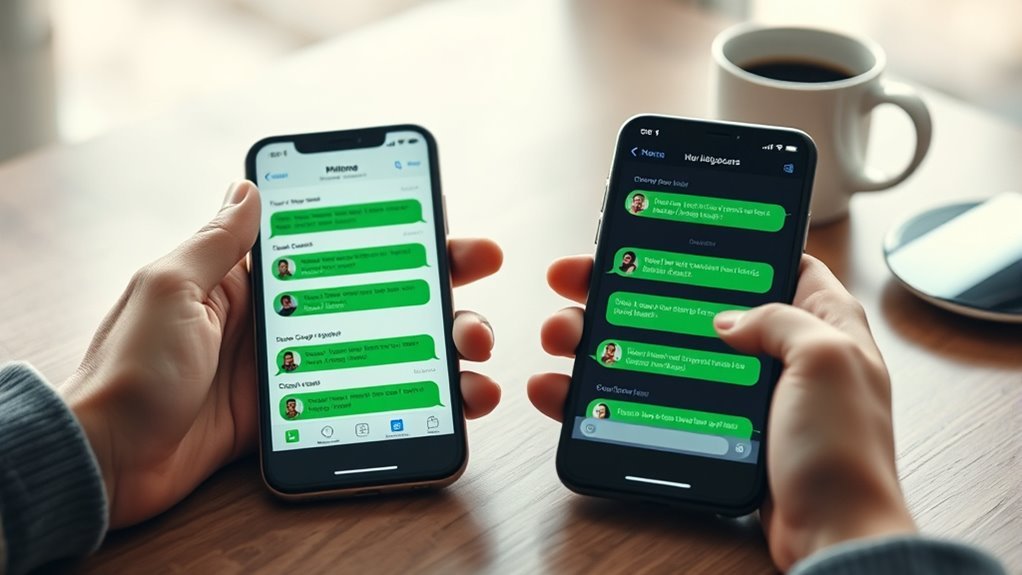
iPhone group messages turn green when the conversation uses a service other than iMessage. According to Apple’s group messaging documentation, Messages automatically selects the message type based on the participants, their settings, network connections, and carrier support.
Several situations can cause a group conversation to use green bubbles:
- One or more participants use an Android phone.
- Someone has disabled iMessage or cannot activate it.
- iMessage is temporarily unavailable.
- The group uses RCS, MMS, or SMS instead of Apple’s messaging service.
- A participant has changed devices, phone numbers, or messaging settings.
However, a green bubble does not automatically mean something is wrong.
A mixed iPhone-and-Android group can communicate normally through RCS or MMS. The bubbles remain green because the conversation is not using iMessage.
Does a weak internet connection turn iMessages green?
A connection problem can prevent iMessage from sending a message. If your iPhone cannot use iMessage, it may offer or attempt text-message delivery instead, depending on your settings.
However, one participant temporarily losing internet access does not automatically turn every message in an existing group green.
The actual result depends on the messaging service, device settings, and whether an alternative delivery method is available.
How to Tell if Your Group Chat Uses SMS, MMS, or RCS
Green bubbles identify non-iMessage communication, but they do not tell you the exact messaging service by themselves. RCS, MMS, and SMS all appear green, even though their group messaging features differ.
Apple explains these differences in its official comparison of iMessage, RCS, and SMS/MMS.
| Message Type | Bubble Color | Group Messaging Behavior |
|---|---|---|
| iMessage | Blue | Apple-device conversations with shared replies, media, and group management features. |
| RCS | Green | Supports group conversations, high-resolution media, delivery and read receipts, and typing indicators where available. |
| MMS | Green | Supports shared group replies and multimedia attachments when the carrier supports group MMS. |
| SMS | Green | Group replies arrive as individual texts rather than one shared conversation. |
How to identify an RCS conversation
Open the conversation in Messages and examine the text entry area. Supported devices may display a label such as “Text Message • RCS” or “Text Message • SMS.”
RCS conversations can also support read receipts, typing indicators, and higher-quality media. However, feature availability varies by carrier and device.
Why group SMS replies arrive separately
Traditional group SMS does not work like a shared iMessage conversation. It sends messages to individual recipients, and their replies return separately.
Group MMS and RCS support shared replies, making them more suitable for conversations involving several people.
This difference matters because restarting your iPhone cannot give ordinary SMS the group features it does not support.
iPhone Settings That Affect Group Messaging
Your iPhone’s messaging settings determine which services are available and how messages are sent when iMessage cannot work. Checking these options helps identify whether the problem involves iMessage, RCS, or carrier-based texting.
Check iMessage and Send & Receive
Open Settings and follow these steps:
- Tap Apps.
- Select Messages.
- Confirm that iMessage is enabled.
- Tap Send & Receive.
- Check that your intended phone number is selected.
If you use an older iOS version, Messages may appear directly in the main Settings menu.
Apple’s Messages troubleshooting instructions also recommend checking the active cellular line and iMessage registration when conversations split after setting up a new device.
Understand the Send as Text Message setting
The Send as Text Message option allows your iPhone to try SMS delivery when iMessage is unavailable.
It is a fallback setting, not a switch that converts every conversation into SMS or guarantees that a broken group will become blue again.
Keep iMessage enabled for Apple-only conversations, and check the available carrier messaging service when a group includes Android users.
Check RCS Messaging for Android conversations
RCS is available on iPhones running iOS 18 or later when the carrier supports it.
To check the setting:
- Open Settings.
- Tap Apps.
- Select Messages.
- Tap RCS Messaging.
- Confirm that RCS is enabled.
If the option is missing, your carrier or current configuration may not support RCS.
On Android, participants using Google Messages can check their RCS connection under Messages settings and RCS chats.
Avoid repeatedly switching RCS off and on as a general troubleshooting method. Changing its status can affect existing group conversations.
How to Fix a Group Text That Keeps Switching
Start by identifying whether the problem affects an Apple-only group or a mixed iPhone-and-Android conversation. The correct fix depends on which messaging service is failing.
Work through these steps in order, beginning with the checks that do not change or delete your existing messages.
1. Check your connection and messaging service
Confirm that your iPhone has working Wi-Fi or cellular service.
iMessage, RCS, and MMS need an appropriate data connection. Traditional SMS uses cellular messaging service, although supported Wi-Fi Calling configurations may also allow SMS over Wi-Fi.
If a message displays Not Delivered, tap the warning indicator and try sending it again.
2. Confirm that everyone has the correct phone number
Open the group details and review its participants.
Check for outdated phone numbers, old contacts, or email addresses associated with previous devices.
When a person changes phones or Apple Account settings, messages may use a different recipient address than the original conversation.
3. Correct your iMessage sending address
If your iPhone starts messages from an email address instead of your phone number, change the preferred sending address.
Go to Settings > Apps > Messages > Send & Receive.
Under Start New Conversations From, select your intended phone number.
Apple confirms that changing an email-based conversation to use a phone number may require starting a new conversation.
This is especially relevant when the same group appears under different phone numbers or Apple Account addresses.
4. Check MMS and RCS support
If the conversation includes Android users, confirm that your carrier supports the group messaging service you need.
Check RCS Messaging in your iPhone settings. If your device displays an MMS Messaging or Group Messaging option, review that setting too.
Some carriers do not expose every messaging option. If the relevant setting is missing or group MMS fails, contact your carrier to confirm support.
5. Check Android group messaging settings
When Android replies arrive separately, the sender’s messaging configuration may be responsible.
For an Android participant using Google Messages:
- Open Google Messages.
- Tap the profile picture.
- Select Messages settings.
- Open Advanced and then Group messaging, if available.
- Choose the group MMS option rather than mass texting with individual SMS replies.
Google’s official messaging troubleshooting guide explains that mass-text settings can cause replies to appear in individual conversations.
These menu options may differ by Android device and messaging app.
6. Restart and update your devices
Restart your iPhone to refresh its network connection and clear temporary messaging problems.
Then check for available software updates under Settings > General > Software Update.
Follow Apple’s iPhone software update instructions and back up your device before installing an update.
Android participants should also keep their operating system and messaging app updated.
7. Check whether RCS is changing to SMS or MMS
If a mixed-device group repeatedly creates separate threads, check whether someone is losing RCS connectivity.
RCS requires support from the participating devices and messaging services. A fallback to SMS or MMS can change how the group conversation behaves.
Verizon’s RCS support documentation confirms that disabling RCS on an iPhone can create separate SMS/MMS group threads on Android devices.
Ask the affected participant to confirm that RCS is available and connected before sending another group message.
If the problem continues after these checks, your carrier can investigate SMS, MMS, or RCS service issues. Apple Support can help with persistent iMessage activation or delivery problems.
When to Start a New Group Chat
Starting a new group conversation is useful when old participant information or a changed messaging service keeps causing duplicate threads. It should come after checking the current group settings and phone numbers.
A new conversation may help in these situations:
- Someone has switched from iPhone to Android.
- A participant changed their phone number.
- The original conversation uses an outdated Apple Account email address.
- The group repeatedly splits between RCS and SMS/MMS.
- You need to include a new participant who cannot join the existing iMessage group.
Apple’s group participant instructions explain that adding a non-Apple user to an existing iMessage conversation requires creating a new group.
How to create a fresh conversation
- Open the Messages app.
- Tap the Compose button.
- Add every intended participant using their current phone number or correct iMessage address.
- Review the recipient list before sending.
- Write a short message and tap Send.
- Ask the group to reply in the new conversation.
Do not assume the new thread will become blue. A group containing Android users normally remains green because it uses RCS, MMS, or SMS.
Pro Tip: Keep your old conversation until you confirm that everyone can send and receive messages in the new group. Creating a fresh thread does not automatically move the earlier conversation history into it.
Can you merge two existing group chats?
The Messages app does not provide a standard feature for merging separate group conversations into one complete message history.
Starting a new conversation gives everyone a shared place for future messages, but the earlier threads remain separate.
Before deleting an old conversation, save any important messages, photos, or attachments you still need.
Frequently Asked Questions
Why Do Group Chats Split Into Two?
Group chats can split when participants use different messaging services or recipient addresses. Switching between iMessage, RCS, and SMS/MMS may create separate conversations. Check the participant list, phone numbers, and messaging settings before starting a new group.
Why Is a Group Chat Showing Up Twice?
A group chat can appear twice when the conversations use different participant addresses or messaging services. This may happen after someone changes devices, phone numbers, or iMessage settings. Compare the recipients in both threads to identify the difference.
Why Are My Group Texts Coming In Separately on My iPhone?
Group replies commonly arrive separately when the conversation uses traditional group SMS instead of MMS, RCS, or iMessage. Some Android mass-text settings also send individual replies. Check group messaging support and the sender’s messaging configuration to identify the cause.
How Do You Fix Group Text Messages on an iPhone?
Start by checking your connection, iMessage settings, and group participants. If Android users are involved, confirm RCS or group MMS support. Restart and update the affected devices. If the conversation still splits, create a new group using everyone’s correct contact information.
Can a Group Chat With Android Users Turn Blue?
No, a standard Messages conversation containing Android users cannot become a blue iMessage group. Blue bubbles require iMessage communication between compatible Apple devices. Mixed-device groups can use RCS or MMS instead, allowing shared conversations while keeping green message bubbles.
Conclusion
A group text showing green and blue bubbles usually reflects different messaging services, not necessarily a broken conversation. Blue indicates iMessage, while green indicates RCS, MMS, or SMS.
If your group keeps splitting, identify its message type first. Then check the participants, phone numbers, iMessage settings, and carrier messaging support. When those details are correct but the problem continues, a fresh group conversation can provide a cleaner starting point.
Sources
- Apple Support: Send a Group Text Message: Group iMessage, RCS, MMS, and SMS behavior.
- Apple Support: iMessage, RCS, and SMS/MMS Differences: Message colors, features, connectivity, and compatibility.
- Apple Support: Messages Troubleshooting: Split conversations, sending addresses, network issues, and delivery problems.
- Apple Support: Sending Messages From an Email Address: Changing the preferred iMessage sending address.
- Google Messages: Troubleshooting: Android group MMS settings and separate replies.
- Verizon: RCS Messaging FAQs: RCS availability and mixed-device group behavior.
- Apple Support: Add and Remove Group Participants: Group membership and creating mixed-device conversations.
- Apple Support: Update Your iPhone or iPad: Software update and backup instructions.

