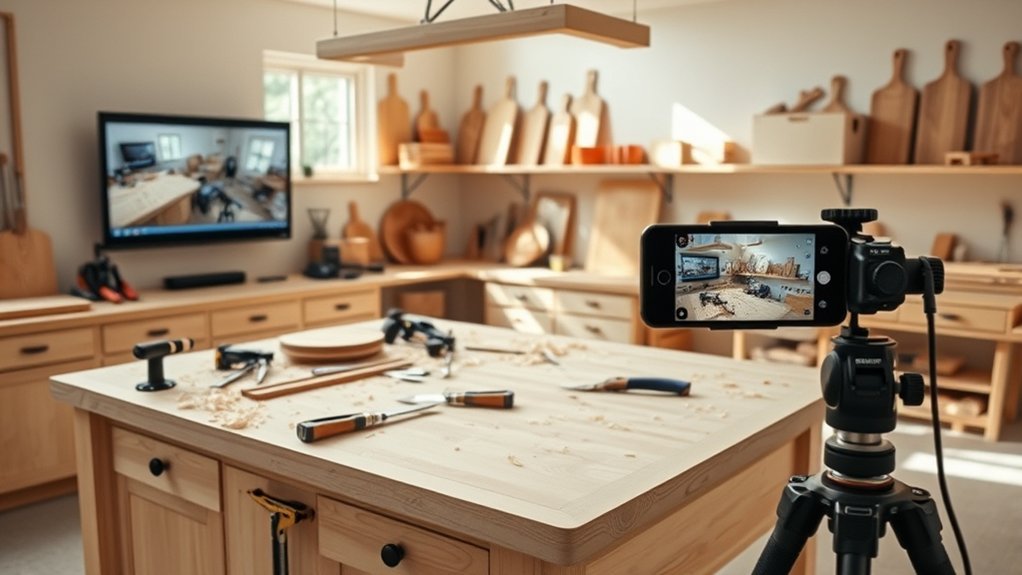
Smartphone apps for woodworking can help you plan projects, organize cut lists, check calculations, and learn new techniques. A television or larger display also makes it easier to follow woodworking tutorials while working. This Ukitchen woodworking, television, and smartphone guide explains which digital tools are useful, how to use them, and where traditional measuring tools remain essential.
Quick Answer
Use SketchUp or Fusion for woodworking designs, CutList Plus for material planning, and your smartphone for calculations, reference photos, and tutorials. A smart TV provides a larger view of instructional videos. However, use a physical tape measure, square, or calipers for critical dimensions, and keep digital devices away from operating machinery.
Key Takeaways
- Desktop design software and smartphone companion apps serve different purposes. Check which features actually work on your device.
- Include blade kerf, material dimensions, and grain direction when preparing a cutting plan.
- Save tutorial references and project plans before starting work, particularly if your workshop has unreliable Wi-Fi.
- Use project photos to record joinery, assembly order, and measurements before parts become difficult to access.
Must-Have Smartphone Apps for Woodworking
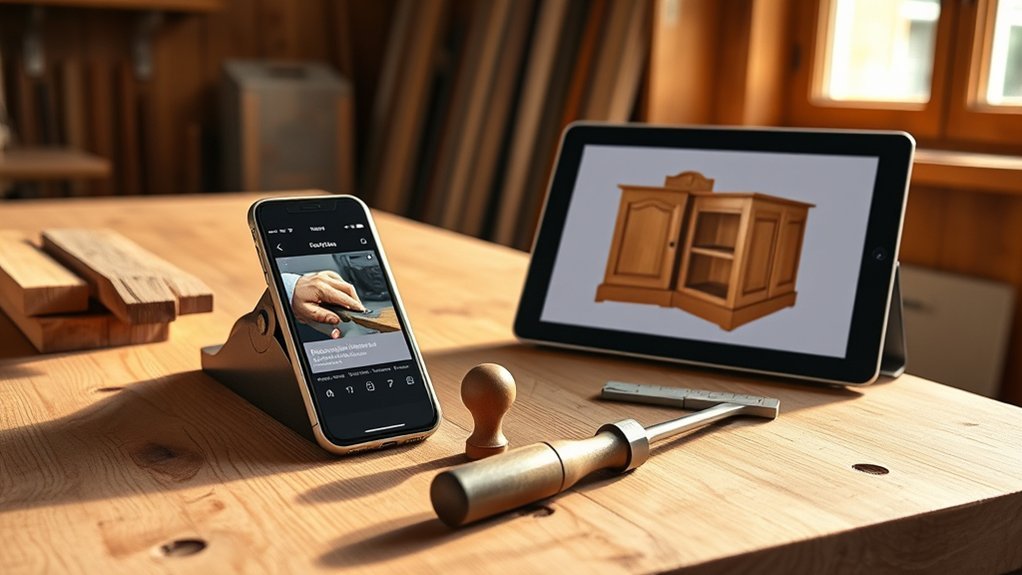
The most useful woodworking apps solve specific problems: designing a project, preparing a cut list, calculating dimensions, or learning a technique. You do not need every available app. Choose tools that match the projects you build and the devices you own.
Start with these categories:
- 3D design: SketchUp and Fusion help you visualize furniture, cabinetry, and other projects before cutting materials.
- Cut-list planning: CutList Plus and woodworking cut-list calculators organize part dimensions and material requirements.
- Measurement assistance: iHandy Carpenter, level apps, and woodworking calculators help with preliminary measurements, angles, and unit conversions.
- Learning: YouTube and woodworking education platforms provide demonstrations of tools, joinery, assembly, and finishing.
- Project inspiration: Instagram and Pinterest help you collect design ideas and compare construction details.
For 3D modeling, SketchUp for Web runs in a browser and supports creating detailed models without installing the desktop application. Its free offering has fewer features than paid plans.
Fusion provides more advanced computer-aided design features. However, professional desktop modeling software should not be confused with a fully featured smartphone app.
For material planning, CutList Plus generates optimized cutting diagrams for sheet goods and lumber. Its desktop software creates the plans, while companion mobile apps let you view project information.
Woodworking Toolkit and Woodworking Calculator are additional names to investigate for shop calculations. Check each app’s developer, supported operating system, and available functions before installing it.
Look for calculators that handle board feet, fractions, angles, and unit conversions. These functions are more useful than an app offering many features you will never need.
How to Use Your Smartphone in Your Woodworking Projects
Your smartphone works best as a project organizer, reference library, calculator, and camera. It can reduce trips between your workbench and computer while keeping plans and material lists accessible.
A simple workflow begins with planning, continues through measuring and cutting, and ends with documenting the finished project.
Planning Your Project Steps
Organize the project before purchasing lumber or making the first cut. A digital checklist helps you track materials, completed tasks, and changes to the original plan.
- Choose the design: Save the project drawing, reference photos, and relevant tutorial videos.
- Record finished dimensions: Note the intended height, width, depth, and important clearances.
- Create a material list: Include lumber, sheet goods, fasteners, glue, hardware, and finishing supplies.
- Prepare the cut list: Record each part’s name, quantity, length, width, and thickness.
- Arrange the workflow: Separate milling, cutting, joinery, dry fitting, assembly, sanding, and finishing.
- Track changes: Update the plan when an actual board dimension or project requirement changes.
A voice assistant can set timers for glue-ups, finishing intervals, and other workshop tasks. Project management apps can also maintain schedules and shopping lists.
Keep an accessible copy of the plan on your phone. This is useful when checking materials at a lumberyard or hardware store.
Measuring and Calculating Dimensions
Smartphone measuring apps are useful for rough estimates and layout planning. They should not replace a physical measuring tool when a cut, joint, or fitted component needs precise dimensions.
For example, Apple’s Measure app documentation states that camera-based measurements are approximate.
Use these tools according to the task:
- Tape measure: Measure board lengths, cabinet openings, and overall project dimensions.
- Digital calipers: Check thickness, diameters, and small parts that need a close fit.
- Combination square: Check right angles and mark reference lines.
- Smartphone level: Make a preliminary level or angle check.
- AR measuring app: Estimate dimensions or visualize furniture placement.
- Woodworking calculator: Convert units and work through material or angle calculations.
Augmented reality (AR) tools can help you visualize how a finished piece fits within a room. They are useful during design, but they cannot confirm actual joint tolerances.
For a cutting plan, enter the measured stock dimensions rather than relying only on nominal lumber sizes.
Also account for blade kerf, the material removed by the saw blade. Ignoring kerf can leave you short of material even when the listed part dimensions appear correct.
For consistent results, check the calibration of physical measuring tools against a known reference. Do not assume that calibrating a phone app makes its camera measurements suitable for precision joinery.
Documenting Progress With Photos
Project photographs help you remember construction details and review mistakes. They also create a useful record when you want to repeat a build or share it with another woodworker.
Use your smartphone camera at three important stages:
- Before construction: Photograph the materials, original drawings, and important measurements.
- During assembly: Capture joinery, hardware placement, wiring where applicable, and areas that will become hidden.
- After completion: Take clear photographs of the finished project and any details you want to reproduce later.
Use high-resolution images and enable camera grid lines when framing a photograph. Good lighting makes grain direction, joints, and small details easier to see.
Include a ruler or other reference when photographing a feature whose dimensions may matter later.
Basic photo editing can improve brightness and clarity. Avoid changes that hide defects or misrepresent the finished work.
Organize photographs by project and construction stage. A matching digital note can record the material, dimensions, finish, and any changes made during assembly.
Finding Video Tutorials for Woodworking
Woodworking videos are useful for learning techniques that are difficult to understand from written instructions alone. Watching a complete demonstration can show tool positioning, setup, assembly order, and common mistakes.
Choose tutorials that explain both the procedure and the reason behind it. A clear safety demonstration is especially valuable when learning to operate unfamiliar equipment.
Online Video Platforms
YouTube, Skillshare, and live-streaming platforms offer different learning experiences. Use them according to whether you need a quick demonstration, a structured course, or direct interaction.
- YouTube: Channels such as Woodworking for Mere Mortals and The Wood Whisperer provide project demonstrations and technique-focused lessons.
- Skillshare: Offers structured creative classes that you can follow at your own pace.
- Twitch: Live streams can provide demonstrations and opportunities to ask questions during a session.
Woodworking for Mere Mortals is particularly useful for finding beginner-oriented projects. The Wood Whisperer provides detailed discussions of tools, joinery, finishing, and workshop practices.
Skillshare uses a subscription model rather than a universal per-course price. Its official pricing information explains that subscription costs vary by region and that monthly subscriptions may be available through its mobile app.
Before following a tutorial, review its material list and required tools. Some projects assume access to machines, jigs, or accessories that a beginner may not own.
Social Media Channels
Social platforms make it easy to discover project ideas and connect with other woodworkers. They work best as sources of inspiration and discussion rather than substitutes for complete construction instructions.
YouTube is often described as offering over 30 million woodworking videos. Its searchable library covers projects, tool demonstrations, and techniques for different experience levels.
Instagram’s #Woodworking hashtag helps users discover completed projects and construction details. Pinterest organizes visual inspiration and often leads to longer tutorials or project plans.
TikTok provides short demonstrations, including quick tips under 60 seconds. Facebook woodworking groups offer a place to share progress, ask questions, and receive feedback.
Short videos may omit setup details, measurements, or safety precautions. Watch a complete demonstration before attempting an unfamiliar cutting or machining technique.
Specialized Woodworking Websites
Dedicated woodworking websites often provide more complete instruction than short social media posts. Many combine videos with drawings, material lists, articles, and project discussions.
Useful resources include:
- Woodworking for Mere Mortals: Beginner-oriented projects and practical workshop instruction.
- Fine Woodworking: Articles, tool information, demonstrations, and woodworking education.
- The Wood Whisperer: A collection of woodworking videos covering tools, construction methods, and finishing.
- DIY Creators and Ana White: Project-focused resources offering ideas and construction demonstrations.
When comparing project plans, pay attention to the finished dimensions, material thickness, joinery method, and intended use.
A visually similar project may use a completely different construction method. Choose instructions that match your tools and experience.
Top Digital Design Tools for Woodworking Projects
Digital design software helps you visualize a woodworking project before construction. It can reveal proportion problems, missing clearances, and assembly conflicts while changes are still easy to make.
SketchUp, Fusion, and Woodwork for Inventor serve different levels of design complexity.
| Tool | Key Feature |
|---|---|
| SketchUp | Accessible 3D modeling with a large collection of reusable models |
| Fusion | Parametric 3D design with integrated CAD/CAM capabilities |
| Woodwork for Inventor | Specialized furniture design, production documentation, and CNC preparation |
SketchUp is useful for visualizing furniture proportions and room layouts. Its modeling tools help you explore changes before committing materials.
Fusion is suited to projects that benefit from defined dimensions, relationships between components, and more advanced design control.
Autodesk offers a free personal-use license for qualifying noncommercial projects. Its Fusion eligibility guidance explains who qualifies. Personal-use licensing has feature restrictions compared with commercial subscriptions.
Woodwork for Inventor works with Autodesk Inventor and provides specialized furniture-design and manufacturing functions. Its features include production documentation, bill-of-materials reporting, and CNC programming support.
Mediacraft is another project-management name mentioned for smartphone workflows. Confirm its specific functions and availability before relying on it for a project.
Adobe Illustrator can also help create vector artwork for decorative CNC or laser-cutting projects. However, vector drawing alone does not replace machine-specific toolpath preparation.
A practical design workflow is to:
- Record the required finished dimensions.
- Build a model showing the main components.
- Check material thickness and assembly clearances.
- Prepare the part list and cutting layout.
- Compare the digital dimensions with actual materials before cutting.
Design software improves planning, but it cannot account for every variation in real lumber. Final fitting and physical measurement remain part of the woodworking process.
Integrating Technology in Traditional Woodworking
Digital tools can support traditional woodworking without replacing hands-on skills. A smartphone, workshop television, and suitable lighting make instructions and project information easier to access.
The most useful setup keeps reference materials visible while leaving the work area clear.
- Smart TVs and voice commands: A flip-down kitchen TV with Google TV OS can display woodworking tutorials on a larger screen. Voice controls can help with playback when your hands are occupied.
- Mobile apps: A smartphone or tablet can display project drawings, material calculations, reference photos, and assembly checklists near the workstation.
- Smart lighting and audio: Adjustable lighting improves visibility when inspecting details. Bluetooth speakers can provide instructional audio or entertainment during suitable workshop tasks.
Place the screen where you can see it without reaching across machinery. A stable mount also helps protect the device from accidental falls.
Use a suitable stand or protective case if you regularly bring a smartphone into a workshop. Keep charging cables away from walkways and moving equipment.
Warning: Never handle a smartphone, adjust video playback, or look away from the work while operating a saw, router, or other moving machine. Stop the machine and wait for moving parts to stop before using your device. Keep phones, cables, and mounts clear of cutting areas and machine controls.
OSHA’s woodworking safety guidance identifies machinery hazards, inadequate guarding, wood dust, and finishing chemicals as important workshop risks.
Technology should support safe work practices rather than distract from them.
Troubleshooting Smartphone Issues for Woodworkers
Dust, poor connectivity, limited storage, and battery drain can interrupt a digital woodworking workflow. Start with simple checks before reinstalling applications or resetting your device.
The following table covers common problems and practical first steps.
| Issue | Solution | Tips |
|---|---|---|
| Connectivity Problems | Verify Wi-Fi and Bluetooth are enabled | Stay within range of the router or connected device |
| App Crashes | Check for updates and restart the app before reinstalling | Verify app compatibility and back up important project data |
| Battery Drain | Reduce screen brightness and use available power-saving settings | Limit unnecessary background activity |
| Camera Issues | Clean the lens and check software updates | Test focus after cleaning |
| Storage Space | Delete unused apps or transfer files | Use cloud storage or another backup location |
If an app repeatedly closes, check whether the problem affects only that application. Restarting the phone can help distinguish a temporary software issue from an app-specific problem.
Before reinstalling an app, confirm that its project files are backed up or synchronized. Some applications store information locally, so removing them may also remove saved work.
For camera problems, gently clean the lens using a suitable soft cloth. Avoid abrasive materials that could damage the lens or surrounding surface.
If the phone cannot connect to a workshop television, confirm that both devices support the intended connection method. For wireless casting, verify that the required network and casting settings are enabled.
Keep important plans available offline when possible. This prevents a weak workshop connection from interrupting work.
Frequently Asked Questions
What Are the Best Smartphones for Woodworking Applications?
An iPhone or Samsung Galaxy smartphone can handle common woodworking tasks such as viewing plans, recording measurements, taking project photos, and watching tutorials. Look for a clear display, reliable battery life, enough storage, and compatibility with your preferred apps. A protective case and stable stand are also useful in a workshop.
How Can I Improve My Smartphone’s Battery Life During Projects?
Reduce screen brightness, enable power-saving settings, and close unnecessary applications. Download reference materials before starting if continuous streaming is not required. A suitable power bank can provide additional power, but keep batteries and charging cables away from cutting equipment, heavy dust, and areas where they could be damaged.
Are There Woodworking Communities on Social Media I Can Join?
Yes. Facebook woodworking groups, YouTube communities, Instagram, and online woodworking forums allow enthusiasts to share projects and ask questions. Choose communities that provide constructive feedback and detailed explanations. Before sharing workshop photographs, check that they do not reveal personal information or details you prefer to keep private.
Can I Use My Smartphone for Measuring Wood Accurately?
A smartphone can provide approximate measurements and help with preliminary layouts. Camera-based measuring apps are not reliable substitutes for physical tools when making precision cuts or joints. Use a tape measure, square, or calipers to confirm dimensions, then record those measurements in your project-planning app.
What Accessories Enhance Smartphone Usability in Woodworking?
A stable stand, protective case, and suitable power bank can make a smartphone more convenient in the workshop. Digital calipers provide precise physical measurements, while woodworking calculators and tool comparison apps support planning. A larger screen can also make detailed plans and video tutorials easier to follow.
Conclusion
Smartphone apps for woodworking are most useful when they support a clear project workflow. Design software, cutting plans, video tutorials, and progress photographs can all help you organize work and improve your skills.
Although the original estimate that 80% of woodworkers use smartphones for project management remains unverified, digital tools offer practical benefits for both beginners and experienced woodworkers.
Start with one planning tool and one reliable learning resource. Keep your measurements grounded in physical tools, follow safe workshop practices, and use technology to support the craft rather than replace it.
Sources
- SketchUp Help: Browser-based modeling capabilities and subscription differences.
- CutList Plus: Cutting diagrams, material optimization, and mobile companion applications.
- Apple Support: Camera-based measurement functions and accuracy limitations.
- The Wood Whisperer: Woodworking instructional videos and project demonstrations.
- Skillshare Help Center: Subscription structure and regional pricing.
- Autodesk Support: Eligibility for Fusion personal-use licensing.
- Woodwork for Inventor: Furniture design, documentation, and manufacturing features.
- Occupational Safety and Health Administration: Woodworking machinery, dust, and workshop safety guidance.

