
IMU and compass errors can make your drone drift, refuse takeoff, fly unpredictably, or show warning messages in the control app. Most problems come from magnetic interference, poor calibration conditions, outdated firmware, sensor contamination, or physical damage after a crash or hard landing. You can fix many errors at home, but you should stop flying and seek service when warnings keep returning after careful calibration.
Quick Answer
To fix IMU and compass errors on a drone, move away from metal, concrete with rebar, vehicles, power lines, and electronics. Restart the drone, update firmware, check for damage, then calibrate the IMU on a level, vibration-free surface and calibrate the compass only in a magnetically clean outdoor area.
Key Takeaways
- Most compass errors come from nearby metal, magnets, cars, reinforced concrete, power lines, or electronic devices.
- IMU calibration needs a flat, stable, cool surface, while compass calibration needs a clean outdoor area away from magnetic interference.
- Recalibrate after a hard landing, crash, major temperature change, firmware update, long-distance travel, or repeated warning message.
- Do not fly when the app shows persistent IMU, compass, GPS, or attitude warnings because the drone may drift or lose stable orientation.
- If calibration fails several times, inspect for damaged sensors, loose parts, swollen batteries, or a faulty compass or IMU module.
At a Glance
| Time Required | 10 to 20 minutes for basic checks, firmware review, IMU calibration, and compass calibration. |
| Difficulty | Easy for routine calibration; moderate if you must inspect crash damage or diagnose repeated sensor failures. |
| Tools Needed | Drone, fully charged battery, controller, official flight app, level surface, clean cloth, and an open outdoor area. |
| Cost | Usually free if calibration fixes the issue; repair costs vary if the IMU, compass, GPS module, or main board is damaged. |
Common Causes of IMU/Compass Errors

When flying a drone, you might encounter IMU and compass errors that can compromise your navigation accuracy. These warnings usually appear because the drone cannot trust the data it receives from its motion sensors or magnetic heading sensor.
The IMU, or inertial measurement unit, helps the drone estimate movement, tilt, acceleration, and attitude. The compass helps the drone understand heading. GPS helps with position, but GPS alone cannot replace a healthy compass and IMU during stable flight.
Common causes include magnetic interference from large metal structures or electronic devices, which can disrupt IMU calibration and compass readings. Cars, speakers, magnetic phone cases, steel tables, reinforced concrete, manhole covers, bridges, and power equipment can all create problems.
If you calibrate on unstable surfaces or in areas with strong magnetic fields, you might also face significant IMU errors, leading to unreliable data. A drone sitting on a sloped table, vibrating surface, hot pavement, or metal-topped bench may store bad calibration data.
A faulty compass module, often showing wear or damage, can persistently affect your drone’s heading and orientation, exacerbating navigation issues. A damaged arm, landing leg, GPS cover, cable, or main board can also trigger repeated warnings after a crash.
Additionally, firmware updates play a vital role; outdated software may introduce bugs that hinder sensor performance. Updates can also reset settings or change sensor behavior, so you should check calibration prompts after updating the aircraft, controller, battery, or flight app.
Hard landings can physically damage components, necessitating recalibration to restore proper functionality. Even if the drone looks fine, a sharp impact can shift internal components or loosen a connector.
Recognizing these factors is fundamental for maintaining your drone’s flight accuracy and reliability. By understanding these common causes, you can take proactive measures to guarantee peak performance.
Warning: Do not ignore repeated IMU, compass, GPS, or attitude warnings. Land in a safe area, power down, inspect the drone, and fix the cause before your next flight.
Solutions for Resolving IMU/Compass Errors
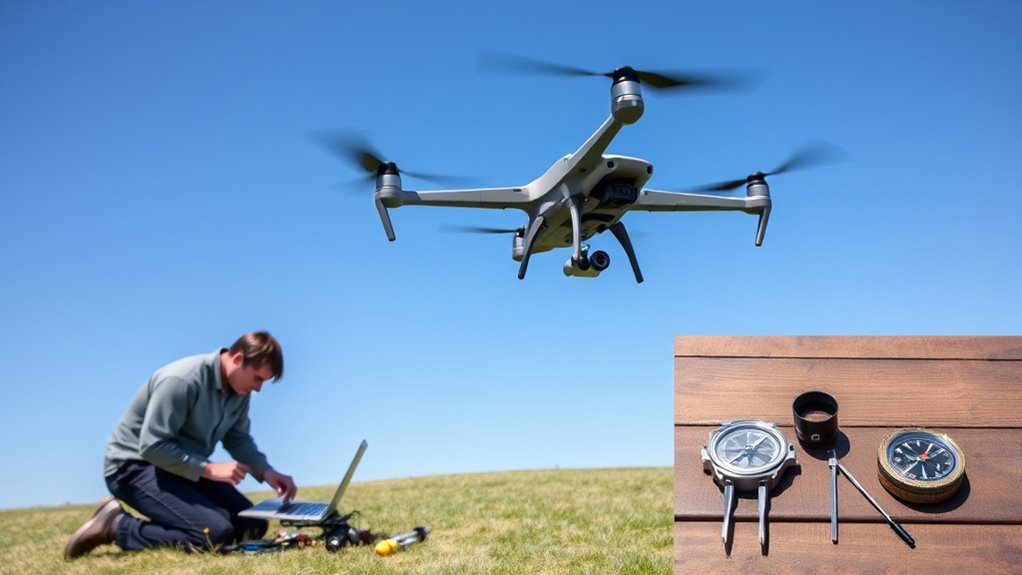
To effectively resolve IMU and compass errors, you must prioritize calibration in the right location. Choose a magnetically clean area, steering clear of large metal structures and electronic devices that could interfere with readings.
Start with the safest basic fix: land the drone, turn it off, remove the battery if your model allows it, wait briefly, then restart the aircraft and controller. Temporary sensor warnings sometimes clear after a clean restart.
Next, open your drone’s official flight app and check the sensor status page. Look for IMU, compass, GPS, gimbal, battery, and firmware warnings. Fix any app warning before you attempt another flight.
Properly calibrating your drone guarantees accurate navigation and prevents compass errors that could jeopardize your flight.
Proper calibration of your drone is essential for precise navigation, stable hovering, and avoiding compass errors during flight.
Regularly inspect and clean your drone’s sensors, as debris can lead to erroneous readings. Use a dry microfiber cloth and avoid spraying liquid cleaner directly into vents, seams, cameras, or sensor openings.
Additionally, keep your drone’s firmware updated to benefit from improvements in sensor filtering and overall performance. Use the official app or desktop assistant software for your drone brand whenever possible.
After hard landings or considerable environmental changes, recalibrate the IMU and compass to maintain stability and accuracy.
Before each flight, utilize app diagnostics to assess the IMU and compass health.
This proactive approach allows you to confirm your drones are ready for operation and prevents potential errors during flight.
[Amazon Products Picked for You]

PRECISE & QUICK ADJUSTMENT: Press the quick-adjust buttons on both legs to open or close the compass rapidly, then turn the center adjustment knob for finer control and unintentional leg movements. This professional drawing compass makes precise circle sizing simple and efficient.

STUDENT COMPASS - This geometry compass draws accurate circles every time. STAEDTLER craftsmanship shows in smooth rotation and precise measurements, making it essential for geometry class

Mr. Pen gold compass set is the ultimate tool for design projects, perfect for both experienced artists and students just starting out.
Step-by-Step IMU Calibration
IMU calibration should happen indoors or in a calm location where the drone can sit still. You do not need to rotate the drone in a wide outdoor space unless your flight app specifically asks you to move it through different positions.
- Charge the drone battery and controller so the process does not stop halfway.
- Remove propellers if your manufacturer recommends it for safety during maintenance.
- Place the drone on a flat, level, non-metal surface that does not vibrate.
- Let the drone cool if it has been sitting in direct sun or was recently flying.
- Open the official flight app and go to the IMU or sensor calibration menu.
- Follow every on-screen position prompt without shaking or bumping the drone.
- Restart the drone after calibration if the app asks you to do so.
- Check the app again and confirm the IMU status shows normal before flying.
Step-by-Step Compass Calibration
Compass calibration is different from IMU calibration because it depends heavily on your surroundings. The best location is an open outdoor area away from metal objects, vehicles, buildings, reinforced concrete, and power equipment.
- Remove watches, magnetic jewelry, keys, phones, and metal accessories from your hands and pockets.
- Stand away from cars, fences, steel benches, drains, bridges, power lines, and large speakers.
- Open the flight app and choose the compass calibration option.
- Hold the drone as instructed by the app and rotate it slowly through the required positions.
- Keep your movement smooth and avoid rushing, shaking, or tilting the drone outside the app prompts.
- Wait for a success message, then place the drone on the takeoff spot and check the sensor status again.
- If calibration fails, move at least several yards away and repeat the process in a cleaner location.
Pro Tip: If the compass calibration fails twice in the same spot, stop repeating it there. Move to a different open area because the location is likely the problem.
Importance of Regular Calibration

How often do you consider the impact of regular calibration on your drone’s performance?
Regular calibration of the Inertial Measurement Unit (IMU) is essential for achieving accurate movement tracking and preventing flight instability caused by accumulated errors over time. You should perform calibration after any hard landings, temperature changes, or firmware updates to guarantee reliable drone performance.
You should also recalibrate after traveling far from your usual flying area, changing propellers, replacing parts, seeing repeated app warnings, or storing the drone for a long period. Different drone models handle calibration differently, so always follow your app prompts first.
Pay attention to the status indicator on the IMU. A green or normal status usually means you’re ready for flight, while an amber, yellow, red, or warning status often means that calibration or inspection is necessary. App wording and colors vary by drone model.
Performing calibration in a magnetically clean area is critical for achieving precise compass readings and reliable navigation. Monthly calibration may help for important tasks, but warning-based calibration is more important than calibrating on a fixed schedule when the drone already reports normal sensor health.
Over-calibrating in poor locations can make the problem worse. A clean calibration only helps when the surface is stable, the area is free from interference, and the aircraft is not damaged.
Note: Calibrate only when the app asks for it, after a clear trigger, or when you have moved to a very different flying environment. Routine checks are good; unnecessary calibration in a bad location is not.
[Amazon Products Picked for You]
This compact ruler allows you to determine if your lens is auto-focusing accurately as it should. It is an essential tool that is particularly useful when shooting with a shallow depth of field, where focusing should ideally be "spot on".

1.Suitable for calibration of all microscopes and measurement software;
The ANGSO-AUTO leveling tool is designed to be powered by 2* AAA 1.5 V batteries (Please note that batteries are not included, so be sure to prepare them before purchasing).
Maintenance Tips for IMU/Compass Reliability

Maintaining the reliability of your drone’s IMU and compass goes beyond regular calibration; it involves a thorough approach to upkeep.
Start by regularly cleaning the sensors and IMU components to eliminate debris that can cause errors in readings and lead to flight instability.
Regularly clean your drone’s sensors and IMU components to prevent debris from causing errors and ensuring stable flights.
Store your drone in a stable environment, away from large metal structures and strong magnetic fields, to preserve compass reliability and prevent calibration issues.
Conduct routine checks for physical damage, as wear can adversely affect sensor functionality. Look for cracked arms, loose landing gear, bent propellers, damaged vents, swollen batteries, loose screws, water marks, or unusual rattling.
Additionally, keep your firmware updated to utilize the latest filtering algorithms, enhancing the accuracy of your Drone IMU and compass readings.
Finally, avoid flying near sources of electromagnetic interference, such as power lines and Wi-Fi routers, which can disrupt compass calibration and contribute to navigational errors.
[Amazon Products Picked for You]

Made of high quality carbon steel, good toughness, high hardness, sturdy and durable, wear-resistant, not easy to rust and corrode, accurate measurement

Mr. Pen professional compass includes 1 metal drawing compass with extra lead, designed for precise circle drawing and geometry work for students and professionals.

Mr. Pen compass set is the ultimate tool for design projects, perfect for both experienced artists and students just starting out.
Pre-Flight Sensor Checklist
- Confirm the IMU, compass, GPS, battery, controller, and gimbal status show normal in the app.
- Check that the takeoff area is not metal, reinforced concrete, a car roof, or a bridge surface.
- Make sure the drone is level before takeoff and not sitting on a vibrating surface.
- Inspect propellers for cracks, bends, chips, or loose mounting.
- Remove magnetic accessories from the drone, controller mount, and nearby gear.
- Wait for a strong satellite lock when your drone uses GPS-assisted flight modes.
- Hover low for a few seconds after takeoff and watch for drift, toilet-bowling, sudden yaw, or app warnings.
Safe Places to Calibrate a Drone
A good calibration location is open, level, and away from anything that can distort magnetic readings. A grassy field, empty park area, or clear dirt surface often works better than a driveway, parking lot, sidewalk, balcony, or rooftop.
Avoid calibrating near cars, gates, fences, drainage covers, steel tables, construction equipment, generators, large speakers, underground utility covers, and reinforced concrete. These objects may not look dangerous, but they can affect the compass before takeoff.
When to Seek Expert Assistance

When should you consider reaching out to an expert about IMU or compass issues on your drone? If multiple calibration attempts fail to resolve IMU errors or compass discrepancies, it’s a clear signal to seek expert assistance.
Persistent irregularities in your drone’s flight behavior, even after troubleshooting, warrant professional evaluation. Additionally, if your drone frequently loses satellite signals or displays erratic movements, specialists can diagnose potential hardware problems that standard fixes might miss.
Further, if calibration errors coincide with physical damage to the IMU or compass module, it’s essential to consult an expert. Utilizing leading online platforms like JustAnswer can provide immediate insights and solutions for complex issues that go beyond typical calibration methods.
You should also get professional help if the drone shows compass errors in several clean locations, cannot complete IMU calibration, overheats during calibration, reports sensor failure codes, or drifts badly during a low hover test.
Addressing these concerns sooner rather than later can save you time, money, and guarantee safe operations of your drone.
Common Mistakes to Avoid
Many IMU and compass problems continue because the same mistake gets repeated. Avoid these common errors before assuming the drone has a serious hardware fault.
- Calibrating beside a car: Vehicles contain large metal parts and electronics that can distort compass readings.
- Using reinforced concrete: Concrete floors, sidewalks, balconies, and parking structures may contain steel rebar.
- Ignoring app warnings: A warning before takeoff is your chance to fix the problem before the drone becomes unstable.
- Flying immediately after a crash: Even a small impact can damage sensors, propellers, arms, or internal connections.
- Repeating failed calibration in the same place: If the area is magnetically dirty, repeating the process will not help.
- Forgetting firmware consistency: The aircraft, controller, battery, and app should work on compatible versions.
Frequently Asked Questions
How do I fix the IMU error on my DJI drone?
To fix the IMU error on your DJI drone, power it on in a stable area, open the DJI app, check the sensor status, and perform IMU calibration on a flat, level, non-metal surface. Make sure firmware is current, clean the sensors gently, restart the drone, and avoid moving it during calibration.
Can I fly without IMU calibration?
You should not fly when your drone asks for IMU calibration or shows an IMU warning. Flying with poor IMU data can cause drifting, unstable hovering, poor altitude control, sudden attitude changes, and a higher crash risk. Calibrate first, then do a low hover test.
What are some of the problems caused by drones with sensor errors?
Drones with IMU or compass errors can suffer from flight instability, navigation errors, reduced altitude accuracy, erratic yaw movement, toilet-bowling, poor return-to-home behavior, and excessive correction from the motors. These issues can lead to collisions, flyaways, and shortened flight times.
What is the compass error on a drone?
A compass error on a drone occurs when the compass module receives distorted magnetic information or cannot provide a reliable heading. This often happens near metal, magnets, power equipment, vehicles, reinforced concrete, or damaged components. A compass error can compromise navigation and flight safety.
Should I calibrate the compass before every flight?
You usually do not need to calibrate the compass before every flight if the app shows normal sensor status. Calibrate when the app asks, after traveling far from your normal flying area, after a crash, after repairs, or when you see repeated heading or compass warnings.
Why does my drone say compass error after calibration?
Your drone may still show a compass error after calibration if the location has magnetic interference, the drone is sitting on metal or reinforced concrete, a magnetic accessory is nearby, firmware is outdated, or the compass module is damaged. Move to a cleaner outdoor area and try again once.
Sources
- DJI Support — official support hub for drone calibration, app warnings, firmware, and repair guidance.
- Federal Aviation Administration UAS — general drone safety and responsible operation guidance.
- Autel Robotics Support — official support hub for drone maintenance, firmware, and troubleshooting resources.
Conclusion
In summary, addressing IMU and compass errors is essential for your drone’s performance and safety. While you might think that these issues are too complex to tackle on your own, understanding their causes and implementing the recommended solutions can enhance your flying experience considerably.
Regular calibration and maintenance not only prevent issues but also extend the lifespan of your equipment. Calibrate in the right place, use a stable surface, keep firmware current, inspect after impacts, and never fly through repeated sensor warnings.
Don’t hesitate—taking proactive steps now guarantees your drone operates reliably when you need it most.
