
Free drone mapping mission planning tools can help you plan safer, more consistent flights without paying for enterprise software right away. They guide you through flight paths, altitude, image overlap, terrain checks, and repeatable templates so you can collect cleaner mapping data for surveying, agriculture, construction, inspections, and environmental projects.
Quick Answer
The best free drone mapping mission planning tools help you create grid, corridor, waypoint, and terrain-aware flight plans while controlling altitude, overlap, speed, camera triggers, and safety boundaries. Good options include WebODM for processing, QGroundControl for open-source mission planning, and DJI Pilot 2 for compatible DJI enterprise drones.
Key Takeaways
- Free planning tools can reduce software costs while still supporting basic mapping workflows such as grids, waypoints, overlap control, and reusable mission templates.
- For clean orthomosaics and 3D models, plan enough image overlap, keep a steady above-ground height, and check terrain before launch.
- WebODM is useful for open-source processing, while QGroundControl is strong for customizable mission planning on supported airframes.
- Templates improve repeatability, but you should still review weather, airspace, battery limits, obstacles, and local drone rules before every flight.
At a Glance
| Time Required | 15–60 minutes for a basic mission plan, longer for complex terrain or large sites |
| Difficulty | Beginner to intermediate, depending on airspace, terrain, and output needs |
| Tools Needed | Compatible drone, mission planning app, charged batteries, memory card, airspace check, and processing software |
| Cost | Free to low cost for planning and open-source processing, not including drone hardware or optional paid upgrades |
Overview of Drone Mapping Mission Planning Tools

As you start a drone mapping project, mission planning tools help you turn a rough site boundary into a repeatable flight plan. Instead of flying manually, you can pre-plan routes, camera triggers, altitude, overlap, speed, and return-to-home behavior before the aircraft leaves the ground.
These tools are especially useful for mapping because small changes in height, image spacing, and camera angle can affect the final map. A careful plan helps you collect photos with enough overlap for orthomosaics, digital elevation models, 3D models, and inspection records.
Consistent flight paths, steady altitude, and planned image overlap are the foundation of reliable drone mapping data.
Key features include altitude settings, overlap controls, terrain checks, waypoint routing, and customizable flight templates. You can apply these features to surveying, environmental monitoring, construction progress tracking, agriculture, inspections, and real estate documentation.
Many free options, such as WebODM, help you process and analyze drone-captured data without a major software investment. Open-source tools like QGroundControl also give advanced users more control over mission design, especially when they work with supported non-DJI aircraft and autopilot systems.
Before you choose a tool, match it to your drone model, camera, operating system, output needs, and local rules. Free tools can be powerful, but compatibility and safety features matter as much as price.
Benefits of Using Free Planning Tools

Using free planning tools for drone mapping can reduce your operational costs while giving you enough control for many basic and intermediate projects.
These tools can also improve collaboration, since many workflows let you save, share, repeat, or review flight plans with team members before the mission starts.
Cost Savings Potential
Free drone mapping mission planning tools give small teams, students, nonprofits, and new operators a practical way to start mapping without committing to costly subscriptions.
By using free resources, you can keep more of your budget available for batteries, propellers, ground control targets, drone maintenance, training, insurance, or upgraded sensors.
Many free tools include essential features such as waypoint navigation, grid mapping, camera triggering, and overlap control. These features can support high-quality data collection when you plan carefully and understand the limits of your drone.
Streamlining workflows also saves time. A reusable template can reduce the setup work for recurring jobs, which helps you finish repeat inspections, farm surveys, construction updates, or environmental checks more efficiently.
Community support around free and open-source tools can also reduce the learning curve. Forums, documentation, shared templates, and user guides often help you solve setup problems without paying for dedicated support.
User-Friendly Interfaces
While drone mapping can feel technical, user-friendly interfaces make mission planning easier. Many free or low-cost platforms let you draw a boundary, choose a mission type, set altitude, and generate a flight path with only a few steps.
These intuitive platforms help beginners avoid common planning mistakes while still giving experienced operators useful controls. Features like drag-and-drop waypoints, map-based boundaries, and reusable templates streamline your workflow.
- Easily set waypoints and adjust altitudes without deep technical knowledge.
- Access pre-built templates for common mission types to improve consistency.
- Use map previews and flight path visualization to spot gaps, sharp turns, or unsafe areas before launch.
Good interface design matters because it lowers the chance of overlooking a key setting. You should still review every mission manually, especially altitude, obstacle clearance, return-to-home height, battery margins, and camera trigger settings.
Enhanced Collaboration Opportunities
User-friendly interfaces do more than simplify planning. They can also support better teamwork during drone mapping projects. When a team can review the same flight plan, it becomes easier to catch airspace concerns, missed coverage, and unsafe routes.
Free planning tools may support real-time access, shared files, exported mission plans, or versioned templates. Cloud-based storage can help field teams, project managers, and data processors stay aligned even when they work from different locations.
Standardized templates also improve consistency across similar projects. For example, a construction company can use the same site-mapping settings every week, while an agriculture team can repeat crop-health flights over the same field.
| Feature | Benefit | Impact on Collaboration |
|---|---|---|
| Real-time editing | Immediate updates and adjustments | Enhances coordination |
| Cloud storage | Easy access from anywhere | Supports remote teamwork |
| Standardized templates | Consistent data collection | Reduces errors across projects |
| Commenting/Version tracking | Improved communication | Fosters feedback and clarity |
Key Features to Look for in Mapping Software

When selecting mapping software, focus on the features that directly affect flight safety, image quality, coverage, and processing success. A free tool is only useful if it supports your drone and gives you the controls your project needs.
- Terrain Following Capabilities: Look for a tool that can help maintain a consistent altitude above ground level when you fly over hills, slopes, or uneven sites.
- Overlap Control Settings: Choose software that lets you set frontlap and sidelap. Many mapping jobs use high overlap, such as about 80% frontlap and 70% sidelap, but the best setting depends on terrain, camera, speed, altitude, and output type.
- Custom DEM Importing: Digital Elevation Model support can improve flight planning in uneven terrain by helping the drone maintain better ground clearance and image scale.
Also consider integration with Real-Time Kinematic (RTK) and Post-Processed Kinematic (PPK) systems when you need survey-grade positioning. Not every free workflow supports these systems fully, so confirm compatibility before you rely on them for professional deliverables.
User-friendly flight planning tools should let you create, save, duplicate, and customize flight paths. This is especially important when you repeat missions over the same site or compare map outputs over time.
Prioritizing these features will improve your mapping mission’s success and data reliability. It also helps you avoid wasting field time on missing photos, weak overlap, or incomplete coverage.
Warning: Do not rely on mission software alone for safety. Always check airspace, weather, obstacles, people, emergency landing areas, battery condition, and local drone rules before launch.
Popular Free Tools and Templates for Mission Planning

When planning your drone missions, popular free tools can improve your efficiency and reduce setup time.
Open-source software options like WebODM provide useful processing capabilities and can support offline workflows, which helps when you work in areas with limited internet access.
Free flight planning templates also help you keep settings consistent for mapping grids, corridors, inspections, and repeat site surveys.
Open-Source Software Options
Open-source software has changed how drone operators approach mission planning and mapping workflows. It gives you a cost-effective alternative to proprietary tools, especially while you are learning or testing a workflow.
With platforms like WebODM, you can process drone imagery into maps, point clouds, 3D models, and other outputs without traditional license fees. It is especially useful when you want more control over your processing environment.
QGroundControl offers extensive customization for advanced users and supports many MAVLink-based vehicles. It can be valuable when you work with supported airframes outside the standard consumer drone ecosystem.
Consider these key benefits of open-source tools:
- Community-driven templates that you can adapt for agriculture, construction, surveying, research, and inspections.
- Features such as waypoint navigation, planned routes, survey grids, and geofencing support on compatible systems.
- Access to a collaborative community that shares setup tips, templates, troubleshooting advice, and workflow improvements.
These tools can help you optimize your drone missions, but you should test them on a small, low-risk project before using them for paid or time-sensitive work.
Free Flight Planning Templates
Several popular free flight planning tools and templates can make your drone missions more consistent. Templates are useful because they save common settings, reduce setup errors, and help different pilots follow the same process.
WebODM, for example, supports customizable mapping solutions and can operate in offline environments when set up correctly. This makes it useful for remote locations, field schools, research projects, and budget-sensitive mapping work.
If you’re looking for a user-friendly option, DroneDeploy’s free trial can help you test basic planning and data workflows for smaller projects. It may not replace a full paid plan, but it can help you understand the platform before you commit.
For DJI users, apps like DJI Pilot 2 integrate with compatible DJI enterprise drones and can streamline mission setup. Compatibility varies by model, so confirm your drone, controller, firmware, and camera support before planning a live job.
Many templates support mission types such as grid mapping, corridor mapping, oblique capture, inspection routes, and 3D modeling. You can also find community resources on platforms like GitHub, where users share sample missions, scripts, and planning ideas.
How to Create an Effective Flight Plan
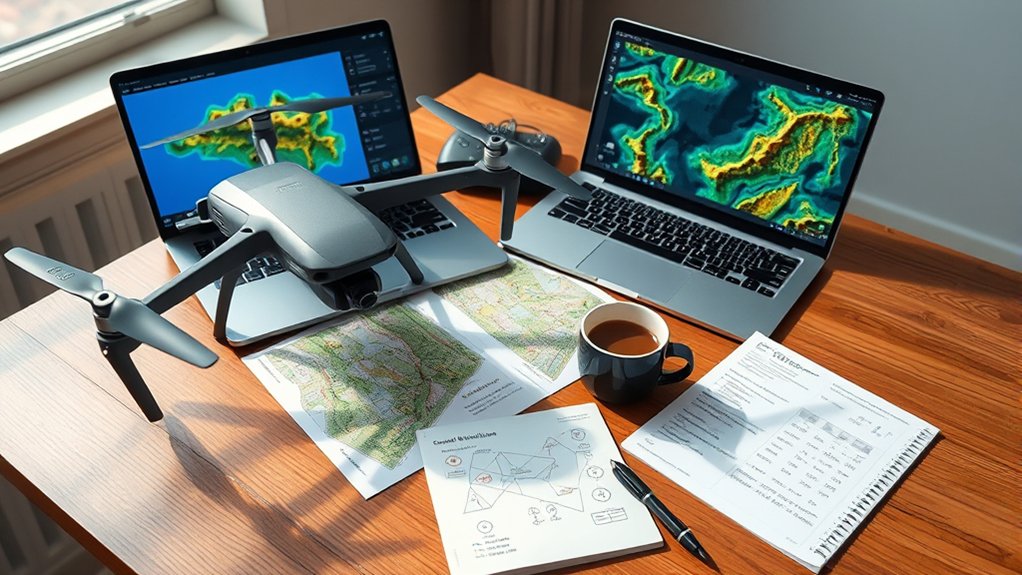
Creating an effective flight plan starts with a clear goal. Decide whether you need an orthomosaic, Digital Elevation Model, 3D model, inspection record, stockpile measurement, crop-health view, or progress map.
Next, define your area of interest. Mark the full boundary, then add a margin so the final map does not miss edges. If the site has trees, buildings, towers, steep slopes, power lines, or restricted areas, mark those hazards before you set the flight path.
Begin by utilizing flight templates, such as Standard, Grid, Corridor, or Oblique, to create consistency across missions.
- Adjust key parameters: Set altitude, overlap, speed, and camera angle based on terrain, sensor, lighting, and project needs.
- Use terrain-following capabilities when available to maintain a more consistent Above Ground Level (AGL) height and reduce data gaps over uneven surfaces.
- Review mission documentation and run a pre-mission simulation or map preview to identify hazards and confirm safety protocols before launching.
For many mapping jobs, you should plan generous image overlap, avoid fast turns, and keep the camera settings consistent. Wind, low light, reflective surfaces, moving vehicles, water, and tall vegetation can all reduce map quality.
Before launch, confirm that your drone has enough battery capacity to complete the route and return safely. For larger sites, split the mission into battery-friendly segments so the drone can pause and resume without leaving coverage gaps.
Pro Tip: Save a successful mission as a template after your first clean flight. Reusing proven settings helps you compare site changes over time and reduces repeat-planning mistakes.
Tips for Optimizing Your Drone Mapping Missions
To improve your drone mapping missions, combine strategic planning with careful field checks. A strong plan gives your processing software better source images, which can improve map accuracy and reduce rework.
Start by creating reusable flight templates for common jobs. Use separate templates for construction progress, crop monitoring, roof inspections, corridor surveys, and 3D modeling if those projects require different altitude, overlap, and camera settings.
Adjust your altitude and overlap settings for strong data quality. Higher altitude covers more ground but lowers image detail. Lower altitude improves detail but increases flight time and image count. Your goal is to balance resolution, battery life, processing time, and coverage.
Aiming for at least 80% frontlap and 70% sidelap is a common starting point for many mapping workflows, but you may need more overlap for 3D models, forests, roofs, uneven terrain, or low-texture surfaces.
Incorporate terrain-following capabilities to maintain a more consistent Above Ground Level (AGL) altitude. This is important when you fly over hills, pits, embankments, or sloped construction sites.
Plan for battery life by segmenting large missions. This approach lets your drone resume from designated points, improves mission efficiency, and reduces downtime.
Finally, use geofencing features and safe flight boundaries when your platform supports them. This helps prevent accidental flights into restricted areas, nearby roads, private property, or unsafe zones.
Regulatory Considerations for Drone Operations
Successful drone mapping missions depend on more than good planning. You also need to follow the rules that apply where you fly. Regulations vary by country, city, airspace class, flight purpose, drone weight, and operation type.
In the United States, many paid or business-related drone operations require the pilot to follow FAA Part 107 rules. Recreational flyers have different requirements, but they still need to check airspace, fly safely, and follow applicable limits.
- Obtain permits and certifications: In the U.S., commercial operators generally need FAA Part 107 certification before conducting paid mapping work.
- Stay informed about no-fly zones: Avoid restricted airspace, airports without proper authorization, military areas, emergency response zones, and other controlled locations.
- Conduct risk assessments: Review hazards such as people, roads, power lines, wildlife, water, buildings, and emergency landing zones before each flight.
Incorporating geofencing technology can further improve safety and compliance by helping prevent flights into restricted areas.
Keeping accurate flight logs is also useful. Logs can document pilot, aircraft, battery, location, weather, mission purpose, incidents, maintenance, and flight time.
For professional jobs, create a simple preflight checklist. Include airspace approval, weather, battery health, propeller condition, memory card space, firmware status, home point, return-to-home altitude, compass status, obstacle checks, and crew communication.
Enhancing Data Collection With Templates
While planning drone mapping missions, templates can greatly streamline data collection. A template stores key parameters such as altitude, overlap settings, flight pattern, camera angle, route spacing, and speed.
Using a consistent template reduces setup time and helps you compare results between flights. This is especially useful for construction progress, crop monitoring, erosion tracking, asset inspections, and recurring site documentation.
Here’s a quick overview of template advantages:
| Feature | Description | Benefits |
|---|---|---|
| Consistency | Standardized parameters across flights | Minimizes errors and data gaps |
| Reusability | Customizable for various applications | Saves time and enhances productivity |
| Automation | Integration with battery management and terrain | Improves data accuracy and efficiency |
Advanced templates tailored for specific applications, such as agriculture or surveying, can optimize flight plans according to unique requirements. For example, a corridor template may suit roads and pipelines, while a double-grid or oblique template may suit 3D modeling.
Even with templates, you should review each mission before takeoff. A template made for one site may not fit another site if the terrain, obstacles, airspace, lighting, wind, or required map resolution changes.
Real-World Applications of Drone Mapping Tools
As drone mapping tools improve, their real-world applications continue to expand across many industries. They help teams collect visual data faster, compare site changes, and make better decisions from aerial imagery.
- Agriculture: Use aerial imagery for precision farming, crop-health monitoring, drainage checks, irrigation planning, and field scouting.
- Construction: Support site surveys, progress documentation, earthwork tracking, stockpile checks, and 3D model creation.
- Environmental Monitoring: Track ecosystem changes such as deforestation, erosion, storm damage, wetland changes, and coastal movement.
These applications can streamline processes while improving safety and accuracy. Utility companies can inspect power lines, pipelines, solar farms, and towers more efficiently. Real estate professionals can use aerial imagery to show land, buildings, and nearby features from a clearer perspective.
Drone mapping also helps emergency management teams document storm damage, flood areas, and access routes. However, emergency zones often have temporary flight restrictions, so pilots must confirm permissions before flying.
Resources for Further Learning and Support
Understanding the capabilities of drone mapping tools is only the beginning. Knowing where to find reliable resources can improve your mission planning skills and reduce mistakes in the field.
Start with the official documentation for your drone, controller, flight app, and processing software. Then review community tutorials, training videos, and practice projects before you use a workflow on client work.
| Resource Type | Description | Example Platforms |
|---|---|---|
| Documentation | Extensive guides and manuals for software features | DroneDeploy, QGroundControl |
| Video Tutorials | Step-by-step visual learning for mission planning | YouTube, Udemy |
| Community Forums | Peer support and discussion for troubleshooting and tips | DroneDeploy Forum |
| Online Courses/Webinars | Expert-led sessions on best practices and techniques | Coursera, Industry Webinars |
You can also build your own learning library. Save successful mission templates, screenshots of settings, processing notes, and field observations. Over time, this creates a practical reference you can reuse for similar projects.
Note: Free tools often change features, compatibility, and limits over time. Review the current documentation for your drone and software before using any tool on an important project.
Related Guides
Frequently Asked Questions
Which software is used for drone mapping?
Common drone mapping tools include UgCS, DJI Pilot 2, DroneDeploy, Pix4D, QGroundControl, and WebODM. Each tool fits different needs. Some focus on easy mission planning, some support advanced survey workflows, and others help process images into maps, point clouds, or 3D models.
How do you create a mission on a drone?
To create a drone mission, define your area of interest, choose a flight type, set altitude and speed, adjust overlap, review airspace, check obstacles, confirm battery limits, and save the route. Before launch, preview the mission and make sure safety features such as return-to-home and geofencing are set correctly.
Which is better, Pix4D or DroneDeploy?
DroneDeploy is often easier for teams that want a streamlined cloud workflow and faster setup. Pix4D is often preferred by users who want deeper processing control and high-quality photogrammetry outputs. The better choice depends on your budget, deliverables, accuracy needs, drone model, and team workflow.
Is OpenDroneMap free?
Yes, OpenDroneMap is open-source software. It can process aerial imagery into outputs such as maps, point clouds, elevation models, and 3D models without traditional licensing fees. Some hosted or managed versions may have costs, so check the exact version or service you plan to use.
Can you use free drone mapping tools for professional jobs?
You can use free tools for some professional jobs if they meet your accuracy, compatibility, documentation, and compliance needs. For survey-grade or regulated work, confirm your workflow, use proper control methods when needed, and make sure the final deliverables meet the client’s requirements.
What overlap should you use for drone mapping?
A common starting point is about 80% frontlap and 70% sidelap, but the right overlap depends on terrain, camera, flight height, lighting, vegetation, and whether you need an orthomosaic, 3D model, or elevation output. Complex scenes usually need more overlap.
Conclusion
To summarize, free drone mapping tools can greatly improve your mission planning efficiency and data consistency without requiring a large software budget. They help you build repeatable flight paths, manage overlap, control altitude, and use templates for common mapping jobs.
These tools challenge the idea that useful mapping workflows always require costly software. With careful planning, safe flight habits, and the right free or open-source resources, you can collect stronger data and improve your results.
As you explore these tools, focus on compatibility, safety, documentation, and repeatability. The best workflow is not always the most expensive one. It is the one that helps you fly safely, capture complete data, and produce reliable outputs for your project.
Sources
- FAA Part 107 Remote Pilot information — supports the regulatory discussion for commercial drone operations in the United States.
- FAA B4UFLY airspace awareness resources — supports airspace and preflight safety checks.
- QGroundControl Plan View documentation — supports mission planning and waypoint workflow references.
- OpenDroneMap documentation — supports open-source drone imagery processing references.

