
Many Toyota RAV4 models support Remote Connect, but the correct answer is not a blanket yes for every year or trim. Availability depends on the model year, multimedia system, installed telematics hardware, region, and whether an active trial or paid subscription is attached to the vehicle. Remote engine start is also unavailable on some otherwise compatible RAV4 configurations.
Quick Answer
Many Toyota RAV4s support Remote Connect, but availability depends on model year, trim, multimedia system, region, and subscription status. Toyota lists a one-year trial across 2026 RAV4 grades. Earlier models vary, and 2023–2025 LE versions may lack remote engine start. Verify your exact vehicle by VIN in the Toyota app.
Key Takeaways
- Toyota app compatibility does not automatically mean the vehicle has Remote Connect hardware.
- Remote Connect was available on certain RAV4 configurations as early as the 2019 model year.
- The 2023–2025 RAV4 LE and Hybrid LE can have limited Remote Connect access without engine start/stop.
- Toyota currently lists plans at $15 or $25 per month for select 2022-and-newer vehicles, with Remote Connect included in each plan.
- Emergency Assistance and Stolen Vehicle Locator are Safety Connect features, not Remote Connect features.
At a Glance
| Time Required | About 5–15 minutes to check compatibility and complete app enrollment |
| Difficulty | Easy |
| Tools Needed | Compatible smartphone, latest Toyota app, Toyota account, VIN, and access to the vehicle |
| Cost | No setup fee; an active trial or paid Connected Services plan is required for remote functions |
What Is Remote Connect for the Toyota RAV4?
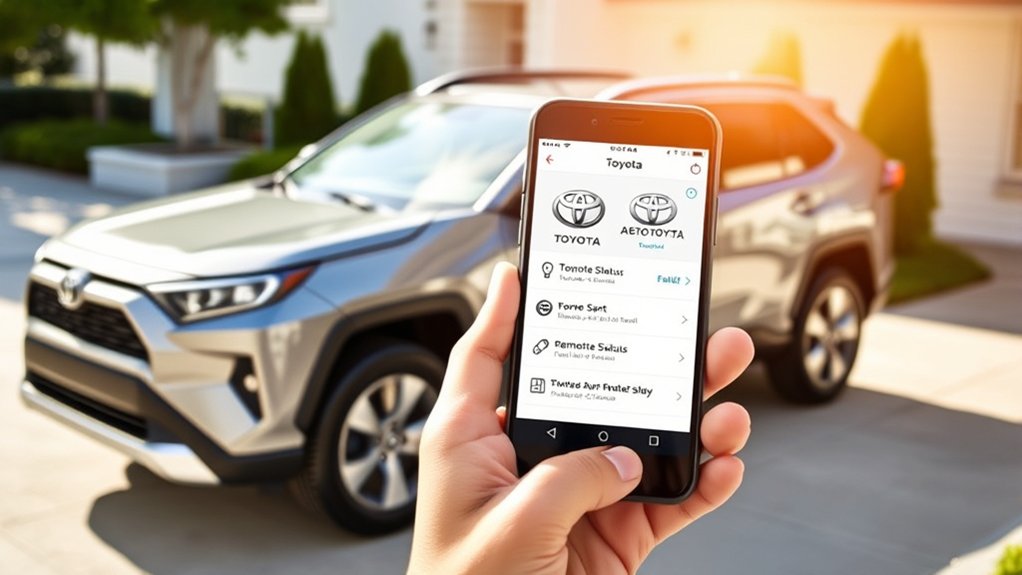
Remote Connect is one of Toyota’s subscription-based Connected Services. On a compatible RAV4, it allows you to send supported commands and view selected vehicle information through the Toyota app. Toyota describes core Remote Connect functions as starting the vehicle, locking or unlocking doors, locating the vehicle, monitoring guest drivers, and viewing vehicle-status notifications.
The controls displayed in your app are determined by your exact vehicle. Depending on the year and equipment, a RAV4 may support functions such as:
- Remote engine or hybrid-system start and stop
- Remote door locking and unlocking
- Remote hazard-light activation
- Last parked location
- Vehicle-status alerts
- Guest driver limits and notifications
- Remote climate or charging controls on certain electrified models
- Compatible smartwatch access
Do not assume every item will be available simply because the Remote Connect tile appears in the app. Toyota repeatedly qualifies these features as vehicle-specific or “if equipped.” You can review Toyota’s general description on its official Toyota app page.
Note: Maintenance reminders, recall information, and vehicle health reports may appear in the same Toyota app, but those functions are associated with the app itself or Service Connect. They should not be treated as core Remote Connect commands.
Remote Connect also depends on services outside your direct control. The vehicle needs functioning telematics hardware, access to a compatible cellular network, and a usable GPS signal. Registration, a supported region, a compatible device, and an active trial or subscription are also required.
Is Your RAV4 Compatible With Remote Connect?
The most reliable way to determine compatibility is to add your vehicle’s VIN to the Toyota app and inspect the Connected Services shown for that specific vehicle. A model-year-only answer can be misleading because availability has varied by grade, multimedia system, package, and powertrain.
Compatible RAV4 Model Years
| Model Year | Remote Connect Guidance |
|---|---|
| 2018 and earlier | Do not assume factory Remote Connect availability. Check the VIN and original equipment. The fact that the Toyota app supports many older vehicles does not add missing telematics hardware. |
| 2019–2021 | Remote Connect was available on selected configurations. Toyota’s 2019 chart shows it on RAV4 Audio Plus and Premium systems but not on the base Entune Audio system. Later years also varied by multimedia equipment and grade. |
| 2022 | Availability remained equipment-dependent. Toyota’s 2022 chart shows Remote Connect on RAV4 Audio Plus and Premium Audio configurations, while listed base Audio configurations did not include it. |
| 2023–2025 | Many grades received a one-year Remote Connect trial. LE and Hybrid LE configurations could have paid Remote Connect availability, but Toyota specifies that Remote Connect does not include engine start/stop on those grades. |
| 2026 | Toyota lists a one-year Remote Connect trial across the documented RAV4 grades. Digital Key availability still varies by grade and multimedia configuration. |
You can review the official details in Toyota’s 2026 Connected Services applicability chart, 2025 applicability chart, and 2022 applicability chart.
How to Check Your RAV4 by VIN
- Download or update the Toyota app on your compatible smartphone.
- Create a Toyota account or sign in with your existing credentials.
- Select the option to add a vehicle.
- Enter or scan the 17-character VIN.
- Follow the ownership-verification and authorization prompts shown in the app or vehicle.
- Open the vehicle dashboard, garage, or subscription area and review the Connected Services listed for your RAV4.
- Check which individual remote controls appear. The controls shown for your VIN are more reliable than a generic trim-level list.
Pro Tip: When shopping for a used RAV4, add the VIN to your Toyota account before assuming remote start is included. Ask the seller or dealer to remove the vehicle from any previous owner’s account so you can complete enrollment.
Remote Connect Availability and Requirements
Remote Connect will work only when all required parts of the service are available. Those requirements generally include:
- A Remote Connect-compatible RAV4 with operative telematics hardware
- A supported country or region
- A compatible wireless network and adequate cellular coverage
- A usable GPS signal
- The latest supported Toyota app and a compatible smartphone
- Completed vehicle registration and owner authorization
- An active trial or paid subscription
Commands may be delayed or fail in underground garages, remote areas, covered structures, or locations with poor cellular reception. The status shown in the app may also reflect the most recent data received from the vehicle rather than a continuously updated live feed.
Subscription Plan Options
As of July 2026, Toyota publicly lists three current Connected Services plans for select 2022-and-newer vehicles. Remote Connect is included in all three:
| Plan | Current Listed Price | Included Services |
|---|---|---|
| Music Lover | $15 per month | Remote Connect and Integrated Streaming |
| Go Anywhere | $15 per month | Remote Connect and Drive Connect |
| Premium | $25 per month | Remote Connect, Drive Connect, and Integrated Streaming |
Toyota currently presents these plans as monthly subscriptions. Prices, plan names, eligibility, and included services can change, so confirm the offer displayed for your VIN on the Toyota Connected Services Plans page or in the Toyota app.
Older Toyota model-year documents listed legacy Remote Connect renewal pricing of $8 per month or $80 per year. That historical amount should not be treated as a guaranteed current price for every older RAV4. Your app’s current renewal offer is the controlling figure for your vehicle and account.
How to Access Remote Connect Services
After confirming that your RAV4 is eligible, activate Remote Connect through the Toyota app:
- Install the latest Toyota app. Use the official Apple App Store or Google Play listing.
- Sign in or register. Use the account you want associated with the vehicle.
- Add your RAV4. Enter or scan its VIN and complete the ownership prompts.
- Review Connected Services. Activate any available trial or select a paid plan when required.
- Complete in-vehicle authorization. Follow the code, QR, multimedia-screen, or consent process presented for your model.
- Test one command. Begin with a door-lock request while standing near the vehicle so you can confirm that enrollment works.
- Review the available controls. Your app may show only a subset of Toyota’s broader Remote Connect feature list.
The Toyota app supports many 2010-and-newer vehicles, but only properly equipped vehicles display and operate Remote Connect commands.
Warning: Never remotely start a gasoline engine in a garage or other enclosed area, and do not use remote start when a child, pet, or other vulnerable occupant is inside the vehicle. Confirm that the surroundings are safe before sending any remote command.
Compatible smartwatch access is available as a companion to a supported smartphone. The watch does not make an incompatible RAV4 compatible, and it still depends on the vehicle’s active Remote Connect service and network availability.
Subscription Plans for Toyota RAV4 Owners
A new eligible RAV4 may include a Remote Connect trial, but a “standard trial” is not the same as free lifetime service. Toyota states that Connected Services trials generally begin on the original purchase or lease date of a new vehicle. A paid subscription is required after the applicable trial expires.
This distinction is especially important for used vehicles. Buying a three-year-old RAV4 does not normally restart its original one-year Remote Connect trial. The trial may have expired before the second owner takes possession, even if the service was never used by the first owner.
Before subscribing, consider:
- Whether your vehicle supports remote engine start or only other Remote Connect functions
- Whether you need Drive Connect or Integrated Streaming in addition to Remote Connect
- Whether the Toyota app offers a legacy standalone renewal for your older RAV4
- Whether a remaining trial is already active on the vehicle
- Whether Digital Key is supported on your grade and package
To manage or cancel a subscription, sign in to the Toyota app or your My Toyota account and open the Connected Services or subscription-management area. Menu labels may change with app updates. Review the cancellation effective date and any billing confirmation before closing the screen.
Note: Integrated Streaming may also require an active Wi-Fi Connect plan and a separate supported music-service account. Those costs are not automatically covered by the Remote Connect portion of a bundle.
Essential Features of the Toyota Remote Connect App
The most useful Remote Connect functions depend on your RAV4’s year and equipment. The following table separates common Remote Connect functions from services that are often confused with them:
| Function | Service or Limitation |
|---|---|
| Start or stop the vehicle remotely | Remote Connect, if supported. Not included on 2023–2025 RAV4 LE and Hybrid LE Remote Connect configurations. |
| Lock or unlock doors | Remote Connect, if equipped and permitted by the vehicle configuration. |
| Find the last parked location | Remote Connect; depends on vehicle communication and location data. |
| Guest driver alerts | Remote Connect on supported vehicles; available limit types vary. |
| Remote climate or charging | Available only on supported electrified models and configurations. |
| Maintenance and health reports | Primarily Toyota app and Service Connect functions. |
| Emergency response and theft assistance | Safety Connect, not Remote Connect. |
Toyota also says supported vehicles may allow Remote Connect operation through the key fob when an active trial or paid subscription is present. Key-fob capability and the required button sequence vary, so consult the owner’s manual for your exact model year rather than applying a sequence from another Toyota.
How Remote Connect Enhances Your RAV4 Experience
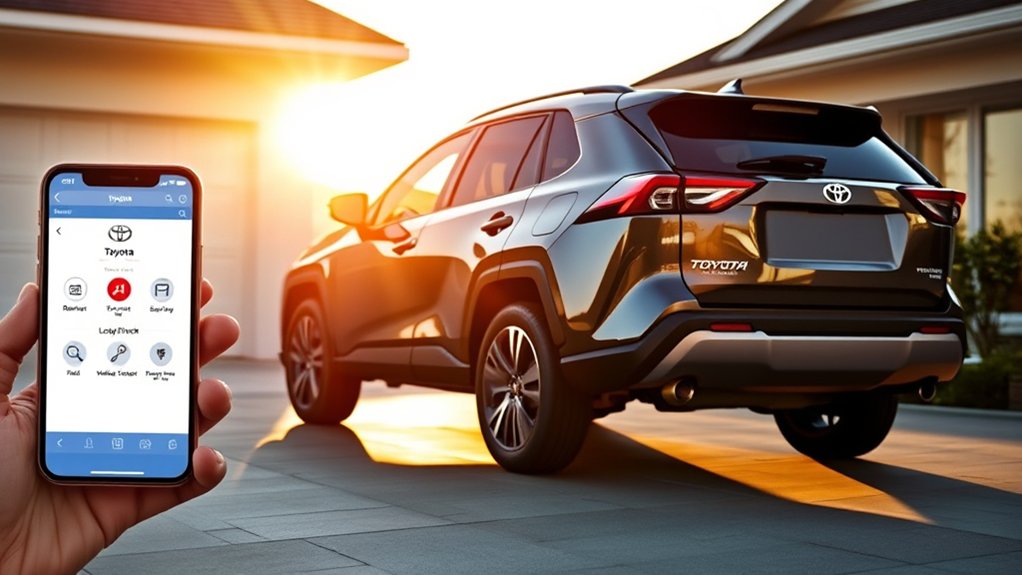
Remote Connect can be genuinely useful when its features match your routine. Remote start can prepare a compatible RAV4 before departure, while door-status notifications can help you catch an unlocked vehicle after parking. The last parked location can also save time in a large outdoor lot.
The strongest everyday benefits include:
- Pre-drive preparation: Start a supported vehicle or activate available climate functions before leaving.
- Door control: Check supported status information and send a lock or unlock request without returning immediately to the vehicle.
- Parking assistance: Review the last reported parked location.
- Guest-driver oversight: Set supported alerts for factors such as area, time, mileage, or speed.
- Electrified-vehicle management: Check or schedule supported charging and climate functions on eligible plug-in models.
These benefits should be balanced against the subscription cost and network dependency. Remote Connect is a convenience system, not a replacement for confirming that the vehicle is secure, safely parked, and physically ready to operate.
Safety Connect Is Separate From Remote Connect
Toyota’s Connected Services are presented in the same app and may be bundled together, but they are not interchangeable. Remote Connect controls supported vehicle functions. Safety Connect provides emergency and theft-response services through Toyota’s response center.
Safety Connect includes:
- Emergency Assistance through the in-vehicle SOS button
- Automatic Collision Notification
- Enhanced Roadside Assistance
- Stolen Vehicle Locator
You can review Toyota’s official descriptions on the Toyota Connected Services page.
Emergency Assistance Features
Pressing the vehicle’s SOS button can connect an eligible vehicle to Toyota’s 24/7 response center. An agent can assess the situation and request appropriate emergency or roadside assistance when the service, network, and vehicle communication systems are available.
Automatic Collision Notification is designed to contact the response center after events such as an airbag deployment or qualifying severe rear-end collision. The response-center agent may attempt to speak with the occupants and request emergency dispatch when necessary.
These are Safety Connect functions. They may have their own trial period, subscription status, service limitations, and regional availability.
Stolen Vehicle Locator
If your RAV4 is stolen and has an active eligible Safety Connect service:
- Contact law enforcement immediately.
- File a stolen-vehicle report and obtain the report or case number.
- Call Toyota’s response center at 1-800-331-4331.
- Provide the police report or case number when requested.
- Toyota’s response-center agents can work with law enforcement using supported vehicle-location technology.
The location is provided to law enforcement rather than used as permission for an owner to pursue or recover the vehicle personally.
Troubleshooting Remote Connect Issues
When a command fails, work through the following checks in order:
- Confirm service status. Verify that Remote Connect is listed as active, in trial, or paid for your VIN.
- Update the Toyota app. Install the latest version available for your phone.
- Check your sign-in. Sign out and back in if the vehicle dashboard or controls fail to load.
- Confirm vehicle ownership. Make sure the VIN is attached to the correct account and no previous owner still controls enrollment.
- Check phone connectivity. Switch between Wi-Fi and cellular data and confirm the phone has internet access.
- Consider the vehicle’s location. Underground garages, covered structures, and remote areas can interfere with cellular or GPS communication.
- Wait before retrying. A delayed command is not always an app failure. Avoid sending the same request repeatedly within a few seconds.
- Restart the app and multimedia system. Close and reopen the app, then restart the vehicle’s multimedia system when safely parked.
- Check the vehicle itself. A weak 12-volt battery, vehicle warning, or other condition that prevents the vehicle from waking may also prevent remote communication.
- Check Toyota service availability. If multiple owners report an outage or every command suddenly fails, consult Toyota’s Connected Services support resources.
Note: A successful app submission does not guarantee that the vehicle completed the request. Wait for the Toyota app’s confirmation and visually verify safety-critical results when practical.
Common Owner Considerations
Remote Connect can be worthwhile, but its value depends on how often you use it and which functions your RAV4 actually supports. The most common considerations are objective rather than universal complaints:
- Bundled pricing: Owners who need only remote commands may not value the streaming or navigation service included with a current plan.
- Feature variation: Two RAV4s from the same model year can display different controls because of grade, package, multimedia, or powertrain differences.
- Network delay: Remote commands travel through cellular systems and may not respond as quickly as a physical key fob.
- Used-vehicle trials: The original trial may already be expired when the vehicle changes owners.
- Digital Key confusion: Digital Key is a separate capability that requires compatible hardware and an active Remote Connect subscription; it is not standard on every Remote Connect-equipped RAV4.
- App consolidation: Remote Connect, Service Connect, Safety Connect, maintenance, finance, and dealer tools can appear together, making it easy to attribute a feature to the wrong service.
Before paying, verify the available controls for your VIN and decide whether those specific functions justify the displayed plan price.
Frequently Asked Questions
Can I use Toyota Remote Connect with my smartwatch?
Yes, Toyota supports remote services through compatible smartwatches used as companions to compatible smartphones. Your RAV4 must still support Remote Connect, and its trial or paid subscription must be active.
Is Toyota Remote Connect available worldwide?
No. Availability varies by country, region, vehicle specification, cellular network, and local Connected Services program. A vehicle imported from another market may not support the same services after relocation.
How do I cancel my Remote Connect subscription?
Sign in to the Toyota app or your My Toyota account and open the Connected Services or subscription-management area. Select the active plan, review the cancellation terms, and save the confirmation. Menu names may change as Toyota updates the app.
Are there additional fees for Remote Connect features?
An eligible new RAV4 may include a trial, but a paid plan is required after the trial expires. Toyota currently lists $15 and $25 monthly bundles for select 2022-and-newer vehicles. Wi-Fi data, music subscriptions, phone data, or other third-party services may cost extra.
Will Remote Connect drain my RAV4’s battery?
Remote Connect is designed as a low-power connected service, but it should not be described as having guaranteed zero battery impact. A weak or discharged 12-volt battery can prevent the telematics system from waking and responding. Follow Toyota’s storage guidance when leaving the vehicle unused for a long period.
Does every Remote Connect-compatible RAV4 have remote engine start?
No. Remote Connect compatibility does not guarantee engine start/stop. Toyota’s 2023–2025 applicability charts specifically state that Remote Connect on RAV4 LE and Hybrid LE configurations does not include engine start/stop.
Can I use the key fob after my Remote Connect trial expires?
Toyota states that supported Remote Connect operation through the app or key fob requires an active trial or paid subscription. Exact key-fob capability varies by year and configuration, so verify the requirement for your VIN and owner’s manual.
Conclusion
The Toyota RAV4 has offered Remote Connect on selected configurations since the 2019 model year, but availability has never been identical across every year, grade, and multimedia system. The 2026 RAV4 receives a one-year trial across Toyota’s documented grades, while earlier vehicles require closer equipment and VIN verification.
Before subscribing, add the VIN to the Toyota app, confirm the exact controls displayed, check whether the original trial has expired, and compare the available functions with the current plan price. This approach prevents you from paying for a bundle based on a remote-start or Digital Key feature that your particular RAV4 does not support.
Sources
- Toyota Connected Services Plans — current plan names, monthly pricing, and included services
- Toyota App and Remote Connect — app enrollment, smartwatch support, remote controls, and service descriptions
- Toyota 2026 Connected Services Applicability — 2026 RAV4 trial and grade availability
- Toyota 2025 Connected Services Applicability — 2025 RAV4 grade, trial, and engine-start limitations
- Toyota 2022 Connected Services Applicability — 2022 multimedia-system compatibility and legacy pricing documentation
- Toyota Connected Services Overview — distinctions among Remote Connect, Safety Connect, Service Connect, and Drive Connect

