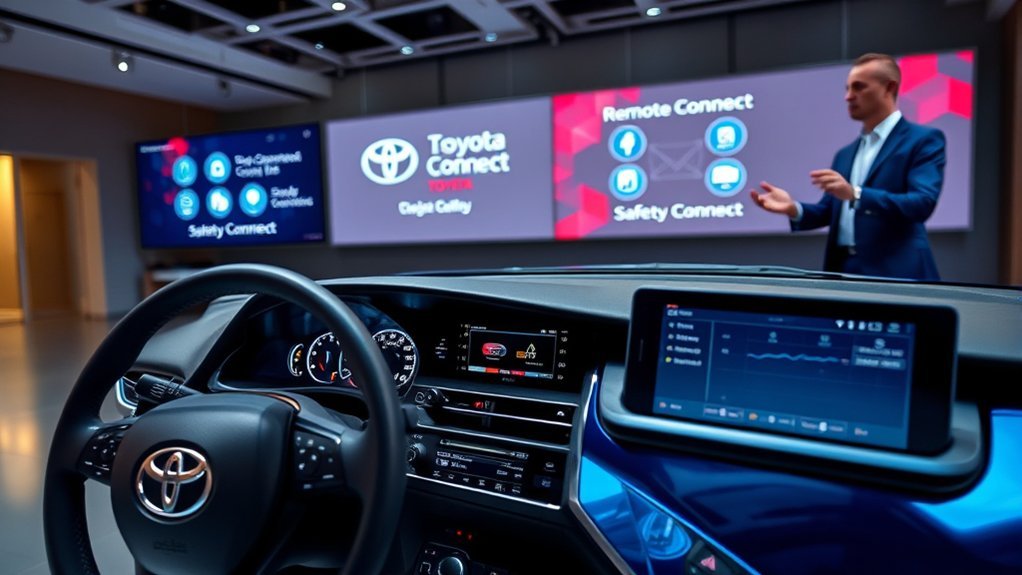
Toyota Camry Connected Services let compatible vehicles communicate with the Toyota App and Toyota’s response centers through the vehicle’s built-in cellular connection. Depending on the Camry’s model year, trim, multimedia system, equipment and active service, you may be able to control the car remotely, receive maintenance information, access emergency support, use connected navigation or create an in-vehicle Wi-Fi hotspot.
Quick Answer
Toyota Camry Connected Services use the Toyota App and the car’s built-in cellular connection to provide remote controls, safety support, maintenance information, navigation and Wi-Fi on compatible vehicles. Features, trial lengths and subscriptions vary by model year, trim, multimedia system, country and active service plan.
Key Takeaways
- Remote Connect provides compatible app-based controls such as remote start, door locking, vehicle location and status notifications.
- Safety Connect provides agent-assisted emergency, collision, roadside and stolen-vehicle services.
- Service Connect supplies vehicle health, maintenance and recall-related information; it is not the same service as Safety Connect.
- For the U.S.-market 2026 Camry, Toyota lists five-year minimum Safety Connect and Service Connect trials and a one-year Remote Connect trial.
- Availability, pricing and trial periods can change, so the Toyota App and VIN-specific Toyota documentation are the best places to confirm your Camry’s services.
Understanding Toyota Camry Connected Services
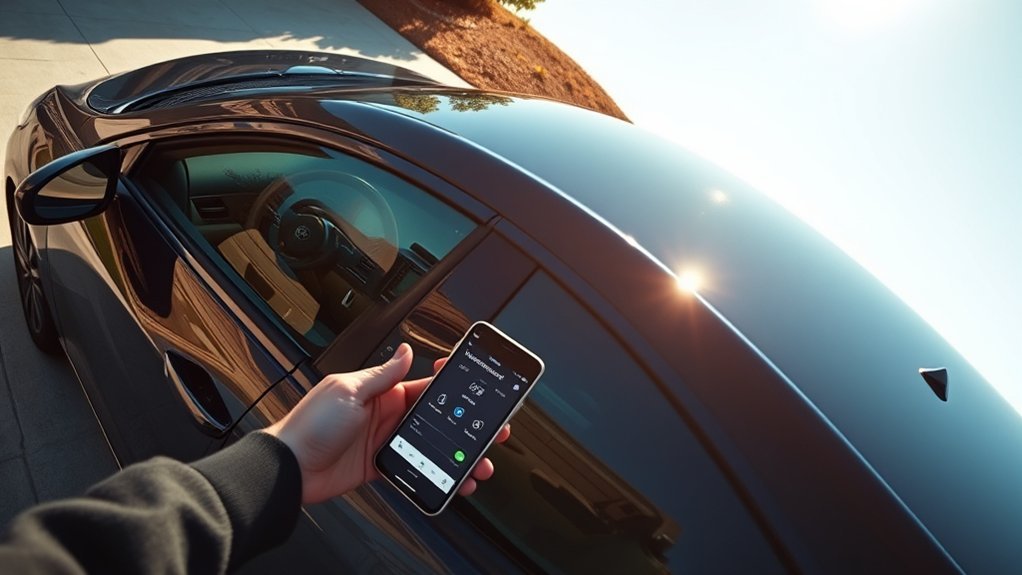
Toyota uses the term Connected Services for several separate subscription or trial-based features. They share the vehicle’s data communication hardware, but they serve different purposes. Remote Connect handles app-based vehicle controls, Safety Connect focuses on urgent assistance, Service Connect provides maintenance information, Drive Connect adds connected navigation features and Wi-Fi Connect supplies an in-vehicle hotspot and supported integrated streaming.
The exact combination in your Camry depends on the model year, trim, factory-installed multimedia system, optional packages, region and whether a complimentary trial or paid subscription is active. The safest way to verify a specific car is to add its VIN to the Toyota App and review Toyota’s Connected Services information.
| Service | Main purpose | Typical features |
|---|---|---|
| Remote Connect | Remote vehicle control and status | Remote start, lock or unlock, last parked location, guest-driver alerts and vehicle-status notifications on supported Camrys |
| Safety Connect | Emergency and roadside assistance | SOS assistance, Automatic Collision Notification, Enhanced Roadside Assistance and Stolen Vehicle Locator |
| Service Connect | Maintenance and vehicle information | Vehicle health reports, alerts, recall or service-campaign information and maintenance reminders |
| Drive Connect | Connected navigation and voice assistance | Cloud Navigation, Intelligent Assistant and Destination Assist on compatible multimedia systems |
| Wi-Fi Connect | Internet access and supported streaming | AT&T 4G LTE hotspot for up to five compatible devices and Integrated Streaming on supported vehicles |
Note: A complimentary trial is still an active subscription period. When a trial ends, the related features normally stop unless you enroll in an eligible paid plan. Trial length and post-trial options vary by vehicle.
Overview of Remote Connect Features
Remote Connect lets you control select Camry functions through a compatible smartphone running the Toyota App. A compatible smartwatch can act as a companion to the phone on supported devices. Certain vehicles and packages may also support Digital Key, which is separate from ordinary remote lock and unlock.
[Amazon Products Picked for You]

𝗩𝗲𝗵𝗶𝗰𝗹𝗲 𝗰𝗼𝗺𝗽𝗮𝘁𝗶𝗯𝗶𝗹𝗶𝘁𝘆: Toyota Camry (2015, 2016, 2017) models equipped with key ignition.

𝗩𝗲𝗵𝗶𝗰𝗹𝗲 𝗰𝗼𝗺𝗽𝗮𝘁𝗶𝗯𝗶𝗹𝗶𝘁𝘆: Toyota Camry (2018, 2019, 2020, 2021, 2022, 2023, 2024) models equipped with key ignition.

𝗩𝗲𝗵𝗶𝗰𝗹𝗲 𝗰𝗼𝗺𝗽𝗮𝘁𝗶𝗯𝗶𝗹𝗶𝘁𝘆: Toyota Camry (2018, 2019, 2020, 2021, 2022) models equipped with push-to-start ignition. Not compatible with hybrid models.
Key Remote Connect Features
Depending on the Camry and its equipment, Remote Connect may provide the following functions:
- Remote engine start or stop: Start the vehicle before entering so the climate system can begin working. The available climate behavior depends on the Camry and its previous settings.
- Door lock and unlock: Send a remote command and receive confirmation when the command is completed.
- Last parked location: View the vehicle’s last reported parked position, which can help in a large outdoor parking area.
- Vehicle-status notifications: Review supported status information and alerts in the Toyota App.
- Guest-driver alerts: On supported vehicles, create notifications related to another driver’s use of the car.
- Remote lights, horn or hazard functions: Availability varies by model year and equipment.
Remote commands rely on the vehicle’s cellular connection as well as Toyota’s servers. A command can be delayed or unavailable when the Camry is in an area with weak cellular reception, when the service is inactive or when the vehicle’s operating conditions do not permit the requested action.
Warning: Never use remote start in a garage or another enclosed space. The gasoline engine may run and produce carbon monoxide even when the Camry is a hybrid. Follow local idling laws and never leave children or animals unattended in the vehicle.
Smart Device and Digital Key Compatibility
The Toyota App is available for common Apple and Android devices, but app compatibility does not guarantee that every connected feature will appear for every Camry. Toyota states that the app supports Toyota models from 2010 onward, while the actual remote, safety and diagnostic functions depend on the vehicle’s installed hardware and active services.
Digital Key, when equipped, allows a compatible phone to perform certain key functions. It is not standard on every Camry, may require an optional package and requires an active Remote Connect service. Phone-model, operating-system and account requirements also apply.
Pro Tip: Do not rely only on a dealer listing that says “connected services.” Add the exact VIN to the Toyota App and check the vehicle’s subscription screen to see which functions, trials and renewal options are actually available.
Benefits of Integrated Services in the Toyota App
The Toyota App is the main account and control center for compatible Camry Connected Services. After the vehicle is registered, the app can display available remote controls, service status, maintenance information, recall alerts and subscription details.
Enhanced Vehicle Control Features
When Remote Connect is active and supported by the vehicle, the app can place common controls in one location. These may include starting the Camry, locking or unlocking the doors, finding the last parked location and reviewing vehicle-status notifications.
The app reports whether a remote command was accepted, but a command should not be treated as complete until the app confirms it. Cellular congestion, underground parking, weak reception or an unavailable vehicle data connection can cause delays.
Vehicle Health Reports and Maintenance Information
Service Connect provides transmitted vehicle information rather than a continuous live diagnostic feed. Available information may include vehicle alerts, applicable recalls or service campaigns, maintenance reminders and a Vehicle Health Report.
The fields shown vary by Camry. Some versions may display fuel or range information, tire-related information or warning notifications, while other versions show a smaller set of data. App information can also lag behind the vehicle, so always respond to an active dashboard warning even when the app has not updated.
Connected-service data supports vehicle ownership, but it does not replace the Camry’s warning lights, maintenance schedule, owner’s manual or a physical inspection.
How Safety Connect Enhances Your Driving Experience
Safety Connect links an equipped Camry to Toyota’s 24-hour response center when an active trial or paid subscription is in effect. It is designed to assist during emergencies, certain detected collisions, roadside problems and reported vehicle theft.
- Emergency Assistance Button: Pressing the in-vehicle SOS button can connect you with an agent who confirms your location, assesses the situation and can request appropriate emergency help.
- Automatic Collision Notification: The response center is designed to receive a notification after an airbag deployment or a severe rear-end collision. An agent attempts to contact the occupants and can request emergency dispatch.
- Enhanced Roadside Assistance: The SOS system can connect you with an agent for qualifying roadside needs such as a tow, flat tire, jump-start or lockout.
- Stolen Vehicle Locator: After you report the theft to police and provide the police case number, Toyota’s response center can work with law enforcement to help locate the vehicle through its connected GPS and cellular equipment.
For U.S. owners using Stolen Vehicle Locator, Toyota instructs the owner to file a police report first and then contact Toyota at 1-800-331-4331 with the case number. Toyota provides vehicle-location information to law enforcement rather than turning the app into a self-service live tracking tool.
Note: Safety Connect supplements emergency calling; it does not guarantee cellular coverage, collision detection, vehicle recovery or emergency response. When a phone is available and immediate help is required, contact the local emergency number directly.
Comparing Subscription Plans for Connected Services
Toyota’s current U.S. subscription bundles combine Remote Connect with navigation or entertainment services on select vehicles. The public prices below were listed in July 2026 and can change without notice. Taxes, third-party music subscriptions, network requirements and vehicle eligibility may also apply.
| Plan | Listed U.S. price | Main inclusions |
|---|---|---|
| Music Lover | $15 per month | Integrated Streaming and Remote Connect on eligible vehicles; supported Apple Music or Amazon Music account required |
| Go Anywhere | $15 per month | Drive Connect and Remote Connect on eligible vehicles |
| Premium | $25 per month | Drive Connect, Integrated Streaming and Remote Connect on eligible vehicles |
| Wi-Fi Connect add-on | $25 per month | AT&T in-vehicle hotspot for up to five compatible devices |
Review the latest options on Toyota’s Connected Services Plans page or in the Toyota App before subscribing. Safety Connect and Service Connect eligibility should also be checked in the app because renewal options can vary by VIN and model year.
[Amazon Products Picked for You]

True Double-Carrier Coverage — Works on both AT&T and T-Mobile networks, not locked to a single carrier. Automatically connects to the strongest signal. SIM card included in the box — no separate purchase needed.

⚡ High-Speed 4G LTE Connectivity Experience seamless streaming and gaming with this 4G LTE Mobile Hotspot. Supporting a theoretical 600Mbps download speed, this device ensures stable internet access for your daily needs. It is compatible with major carriers like T mobile, AT&T, Verizon, providing a reliable connection wherever you go.

How to activate and use the device: ①Scan the QR code on the MiFi device to claim 1 GB / 30 days of free data. ②Connect the MiFi device to a 5V/2A USB power source. ③Wait until the indicator light turns blue. Then turn on your phone, iPad, or computer, search for the Wi‑Fi network, and enter the password (the SSID and password are printed on the device). ④Once the 1 GB data is used up, the device will lose internet access. You will need to scan the device QR code to renew your data plan in order to continue using it.
Current 2026 Camry Connected Services Trials
Toyota’s U.S. 2026 Audio Multimedia and Connected Services applicability chart lists the following terms for a new 2026 Camry. These terms begin from the original purchase or lease date except where Toyota specifies otherwise.
| Service | 2026 Camry term or availability | Important detail |
|---|---|---|
| Safety Connect | Five-year minimum trial | Standard across the listed 2026 Camry multimedia configurations |
| Service Connect | Five-year minimum trial | Standard across the listed configurations |
| Remote Connect | One-year trial | Digital Key capability requires suitable equipment and an active Remote Connect service |
| Wi-Fi Connect | 30 days or up to 3 GB | The trial ends when either limit is reached |
| Drive Connect | One-year trial on listed 12.3-inch systems; available by subscription on the listed 8-inch system | Availability depends on the multimedia configuration and equipment |
The 2026 Camry chart lists an 8-inch Toyota Audio Multimedia system for LE, SE and Nightshade models. A 12.3-inch system is standard on XLE and XSE and available on certain SE and Nightshade configurations. Because equipment packages can change during a model year, use the VIN-specific information in the app as the final check.
[Amazon Products Picked for You]

【Replacement OE Part Number】Our Camshaft Position Sensor Connector Replaces 97 98 99 00 01 02 03 04 05 06 07 08 09 10 11 12 13 14 15 16 17 18 19 1.8L 2.4L 3.0L 3.3L 5.7L 1.5L 3.5L 2.0L 2.5L| Please Double Check The Year Make Model To Make Sure What You Need Before Ordering, Thank You!

Brake Booster Fitment - Power brake booster assembly replacement for Toyota Avalon 1995-1999, for Camry 1995-2001, for Solara 1999-2003, for Lexus ES300 1995-1996

FITMENT:1)Compatible with 2011-2016 Scion tC 2.5L L4 (For vehicle built in USA), 2010-2017 Toyota Camry 2.5L L4 (only fit gas models , not for FHEV models), 2009-2019 Toyota Highlander 2.7L L4, 2009-2018 Toyota RAV4 2.5L L4 (only fit gas models , not for FHEV models), 2011-2013 Toyota Sienna 2.7L L4, 2009-2016 Toyota Venza 2.7L L4
Setting Up Your Connected Services

To set up Connected Services on a compatible Toyota Camry, begin while the vehicle is safely parked. The screens and verification process can differ slightly by app version and model year.
- Download or update the Toyota App. Install the current version from the Apple App Store or Google Play.
- Create or sign in to your Toyota account. Use the account you want associated with the vehicle.
- Add the Camry. Select “Add Vehicle” and enter or scan the VIN when prompted.
- Complete ownership verification. Follow the app and vehicle-screen prompts. A verification code or in-vehicle authorization may be required.
- Accept the applicable agreements. Review the Connected Services terms, privacy notices and any trial enrollment information.
- Activate the available services. The app should show which Remote Connect, Safety Connect, Service Connect, Drive Connect or Wi-Fi Connect services apply to the VIN.
- Test a low-risk command. With the Camry parked in an area with cellular reception, try a door-lock or vehicle-status command and wait for confirmation.
- Review trial dates. Open the subscription or account area and note the expiration date for each service because the trials may end at different times.
For a used Camry, make sure the ownership record and connected-services account have been transferred correctly. Remove the vehicle from the previous owner’s account when applicable and complete Toyota’s ownership-verification process before relying on remote features.
Common Issues With Toyota Connected Services and How to Fix Them
The Remote Connect Feature Is Missing
- Confirm that the VIN supports Remote Connect.
- Check whether the trial or paid subscription is active.
- Verify that you are signed in with the account registered as the vehicle owner or authorized user.
- Check whether ownership verification is still pending.
- Remember that some functions, including Digital Key or particular remote controls, require specific factory equipment.
A Remote Command Fails or Remains Pending
- Move the phone to an area with a reliable internet connection.
- Consider whether the vehicle is underground or in a weak cellular-coverage area.
- Refresh the app and wait before sending the command again.
- Confirm that the Camry is parked and that no vehicle condition is preventing the requested command.
- Update the Toyota App, then sign out and sign back in.
Vehicle Status Appears Outdated
The Toyota App does not replace the vehicle’s instrument panel, and its displayed data may not update immediately. Refresh the vehicle card and check the Camry directly. If a dashboard warning is active, address the warning even when the app shows older information.
Safety Connect or Service Connect Is Unavailable
- Review the active-service screen in the Toyota App.
- Confirm that the Camry has cellular reception.
- Check for an expired trial or payment issue.
- Restart the app and verify that it is current.
- For an SOS-system warning shown in the vehicle, follow the owner’s manual and contact Toyota or a dealer rather than repeatedly testing the emergency button.
Problems Continue After Basic Troubleshooting
Use Toyota’s official Audio Multimedia and Connected Services support portal, contact Toyota customer support or visit a Toyota dealer. Have the VIN, model year, app version, phone model and the exact error message ready.
Privacy, Security and Remote Vehicle Access
Connected Services can transmit vehicle, diagnostic, account and location-related information so the requested functions can operate. Review Toyota’s Privacy Hub to understand available privacy choices and current notices.
Protect the Toyota account with a unique password, secure the email account connected to it and do not share verification codes. Remove the Camry from an old phone before selling it, and complete the account-transfer process when purchasing a used vehicle.
Toyota also provides a dedicated remote vehicle access disconnection portal. Disconnecting access can disable connected functions that rely on the vehicle’s data communication, so review the consequences before completing the request.
What to Expect From Future Toyota Connected Services Updates
Toyota may revise the app interface, supported commands, plan bundles, prices, network requirements, trial periods and model eligibility. These changes can arrive through an app update, an in-vehicle multimedia update, a new model-year configuration or a change to Toyota’s service terms.
Avoid relying on an old article, dealer screenshot or another owner’s subscription screen. For current information, check:
- The subscription section of the Toyota App for the specific VIN
- Toyota’s current Connected Services page
- The applicability document for the Camry’s model year
- The vehicle’s multimedia and owner’s manuals
- Official Toyota support notices
Future enhancements should not be treated as confirmed until Toyota publishes them for the applicable Camry and region.
Frequently Asked Questions
What does Toyota Safety Connect do?
Safety Connect provides access to an Emergency Assistance Button, Automatic Collision Notification, Enhanced Roadside Assistance and Stolen Vehicle Locator on an equipped Camry with an active trial or paid subscription. The services rely on the vehicle’s cellular and GPS systems and Toyota’s response center.
Does Toyota Safety Connect work without a paid subscription?
It can work during an active complimentary trial, so a separate payment is not required during that trial. After the trial ends, continued access normally requires an eligible paid subscription. The available renewal terms depend on the VIN, model year and region.
What is Remote Connect on a Toyota Camry?
Remote Connect is the connected service that places supported Camry controls in the Toyota App. Depending on the vehicle, it may provide remote start, door locking or unlocking, last parked location, guest-driver alerts, vehicle-status notifications and compatible smartwatch functions.
What is the difference between Toyota Drive Connect and Remote Connect?
Drive Connect focuses on connected navigation and in-vehicle assistance through Cloud Navigation, Intelligent Assistant and Destination Assist. Remote Connect focuses on controlling and checking the vehicle through the Toyota App or another supported device. The services may be sold together in a plan, but they perform different jobs.
How long are the Connected Services trials on a 2026 Toyota Camry?
Toyota’s U.S. 2026 chart lists five-year minimum Safety Connect and Service Connect trials, a one-year Remote Connect trial and a Wi-Fi Connect trial lasting 30 days or up to 3 GB. Drive Connect receives a one-year trial on listed 12.3-inch systems and is available by subscription on the listed 8-inch system.
Does Remote Connect work on every Toyota Camry?
No. Compatibility depends on the model year, trim, multimedia system, factory equipment, country, account enrollment and active service. Add the VIN to the Toyota App or check Toyota’s model-year applicability documentation to verify a particular Camry.
Can I turn off Toyota remote vehicle access?
Toyota provides privacy controls and a remote vehicle access disconnection process. Turning off access can disable Remote Connect and other functions that depend on the vehicle’s data connection, so review Toyota’s current privacy and disconnection information before proceeding.
Conclusion
Toyota Camry Connected Services can make vehicle ownership more convenient, but the services are not interchangeable. Remote Connect handles compatible remote controls, Safety Connect provides agent-assisted emergency and roadside functions, Service Connect supplies maintenance information, Drive Connect adds navigation features and Wi-Fi Connect provides internet access.
Before depending on a feature, confirm the exact Camry’s compatibility, active trial or subscription and cellular coverage. For the current 2026 Camry, Toyota lists five-year minimum Safety Connect and Service Connect trials and a one-year Remote Connect trial, replacing the outdated claim that every new Camry receives 10 years of Safety Connect.
Sources
- Toyota Audio Multimedia and Connected Services — official descriptions of Safety Connect, Service Connect, Drive Connect, Remote Connect and Wi-Fi Connect.
- Toyota 2026 Audio Multimedia and Connected Services Feature Applicability — current U.S. Camry equipment, trial periods and service availability.
- Toyota App — official app features, setup information and service FAQs.
- Toyota Connected Services Plans — current U.S. subscription bundles and listed prices.
- Toyota Privacy Hub — privacy notices and available data choices.
- Toyota Remote Vehicle Access Disconnection — official process for disconnecting remote access.
