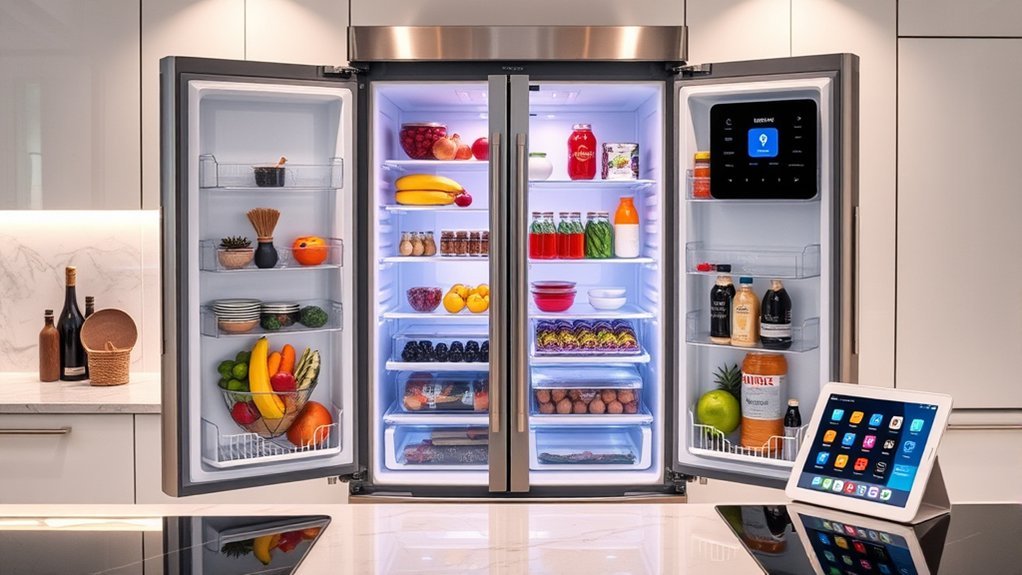
A high tech fridge that keeps inventory uses internal cameras, item recognition, and a mobile app to monitor food, track expiration dates, and build shopping lists automatically. Shoppers should compare usable capacity, camera visibility, app reliability, and alerts for temperature or maintenance. Setup usually requires a stable Wi-Fi connection, the manufacturer app, and correct network pairing. Strong app performance is critical, since software issues can limit tracking accuracy and remote access. The key setup and model differences follow.
Pick the Smart Fridge Features That Matter
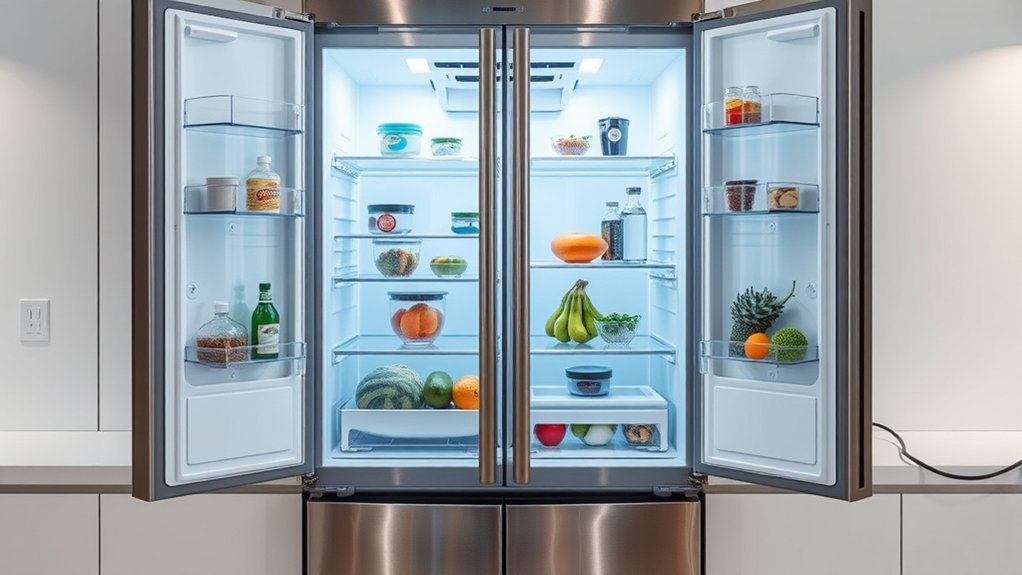
When evaluating smart fridge options, the most useful features are those that improve inventory control, food preservation, and routine maintenance. A capable smart fridge should support remote monitoring through internal cameras, allowing users to verify inventory from a phone and avoid unnecessary store visits. This reduces friction, saves time, and supports more autonomous household management.
Priority should also be given to systems that track expiration dates and assist with meal planning, since these functions reduce spoilage and unnecessary purchasing.
Models with customizable storage, including adjustable shelves and temperature-managed drawers, provide better organization across produce, dairy, and prepared foods. Integration with a smart home platform adds practical voice control for hands-free access to status checks and food suggestions.
Reliable app alerts for filter replacement, door alarms, and other service needs protect food safety while simplifying upkeep.
Finally, energy efficiency should remain a core specification, because lower power demand supports long-term operational freedom and cost control.
Learn How Inventory Smart Fridges Work
Understand the core process first: inventory smart fridges combine internal cameras, item recognition algorithms, and connected mobile apps to monitor stored food and estimate quantities with minimal user input.
Inventory smart fridges use cameras, recognition software, and mobile apps to track food with minimal user effort.
In practice, a smart fridge captures shelf images, applies AI technology to identify products, and updates inventory records that can be checked through a smartphone app from anywhere. This remote visibility gives households more control and less dependence on memory or paper notes.
When supplies run low, the system can build a shopping list automatically, reducing friction in grocery routines. The same data supports expiration alerts, prompting timely use of ingredients and lowering food waste.
Integration with recipe apps turns stored items into actionable meal planning suggestions, helping users cook from what is already available. Some systems also permit manual edits through touchscreens or voice commands, increasing user interactivity when recognition needs correction.
The result is a more autonomous, organized kitchen workflow with greater daily freedom overall.
Check Capacity, Cameras, and App Support
How well a smart refrigerator fits a household depends first on capacity, internal visibility, and software reliability. Capacity should match buying habits and household size; larger units, such as 30.7-cubic-foot formats, suit families that stock in bulk and want fewer shopping constraints.
Internal cameras add practical value by showing contents without opening the door, while enabling remote monitoring through a phone for faster grocery management and less uncertainty.
App support should be judged as seriously as compressor specs. A capable app allows temperature changes, maintenance alerts, and dependable inventory tracking tied to actual use patterns. Systems that flag an expiration date help cut food waste and reduce repetitive checking.
Compatibility with smart home systems also matters, especially for users seeking streamlined control across devices. Integration with Google Assistant or Alexa can extend convenience through voice control, but reliability and clear permissions remain more important than novelty.
Stable software preserves autonomy, reduces friction, and supports disciplined household planning.
Compare the Best Smart Fridge Models
Model comparison should start with feature set and usable capacity, as options range from the 25.6-cubic-foot Hisense Pureflat to the 30.7-cubic-foot LG Craft Ice Smart French Door unit.
App and AI tools then separate the field, with Samsung’s AI camera and recipe suggestions, LG ThinQ remote monitoring, GE’s built-in scanner, and Hisense app-based temperature and inventory controls.
Bosch adds a preservation-focused option by combining app-supported inventory tracking with VitaFresh technology for longer produce freshness.
Feature And Capacity
Feature and capacity determine whether a smart refrigerator delivers practical value beyond connectivity. A Smart refrigerator should reduce domestic friction through usable features, efficient inventory visibility, and storage matched to household scale.
Samsung 4-Door Flex with AI Family Hub+ emphasizes inventory tracking and meal planning through its camera system and large touchscreen, supporting organized family use.
LG Craft Ice prioritizes sheer capacity at 30.7 cubic feet and adds dual ice production for heavy demand.
Hisense Pureflat delivers strong capacity at 25.6 cubic feet with a convertible drawer spanning 27°F to 41°F.
GE focuses on access and voice control through a door-in-door layout and assistant compatibility.
Café adds precise flexibility with an adjustable middle drawer from 23°F to 42°F. Adjustable shelves improve configuration efficiency overall.
App And AI Tools
Evaluate app ecosystems and AI utilities by how reliably they convert refrigerator data into useful actions such as inventory visibility, temperature control, maintenance alerts, and shopping support.
In Smart fridges, Samsung’s AI Family Hub uses camera-based inventory tracking and recipe suggestions to streamline meal planning and reduce waste.
LG’s ThinQ app emphasizes remote monitoring, settings control, maintenance alerts, and grocery management with practical, low-friction workflows.
GE’s Smart French Door models add smart home integration through IFTTT, enabling custom automations that extend inventory tracking across connected devices.
Hisense Pureflat delivers a budget-friendly option, pairing app-based temperature adjustment with straightforward food tracking for users seeking capability without premium cost.
Café strengthens shopping support through a built-in scanner that adds packaged items to lists quickly, increasing accuracy and reducing manual entry burdens.
Connect Your Smart Fridge to Wi-Fi
Begin by confirming that the refrigerator is within range of a stable home Wi‑Fi network. Then open the Wi‑Fi settings through the unit’s control panel or companion app. This practical step lets the smart fridge operate with fewer limitations and gives the user direct control over connected features. Most models require selecting the correct home Wi-Fi network and entering the password accurately to connect without delay.
Once paired, the manufacturer app, such as Samsung SmartThings or LG ThinQ, becomes the main interface for adjusting settings, monitoring inventory functions, and receiving alerts. It also provides access to firmware updates, which improve compatibility, security, and overall performance.
For reliable operation, the fridge should remain positioned where signal strength stays consistent, reducing disconnections and preserving responsiveness. A disciplined setup process supports stable communication with other smart devices and helps the appliance deliver the convenience, autonomy, and technical efficiency expected from a modern connected kitchen environment.
Use Inventory Tools to Cut Food Waste
Leverage the refrigerator’s inventory tools to maintain a current view of stored food and reduce unnecessary waste. In smart refrigerators, internal cameras provide remote access to food inventory, allowing households to verify contents before shopping and avoid duplicate purchases. This practical visibility supports disciplined inventory management and greater freedom from guesswork.
Many systems also assign expiration dates and send expiration alerts as items approach spoilage. These prompts help reduce food waste by directing attention to products that should be used first.
Some platforms analyze usage patterns to create automated shopping lists, making purchases more precise and limiting overbuying. Others deliver recipe suggestions based on available ingredients, encouraging timely consumption of perishables.
When inventory management connects with meal planning tools, users can structure meals around what is already stored, extending ingredient use and improving efficiency. Applied consistently, these functions convert routine refrigeration into an organized, low-waste system that supports autonomy.
Fix Common Smart Fridge App Problems
Reliable inventory features depend not only on sensors and software design but also on stable app performance. When a smart fridge app fails, the refrigerator may lose inventory management accuracy, delay alerts, or restrict users who need to monitor remotely with confidence and fewer daily constraints.
- Update the app first. Current versions often correct bugs, improve app functionality, and resolve common issues affecting notifications, syncing, and item tracking across smart devices.
- Verify Wi-Fi connectivity. Weak signal strength can interrupt communication between the smart fridge and phone, limiting remote access and disrupting inventory management data.
- Clear cache and data, then restart both the refrigerator and mobile device. This practical reset often restores pairing, refreshes sessions, and corrects stalled background processes.
If failures persist, consult manufacturer support materials for model-specific setup tips and troubleshooting steps. Following documented procedures helps isolate software faults, preserve settings, and restore reliable app control without unnecessary service calls or prolonged operational friction.
Frequently Asked Questions
What Is the Most High Tech Refrigerator?
The Samsung 4-Door Flex with AI Family Hub+ is often regarded as most high tech, balancing smart features, cooling technology, temperature control, connectivity options, user interface, energy efficiency, design aesthetics, price range, and brand comparisons.
Which Refrigerator Has the Best Technology?
Like a command center, Samsung’s 4-Door Flex leads on technology: Smart features, Energy efficiency, Connectivity options, User interface, Temperature control, Storage capacity, Design aesthetics, Brand reliability, balanced Maintenance costs, and broad Price range empower independent buyers.
What Refrigerator to Stay Away From?
One should avoid refrigerators with poor User reviews, weak Brand reliability, Connectivity issues, limited Smart features, low Energy efficiency, high Maintenance costs, inadequate Warranty coverage, unfavorable Price comparison, compromised Design aesthetics, and restrictive Size options.
What Is the World’s Most Advanced Refrigerator?
The world’s most advanced refrigerator is widely considered Samsung Family Hub: a command center offering smart features, touchscreen interface, Wi Fi connectivity, voice control, inventory management, temperature accuracy, food freshness, smart home integration, energy efficiency, user reviews.
Conclusion
A high tech fridge with inventory features delivers the most value when its sensors, cameras, storage capacity, and app ecosystem align with household needs. Careful model comparison, correct Wi-Fi setup, and routine app maintenance improve tracking accuracy and reliability. When used consistently, inventory tools help reduce spoilage, support meal planning, and control grocery spending. In practical terms, the appliance becomes a quiet quartermaster, monitoring supplies with minimal user effort while improving kitchen efficiency over time.
