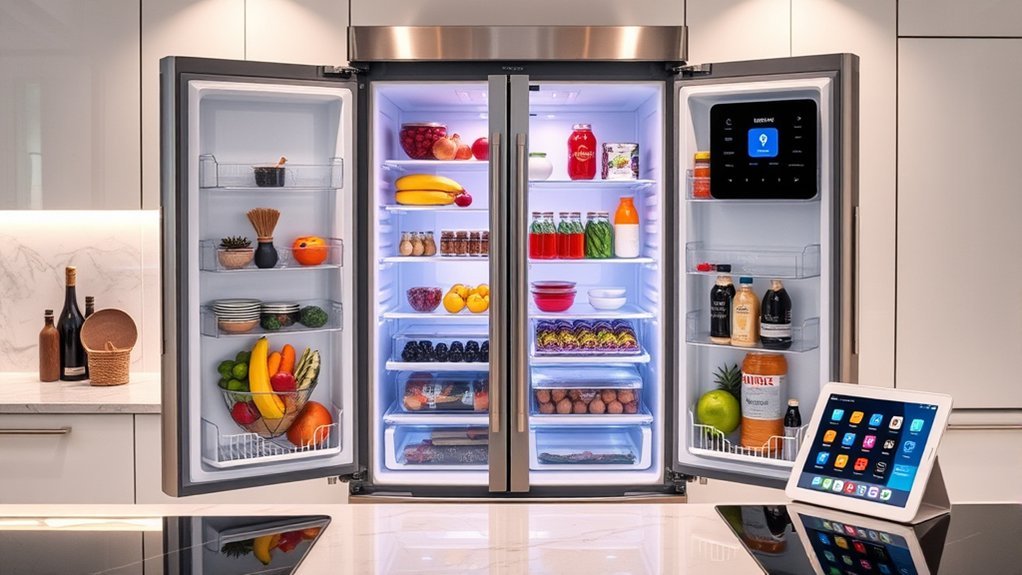
A high tech fridge that keeps inventory can make grocery planning easier, but not every smart refrigerator tracks food in the same way. Some models use internal cameras, some rely on barcode scanning or manual shopping lists, and selected models use AI to recognize certain foods. Before buying, compare the exact model’s inventory method, camera coverage, app support, storage capacity, installation requirements, energy use, and long-term software support.
Quick Answer
The most useful inventory-focused smart fridges combine cameras, barcode scanning, shopping lists, or AI recognition with a dependable phone app. Samsung offers AI Vision Inside on selected models, while GE Profile Kitchen Assistant adds barcode-based Scan-to-List and produce-drawer images. Always verify features by exact model number before buying.
Key Takeaways
- A Wi-Fi-connected refrigerator is not automatically an inventory-tracking refrigerator.
- Inventory systems may use cameras, barcode scanners, manual lists, or AI recognition.
- Samsung AI Vision Inside recognizes selected foods rather than everything placed in the refrigerator.
- GE Profile Kitchen Assistant can scan barcodes into a shared shopping list and show images of produce drawers.
- Capacity, dimensions, app quality, software support, energy use, and repair support matter as much as smart features.
- Expiration reminders are organizational tools and should never replace proper food-temperature and food-safety checks.
Pick the Smart Fridge Features That Matter
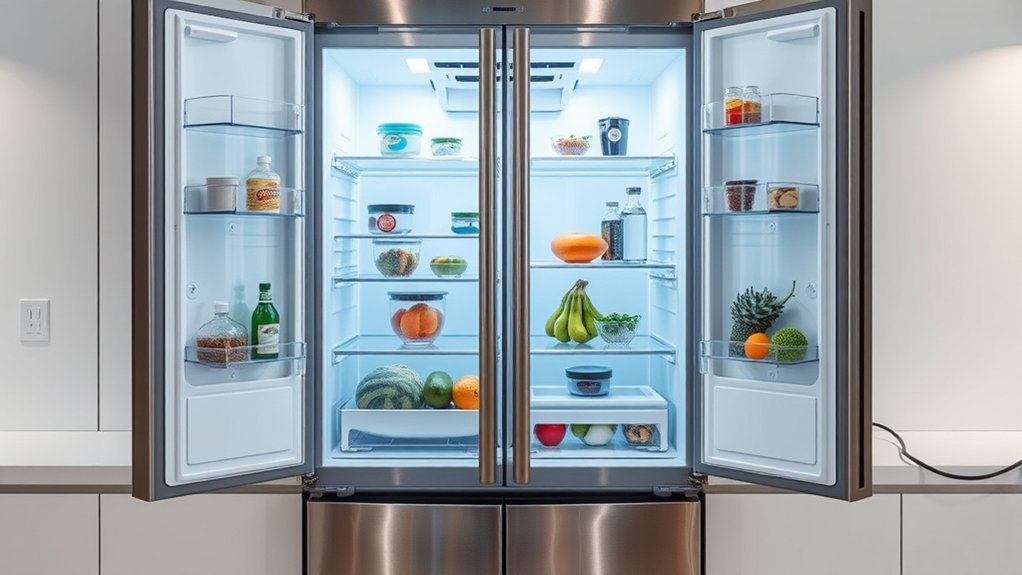
Start by deciding what you actually want the refrigerator to do. The term smart refrigerator covers everything from basic Wi-Fi temperature controls to refrigerators with cameras, food recognition, shopping lists, recipe tools, and large touchscreens.
For inventory management, the most important specification is the inventory method. A camera may let you look inside remotely without identifying individual products. A barcode scanner can build an accurate shopping list, but someone must scan the package. AI recognition can automate part of the process, but supported food types and camera visibility are limited.
- Camera visibility: Check which shelves or drawers the cameras can actually see.
- Food recognition: Verify which foods the exact model can recognize automatically and whether manual labels are supported.
- Shopping lists: Determine whether lists are generated automatically, created from scans, or entered manually.
- Expiration tracking: Check whether dates are entered manually, inferred by software, or unavailable.
- App support: Confirm compatibility with your current Android or iPhone version and whether all household members can share lists.
- Storage: Compare usable shelf space, drawer temperatures, freezer layout, door bins, and counter-depth versus standard-depth designs.
- Alerts: Door-open, high-temperature, filter, maintenance, and connectivity alerts can be more useful day to day than flashy touchscreen features.
- Energy use: Compare the EnergyGuide label and ENERGY STAR certification instead of assuming a smart refrigerator is automatically efficient.
Pro Tip: Shop by exact model number, not by a manufacturer’s smart-fridge family name. Two refrigerators that look almost identical can have different cameras, screens, inventory tools, capacities, and app features.
Learn How Inventory Smart Fridges Work
Inventory smart fridges can collect food information in several different ways. Understanding the difference prevents disappointment after installation.
A refrigerator can be “smart” without automatically knowing everything stored inside it.
Camera Viewing
The simplest approach uses internal cameras. The refrigerator captures images that can be viewed from a phone. This is useful when standing in a grocery store and wondering whether milk, vegetables, or another visible item is still at home. However, a camera image by itself does not create a complete digital inventory.
Barcode and Shopping-List Tracking
Barcode systems provide more structured information. GE Profile’s current Kitchen Assistant, for example, includes Scan-to-List. GE says its scanner can identify products from a database of more than four million UPC codes and add them to a shared SmartHQ shopping list. Its FridgeFocus camera also stores images of produce drawers for remote viewing.
This approach can create a more precise replacement list than a camera alone, but users still need to scan products as they run out.
AI Food Recognition
Selected Samsung refrigerators use AI Vision Inside to recognize certain foods as they enter or leave the refrigerator. Recognition is not unlimited. Samsung states that a current AI Vision Inside implementation can automatically label a defined group of unobscured fresh foods, while other items may require manual labeling.
Packages hidden behind other products, unusual containers, foods outside the supported recognition list, and items outside camera coverage can still require human correction.
Recipe and Expiration Tools
Some platforms use stored inventory information to suggest recipes, create shopping lists, or remind users about food dates. Hisense has demonstrated a PureFlat Smart Series in which its AI Recipe feature uses food inventory and expiration information to make recipe suggestions. Availability and the exact feature set vary by country and model, so buyers should confirm the local product page before ordering.
Check Capacity, Cameras, and App Support
A smart refrigerator still has to work well as a refrigerator. Capacity, shelf layout, dimensions, door clearance, cooling performance, and service support should come before touchscreen size.
Large-capacity models can be useful for families or bulk shopping, but a higher cubic-foot rating does not guarantee better organization. Compare shelf depth, adjustable shelves, door-bin size, freezer drawers, and the amount of space occupied by ice makers and dispensers.
Measure the installation area before buying. Check:
- cabinet opening width, height, and depth;
- manufacturer-required ventilation clearance;
- door and drawer clearance when fully opened;
- hallway and doorway width for delivery;
- electrical-outlet location;
- water-line requirements if the model has ice or a dispenser; and
- Wi-Fi signal strength at the refrigerator location.
Camera coverage matters just as much. A camera aimed at one shelf or produce drawer cannot provide a complete view of food stored behind containers, inside opaque bins, or in uncovered areas.
App support should also be treated as a major specification. Check recent app compatibility, notification controls, account requirements, firmware-update support, and whether household members can access the same lists or camera views.
Note: Smart features can vary by country even when refrigerators share similar product names. Confirm the model number, local app functions, warranty, and feature availability on the manufacturer’s website for your market.
Compare Current Smart Fridge Inventory Features
Current refrigerators fall into different categories rather than one clear “best” model. The table below compares the type of smart functionality each platform documents.
| Model or Platform | Verified Smart/Inventory Feature | Useful For | Important Limitation |
|---|---|---|---|
| Samsung Bespoke AI 4-Door Flex with AI Family Hub | AI Vision Inside can recognize selected visible fresh foods; Family Hub provides connected kitchen tools. | AI-assisted food identification, recipes, large display, connected-home features. | AI recognition does not identify every product and may require manual labels. |
| GE Profile Kitchen Assistant | Built-in Scan-to-List barcode scanner, shared SmartHQ shopping list, FridgeFocus produce-drawer images, recipe integration. | Structured grocery lists and checking produce remotely. | Barcode inventory depends on users scanning products; camera coverage is not the entire refrigerator. |
| LG LL31H6530S | 30.7-cu.-ft. capacity, Craft Ice, dual ice makers, ThinQ Care alerts and diagnostics. | Large capacity, connected maintenance, alerts, and appliance monitoring. | LG’s official specification does not document Samsung-style automatic food recognition for this model. |
| Bosch 800 Series with Home Connect | Remote temperature controls, notifications, shopping-list tools, and VitaFresh food-preservation technology on applicable models. | Remote control, preservation, alerts, and manual grocery organization. | Do not assume Home Connect provides automatic AI identification of every item. |
| Hisense PureFlat Smart Series | Hisense has demonstrated inventory-aware AI Recipe functions and expiration-based suggestions with ConnectLife. | Connected kitchen control and recipe planning. | Availability and exact inventory functions are market- and model-dependent. |
Feature and Capacity
Samsung’s current Bespoke AI 4-Door Flex family includes models around 29 cubic feet with AI Family Hub and AI Vision Inside. The combination is aimed at buyers who want food recognition plus a large connected display.
LG’s LL31H6530S specification lists 30.7 cubic feet of total capacity, Craft Ice, dual ice makers, ENERGY STAR certification, and ThinQ Care. It is a strong example of a connected refrigerator whose main strengths are capacity, ice, diagnostics, and alerts rather than fully automated food inventory.
Bosch focuses more heavily on preservation and appliance control. Current Home Connect refrigerator functions include remote monitoring, temperature settings, notifications, and shopping-list tools, while applicable 800 Series models add VitaFresh technology.
Café refrigerators also support SmartHQ connectivity on applicable models and offer features such as adjustable-temperature drawers. Current Café product pages reviewed for this article do not document the GE Profile Kitchen Assistant barcode scanner, so the two product lines should not be treated as having identical inventory features.
App and AI Tools
App quality determines whether smart hardware remains useful after the novelty wears off. Samsung uses SmartThings and Family Hub services, GE Profile uses SmartHQ, LG uses ThinQ, Bosch uses Home Connect, and Hisense uses ConnectLife.
Compare what the app can actually do. Useful functions may include:
- viewing refrigerator cameras;
- editing recognized foods;
- opening a shared shopping list;
- changing temperatures;
- receiving door-open or high-temperature notifications;
- checking filter or maintenance status;
- viewing diagnostic information; and
- installing firmware or feature updates.
Also consider software longevity. A refrigerator may last far longer than a phone app or cloud service. Before paying extra for connected features, review the warranty, manufacturer support history, current mobile-app compatibility, and whether the refrigerator remains fully usable for basic cooling if online services change.
Connect Your Smart Fridge to Wi-Fi
Use the manufacturer instructions for the exact model rather than assuming every smart refrigerator follows the same pairing process.
- Install the official app. Download SmartThings, SmartHQ, ThinQ, Home Connect, ConnectLife, or the application specified in the refrigerator manual.
- Create or sign in to the required account. Use a unique password and enable stronger account security if the service offers it.
- Check the refrigerator’s Wi-Fi requirements. Supported frequency bands and router-security settings can vary by model, so verify them in the manual.
- Place the refrigerator in pairing mode. Follow the control-panel or touchscreen instructions for the exact model.
- Add the appliance in the app. Some systems use a QR code, while others ask you to select the refrigerator model manually.
- Complete network pairing. Enter the home-network credentials only through the official setup workflow.
- Install available firmware updates. Updates may improve compatibility, reliability, and security.
- Test the features you paid for. Confirm remote temperatures, notifications, cameras, shopping lists, and other connected functions before considering setup complete.
Bosch, for example, instructs users to add a compatible appliance through Home Connect and use its model-specific QR-code pairing process.
Protect Privacy and Connected Features
A camera-equipped refrigerator is also an internet-connected device in the home. Basic security habits matter. Use a unique account password, keep the phone app and refrigerator firmware current, review camera and microphone permissions, and remove your account or follow the manufacturer’s reset procedure before selling or giving away the appliance.
The National Institute of Standards and Technology publishes consumer IoT cybersecurity guidance that can also help when evaluating connected appliances.
Note: Loss of internet access should not stop the refrigerator’s basic cooling system, but cloud-dependent cameras, remote controls, shopping lists, voice services, or notifications may be unavailable until connectivity returns.
Use Inventory Tools to Cut Food Waste
A smart refrigerator only reduces food waste when the inventory information stays reasonably accurate. Use cameras, recognition tools, and lists as part of a simple routine rather than assuming the software will manage everything automatically.
- Keep frequently tracked foods visible. Avoid blocking camera views with large opaque containers.
- Correct recognition errors. If the app labels an item incorrectly, edit it when the platform allows manual correction.
- Add items that the camera cannot identify. Packaged foods, leftovers, and items in containers may require manual labels or barcode scans.
- Review the shopping list before buying groceries. Compare the list with current camera images when available.
- Use older foods first. Recipe suggestions and date reminders can help prioritize ingredients before they are forgotten.
- Do a quick manual check each week. This catches hidden items and incorrect app records before they create duplicate purchases.
Warning: Never use an app’s expiration reminder or AI inventory status as proof that food is safe to eat. The FDA recommends keeping the refrigerator at 40°F (4°C) or below and the freezer at 0°F (-18°C). Follow package directions and normal food-safety practices as well.
For official storage-temperature guidance, see the U.S. Food and Drug Administration’s refrigerator food-safety guidance.
Check Energy Efficiency Too
A large touchscreen and cameras should not distract from yearly energy consumption. According to ENERGY STAR, certified refrigerators are about 9% more energy efficient than models that merely meet the federal minimum efficiency standard.
Capacity also affects consumption. ENERGY STAR notes that larger refrigerators generally use more energy, so buy enough usable storage for the household without automatically choosing the largest cabinet available.
Fix Common Smart Fridge App Problems
When a smart fridge app stops syncing, use the least-destructive troubleshooting steps first. Do not erase app data or reset the refrigerator at the beginning of the process.
- Confirm that the refrigerator itself is cooling normally. Treat a cooling or high-temperature problem as an appliance issue, not merely an app problem.
- Check the phone’s internet connection and the refrigerator’s Wi-Fi status. A weak signal can interrupt camera uploads, notifications, and synchronization.
- Confirm the correct account. Make sure the app is signed in to the same account used when the refrigerator was paired.
- Check app permissions. Notification, local-network, Bluetooth, or camera permissions may be required during setup depending on the platform and phone.
- Update the mobile app. Install the current version from the official app store.
- Check for refrigerator firmware updates. Follow the manufacturer’s instructions rather than interrupting power during an update.
- Restart the phone and reopen the app. This can clear a stalled mobile session without deleting settings.
- Restart network equipment if other devices also have connection problems. Allow the router to reconnect fully before testing the refrigerator again.
- Re-pair only when necessary. Use the exact manufacturer’s procedure because removing an appliance from an account can require complete setup again.
- Clear app data or factory-reset the appliance only when manufacturer support instructs you to do so. These steps can remove logins, pairings, or preferences.
Common Symptoms and First Checks
| Problem | What to Check First |
|---|---|
| Fridge shows offline | Wi-Fi signal, router status, account login, and the refrigerator’s network indicator. |
| Camera image looks old | Refresh the app and check how the specific model captures images; some cameras update only after certain doors or drawers are opened. |
| AI misses an item | Make the item visible, check whether it is a supported food type, and manually label it when possible. |
| Notifications do not arrive | Phone notification permissions, app alert settings, account status, and background-app restrictions. |
| Barcode will not scan | Barcode alignment, lighting, network connection, app/account status, and whether the UPC exists in the supported database. |
| Inventory is inaccurate | Hidden products, unsupported items, missed scans, old manual entries, and recognition errors. |
If the problem continues, use the manufacturer’s support page for the exact model. Refrigerator firmware, app menus, reset methods, and Wi-Fi hardware differ enough that one universal reset procedure is not appropriate.
Check These Details Before Buying an Inventory Smart Fridge
Use this checklist before paying a premium for inventory technology:
- Exact model number: Confirm that the refrigerator being delivered has the advertised camera, scanner, screen, or AI feature.
- Inventory method: Know whether tracking is automatic, barcode-assisted, camera-only, or manual.
- Recognition limits: Read the manufacturer’s supported-food and camera-coverage disclosures.
- Local availability: Confirm that advertised software functions operate in your country.
- Physical fit: Measure the opening, door swing, ventilation space, delivery path, water line, and outlet.
- App compatibility: Check supported phone operating systems and account requirements.
- Cloud dependency: Identify which features stop working without internet access or the manufacturer’s online service.
- Privacy: Review camera, microphone, account, and data-sharing controls.
- Software support: Consider how long the manufacturer is likely to maintain apps and firmware.
- Energy use: Compare the EnergyGuide label and ENERGY STAR status.
- Warranty and repair network: Smart displays, cameras, boards, ice systems, and sensors add components that may eventually need service.
- Return policy: Make sure there is a practical remedy if the connected features do not work reliably on the home network.
The most useful refrigerator is not necessarily the one with the largest touchscreen. A dependable cooling system, practical storage, reliable service, and smart functions that fit the household’s actual grocery routine provide more long-term value.
Frequently Asked Questions
What is the most high-tech refrigerator?
There is no objective single most high-tech refrigerator. Samsung’s Bespoke AI models stand out for AI Vision Inside and Family Hub features, while GE Profile Kitchen Assistant offers unusually practical inventory tools such as barcode-based Scan-to-List, shared shopping lists, and produce-drawer images. The better choice depends on which technology you will actually use.
Which refrigerator has the best technology?
Different models specialize in different technology. Samsung emphasizes AI food recognition and its Family Hub interface. GE Profile Kitchen Assistant focuses on barcode scanning, lists, cameras, and recipes. LG ThinQ emphasizes monitoring and appliance care, while Bosch Home Connect combines remote control and connected functions with food-preservation features. Compare exact features rather than relying on a single “best” label.
What refrigerator should you stay away from?
Avoid a refrigerator that does not fit the installation space, lacks dependable local service, has unclear warranty coverage, or relies on smart functions that are unavailable in your country or incompatible with your phone. Also avoid paying extra for inventory features unless the exact model provides the camera, scanner, recognition, or list system you expect.
What is the world’s most advanced refrigerator?
No independent standard identifies one refrigerator as the world’s most advanced. Current premium models offer different combinations of AI recognition, cameras, barcode scanning, large displays, connected-home controls, flexible temperature zones, diagnostics, and recipe tools. Compare those functions individually.
Do smart fridges automatically track expiration dates?
Some platforms can store or use expiration information, but it is not a universal smart-fridge feature. Depending on the model, dates may require manual entry or may be used only for certain recognized foods. Always treat an app date as an organizational reminder rather than a food-safety guarantee.
Will a smart refrigerator work without Wi-Fi?
Basic refrigeration should continue without an internet connection, but cloud-based cameras, remote controls, shopping-list syncing, voice integrations, software services, and phone notifications may stop working until connectivity returns. Check the manual for the exact model before relying on any connected feature.
Conclusion
A high tech fridge with inventory features can reduce forgotten groceries and make shopping easier, but the word “smart” alone does not guarantee automatic inventory tracking. Samsung offers AI-assisted recognition on selected models, GE Profile Kitchen Assistant combines barcode scanning with shared lists and produce-drawer images, and other brands emphasize remote controls, maintenance, preservation, or manually managed lists.
Before buying, verify the exact model’s inventory method, camera coverage, capacity, dimensions, app support, market availability, energy use, privacy controls, warranty, and repair network. After installation, keep inventory records corrected and remember that software-generated dates never replace proper refrigeration and food-safety practices.
Sources
- Samsung Family Hub and AI Vision Inside — AI recognition, Family Hub, and current smart-refrigerator functionality.
- GE Profile Kitchen Assistant — Scan-to-List, shared shopping lists, FridgeFocus, and recipe features.
- Bosch Home Connect — refrigerator monitoring, controls, notifications, and shopping-list features.
- Hisense PureFlat Smart Series — inventory-aware AI Recipe, expiration information, ConnectLife, and smart-kitchen functions.
- U.S. Food and Drug Administration — safe refrigerator and freezer temperatures.
- ENERGY STAR Refrigerators — refrigerator energy-efficiency and buying guidance.

