
The best 2-in-1 laptops should switch smoothly between typing, touch and tablet-style use without forcing you into the wrong display, ports or software platform.
Lenovo Yoga 9i 2-in-1 Aura Edition is our top pick for its 32GB memory, 4K OLED touchscreen and included pen. The Lenovo Yoga 9i with Core Ultra 7 155H is the value pick if you prefer a 120Hz OLED.
We compared the exact linked configurations using manufacturer specifications, current Amazon listings, accessory requirements, ports, memory, display quality and Windows compatibility.
2-in-1 Laptops Compared
| Product | Best for | Display | Memory | Ports |
|---|---|---|---|---|
|
Premium
|
Best overall | 14″ 4K OLED, 60Hz | 32GB LPDDR5x, 1TB SSD | 2x Thunderbolt 4, USB-C, USB-A |
|
Mid-range
|
Ports and productivity | 14″ 1920 x 1200 IPS touch | 16GB LPDDR5x, 1TB SSD | Thunderbolt 4, USB-C, 2x USB-A, HDMI |
|
Mid-range
|
Best value | 14″ 2.8K OLED, 120Hz | 16GB LPDDR5x, 1TB SSD | 2x Thunderbolt 4, USB-C, USB-A |
|
Budget
|
Portability | 12″ PixelSense, up to 90Hz | 16GB RAM, 256GB storage | 2x USB-C |
2-in-1 Laptops: Our Top Picks
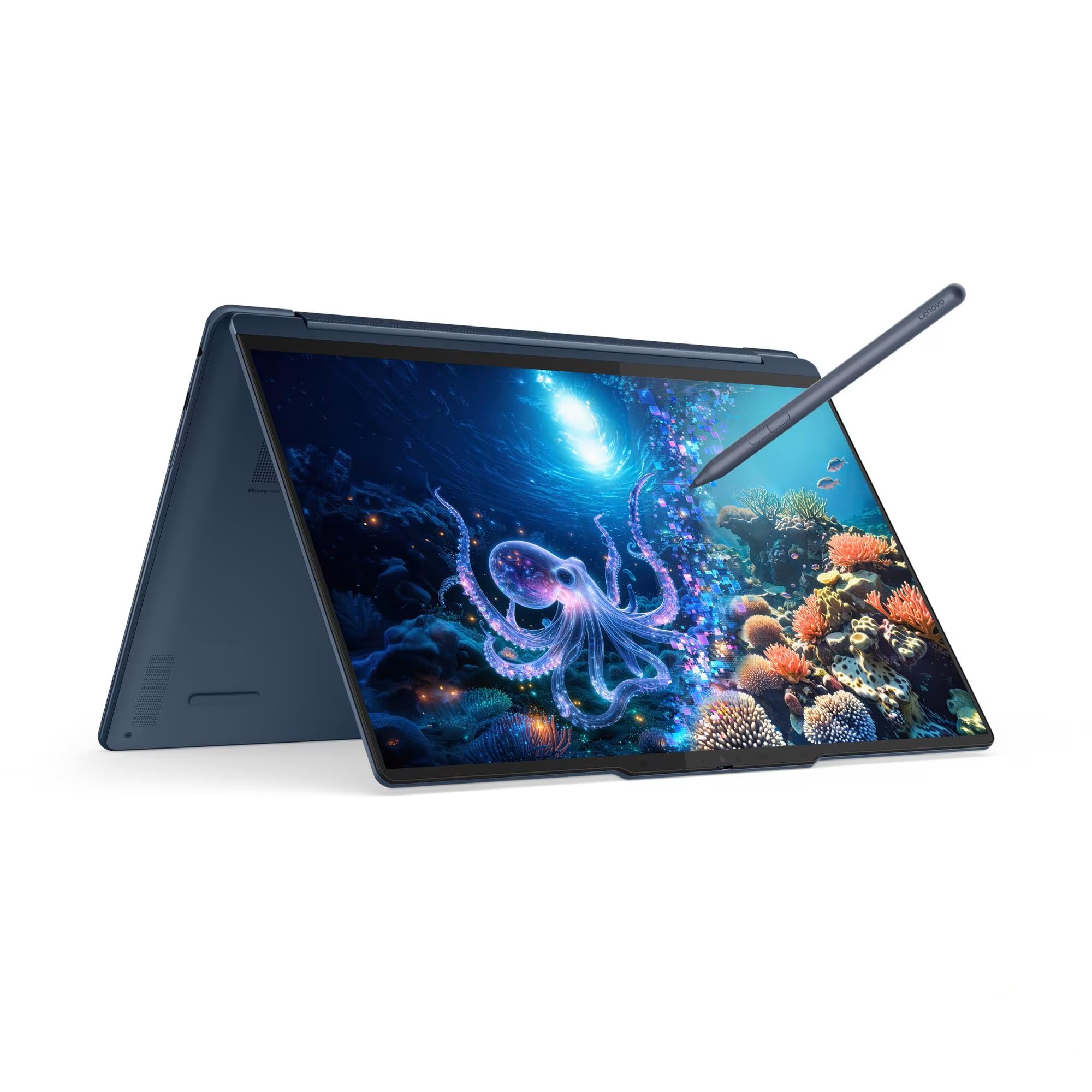
1. Lenovo Yoga 9i 2-in-1 Aura Edition
Bottom line: The Lenovo Yoga 9i 2-in-1 Aura Edition gives you the strongest mix of memory, display detail, pen support and useful ports in this roundup.
- Display: 14″ 3840 x 2400 OLED, 60Hz, 100% DCI-P3, favors fine detail.
- Processor: Core Ultra 7 258V with Arc 140V, modern integrated platform.
- Memory/storage: 32GB LPDDR5x and 1TB SSD, generous multitasking headroom.
- Ports: 2x Thunderbolt 4, USB-C, USB-A and audio, easier docking.
- Form factor: 360° convertible with Yoga Pen, flexible touch and ink use.
The exact linked configuration uses Lenovo’s 4K OLED option. It runs at 60Hz, so it emphasizes resolution rather than the smoother motion of Lenovo’s separate 2.8K 120Hz panel. The 4K display is specified for 100% DCI-P3 coverage, but Lenovo does not list factory color calibration for this model.
The Core Ultra 7 258V includes Intel Arc 140V integrated graphics and a 47-TOPS NPU. The 32GB memory is soldered, so the advantage is having more capacity from day one rather than an upgrade path later.
Connectivity is unusually useful for a slim convertible. You get two Thunderbolt 4 ports, another USB-C port, USB-A and a headphone jack. That makes the Yoga easier to connect to docks, drives and older accessories without filling your bag with adapters.
What Buyers Say
We did not find the same exact-configuration praise or complaint repeated across at least two independent non-Amazon sources, so owner-feedback claims are not used to support this recommendation.

- 32GB of soldered memory gives this configuration strong multitasking headroom
- 4K OLED provides 100% DCI-P3 coverage and very high pixel density
- Yoga Pen is included with the linked configuration
- Two Thunderbolt 4 ports plus USB-C and USB-A improve accessory flexibility
- The exact 4K OLED configuration is limited to 60Hz
- Arc 140V is integrated graphics, not a discrete GPU
- Memory is soldered and cannot be upgraded later
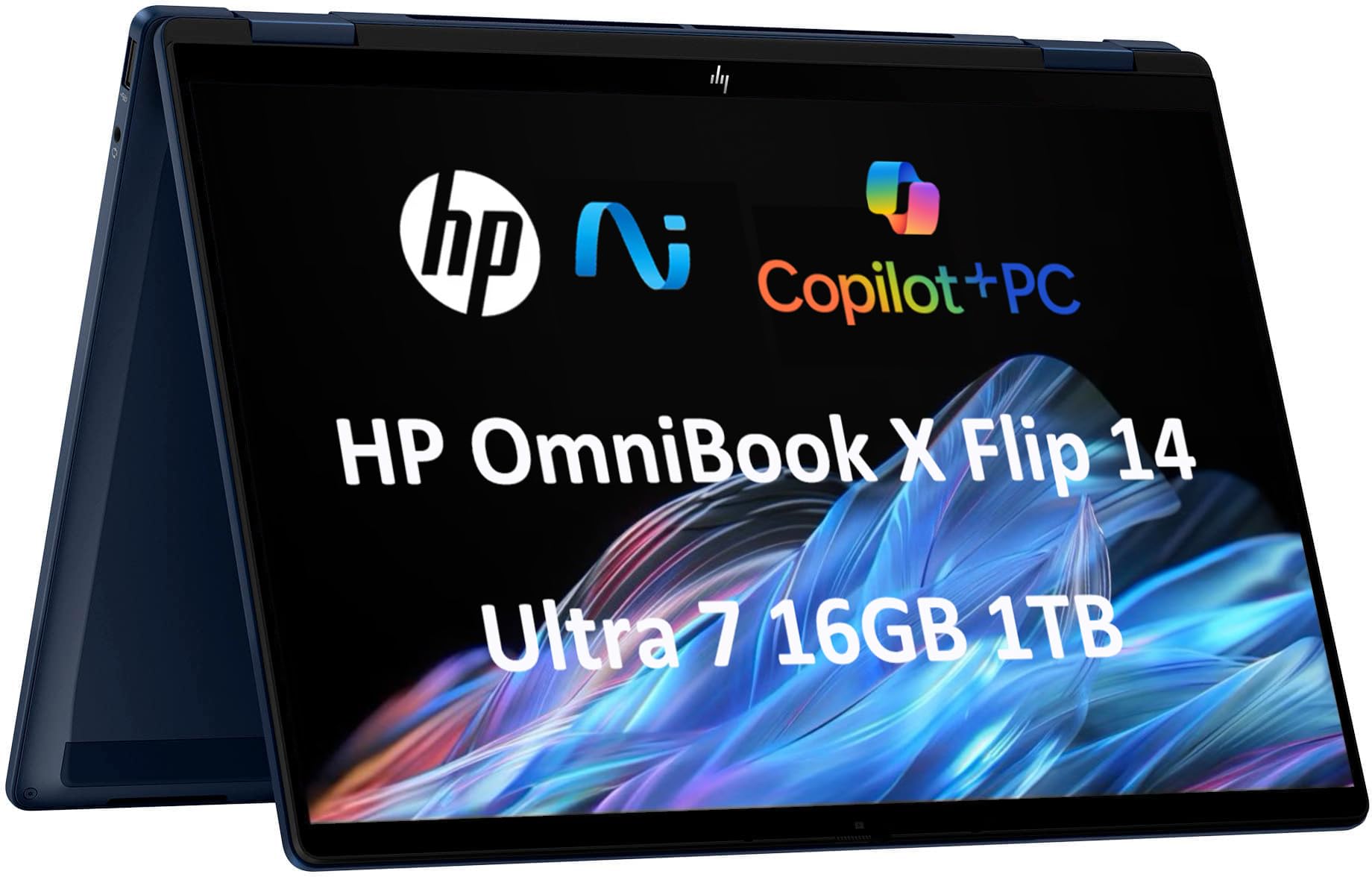
2. HP OmniBook X Flip 14
Bottom line: The HP OmniBook X Flip 14 is the practical choice when built-in HDMI and multiple USB-A ports matter more than wide-gamut OLED color.
- Display: 14″ 1920 x 1200 IPS touch, practical for everyday work.
- Processor: Core Ultra 7 256V with Arc 140V, Copilot+ capable platform.
- Memory/storage: 16GB LPDDR5x and 1TB SSD, suited to mainstream multitasking.
- Ports: Thunderbolt 4, USB-C, 2x USB-A and HDMI, broad connectivity.
- Form factor: 360° convertible, supports laptop, tent, stand and tablet use.
The linked reseller configuration uses a 1920 x 1200 IPS touchscreen rather than the OLED panels available on some other OmniBook X Flip configurations. Its 400-nit listing specification is useful for normal indoor work, but the listed 62.5% sRGB gamut makes it less suitable for color-critical editing.
The Core Ultra 7 256V platform combines Intel Arc 140V integrated graphics with a 47-TOPS NPU. That meets the hardware class used for Copilot+ PCs, while the fixed 16GB memory is better suited to everyday productivity than especially memory-heavy professional workloads.
Its biggest practical advantage is connectivity. Thunderbolt 4 sits alongside another USB-C port, two USB-A ports, HDMI 2.1 and audio. That is especially useful if you regularly connect projectors, flash drives, mice or older office accessories.
What Buyers Say
We did not verify a consistent exact-configuration owner trend across at least two independent non-Amazon sources. The recommendation therefore rests on the linked configuration and documented hardware rather than generalized owner claims.

- Thunderbolt 4, HDMI 2.1 and two USB-A ports reduce adapter needs
- Core Ultra 7 256V includes a 47-TOPS NPU
- 360° hinge supports four practical working positions
- 1TB SSD provides useful local storage for work and media
- The linked IPS display has a narrower listed color gamut than the OLED Yogas
- 16GB memory is onboard and not a later upgrade
- Stylus inclusion can vary between OmniBook X Flip configurations
Check Current Amazon Availability
3. Lenovo Yoga 9i (Core Ultra 7 155H)
Bottom line: The Lenovo Yoga 9i with Core Ultra 7 155H is the value-oriented pick for buyers who want a 120Hz OLED and included pen without prioritizing Copilot+ hardware.
- Display: 14″ 2880 x 1800 OLED, 120Hz, smooth touch and motion.
- Processor: Core Ultra 7 155H with integrated Arc, capable Series 1 platform.
- Memory/storage: 16GB LPDDR5x and 1TB SSD, solid everyday capacity.
- Ports: 2x Thunderbolt 4, USB-C, USB-A and audio, good docking options.
- Form factor: 360° convertible with Slim Pen, ready for handwriting.
The 2.8K OLED is this model’s strongest reason to buy. It combines a 120Hz refresh rate with 100% DCI-P3 coverage, giving you smoother scrolling and pen interaction than the 60Hz 4K Aura configuration while still delivering high resolution.
The Core Ultra 7 155H remains capable for productivity and moderate creative work, but its integrated NPU is rated at up to 11 TOPS. That puts it below the 40-TOPS NPU requirement associated with current Copilot+ PC hardware.
The linked 16GB memory configuration is soldered and cannot be upgraded. You still get useful connectivity, including two Thunderbolt 4 ports, another USB-C port, USB-A and audio, plus the Slim Pen listed with this configuration.
What Buyers Say
We did not find a repeated exact-configuration owner trend across two independent non-Amazon sources that met the verification threshold. The hardware comparison therefore carries more weight than anecdotal feedback here.

- 2.8K OLED combines 120Hz refresh with 100% DCI-P3 coverage
- Slim Pen is included with the linked configuration
- Two Thunderbolt 4 ports support flexible docking
- 1TB SSD provides useful room for local files and applications
- The 11-TOPS NPU does not meet current Copilot+ hardware requirements
- The linked 16GB memory configuration cannot be upgraded
- Intel Arc graphics are integrated rather than discrete
4. Microsoft Surface Pro 12-inch
Bottom line: The Microsoft Surface Pro 12-inch is the most portable option here, especially if you want a tablet first and a laptop only when the keyboard is attached.
- Display: 12″ 2196 x 1464 PixelSense LCD, up to 90Hz, compact 3:2 workspace.
- Processor: Snapdragon X Plus 8 Core with 45-TOPS NPU, ARM-based Copilot+ platform.
- Memory/storage: 16GB RAM and 256GB storage, enough for mainstream mobile work.
- Ports: 2x USB-C, minimal connectivity without a hub.
- Form factor: Detachable tablet with kickstand, keyboard and pen sold separately.
At about 1.5 pounds without the keyboard, the Surface Pro is much easier to hold as a tablet than a 14-inch convertible. Its 3:2 PixelSense screen is useful for documents and handwriting, and the panel can run at up to 90Hz.
The Snapdragon X Plus uses an ARM architecture rather than Intel or AMD x86. Windows 11 can run many x86 applications through emulation, but software that depends on unsupported drivers, older hardware or certain low-level components can still create compatibility problems.
Total cost deserves attention. The matching Surface Pro 12-inch Keyboard is sold separately, as is the pen. Microsoft’s consumer package includes a USB-C charging cable but no wall charger, so check what you already own before comparing it with convertibles that include a keyboard and power adapter.
What Buyers Say
We did not find the same exact-model praise or complaint confirmed by at least two independent non-Amazon owner sources. For that reason, portability, accessory requirements and ARM compatibility carry more weight in this recommendation.

- Tablet weighs about 1.5 pounds without the keyboard
- 12-inch 3:2 PixelSense display supports up to 90Hz
- Snapdragon X Plus includes a 45-TOPS NPU for Copilot+ features
- Built-in kickstand works without attaching a keyboard
- Keyboard and pen are separate purchases
- The consumer package does not include a wall charger
- Two USB-C ports provide less built-in connectivity than the convertibles
Check Product Details on Amazon
Lenovo Yoga 9i Aura Edition vs Lenovo Yoga 9i: Is the Upgrade Worth It?
The main choice is newer hardware and more memory versus a faster-refresh OLED. The Aura model gives you 32GB of memory and Copilot+ hardware, while the Core Ultra 7 155H model gives you a 120Hz OLED and can make more sense when its total cost is lower.
- Memory: the Aura configuration has 32GB versus 16GB in the linked Core Ultra 7 155H model.
- AI hardware: the Aura’s NPU reaches 47 TOPS; the older Yoga’s NPU reaches 11 TOPS.
- Display: the Aura link uses a 4K 60Hz OLED; the older Yoga uses a 2.8K 120Hz OLED.
- Platform: Core Ultra Series 2 gives the Aura a newer, efficiency-focused architecture.
Which 2-in-1 Laptop Should You Buy?
- Best all-around configuration: get the Lenovo Yoga 9i 2-in-1 Aura Edition.
- Most built-in connectivity: get the HP OmniBook X Flip 14.
- 120Hz OLED at better value: get the Lenovo Yoga 9i with Core Ultra 7 155H.
- Smallest tablet-first setup: get the Microsoft Surface Pro 12-inch.
How We Chose
- Design: every pick must work as a genuine convertible or detachable 2-in-1 rather than simply having a touchscreen.
- Display: we compared resolution, panel type, refresh rate and documented color gamut where available.
- Performance: we checked processor generation, integrated graphics, memory capacity and NPU capability against manufacturer specifications.
- Daily usability: ports, weight, pen support, keyboard inclusion and other required accessories were part of the comparison.
- Verification: specifications were checked against current Amazon listings, manufacturer documentation, software compatibility guidance and recall searches. No hands-on lab testing is claimed.
2-in-1 Laptop Buying Guide
Convertible vs Detachable
A convertible keeps its keyboard attached and rotates through laptop, tent, stand and tablet positions. That makes it easier for frequent typing because everything travels as one unit. A detachable starts as a tablet and adds a keyboard when needed. The Microsoft Surface Pro 12-inch is the detachable here; the other three are convertibles.
OLED vs IPS
OLED panels produce deep blacks and wide color coverage, making them attractive for media, illustration and photo work. IPS screens remain practical for documents, web use and general office work. The two Yoga models use OLED displays, while the linked HP OmniBook X Flip 14 uses an IPS touchscreen.
Resolution and Refresh Rate
Higher resolution gives you finer text and more image detail, but it can also increase power demand. A higher refresh rate makes scrolling and pen movement look smoother. The Aura configuration prioritizes 4K resolution at 60Hz, while the older Lenovo Yoga 9i uses a 2.8K 120Hz panel.
Memory and Storage
Sixteen gigabytes is a sensible baseline for browsing, Office, study, streaming and moderate creative work. More memory helps when you keep many applications open or work with larger files. Because the memory in these linked configurations is soldered, choose the capacity before buying. The Aura Edition’s 32GB configuration provides the most headroom here.
Ports and Docking
USB-C is useful, but your existing accessories determine whether you also need Thunderbolt, USB-A or HDMI. The HP OmniBook X Flip 14 is the easiest pick if you regularly connect HDMI displays and older USB-A devices without adapters.
Intel x86 vs Windows on ARM
Intel models use the x86 architecture expected by most traditional Windows software. The Surface Pro uses Snapdragon ARM hardware. Windows on ARM supports a large range of modern apps and can emulate many x86 programs, but some driver-dependent software and peripherals can still cause compatibility problems. Verify any specialist application before choosing the Surface.
Pen, Keyboard and Charger Costs
Accessories change the true cost of a 2-in-1. The linked Yogas list pens and have permanent keyboards. HP stylus bundles vary by configuration. The Microsoft Surface Pro 12-inch sells its keyboard and pen separately, and Microsoft’s consumer package does not include a wall charger.
Mistakes to Avoid When Buying a 2-in-1 Laptop
- Assuming every touchscreen folds: confirm a 360° hinge or detachable keyboard before ordering.
- Ignoring soldered memory: choose enough RAM now because these configurations are not later upgrades.
- Comparing battery numbers directly: manufacturers use different tests, brightness levels and workloads.
- Forgetting accessories: include the keyboard, pen, charger or hub when comparing total cost.
- Ignoring software architecture: check ARM compatibility before moving specialist Windows software to a Snapdragon device.
Full Comparison
| Product Name | Image | Display | Processor | RAM | Rated Battery* | Price |
|---|---|---|---|---|---|---|
| Lenovo Yoga 9i 2-in-1 Aura Edition |
 |
14″ 4K OLED touchscreen (WQUXGA 3840 x 2400), 100% DCI-P3, up to ~600 nits | Intel Core Ultra 7 258V, up to 4.8 GHz + Arc 140V integrated graphics | 32 GB LPDDR5X-8533 (soldered) | Varies by test and 4K OLED workload | Check Price |
| HP OmniBook X Flip 2-in-1 (14″) |
 |
14″ FHD+ IPS touchscreen (1920 x 1200), ~400 nits, standard gamut | Intel Core Ultra 7 256V + Arc 140V integrated graphics | 16 GB LPDDR5X (on-package, soldered) | Up to 22 hrs claimed by linked listing* | Check Price |
| Lenovo Yoga 9i 2-in-1 (Intel Core Ultra 7 155H) |
 |
14″ 2.8K OLED touchscreen (2880 x 1800), 120 Hz | Intel Core Ultra 7 155H, up to 4.8 GHz (previous gen — not Copilot+) | 16 GB LPDDR5X (soldered) | Varies by test and OLED workload | Check Price |
| Microsoft Surface Pro 2-in-1 (12″) |
 |
12″ PixelSense touchscreen (2196 x 1464), 3:2 | Snapdragon X Plus (8 Core) — ARM, 45-TOPS NPU | 16 GB (soldered) | Up to 16 hrs (Microsoft video-playback rating) | Check Price |
*Battery figures come from different manufacturer or seller test methods and are not directly comparable across brands. OLED resolution, brightness, video calls, emulation and performance settings can reduce runtime substantially. Treat every maximum figure as a best-case estimate. Specifications, sellers, included accessories, warranty terms and configurations vary by listing—confirm the exact details before buying.
FAQs
Convertible or detachable: what’s the difference?
A convertible keeps the keyboard permanently attached and uses a 360° hinge for laptop, tent, stand and tablet modes. A detachable begins as a tablet and adds a removable keyboard. Convertibles usually suit frequent typing better, while detachables are lighter when used alone. The two Lenovo models and HP are convertibles; the Surface Pro is detachable.
Which 2-in-1 laptop should I choose?
Choose according to the job you do most often. The Lenovo Yoga 9i 2-in-1 Aura Edition suits buyers wanting 32GB and a detailed OLED, the HP favors ports, the older Yoga favors 120Hz OLED value, and the Surface Pro favors tablet-first portability. Check software and accessory requirements before deciding.
Will all my Windows apps run on the Snapdragon Surface Pro?
No, compatibility is broad but not universal. Windows on ARM runs native ARM applications and can emulate many traditional x86 programs. Problems can still appear with software that depends on unsupported drivers, some low-level security or gaming components, and older peripherals. Verify any specialist application, plug-in, VPN, printer or work device before choosing the Surface Pro.
Are 2-in-1 laptops good for creators?
Yes, when the display, pen and graphics match your workload. The OLED Yoga models are the stronger choices here for wide-gamut visual work and pen input. None of these systems has a discrete GPU, so demanding 3D rendering, heavy effects work or sustained high-end video production may be better served by a conventional laptop with dedicated graphics.
Is 16GB of RAM enough for a 2-in-1 laptop?
Yes, 16GB is enough for many users doing web browsing, Office work, study, streaming and moderate photo editing. Move to 32GB if you keep many demanding applications open, handle large creative files or want more long-term headroom. Memory in these configurations is soldered, so choosing enough capacity before purchase matters more than on an upgradeable laptop.
Do the keyboard and pen come in the box?
It depends on the model. Both linked Lenovo Yoga configurations have permanently attached keyboards and list a pen. HP stylus inclusion can vary by configuration, so check its listing carefully. The Microsoft Surface Pro 12-inch sells its matching keyboard and pen separately, so include those accessories when comparing total cost.
Is OLED worth it on a 2-in-1 laptop?
OLED is worth considering if contrast, wide color coverage and media quality matter to you. It is less essential for spreadsheets, browsing and general office work, where a good IPS panel remains practical. Also compare resolution and refresh rate: a higher-resolution OLED favors fine detail, while a 120Hz OLED makes scrolling, animation and pen movement appear smoother.
Final Verdict: Best 2-in-1 Laptop
For the strongest overall balance of memory, display quality, pen support and connectivity, the Lenovo Yoga 9i 2-in-1 Aura Edition is the best-rounded pick in this group. Its exact 4K configuration trades 120Hz refresh for higher resolution, but the 32GB memory gives it an important long-term advantage.
For better-value 120Hz OLED performance, compare the Lenovo Yoga 9i with Core Ultra 7 155H. For tablet-first portability, compare the Microsoft Surface Pro 12-inch.
