If your Camry says adaptive cruise control is unavailable, read the exact dashboard wording before cleaning or resetting anything. On the 2025 Camry, Toyota’s warning guidance distinguishes switch-operation messages from sensor-blockage and malfunction messages. For example, “Cruise Control Unavailable See Owner’s Manual” can appear when the driving-assist switch is pushed repeatedly; Toyota’s listed action is to press the switch quickly and firmly. A front-radar blocked message calls for checking the radar sensor or cover, while a front-camera low-visibility message calls for clearing the camera’s view. A malfunction or dealer-service message needs diagnosis rather than repeated cleaning.
Last updated: September 11, 2026 · Checked against Toyota’s 2025 Camry driving-support guidance, current Toyota Safety Sense information, and NHTSA driver-assistance guidance.
Quick Answer
First match the warning to the remedy in your Camry’s owner’s manual. On a 2025 Camry, repeated presses of the driving-assist switch can trigger “Cruise Control Unavailable See Owner’s Manual,” and Toyota says to press the switch quickly and firmly. If the message specifically says the front radar is blocked, safely clean the accessible radar sensor/cover. If it says the front camera has low visibility, clear or defog the windshield in front of the camera. If the message says “System Malfunction” or “Visit Your Dealer,” or it returns in normal conditions, arrange professional diagnosis.
Key Takeaways
- Toyota calls its adaptive system Dynamic Radar Cruise Control, or DRCC.
- Do not treat every “unavailable” message as a dirty-sensor warning. The exact dashboard wording determines the first action.
- On the 2025 Camry, Toyota says DRCC can be set at approximately 20 mph (30 km/h) or more; Toyota’s broader TSS 3.0 guidance describes the system as designed to be set above 20 mph.
- The 2025 Camry manual requires front-camera recalibration after windshield replacement and radar recalibration after certain radar, front-bumper, or front-grille work.
- Stop using DRCC and arrange service if the vehicle behaves unexpectedly, a malfunction message appears, or a warning repeatedly returns in normal conditions.
At a Glance
| Time Required | A few minutes for message review and permitted surface inspection; diagnosis or calibration takes longer |
| Difficulty | Easy for exterior inspection and cleaning; advanced for diagnosis or calibration |
| Tools Needed | Soft microfiber cloth, phone camera, and the correct owner’s manual |
| Cost | No parts are needed for permitted surface cleaning; professional diagnosis and calibration costs vary |
Match the Warning to the Right First Action
The most useful first step is to match the exact dashboard wording to Toyota’s remedy. The examples below are from the 2025 Camry owner’s-manual warning guidance; other model years can use different wording or procedures.
| 2025 Camry Message | What Toyota’s Guidance Points To | First Action |
|---|---|---|
| “Cruise Control Unavailable See Owner’s Manual” | The driving-assist switch may have been pushed repeatedly. | Press the driving-assist switch quickly and firmly. If the message remains or a different warning appears, follow that message instead. |
| “System Stopped Front Radar Sensor Blocked Clean Radar Sensor” | The front radar sensor or radar cover may be obstructed. | Park safely, inspect the accessible radar sensor/cover, and remove dirt, water, snow, or other foreign matter as the manual directs. |
| “System Stopped Front Camera Low Visibility See Owner’s Manual” | The front camera’s view may be reduced by dirt, fogging, or an obstruction. | Use the wipers or defogger as appropriate and clear outside obstructions from the camera-view windshield area. |
| Front camera or front radar “Out of Temperature Range” | The sensor is outside its operating temperature range. | Wait for the sensor area to return to a normal operating temperature; use climate control for the camera area when Toyota’s message directs it. |
| “System Malfunction Visit Your Dealer” | A driving-assistance system may not be operating properly. | Do not keep trying to reset it. Arrange Toyota-capable diagnosis and follow the dashboard instruction. |
For the official 2025 Camry procedures, use Toyota’s 2025 Camry manuals page and select the manual that matches your vehicle and software version.
Why Is Camry Adaptive Cruise Control Unavailable?
Toyota normally refers to adaptive cruise control as Dynamic Radar Cruise Control. Depending on the Camry’s year and trim, the system uses a forward-facing camera near the top of the windshield and a front radar sensor behind a dedicated cover at the front of the vehicle. The exact radar-cover location varies by generation, so use the diagram in the manual for your model year rather than assuming it is always behind the Toyota emblem.
These components help the car identify a vehicle ahead, estimate the following distance, and adjust speed. When their view is blocked or the control system detects a fault, DRCC may cancel, refuse to set, or display a warning. The 2025 Camry manual also shows that some “Cruise Control Unavailable” wording can be triggered by switch operation rather than sensor blockage, which is why the complete message matters.
A blocked sensor usually causes reduced availability or a warning. Unexpected braking or acceleration is not a normal cleaning reminder and should be inspected professionally.
Toyota’s Toyota Safety Sense guidance says TSS 3.0 Full-Speed Range DRCC is intended mainly for highway use and is designed to be set above 20 mph. The 2025 Camry owner’s manual gives the model-specific setting procedure as approximately 20 mph (30 km/h) or more. Older Camry systems can use different controls or operating conditions, so the exact manual still takes priority.
Note: Full-speed range means the system can reduce speed as traffic slows and may bring the car to a stop after DRCC is engaged. It does not guarantee that every Camry can be newly set from a standstill. Use the manual for your exact model year.
You can find the correct instructions through Toyota’s 2025 Camry manuals and warranties page. Owners of other model years should change the year or enter their VIN.
Top Reasons Your Cruise Control Might Be Unavailable
Radar sensor or camera-view obstruction
Dirt, insects, road salt, mud, snow, ice, or leaves can cover the front radar area. Frost, condensation, stickers, tint, damage, or dirt on the windshield can also interfere with the forward-facing camera.
Inspect both sensing areas. Cleaning only the grille will not help if the windshield in front of the camera is fogged or dirty.
Heavy rain, snow, fog, glare, or poor visibility
Heavy precipitation can make it harder for the system to identify vehicles and lane features. Low sun, bright reflections, darkness, spray from other vehicles, or a rapid temperature change may also cause a temporary message.
If the warning appears only during severe weather and clears after visibility improves, the system may be operating as designed rather than reporting a failed part.
Incorrect operating conditions
DRCC will not engage unless its operating conditions are met. The details vary by model year, software version, and whether the vehicle is using DRCC, conventional cruise control, or another linked assistance feature. Follow the exact procedure shown on the Multi-Information Display and in the owner’s manual.
Do not rely on a universal 25 mph rule. On the 2025 Camry, Toyota’s manual says to set DRCC at approximately 20 mph (30 km/h) or more. Toyota’s general TSS 3.0 description says the system is designed to be set above 20 mph.
Another vehicle system has reported a fault
DRCC depends on information from the engine, hybrid, brake, wheel-speed, stability-control, steering, camera, radar, and communication systems. A warning in one of those systems can disable cruise control even when the front sensors look clean.
Check for other lights or messages involving the check engine system, ABS, brake system, pre-collision system, vehicle stability control, hybrid system, or electric power steering. A diagnostic scan may be required.
Low 12-volt voltage or a recent power interruption
Low system voltage can contribute to multiple electronic warnings, but it should not be assumed from one DRCC message. Toyota’s TSS 3.0 warning guidance includes battery-voltage checks for some broader “System Stopped” conditions, while other messages have completely different remedies.
If several warnings appeared after a dead battery, jump-start, or 12-volt battery service, have the 12-volt system tested and scan the related control modules before replacing a camera or radar sensor.
Windshield, grille, bumper, radar, or collision work
For the 2025 Camry, Toyota states that front-camera recalibration is necessary after windshield replacement. Toyota also states that radar recalibration is necessary when a radar sensor is removed and installed or replaced, and when the front bumper or front grille is replaced. Other model years can have different procedures.
Collision damage, altered ride height, or a shifted mounting point can also affect sensor alignment even when the exterior looks normal. If the warning began after repair work, confirm that the required Toyota calibration procedure was completed and documented.
Software, wiring, or component faults
A persistent warning can result from damaged wiring, a loose connector, a failed sensor, an internal control-module fault, or software that requires a manufacturer-authorized update. Cleaning will not resolve these conditions.
Use the NHTSA VIN recall lookup to check for an applicable safety recall. A Toyota dealer can also check for service campaigns and technical information that may not appear as an open NHTSA recall.
How to Fix Camry Adaptive Cruise Control Unavailable
- Read the complete dashboard message. Do not reduce every warning to “sensor dirty.” Record the exact wording, including whether it names the radar, camera, temperature, a malfunction, or the owner’s manual.
- Photograph the message. Capture it before turning the car off so an intermittent warning can be shown to a technician later.
- Match the message to the manual. On a 2025 Camry, “Cruise Control Unavailable See Owner’s Manual” can be caused by repeatedly pushing the driving-assist switch; Toyota’s listed action is to press the switch quickly and firmly. Follow a sensor-specific message only when the display actually points to that sensor.
- Park in a safe location before inspecting anything. Do not clean sensor areas while stopped in an active traffic lane.
- Inspect the front radar sensor/cover only if the message or conditions point there. Look for dirt, water droplets, insects, road salt, mud, ice, snow, foreign matter, damage, or evidence of recent front-end work.
- Inspect the camera-view windshield. Check the outside glass in front of the camera for dirt, water, snow, ice, fogging, damage, stickers, or tint. On the 2025 Camry, Toyota says to contact a dealer if the inner side of the windshield where the front camera is installed is dirty.
- Clean only the surfaces Toyota allows you to access. For the radar sensor/cover, Toyota specifies a soft cloth. For the windshield, use normal windshield cleaning/wiper and defogging methods without touching the camera lens or housing.
- Allow weather and temperature conditions to improve. Clear obstructions and let a temperature-range warning resolve before expecting the system to return.
- Restart normally if appropriate. A normal restart can confirm whether a temporary condition has cleared, but it is not a repair for a malfunction, damaged sensor, or missing calibration.
- Do not deliberately test the system. Toyota warns against attempting to test Toyota Safety Sense operation. Drive manually and only use DRCC later under normal operating conditions if the warning has cleared and the manual permits it.
- Review recent repair history. Note any windshield, front-bumper, grille, radar, collision, ride-height, or 12-volt battery work performed shortly before the warning began.
- Arrange diagnosis when needed. A persistent or malfunction warning may require a Toyota-capable scan, sensor and wiring inspection, software check, or calibration.
Warning: Adaptive cruise control does not make the Camry self-driving. Do not depend on DRCC while a warning is present. Stop using the system and schedule service if the car brakes, accelerates, or changes following behavior unexpectedly.
Pro Tip: Record the weather, road speed, warning text, other illuminated lights, and whether the problem started after a repair. These details can help a technician reproduce an intermittent fault.
Camry owner communities can help you compare symptoms, but forum advice should not replace the model-specific manual or a diagnostic scan. Avoid instructions that recommend aiming a radar sensor at home, removing its bracket, bypassing a warning, or disconnecting the battery as a universal reset. Once the system is working normally, see when to use Dynamic Radar Cruise Control on a Toyota Camry. If the warning is specifically about lane centering, use the separate Camry Lane Tracing Assist unavailable guide.
Why Regularly Maintaining Your Sensors Matters for Cruise Control
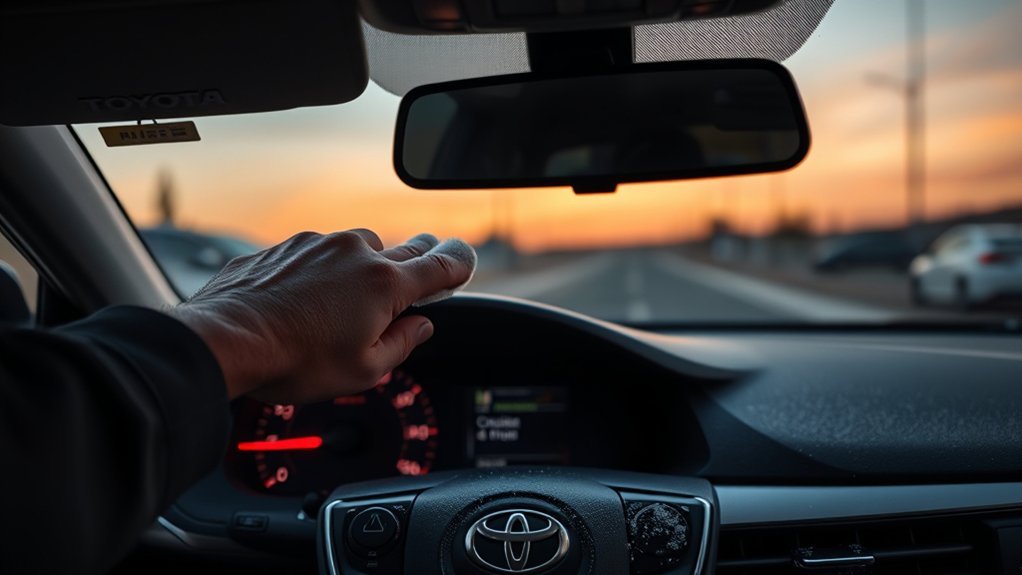
Clean sensing surfaces help Toyota Safety Sense operate as intended, but routine maintenance does not include removing or aiming a sensor. Keep only the accessible radar sensor/cover and the camera-view windshield area clean according to the manual.
How to clean the radar-cover area
- Park the Camry and turn the vehicle off.
- Remove loose snow, leaves, or debris by hand without using sharp tools.
- Use a soft microfiber cloth to remove dirt without scratching the radar sensor or cover.
- Wipe gently and dry the surface.
- Check for cracks, dents, loose trim, or an emblem that is not seated correctly.
How to clear the camera-view windshield
- Keep the outside windshield area in front of the camera clean and clear of water, snow, ice, and road film.
- Use the windshield wipers for removable water or residue and the windshield defogger for fog, condensation, or ice.
- On the 2025 Camry, if the inner side of the windshield where the front camera is installed is dirty, Toyota says to contact a Toyota dealer rather than reaching into the camera area.
- Do not touch the camera lens, move the camera, or allow glass cleaner or other liquids to contact the camera.
- Do not place stickers or tint in front of the camera. Toyota’s 2025 Camry manual specifically says not to attach window tint to the windshield.
What not to do
- Do not attach stickers, tape, accessories, coatings, or other material to the radar sensor/cover or its surrounding area.
- Do not subject the radar sensor or its surrounding area to impact.
- Do not disassemble, modify, paint, or reposition the radar sensor or radar cover.
- Do not loosen a radar mounting point or attempt to aim the sensor by eye.
- Do not disconnect the 12-volt battery merely as a universal warning-reset method.
Cleaning is preventive maintenance, not a repair for every warning. If the message keeps returning, the vehicle may need fault-code diagnosis and calibration rather than additional wiping.
When to Seek Professional Help for Ongoing Cruise Control Issues
Professional diagnosis is appropriate when the warning remains after the sensing areas are clean, visibility is good, and the vehicle has been restarted normally. It is also appropriate when the message appears with other safety, brake, engine, hybrid, steering, or stability-control warnings.
| Issue or History | Recommended Action |
|---|---|
| Warning occurs only in snow, heavy rain, fog, glare, or with a dirty sensor area | Park safely, clean the relevant surfaces, wait for conditions to improve, and restart once. |
| Warning remains in clear, dry conditions | Request a diagnostic scan and inspection of the camera, radar, wiring, brackets, and related control systems. |
| Problem began after windshield replacement | For a 2025 Camry, verify that front-camera recalibration was completed after windshield replacement. For another model year, confirm the Toyota procedure for that VIN. |
| Problem began after bumper, grille, emblem, radar, or collision repair | For a 2025 Camry, Toyota requires radar recalibration after radar removal/reinstallation or replacement and after front-bumper or front-grille replacement. Confirm mounting, wiring, and calibration with the correct Toyota procedure. |
| Multiple system warnings or a recent jump-start | Test the 12-volt system and scan all related modules before replacing any sensor. |
| Unexpected braking, acceleration, or inconsistent following behavior | Stop using DRCC and arrange prompt professional inspection. |
| Repeated unresolved safety-related fault during warranty repairs | Keep every repair order and communication. Contact Toyota customer support and seek state-specific consumer or legal guidance if the defect remains unresolved. |
A technician should begin with the exact warning history and a Toyota-capable scan before replacing parts. Depending on the results, the repair may involve correcting an obstruction, testing the 12-volt system, repairing wiring or mounting damage, applying an authorized software procedure, replacing a failed component, or completing the required camera/radar calibration.
Note: Lemon-law and warranty remedies vary by state and by the vehicle’s history. Extended service time alone does not establish eligibility. Keep dated repair records and obtain qualified state-specific guidance when necessary.
Sources
- Toyota 2025 Camry Owner’s Manual Excerpt for Driving Support Systems — Toyota Safety Sense sensors, cleaning precautions, calibration requirements, limitations, and driving-assistance warnings.
- Toyota 2025 Camry Manuals and Warranties — full model-specific owner’s manual and current digital-manual access.
- Toyota Safety Sense — DRCC purpose and the TSS 3.0 description that it is designed to be set above 20 mph.
- NHTSA Driver Assistance Technologies — adaptive cruise control definition and driver-responsibility guidance.
- NHTSA Recall Lookup — VIN-based safety-recall lookup.
Related Guides
Frequently Asked Questions
Why is my adaptive cruise control unavailable?
The exact message matters. Depending on the Camry year, the cause can be switch operation, a blocked radar or camera view, poor visibility, an out-of-range sensor temperature, an unmet operating condition, a stored fault, or missing calibration after repair work. Read the complete warning before choosing a fix.
Why does my Toyota say cruise control is unavailable?
Read the full message because Toyota uses different wording for different causes. On the 2025 Camry, “Cruise Control Unavailable See Owner’s Manual” can be tied to repeated presses of the driving-assist switch, while separate radar-blocked, camera-visibility, temperature, and malfunction messages have their own remedies.
What does it mean when adaptive cruise is temporarily unavailable?
It usually means the system cannot operate reliably under the current conditions. Check for blocked sensing surfaces, frost, condensation, heavy precipitation, fog, glare, or extreme temperature. The warning may clear after the obstruction is removed and conditions improve. Seek service if it repeatedly returns in normal conditions.
Why does my 2025 Camry say “Cruise Control Unavailable See Owner’s Manual”?
Toyota’s 2025 Camry warning guidance says this message can appear when the driving-assist switch is pushed repeatedly. The listed action is to press the driving-assist switch quickly and firmly. If the message remains, a different warning appears, or the vehicle shows a malfunction message, follow that message and arrange diagnosis when required.
Where is the front radar sensor on a 2025 Camry?
Toyota’s 2025 Camry manual illustration shows the front radar sensor behind a dedicated cover at the front center of the vehicle. Do not assume the radar is behind the Toyota emblem on every Camry generation. Use the sensor diagram in the manual for your exact model year before cleaning or inspecting the area.
Can I drive when cruise control is unavailable?
You can normally continue driving manually if the vehicle otherwise operates correctly, but do not rely on DRCC or related assistance. Stop in a safe place and seek help if the warning appears with brake, steering, engine, hybrid, stability-control, or other serious warnings, or if vehicle behavior feels abnormal.
Should I disconnect the battery to reset the warning?
No—not as a universal first-line fix. Toyota’s warning instructions use message-specific remedies such as operating the switch correctly, clearing a blocked sensor, waiting for temperature to normalize, or seeking service. A battery disconnect does not correct a damaged, misaligned, or malfunctioning component. If several warnings began after a low-voltage event, test the 12-volt system and scan the vehicle.
Does a Camry need calibration after windshield replacement?
For the 2025 Camry, yes. Toyota states that recalibration of the front camera is necessary after the windshield is replaced. For another model year, confirm the procedure in the Toyota manual for that VIN and keep the calibration documentation from the installer.
Conclusion
When your Camry’s adaptive cruise control is unavailable, start with the exact message—not a generic reset. On a 2025 Camry, “Cruise Control Unavailable See Owner’s Manual” can point to how the driving-assist switch was operated, while separate radar-blocked, camera-visibility, temperature, and malfunction messages each have different remedies. Match the wording to the owner’s manual before cleaning or replacing anything.
If a permitted sensor surface is obstructed, clear it as Toyota directs. If the warning follows windshield, front-bumper, grille, radar, or collision work, confirm that the required calibration was completed. Stop using DRCC and arrange professional diagnosis when a malfunction message appears, the warning repeatedly returns in normal conditions, or the vehicle brakes, accelerates, or follows traffic unexpectedly.

