
A Toyota Camry immobilizer light flashing after you turn the vehicle off is usually normal: Toyota says the security indicator flashes when the engine immobilizer is operating. Troubleshoot it when the light keeps flashing or stays on during a start attempt, the dashboard shows a key-detection message, or the vehicle will not start. On hybrid Camrys, use the READY indicator—not engine sound alone—to confirm that the hybrid system has started.
Last updated: September 19, 2026.
Quick Answer
A Toyota Camry immobilizer light that flashes while the car is parked is usually normal. If it keeps flashing or stays on during a no-start attempt, check 12-volt power, try a programmed spare key, remove possible key interference, and use the Smart Key backup-start procedure for your model year. If the security light cancels normally but the Camry still will not start—or a hybrid Camry will not enter READY—move to model-specific no-start diagnosis instead of assuming the immobilizer has failed.
Key Takeaways
- A blinking security indicator with the ignition off often shows that the immobilizer is armed, not faulty.
- A no-start condition with a flashing or steady security light can point to a key-recognition, Smart Key battery, 12-volt battery, antenna, wiring, or control-module problem.
- A conventional transponder key may still communicate with the immobilizer even when its remote-lock battery is dead.
- There is no universal Camry immobilizer reset. Use the exact procedure in the owner’s manual for your model year.
- If the security indicator cancels normally but the Camry still will not start, the immobilizer is less likely to be the primary cause.
- Seek professional diagnosis if both programmed keys fail or the security light remains abnormal after basic checks.
At a Glance
| Time Required | Varies; observation and spare-key testing are quick, while electrical diagnosis may take longer |
| Difficulty | Easy for initial checks; professional equipment may be needed for diagnosis or key programming |
| Tools Needed | Programmed spare key, correct replacement fob battery, owner’s manual, and an optional multimeter |
| Cost | Free for observation and spare-key testing; battery, programming, and repair costs vary |
Warning: Do not try to bypass, defeat, or randomly reprogram the immobilizer. Incorrect procedures can lock out valid keys, create new electrical faults, or leave the vehicle unsecured.
What Does a Flashing Toyota Camry Immobilizer Light Mean?

The engine immobilizer checks the identification code in a programmed transponder key or Smart Key before it authorizes startup. Toyota’s warning-light guidance says the security indicator normally flashes after the key is removed or the engine switch is turned off, depending on the key system. It should stop flashing when a registered key cancels the immobilizer.
If the indicator keeps flashing during a start attempt, the useful question is whether the Camry is recognizing the key. Check a programmed spare, 12-volt power, Smart Key battery condition, and possible signal interference before replacing parts. Use Toyota’s manuals and warranties page to select your exact model year before following a model-specific procedure.
The immobilizer and the audible theft-deterrent alarm are related but different. The immobilizer controls start authorization; the alarm warns of unauthorized entry or tampering. For broader system background, see how the Toyota Camry immobilizer system works.
When Is a Flashing Camry Security Light Normal vs. a Fault?
Start by checking when the light flashes. Timing matters more than the fact that it is flashing.
| Light Behavior | Likely Meaning | What to Do |
|---|---|---|
| Flashes after the vehicle is turned off | Usually normal; the security system is armed | No action unless the car also has a starting or key-recognition problem |
| Turns off after a valid key is recognized | Normal immobilizer cancellation | Start normally; if the vehicle still will not start, move to non-immobilizer no-start checks |
| Stays on or flashes during a start attempt | Possible key-recognition or immobilizer fault | Try the spare key, check battery power, and follow the owner’s manual |
| Appears with “Key Not Detected” or a similar message | Smart Key signal is weak, blocked, outside the cabin, or not recognized | Use the backup-start method and replace the fob battery if needed |
| Remains abnormal after the engine starts | Possible system fault | Check the manual and arrange service |
Warning Light Activation Process
When you switch the vehicle off, many Camrys begin flashing the security indicator to show that the engine immobilizer is active. When you use a registered key, the vehicle checks its code. A valid code allows startup and the indicator normally changes state or turns off.
A light that flashes only while the Camry is parked should not be treated as proof of a dead fob battery or failed key. Toyota also advises owners to use the exact warning-light information for their selected vehicle because indicator meanings can vary by model and equipment. You can review Toyota’s warning-light resource and then open the correct owner’s manual.
Key Recognition Mechanism
Camrys with a traditional ignition key use a coded transponder in the key head. Camrys with push-button start use a Smart Key that communicates wirelessly with antennas in and around the vehicle. In both designs, the immobilizer must recognize an authorized code before startup.
Remote door-lock operation and immobilizer authorization are not always powered in the same way. A conventional transponder key may still start the car even if the coin-cell battery for the lock and unlock buttons is dead. A Smart Key with a weak battery may need the model-specific backup-start procedure.
How Can You Tell If the Immobilizer Is Causing the No-Start?
Do not diagnose the immobilizer from the light alone. Check whether the starter cranks, whether the dash is bright, whether a “Key Not Detected” message appears, and whether a second programmed key works. These details separate a key issue from a weak 12-volt battery or another starting-system fault.
Note: If the security light flashes only after you park and the Camry starts normally, the system is likely operating as intended.
Why Does a Toyota Camry Immobilizer Light Keep Flashing?
First separate normal armed-system behavior from a true no-start. If the light is abnormal during a start attempt, work through the key, power-supply, interference, and vehicle-side causes below.
- Normal armed-system indication: The light flashes after shutdown, but the Camry starts normally. No repair is needed.
- Weak Smart Key battery: The car may show “Key Not Detected,” respond inconsistently to the buttons, or require the fob to be held close to the start switch. Replace the battery with the type listed in the owner’s manual.
- Damaged or unprogrammed key: A dropped, wet, cracked, copied, or newly purchased key may not contain a valid code. Test a known programmed spare.
- Weak or discharged 12-volt battery: Low vehicle voltage can prevent control modules from waking up or communicating. Dim lights, rapid clicking, or a blank display point more toward battery power than the immobilizer.
- Signal interference: Other electronic keys, metal cases, mobile devices, chargers, or radio-frequency interference can affect Smart Key detection. Separate the key from other electronics and try again.
- Key antenna or receiver fault: A failed antenna, wiring issue, blown fuse, water intrusion, or control-module problem can stop a valid key from being recognized.
- Recent electrical or key work: Battery replacement, module replacement, collision repair, or key programming can expose an existing fault or leave the system needing professional registration.
How Do You Fix a Toyota Camry Immobilizer Light That Flashes During Start?
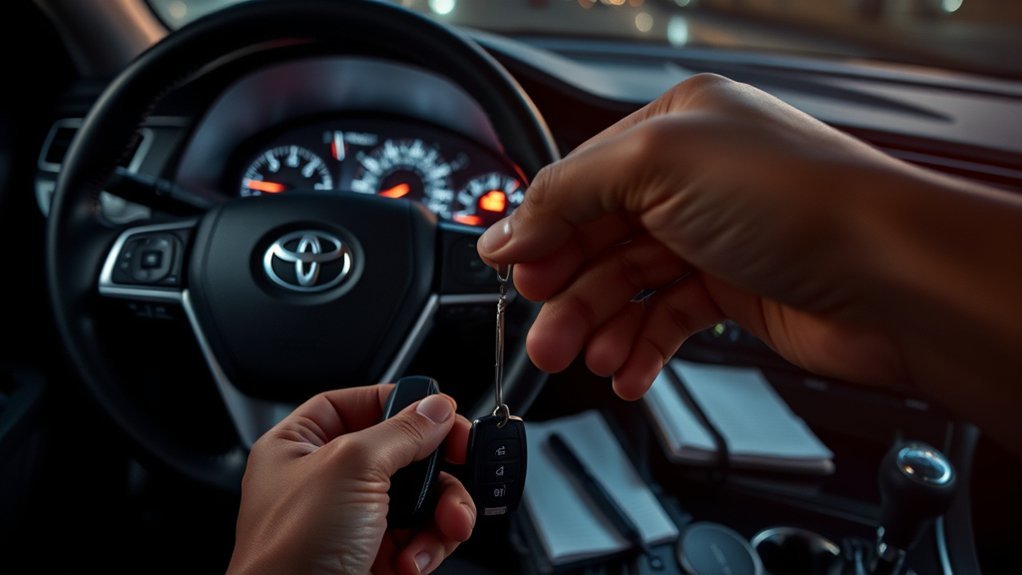
Use these checks in order. Stop when the Camry starts normally or when the next step requires professional equipment.
- Observe the exact pattern. Confirm whether the light flashes only with the vehicle off or also during a start attempt. Note any dashboard message.
- Check basic starting conditions. Put the transmission in Park, press the brake firmly on push-button models, and make sure the Smart Key is inside the cabin.
- Check 12-volt battery symptoms. Look for dim interior lights, clicking, a blank display, or several unrelated warning lights. Test or charge the battery safely if voltage seems low.
- Try a programmed spare key. If the spare works, focus on the original key, its Smart Key battery if applicable, physical damage, or key registration. If neither key works, check vehicle power before moving to antenna, wiring, fuse, or immobilizer diagnosis.
- Use the Smart Key backup-start method. On Camry Smart Key models, Toyota manuals direct you to keep the vehicle in Park, depress the brake, touch the electronic key to the engine or power switch, and then press the switch shortly and firmly. Confirm the exact sequence in your model-year manual.
- Replace the Smart Key battery. Match the battery number and installation direction shown in the owner’s manual. If the backup-start method works but normal wireless detection does not, a weak fob battery becomes a stronger suspect.
- Remove possible interference. Move other transponder keys, metal objects, phones, and nearby electrical or radio-frequency sources away from the Smart Key, then retry.
- Reassess after the security light cancels. If the indicator stops flashing normally with a registered key but the Camry still will not start, stop treating the immobilizer as the primary suspect and follow the model-year no-start procedure.
- Check recalls and service campaigns. Search your VIN through Toyota’s recall and campaign lookup and the NHTSA recall database.
- Arrange diagnosis. If the security light remains abnormal with stable 12-volt power and more than one programmed key, have a Toyota dealer or qualified automotive locksmith perform Toyota-capable key-recognition and immobilizer diagnosis.
Pro Tip: Record a short video showing the security light, dashboard message, and sound during the start attempt. The pattern can help a technician distinguish a key problem from a weak battery or electrical fault.
Immobilizer vs. Theft-Deterrent Alarm: What’s the Difference?
The engine immobilizer controls start authorization: a registered key code must be recognized before startup is allowed. The theft-deterrent alarm is a separate feature that can sound the horn or flash lights after unauthorized entry or tampering, depending on equipment.
This distinction matters during diagnosis. A flashing security indicator after shutdown can be normal immobilizer operation, while an alarm event does not by itself prove that the immobilizer has blocked startup. Check the model-year owner’s manual because security equipment and indicator behavior vary.
Can a Dead Key-Fob Battery Cause a Toyota Camry No-Start?
A weak Smart Key battery can reduce the fob’s wireless range and cause intermittent “Key Not Detected” messages. It can also make the lock, unlock, or trunk buttons respond slowly. Replacing the correct coin cell often restores normal wireless operation.
Do not assume every immobilizer problem comes from the fob battery. On a conventional transponder-key Camry, the passive chip used for start authorization may work independently of the battery that powers the remote buttons. If the remote buttons fail but the engine starts, the immobilizer is probably recognizing the key.
If a fresh battery does not help, test a programmed spare. Failure with both keys points more strongly toward the 12-volt battery, a receiver or antenna, wiring, a fuse, or a control-module issue.
How Do You Narrow Down a Toyota Camry Key-Recognition Problem?

Compare the symptoms before replacing parts.
| Symptom | More Likely Cause |
|---|---|
| One key fails, but the spare works | Original key battery, damage, or programming |
| Both keys fail and the dash is dim or blank | Weak 12-volt battery or power-supply problem |
| Both keys fail, but the dash is bright | Antenna, receiver, fuse, wiring, or immobilizer fault |
| Remote buttons fail, but the car starts | Remote battery or button problem rather than immobilizer failure |
| Backup start works only when the fob touches the switch | Weak Smart Key battery or reduced wireless communication |
Do not buy a replacement key until the vehicle and existing keys are tested. Some no-start conditions that look like immobilizer faults are caused by battery voltage, brake-switch input, shift-position input, or another starting-system problem.
When to Seek Professional Help for Immobilizer Problems?
Professional diagnosis is appropriate when stable 12-volt power, a programmed spare key, and the model-specific backup-start procedure do not restore normal operation. A technician may need to read Toyota-specific diagnostic trouble codes, test key-detection antennas, inspect wiring and fuses, verify module power and ground, or register a replacement key.
Persistent Key Recognition Issues
Arrange service when both programmed keys fail, recognition works only intermittently, the security indicator remains abnormal after startup, or the problem began after water intrusion, collision repair, module replacement, or electrical work.
A Toyota dealer can diagnose factory systems and complete model-specific key registration. A qualified automotive locksmith may also be able to test and program supported keys. Ask whether the provider can work with your exact Camry year and immobilizer generation.
Unresponsive Vehicle Start-Up
If the vehicle is completely unresponsive, check the 12-volt battery and main electrical power before assuming an immobilizer failure. If the dash powers up but the car still will not start, note whether the engine cranks and whether a key message appears.
Use Toyota roadside assistance if your coverage applies or arrange a safe tow. Toyota’s service page lists scheduling and roadside-assistance information.
Tips to Prevent Immobilizer Issues
- Replace the Smart Key battery when range decreases or the vehicle displays a low-key-battery message.
- Keep a tested, programmed spare key in a secure location.
- Protect keys from water, impact, heat, and unauthorized copying.
- Maintain the Camry’s 12-volt battery and address slow starts or low-voltage symptoms early.
- Keep the Smart Key away from strong radio sources, other electronic keys, and metal containers during use.
- Check Toyota and NHTSA recall databases by VIN when a new electrical or security problem appears.
- Use only reputable dealers or automotive locksmiths for key programming.
What Should You Avoid When Troubleshooting the Camry Immobilizer?
Do not treat a spare-key test as a “reset,” and do not repeatedly disconnect the 12-volt battery hoping to clear the immobilizer. A spare key helps isolate the original key as the problem; battery disconnection is not a universal immobilizer repair and can erase stored settings. Avoid bypass or random programming procedures that are not documented for your exact model year.
Frequently Asked Questions
Is it normal for the Toyota Camry security light to flash when parked?
Yes. On many Camry model years, the security indicator flashes after the vehicle is turned off to show that the immobilizer is active. Check the exact owner’s manual if the pattern changes or the car also has a starting problem.
What should I do when the immobilizer light flashes and the Camry will not start?
Check the 12-volt battery symptoms, confirm the vehicle is in Park, try a programmed spare key, remove signal interference, and use the model-specific Smart Key backup-start procedure. Arrange diagnosis if neither key works.
Can a dead key-fob battery trigger a no-start condition?
A weak Smart Key battery can prevent normal wireless detection. Many push-button models provide a backup-start method using the fob near the engine switch. On conventional transponder-key models, a dead remote battery may stop the buttons without disabling the passive start-authorizing chip.
How do I reset the Toyota Camry immobilizer?
There is no single reset that applies to every Camry. Use the procedure in the owner’s manual for your exact year and ignition type. A key that has lost programming normally requires registration with suitable diagnostic equipment.
Will disconnecting the car battery reset the immobilizer?
Not reliably. Disconnecting the 12-volt battery is not a universal immobilizer repair and may erase settings or create temporary warning messages. Diagnose battery condition and key recognition instead of repeatedly disconnecting power.
Why is the security light on while driving?
A security indicator that remains abnormal after startup should be checked against the model-year manual. If it appears with other warning lights, electrical symptoms, or a key message, schedule diagnosis rather than assuming an attempted theft caused it.
What does a no-start look like on a Toyota Camry Hybrid?
On a Camry Hybrid, confirm whether the READY indicator comes on. The gasoline engine may stay off even when the hybrid system is ready to drive, so engine sound alone is not a reliable start check. If READY stays off, follow the model-year hybrid-system no-start procedure and check key recognition and 12-volt power.
How much does it cost to fix a Camry immobilizer problem?
The cost depends on the cause. A fob battery is a minor expense, while key cutting and programming, antenna replacement, wiring repair, or control-module work costs more. Request a written diagnosis before approving replacement keys or modules.
Conclusion
A flashing Toyota Camry immobilizer light is usually normal when the vehicle is off and the system is armed. Investigate when the light stays abnormal during a start attempt, a key-detection message appears, or the vehicle will not start. Check 12-volt power, test a programmed spare, use the correct Smart Key backup procedure, and seek qualified diagnosis if more than one registered key fails. If the security indicator cancels normally but the Camry still will not start, switch to ordinary no-start diagnosis; on a hybrid, confirm whether the READY indicator comes on.
Sources
- Toyota Manuals and Warranties — model-year owner’s manuals and vehicle-specific operating instructions.
- Toyota Warning Lights — Toyota’s vehicle-selection guidance for warning lights and indicators.
- Toyota Safety Recalls and Service Campaigns — VIN-based Toyota recall and campaign lookup.
- National Highway Traffic Safety Administration Recall Lookup — U.S. VIN, recall, investigation, and manufacturer-communication search.
- Toyota Service and Roadside Assistance — service scheduling and roadside-assistance information.

