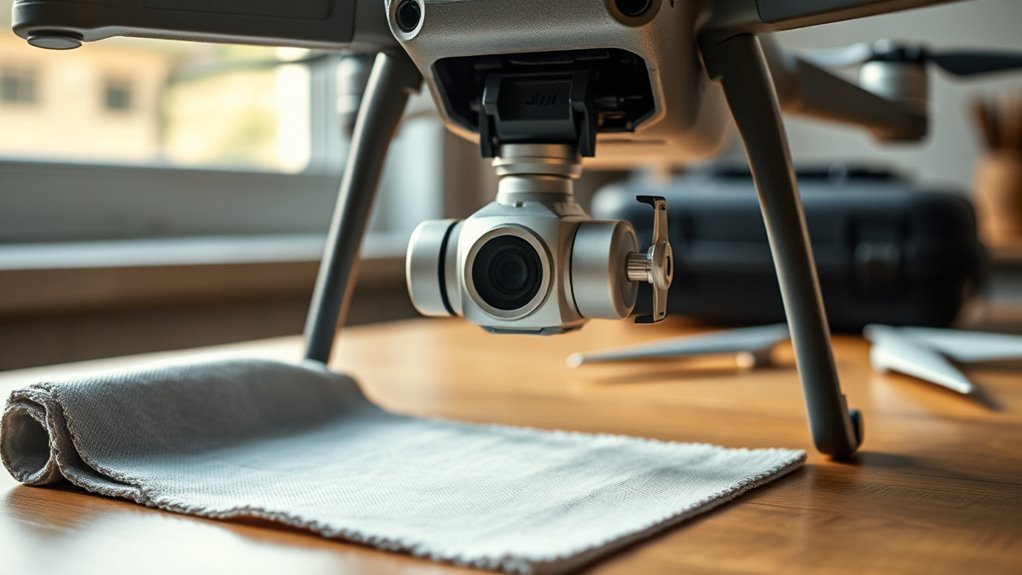
A gimbal protector can prevent costly damage to a DJI drone’s camera and stabilization system during transport, but it is only useful when chosen and used correctly. Some covers fit securely, while others stick, crack, or trap stress around the motors. Knowing when to install the lock, how to remove it safely, and how to protect the gimbal after rough landings can make a measurable difference in long-term reliability.
Do You Need a Gimbal Protector?
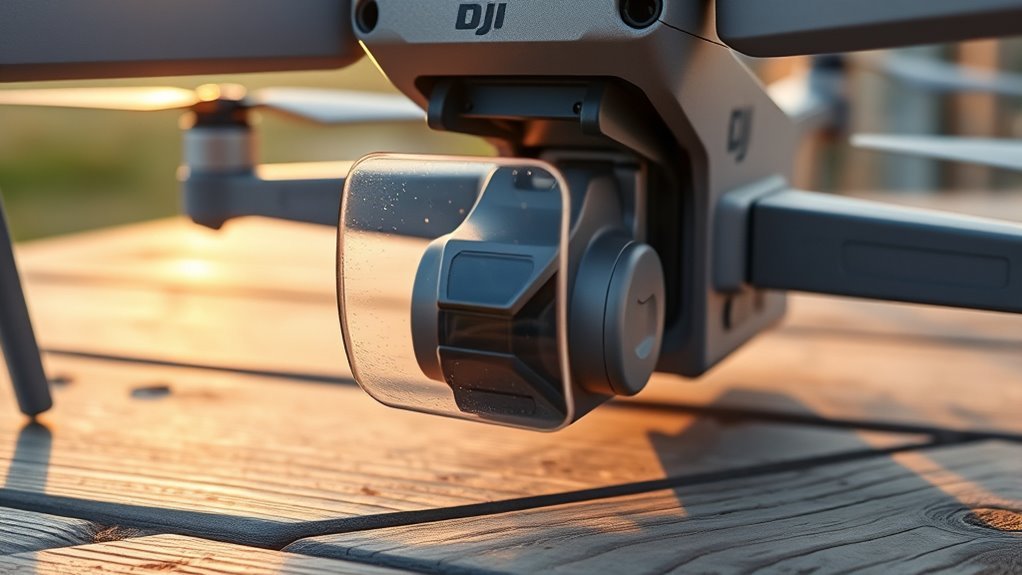
A gimbal protector is generally considered a necessary accessory for DJI drones because it helps shield the gimbal and camera from transport damage, minor impacts, dust, and moisture.
For users who prioritize reliable operation, the gimbal protector reduces exposure during transporting and handling, where most damage is reported to occur.
A DJI FPV Drone Gimbal benefits from a fitted cover that supports consistent alignment and lowers the chance of expensive service.
The device is especially practical for pilots who move between locations and need quick setup without compromising hardware.
It also helps preserve components that affect filming and/or FPV streaming, while keeping installation and removal straightforward.
In operational terms, this accessory protects a valuable system, limits repair costs, and extends usable life.
For enthusiasts seeking technical autonomy, it is a rational safeguard rather than an optional extra.
What a Gimbal Protector Does
A gimbal protector shields the camera and gimbal assembly from impacts, dust, and moisture, preserving alignment and function.
It also reduces transport-related damage by securing the moving components during handling and storage.
Before flight, it must be removed to avoid restricting gimbal movement or interfering with operation.
Camera And Gimbal Shielding
Camera and gimbal shielding serves as a practical safeguard for DJI drones, protecting the delicate gimbal and camera assembly from impacts, dust, and moisture during transport and handling.
A gimbal protector fits securely over the camera and gimbal, reducing exposure to minor knocks that often trigger costly repairs. For DJI drones, this protection preserves calibration, mechanical freedom, and image stability.
It also supports consistent filming performance and FPV streaming capabilities by limiting the risk of malfunction in sensitive components. The shield is typically easy to install and remove, which makes routine care efficient and unobtrusive.
In technical terms, the gimbal protector is a low-profile control measure that helps keep the aircraft ready for use while minimizing avoidable wear on precision hardware.
Transport Damage Prevention
During transport, a gimbal protector shields the DJI drone’s camera and gimbal assembly from impacts, dust, and moisture, helping preserve calibration and mechanical integrity.
For transporting in bags, cases, or vehicles, the cover reduces damage from impacts that often arise from routine handling, not only severe crashes. By bracing the camera housing, it limits stress on gimbal motors and adjacent linkages, lowering the chance of misalignment and costly repairs.
This practical barrier supports reliable field use and helps keep the drone ready for independent operation. Regular inspection of the gimbal protector itself is advisable, since cracks or loosened fit can reduce protection.
When correctly selected and maintained, it offers a simple, effective way to safeguard delicate components during everyday movement and storage.
Safe Remove Before Flight
Safe removal before flight is just as important as protection during transport, because the gimbal protector is designed to shield the DJI drone’s gimbal and camera from impacts, dust, and moisture only while the aircraft is not operating.
For proper safe removal, the drone should be placed upside down, then the gimbal buckles gently pressed downward while the protector is slid away from the camera. This prevents strain on the gimbal and supports reliable gimbal care.
If the gimbal protector remains attached during takeoff, the motors may overload, which can damage the assembly and reduce flight performance.
A quick preflight check confirms the protector has been removed. This simple procedure preserves component longevity, maintains control, and gives operators the freedom to fly with confidence and precision.
When to Use the Gimbal Lock
The gimbal lock should be installed before transport to prevent unintended movement and reduce the risk of transit damage.
It must be removed before power-up, since operating the drone with the lock engaged can overload the gimbal motors and cause malfunction.
After flights, particularly following hand launches or landings, it should be refitted during storage or handling to keep the gimbal stable and protected.
Before Transport
Before transport, the gimbal protector should always be installed on a DJI drone to shield the sensitive gimbal and camera from movement-related damage. During transporting, it must fit snugly, preventing shift, abrasion, or impact. The protector should be inspected regularly; worn or cracked parts should be replaced without delay. | Check | Action |
| — | — |
|---|---|
| Fit | Confirm snug placement |
| Condition | Inspect for wear |
| Movement | Prevent looseness |
| Removal | remove only after shutdown |
| Use | Safe before filming |
The gimbal protector is a mechanical restraint, not a filming aid. It should remain secured until the drone is fully powered down, then removed carefully before flight. This disciplined sequence protects equipment and preserves operational freedom by reducing avoidable failure.
Before Power-Up
Remove the gimbal lock before powering up a DJI drone, as leaving it installed can overload the gimbal motors and cause malfunction.
The gimbal protector should be stored away once the aircraft is ready for flight, because any restraint on the gimbal can limit movement and reduce filming quality.
A quick visual check should confirm that the gimbal lock is fully disengaged and that the camera assembly moves freely. If an obstruction remains, the system may struggle to initialize, compromising control precision.
This preflight step is simple, but it preserves mechanical freedom, protects the motor system, and supports stable imaging.
For operators seeking dependable performance, the rule is clear: remove the gimbal lock before takeoff, then verify unrestricted motion before launch.
After Flights
Once flight operations end, the gimbal lock should be installed immediately to secure the camera assembly for transport and storage. On DJI drones, this step limits unwanted motion, reducing exposure to impacts and vibration.
Proper gimbal care includes checking the area for dust or debris so the lock seats correctly and does not restrict movement. The lock should remain engaged only when the aircraft is powered down; powering on with it fitted can overload the motors and damage the gimbal.
A designated storage place for the gimbal lock supports consistent use after every flight, helping maintain readiness and mechanical integrity. This simple procedure preserves the drone’s precision and protects the camera system while enabling safe transport without dependence on unnecessary restraint.
How to Remove a Mavic 2 Gimbal Protector
To detach the Mavic 2 gimbal protector, the drone should be placed upside down so the gimbal buckles are easy to access. This position lets the operator remove the gimbal protector with control and without strain.
Firm pressure on the buckles releases the lock; then the protector can be lifted gently away from the camera. The part should slide free without twisting, pulling, or forcing, since excess pressure can damage the gimbal assembly.
Firm pressure on the buckles releases the lock, allowing the protector to lift free without twisting or forcing the gimbal.
For practical gimbal care, the Mavic 2 protector should be removed before power-up, preventing motor overload and preserving responsiveness.
After removal, the protector should be stored in a secure place so it remains ready for the next flight and is not lost or scratched.
The procedure is simple, but precision matters: a calm, deliberate motion protects the aircraft while keeping the pilot free from avoidable repair costs and unnecessary downtime.
How to Care for Your DJI Gimbal
Proper DJI gimbal care begins with safe transport practices, using a gimbal protector to reduce exposure to minor impacts, dust, and moisture.
Before flight, the protector should be removed carefully by pressing the buckles down and sliding it away to avoid stressing delicate components.
Regular inspection and cleaning help maintain sensor clearance and support smooth, reliable operation.
Safe Transport Practices
During transport, the gimbal and camera should always be protected with a fitted gimbal guard to reduce exposure to impacts, vibration, and dust. For safe transport, the gimbal protector should stay installed whenever handling the drone offsite. It keeps the gimbal and camera aligned, lowers stress on delicate bearings, and supports independent movement without constraint.
- Place the drone in a rigid case.
- Secure loose accessories separately.
- Store the protector clean and dry.
- Inspect the gimbal and camera after travel.
Routine cleaning removes debris that could impair precision. Hand launching can further limit minor takeoff damage, preserving operational freedom.
Proper packing, careful handling, and regular inspection together extend service life and maintain performance.
Remove Before Flight
Before flight, the gimbal protector should be removed to prevent motor overload and possible damage to the gimbal system.
For DJI aircraft, the remove before flight step is simple: place the drone upside down, press the gimbal buckles downward, and slide the protector away from the camera with controlled pressure. This preserves gimbal calibration and keeps the motor free to move at startup.
After detachment, the protector should be inspected for wear, deformation, or cracking, since its condition affects transport security. It should then be stored in a secure location so it is available when the drone is packed again.
Consistent handling supports reliable camera performance and extends the service life of the DJI gimbal protector, allowing the platform to operate with greater autonomy and less maintenance friction.
Minor Impact Protection
Even minor impacts from rough landings or transport handling can damage a DJI drone’s gimbal and camera, making a gimbal protector a critical safeguard rather than an optional accessory.
A gimbal guard reduces shock, limits vibration transfer, and preserves alignment during transportation. Most field damage occurs from minor impacts, not dramatic crashes, so routine protection matters.
- Fit the guard before packing.
- Inspect for cracks after each flight.
- Use carbon fiber or polycarbonate protection.
- Keep dust and moisture away.
Careful handling and regular checks extend component life and maintain stable footage.
For pilots seeking freedom from avoidable repair costs, a durable gimbal protector supports reliable operation, safer transit, and consistent performance in daily use.
How to Protect the Gimbal During Transport
A gimbal protector is essential for shielding the delicate gimbal and camera from impacts, dust, and moisture during transport, helping preserve proper function and alignment.
During packing, the gimbal protector should be selected for the drone model and installed with exact fit. Secure installation keeps the unit stable, limits movement, and reduces damage from vibration or compression in a case or bag.
The protector must cover the gimbal and camera without interfering with joints or motors. Before flight, it should be removed immediately, since any restriction can contribute to overheating and malfunction.
After each trip, the protector should be inspected for cracks, warping, or wear that could weaken protection on the next transport.
When not in use, storing it in a dedicated compartment prevents loss and supports readiness. Careful handling like this gives drone operators more control over equipment condition and helps keep aerial work free from avoidable setbacks.
Why Gimbal Protectors Get Stuck
Gimbal protectors can become difficult to remove when tight clip attachments lock into place, leaving the cover wedged against the gimbal housing. On DJI drones, the issue is usually mechanical rather than mysterious: the clips grip too tightly, rough edges bind, and the protector resists release after storage or transport.
Users trying to remove a stuck protector often worry about stressing the gimbal arms or camera shell.
- Overtight clips: small tolerances create a locked fit.
- Rough molding: sharp edges increase friction.
- Poor release geometry: clips do not flex cleanly.
- Clip modification: filing or easing contact points can support easier removal.
These gimbal protectors are best evaluated by how freely they disengage, not by how hard they clamp.
Practical users favor designs that preserve security without trapping the assembly, because liberation should come from a simple pinch, not a struggle.
Best Alternatives to Flimsy Gimbal Covers
After dealing with covers that bind or release poorly, many DJI users look for alternatives that are easier to handle and less likely to stress the camera assembly.
PgyTech gimbal covers are often cited for stronger protection and quicker removal, since side pinching reduces awkward pulling on the gimbal camera. Friction-fit designs are another practical option; they distribute pressure evenly and help preserve freedom of movement while still shielding the assembly in transit.
On resale platforms such as eBay, users can find varied replacements with enhanced durability and better fit than stock parts. Some choose custom guards made from carbon fiber or polycarbonate to raise impact resistance without restricting motion.
Community feedback also points to simple modifications, such as filing clips on existing covers, to improve release behavior. For operators seeking liberation from brittle factory accessories, these alternatives provide a more reliable balance of protection, usability, and mechanical restraint.
How to Protect the Camera on Hard Landings
Protecting the camera during hard landings starts with a gimbal protector, which absorbs impact and helps prevent damage to the gimbal assembly and lens. For DJI drones, this protection is a practical barrier against sudden shock, keeping the camera more secure when the aircraft contacts uneven ground.
A detached, technical approach is straightforward:
- Fit the gimbal protector before transport and landing tests.
- Remove it before flight to avoid motor overload and strain.
- Inspect the protector after each impact for cracks or loosened edges.
- Replace it when wear reduces protection, or upgrade to carbon fiber guards for added resistance.
When hard landings occur, the camera benefits from controlled energy dissipation rather than direct force transfer.
Regular maintenance preserves fit and function, while durable custom guards can strengthen liberation from preventable damage. A disciplined gimbal protector routine keeps the camera ready for service and limits repair exposure.
Safer Flight Habits To Prevent Gimbal Damage
Safe operation reduces the likelihood of gimbal damage by limiting the forces that reach the camera assembly during takeoff, flight, and landing.
Pilots reduce risk by using hand launching when conditions allow, because controlled release can prevent hard ground contact and abrupt shock. In flight, smooth maneuvers should replace sharp turns, sudden drops, and aggressive braking, since rapid attitude changes can stress the gimbal and disrupt stabilization.
A clear buffer from trees, buildings, wires, and other obstacles helps avoid minor collisions that can deform mounts or loosen connectors.
Regular pre-flight checks are essential: inspect the gimbal for free movement, secure attachment, and correct calibration before every mission.
During transport and handling, gimbal protectors should remain installed to shield delicate components from dust, moisture, and incidental impact.
These habits support reliable operation and preserve camera stability, while also giving the operator greater control and freedom in the air.
Frequently Asked Questions
What Is a Gimbal Protector?
A gimbal protector is a fitted cover that shields a drone’s camera stabilizer from impacts, dust, and moisture during transport.
It is one of the most practical gimbal accessories, supporting gimbal maintenance and preserving sensitive gimbal features.
Different gimbal types require specific protector shapes, such as DJI FPV models.
It should be removed before flight, since leaving it attached can overload motors and impair stabilization performance.
Is It Necessary to Put a Camera Protector?
Yes, a camera protector is usually necessary, especially for preserving camera safety during transport and handling.
In this age of brass gears and quick flights, protective accessories reduce shock, dust, and moisture exposure. That supports gimbal longevity, lowers repair risk, and improves drone maintenance discipline.
For users seeking liberation from avoidable downtime, the practical choice is to shield the camera and gimbal whenever the drone is stored, carried, or moved.
Is a Gimbal Really Worth It?
Yes, a gimbal is usually worth it. Its gimbal benefits include stabilized footage, reduced post-editing, and better results in wind or motion.
For DJI drones, improved gimbal performance often justifies the cost for both hobbyists and professionals. Effective gimbal maintenance also protects the mechanism and extends service life.
While gimbal alternatives exist, they rarely match the same precision, freedom of motion, or reliability in demanding aerial work.
What Does Gimbal Protection Mean on DJI?
Gimbal protection on DJI means using protective accessories that shield the camera mount from impact, dust, and moisture. It preserves gimbal durability, helping the drone maintain smooth flight stability and reliable imaging.
These safeguards are designed to fit securely without restricting movement. Practical maintenance tips include removing covers before flight, checking for debris, and storing the drone safely.
Such protection reduces repair risk and supports long-term operational freedom.
Conclusion
In the end, a gimbal protector is less a luxury than a safeguard, shielding DJI optics from dust, shock, and moisture when the drone is grounded. Proper use, careful removal, and regular inspection keep the system responsive and stable. And when flight begins, the guard must be gone—because protection on the ground becomes restriction in the air. With sound handling and safer flight habits, the gimbal remains protected, precise, and ready.

