
The 2026 Toyota RAV4 does offer Qi-compatible wireless phone charging, but availability depends on the trim and country. The redesigned model also changes which grades include one charging position and which provide two, so you should check the specification for your market instead of relying on older RAV4 trim information.
Quick Answer
Yes. In the United States, Toyota lists a Qi-compatible charger on the 2026 RAV4 XLE Premium, XSE, and GR SPORT, while the Limited has two charging positions. In Canada, the XLE explicitly includes a wireless charger and the Limited includes two. Equipment can vary by market and package.
Key Takeaways
- Wireless charging is not standard on every 2026 RAV4 trim.
- U.S. XLE Premium, XSE, and GR SPORT models list one Qi charger, while Limited lists two.
- Toyota Canada explicitly lists a charger on XLE and dual chargers on Limited.
- Bluetooth, Apple CarPlay, Android Auto, and radio pairing are not required for Qi charging.
- Case thickness, metal accessories, phone temperature, and coil alignment can affect performance.
At a Glance
| Time Required | Less than one minute to begin charging |
| Difficulty | Easy |
| Tools Needed | None; an optional USB-C cable provides a wired fallback |
| Cost | Included on equipped trims; aftermarket cost varies by product and installation |
What Trims of the 2026 RAV4 Offer Wireless Charging?
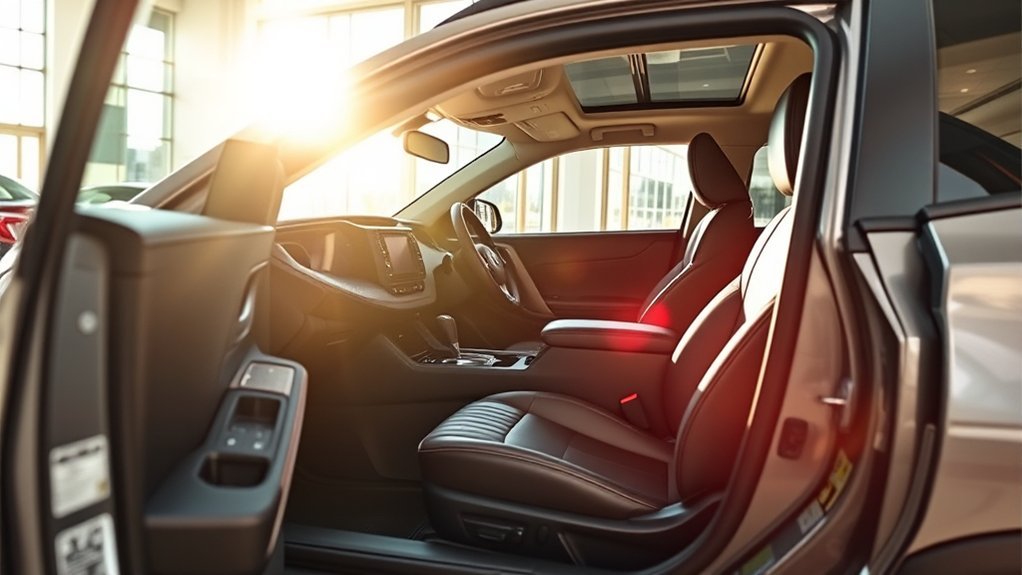
Wireless-charging availability differs between the United States and Canada. It also matters whether you are looking at a hybrid or plug-in hybrid grade.
For the U.S. lineup, Toyota’s 2026 RAV4 grade specifications identify the following factory equipment:
| U.S. trim | Factory wireless charging | Charging positions |
|---|---|---|
| XLE Premium Hybrid | Yes | One |
| XSE Hybrid or Plug-in Hybrid | Yes | One |
| Limited Hybrid | Yes | Two |
| GR SPORT Plug-in Hybrid | Yes | One |
Toyota does not list a factory Qi charger in the main U.S. grade summaries for LE, SE, or Woodland. Optional equipment and dealer-installed accessories can change, so verify the exact vehicle rather than relying only on its trim badge.
In Canada, the naming is different. The 2026 RAV4 XLE specification explicitly lists a wireless charger, while the Limited lists two. Toyota Canada also offers packages such as XLE Premium and XSE Technology, which should not be confused with the U.S. grade structure.
Note: Before buying, check the vehicle’s window sticker, online build sheet, dealer equipment list, or VIN-specific specification. Country, package, and production changes can affect included features.
The 2026 RAV4 Limited stands out by offering two Qi-compatible charging positions instead of one.
How Can You Use the Wireless Charging Feature in Your RAV4?
You do not need to pair your phone with the radio, Bluetooth, Apple CarPlay, or Android Auto before using the charging pad. Qi charging works separately from the vehicle’s media connection.
- Confirm that your phone supports Qi charging. Check the phone manufacturer’s specifications or the Qi Certified Product Database.
- Start the RAV4 or place it in the required accessory mode. The charging system needs vehicle power.
- Clear the charging area. Remove coins, keys, cards, magnetic wallets, metal rings, mounts, and other objects from the pad.
- Turn on the charger if your vehicle has a charger switch. Some Toyota systems remember their previous on-or-off setting.
- Place the phone flat on the charging area. Center the phone’s charging coil over the marked portion of the tray.
- Check for charging confirmation. Use the pad’s operation indicator, the multimedia display, or the charging icon on your phone.
- Leave the phone still. Sliding during cornering or braking can break coil alignment and restart charging.
The exact indicator colors and messages can vary by charging system. Follow the indicator description in the 2026 RAV4 Owner’s Manual instead of assuming that every Toyota charger uses the same light sequence.
Pro Tip: If your phone begins charging and then stops, rotate it 180 degrees or move it slightly toward the front or rear of the tray. Charging coils are not centered in the same position on every phone.
Troubleshooting Wireless Charging Issues in the RAV4
Start with the simplest checks before assuming the charging pad has failed. Most interruptions come from power mode, alignment, temperature, or an object between the phone and pad.
| Problem | What to check |
|---|---|
| No charging indication | Confirm the vehicle has the factory charger, the vehicle is in the required power mode, and the charger is switched on if a switch is present. |
| Charging starts and stops | Recenter or rotate the phone. Remove a thick case, magnetic ring, wallet attachment, pop-out grip, or metal mounting plate. |
| Phone slides off the charging area | Clean the phone and tray with a dry microfiber cloth. Do not add a thick liner that increases the distance between the charging coils. |
| Phone becomes hot | Remove the phone, case, and attached accessories. Allow the phone to cool away from direct sunlight before trying again. |
| Charging is slow | Close power-intensive apps, improve alignment, cool the phone, and remove an obstructive case. Use a compatible USB-C cable when you need faster or more stable charging. |
| Another Qi phone charges normally | The original phone, case, attachment, or coil position is probably the cause rather than the vehicle pad. |
| No compatible phone charges | Restart the vehicle and charger, then check the owner’s manual. Contact a Toyota dealer if the system still shows an error or remains inactive. |
Wireless charging may also pause when the phone is too hot, the cabin is extremely warm, or the device is drawing substantial power for navigation, video, or hotspot use. A wired connection is the more dependable choice when maintaining battery level is essential.
Warning: Never place coins, keys, paper clips, credit cards, magnetic wallets, metal mounting plates, or other foreign objects between the phone and charging pad. Metal objects can heat up, stop charging, damage a card, or create a burn risk.
Which Devices Work Best for Qi Wireless Charging?

The RAV4 charger is intended for Qi-compatible phones and accessories. Instead of relying only on a phone’s age or model family, confirm wireless-charging support through the phone manufacturer or the Wireless Power Consortium.
Compatibility depends on more than whether the phone supports Qi. The following details can affect how well it charges in the vehicle:
- Coil location: Large camera modules or off-center charging coils may require a slightly different position.
- Case thickness: A slim, non-metal case may work, while a thick case can increase the gap between the coils.
- Magnetic attachments: Wallets, rings, kickstands, mounts, and adhesive metal plates can block charging.
- Phone size: A very large or folding phone may not sit flat within the charging area.
- Temperature: Phones may reduce or stop charging when their battery becomes too warm.
- Software and battery management: The phone may intentionally slow charging near a full charge or while running demanding apps.
A charging icon on the phone confirms that power transfer has started, but it does not guarantee a specific charging rate. Toyota does not provide one universal full-charge time because every phone and driving condition is different.
What Should I Consider for Aftermarket Wireless Charging Options?
An aftermarket charger can be useful when your RAV4 does not include a factory pad or when you prefer a charging phone mount. Choose the product for safe vehicle use rather than selecting it only by advertised wattage.
- Verify 2026 RAV4 fitment. The redesigned 2026 console differs from the 2019–2025 generation, so an older insert may not fit.
- Look for Qi certification. Search for the product in the Wireless Power Consortium database instead of relying only on wording such as “Qi-compatible.”
- Confirm the power input. A charger cannot deliver its advertised output when connected to an inadequate USB port or adapter.
- Choose secure retention. The phone should remain aligned during braking, cornering, and rough-road driving.
- Protect airflow and controls. The charger should not cover vents, switches, displays, storage access, or safety equipment.
- Avoid loose wiring. Route cables away from pedals, the steering column, seat tracks, and areas where trim can pinch them.
- Use professional installation for hardwired systems. Incorrect wiring can create faults or damage related electrical components.
Note: A dashboard or vent-mounted Qi charger may offer better visibility for navigation, while a console charger keeps the phone lower and reduces screen distraction. Choose the design that fits how you use the vehicle.
Frequently Asked Questions
Is wireless charging standard in all 2026 RAV4 models?
No. In the U.S., Toyota lists it on XLE Premium, XSE, Limited, and GR SPORT. Limited has two charging positions. Canadian equipment differs, with a wireless charger explicitly listed on XLE and two listed on Limited.
Can I use wireless charging with a phone case on?
A slim, non-metal case may work normally. Remove the case if charging is slow or intermittent, especially when it contains a magnetic ring, wallet, kickstand, card, grip, or metal mounting plate.
Does my phone need to be paired with the RAV4 before it can charge?
No. Qi charging does not require Bluetooth, radio pairing, Apple CarPlay, or Android Auto. The phone only needs compatible wireless-charging hardware and correct placement on an active charging pad.
How long does wireless charging take?
No single time applies to every phone. Charging speed depends on battery capacity, starting percentage, temperature, case thickness, coil alignment, phone power limits, and whether navigation or other demanding apps are running.
What should I do if my phone does not charge?
Confirm that the phone supports Qi, clear the tray, remove its case and attachments, recenter or rotate it, check the vehicle’s power mode, and restart the charger. Test another Qi phone to help determine whether the problem is the phone or vehicle.
Are there safety concerns with wireless charging?
Normal warmth can occur, but you should remove the phone if it becomes unusually hot. Keep coins, keys, cards, magnetic wallets, and other foreign objects off the pad, and use Qi-certified aftermarket products.
Conclusion
The 2026 Toyota RAV4 has wireless charging on selected trims, but the correct answer depends on your country and exact vehicle. U.S. XLE Premium, XSE, and GR SPORT models list one Qi charger, while Limited lists two. Canadian XLE includes a charger, and Limited includes two. Confirm the build sheet, keep the pad free of metal objects, and use a USB-C cable whenever you need more consistent charging.
Sources
- Toyota USA Newsroom: 2026 RAV4 grade specifications — U.S. trim lineup and number of Qi-compatible chargers.
- Toyota: 2026 RAV4 overview — current U.S. technology and dual-charger information.
- Toyota Canada: 2026 RAV4 models — Canadian XLE and Limited wireless-charging equipment.
- Toyota Support: Operating a wireless charging system — general use, case, and indicator guidance.
- 2026 Toyota RAV4 Owner’s Manual — model-specific operating instructions and limitations.
- Wireless Power Consortium: Qi wireless charging — certification, safety, and interoperability guidance.

