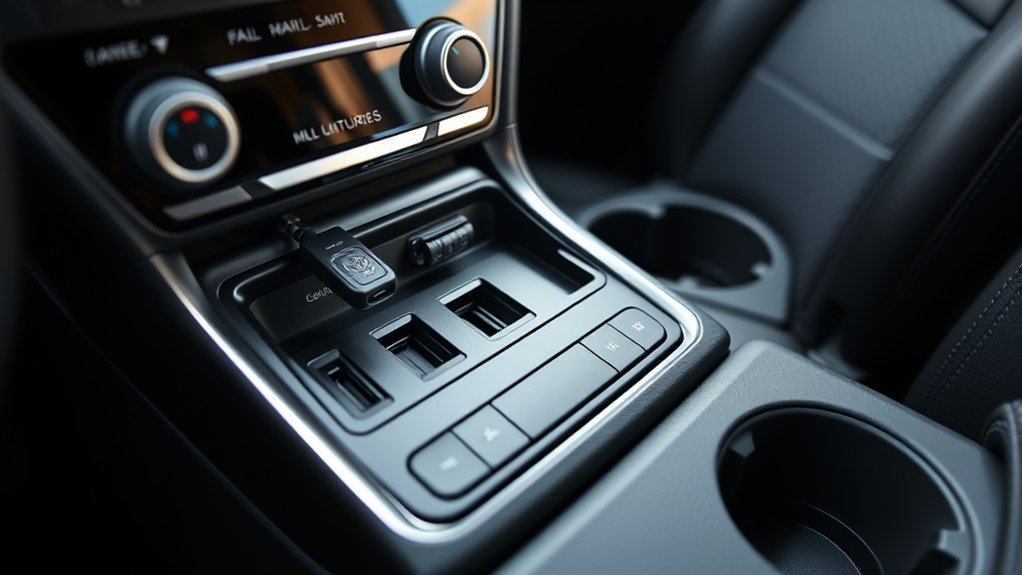
Does the 2024 RAV4 have USB-C? Yes, the Toyota RAV4 includes USB-C charging ports, even on its base LE trim. However, the number of ports depends on the trim, and the factory USB-C connections have limits that matter when charging phones, tablets, or other devices.
Quick Answer
The 2024 Toyota RAV4 has USB-C charging ports across its U.S. lineup. LE and Hybrid LE models have two USB-C charging ports, while higher trims generally have four. Each factory USB-C charging port supplies up to 15W (5V/3A). These ports charge devices only; a separate USB-A media port handles wired multimedia connections.
Does the 2024 RAV4 Have USB-C?
)
Yes. The 2024 Toyota RAV4 comes with factory-installed USB-C charging ports. You do not need a special center-console upgrade or aftermarket adapter to use USB-C charging in a standard U.S.-market model.
The important distinction is that Toyota provides separate connections for charging and multimedia functions.
- USB-C charging ports: Supply power to compatible phones, tablets, and small electronics.
- USB-A media port: Supports compatible USB devices, music playback, and wired smartphone connections.
- Wireless connectivity: Apple CarPlay and Android Auto are supported wirelessly through the vehicle’s multimedia system.
This arrangement allows you to charge a modern USB-C phone without replacing the vehicle’s original equipment.
However, USB-C does not automatically mean laptop charging, high-speed data transfer, or support for advanced fast-charging protocols.
Some aftermarket center-console adapters offer additional USB-C Power Delivery, USB-A Quick Charge 3.0, and illuminated charging ports. Those features belong to the aftermarket product, not necessarily the RAV4’s factory system.
Which 2024 RAV4 Trims Have USB-C?
All U.S.-market 2024 RAV4 trims include USB-C charging ports. The main difference is the number of available connections, particularly for rear-seat passengers.
The official Toyota 2024 RAV4 brochure identifies three USB ports on the LE and Hybrid LE, compared with five on the other listed trims.
| 2024 RAV4 Trims | USB-C Charging Ports | Total USB Ports |
|---|---|---|
| LE, Hybrid LE | 2 front USB-C charging ports | 3 |
| XLE, XLE Premium, Adventure, TRD Off-Road, Limited | 2 front and 2 rear USB-C charging ports | 5 |
| Hybrid XLE, Woodland Edition, XLE Premium, SE, XSE, Limited | 2 front and 2 rear USB-C charging ports | 5 |
| Prime SE, Prime XSE | 2 front and 2 rear USB-C charging ports | 5 |
The total includes one USB-A media port. Therefore, a five-port RAV4 does not have five USB-C connections.
The 2024 RAV4 Prime owner’s manual also confirms dedicated USB-C charging connections in the console and rear passenger area.
These figures apply to Toyota’s U.S. specifications. Equipment may differ in vehicles built for other markets.
Where Are the 2024 RAV4 USB-C Ports?
The 2024 RAV4’s USB-C charging ports are inside the center console storage box and, on equipped trims, behind the center console for rear passengers.
The dashboard storage area also contains a separate USB-A media connection.
Toyota illustrates these locations in its 2024 RAV4 and RAV4 Hybrid Quick Reference Guide.
Front USB-A Media Port
The USB-A media port is located in the front storage tray near the dashboard and climate controls.
It connects compatible devices to the multimedia system and can also provide charging power.
Use this port when a wired connection is needed for compatible multimedia functions.
Front USB-C Charging Ports
Two USB-C charging ports are located inside the center console storage compartment.
- Open the center console storage box between the front seats.
- Locate the USB-C charging sockets inside the compartment.
- Connect a compatible USB-C cable to charge your device.
These ports are useful for front passengers who want to charge their phones while keeping cables away from the dashboard.
Rear USB-C Charging Ports
Equipped models have two additional USB-C ports on the back of the center console, facing the rear seats.
Open the protective cover to access them. Rear passengers can charge phones, earbuds, and other compatible devices without reaching into the front cabin.
The LE and Hybrid LE do not have these additional rear USB-C connections as standard equipment.
What Do the 2024 RAV4 USB-C Ports Support?
The factory USB-C charging ports supply 5 volts at up to 3 amps, or 15 watts per port. They are intended for charging compatible devices, not transferring data.
Toyota confirms these limits in the 2024 RAV4 Hybrid owner’s manual.
USB-C vs. USB-A: What Is the Difference?
| Feature | Factory USB-C Charging Ports | Factory USB-A Media Port |
|---|---|---|
| Main purpose | Device charging | Media connection and charging |
| Power specification | 5V/3A, up to 15W | Separate media-port specification |
| Data transfer | No | Yes, for supported devices |
| Wired smartphone integration | No | Supported with compatible devices and cables |
| Laptop charging | Not designed for typical laptop power requirements | Not designed as a laptop charger |
Do the USB-C Ports Support USB Power Delivery?
Toyota does not specify 100W USB Power Delivery for the 2024 RAV4’s factory USB-C charging ports. Instead, its owner manuals list a fixed 5V/3A output.
USB-C describes the connector shape. It does not guarantee a particular charging protocol, data speed, or power level.
The USB Implementers Forum’s USB-C guidelines explain that USB Power Delivery is a separate capability that manufacturers may choose to support.
Although some USB-C chargers can deliver much higher power, the RAV4’s original 15W charging ports should not be confused with dedicated high-output laptop chargers.
Can the USB-C Ports Charge Phones and Tablets?
Yes. Compatible smartphones, earbuds, and smaller tablets can receive power from the factory USB-C ports.
Charging speed depends on the device, its battery level, temperature, and cable.
A phone using navigation, streaming music, and maximum screen brightness may gain battery charge more slowly because it is also consuming power.
Some higher-power tablets and laptops may charge slowly or fail to charge if their requirements exceed the available output.
Can You Use USB-C for Apple CarPlay or Android Auto?
No. The factory USB-C charging ports do not transfer the data needed for wired Apple CarPlay or Android Auto.
The 2024 RAV4 supports wireless Apple CarPlay and Android Auto, so a compatible phone can connect to the infotainment system without using a charging port for data.
Toyota confirms wireless smartphone compatibility in its 2024 RAV4 multimedia specifications.
For a wired multimedia connection, use the front USB-A media port with a compatible data cable.
For example, an iPhone with a USB-C connector can use a suitable USB-A-to-USB-C data cable when a wired connection is required.
Plugging the same phone into a rear USB-C charging port supplies power but does not create a wired multimedia connection.
How Do You Charge a Phone Through the RAV4 USB-C Port?
Charging a phone through the 2024 RAV4’s USB-C port is straightforward. You need a compatible cable and a working vehicle charging connection.
- Turn on the vehicle or select ACC mode. The charging ports require the appropriate accessory or ignition mode.
- Locate a USB-C port. Open the center console compartment or use a rear port if equipped.
- Connect the cable. Insert a compatible USB-C charging cable into the vehicle port.
- Connect your phone. Attach the other end and check for the charging indicator.
- Confirm charging. Make sure the phone battery level increases during use.
Choose a good-quality cable with the correct connector for your phone. A cable rated for 3A is suitable for the factory USB-C charging ports.
If your phone supports more powerful charging than the vehicle supplies, it will still be limited by the available port output.
How Can You Add USB-C to an Older RAV4?
Older Toyota RAV4 models without factory USB-C ports can gain this capability through an aftermarket charger, replacement charging module, or compatible multimedia head unit.
The best approach depends on whether you only want faster charging or also need modern multimedia features.
Option 1: Use a USB-C Charger in the 12V Outlet
A plug-in USB-C charger is usually the simplest option. It avoids changes to the factory wiring and can provide additional charging features when the adapter supports them.
- Find the vehicle’s 12V accessory power outlet.
- Choose an automotive USB-C charger compatible with the outlet’s rating.
- Check whether it supports USB Power Delivery and the power requirements of your device.
- Connect the adapter and a suitable charging cable.
Some aftermarket adapters combine USB-C Power Delivery with USB-A Quick Charge 3.0, supporting newer and older devices.
These charging standards depend on the adapter’s specifications, not the original RAV4 USB hardware.
Option 2: Install an Aftermarket USB-C Charging Module
A replacement or add-on USB-C charging module can provide a cleaner installation for older vehicles.
Some kits, including HHENGYISOUL-style USB-C PD and USB-A QC3.0 modules, are designed for automotive electrical systems. Certain versions advertise a 12V–24V input range and include a blue LED indicator for nighttime visibility.
Those specifications must be confirmed for the exact product before installation.
Some center-console retrofit designs use connections to the factory USB system and the 12V accessory supply beneath the console. However, this arrangement is product-specific and should not be assumed compatible with every RAV4.
If you want to preserve a factory media port, select a module that explicitly supports the required data connection. A charging-only replacement cannot perform the same multimedia functions.
Option 3: Upgrade the Multimedia Head Unit
For older RAV4 models, particularly 2006–2013 vehicles, a compatible double-DIN multimedia head unit can add modern phone connectivity along with updated charging options.
Some replacement systems support Apple CarPlay, Android Auto, and USB-C connectivity.
- Check the head unit’s compatibility with your RAV4 model year and dashboard.
- Select the correct mounting kit and vehicle-specific wiring harness adapter.
- Confirm whether the replacement unit supports the desired USB-C charging and data functions.
- Have the head unit installed according to its wiring and vehicle-fitment instructions.
- Test charging, audio playback, and smartphone connectivity before completing the installation.
A head unit with native USB-C support can reduce reliance on converters. However, a USB-C connector alone does not guarantee better charging performance or safer operation.
Warning: Never connect an aftermarket charging module directly to unidentified vehicle wiring. Incorrect wiring, missing fuse protection, or an incompatible module can cause overheating, electrical damage, or battery drain. Have a qualified automotive technician handle modifications involving the vehicle’s electrical system.
What If a 2024 RAV4 USB-C Port Is Not Working?
A USB-C charging failure is often caused by an unsuitable cable, a loose connection, the vehicle’s operating mode, or a device drawing more power than the port supports.
Start with simple checks before assuming the vehicle needs an electrical repair.
- Check the vehicle’s power mode. Switch the vehicle to the appropriate ACC or ON mode and test charging again.
- Try another cable. A damaged or poorly fitting charging cable can prevent a reliable connection.
- Test another device. Connect a compatible phone or other small device to see whether the problem is limited to the original device.
- Check another USB-C port. Compare the results to identify whether one socket or multiple connections are affected.
- Inspect for damage. Look for visible lint, moisture, corrosion, or a damaged connector without inserting metal objects into the socket.
- Check for overheating. Allow the cabin and device to cool if charging stopped after the vehicle was parked in strong sunlight.
- Seek electrical diagnosis. If the ports remain inactive, have the relevant fuse, wiring, and charging module checked by a Toyota dealer or qualified technician.
Toyota notes that charging may briefly stop and restart depending on the connected device. This behavior does not always indicate a malfunction.
Also, a USB memory device connected to a charge-only port will not work as a multimedia source because these ports do not transfer data.
If your phone charges normally but Apple CarPlay or Android Auto does not connect through a cable, check the USB-A media port and use a data-capable cable instead.
Frequently Asked Questions
Does RAV4 Have a USB-C Port?
Yes. The 2024 Toyota RAV4 includes USB-C charging ports across its U.S. trim lineup. LE and Hybrid LE models have two front charging ports. Higher trims generally add two rear charging ports, giving them four USB-C charging connections and one separate USB-A media port.
How Do I Charge My Phone in My Toyota RAV4?
Connect a compatible charging cable to a USB-C port inside the center console or behind it if your model has rear ports. Set the vehicle to the appropriate accessory or ignition mode. You can also use the USB-A media port or an available wireless charging pad if equipped.
My Toyota RAV4 Has a USB-C Port That Isn’t Working. What Can I Do to Fix It?
First, confirm the vehicle is in the correct power mode. Then test another cable, device, and charging port. Check for visible dirt or damage without using metal tools. If charging still fails, have a qualified technician inspect the relevant fuse, wiring, and USB charging system.
Does the Toyota RAV4 Have a USB Port?
Yes. The 2024 Toyota RAV4 has USB-A and USB-C connections for different purposes. The USB-A media port supports compatible multimedia devices and charging. The factory USB-C ports provide charging only. Depending on the trim, the vehicle has three or five total USB connections.
Can I Charge a Laptop With the 2024 RAV4 USB-C Ports?
The factory USB-C ports are not designed for typical laptop charging requirements. They provide up to 15W at 5V/3A, which is below the power needed by many laptops. A compatible higher-output USB-C PD adapter connected to an appropriate vehicle power outlet may offer a better solution.
Conclusion
The 2024 Toyota RAV4 includes USB-C charging ports, with two on the LE and Hybrid LE and four on higher U.S. trims. The factory ports supply up to 15W each and are intended for charging rather than data transfer.
For everyday phone charging, use a suitable USB-C cable and the available console ports. For wired multimedia connections, use the designated USB-A media port. If you need higher charging power, a compatible aftermarket charger is a more practical choice than assuming the factory USB-C ports support laptop-level charging.
Sources
- Toyota — 2024 RAV4 Official Brochure: Confirms standard USB port counts, trim differences, and front and rear port locations.
- Toyota — 2024 RAV4 and RAV4 Hybrid Quick Reference Guide: Identifies the USB-A media port and USB-C charge-only connections.
- Toyota — 2024 RAV4 Hybrid Owner’s Manual: Supports the 5V/3A charging specification, operating conditions, and USB-C limitations.
- Toyota — 2024 RAV4 Prime Owner’s Manual: Confirms USB-C charging ports and operating limitations for Prime models.
- Toyota — 2024 RAV4 Technology and Multimedia Specifications: Confirms wireless Apple CarPlay and Android Auto compatibility and USB equipment information.
- USB Implementers Forum — USB Type-C Guidelines: Explains the distinction between the USB-C connector, USB Power Delivery, and data capabilities.