
Last updated: September 22, 2026
Editorial scope: This guide was checked against Toyota owner-manual guidance covering U.S.-spec Camry Smart Key systems from 2012 through the current 2026 model year, plus current Toyota service resources. It does not claim hands-on diagnosis of every Camry model year, trim, market, or replacement fob.
If your Toyota Camry says “Key Not Detected,” first read the exact dashboard message. A normal key-detection warning commonly points to a weak or incorrectly installed fob battery, poor key placement, radio interference, battery-saving mode, a deactivated Smart Key setting, or a damaged fob. Try the spare registered key and Toyota’s backup electronic-key recognition method before buying parts.
If the display instead says “Smart Key System Malfunction See Owner’s Manual,” treat that as a different warning. Toyota owner guidance says a Smart Key system malfunction should be inspected by a Toyota dealer rather than assumed to be only a dead coin-cell battery.
Quick Answer
Move the fob away from phones, chargers, metal cases, and other keys, then try your spare registered key. If needed, put the Camry in Park, press the brake firmly, and use Toyota’s model-specific backup recognition procedure by holding the electronic key at the engine/power switch. Check whether battery-saving mode or a deactivated Smart Key setting is involved, then replace the fob battery with the exact specified type. If both registered keys fail despite normal 12-volt power, or the display says “Smart Key System Malfunction See Owner’s Manual,” arrange professional diagnosis.
Key Takeaways
- Read the exact warning first. “Key Not Detected” and “Smart Key System Malfunction See Owner’s Manual” do not call for the same response.
- Test the spare registered key early. If one key works and the other does not, focus on the failed fob, its battery, or its internal contacts.
- For U.S.-spec Smart Key Camrys, Toyota manuals list CR2032 for 2012–2024 applications checked here and CR2450 for the 2025–2026 electronic key. Always verify your exact fob and market before buying.
- The hidden metal key can unlock the driver’s door, but it does not start a push-button Camry by being inserted into an ignition.
- Replacing a coin-cell battery normally does not erase an already registered Smart Key.
- If both registered keys fail, check Smart Key settings, battery-saving behavior, vehicle 12-volt power, and vehicle-side faults before buying another fob.
At a Glance
| Time Required | 5–20 minutes for basic checks and a fob-battery replacement |
| Difficulty | Easy for battery replacement and basic checks; professional-level for receiver, antenna, wiring, immobilizer, or key-registration faults |
| Tools Needed | Spare registered key, correct replacement coin cell, small flat screwdriver or plastic pry tool, and protective tape |
| Cost | No cost for basic checks; usually only the cost of a coin-cell battery if that is the cause. Diagnostic, replacement-key, and registration costs vary. |
Note: Toyota Camry Smart Key designs and procedures vary by year, trim, market, and fob style. Use the Toyota owner’s manual portal to verify the exact battery type, Smart Key settings, fuse locations, emergency-start procedure, and warning-message wording for your vehicle.
Why Does My Toyota Camry Say Key Not Detected?

A “Key Not Detected” warning means the vehicle cannot confirm a usable registered electronic key inside the required detection area at that moment. It does not automatically mean that the key lost its programming or that an antenna, receiver, or control module needs replacement.
The most common possibilities are:
- Weak or incorrectly installed fob battery: The coin cell may be depleted, reversed, the wrong size, or not making firm contact.
- Temporary signal interference: A metal container, electronic device, battery charger, another wireless key, or nearby radio-frequency source may interfere with communication.
- Battery-saving mode: When electronic-key battery-saving mode is enabled, normal Smart Key proximity operation is disabled until the mode is canceled.
- Smart Key system deactivated through customization: Some Camrys allow the Smart Key system to be disabled. Toyota’s emergency guidance specifically tells owners to check this setting when the electronic key does not operate properly.
- Temporary electronic-key suspension: On current-generation Camrys, Toyota notes that the electronic-key function may temporarily suspend after the key remains unmoved for a period to reduce battery consumption. Moving or picking up the key restores the function automatically.
- Fob damage: Water, impact, a cracked case, corrosion, a bent battery contact, or a damaged circuit board can cause intermittent or complete failure.
- The key is outside or poorly positioned within the detection area: The fob may be in the trunk, near a window, on the floor, in a door pocket, outside the vehicle, or carried away by a passenger.
- Weak vehicle 12-volt battery: Low system voltage can interfere with body electronics and the circuits needed to authorize starting.
- Vehicle-side fault: A fuse, wiring connection, receiver, oscillator, certification/body-control circuit, or related Smart Key component may need diagnosis.
- Unregistered or incompatible key: A replacement or used fob may look correct but still be electronically incompatible or not registered to the vehicle.
Pro Tip: Use the spare registered key as a control test. If the spare works normally, focus on the original fob and its battery. If neither key works, check Smart Key settings and the vehicle’s 12-volt supply before purchasing another key.
Is “Key Not Detected” the Same as “Smart Key System Malfunction”?
No. The exact message matters because Toyota treats a temporary inability to recognize an electronic key differently from a Smart Key system malfunction warning.
| Message or condition | What it generally means | What to do |
|---|---|---|
| Key Not Detected | The vehicle cannot confirm the electronic key at that moment because of battery condition, placement, interference, settings, damage, or another recognition problem. | Move the key, remove interference, try the spare, use backup recognition, and check the fob and 12-volt batteries. |
| Smart Key System Malfunction See Owner’s Manual | Toyota identifies this as a possible Smart Key system malfunction rather than simply a weak key battery. | Follow the display and owner’s manual and have the vehicle inspected by a Toyota dealer promptly. |
Do not buy a new fob solely because either message appears. Record the exact wording first; that detail can prevent a battery, key, or control module from being replaced unnecessarily.
Common Symptoms of Smart Key Malfunctions
A Smart Key problem may affect passive door unlocking, remote buttons, push-button starting, or all three functions. The pattern of failure helps narrow the cause.
Key Not Detected Warning
The warning may appear when the key is in the vehicle but its signal is weak, shielded, temporarily suspended, or outside a reliable detection position. It can also appear after the key leaves the cabin while the vehicle is already in READY mode or the engine is running. If the message appears while driving, confirm that the key is still in the vehicle and avoid shutting the car off in an unsafe location where a restart may not be possible.
If the vehicle will not start, remove the fob from a bag, wallet, metal case, or bundle of electronics. Hold it by itself near the engine/power switch and try the model-specific emergency-start method described below.
Unresponsive Vehicle Functions
No response from the door locks does not automatically prove that the Smart Key system has failed. Compare the symptoms before deciding what to repair.
| Symptom | More likely cause | Next check |
|---|---|---|
| One fob fails, but the spare works | Weak battery, damaged fob, poor battery contact, or failed buttons | Replace and recheck the failed fob’s battery |
| Both fobs fail, but dash lights are normal | Smart Key setting, battery-saving behavior, interference, receiver/antenna fault, fuse, wiring, or authorization-system problem | Check settings, try backup recognition in another location, then obtain diagnostics if needed |
| Dash and interior lights are weak, dead, or repeatedly reset | Weak or discharged vehicle 12-volt battery | Test or service the 12-volt system |
| Rapid clicking on an applicable gasoline Camry during a start attempt | Low 12-volt voltage, poor battery connection, or another starting-circuit issue | Stop repeated attempts and check the 12-volt system |
| Remote buttons work, but push-button start does not | Interior key detection, immobilizer authorization, brake-switch input, selector-position input, vehicle power, or another start-system issue | Confirm Park, press the brake firmly, and try backup key recognition |
| Warning occurs only in one location | Local radio-frequency interference | Move the vehicle or fob away from the area and retry |
| “Smart Key System Malfunction See Owner’s Manual” appears | Possible vehicle-side Smart Key system malfunction | Follow Toyota’s instruction and arrange dealer inspection |
Replacing Your Smart Key Battery
A depleted or poorly seated battery is one of the easiest problems to correct. Do not buy a battery based only on a generic Toyota list. Verify the model year, key style, sales market, and battery number before installing a replacement.
What Battery Does a Toyota Camry Smart Key Use?
For the U.S.-spec Smart Key/electronic-key applications checked in Toyota owner information, the battery changes with the Camry generation:
| Camry model years | Key type covered here | Toyota-listed battery |
|---|---|---|
| 2012–2017 | Smart Key electronic key | CR2032 |
| 2018–2024 | Smart Key/electronic key | CR2032 |
| 2025–2026 | Current-generation electronic key | CR2450 |
Replacement or aftermarket fobs can differ from the original Toyota key, and other markets may use different hardware. The safest check is still the applicable owner’s manual plus the complete code on the battery already fitted to a confirmed-original fob. For more model-year detail, see the site’s Toyota Camry key fob battery replacement guide.
- Prepare the work area. Work on a clean, dry surface where the small battery and internal parts cannot roll away.
- Remove the mechanical key. Slide the release latch on the fob and pull out the metal key blade.
- Open the case carefully. Use the designated slot and a plastic pry tool or a small flat screwdriver wrapped with tape. Do not force the case or insert the tool deeply enough to damage the circuit board.
- Record the battery information. Note the complete battery number and which side faces upward before removing it.
- Inspect the compartment. Check for moisture, corrosion, dirt, a loose terminal, or a bent contact. Do not scrape or bend delicate contacts unnecessarily.
- Install the matching new battery. Use the specified battery type and the same polarity orientation. Avoid touching both flat faces more than necessary.
- Close the fob completely. Align the case halves and press around the edge until every clip is seated. Reinstall the mechanical key.
- Test all functions. Try the lock, unlock, passive-entry, trunk, and start functions near the vehicle.
Warning: Coin-cell batteries can cause life-threatening internal injuries if swallowed. Keep new and used batteries away from children and pets, secure used cells promptly, and contact Poison Control immediately if ingestion is suspected. Do not wait for symptoms.
If the fob stops working immediately after replacement, reopen it and verify the battery number, polarity, seating, terminal contact, and case alignment. A routine battery replacement normally does not erase an already registered Smart Key.
How to Fix Toyota Camry Key Not Detected
Use the checks below in order. Stop as soon as the key works normally or the vehicle displays a warning that requires professional service.
- Read the exact warning. If the display says “Smart Key System Malfunction See Owner’s Manual,” arrange Toyota inspection rather than assuming the coin-cell battery is the only problem.
- Confirm that the correct registered key is in the cabin. Remove it from luggage, the trunk, a metal container, or a bag lined with signal-blocking material.
- Separate the fob from possible interference. Move it away from phones, battery chargers, laptops, other keys, power banks, and other electronic devices.
- Wake or cancel battery-saving behavior. Press a button on the electronic key to cancel electronic-key battery-saving mode. On current-generation Camrys, simply moving a key whose electronic function has temporarily suspended can restore it.
- Check Smart Key customization. Toyota’s emergency guidance says to make sure the Smart Key system has not been deactivated. The setting method varies by model year, so use the applicable owner’s manual rather than a generic sequence.
- Try the fob buttons. If the buttons work but passive entry does not, the issue may involve proximity detection rather than the entire fob.
- Try the spare registered key. This is the fastest way to separate a fob problem from many vehicle-side problems.
- Use emergency electronic-key recognition. Put the transmission in Park and press the brake pedal firmly. On many Smart Key-equipped Camrys, touch the Toyota-emblem side of the electronic key to the engine/power switch and then press the switch when the vehicle recognizes the key. Follow the instrument display and your model-year manual because switch wording and timing vary.
- Check the vehicle’s 12-volt condition. Weak or absent dash lights, weak interior lamps, slow locks, resetting displays, or multiple unrelated warnings can indicate a discharged 12-volt battery. If vehicle power is the problem, use the correct model-year procedure; the separate Camry jump-start terminal guide explains why hybrid and gasoline connection points should not be assumed to be identical.
- Replace the fob battery if needed. Use the exact specified cell and recheck polarity and terminal contact.
- Look for visible damage. Check whether the fob was dropped, crushed, soaked, overheated, or opened previously.
- Check relevant fuses only with the correct diagram. Use the owner’s manual and replace a blown fuse only with the same amperage rating.
- Arrange professional diagnosis if both keys still fail. A scan of Smart Key, certification/body-control, and immobilizer data is more useful than replacing antennas or receivers by guesswork.
What Your Test Results Mean
- One key works: Focus on the failed fob’s battery, contacts, case, moisture exposure, or internal damage.
- Both keys fail and vehicle power is weak: Check the 12-volt battery and its connections before replacing Smart Key parts.
- Both keys fail but vehicle power is normal: Check Smart Key settings and battery-saving behavior, then arrange vehicle-side diagnosis.
- Backup recognition works at the engine/power switch: The registered key can still be recognized at close range; replace or reinstall its coin cell and retest normal operation.
- The problem happens only in one location: Radio-frequency interference becomes more likely.
Note: On a hybrid Camry, the gasoline engine may remain off even after the vehicle has started successfully. Confirm that the green READY indicator is illuminated rather than relying on engine sound.
Check Key Fob Battery
A fob battery should be suspected when the operating range becomes shorter, the buttons work only after repeated presses, passive entry becomes intermittent, the key’s indicator LED no longer illuminates as expected, or the spare key works normally. Toyota’s current Camry manual describes a standard electronic-key battery life of roughly one to two years, but actual life varies with use, storage, proximity to electronics, and how long the key remains near the vehicle.
A new battery does not rule out a fob problem if the wrong cell was installed, the polarity is reversed, a terminal is bent, the case is not fully closed, or the circuit board has water or impact damage. Test the battery with a suitable meter only if you know how to avoid shorting the cell; otherwise, use a fresh correctly specified battery from sealed packaging.
Inspect Vehicle Fuses
Fuse names and locations differ among Camry model years and trims. Do not rely on a generic online diagram when the vehicle’s manual or fuse-box label is available.
| Circuit area | Safe owner action |
|---|---|
| Smart entry or certification system | Identify the exact fuse from the model-year diagram before removal |
| Door-lock or body-control circuit | Check only if door locks and other body functions are also affected |
| Start, ignition, or power-switch circuit | Use the specified fuse rating; do not install a higher-amperage fuse |
| ECU or accessory supply | If a replacement fuse blows again, stop and have the circuit diagnosed |
Warning: Never substitute a fuse with a higher amperage rating, foil, wire, or another object. A repeatedly blown fuse indicates an electrical fault that should be diagnosed before further operation.
Verify Smart Key Antenna
A Camry may use several interior and exterior key-detection components rather than one easily tested antenna. Their locations and diagnostic procedures vary by model year.
An owner can check for obvious clues such as recent water intrusion, collision repair, disconnected trim-area wiring, or a problem that affects only one door or one part of the cabin. However, a basic multimeter test generally cannot prove that the complete Smart Key communication path is operating correctly.
Proper diagnosis may require Toyota wiring information, body-control or certification-system fault data, active tests, and Toyota-compatible diagnostic equipment. The Toyota Technical Information System is the manufacturer’s source for repair manuals, wiring diagrams, diagnostic procedures, and immobilizer-related service information.
Common Causes of Smart Key Malfunctions

The cause becomes easier to identify when you compare both registered keys, record the exact dashboard message, and note which functions fail.
- Depleted coin-cell battery: Often affects range and reliability before the fob stops completely.
- Wrong battery or polarity: Common immediately after a do-it-yourself replacement.
- Battery-saving mode or temporary key suspension: Normal power-saving behavior can prevent expected proximity operation until the function is restored.
- Smart Key setting deactivated: A customized system setting can disable normal Smart Key operation.
- Loose or contaminated contacts: Dirt, corrosion, or a bent terminal can interrupt power.
- Radio-frequency shielding or interference: Metal containers, certain bags, nearby transmitters, battery chargers, and electronic devices can reduce reliable detection.
- Physical or water damage: A cracked case may allow moisture to reach the circuit board.
- Weak vehicle 12-volt battery: Can affect multiple body and starting systems at the same time.
- Blown fuse or wiring problem: More likely when other locks, lights, or body functions also fail.
- Receiver, oscillator, certification, or body-control fault: More likely when both registered keys fail despite normal vehicle voltage and correct system settings.
- Unregistered or incompatible key: Possible with a newly purchased, used, or previously replaced fob.
- Brake-switch or selector-position issue: The vehicle may detect the key but still refuse to enter READY mode or crank because another start condition is not confirmed. That is a start-authorization problem rather than proof that the key itself is undetected.
One working registered key usually points you toward the failed fob. Two failed registered keys shift attention toward settings, interference, low vehicle voltage, or a vehicle-side Smart Key fault.
When Should You Call a Pro for Smart Key Issues?
Contact a Toyota dealer or qualified automotive locksmith when basic checks do not restore operation. Professional help is especially appropriate when:
- The display says “Smart Key System Malfunction See Owner’s Manual.”
- Both registered keys fail in more than one location even though 12-volt power appears normal.
- The fob has visible water, impact, or circuit-board damage.
- The backup-start procedure does not work even though the vehicle’s 12-volt battery is healthy.
- A fuse blows again after being replaced with the correct rating.
- The vehicle detects the key but will not start despite being in Park with the brake applied.
- A replacement key must be added, a lost key must be erased, or all working keys have been lost.
- The warning appears together with multiple electrical faults, intermittent power loss, or other safety-related symptoms.
Before paying for a receiver, antenna, certification ECU, or another control module, ask for the diagnostic trouble information and test results that support the recommendation. Also check your VIN through Toyota’s recall and service-campaign lookup.
If the car is in an unsafe location, the 12-volt battery is discharged, or no registered key can start it, use roadside assistance or arrange a tow rather than repeatedly attempting to start the vehicle.
Using Your Toyota Camry’s Mechanical Key for Backup
The Smart Key fob contains a metal mechanical key that can provide access when the fob battery is dead or the electronic door locks do not respond.
- Slide the release latch on the fob.
- Pull the metal key out of the fob body.
- Use it in the driver-door lock cylinder. On some Camry years, the cylinder may be behind a small handle cover; follow the owner’s manual to avoid damaging the trim.
- After entering, return the mechanical key to the fob so it is not lost.
| Action | What the mechanical key does | Important limitation |
|---|---|---|
| Opening the driver’s door | Operates the mechanical door-lock cylinder | The alarm may sound until the vehicle recognizes the registered electronic key |
| Starting a push-button Camry | Provides access only; electronic recognition still comes from the fob | Do not look for an ignition slot for the metal blade |
| Emergency electronic start | Uses the registered transponder/electronic key near the engine/power switch | Follow the exact model-year procedure in the owner’s manual |
Older Camrys equipped with a conventional keyed ignition operate differently. The guidance above applies to Smart Key-equipped push-button models.
Do You Need to Reprogram a Toyota Camry Smart Key?
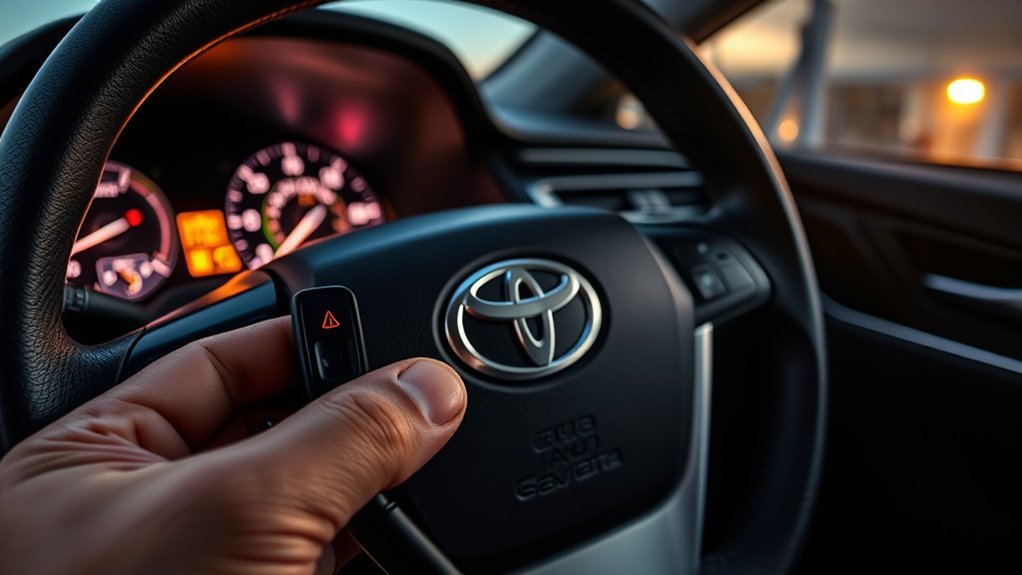
Replacing the coin-cell battery normally does not require the Smart Key to be registered again. Battery replacement restores power to an already registered key; key registration securely adds or authorizes a key identity in the vehicle’s immobilizer/Smart Key system.
Do not use an unverified ignition-cycling, door-opening, battery-disconnection, or fuse-removal sequence from a different Toyota model or model year to “reprogram” a push-button Smart Key.
Professional registration may be needed when you purchase a compatible replacement fob, all registered keys are lost, an existing key is no longer registered, a related security control unit is replaced, or a lost/stolen key needs to be removed from the authorized-key list.
A Toyota dealer or qualified automotive locksmith normally needs the vehicle, a compatible diagnostic system, the correct key, proof of ownership, and identification. All-keys-lost situations can require additional security procedures. For the distinction between remote-button pairing and immobilizer/Smart Key registration, see Toyota Camry key fob reprogramming basics and the separate Camry immobilizer system guide.
Warning: Avoid repeated DIY “programming” attempts that involve random ignition cycles, disconnecting the vehicle battery, or pulling fuses. These steps may not register the key and can create additional electrical or diagnostic problems.
Choosing a Locksmith for Camry Smart Key Service
Choose a locksmith who regularly works with Toyota immobilizer and Smart Key systems rather than one who handles only residential locks or basic metal keys.
- Confirm Toyota capability: Ask whether the locksmith can diagnose and register keys for your exact Camry year and trim.
- Provide the VIN: The VIN helps the provider identify the applicable key family and vehicle configuration.
- Ask about key source and warranty: Confirm whether the quote includes a new, refurbished, or customer-supplied fob and what warranty applies.
- Request an itemized quote: Separate the cost of the fob, emergency blade cutting, diagnostic work, registration, travel, and after-hours service.
- Verify credentials: Use a licensed or otherwise properly credentialed provider where local law requires it, and expect the provider to request proof of ownership.
- Discuss lost-key removal: If a key was stolen or cannot be accounted for, ask whether it should be removed from the vehicle’s authorized-key list.
- Avoid guaranteed diagnoses by phone: A provider should not promise that a replacement key will solve the problem when both existing keys fail and the vehicle has not been tested.
Troubleshooting Specific Smart Key Scenarios
Key Not Detected After Battery Replacement
Reopen the fob and check the battery number, polarity, seating, and terminal contact. Make sure no insulating sticker remains on the cell and that the case is fully snapped together. If the spare works, the original fob may have a damaged contact or circuit board rather than a programming problem.
Both Smart Keys Are Not Detected
Check whether Smart Key operation has been deactivated or battery-saving behavior is involved, then move both keys and the vehicle away from the location where the failure began if practical. Check whether the dash, interior lights, locks, horn, and other electrical systems work normally. A weak 12-volt battery, blown circuit fuse, receiver/oscillator fault, certification-system problem, or body-control fault becomes more likely when both registered keys fail.
The Warning Appears While Driving
Confirm that the key is still in the cabin and has not left with a passenger. Continue only as needed to reach a safe parking location. Avoid switching the vehicle off in traffic or another unsafe location because it may not restart until the key is recognized. Once safely parked, test the spare key and replace the fob battery if appropriate.
The Doors Unlock but the Camry Will Not Start
Confirm that the transmission is fully in Park, press the brake pedal firmly, and watch the instrument display for instructions. If the brake lights do not illuminate, a brake-switch or related circuit problem may prevent start authorization even though the key is detected. If the key is recognized but the car still will not start, continue with the dedicated Toyota Camry push-button-start troubleshooting guide rather than replacing the fob automatically.
Frequently Asked Questions
Why is my Toyota saying “Key Not Detected”?
The vehicle cannot confirm a usable registered key in its detection area. Common reasons include a weak or incorrectly installed fob battery, poor key placement, signal shielding or interference, battery-saving behavior, a deactivated Smart Key setting, a damaged fob, weak vehicle 12-volt power, or a vehicle-side fault.
Is “Key Not Detected” the same as “Smart Key System Malfunction”?
No. “Key Not Detected” means the vehicle cannot confirm the electronic key at that moment. Toyota treats “Smart Key System Malfunction See Owner’s Manual” as a possible system malfunction and directs the owner to have the vehicle inspected rather than assuming the problem is only the fob battery.
What battery does a Toyota Camry Smart Key use?
For the U.S.-spec Smart Key applications checked here, Toyota manuals list CR2032 for 2012–2024 Smart Key/electronic-key Camrys and CR2450 for the 2025–2026 electronic key. Replacement fobs and other markets can differ, so verify the exact fob and owner’s manual before buying.
Why is my smart key not being detected even with a new battery?
Check that the new battery has the correct number, faces the correct direction, sits firmly under the contacts, and has no insulating sticker. Also check battery-saving mode, Smart Key settings, interference, and the fob for water or impact damage. If the spare key works, the original fob is probably the problem.
Why does my car say “No Key Detected” when the key is inside?
The fob may be shielded inside a metal container or signal-blocking bag, placed near electronics, sitting in a poor detection position, operating with a weak battery, or affected by a power-saving function. Remove it from other items, move it into the open cabin near the engine/power switch, and try the backup-recognition procedure.
How do I fix a key fob that is not detected?
Read the exact warning, remove possible signal interference, cancel battery-saving mode if applicable, try the spare registered key, use backup recognition at the engine/power switch, and replace the battery with the exact specified type. If both registered keys fail despite healthy 12-volt power, obtain professional Smart Key diagnostics.
Will changing the Toyota key-fob battery erase its programming?
Normally, no. The coin cell powers the fob’s active functions, while an already registered key is not normally erased simply because its battery was removed. Continued failure after replacement usually indicates installation, contact, fob-damage, compatibility, settings, interference, or vehicle-side issues.
Can the mechanical key start a push-button Toyota Camry?
The hidden metal blade can mechanically unlock the driver’s door, but it does not start a push-button Camry by being inserted into an ignition. Starting still requires recognition of the registered electronic key, normally through the model-specific backup-start procedure when the fob battery is depleted.
Conclusion
When a Toyota Camry reports that the key is not detected, first read the exact warning. For an ordinary detection problem, remove interference, cancel battery-saving behavior if applicable, confirm the Smart Key system is enabled, try the spare registered key, and use Toyota’s model-specific backup-recognition method. Replace the fob battery only with the correct type for the key: the U.S.-spec applications checked here use CR2032 on 2012–2024 Smart Key Camrys and CR2450 on 2025–2026 electronic keys.
If one key works, concentrate on the failed fob. If both registered keys fail, check the vehicle’s 12-volt power and Smart Key settings before replacing antennas, receivers, or control modules. If the display specifically says “Smart Key System Malfunction See Owner’s Manual,” follow Toyota’s instruction and have the vehicle inspected. The mechanical key can help you enter a push-button Camry, but electronic key recognition is still required to start it.
Sources
- Toyota Manuals and Warranties — model-year owner’s manuals, Smart Key operation, battery specifications, warning messages, fuse information, and emergency procedures
- Toyota Technical Information System — manufacturer repair manuals, wiring diagrams, diagnostics, and immobilizer/Smart Key service resources
- Toyota Safety Recall and Service Campaign Lookup — VIN-specific recall and campaign information
- National Capital Poison Center: Button Battery Guidance — coin-cell ingestion hazards and emergency instructions
- U.S. Consumer Product Safety Commission: Button Cell and Coin Batteries — button/coin-battery ingestion hazards and prevention guidance

