Reprogramming a Toyota Camry key fob is not a one-size-fits-all process. The correct method depends on your Camry’s model year, ignition type, key design, and whether you need to pair the door-lock buttons or register a key with the engine immobilizer. Identifying the system first can prevent wasted time, an incompatible-fob purchase, or the accidental removal of working keys.
Quick Answer
To reprogram a Toyota Camry key fob, first identify the model year and whether you have a remote-only key, a transponder key, or a push-button-start smart key. Some older remotes have an owner procedure, but most immobilizer and smart keys need Toyota Techstream or a compatible professional tool.
Key Takeaways
- Battery replacement, remote-button pairing, and immobilizer registration are separate jobs.
- Do not use a generic door-and-ignition sequence unless it is confirmed for your exact Camry.
- Match the Toyota part number, FCC ID, button layout, ignition type, and market before buying a replacement fob.
- Push-button-start smart keys and most all-keys-lost situations require a Toyota dealer or qualified automotive locksmith.
- Bring every working key to a programming appointment because some procedures can erase keys that are not present.
At a Glance
| Time Required | About 5 to 10 minutes for identification and battery checks; professional registration often takes 15 to 60 minutes. |
| Difficulty | Easy for a battery replacement; moderate for an approved remote-only procedure; advanced for immobilizer or smart-key registration. |
| Tools Needed | Your vehicle-specific owner’s manual, every working key, the correct replacement battery if needed, and a professional scan tool when required. |
| Cost | Battery replacement is inexpensive. Fob purchase, key cutting, security registration, and all-keys-lost service vary by model and provider. |
How to Reprogram Your Toyota Camry Key Fob: Step-by-Step Instructions
Start by determining what type of programming your Camry actually needs. A replacement battery does not normally require the key to be registered again, while a replacement remote, transponder key, or smart key may require a separate process.
1. Confirm Your Camry’s Model Year and Key System
Use the model year shown on your registration or decode the VIN with the NHTSA VIN Decoder. Then identify your ignition and key type:
- Separate remote and mechanical key: The remote operates the locks, while a separate metal key starts the car.
- Integrated transponder key: The lock buttons and metal ignition key are in one housing. A chip inside the key authorizes engine starting.
- Smart key with push-button start: The vehicle detects the electronic key for passive entry and starting.
The correct programming method is determined by the vehicle’s year and key system, not by the Camry name alone.
2. Check the Replacement Key Fob for Compatibility
Compare the replacement with a working key before attempting registration. Check the Toyota part number, FCC ID, button count, button symbols, ignition type, and physical emergency-key design. The replacement should also be intended for the same sales market as the vehicle.
Pro Tip: Do not rely only on an online listing that says “fits Toyota Camry.” Match the identifying numbers printed on or inside your working fob whenever possible.
A fob with the correct shape may still use different electronics. Some previously registered smart keys may also be locked to another vehicle or may need to be reset by a properly equipped professional before they can be reused.
3. Rule Out a Battery or Vehicle-Power Problem
If the key worked before and stopped suddenly, replace its coin-cell battery with the exact type shown in your Camry’s manual or printed on the existing battery. Install it in the correct direction and make sure the battery contacts are clean and properly seated.
Note: Changing the key-fob battery normally does not erase the key’s registered identity. If the fob remains unresponsive, recheck the battery type, polarity, contacts, case alignment, and vehicle battery before assuming it needs programming.
Test a spare key if one is available. If neither key works, check whether the vehicle’s interior door-lock switch works. Failure of both remotes can indicate a discharged 12-volt vehicle battery, a fuse problem, a receiver fault, or another vehicle-side issue.
4. Check for an Owner Programming Procedure
Open the Toyota Manuals and Warranties portal, select your exact Camry, and search the manual for “wireless remote control,” “electronic key,” “registration,” or “battery replacement.”
Some older remote-only systems may provide or support an owner sequence involving the doors, ignition, and remote buttons. Timing and sequence vary. Follow only a procedure confirmed for your exact model year, trim, market, and key type.
If the manual does not publish an owner-registration procedure, do not substitute a generic sequence found for another Camry. Move to professional registration instead.
5. Use Professional Registration When Required
A transponder key or push-button-start smart key usually needs communication with the vehicle’s immobilizer or certification ECU. Toyota’s factory service-information system provides Techstream diagnostic support, key-code resources, and immobilizer or smart-reset information through Toyota TIS.
A Toyota dealer or qualified automotive locksmith can verify compatibility, cut the mechanical key when needed, register the electronic key, and handle authorized all-keys-lost procedures. Be prepared to show identification, vehicle registration, and proof of ownership.
Warning: Do not select immobilizer reset, smart reset, key erasure, or all-keys-lost functions unless you have the correct service instructions and authorization. The wrong function can remove working keys and leave the vehicle unable to recognize any key.
6. Test the Programmed Key
Do not treat a beep, lock cycle, or scan-tool message as the only proof of success. Move other keys several feet away and test the newly programmed key by itself.
- Lock and unlock every door.
- Open the trunk with the fob button.
- Test the panic button.
- Test passive door-handle entry if equipped.
- Start the engine several times.
- Confirm that no “key not detected” or immobilizer warning remains.
- Test the mechanical emergency key in the door lock.
- Repeat the checks with every spare key.
Common Key Fob Reprogramming Issues and Fixes
Use the symptom to determine whether the problem involves the remote transmitter, the immobilizer, the smart-entry system, or the vehicle itself.
| Issue | Likely Cause and Fix |
|---|---|
| The fob has no response | Check the battery type, polarity, contacts, damaged buttons, and case alignment. Test a spare fob. |
| Buttons work, but the engine will not start | The remote transmitter may be paired while the transponder or smart-key identity is not registered with the immobilizer. |
| The engine starts, but the buttons do not work | The immobilizer chip may be recognized while the remote-button transmitter is unregistered, incompatible, or faulty. |
| A working spare stopped after another key was added | The procedure may have replaced or erased the stored-key list. Have every key registered during the same session. |
| The replacement fob is rejected | Recheck its Toyota part number, FCC ID, market, key type, and previous-use status. |
| The operating range is very short | Install a fresh battery and move away from strong radio transmitters or other electronic interference. A damaged fob antenna can also reduce range. |
| Smart entry is intermittent | Test the fob at another door, remove other electronic keys from the same pocket, and check the vehicle’s 12-volt battery. |
| All keys are lost | An authorized immobilizer or smart-key reset is usually required. Contact a Toyota dealer or qualified automotive locksmith with proof of ownership. |
Why You May Need a Registered Key for Key Fob Programming
Some add-key procedures require an already registered working key to authorize the vehicle to accept another one. This key is sometimes called a master key in older documentation, but the requirement is not universal across all Camry generations.
A registered key may place the system into an add-key mode without erasing the existing key list. When no registered keys remain, the vehicle may require an immobilizer or smart-key reset instead. That process normally requires security access, professional equipment, and proof of ownership.
Having one working key can make replacement simpler and less expensive, so arrange for a spare before your last working key is lost or damaged. Keep every working key available during registration because a technician may need to register all of them in the same session.
Using a Scanner for Toyota Camry Key Fob Programming
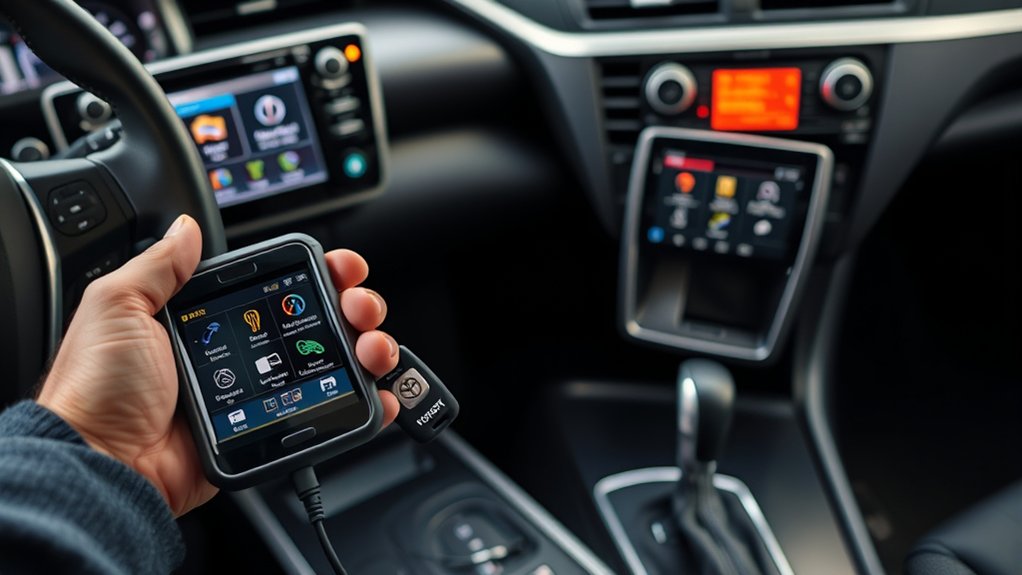
Toyota’s factory diagnostic platform is Techstream, available with service information through Toyota TIS. Professional aftermarket tools may also support certain Camry key functions, but coverage depends on the model year, key system, software version, adapters, and security access.
The product sometimes called an “Autel EM608” is correctly identified in Autel’s official lineup as the MaxiIM IM608 family. Owning a compatible scanner does not by itself guarantee that a key can be registered. The operator still needs the correct procedure, valid tool coverage, any required credentials, and an electrically stable vehicle.
A professional scan-tool session may include these steps:
- Confirm the VIN, model year, ignition type, and installed security system.
- Connect a battery support unit when the procedure requires stable voltage.
- Read the immobilizer or smart-key system for faults.
- Select add-key registration rather than reset or erasure when a valid key remains.
- Register each key requested by the vehicle or tool.
- Verify the stored-key count and clear only relevant faults.
- Test every key after disconnecting the tool.
If the tool does not list your exact Camry or the fob is rejected, stop rather than trying unrelated reset functions. Confirm vehicle and key compatibility before continuing.
How to Make Sure Your Key Fob Works After Programming
Test each function separately. Press lock and unlock from close range, then move farther away and repeat. If your fob has an LED, confirm that it lights when you press a button, but remember that an LED only shows that the fob has power. It does not prove that the vehicle recognizes its code.
For a push-button-start Camry, test passive entry at the driver door, passenger door, and trunk if those locations are equipped with sensors. Start the vehicle with the key in your pocket, then test the backup starting method described in your owner’s manual.
Keep other smart keys away during each test. A nearby working key can make an unregistered replacement appear functional. Finally, test every existing spare to confirm that none was removed from the stored-key list.
Battery Replacement Versus Key Fob Reprogramming
A weak fob battery can cause short range, intermittent lock operation, or a key-not-detected warning. Replacing that battery normally restores operation without changing the vehicle’s stored key information.
Reprogramming or registration is more likely to be needed when:
- You purchased a replacement key or remote.
- A control module or smart-key ECU was replaced.
- A prior registration session erased the key.
- The remote transmitter and immobilizer functions were never registered together.
- All registered keys were lost.
If a previously working key fails immediately after a battery change, reopen the case and check the battery orientation, contacts, internal circuit-board position, and case fit before paying for programming.
When to Contact a Toyota Dealer or Automotive Locksmith
Professional help is the safer choice when your Camry has push-button start, no working key remains, the replacement fob has uncertain compatibility, or the owner’s manual does not provide an owner procedure.
A Toyota dealer has access to Toyota service information and factory-supported equipment. A qualified automotive locksmith may offer mobile service and can often cut and register keys. Before scheduling, provide the VIN, model year, ignition type, number of working keys, and identifying information from the replacement fob.
Ask whether the quoted service includes the key, mechanical cutting, remote-button pairing, immobilizer or smart-key registration, emergency-key testing, and registration of every existing spare. Bring proof that you own or are authorized to service the vehicle.
Frequently Asked Questions
How do you reprogram a Toyota Camry key fob?
Confirm the Camry’s model year, ignition type, and fob identifiers first. Use the exact Toyota owner procedure if one is published for your remote-only system. Transponder keys, push-button-start smart keys, and all-keys-lost cases usually require Toyota Techstream or a compatible professional key-programming tool.
Can you program a Toyota key fob yourself?
You may be able to pair the remote buttons on some older keyed Camrys if a confirmed owner procedure exists. You generally cannot complete modern immobilizer, all-keys-lost, or smart-key security registration with only the ignition and fob buttons.
Do you have to reprogram a Toyota key fob after changing the battery?
Normally, no. Replacing the coin-cell battery does not usually erase the registered key identity. If the fob stops working, confirm the battery type, polarity, contacts, and case assembly before considering reprogramming.
Can an automotive locksmith program a Camry smart key?
Many qualified automotive locksmiths can program Camry transponder and smart keys when they have compatible equipment, current software, and required security access. Confirm coverage for your exact model year and key system before booking.
Can you program a used Toyota Camry key fob?
Sometimes, but not every used fob can be reused. It must have compatible identifiers and may need to be unlocked or reset with professional equipment. A used fob that looks identical can still be electronically incompatible.
Why do the key-fob buttons work if the Camry will not start?
The remote transmitter may be paired with the door-lock receiver while the transponder or smart-key identity is not registered with the immobilizer. Door operation does not prove that the engine-start authorization is complete.
What should you do if every Camry key is lost?
Contact a Toyota dealer or qualified automotive locksmith. An authorized all-keys-lost or immobilizer reset is normally required. Have your identification, VIN, vehicle registration, and proof of ownership ready.
Conclusion
Reprogramming a Toyota Camry key fob starts with identifying the exact vehicle and key system. A battery replacement may be all you need, while a remote-only key may have a model-specific owner procedure. Transponder keys, smart keys, and all-keys-lost situations usually require professional registration.
Check compatibility before purchasing a fob, avoid unverified universal sequences, and bring every working key to a programming session. Afterward, test the door buttons, trunk release, panic function, passive entry, engine starting, emergency key, and every spare.
Sources
- Toyota Manuals and Warranties — vehicle-specific owner’s manuals and operating instructions.
- Toyota Technical Information System
