Does the Toyota RAV4 LE Have a Backup Camera?
Last updated: September 19, 2026
Quick Answer
Yes. Every U.S.-market Toyota RAV4 LE has a factory backup camera. The LE grade debuted for 2013 with a 6.1-inch display and integrated backup camera, and Toyota still lists a backup camera on the 2026 Hybrid LE. There is no U.S.-market 2011 or 2012 RAV4 LE; those model years used other trim names and offered a backup monitor system depending on the vehicle’s equipment.
Key Takeaways
- The first U.S.-market RAV4 LE was the 2013 model, and it came with a factory rearview camera.
- A listing for a “2011 RAV4 LE” or “2012 RAV4 LE” uses the wrong U.S. trim name and should be verified before purchase.
- The camera is a reversing aid, not a replacement for mirrors, shoulder checks, or looking around the vehicle.
- Guideline type varies by model year; higher trims and packages may add parking sensors or a Panoramic View Monitor.
- If the image is blank, frozen, or intermittent, clean the lens, restart the vehicle, and check the VIN for open recalls.
Which RAV4 LE Model Years Have a Backup Camera?
The U.S. RAV4 did not use the LE grade name before 2013. Toyota introduced the LE, XLE, and Limited grades with the fourth-generation 2013 RAV4, and the LE came standard with a 6.1-inch display and integrated backup camera. For 2011 and 2012, Toyota listed a backup monitor system as available across the RAV4 lineup, but those vehicles were not sold in the United States as an LE. See Toyota’s 2013 RAV4 equipment announcement and its 2012 RAV4 information.
| Model years | RAV4 LE status | Backup-camera summary |
|---|---|---|
| Before 2013 | No U.S.-market RAV4 LE grade | No U.S. LE existed. Toyota’s 2011 and 2012 information says a backup monitor system was offered across the lineup, so verify the exact vehicle and equipment rather than applying LE information to it. |
| 2013–2018 | Fourth-generation LE | The LE included a factory rearview camera. For example, Toyota lists projected-path static lines on the 2017 LE, while some higher configurations used dynamic gridlines. |
| 2019–2025 | Fifth-generation LE | The rearview camera remained standard, with newer center displays and multimedia systems. Surround-view equipment remained separate from the basic camera. |
| 2026 | Redesigned sixth-generation Hybrid LE | Toyota lists a Backup Camera with Dynamic Guidelines as standard safety/convenience equipment on the redesigned Hybrid LE. |
Note: Equipment can differ outside the United States. When checking a Canadian, imported, or differently branded vehicle, use the VIN and the documentation for that market instead of relying on the U.S. timeline.
Why Is 2018 Often Mentioned for Backup Cameras?
The RAV4 LE had a camera before the nationwide deadline. Under Federal Motor Vehicle Safety Standard 111, covered passenger vehicles and multipurpose passenger vehicles manufactured on or after May 1, 2018 must provide a compliant rearview image.
The regulation also sets requirements for field of view, image size, response time, default view, and durability. It does not mean that Toyota waited until 2018 to install the feature on the RAV4 LE. NHTSA’s FMVSS 111 test procedure states that the required image must appear within 2.0 seconds after Reverse is selected.
Federal requirement: NHTSA’s FMVSS 111 compliance procedure states that the required rearview image must appear within 2.0 seconds after the vehicle is shifted into Reverse.
How Do You Confirm a Used RAV4 Has a Factory Camera?
A seller may use the wrong trim name, especially in an automated listing. That matters most with pre-2013 vehicles because U.S. RAV4s from 2011 and 2012 were not LE models. Before buying, use several checks:
- Decode the VIN and compare it with the title or registration.
- Review the original window sticker or dealer build sheet when available.
- Look for the camera near the liftgate handle or license-plate area.
- Start the vehicle, shift into Reverse with the brake applied, and confirm that an image appears.
- Check for a clear picture, working guidelines, normal brightness, and stable operation.
- Open the correct model-year documents through Toyota Owners manuals and warranties.
- Enter the VIN at the official recall sites before completing the purchase.
How Do You Use the RAV4 LE Backup Camera Safely?
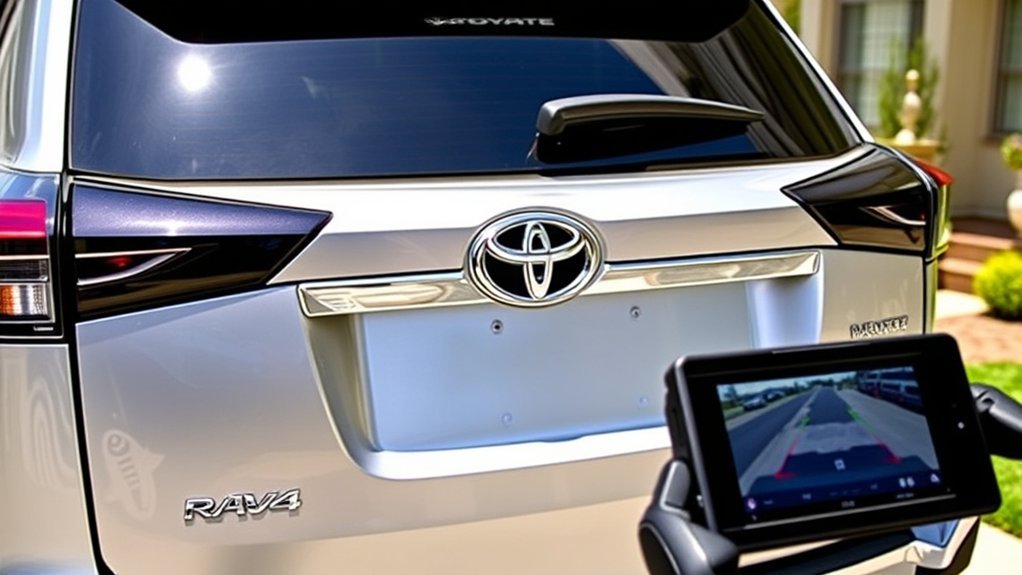
The RAV4 LE rearview camera automatically displays the area behind the vehicle when you shift into Reverse. Depending on the model year and equipment, the image may include fixed guidelines or steering-responsive guidelines. These lines are useful references, but they do not identify every object or guarantee clearance.
At a Glance
| Time Required | A few minutes for basic operation; troubleshooting time varies by the fault |
| Difficulty | Easy for normal use; professional diagnosis may be needed for wiring or display faults |
| Tools Needed | Soft microfiber cloth, clean water, the model-year owner’s manual, and the vehicle identification number |
| Cost | Cleaning and basic checks may cost nothing if you already have supplies; diagnostic and repair charges vary |
[Amazon Products Picked for You]

Super HD Day& Night Vision: Our HD Reverse Camera with new upgrade chips and glass lens, supply you HD true color, real time image at day and night. 9 Led lights will be Auto turn off in bright light areas

Dual 1080P Front and Rear Camera : Chip upgrade, clearer pixels! By optimizing image processing technology and enhancing light suppression, greatly improved night vision for the rear camera. 1080P front camera and 1080P IP68 waterproof rear camera use high-definition streaming technology, mirror dash cam can provide ultra clear video and capture license plates from a distance. Rear view mirror camera is wide angle lens reduce blind spots to capture many details on the road.
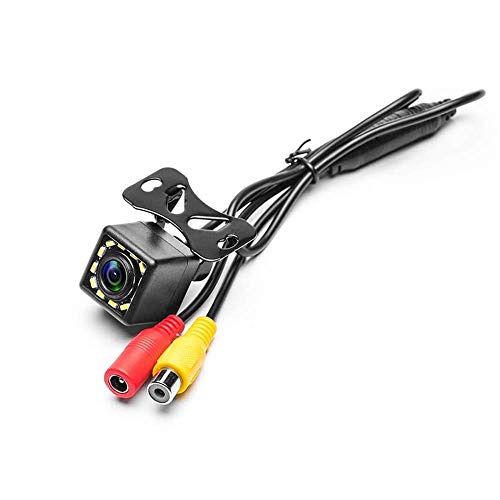
LED Night Vision Car Vehicle Front /Rear View / Side View Camera. Eliminating dangerous blind spots. Protect your car around of Kids and little pets.
Safe Operating Steps
- Walk around the vehicle when practical. Check for children, pets, low objects, shopping carts, bicycles, and anything that may be outside the camera’s view.
- Clean the camera lens. The lens is near the rear liftgate handle or license-plate area. Use a soft damp cloth rather than an abrasive cleaner.
- Adjust the display before moving. Excessively low brightness can make the picture difficult to see at night, while glare may reduce daytime visibility.
- Shift into Reverse and pause. Confirm that the rearview image appears and looks normal before releasing the brake.
- Use all available views. Alternate between the screen, side mirrors, rearview mirror, shoulder checks, and direct observation.
- Reverse slowly. The wide-angle image can distort distance, so an object may be closer than it appears.
- Stop when uncertain. Shift to Park, set the parking brake, and inspect the area instead of relying on an unclear image.
Warning: The backup camera cannot show every pedestrian, vehicle, curb, or object around the RAV4. Always check the mirrors, look over your shoulder, and observe the surroundings directly before and while reversing.
Pro Tip: Practice in an empty parking lot with a visible line or lightweight marker. Compare its actual location with the on-screen guidelines so you understand how your specific model represents distance.
Does the 2017 Toyota RAV4 LE Have a Backup Camera?
Backup Camera and Display
The 2017 RAV4 LE includes a factory rearview camera whose image appears on the center display when the transmission is shifted into Reverse. Toyota lists a 6.1-inch Entune Audio touchscreen with an integrated backup-camera display and projected-path static lines for the LE.
The camera can help with parking-space alignment, backing toward a trailer coupler, and identifying low obstacles. It should not be treated as a towing-alignment guarantee because the lens angle and guidelines are not a substitute for a spotter or direct inspection.
Other 2017 LE Equipment
The 2017 model also brought Toyota Safety Sense P to the RAV4 lineup. That driver-assistance package is separate from the rearview camera and includes technologies such as a pre-collision system, lane-departure alert, automatic high beams, and dynamic radar cruise control.
Other LE equipment includes six-speaker audio, Bluetooth connectivity, a USB input, a CD player, 17-inch steel wheels, and a driver-side blind-spot mirror. Features such as blind-spot monitoring, parking sensors, and more advanced camera views depend on the trim and optional equipment.
Owners can consult the official 2017 Toyota RAV4 manuals for controls, cautions, and model-specific display information.
How Has the RAV4 LE Backup Camera Changed Over the Years?
The camera’s basic job has remained the same, but the screen, software, image processing, and available parking aids have changed.
- 2013–2018: The fourth-generation LE established the factory camera as standard LE equipment. Older displays are relatively small, and image quality may look modest compared with current systems.
- 2019–2025: The fifth generation introduced newer multimedia hardware and larger standard displays. Guideline behavior and available parking assistance vary by year and package.
- 2026: The redesigned RAV4 starts a sixth generation with hybrid and plug-in-hybrid powertrains, updated Toyota Audio Multimedia, and Toyota Safety Sense 4.0. Toyota identifies the Hybrid LE as part of the Core lineup and lists a backup camera with dynamic guidelines in its official 2026 RAV4 launch information.
Do not confuse the standard rearview camera with a Panoramic View Monitor. A panoramic system uses multiple cameras to create additional angles or a composite overhead-style view. Its availability depends on the model year, trim, and package.
[Amazon Products Picked for You]

Compatibility:for Toyota Kluger RAV4. Pin Number:4.

Easy to Install: The backup camera for car takes only 25 minutes from start to finish installation, just 2 steps: ① First connect the camera and monitor through the 4-pin video power cable made of 3.0MM pure copper that comes with the camera. ② Then plug the backup camera system into the cigarette lighter, manual switch, plug and play. Or you can also connect it to the reversing lights only as a reversing use, automatically triggering the reversing image when reversing

【Backup Camera Monitor Only】This is a 5-inch TFT LCD color monitor for a backup camera, backup camera not included. Works with CVBS cameras and does not support AHD cameras
How Do Backup Camera Features Differ Across RAV4 Trims?
Every U.S.-market RAV4 LE has the essential rearview camera. The differences between the LE and higher trims usually involve the display and supporting parking technology rather than the presence of a camera.
| Feature | RAV4 LE | Possible higher-trim or package differences |
|---|---|---|
| Rearview image | Standard | Also standard |
| Guidelines | Varies by year: the 2017 LE used projected-path static lines, while the 2026 LE uses dynamic guidelines | Some model years and packages add more advanced projected-path or multi-camera views |
| Display | Base multimedia screen for that model year | A larger or higher-specification multimedia display may be available |
| Parking sensors | Not universal; verify the exact vehicle | More likely to be standard or optional |
| Panoramic or 360-degree view | Generally not part of the base LE camera system | May be offered on selected upper trims and packages |
Package contents change, so compare the Monroney label, build sheet, and official specifications for the exact year rather than assuming that a feature on one RAV4 applies to another.
What Should You Expect From the RAV4 LE Backup Camera?
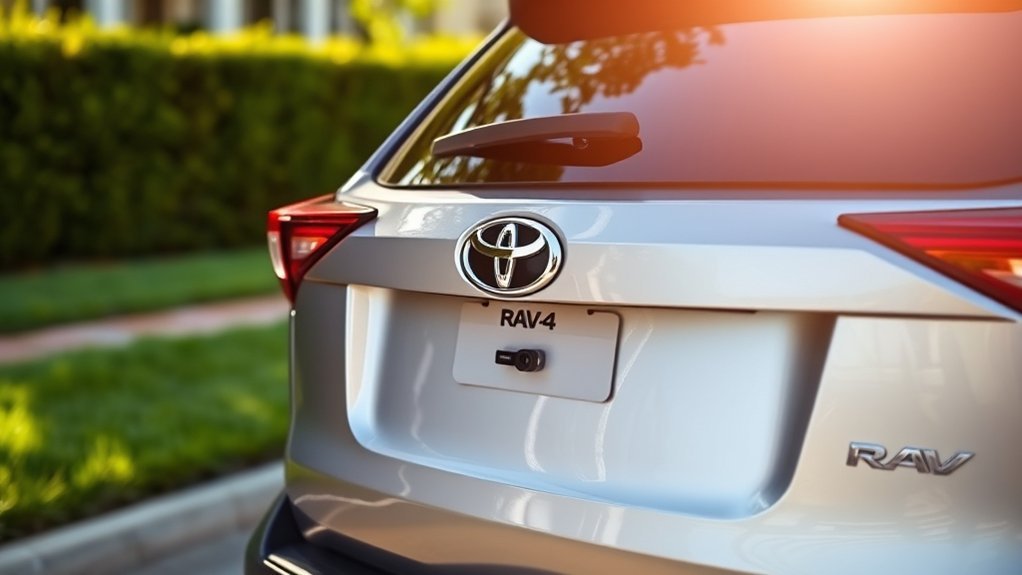
What you see depends on the model year, display, lighting, weather, and lens condition. The points below describe common operating characteristics of rearview-camera systems; they are not presented as results from a formal owner survey or first-hand test.
- Parking alignment: The view and guidelines make it easier to center the RAV4 in a space or stop near a visible boundary.
- Older screen size: The display in early LE models can feel small compared with newer multimedia screens.
- Wide-angle distortion: The lens shows a broad area but can make distance and object shape look different from direct vision.
- Night performance: Visibility depends on the reverse lights, surrounding light, screen settings, lens cleanliness, and weather.
- Rain and road grime: Water droplets, salt, dust, mud, and wax residue can quickly blur the image.
- Trailer alignment: The camera can help approach a hitch, but the driver should stop and verify the final distance directly.
Benefits of Having a Backup Camera for RAV4 LE Drivers
Enhanced Parking Precision
The camera gives you a direct view of the area close behind the liftgate, where mirrors may not show a curb, short post, bicycle, or other low object. Guidelines can also help you judge the vehicle’s path and alignment.
Useful applications include:
- Reversing into a marked parking space.
- Backing out of a driveway slowly.
- Stopping near a curb or parking boundary.
- Approaching a trailer hitch at low speed.
- Checking for low objects immediately behind the SUV.
Increased Safety Awareness
A rearview camera reduces an important blind area, but it works best as one part of a complete observation routine. Mirrors show traffic approaching from the sides, shoulder checks reveal areas outside the display, and direct observation helps confirm what the lens cannot show.
Federal rear-visibility requirements were created to reduce deaths and injuries associated with an obstructed view behind a vehicle. The regulation defines minimum performance standards, but safe reversing still depends on the driver’s attention and speed.
Common Limitations of the RAV4 LE Backup Camera
The factory camera is useful, but its image has physical and operating limits:
- Objects outside the lens angle: A person or vehicle approaching from the side may not appear soon enough on the screen.
- Fisheye distortion: Wide-angle lenses alter apparent distance and shape.
- Dirty or wet lens: Road spray, snow, ice, salt, mud, and water droplets can obscure the picture.
- Low light: The display may look grainy or dark when the surroundings and reverse lights provide limited illumination.
- Bright glare: Direct sunlight or reflections can reduce screen contrast.
- Small older displays: Fine details can be harder to distinguish on early LE screens.
- Fixed guidelines: On systems without dynamic lines, the guides may not turn with the steering wheel.
- Open liftgate: Because the camera is mounted on the liftgate, an open or partially open liftgate can produce an unusable angle.
- Display or software faults: A camera can be functional while the multimedia screen, control unit, wiring, or software prevents a normal image.
Why Is My RAV4 LE Backup Camera Not Working?
Park in a safe, level area before troubleshooting. Apply the parking brake, keep your foot on the brake when selecting Reverse, and do not stand behind a vehicle that could move.
| Symptom | Likely checks | Next action |
|---|---|---|
| Blurry or cloudy image | Dirt, water, ice, wax residue, or lens damage | Clean gently with a damp microfiber cloth. Have a scratched or internally fogged lens inspected. |
| No image when Reverse is selected | Display fault, reverse-signal issue, wiring problem, software fault, or camera failure | Return to Park, restart the vehicle, and test again. Check the manual and recall status if the problem remains. |
| Black, blue, or frozen screen | Temporary software error, control-unit fault, connection problem, or campaign-related condition | Document the symptom, check the VIN for recalls, and arrange diagnosis if it recurs. |
| Image flickers or cuts out | Loose connection, damaged liftgate wiring, moisture intrusion, or failing camera | Avoid pulling trim panels or probing wires unless qualified. Have the harness and connectors inspected. |
| Guidelines are missing or incorrect | Display setting, recent battery disconnection, calibration issue, or equipment that uses fixed lines only | Review the model-year manual. Seek calibration or diagnosis if the vehicle previously displayed working lines. |
| Image is too dark or washed out | Screen brightness, glare, poor lighting, dirty lens, or camera deterioration | Clean the lens, adjust the display safely while parked, and compare operation in different lighting. |
[Amazon Products Picked for You]

Car Rear View Camera,Vehicle Backup Cameras,Back Up Parking Camera,License Plate Light Lamp Camera.

{Plug and Play} This device can be easily plugged into the existing OEM video harness.
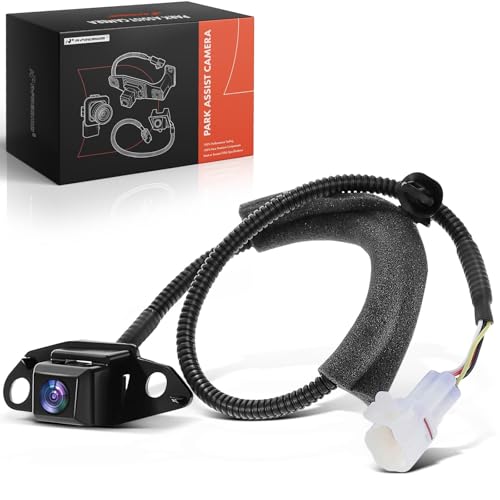
[Vehicle Fitment]: Compatible with Toyota RAV4 2009-2012 --- Rear View Side Backup Park Assist(PAS) Camera; with Spare Tire
Basic Troubleshooting Sequence
- Confirm that the liftgate is fully closed and the camera is not physically displaced.
- Clean and dry the lens.
- Shift to Park, switch the vehicle off, wait briefly, restart it, and test again.
- Check whether the multimedia display works normally outside Reverse.
- Review brightness, contrast, camera-view, and guideline settings listed in the owner’s manual.
- Look for visible impact damage near the camera or liftgate wiring area without dismantling components.
- Check the VIN at NHTSA’s recall lookup and Toyota’s recall and service-campaign lookup.
- Schedule professional diagnosis if the screen remains blank, freezes repeatedly, flickers, or shows an incorrect angle.
Note: Camera-related recalls and service campaigns apply only to specified vehicles and equipment. Use the VIN in NHTSA’s and Toyota’s official lookup tools to determine whether a particular RAV4 is included.
When to Visit a Toyota Dealer or Qualified Technician
Professional service is appropriate when:
- The camera does not display after cleaning and restarting.
- The picture freezes or disappears intermittently.
- The liftgate, bumper, or rear wiring was recently damaged or repaired.
- Water is visible inside the lens.
- The guidelines became inaccurate after collision work, camera replacement, alignment work, or a battery-related event.
- The VIN shows an open recall or service campaign.
- An aftermarket radio or camera installation caused the factory view to stop working.
Can You Upgrade the Factory RAV4 LE Backup Camera?
Toyota does not offer one universal upgrade that turns every RAV4 LE camera into a higher-resolution or panoramic system. The camera, multimedia unit, wiring, software, steering-angle data, and control modules must be compatible.
Depending on the year, possible changes include:
- Moving to a higher trim or package that includes additional parking technology.
- Installing compatible rear parking sensors.
- Replacing a damaged factory camera with the correct original-equipment part.
- Using an aftermarket head unit that retains the factory camera through a vehicle-specific interface.
- Installing a separate aftermarket camera system designed for the vehicle.
Caution: An incompatible radio, adapter, camera, or wiring modification can create a blank image, reversed orientation, incorrect guidelines, poor picture quality, or electrical faults. Use vehicle-specific components and qualified installation.
What Should You Compare With Other Compact-SUV Cameras?
For current U.S. vehicles covered by FMVSS 111, a compliant rearview image is a baseline requirement. The useful comparison is therefore not whether a camera exists, but how clearly and consistently the specific vehicle implements it.
When comparing a RAV4 LE with another compact SUV, inspect:
- Display size and viewing angle.
- Clarity in daylight and darkness.
- Time required for the image to appear.
- Fixed versus steering-responsive guidelines.
- Availability of front and rear parking sensors.
- Availability of a panoramic or 360-degree view.
- Lens location and how quickly it collects dirt or water.
- Whether the image remains stable during repeated shifts into Reverse.
- Repair cost and integration with the multimedia system.
Test the exact vehicles under consideration instead of assuming one brand has better resolution or usability across every model year and trim.
Related Guides
Frequently Asked Questions
Does a 2011 or 2012 Toyota RAV4 have a backup camera?
A 2011 or 2012 U.S.-market RAV4 may have Toyota’s backup monitor system, but those model years were not sold here as an LE. Toyota stated that all RAV4 models offered a rear-view camera system with the monitor integrated into the auto-dimming rear-view mirror. Verify the exact vehicle because “offered” does not mean every example was equipped with it.
Where is the RAV4 backup camera located?
The factory rear camera is mounted at the rear of the vehicle near the liftgate-handle or license-plate area, depending on the model year. If the image is blurry, inspect and gently clean that lens before troubleshooting the display or wiring.
What year did the RAV4 LE first include a backup camera?
The U.S.-market RAV4 LE debuted for the 2013 model year with a factory rearview camera. Earlier U.S. RAV4s were not sold as the LE grade, so a listing for a “2011 RAV4 LE” should be checked for an incorrect trim description.
Is a backup camera standard on every RAV4 LE?
Yes, for U.S.-market RAV4 LE models from the grade’s 2013 introduction onward. Equipment descriptions can differ in other countries, so imported or non-U.S. vehicles should be verified by VIN and market-specific documentation.
Can the RAV4 LE backup camera be turned off?
The required rearview image normally appears automatically when Reverse is selected and is not permanently disabled through an ordinary owner setting. Some model years may let you adjust guidelines, brightness, or an available camera view. Consult the model-year manual before changing display settings.
Does the RAV4 LE have a 360-degree camera?
The standard LE system is a rearview camera, not a full 360-degree system. A Panoramic View Monitor or similar multi-camera feature may be available on selected higher trims and packages, depending on the model year.
Why is my RAV4 backup-camera screen black or frozen?
Possible causes include a temporary multimedia error, damaged wiring, a failed camera, moisture, a control-unit fault, or a recall-related condition. Return to Park, restart the vehicle, test again, check the VIN for recalls, and arrange service if the problem returns.
Can the factory RAV4 LE camera be upgraded?
There is no universal Toyota upgrade that adds higher resolution, dynamic guidelines, or a panoramic view to every LE. Compatibility depends on the year, multimedia unit, wiring, software, and control modules. Use vehicle-specific components and professional installation.
How does the RAV4 LE camera compare with other compact SUVs?
All current covered new vehicles in the United States must provide a compliant rearview image. Compare the actual display size, image clarity, guideline behavior, parking sensors, panoramic-view availability, and nighttime performance of the specific vehicles rather than relying on a broad brand claim.
Conclusion
Every U.S.-market Toyota RAV4 LE has a factory backup camera, beginning with the LE grade’s introduction for the 2013 model year. Claims that a 2011 U.S. RAV4 LE had the feature confuse earlier trims with the later LE naming system.
The camera improves visibility and parking precision, but it cannot show every hazard or judge every distance accurately. Keep the lens clean, use the display together with mirrors and direct observation, and investigate blank, frozen, or intermittent images promptly. For a used RAV4, verify the trim, test the camera, review the correct manual, and check the VIN for open recalls before buying.
Sources
- Toyota USA Newsroom — 2013 RAV4 Pricing and LE Equipment — confirms the LE grade, 6.1-inch display, and integrated backup camera as standard equipment.
- Toyota USA Newsroom — 2011 RAV4 — documents pre-LE trim naming and the available backup monitor system.
- Toyota USA Newsroom — 2012 RAV4 — documents the backup monitor system offered before the LE grade was introduced.
- Toyota USA Newsroom — 2017 RAV4 — confirms the LE’s 6.1-inch Entune display, integrated backup camera, and standard Toyota Safety Sense P.
- Toyota USA Newsroom — 2026 RAV4 Launch — confirms the sixth-generation Hybrid LE and its backup camera with dynamic guidelines.
- NHTSA — FMVSS 111 Rear Visibility Test Procedure — explains rearview-image coverage and the two-second image-response requirement.
- National Highway Traffic Safety Administration Recall Lookup — official VIN search for open safety recalls.
- Toyota Recall and Service Campaign Lookup — Toyota-specific VIN verification and campaign information.
