
The Toyota Camry OBD2 system monitors emissions-related engine and powertrain functions, stores diagnostic trouble codes, and provides freeze-frame and live data for diagnosis. Its standardized 16-pin diagnostic connector, commonly called the OBD2 port or Toyota DLC3, is under the driver’s side of the dashboard on U.S.-market Camrys. A scanner can show where the vehicle detected a fault, but the code is evidence—not automatic proof that one specific part has failed.
Last updated: September 11, 2026
Method: This guide cross-checks Toyota owner/service information, CARB OBD-II guidance, and SAE diagnostic-code standards. It does not claim hands-on testing of every Camry generation.
Quick Answer
The Toyota Camry OBD2 port is normally beneath the driver’s side of the dashboard in the footwell, close to the steering column. Connect a compatible scanner with the vehicle off, switch the ignition to ON without starting the engine, save the codes and freeze-frame data, and diagnose the cause before clearing anything.
Key Takeaways
- U.S.-market Camrys from the 1996 model year onward use standardized OBD2 emissions diagnostics; scanner coverage beyond generic emissions data varies by model year and system.
- The diagnostic connector is in the driver-side footwell or lower-dashboard area, not inside the center console near the shifter.
- Save the code status, freeze-frame data, live data, and readiness results before clearing codes.
- A trouble code identifies a detected condition or affected system; it does not automatically prove that a particular part has failed.
- A basic reader may only access generic engine and emissions data. ABS, SRS, transmission, body, hybrid, and immobilizer functions may require Toyota-capable equipment.
At a Glance
| Time Required | Usually a few minutes for an initial scan; diagnosis can take longer |
| Difficulty | Easy to retrieve data; diagnosis may require advanced testing |
| Tools Needed | Compatible OBD2 scanner or adapter and app; model-year owner’s manual |
| Cost | $0 if you already own a scanner; otherwise varies by supported systems and features |
Toyota Camry OBD2 Scan Result: What Should You Do Next?
| Scan Result | What It Usually Means | Best Next Step |
|---|---|---|
| Scanner has no power | Connection, battery-voltage, port-terminal, or protected-circuit issue may be preventing power-up. | Reseat the plug, verify ignition state and 12-volt battery condition, then check the exact model-year fuse diagram. |
| Scanner powers on but will not communicate | The tool may be in the wrong ignition mode, connected through an interfering adapter, or missing support for the requested module. | Connect directly, use ignition-ON mode, try a generic engine scan first, and confirm exact Camry coverage. |
| Pending or confirmed code | A monitored fault was detected; the code status shows how far the fault has progressed through the monitor logic. | Save the code, status, freeze frame, readiness, and symptoms before testing the affected system. |
| Permanent code remains after repair | The emissions monitor has not yet verified that the fault is gone. | Do not repeatedly clear it. Complete the correct repair and allow the applicable monitor to run successfully. |
| No generic codes but symptoms remain | The fault may be mechanical or stored in a Toyota-specific module outside generic emissions coverage. | Use an enhanced Toyota-capable scan and continue with mechanical testing if needed. |
Warning: If the check-engine light flashes continuously, the engine shakes, power drops sharply, or you smell raw fuel, reduce load and stop driving as soon as it is safe. Continuing to drive during a severe misfire can overheat and damage the catalytic converter.
What Is the OBD2 System in the Toyota Camry?
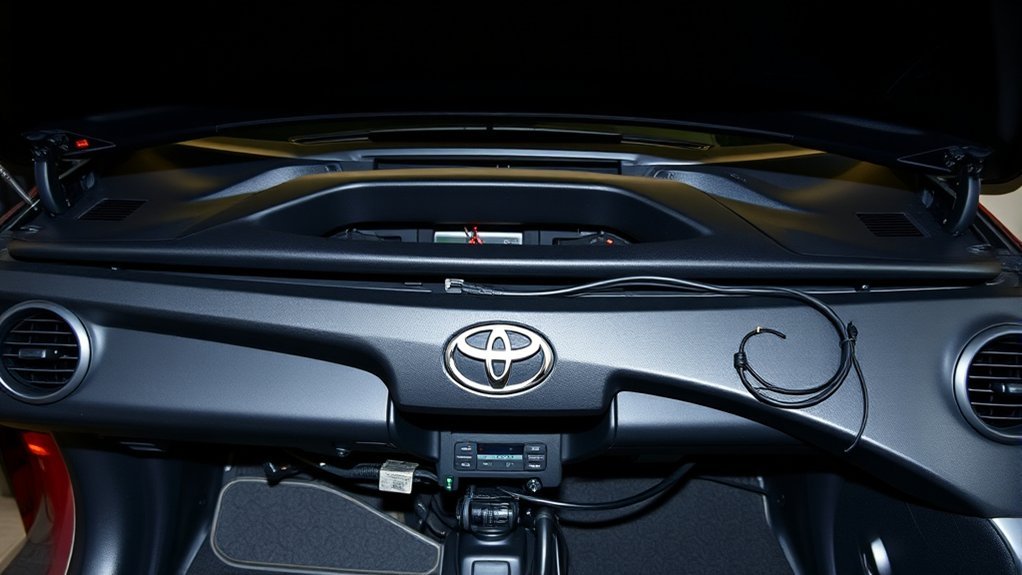
OBD2, also written as OBD-II, stands for On-Board Diagnostics, second generation. It is built into the vehicle’s control system and continuously checks supported emissions-related components and operating conditions. When the system detects a qualifying malfunction, it can store a Diagnostic Trouble Code, preserve operating information, and illuminate the malfunction indicator light, commonly called the check-engine light.
In the United States, standardized OBD requirements apply to 1996-and-newer gasoline passenger vehicles. A small number of earlier vehicles also had OBD2 equipment. The California Air Resources Board’s OBD II fact sheet provides a useful overview of the system’s purpose and model-year requirements.
OBD2 tells you what system or operating condition triggered a fault. It does not automatically tell you which component to replace.
What OBD2 Can and Cannot Diagnose
A basic OBD2 reader normally focuses on standardized engine and emissions information. Depending on the scanner and Camry model year, it may show:
- Confirmed, pending, and permanent emissions-related trouble codes
- Check-engine-light status
- Readiness-monitor status
- Freeze-frame operating data captured when a fault was detected
- Live values such as engine speed, coolant temperature, fuel trim, airflow, oxygen-sensor data, and vehicle speed
- Vehicle identification and calibration information on supported vehicles
Standard OBD2 access does not guarantee coverage of the anti-lock brakes, airbags, electric power steering, climate control, body electronics, transmission, hybrid control system, or immobilizer. Those systems may require an enhanced scanner with Toyota-specific software.
Note: Scanner coverage is determined by the exact vehicle, control module, communication protocol, software version, and paid feature level. “Works with Toyota” does not necessarily mean that every Camry system is supported.
Where Is the OBD2 Port on a Toyota Camry?
Start in the driver’s footwell. Look beneath the lower edge of the dashboard near the steering column and knee-panel area. The connector should be reachable from the driver’s side without opening a center-console storage compartment or removing permanent trim.
Scope: This location guidance is for U.S.-market, left-hand-drive Camrys. Other markets and earlier pre-OBD2 vehicles may use a different diagnostic layout, so use the exact model-year manual when the connector is not where expected.
The exact angle and mounting position vary by model year, so consult the Toyota manuals and warranties lookup when you need information for a specific Camry.
[Amazon Products Picked for You]

CEL Doctor: The ANCEL AD310 is one of the best-selling OBD II scanners on the market and is recommended by Scotty Kilmer, a YouTuber and auto mechanic. It can easily determine the cause of the check engine light coming on. After repairing the vehicle's problems, it can quickly read and clear diagnostic trouble codes of emission system, read live data & hard memory data, view freeze frame, I/M monitor readiness and collect vehicle information

Multi-Functions - Practical Multi-Functions OBD2 code reader features built-in OBD2 DTC lookup library, which help you to determine the cause of the engine light, read code, erase code, view freeze frame, I/M ready, vehicle information, data flow, real-time curve, get vehicle speed information, calculate load value, engine coolant temperature, get engine speed.

【Diagnose Check Engine Light in Seconds – No Mechanic Needed】The FOXWELL NT301 OBD2 scanner instantly reads & clears engine fault codes (DTCs) with one click. Simply plug into the 16-pin DLC port, turn ignition on, and get accurate results within seconds—No prior car knowledge required. Save hundreds on dealership fees by knowing exactly what’s wrong before you visit a shop. The #1 choice car scanner for DIYers and car owners who want to take control of their vehicle’s health
Common OBD2 Port Locations
| What to Check | What You Should See | Access Method |
|---|---|---|
| Driver-side footwell | Connector mounted beneath the lower dashboard | Open the driver’s door, move the seat back, and look upward under the dash |
| Near the steering column or knee panel | A trapezoid-shaped 16-pin socket, sometimes angled downward | Use a flashlight and follow the lower edge of the dashboard |
| Behind a removable access cover, if equipped | A hand-removable cover that identifies or exposes the connector | Remove only a clearly intended access cover; do not pry off fixed trim |
Visual Identification Tips
The diagnostic link connector has a standardized 16-terminal, trapezoid-like shape. It is wider along one edge, which helps prevent the scanner plug from being installed upside down.
- Use a flashlight rather than pulling panels at random.
- Look for an exposed black or light-colored connector fixed to a bracket.
- Do not confuse it with a loose accessory connector or USB port.
- Never force the scanner plug. Confirm its orientation first.
- Do not insert test leads, paper clips, or improvised probes into the terminals.
How Do You Use an OBD2 Scanner on a Toyota Camry?
Park on level ground, select Park, apply the parking brake, switch off accessories, and read the scanner’s instructions before connecting it. A fully charged 12-volt battery helps prevent communication errors.
1. Locate the OBD2 Port
Find the connector beneath the driver’s side of the dashboard. Inspect it for visible damage, pushed-back terminals, debris, or an aftermarket device already occupying the port.
2. Perform the Diagnostic Scan
- Turn the vehicle completely off.
- Align the scanner plug with the 16-pin connector and insert it straight without excessive force.
- Switch the ignition to ON without starting the engine. On a push-button Camry, enter the ignition-on mode without pressing the brake pedal, following the instructions in the exact model-year owner’s manual.
- Wait for the scanner to identify the vehicle or select the correct year, model, engine, and system when prompted.
- Choose a full scan, health check, or engine/powertrain code scan, depending on the tool.
- Read confirmed, pending, permanent, and history codes separately when available.
- Save the freeze-frame data, readiness status, live-data values, and complete code descriptions.
- Switch the ignition off before unplugging the scanner unless the tool manufacturer instructs otherwise.
Pro Tip: Photograph or export the complete scan report before repairing or clearing anything. Record the exact code, its status, mileage, engine temperature, fuel trims, vehicle speed, and other freeze-frame values. These details can show when and under what conditions the fault occurred.
3. Save These Details Before Clearing Codes
- Exact code: For example, P0420 rather than only “catalyst code.”
- Status: Pending, confirmed, history, or permanent.
- Control module: Engine, transmission, ABS, hybrid control, or another module.
- Freeze frame: Engine load, speed, temperature, fuel trim, and other captured values.
- Readiness monitors: Complete, incomplete, or unsupported.
- Symptoms: Rough idle, hard starting, low power, noises, odors, or fuel-economy changes.
- Recent work: Battery replacement, repairs, refueling, or parts installation.
4. Clear Codes Only When Appropriate
Do not clear a code simply to turn off the warning light. Clearing can erase freeze-frame information and reset emissions readiness monitors. It also does not repair the cause of the malfunction.
Clear codes after you have saved the diagnostic information and completed an appropriate repair or test. Some faults will clear automatically after the system runs enough successful monitoring cycles. Permanent emissions codes cannot normally be erased on command; the vehicle must verify that the fault is no longer present.
Note: Disconnecting the battery or clearing codes shortly before an emissions inspection can leave monitors incomplete. The vehicle may need normal driving or a model-specific drive cycle before the monitors return to ready status.
What Do Toyota Camry OBD2 Trouble Codes Mean?
A Diagnostic Trouble Code is a standardized identifier stored when a control module detects a monitored condition outside its expected range. Some codes are generic, while others use manufacturer-defined meanings or require Toyota-specific subcodes.
Treat the code as evidence, not a verdict. Test the affected system before replacing sensors, valves, converters, control modules, or other expensive parts.
How the Code Format Works
| First Character | System | Examples |
|---|---|---|
| P | Powertrain | Engine, transmission, emissions, and some hybrid powertrain faults |
| B | Body | Climate control, restraints, lighting, doors, and convenience systems |
| C | Chassis | ABS, stability control, steering, suspension, and wheel-speed systems |
| U | Network communication | Lost communication or data problems between control modules |
The remaining characters narrow the code to a standardized or manufacturer-defined fault category. Use the complete code and Toyota service information rather than relying only on a short internet description. SAE J2012_202511 defines standardized diagnostic-trouble-code structure and descriptions.
Pending, Confirmed, History, and Permanent Codes
| Code Status | What It Means | Recommended Action |
|---|---|---|
| Pending | The system detected a fault, but the criteria for a confirmed code may not yet be complete. | Record it and inspect the related data; do not dismiss it simply because the light is off. |
| Confirmed | The fault met the required detection criteria and may command the warning light on. | Follow the diagnostic procedure for the exact code and vehicle. |
| History or previously detected | The fault occurred earlier but may not be active during the current scan. | Review recurrence, mileage, and related symptoms before deciding it is resolved. |
| Permanent | An emissions-related code retained until the monitor confirms that the problem is no longer present. | Repair the cause and allow the applicable monitor to complete successfully. |
Examples of Codes a Camry May Report
| Code | General Meaning | Possible Areas to Test |
|---|---|---|
| P0300 | Random or multiple-cylinder misfire detected | Ignition, fuel delivery, air leaks, compression, timing, and related engine conditions |
| P0301–P0306 | Misfire detected in a specific cylinder, depending on engine configuration | Spark plug, ignition coil, injector, wiring, compression, and intake sealing |
| P0171 | Fuel system too lean, Bank 1 | Unmetered-air leaks, mass-airflow measurement, fuel pressure, injectors, exhaust leaks, and sensor data |
| P0420 | Catalyst-system efficiency below threshold, Bank 1 | Catalyst condition, exhaust leaks, oxygen or air-fuel-ratio sensor behavior, misfires, oil consumption, and fuel-control faults |
| P0440, P0441, P0455, or P0456 | Evaporative-emissions system fault, incorrect flow, or leak | Fuel-cap seal, hoses, purge valve, vent valve, canister, leak-detection components, and wiring |
Note: P0420 does not automatically mean the catalytic converter must be replaced. Diagnose active misfires, fuel-control problems, oil or coolant consumption, exhaust leaks, and sensor operation first, because these faults can damage a replacement converter or produce misleading catalyst-monitor results.
Steady Versus Flashing Check-Engine Light
- Steady light: Scan the vehicle soon. Check for drivability symptoms, abnormal temperatures, low fluids, or other warning indicators.
- Flashing light: Reduce speed and engine load immediately. If the engine runs roughly or the light continues flashing, stop driving and arrange professional diagnosis.
- Light with overheating, low oil pressure, or hybrid-system warnings: Follow the owner’s manual and stop the vehicle when instructed. An OBD scan is not a substitute for responding to a critical warning.
What Is the Toyota Immobilizer System?
The Toyota immobilizer is a theft-deterrent system that checks whether an authorized key or smart key is present before allowing the powertrain to start. It is separate from the standardized emissions OBD2 system, although professional diagnostic equipment may communicate with both through the same physical diagnostic connector.
A basic OBD2 reader cannot normally add keys, reset an immobilizer, retrieve restricted security data, or complete smart-key registration. Those functions require compatible Toyota-capable equipment, exact model-specific procedures, ownership verification, and in many cases authorized security access.
Do not rely on generic claims that every Camry from a particular year uses a specific “G” or “H” transponder. Verify key and smart-key compatibility using the VIN, production information, Toyota service documentation, a Toyota dealer, or a qualified registered automotive locksmith.
Can OBD2 Program a Toyota Camry Key? How IMMO Learning Differs
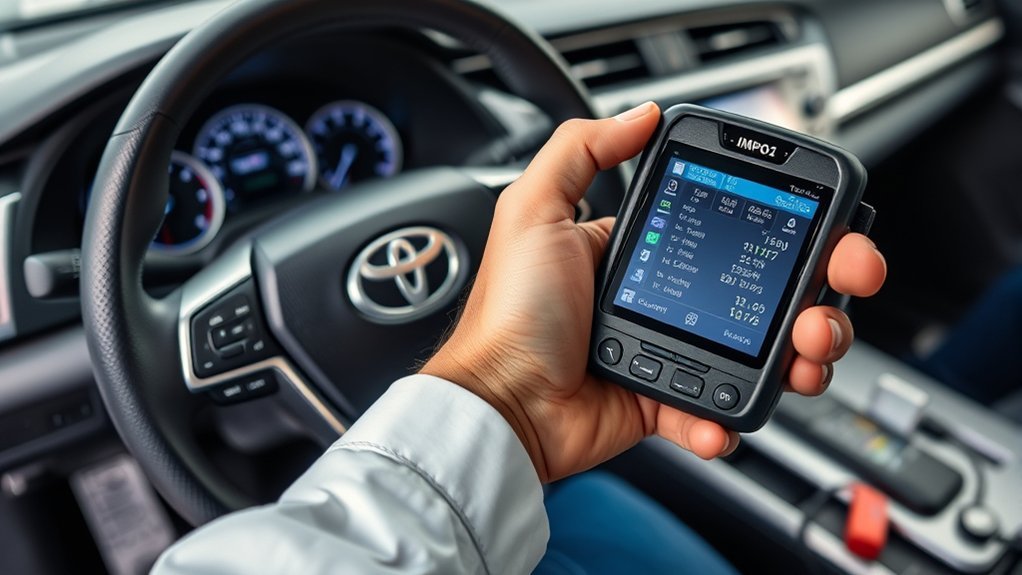
“IMMO learning” generally refers to registering, adding, removing, or resetting authorized keys in the immobilizer or smart-key system. It is not one universal ignition-on procedure. The sequence depends on the model year, key system, available registered keys, control-module condition, and diagnostic software.
Toyota’s current Technical Information System provides security functions to eligible security professionals. Toyota’s Smart Key Immobilizer Reset and Add/Remove Key bulletin also warns that some reset or erasure operations permanently invalidate previously registered keys.
- Authorized access: The person performing the work may need proof of ownership, vehicle identification, a qualifying account, and security authorization.
- Model-specific procedure: The ignition state, door position, key placement, timing, and battery-support requirements vary.
- Compatible equipment: A generic emissions reader is not sufficient. The tool must support the specific Toyota immobilizer or smart-key system.
- Permanent consequences: A reset may erase all registered keys, and removed keys may be impossible to reuse.
Warning: Do not start a smart-key reset, control-module replacement, ECU reprogramming, or key-erasure procedure with an unverified tool or unstable 12-volt battery. An interrupted or incorrect procedure can leave the vehicle unable to recognize any key.
[Amazon Products Picked for You]

Turn your iPhone, Android device, or Windows PC into a professional grade diagnostic scan tool.

Compatibility: This OBD2 adapter cable is designed specifically for Toyota vehicles with a 17 pin OBD1 connector, allowing seamless connection to OBD2 diagnostic scanners and code readers.

📢⚠️【Please Read Carefully before Purchasing】- ▶ This is just a 22Pin to 16Pin converter cable ONLY, not a diagnostic scanner. ▶Please comfirm that your cars support the OBD2 protocol, and your scanner being compatible with your cars with the functions you need – none of which is related to our cable. ▶ This 22pin OBD port does not provide a power supply. Any question, pls conta.ct us via 📩Autelchoice @ outlook . com📩.
How to Troubleshoot Common OBD2 Issues in Your Camry
When a scanner does not work, separate the problem into two categories: the scanner receives no power, or it powers on but cannot communicate with the vehicle.
Start with connection, ignition state, battery voltage, fuse condition, and scanner compatibility before assuming that a control module has failed.
[Amazon Products Picked for You]

Understand Your Check Engine Light – The ANCEL AD410 OBD2 scanner helps everyday drivers quickly read and clear engine-related fault codes, view code definitions, and understand why the check engine light is on before visiting a repair shop. With 42,000+ built-in DTC lookups, this car code reader helps reduce guesswork and makes basic vehicle diagnostics easier for beginners and DIY users

[Easy to Use—Work Out of the Box] + [FOXWELL 2026 New Version] FOXWELL NT604 Elite scan tool is the 2026 new version from FOXWELL, designed for car owners who want to figure out the cause of issues before fixing car problems by scanning common systems like ABS, SRS, engine, and transmission. The NT604 Elite obd2 scanner diagnostic tool comes with the latest software—no need to waste time downloading software first. Plug the scanner into the OBDII port with OBDII cable to start the diagnosis.

✅ ALL-IN-ONE DEALER-LEVEL SCANNER FOR YOUR TOYOTA & LEXUS | NO MORE EXPENSIVE SHOP VISITS! Tired of paying outrageous dealer fees for simple resets, coding, and diagnostics? The 2026 New Upgraded LAUNCH Creader Elite V3.0 OBD2 Scanner is a GAME-CHANGER specifically built for Toyota and Lexus owner and mechanic. From your home garage to the professional workshop — one tool that delivers the speed you want and the accuracy you demand (code reader for cars and trucks) LAUNCH sup port :☎️Ucarobdsales @ hotmail. com
Scanner Does Not Power On
- Confirm that the plug is fully seated and correctly oriented.
- Switch the ignition to the mode required by the scanner.
- Check the 12-volt battery condition. Low voltage can prevent reliable communication.
- Inspect the port for damaged, bent, dirty, or pushed-back terminals without inserting metal probes.
- Check the exact model-year fuse diagram in the owner’s manual. The diagnostic connector’s power feed may share protection with another circuit.
- Test the scanner on another compatible vehicle or try a known-good scanner on the Camry.
Scanner Powers On but Will Not Communicate
- Verify that the vehicle is in ignition-on mode rather than accessory mode.
- Confirm that the scanner supports the Camry’s model year and communication protocol.
- Remove an extension cable, splitter, insurance tracker, fleet device, or other adapter and connect the scanner directly.
- Close and reopen the scanner app, confirm Bluetooth or Wi-Fi pairing, and select the correct adapter.
- Try a generic engine scan before attempting an enhanced all-system scan.
- Check for aftermarket alarms, remote starters, audio equipment, or wiring work near the diagnostic connector.
- If multiple known-good tools fail, have the data link, grounds, battery supply, and vehicle network tested professionally.
The Code Returns After Clearing
A returning code usually means the underlying condition remains, the repair was incomplete, or the system detected a related fault. Recheck the complete code status and freeze-frame information rather than repeatedly clearing the light.
For intermittent faults, inspect wiring movement, connector tension, temperature effects, moisture, vibration, fuel level, and the operating conditions recorded in the freeze frame. Avoid replacing parts based only on the code description.
The Camry Has Symptoms but No Generic Code
A basic reader may report “no codes” even when another module has stored a fault. Transmission, ABS, stability-control, airbag, electric-steering, hybrid, body, and communication codes may require an enhanced Toyota-compatible scan.
Mechanical problems can also occur without an immediately stored code. Examples include low compression, restricted exhaust flow, worn mounts, weak fuel pressure that remains within a monitor’s limits, and intermittent wiring faults.
Hybrid Camry Safety
Warning: On a Camry Hybrid, make sure the READY indicator is off unless a documented test specifically requires the hybrid system to be active. Never touch, disconnect, back-probe, or disassemble orange high-voltage cables or components without the required training and safety equipment.
Hybrid-system codes may include Toyota information codes or subcodes that a basic reader does not display. A professional Toyota-capable scan can be necessary to identify the affected circuit safely.
Which OBD2 Scanner Do You Need for a Toyota Camry?
Choose a scanner by the systems and functions it supports, not by price alone. Confirm compatibility using the manufacturer’s coverage list for the exact Camry year, engine, transmission, and hybrid configuration.
| Scanner Type | Typical Capabilities | Best For | Main Limitation |
|---|---|---|---|
| Basic code reader | Generic engine and emissions codes, readiness status, and basic clearing | Initial check-engine-light scans | Usually lacks ABS, SRS, body, hybrid, active-test, and Toyota-specific data |
| Bluetooth or Wi-Fi adapter | Codes, dashboards, graphing, logging, and app-dependent enhanced features | Owners who want portable live-data logging | Capability and security depend heavily on the adapter and app |
| Enhanced all-system scanner | Engine, transmission, ABS, SRS, body, steering, and selected hybrid or service functions | Advanced DIY diagnosis and independent repair | Coverage varies by year and may require paid updates |
| Bi-directional Toyota-capable scanner | Active tests, actuator commands, system initialization, relearns, and enhanced data | Experienced technicians and complex troubleshooting | Incorrect commands can cause unexpected component operation or configuration problems |
| Toyota Techstream platform | Factory-level Toyota diagnostics, health checks, service information, active tests, and supported programming functions | Professional Toyota diagnosis and repair | Requires suitable equipment, software, subscriptions, training, and security authorization for restricted functions |
Toyota describes its supported diagnostic platforms on the Toyota TIS scan-tool and vehicle-reprogramming page.
Scanner Buying Checklist
- Exact Camry model-year and engine coverage
- Gasoline, hybrid, or both powertrain support
- Generic and Toyota-enhanced code definitions
- Pending, permanent, freeze-frame, readiness, and live-data access
- ABS, SRS, transmission, steering, body, and hybrid coverage when needed
- Graphing, recording, export, and full-scan reports
- Software-update policy and ongoing subscription requirements
- Clear documentation for active tests and service functions
- Reputable app privacy and security practices for wireless adapters
How Do You Maintain the Toyota Camry OBD2 Connector and Diagnostic System?
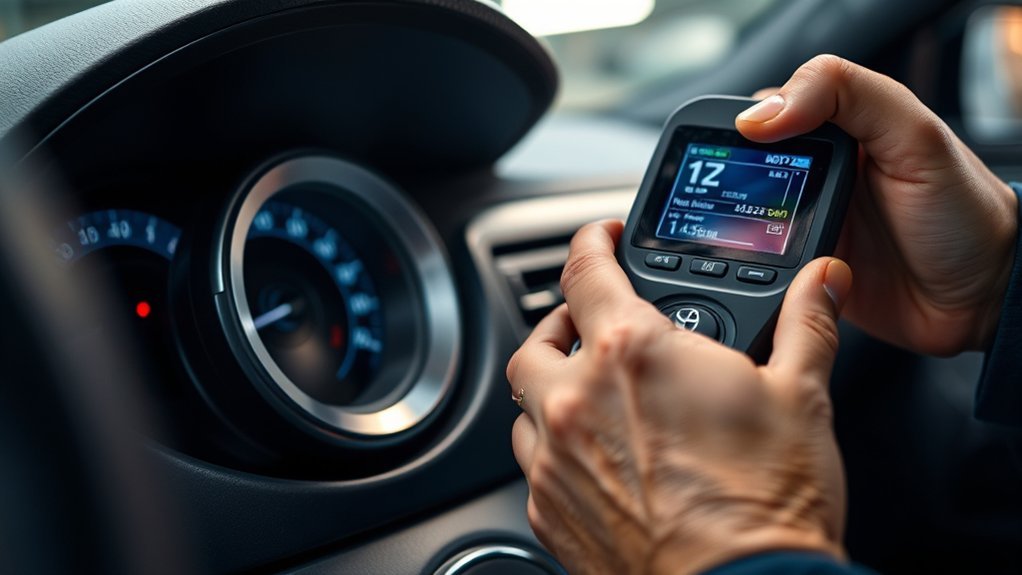
The OBD2 system does not require a routine scanning schedule. It runs supported self-tests while the vehicle is operated under the required conditions. Use a scanner when a warning appears, a symptom develops, an emissions inspection is approaching, or you need to verify a repair.
- Keep the connector unobstructed and avoid hanging heavy adapters or extension cables from it.
- Do not leave an unknown or low-quality wireless adapter connected permanently. It may draw battery power, create a security risk, or interfere with communication.
- Maintain the 12-volt battery and charging system. Low voltage can create misleading communication and module faults.
- Investigate warning lights promptly rather than repeatedly clearing them.
- Save complete reports to track intermittent or recurring faults.
- Use the exact Toyota repair procedure for the code, model year, engine, and control module.
- After a repair, verify that the code does not return and that the applicable readiness monitor completes.
- Check applicable emissions-warranty information before paying for a potentially covered repair.
Pro Tip: A successful repair is more than an extinguished warning light. Confirm normal live data, complete the appropriate monitor, recheck for pending codes, and verify that the original symptom is gone.
Related Guides
Frequently Asked Questions
Where is the OBD2 port on a Toyota Camry?
On a U.S.-market Camry, look beneath the driver’s side of the dashboard in the footwell near the lower steering-column and knee-panel area. The OBD2 connector is a fixed, trapezoid-shaped 16-pin socket. Its exact angle can vary by model year, so use the exact Toyota manual if it is not immediately visible.
Why won’t my OBD2 scanner connect to my Toyota Camry?
If the scanner has no power, check plug seating, ignition state, 12-volt battery condition, port damage, and the exact model-year fuse diagram. If it powers on but will not communicate, connect it directly without splitters or trackers, verify ignition-ON mode, confirm vehicle coverage, and try a generic engine scan before an enhanced all-system scan.
How do you use an OBD scanner on a Toyota Camry step by step?
Park the Camry, apply the parking brake, turn it off, and connect the scanner to the 16-pin port beneath the driver’s side dashboard. Switch the ignition to ON without starting, identify the vehicle, run a scan, and save every code, status, freeze frame, readiness result, and relevant live-data value. Diagnose the cause before clearing codes, then turn the vehicle off before disconnecting the tool.
What OBD-II protocol does a Toyota Camry use?
The protocol depends on the model year and market. Older OBD2 Camrys may use earlier standardized communication methods, while modern vehicles generally use CAN-based emissions communication. A compliant scanner normally detects the supported generic protocol automatically. Toyota-specific modules and newer diagnostic functions may require enhanced software rather than a generic reader.
Can thieves bypass an OBD-port lock?
An OBD-port lock can deter or delay unauthorized access, but no single device guarantees theft prevention. Use layered security such as secure key storage, steering-wheel protection, parking practices, alarms, tracking, and professionally installed anti-theft equipment. Avoid modifying or relocating the diagnostic connector in a way that prevents lawful service or inspection.
What are the 10 classic OBD2 modes?
The classic SAE diagnostic services are commonly described as Mode 01 for current data and readiness, Mode 02 for freeze-frame data, Mode 03 for confirmed emissions codes, Mode 04 for clearing emissions information, Mode 05 for certain oxygen-sensor test results, Mode 06 for onboard-monitor test results, Mode 07 for pending codes, Mode 08 for supported control operations, Mode 09 for vehicle information, and Mode 0A for permanent codes. Not every vehicle or scanner supports every service, and newer standardized implementations may present some functions differently.
Can a basic OBD2 scanner read Toyota ABS, airbag, or hybrid codes?
Usually not. A basic reader is mainly designed for standardized engine and emissions information. ABS, SRS, hybrid control, electric steering, body, transmission, and Toyota information codes generally require an enhanced scanner whose coverage list specifically includes those systems for the exact Camry model year.
Should you clear codes before an emissions inspection?
No. Clearing codes or disconnecting the battery resets readiness monitors and may cause the vehicle to fail or be rejected until the applicable self-tests complete. Repair the fault first, allow the monitors to run, and check the rules for your inspection jurisdiction.
Can an OBD2 scanner damage a Toyota Camry?
Reading codes and live data with a reputable compatible scanner is normally low risk. Damage or configuration problems are more likely when a connector is forced, terminals are shorted, low-quality hardware is used, active tests are commanded without understanding them, or coding and reprogramming are interrupted. Avoid programming work without stable battery support and the correct documented procedure.
Conclusion
Your Toyota Camry’s OBD2 system is a valuable diagnostic aid, but using it correctly means doing more than reading and clearing a code. Locate the connector beneath the driver’s side dashboard, save the full diagnostic record, understand the difference between generic and Toyota-enhanced data, and test the affected system before replacing parts.
Respond promptly to a flashing check-engine light, protect the diagnostic connector, verify readiness after repairs, and use model-specific Toyota information for advanced work. Immobilizer resets, ECU programming, bi-directional tests, and hybrid high-voltage diagnosis should be left to people with the correct equipment, authorization, and training.
Sources
- California Air Resources Board — OBD II Systems Fact Sheet — OBD2 purpose, model-year requirements, warning-light behavior, readiness, and emissions inspections
- California Air Resources Board — OBD II Regulatory Requirements — diagnostic-connector location, access, communication, and system requirements
- Toyota Owners — Manuals and Warranties — model-year owner’s manuals, warnings, operating procedures, and warranty information
- Toyota Technical Information System — Scan Tools and Vehicle Reprogramming — Toyota-supported diagnostic platforms and factory-level capabilities
- Toyota Technical Information System — TIS Library and Subscription Access — repair information, Techstream access, and restricted immobilizer functions
- California Bureau of Automotive Repair — Readiness Monitor Regulations — current readiness-monitor principles and inspection implications
- SAE International — J2012_202511 Diagnostic Trouble Code Definitions — standardized diagnostic-trouble-code structure and definitions
- Toyota T-SB-0013-24 — Smart Key Immobilizer Reset and Add/Remove Key — current GTS+/TIS immobilizer-reset process and cautions
