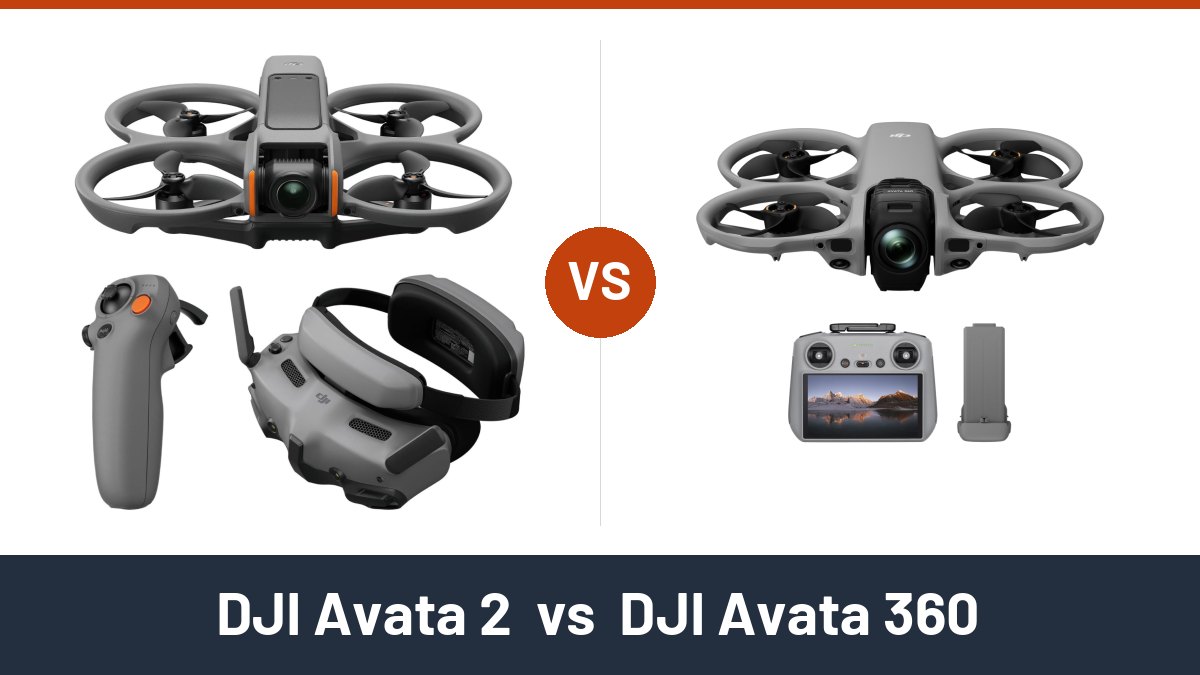
Trying to choose between the DJI Avata 2 and the DJI Avata 360? This DJI Avata 2 vs DJI Avata 360 comparison helps you pick the right FPV camera drone for how you fly and film.
There is no single winner here. Pick the DJI Avata 2 for lighter, faster FPV flying with goggles and a motion controller in the box. Pick the DJI Avata 360 for 8K 360° footage you can reframe after the flight.
We compared DJI’s published specs for both drones, retailer spec listings, owner feedback trends from forums, and recall records.
DJI Avata 2 vs DJI Avata 360 Compared
| Compare |
 Best Immersive FPV
|
 Best 360 Cinematography
|
|---|---|---|
| Best for | Single-lens FPV flying, with Goggles 3 and RC Motion 3 in this combo | 360° capture that you reframe in editing |
| Camera | 1/1.3-inch sensor, 4K video | Dual 1/1.1-inch sensors, 8K/60fps 360° videoBetter |
| Obstacle sensing | Downward and backward visual positioning | Omnidirectional vision plus forward LiDARBetter |
| Transmission | DJI O4, up to 13 km (FCC) | DJI O4+, up to 20 km (FCC)Better |
| Takeoff weight | Approx. 377 gBetter | Approx. 455 g |
| Max speed | 27 m/s (manual mode)Better | 18 m/s (Sport mode) |
| Score | 92/100 | 88/100 |
DJI Avata 2 vs DJI Avata 360: Quick Verdict
DJI Avata 2
Bottom line: The DJI Avata 2 is the lighter, faster flyer of the two, and this combo ships with goggles and a motion controller. Buy it if you want immersive FPV flight and ready-to-share 4K clips.
- Camera: 1/1.3-inch sensor with a 155° field of view, a wide, immersive view for close flying
- Video: 4K at up to 100fps, smooth slow motion for action shots
- Obstacle sensing: Downward and backward visual positioning, you watch the path ahead yourself
- Takeoff weight: Approx. 377 g, lighter and quicker to throw around
- Transmission: DJI O4, up to 13 km (FCC), a steady feed at normal flying distances
This DJI Avata 2 Fly More Combo pairs the drone with DJI Goggles 3 and the RC Motion 3 controller. You steer by pointing and tilting your hand instead of using two sticks, so you can start flying FPV right away.
RockSteady 3.0+ and HorizonSteady stabilization keep low, fast runs smooth, so trail and backyard clips need little fixing later. Top speed reaches 27 m/s in manual mode, and DJI rates wind resistance at Level 5 (10.7 m/s).
The integrated propeller guard helps when you fly close to trees and walls. The catch: sensing covers only below and behind, and owners report the one-piece frame can crack in a hard crash. Flight time is about 23 minutes, and this combo includes one battery.
- Goggles 3 and RC Motion 3 come in this combo, so you can fly FPV out of the box
- RockSteady 3.0+ and HorizonSteady stabilization for smooth 4K footage
- Light at about 377 g, with an integrated propeller guard
- Higher top speed of 27 m/s in manual mode
- 4K at up to 100fps for slow-motion action clips
- Sensing covers only downward and backward, so forward obstacles are on you
- Single-lens camera, so every angle has to be framed during the flight
- Owners report the one-piece frame can crack in hard crashes and is tough to repair at home
DJI Avata 360
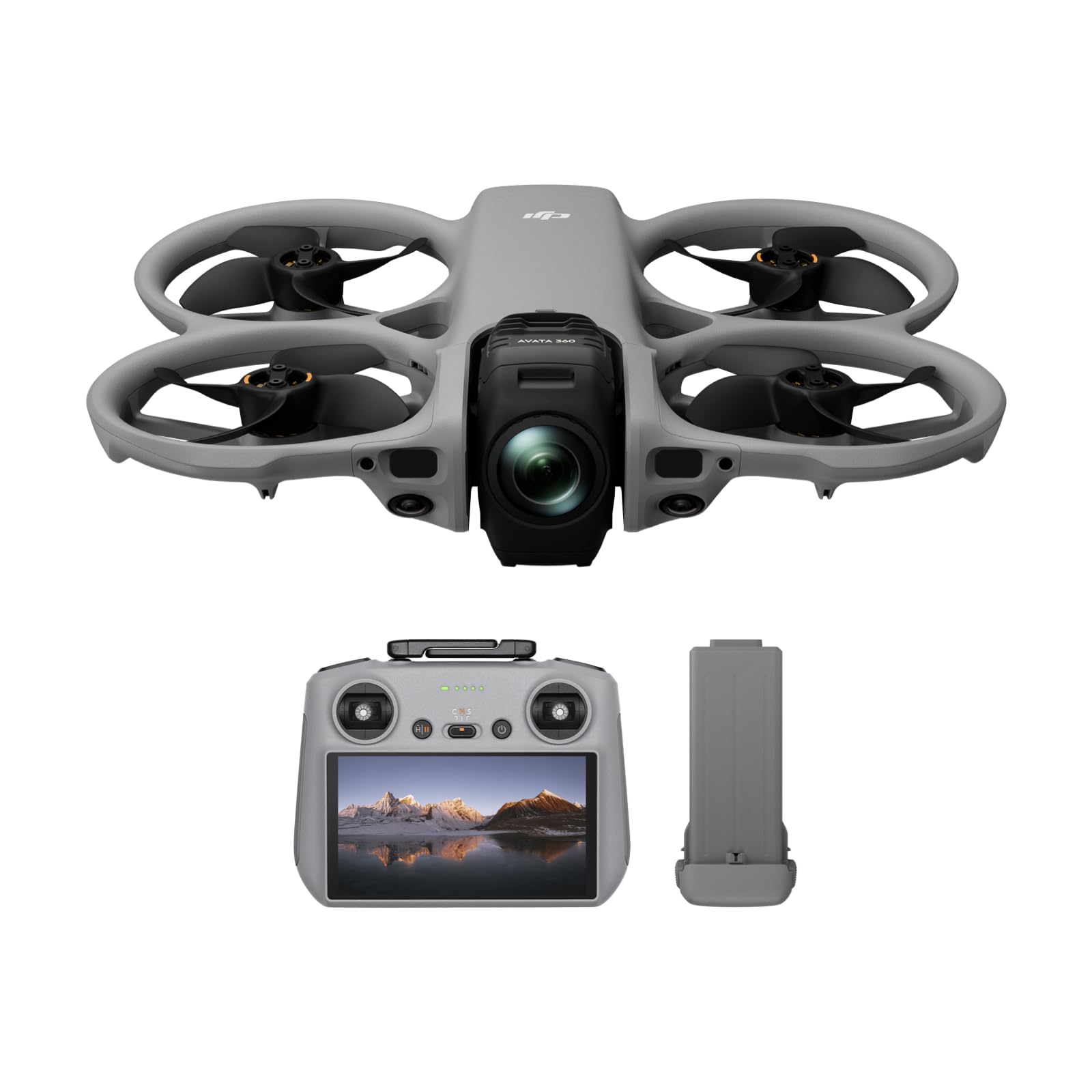
Bottom line: The DJI Avata 360 sees more and captures more than the DJI Avata 2, with 8K 360° video and sensing on every side. Buy it if you want to frame shots after the flight and don’t mind more editing.
- Camera: Dual 1/1.1-inch sensors, captures every direction at once
- Video: 8K/60fps HDR 360°, or 4K/60fps single-lens, reframe shots after you land
- Obstacle sensing: Omnidirectional vision plus forward LiDAR, warns of obstacles from every side
- Takeoff weight: Approx. 455 g, heavier, though still easy to pack
- Transmission: DJI O4+, up to 20 km (FCC), longer rated range than the DJI Avata 2
The DJI Avata 360 records the whole sphere around the drone in one take. You choose the angle later, so you can pull several framings from one flight instead of flying the same path again.
Omnidirectional vision sensing with a forward LiDAR and an infrared sensor watches every side, and DJI says it works at night too. That makes paths near trees or buildings less stressful. Flight time is about 23 minutes, the same as the DJI Avata 2.
The catch is the workflow. 8K 360° files are large, low-light shots get grainy, and heavy reframing softens the image. Plan for a capable editing computer and time to learn 360° editing.
- Dual 1/1.1-inch sensors record 8K/60fps HDR 360° video
- Reframe any angle after the flight from a single take
- Omnidirectional vision sensing plus forward LiDAR, rated for night use
- O4+ transmission up to 20 km (FCC)
- Works with DJI RC 2, RC-N2, RC-N3, or Goggles 3/N3 with RC Motion 3
- Heavier at about 455 g, with a lower 18 m/s top speed
- Low-light footage turns grainy, and heavy reframing softens the image
- Large 8K files need storage space and a strong editing computer
DJI Avata 2 vs DJI Avata 360: Head-to-Head Breakdown
The core trade-off is flight feel versus footage freedom. The DJI Avata 2 is lighter and faster, while the DJI Avata 360 senses more, reaches farther, and captures every angle.
Camera and Footage
The DJI Avata 360 captures the full sphere, so you can pick angles and pans in editing. The DJI Avata 2 records what it points at, with a wide 155° view and 4K at up to 100fps for slow motion. If missing a moment is not an option, the 360° camera gives you more to work with.
Obstacle Sensing and Safety
Both drones use integrated propeller guards. The DJI Avata 360 adds warnings from every side, which helps near trees, walls, and after dark. With the DJI Avata 2, you watch the path ahead yourself.
Speed and Agility
Both drones handle Level 5 winds (10.7 m/s), according to DJI. The DJI Avata 2’s extra speed and lower weight suit fast, low chase runs. The DJI Avata 360 flies at a calmer pace that fits smooth 360° capture.
Portability
Neither drone is pocketable, and both sit above the 250 g FAA registration line. The DJI Avata 2 is the easier one to carry on hikes and weekend trips, while the DJI Avata 360 still packs into a small bag.
Range and Flight Time
Flight time is a tie: DJI rates both at about 23 minutes. The DJI Avata 360 carries a larger battery of at least 2700 mAh against 2150 mAh, which offsets its extra weight. The longer rated range gives you more signal headroom, though US rules still require keeping the drone in sight.
Editing Workflow
Long-term users of the DJI Avata 360 say basic 360° editing takes an hour or two to learn, and heavy crops can look soft. If you want to fly, export, and share the same day, the DJI Avata 2 keeps things simple.
DJI Avata 2 or DJI Avata 360: Which Should You Buy?
- Your first FPV drone with goggles in the box: get the DJI Avata 2.
- Reframing shots after the flight: get the DJI Avata 360.
- Flying near trees, walls, or after dark: get the DJI Avata 360.
- Fast, low action runs: get the DJI Avata 2.
- Quick clips with little editing: get the DJI Avata 2.
- VR and 360° content: get the DJI Avata 360.
How We Compared
We compared both drones on the same specs, using the exact kits the links point to.
- Camera: sensor size, video resolution, frame rates, and whether you can reframe after the flight.
- Safety: obstacle sensing coverage and propeller protection.
- Flight: top speed, wind resistance, flight time, and transmission range.
- Portability and kit: takeoff weight and the goggles and controllers each drone works with.
- Sources: DJI spec pages and launch details, major retailer spec listings, owner feedback trends from forums and long-term write-ups, and safety and recall records.
Customer Preferences
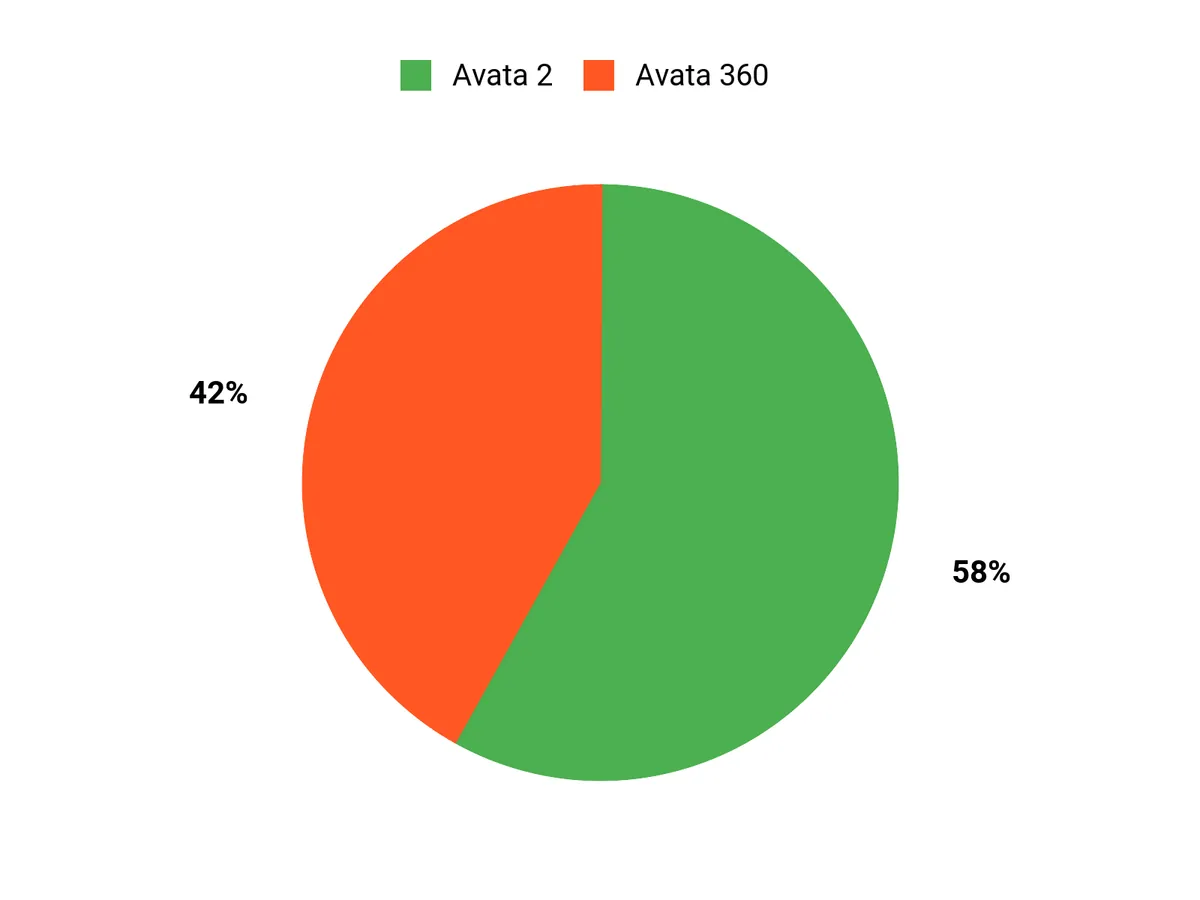
Your pick usually comes down to one priority. If a short learning curve and ready-to-share 4K clips matter most, the DJI Avata 2 fits. If framing freedom and 360° output matter more, and your editing setup can handle 8K files, the DJI Avata 360 fits.
How to Choose an FPV Camera Drone
Single-Lens or 360° Camera
A single-lens drone records what it points at, so the shot is set while you fly. A 360° drone records every direction, and you pick the frame later. If you post quick clips, one 4K lens is enough. If you want VR output or several angles from one flight, the DJI Avata 360 fits better.
Obstacle Sensing
Sensing coverage matters most in tight spaces. Downward and backward sensing helps with landing and reversing, but you still watch the path ahead. Omnidirectional sensing adds warnings from every side. If you often fly near trees, buildings, or after dark, choose full coverage, like the DJI Avata 360.
Weight and Registration
In the US, recreational drones over 250 g must be registered with the FAA, and both of these qualify. A lighter drone is easier to carry and quicker in the air. If you hike to your flying spots or want the most agile flyer, the lighter DJI Avata 2 fits better.
Controls and Goggles
Goggles give you the pilot’s-eye view, and a motion controller lets you steer by pointing and tilting your hand instead of using two sticks. Check whether a listing includes goggles and which controller ships in the box. In the US, when you fly with goggles, a visual observer next to you must keep the drone in sight. The DJI Avata 2 Fly More Combo linked here includes Goggles 3 and RC Motion 3.
Storage and Editing
Plan for file sizes before you buy. The DJI Avata 2 has 46 GB of internal storage. The DJI Avata 360 has 42 GB, which DJI says holds about 30 minutes of 8K 360° video. 360° editing needs plenty of drive space and a capable computer. If you want light editing, pick the DJI Avata 2.
Mistakes to Avoid When Buying FPV Camera Drones
- Ignoring what’s in the box: Confirm whether goggles, a controller, and extra batteries are included before you order.
- Buying 360° without the editing setup: Make sure your computer and storage can handle 8K files.
- Trusting sensing to fly for you: Treat obstacle sensing as a backup, not an autopilot, and slow down near branches.
- Skipping registration: Register any drone over 250 g with the FAA before your first flight.
- Flying with one battery: About 23 minutes goes fast, so plan for spares on longer shoots.
FAQs
What is the main difference between the DJI Avata 2 and DJI Avata 360?
The DJI Avata 2 is a single-lens FPV drone, while the DJI Avata 360 records 360° video. The DJI Avata 2 shoots 4K from a 1/1.3-inch sensor and weighs about 377 g. The DJI Avata 360 shoots 8K/60fps 360° video from dual 1/1.1-inch sensors, adds omnidirectional sensing, and weighs about 455 g.
Which Model Fits My Needs?
Pick the DJI Avata 2 if you want immersive FPV flying and quick 4K clips; this combo includes Goggles 3 and RC Motion 3. Pick the DJI Avata 360 if you want 360° capture and the freedom to frame shots in editing. Expect bigger files and more editing time with the DJI Avata 360.
How Steep Is The Learning Curve?
Flying either drone is approachable, but the DJI Avata 360 adds an editing curve. The DJI Avata 2’s motion controller and stabilization help new pilots build confidence fast. With the DJI Avata 360, 360° reframing takes new skills and a stronger computer. For both, practice in open areas, keep firmware current, and carry spare propellers.
What Should I Know About Workflow And Safety?
Plan storage and editing time around the camera. The DJI Avata 2 records 4K clips that are ready to use, while the DJI Avata 360’s 8K 360° files need more space and processing power. Propeller guards and sensing help, but they don’t replace careful flying. Check local rules and update firmware before each trip.
Do the DJI Avata 2 and DJI Avata 360 need FAA registration?
Yes. In the US, recreational drones over 250 g must be registered with the FAA, and both are heavier than that. The DJI Avata 2 weighs about 377 g and the DJI Avata 360 about 455 g. Recreational pilots also need to pass the free TRUST test and keep the drone in visual line of sight.
Which drone flies longer on one battery?
Neither has an edge: DJI rates both at about 23 minutes of maximum flight time. The DJI Avata 360 uses a larger battery of at least 2700 mAh against 2150 mAh in the DJI Avata 2, but it is also heavier. Real flight time drops with wind, speed, and cold, so carry spare batteries for longer sessions.
Can I fly the DJI Avata 360 with DJI Goggles 3 and RC Motion 3?
Yes. The DJI Avata 360 works with DJI Goggles 3 or Goggles N3 paired with RC Motion 3 or the DJI FPV Remote Controller 3. It also works with the DJI RC 2, RC-N2, and RC-N3 for standard flight. Check which controller or goggles the listing includes before you buy.
Which is better for flying near obstacles?
The DJI Avata 360 is the safer choice near obstacles. It uses omnidirectional vision sensing plus a forward LiDAR and infrared sensor, and DJI says sensing works at night. The DJI Avata 2 has downward and backward visual positioning only. Both have integrated propeller guards, but no sensing system replaces careful flying at speed.
Final Verdict: DJI Avata 2 vs DJI Avata 360
The DJI Avata 2 vs DJI Avata 360 choice comes down to flying versus framing. The DJI Avata 2 is lighter, faster, and ships here with goggles and a motion controller. The DJI Avata 360 adds 8K 360° capture, omnidirectional sensing, and longer range, at the cost of extra weight and editing time.

