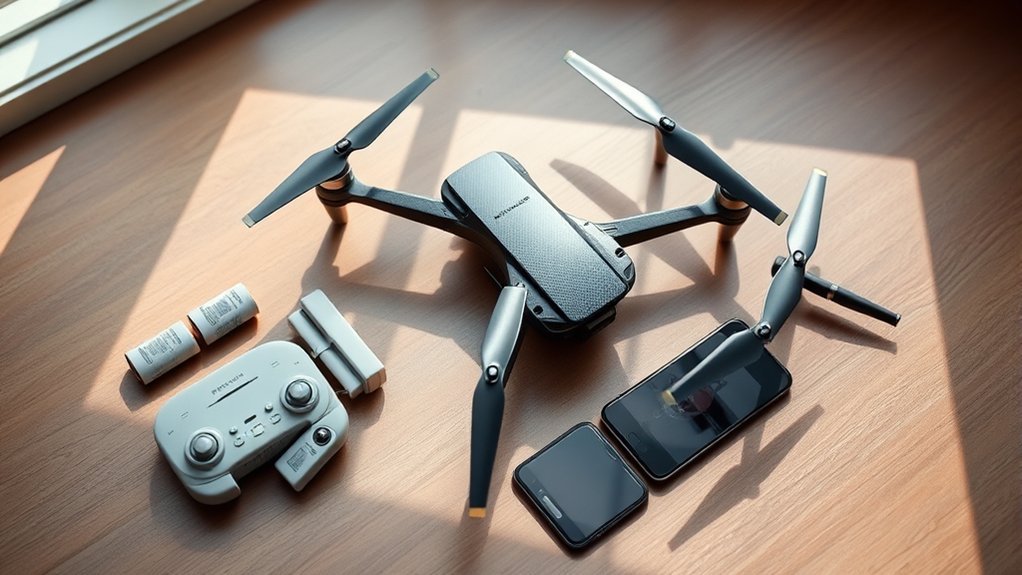
Setting up the Plegble PL 515 drone is easier when you start with the correct model information. This foldable beginner drone uses a handheld controller, phone-based Wi-Fi camera preview, and two rechargeable batteries. Several GPS and battery claims found in PL 515 descriptions actually match the different PL 715, so checking the model number first can prevent setup mistakes.
Quick Answer
For Plegble PL 515 setup, charge a battery, unfold the arms, pair the remote, connect your phone to the drone’s Wi-Fi, and calibrate the gyroscope before taking off. PL 515 references describe two 1,500mAh batteries with up to 32 minutes of combined flying, not the GPS-equipped 46-minute PL 715 package.
At a Glance
| Difficulty | Beginner |
| Tools Needed | Drone, remote, charged flight battery, charging cable, and a smartphone for camera preview |
What Comes With the Plegble PL 515?
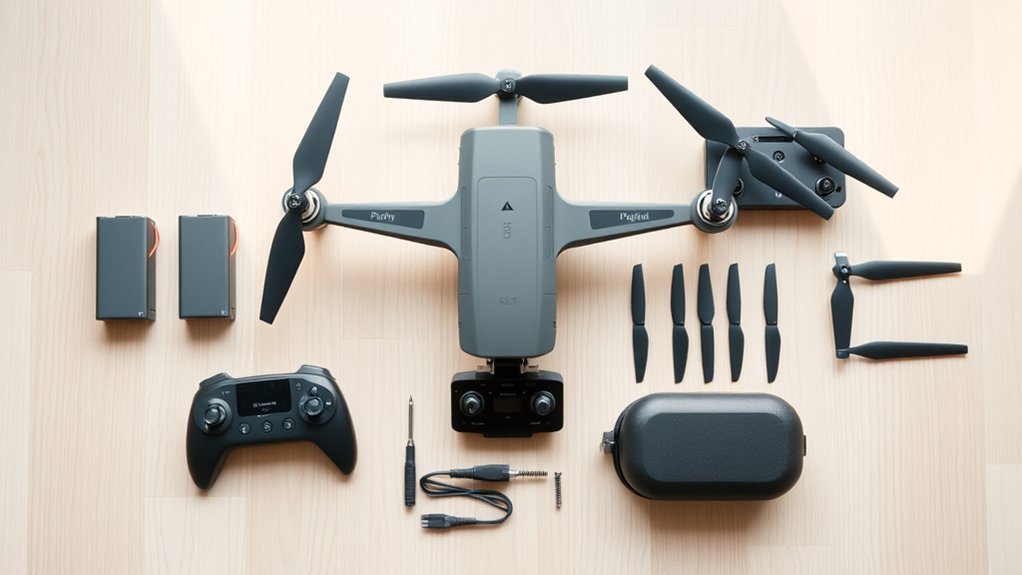
The PL 515 package is built around a foldable aircraft, separate remote controller, spare flying supplies, and a carrying case. The PL 515 manual reference lists two 1,500mAh lithium-polymer batteries, a charging cable, spare propellers, propeller guards, and instructions. Check your own box, since bundles can vary.
Its advertised camera offers 4K capture, a wide lens listed at about 130 degrees, and a tilting view. Wi-Fi first-person view (FPV) lets you see the camera feed on a phone mounted above the controller. The physical remote remains your main flying control.
The two batteries are advertised for up to 16 minutes each, or 32 minutes total across separate flights. That is not 32 minutes on one battery, and actual time can be shorter in wind or during fast maneuvers.
| Feature | PL 515 reference |
|---|---|
| Batteries | Two 1,500mAh packs |
| Advertised flight time | Up to 16 minutes per pack; 32 minutes combined |
| Camera | Advertised 4K, approximately 130-degree lens |
| Control and preview | Handheld remote and Wi-Fi phone preview |
| Listed maximum control range | About 100 meters in suitable conditions |
How Do You Set Up the Plegble PL 515?
Start with a clear, open practice area and make sure the model label says PL 515. Then prepare the battery, remote, phone, and propellers before attempting your first takeoff.
- Unfold all four arms fully, and check that each propeller is secure and undamaged.
- Install the propeller guards if supplied, especially for early practice.
- Charge a flight battery, let it cool if necessary, and slide it into the aircraft until it locks.
- Prepare the remote’s batteries or charge it as directed by your specific controller.
- Place the drone on level ground, turn it on, and power up the remote to pair them.
- Connect your phone for camera preview, then complete the model’s gyroscope calibration.
- Check the controls, weather, and flight area before using one-key takeoff.
Initial Charging Steps
Charge the aircraft battery with the included cable and a compatible USB power source. The PL 515 manual reference suggests about 60 minutes per battery, although the actual charge time depends on the power source and battery condition. Use the charging indicator described in your own manual as the final signal.
Put only one battery in the drone at a time. The spare stays out of the aircraft until you land and power everything down for the swap.
App Pairing Process
Use the QR code in the PL 515 instructions to identify the correct phone app. Do not assume that an app intended for the PL 715 or another PLEGBLE model uses the same connection steps.
Once the drone and remote are on, join the aircraft’s Wi-Fi network from your phone’s Wi-Fi settings. Open the app and check for a live camera view; the detailed phone checks appear below.
How Do You Charge the PL 515 Batteries?
Remove the PL 515 flight battery before charging and use the supplied charging cable. Charge on a dry, nonflammable surface with room for airflow. Never charge a swollen, punctured, leaking, or unusually hot pack.
Warning: Lithium-polymer batteries can catch fire if damaged or charged incorrectly. Never leave a charging battery unattended, use an unapproved charger, or charge immediately after a hot flight.
Charging Cable Steps
- Turn the aircraft off and remove the battery.
- Inspect the battery case, connector, and cable for damage.
- Connect the cable to the battery as shown in the included instructions.
- Connect the other end to a suitable USB power supply and watch the indicator.
- When the indicator shows charging is complete, disconnect the cable.
The original article gave both 90 minutes and two to three hours per battery. Those figures conflict with one another, so this guide uses the PL 515 reference’s approximate one-hour figure while treating your package’s instructions as decisive.
Battery Time and Care
Each listed 1,500mAh pack provides up to 16 minutes in favorable conditions. Flight time falls with cold weather, strong wind, frequent climbs, and repeated high-speed flying. Land with a comfortable power margin rather than waiting for the drone to stop responding.
- Let the battery cool after flying before recharging it.
- Store packs somewhere cool and dry, away from metal objects and heat.
- For longer storage, follow the battery maker’s guidance rather than leaving packs fully drained.
- Replace a damaged or swollen pack; never try to repair it.
How Do You Pair the Plegble PL 515 App?
First pair the drone and handheld remote; then connect the phone to the drone’s Wi-Fi network for live FPV viewing. The app may also provide photo, video, or gesture features, depending on the software version.
- Scan the app QR code on the packaging or in the user guide, then install the indicated app.
- Turn on the drone and controller, and wait for their pairing lights to settle.
- On your phone, select the aircraft’s Wi-Fi network, often labeled with PLEGBLE in its name.
- Open the app, allow necessary permissions, and look for the live camera feed.
- Test image capture while the drone remains safely on the ground.
Your phone may warn that the drone’s Wi-Fi has no internet connection. That is normal for a direct camera link. If the view remains blank, reconnect to the drone network, close and reopen the app, and check the phone’s Wi-Fi permissions.
If the remote will not respond, check its batteries and repeat the pairing sequence in your printed instructions. Phone Wi-Fi pairing does not replace remote pairing.
How Do You Calibrate the Plegble PL 515?
For the PL 515, the basic preflight procedure centers on gyroscope calibration, which helps the aircraft recognize level orientation. This is different from the GPS compass rotation procedure described for some other PLEGBLE models.
- Place the aircraft on a firm, level surface away from moving objects.
- Power on the drone and pair the controller.
- Use the controller’s calibration-stick movement or calibration button exactly as shown in the PL 515 instructions.
- Wait for the indicated light or sound pattern to confirm completion.
- Make a low, cautious hover in open space and land if the drone drifts or tilts unexpectedly.
One PL 515 guide describes moving both control sticks diagonally downward to start gyroscope calibration. Controller layouts can differ, so follow the diagram shipped with your unit rather than guessing at the stick direction.
If the drone still drifts, check for a tilted launch surface, wind, damaged blades, or an incomplete calibration. Do not attempt a GPS compass procedure unless the manual for your exact model expressly includes it.
Which PL 515 Flight Mode Should You Start With?
Start with the lowest speed setting and one-key takeoff if your controller offers it. That makes small steering corrections easier while you learn how the drone faces and moves.
- Low-speed flight: best for learning hovering, gentle turns, and landing.
- Altitude hold: helps maintain height, but it does not keep the drone fixed in place against wind.
- Headless mode: can simplify direction when you lose track of which way the drone faces.
- Flip and gesture functions: save these for later, in an obstacle-free area.
The original description’s 30-meter Beginner Mode, Follow Me, Waypoint Flight, Circle Fly, and GPS Auto Return appear in specifications for another model. Do not plan a PL 515 flight around those functions unless your particular aircraft and controller confirm them.
How Far Can the PL 515 Drone Fly?
The PL 515 manual reference gives an approximate maximum control range of 100 meters in favorable conditions. That is much shorter than the 1,968-foot range quoted in the original description. A published maximum is not a recommended beginner flying distance.
Maximum Flight Range
For your first flights, stay much closer than the maximum range. Begin with short outward moves, stop to confirm your controls, and bring the drone back while orientation and battery status are easy to judge.
Keep the aircraft in sight even when you can see its camera feed. Avoid testing the radio link until it disconnects; a weak connection is a signal to turn back, not to fly farther.
Signal and GPS Limits
Wi-Fi FPV video and radio control do not necessarily have the same range. Trees, buildings, nearby wireless networks, and even the way you hold the controller can affect the link.
The separate PL 715 reference lists GPS Return-to-Home, Follow Me, two 2,700mAh batteries, a 46-minute total, and a 1,968-foot maximum. These closely match the original article’s claims. They should not be treated as confirmed PL 515 features.
Note: Do not depend on automatic return or obstacle avoidance without confirming the exact feature in the printed manual and testing it safely. Many entry-level drones lack dependable GPS recovery.
What Camera Features Does the PL 515 Offer?
The PL 515 is promoted as a 4K camera drone with an approximately 130-degree wide-angle lens and an adjustable viewing angle. Its Wi-Fi preview is useful for framing, though advertised capture resolution and live-preview resolution may differ.
- Wide-angle view: fits more of a yard, field, or landscape into the frame.
- Adjustable tilt: helps switch between a forward-looking scene and a view toward the ground.
- Phone preview: helps you compose a shot while the controller handles flight.
- Photo and video controls: check how files are saved in your app before leaving home.
For sharper footage, fly slowly in calm air and avoid abrupt turns. A 4K marketing label alone does not confirm optical quality or stabilized 4K recording, so examine sample files from your own unit before relying on it for an important shoot.
Who Should Buy the Plegble PL 515?
The PL 515 is a reasonable candidate for someone learning basic remote-control flying, practicing with propeller guards, or taking casual aerial photos. Its foldable shape, two batteries, altitude assistance, and beginner-friendly controls matter more here than advanced navigation features.
Skip it if you require dependable GPS return, waypoint missions, or professional stabilized footage. Those features should be confirmed on a different model rather than assumed from a similar product name.
In the United States, a drone under 250 grams generally avoids registration only when flown exclusively under the recreational exception. The FAA registration rules still require registration for Part 107 flights regardless of weight, and registered drones generally need Remote ID compliance. Check your aircraft’s actual takeoff weight, including accessories.
Before recreational flight, complete the FAA’s free TRUST safety test. Follow the FAA recreational-flying rules, including visual line of sight, airspace restrictions, and the usual 400-foot ceiling in uncontrolled airspace. A lightweight drone is not exempt from these rules.
Where Can You Buy the PL 515 Safely?
Look for a listing that explicitly names PL 515, shows the controller and battery labels, and states exactly which accessories are included. Marketplace product titles sometimes combine details from similar models, so compare photos and model numbers before paying.
- Check recent seller feedback and whether the item is new, open-box, or used.
- Confirm the listed battery capacity, included charger, propeller guards, and app instructions.
- Read the seller’s return policy, shipping total, and estimated delivery date for your own checkout.
- If buying used, inspect battery condition and confirm the remote and drone pair correctly.
Some eBay listings say the seller does not accept change-of-mind returns. However, eBay’s Money Back Guarantee policy can still protect eligible purchases when an item does not arrive or differs from the listing. That is not a general guarantee against buyer’s remorse.
Old shipping quotes, pickup locations, payment offers, and delivery windows should not be copied from an expired listing. Use the terms displayed on the actual item page when you purchase.
Key Takeaways
- A phone connects to the drone’s Wi-Fi for camera preview; it does not replace remote pairing.
- Calibrate the PL 515’s gyroscope on level ground. Do not copy compass instructions from a different GPS drone.
- A maximum-range figure is not a safe flying target; keep the drone clearly visible.
- U.S. recreational flyers still need TRUST and must follow airspace rules, even when registration is not required.
Frequently Asked Questions
Are Plegble Drones Good?
PLEGBLE drones can suit beginners who want simple controls and casual aerial photos. For the PL 515, focus on its propeller guards, Wi-Fi view, and two small batteries rather than expecting advanced GPS navigation. Compare the exact model, accessory bundle, and seller support because PLEGBLE models differ substantially.
What Is the 1:1 Rule for Drones?
The so-called 1:1 rule is a suggested spacing idea, not a standard FAA requirement: leave at least as much horizontal room from obstacles as your flight height. It cannot guarantee safety. Wind, branches, people, and changing flight direction still matter, so beginners should choose a much wider clear area.
How to Fly a Plegble Drone?
Start with a charged battery, secure propellers, a paired controller, and a completed level-ground calibration. Choose the lowest speed and make a short hover with one-key takeoff if available. Practice left, right, forward, and backward movements close to you, then land before the battery gets low.
How to Connect Plegble Drone to Phone?
Install the app indicated by the QR code in your specific PLEGBLE manual. Turn on the drone, join its Wi-Fi network in your phone’s settings, and open the app to see the live view. If your phone warns that the network has no internet, stay connected and check whether the camera feed appears.
Does the PL 515 Have GPS Return-to-Home?
GPS Return-to-Home is not established by the PL 515 references checked for this guide. The 46-minute runtime and GPS smart modes appear in material for the separate PL 715. Treat automatic return as unavailable unless the manual and controls for your exact PL 515 explicitly confirm it, and plan to fly well within manual-control range.
Conclusion
The best PL 515 first flight begins with the correct model, a fully charged battery, a paired remote, and level-ground calibration. Use Wi-Fi preview as a camera aid, practice close by, and do not count on GPS recovery or PL 715 specifications. Check your own package details before buying or flying.
Sources
- PL 515 manual reference: published accessory, battery, charging, and setup specifications; independently hosted rather than a manufacturer-verified manual.
- PL 715 manual reference: specifications identifying the GPS-equipped 46-minute model.
- FAA drone registration: weight and flight-purpose rules.
- FAA TRUST: recreational safety-test requirement.
- FAA recreational flyers: visual line of sight, airspace rules, and altitude limits.
- eBay Money Back Guarantee policy: eligible buyer protections and exclusions.

