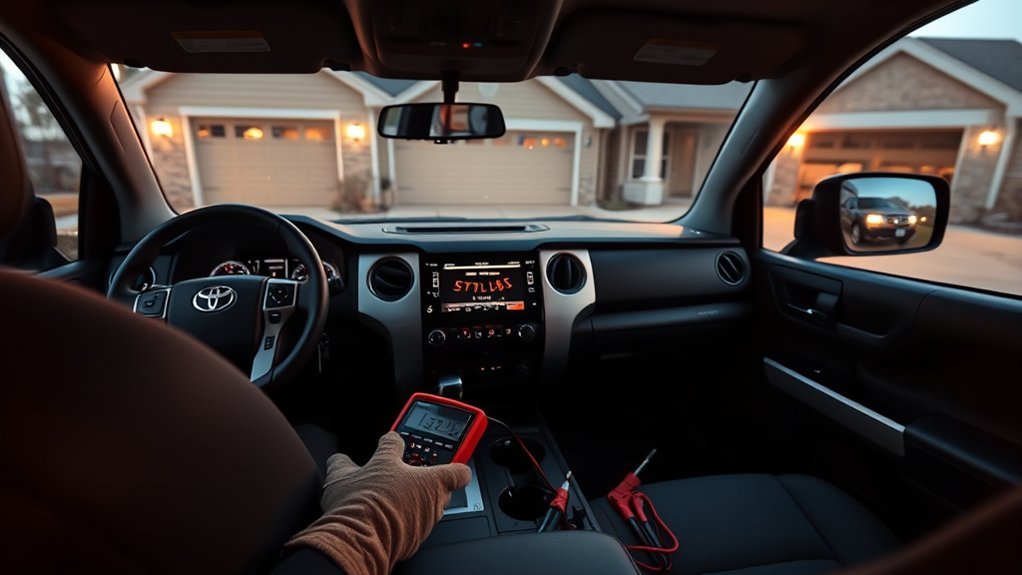
If your Toyota Tundra’s backup camera is not working, start with the simple checks: clean the camera lens, confirm the tailgate is fully connected, see whether the multimedia display works normally, and check your VIN for an open Toyota recall. A black, green, frozen, blurry, or flickering image does not automatically mean the camera itself has failed.
Quick Answer
A Toyota Tundra backup camera can stop working because of a dirty lens, an unplugged tailgate connector, damaged wiring, a fuse or power problem, multimedia software, an aftermarket-radio interface, or a failed camera. Check recalls before replacing parts, especially on certain 2022–2025 Tundras.
Key Takeaways
- Check the lens, display, tailgate connection, and recall status before taking anything apart.
- A black or green screen may be a software or display problem rather than a failed camera.
- Camera voltages, wire colors, fuse locations, and connector pinouts vary by model year and equipment.
- Never apply 12V to an unidentified factory-camera wire or install a higher-amperage fuse.
- Replace the camera only after the display, software, wiring, power, and communication circuits have been verified.
At a Glance
| Time Required | 10–45 minutes for basic inspection; advanced diagnosis may take longer |
| Difficulty | Easy for cleaning and visual checks; intermediate or professional for circuit testing |
| Tools Needed | Microfiber cloth, water, flashlight, owner’s manual, and optionally a digital multimeter with the correct wiring diagram |
| Cost | Often $0 for cleaning or a covered recall; parts and labor vary by model year and diagnosis |
Warning: Set the parking brake and keep your foot firmly on the brake whenever the truck must be shifted into reverse for testing. Use wheel chocks and an assistant, and never stand behind the truck while it is in reverse. Do not probe unidentified wires, apply battery voltage to a camera circuit, or replace a fuse with a higher amperage.
What Causes Toyota Tundra Backup Camera Failures?

A Toyota Tundra backup-camera problem can begin in several different parts of the system. The rear camera is only one component; the system may also depend on a tailgate harness, connectors, fuses, a multimedia display, control modules, software, gear-position information, and vehicle-specific configuration.
- Dirty or obstructed lens: Mud, road salt, water, ice, wax, or condensation can create a blurry, dark, or washed-out image.
- Loose tailgate connection: A connector may be unplugged or incompletely seated after the tailgate has been removed, repaired, or replaced.
- Damaged wiring: Harnesses can be pinched, stretched, corroded, cut, or damaged by rodents.
- Fuse or power fault: A blown fuse or open circuit can interrupt part of the camera or display system.
- Software or control-module fault: Certain Tundras have been recalled for display and Parking Assist ECU software problems.
- Multimedia-display failure: The display may fail even when the rear camera is still producing an image.
- Aftermarket compatibility problem: A replacement radio may require the correct camera-power adapter, video interface, trigger input, or signal-format converter.
- Camera failure: Moisture intrusion, impact damage, corrosion, or an internal electronic fault can eventually disable the camera.
Note: The exact system differs between Tundra generations, display sizes, trim levels, factory camera packages, and aftermarket installations. A test that is correct for one model year may be wrong for another.
Diagnose the Problem by Symptom
| Symptom | Likely Areas to Check |
|---|---|
| Blurry, hazy, or dark image | Dirty lens, water, ice, condensation, poor lighting, scratched lens cover, or failed reverse lamps |
| Full or partial green or black screen | Toyota recall, multimedia software, display, Parking Assist ECU, camera communication, or wiring |
| Display does not switch when reverse is selected | Gear-position input, display software, fuse, control module, aftermarket trigger interface, or head-unit configuration |
| Image flickers over bumps or when the tailgate moves | Loose connector, damaged tailgate harness, corrosion, poor aftermarket splice, or internal camera connection |
| Camera works only sometimes or in certain temperatures | Moisture, connector tension, cracked solder joint, software, module fault, or temperature-sensitive electronics |
| Image works but guidelines are missing or incorrect | System settings, steering-angle information, calibration, replacement-camera compatibility, or control-module configuration |
| Entire multimedia display is dead | Display power, multimedia fuse, head unit, software, electrical supply, or network communication—not only the rear camera |
Check for a Toyota Backup Camera Recall First
Before replacing the camera or opening the wiring harness, enter your VIN or license plate information in the Toyota recall and service-campaign lookup. You can also use the NHTSA recall lookup for a U.S.-market vehicle. Recall eligibility depends on the VIN, not simply the model year.
- Certain 2022–2025 Tundra and Tundra Hybrid vehicles: Toyota announced on October 1, 2025 that software in the 14-inch multimedia display could produce a half-green, full-green, or full-black screen. The remedy is a free multimedia-display software update. See the October 2025 Toyota recall announcement.
- Certain 2024–2025 Tundra and Tundra Hybrid vehicles: Toyota announced on January 23, 2026 that the multimedia display could remain stuck on a camera view or show a black image. The remedy is a free Parking Assist ECU software update. See the January 2026 Toyota recall announcement.
A black or green rear-camera display does not prove that the camera has failed. On an affected Tundra, the correct repair may be a free Toyota software update.
Checking Wiring and Connections for Damage
Begin with a visual inspection rather than electrical probing. Look at the camera housing and the visible harness around the tailgate, rear bumper, and any connector used when the tailgate is removed. The exact connector location varies, so consult the owner’s manual or service information for your truck.
- Turn the truck off, apply the parking brake, and keep the key or smart key away from the vehicle while inspecting connectors.
- Confirm the tailgate is installed correctly and that any removable-tailgate connector is fully seated and locked.
- Look for pinched insulation, cuts, stretched wires, melted areas, rodent damage, or previous repair splices.
- Check accessible connectors for moisture, green or white corrosion, dirt, damaged seals, bent terminals, or a loose locking tab.
- If an aftermarket head unit or camera interface is installed, inspect its ground, adapter harness, video connection, trigger input, and power converter.
Do not force a connector together or scrape terminals with a metal object. A damaged terminal can create an intermittent image even when the connector appears plugged in.
Pro Tip: Record a short video of an intermittent black, green, frozen, or flickering display. Note whether it happens after rain, in cold weather, over bumps, after moving the tailgate, or only when the multimedia system first starts. This evidence can shorten professional diagnosis.
Testing the Power Supply and Signal
Electrical testing should be based on the wiring diagram for the exact Tundra model year, trim, multimedia system, camera package, and connector. Factory cameras do not all use the same supply voltage, wire colors, pinout, or signal format.
Check the Correct Fuse
Use the fuse chart in the owner’s manual for your exact model year. Depending on the system, the camera may share power with the multimedia display, parking-assist system, accessory circuit, or another module rather than having a clearly labeled standalone “camera” fuse.
- Remove and inspect only the fuse identified by the correct manual or wiring diagram.
- Replace it only with a fuse of the same type and amperage.
- If the replacement fuse blows again, stop testing. A short circuit or damaged component must be located before another fuse is installed.
- If several multimedia functions are also dead, diagnose the shared display or power circuit rather than assuming the rear camera is defective.
Check Voltage Output Safely
There is no single voltage value or universal wire-color chart that applies to every Toyota Tundra backup camera. Some factory cameras use a regulated supply below normal battery voltage, while aftermarket cameras and interfaces may use different voltages. Never connect a camera wire directly to the battery or assume that a red wire must receive 12V.
If you have the correct Toyota wiring diagram and know how to back-probe a sealed automotive connector without spreading its terminals, use a high-impedance digital multimeter to compare the measured power, ground, and signal conditions with the published specification. Otherwise, leave live-circuit testing to a qualified technician.
Caution: An incorrect test connection can short a control-module circuit or damage a low-voltage factory camera. Never use a test light or jumper wire on an unidentified camera, data, or video circuit.
Inspect Signal Continuity
Continuity testing is performed only on a de-energized circuit and with the affected modules disconnected as specified by the wiring diagram. Testing continuity on a powered circuit can damage the meter or vehicle electronics.
A technician may check for:
- An open circuit between the rear camera and the appropriate display or control module
- A short to ground, short to power, or short between adjacent wires
- Excessive resistance through a corroded terminal
- A poor ground connection
- A video or communication signal that drops out when the harness or tailgate is moved
- Fault codes stored in the multimedia, parking-assist, body, or camera-related modules
A basic emissions-code reader may not communicate with the modules used by the camera system. Advanced diagnosis may require a Toyota-capable scan tool and current service information.
Step-by-Step Toyota Tundra Backup Camera Troubleshooting Guide
- Park safely. Apply the parking brake, keep the truck on level ground, and use an assistant if reverse must be selected.
- Clean the lens. Rinse away abrasive dirt and wipe the camera lens gently with water and a clean microfiber cloth. Remove ice carefully without scraping the lens.
- Check the symptom. Determine whether the image is blurry, black, green, frozen, flickering, upside down, or completely absent.
- Test the rest of the display. Check whether audio, menus, climate displays, and other camera views work. A dead or frozen display points beyond the rear camera itself.
- Power-cycle the vehicle normally. Turn the vehicle off, open and close the driver’s door, wait for the systems to shut down, and restart. Do not treat battery disconnection as a universal camera reset.
- Check recalls by VIN. Complete any open Toyota camera, multimedia-display, or Parking Assist ECU recall before purchasing parts.
- Confirm the tailgate connection. Inspect the removable-tailgate connector and visible harness, especially after tailgate, bumper, body, bed, or audio work.
- Check the specified fuse. Use the exact owner’s manual and never increase the fuse amperage.
- Inspect aftermarket equipment. If the radio or camera is not factory-installed, verify that the camera-power converter, video adapter, trigger connection, and signal format match the equipment.
- Obtain model-specific diagnosis. If the problem continues, use the correct wiring diagram, a Toyota-capable scan tool, and safe circuit-testing procedures.
If the image returns after moving the tailgate or connector, do not assume the problem is solved. Movement-sensitive operation usually indicates a loose terminal, damaged conductor, or poor connection that may fail again.
Know When to Replace Your Backup Camera

Camera replacement is reasonable only after the rest of the system has been checked. A new camera will not correct a software recall, failed multimedia display, open harness, incompatible aftermarket adapter, blown fuse, damaged connector, or missing module configuration.
Replacement is more likely to be justified when:
- The camera housing or lens is cracked from an impact.
- Water or corrosion is visible inside the camera assembly.
- The correct power, ground, wiring, communication, and display conditions have been verified but the camera produces no usable image.
- The image fails when the camera housing is lightly moved, while the external connector and harness test correctly.
- A technician has isolated the fault to the camera using the appropriate wiring diagram and diagnostic equipment.
Choose a camera that is compatible with the exact model year and multimedia system. An incorrect replacement may produce no image, the wrong image orientation, poor quality, missing guidelines, or calibration problems. Some repairs may also require configuration or calibration with suitable diagnostic equipment.
When to Call in the Pros for Backup Camera Help
Professional diagnosis is appropriate when the basic inspection does not reveal the problem or when testing would require opening sealed connectors, removing interior trim, accessing a control module, or probing a live circuit.
Recognizing Complex Issues
Schedule professional service when you encounter any of the following:
- A replacement fuse blows again
- Burned wiring, melted insulation, water intrusion, or heavy corrosion
- A black, green, or frozen screen that remains after applicable recall work
- Intermittent operation associated with rain, temperature, bumps, or tailgate movement
- Failure after collision, tailgate, bumper, bed, or multimedia-system work
- Missing or inaccurate parking guidelines after camera replacement
- A camera problem combined with other multimedia, parking-sensor, or electrical faults
- No access to the correct wiring diagram, connector information, or Toyota-capable scan tool
Advanced Diagnostic Equipment Needed
A qualified technician may use a high-impedance multimeter, oscilloscope, terminal-test tools, Toyota-capable scan equipment, and model-specific service information. These tools can distinguish a failed camera from a power fault, high-resistance connection, intermittent signal, display failure, software problem, network fault, or configuration issue.
An oscilloscope or dedicated video tester can be useful when a signal is present but unstable. A scan tool can check relevant modules for fault codes, data values, software status, and calibration requirements. A basic generic OBD-II reader may display engine and emissions codes but still miss the modules involved in the camera system.
Warranty and Service Options
Check the warranty booklet for your model year and market before paying for repairs. Coverage depends on the truck’s age, mileage, location, repair history, modifications, and the component that failed.
- Open safety recall: The specified recall remedy is performed without charge, even if the basic vehicle warranty has expired.
- Vehicle warranty: A factory camera, display, module, or harness may be covered when the applicable warranty terms are still active.
- Prior repair: Review the invoice and parts warranty if the camera, tailgate, bumper, or multimedia system was recently serviced.
- Aftermarket equipment: Contact the installer or equipment manufacturer if the failure began after a radio, camera, trailer-camera, or interface installation.
Bring the VIN, a description or video of the symptom, the conditions under which it occurs, and a list of previous repairs or modifications. This information helps the technician reproduce intermittent faults and avoid unnecessary parts replacement.
Related Guides
Frequently Asked Questions
How do you reset a Toyota Tundra camera system?
There is no universal battery-disconnection reset for every Tundra camera system. First turn the vehicle off normally, allow the multimedia system to shut down, and restart it. Then check for an open recall or software update. Persistent faults may require Toyota-capable diagnostics, software service, or calibration.
Should I disconnect the battery to reset the Toyota backup camera?
Battery disconnection should not be the default troubleshooting step. It may erase settings, require system initialization, and temporarily hide a fault without repairing it. Use the procedure in the model-specific owner’s or repair manual when battery disconnection is genuinely required.
What would cause my Toyota Tundra backup camera to stop working?
Common causes include a dirty lens, loose tailgate connector, damaged harness, corrosion, a fuse or power fault, multimedia-display software, Parking Assist ECU software, aftermarket-radio compatibility, or a failed camera. Check recall status before replacing hardware.
Why has my backup camera randomly stopped working?
An intermittent fault can come from a loose connector, broken conductor, moisture, corrosion, temperature-sensitive electronics, software, or an aftermarket splice. Note whether the failure follows rain, cold weather, bumps, tailgate movement, or multimedia startup.
Where is the Toyota Tundra backup-camera fuse?
The relevant fuse and circuit assignment vary by model year and multimedia system. Check the fuse chart in the owner’s manual for your exact truck. Do not guess from another model year, and never install a higher-amperage fuse.
Can I drive my Tundra if the backup camera is not working?
A camera failure does not necessarily prevent the truck from moving, but rear visibility is reduced. Inspect the area behind the truck, use mirrors and direct observation, ask a spotter for help when needed, and repair the system promptly. Never rely on the camera as your only check before reversing.
Conclusion
When a Toyota Tundra backup camera stops working, begin with the lens, multimedia display, tailgate connection, and VIN recall lookup. Do not assume a black screen means the camera must be replaced, because software, the Parking Assist ECU, wiring, connectors, fuses, aftermarket interfaces, and the display itself can create the same symptom.
Basic cleaning and visual inspection are suitable DIY checks. Live electrical testing requires the exact wiring diagram because camera voltage, pin assignments, wire colors, and signal types vary. If a fuse blows again, corrosion is present, the display remains green or black after recall work, or the fault is intermittent, arrange professional diagnosis before purchasing parts.
Sources
- Toyota: October 2025 Tundra, Tundra Hybrid, and Sequoia recall — supports the 14-inch display software issue and free software remedy.
- Toyota: January 2026 Tundra and Tundra Hybrid recall — supports the frozen or black display issue and Parking Assist ECU software remedy.
- Toyota Safety Recall and Service Campaign Lookup — checks open campaigns by VIN or license plate.
- National Highway Traffic Safety Administration Recall Lookup — checks U.S. safety recalls and remedy status.
- Toyota Owner’s Manuals and Warranty Information — provides model-specific fuse, operation, warning, and warranty guidance.
- Toyota Technical Information System — provides model-specific repair procedures, connector information, wiring diagrams, and diagnostic guidance.