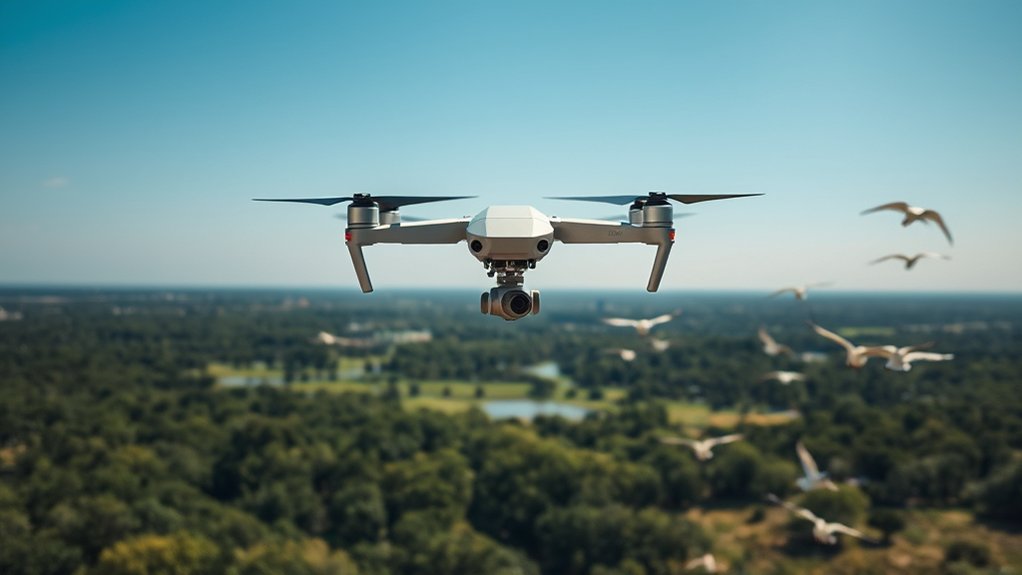
Drone basics for beginners start with three things: understand how the aircraft stays stable, learn the four basic control inputs, and know which rules apply before takeoff. Most consumer drones are battery-powered quadcopters controlled by a remote or app, with a flight controller, sensors, and often GPS helping them hover and navigate. In the U.S., recreational pilots must pass TRUST, follow an FAA-recognized community-based organization’s safety guidelines, keep the drone within visual line of sight, and check airspace before every flight. Recreational drones weighing 250 g (0.55 lb) or more must be registered; every drone flown under Part 107 must be registered. This guide covers the aircraft, controls, batteries, cameras, pre-flight routine, Remote ID, recreational rules, and Part 107 basics.
Last updated: September 22, 2026 · U.S. regulatory references checked against current FAA guidance.
Quick Answer
A drone is an unmanned aircraft you control remotely or through automated flight features. In the U.S., recreational pilots must pass TRUST, follow an FAA-recognized CBO safety code, keep the aircraft within visual line of sight, and fly at or below 400 feet in Class G airspace. Register a recreational drone that weighs 250 g (0.55 lb) or more; register every drone flown under Part 107. Registered drones generally must comply with Remote ID unless an allowed exception applies. Most non-recreational work is conducted under Part 107.
Key Takeaways
- Most consumer drones fly with rotors, batteries, GPS, sensors, and a controller or mobile app.
- Flight time varies widely by drone class; compare the manufacturer’s rated time with payload, wind, temperature, battery health, and your planned return reserve.
- U.S. recreational pilots must pass TRUST, follow an FAA-recognized CBO safety code, and register drones that weigh 250 g (0.55 lb) or more.
- Most non-recreational drone work is conducted under Part 107; each Part 107 drone must be registered, and certificated pilots need recurrent training every 24 calendar months to stay current.
- Safe drone flying depends on pre-flight checks, airspace awareness, visual line of sight, weather judgment, and respect for people’s privacy.
At a Glance
| Best For | Beginners, hobby pilots, camera drone users, and new commercial operators |
| Difficulty | Beginner to intermediate |
| Equipment Needed | Drone, controller, charged batteries, propellers, mobile app, safety checklist, and airspace app |
| Main Rule to Remember | Keep the drone within visual line of sight, check airspace before flight, and follow the rule set that matches your operation. |
| U.S. Recreational Basics | TRUST + FAA-recognized CBO safety guidelines + VLOS + airspace check; register at 250 g (0.55 lb) or more. |
| Part 107 Basics | Remote Pilot Certificate for most non-recreational operations; register each drone; recurrent training every 24 calendar months. |
Before Your First Flight: 7-Step Beginner Checklist
- Know why you are flying. If the flight is purely for personal enjoyment, follow the recreational exception. Most non-recreational operations are conducted under Part 107.
- Complete the required pilot step. Recreational flyers must pass TRUST. Part 107 pilots need a Remote Pilot Certificate or must operate under the direct supervision allowed by the rule.
- Register when required. Recreational drones weighing 250 g (0.55 lb) or more must be registered; each drone used under Part 107 must be registered. Use FAA DroneZone registration guidance.
- Confirm Remote ID status. Drones that are required to be registered or are registered generally must comply with Remote ID, unless an allowed exception such as FRIA operation applies.
- Check the exact airspace and restrictions. Controlled airspace generally requires prior FAA authorization. Check current airspace, TFRs, park/property rules, and local takeoff or landing restrictions before launch.
- Inspect the aircraft and set a safe return plan. Check propellers, battery, controller link, home point, GPS/positioning status, warnings, storage, and return-to-home altitude.
- Start low and simple. Hover, yaw, move forward/back and left/right, then land with a comfortable battery reserve. Keep the drone within visual line of sight and yield to crewed aircraft.
What Is a Drone?
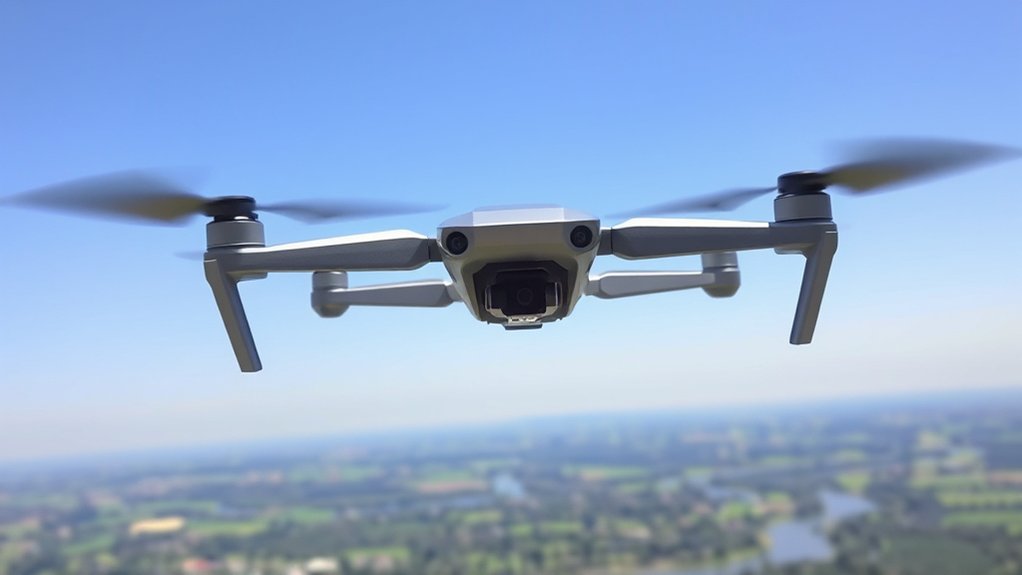
Drones, also called unmanned aircraft systems or unmanned aerial vehicles, are aircraft that operate without a human pilot sitting onboard. You control them with a remote controller, a mobile app, or programmed flight instructions, depending on the model.
Most consumer drones use rechargeable batteries and electric motors. Larger specialized drones may use different power systems, but battery-powered quadcopters remain the most common choice for hobby pilots, creators, inspectors, and small businesses.
Drones are widely used for aerial photography, video production, inspections, mapping, surveying, agriculture, public safety, and research. Some companies also test drones for package delivery, although delivery operations follow stricter rules than normal recreational flying.
In the U.S., recreational drones must follow Federal Aviation Administration rules. For recreational flying under the statutory exception, drones weighing 250 g (0.55 lb) or more and less than 55 lb generally must be registered. Under Part 107, each drone must be registered. See the FAA’s current registration guidance before flying.
Most drones use rotors or propellers to create lift and thrust. Quadcopters are especially popular because their four propellers give them stable hovering, simple control, and strong maneuverability.
Many drones include cameras, GPS, gyroscopes, accelerometers, obstacle sensors, gimbals, and automated flight modes. These parts work together to help you fly smoothly, capture better footage, and complete specific tasks more safely.
Note: A drone is more than the flying aircraft. The full system usually includes the drone, controller, software, batteries, radio link, camera, and the pilot managing the flight.
How Do Drones Fly?
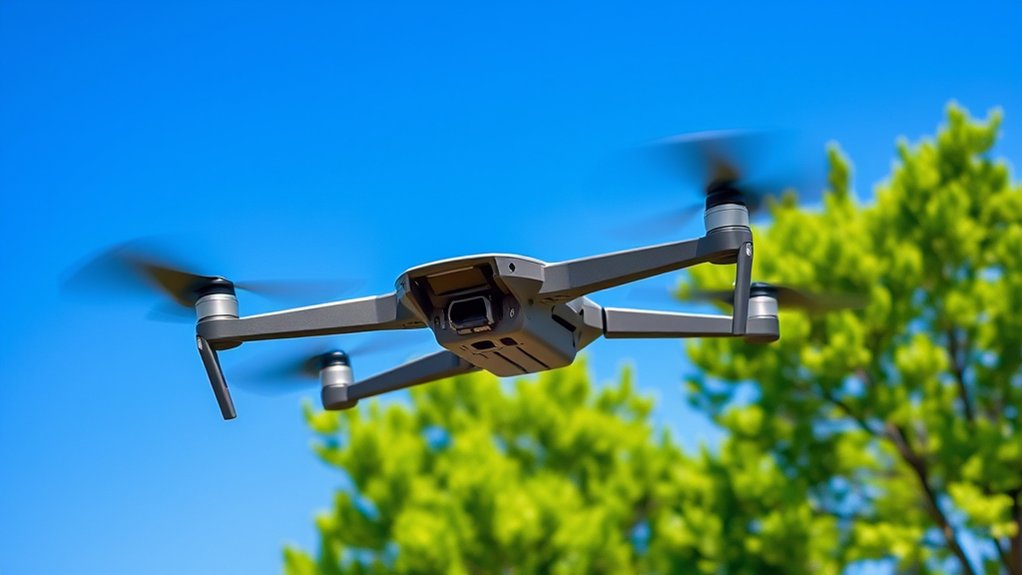
Drones fly by using rotors or propellers to generate lift and thrust. When the propellers spin, they push air downward. That downward airflow creates an upward force that lifts the aircraft into the air.
Most consumer models are quadcopters. They use four propellers that change speed many times per second to climb, descend, turn, hover, and move forward or sideways.
Drone Flight Mechanics
When you watch a drone hover, you are seeing a constant balance of lift, weight, thrust, and drag. The propellers spin fast enough to lift the drone’s weight while the flight controller makes tiny adjustments to keep it level.
A quadcopter usually has two propellers spinning clockwise and two spinning counterclockwise. This layout helps balance torque, so the drone does not spin uncontrollably.
Each motor changes speed to control movement. If the front motors slow and the rear motors speed up, the drone pitches forward. If one side speeds up and the other slows down, the drone rolls sideways. When opposing motors change speed in a coordinated way, the drone yaws left or right.
Drones are usually powered by rechargeable batteries. Flight time varies widely by aircraft class and test conditions; small toy drones may provide short sessions, while many current camera drones advertise more than 30 minutes in ideal conditions.
Many advanced drones use GPS for navigation, altitude sensors for hovering, and obstacle sensors to help avoid collisions. These systems support smoother flight, but they do not replace pilot attention.
Control Systems Overview
Drone control systems translate your stick movements into motor commands. You usually control a drone with a remote controller, a mobile device app, or both.
The controller sends radio signals to the drone. The drone’s flight controller then processes your inputs, sensor data, GPS information, and stability corrections.
Many drones offer different flight modes. Manual or sport modes give you more direct control. GPS-assisted modes help the drone hold position. Automated modes can follow waypoints, track a subject, or return to the takeoff point.
Advanced control systems may include obstacle avoidance sensors, downward vision sensors, return-to-home settings, geofencing alerts, and automatic landing features. These features make flying easier, but you still need to understand your drone’s limits.
Lift and Thrust Factors
A drone needs enough lift and thrust to overcome its weight and move through the air. Lift is created when the rotors move air, while thrust helps the drone climb, accelerate, and change direction.
Several factors affect lift and thrust, including rotor speed, propeller size, blade pitch, motor power, battery voltage, payload weight, and air density.
Heavy payloads, damaged propellers, high altitude, hot weather, and strong wind can reduce performance. Your drone may use more battery power or struggle to hover when these conditions combine.
Drones balance these forces continuously to maintain stability. When wind pushes the drone, the flight controller adjusts motor speeds to resist drift. If the wind is too strong, the drone may not hold position safely.
How Do You Control a Drone?
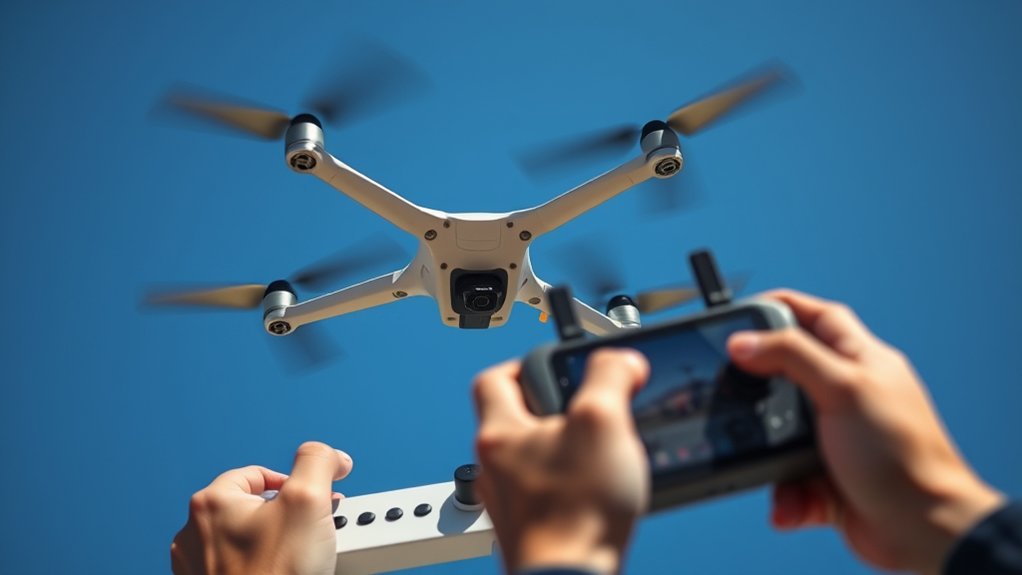
You control a drone with a remote controller, a mobile device app, or a combination of both. Most controllers have two joysticks that manage altitude, direction, rotation, and movement.
On many controllers, one stick controls throttle and yaw. The other controls forward, backward, left, and right movement. Exact layouts can vary, so always check your drone’s manual before your first flight.
Many modern drones support First-Person View, or FPV, where the drone’s camera sends live video to your controller, phone, tablet, headset, or goggles. FPV can make flying more immersive, but it can also reduce your awareness of the airspace around you.
You should keep your drone within visual line of sight unless you are operating under a rule or waiver that allows otherwise. Seeing the aircraft directly helps you avoid people, buildings, trees, power lines, birds, and other aircraft.
Advanced drones may include GPS navigation, obstacle avoidance, return-to-home, automated tracking, and preset flight paths. These features can simplify control, but they are not foolproof.
Mastering the controls takes practice. Start low, fly slowly, and learn one movement at a time before combining turns, climbs, camera movement, and automated features.
Pro Tip: Practice square patterns, slow circles, figure eights, and nose-in hovering before trying complex shots. These drills build control faster than random flying.
What Are Some Common Drone Parts?
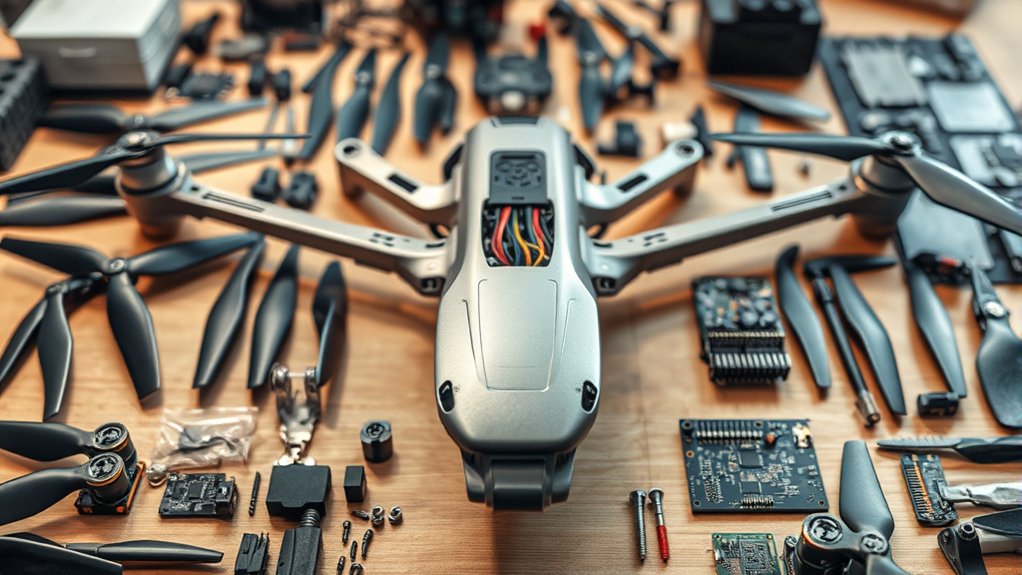
When you look at a drone, you’ll find several vital components working together. Each part affects flight stability, safety, camera quality, and battery performance.
The battery is especially important because it directly affects flight time. Compare the exact model’s manufacturer-rated endurance, then reduce your real-world expectation for wind, payload, temperature, battery health, flight speed, and a safe return reserve.
Understanding common parts such as the frame, motors, propellers, flight controller, GPS module, sensors, and camera can help you choose the right drone and maintain it properly. For a deeper component-by-component explanation, see our drone components guide.
Essential Drone Components
The frame holds the drone together and supports the motors, electronics, camera, landing gear, and battery. A strong frame protects components, while a light frame improves efficiency.
Motors generate propulsion. Propellers attach to the motors and create lift by moving air downward. Damaged, loose, or mismatched propellers can cause vibration, poor control, or crashes.
The flight controller is the drone’s main computer. It reads sensor data, interprets pilot commands, stabilizes flight, and controls motor speed.
GPS modules help with location tracking, return-to-home, waypoint missions, and position hold. GPS works best outdoors with a clear view of the sky.
Many drones also include cameras for aerial photography and video. Camera quality varies widely, from basic 720p toy drone cameras to stabilized 4K, 5.4K, or higher-resolution systems on advanced models.
Sensors such as gyroscopes, accelerometers, barometers, magnetometers, downward vision sensors, and obstacle sensors help the drone maintain stable flight.
Importance of Battery Life
Battery life affects how long you can fly, how far you can travel, and how much time you have to return safely. A drone with short battery life gives you less room for wind, retakes, or unexpected delays.
Battery capacity is often measured in milliamp-hours, but capacity alone does not determine flight time. Drone weight, motor efficiency, propeller design, payload, temperature, and flying style also matter.
Larger drones often need more powerful batteries because they carry heavier frames, cameras, sensors, and payloads. These batteries may cost more and take longer to recharge.
Regular battery care improves reliability. Check connections, avoid damaged packs, follow proper charge cycles, and store batteries at safe levels when you are not flying.
Common battery types include LiPo, Li-ion, and NiMH. Most modern camera drones use lithium-based batteries because they provide strong power output for their weight.
The battery’s weight and placement can also affect center of gravity. If the drone is unbalanced, it may work harder to hover and drain power faster.
How Long Do Drone Batteries Last?
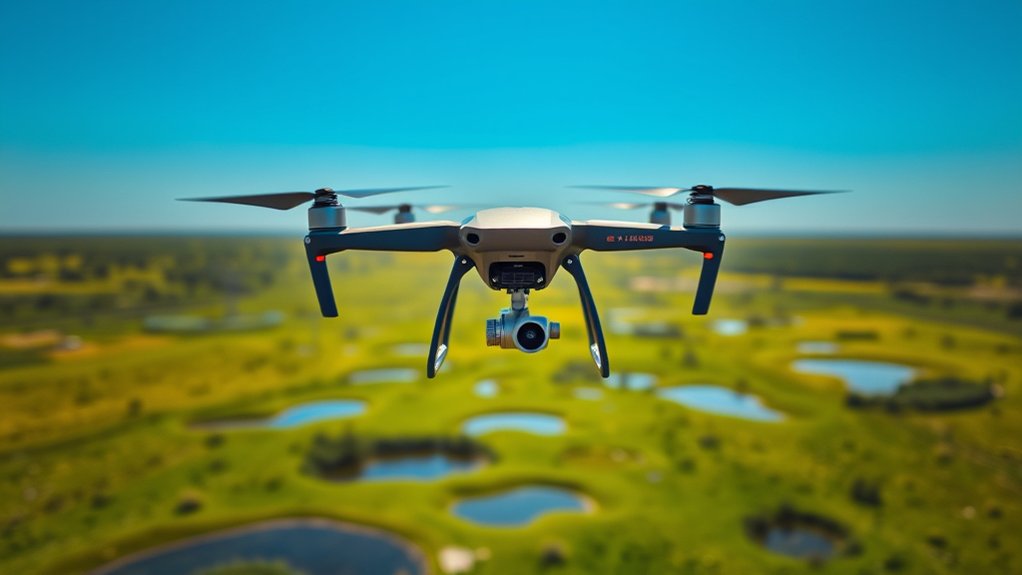
Drone flight time varies widely. Small toy drones may provide short sessions, while many current camera drones advertise more than 30 minutes under ideal test conditions. Treat advertised maximums as comparison figures rather than a guaranteed real-world duration because wind, temperature, payload, battery age, and return reserve reduce usable time.
A battery’s capacity, measured in milliamp-hours, plays a role, but it is not the only factor. A larger battery may last longer, but it also weighs more. If the battery is too heavy for the drone, it can reduce performance instead of improving it.
| What to Compare | Why It Matters | Beginner Takeaway |
|---|---|---|
| Manufacturer rated flight time | Measured under stated test conditions | Use it to compare models, not as a guaranteed mission time |
| Battery energy and aircraft weight | Capacity alone does not predict endurance | Do not assume a higher mAh number always means a longer flight |
| Wind, temperature, payload and reserve | These change real-world power demand | Plan to land with margin instead of using the full advertised time |
Environmental factors also affect performance. Cold weather can reduce battery output, strong wind makes motors work harder, and heavy payloads shorten flight time.
Many drones include smart battery technology that tracks charge cycles, cell health, temperature, voltage, and estimated remaining flight time. Pay close attention to these warnings, especially before flying over water, trees, buildings, or rough terrain.
If you want longer flight sessions, carry spare batteries rather than pushing one battery too low. Always make sure extra batteries are compatible with your exact drone model.
Can Drones Take Photos and Videos?
Yes. Many drones can take aerial photographs and videos, and camera quality is one of the main reasons people buy drones. Drones make it possible to capture views that would be difficult or expensive from the ground.
Some models have built-in cameras, while others include camera mounts for action cameras or specialized imaging equipment. Higher-end camera drones may include larger sensors, mechanical shutters, adjustable apertures, raw photo support, flat video profiles, and stabilized gimbals.
When you use a drone for photography or videography, you still need to follow flight rules. In many recreational situations, that includes staying below 400 feet above ground level, checking airspace, avoiding restricted areas, and maintaining visual line of sight.
You should also consider privacy concerns. Avoid hovering near homes, windows, private yards, crowds, schools, emergency scenes, or sensitive facilities. Even when a flight is legal, careless filming can create complaints or conflict.
Current rules allow drone photography and videography when you comply with aviation regulations and local laws. If you plan to sell the footage or use it for business, you generally need a Part 107 Remote Pilot Certificate in the U.S.
How Stable Are Drones in the Air?
Modern drones can be very stable in calm conditions, especially models with GPS, vision sensors, gyroscopes, accelerometers, and altitude hold. A good camera drone can hover almost motionless while the flight controller makes constant corrections.
Still, stability depends on several factors. Weather conditions, especially wind, can greatly affect control. The drone’s design and weight also matter because heavier drones often resist light gusts better, while very small drones can drift easily.
Factors Affecting Stability
Although drones are engineered for stable flight, wind speed, turbulence, payload weight, propeller condition, calibration, GPS signal quality, and battery level can all affect how the drone behaves.
The flight mechanism relies on rotors and propellers. If a propeller is cracked, bent, loose, or installed incorrectly, the drone may vibrate, drift, or respond poorly.
Advanced features such as GPS, gyroscopes, accelerometers, barometers, and downward vision sensors improve stability. They help the drone maintain level flight despite small external forces.
Regular maintenance is essential. Check propellers, motors, battery connections, gimbal movement, sensors, and firmware before important flights.
Weather Impact Considerations
Weather can strongly affect a drone’s stability. Wind speeds above your drone’s rated limit can cause drifting, slow return speed, unstable hovering, or loss of control.
Many small consumer drones struggle in winds around 15 to 20 mph, though limits vary by model. Always follow your manufacturer’s wind rating instead of relying on a general number.
- Rain and snow can damage electronic components and reduce visibility.
- Cold weather can shorten battery life and reduce voltage under load.
- Hot weather may cause overheating, especially during long flights or aggressive maneuvers.
- Turbulence near buildings, cliffs, trees, and stadiums can cause sudden movement.
- Clear, calm conditions with good visibility are best for learning and filming.
Warning: Do not fly just because the drone can take off. If wind, rain, low visibility, nearby aircraft, or battery warnings make the flight unsafe, land and wait for better conditions.
Advanced Stabilization Technologies
Advanced stabilization technologies help drones stay level, hold position, and capture smoother footage. These systems usually combine GPS, gyroscopic sensors, accelerometers, barometers, vision positioning, and software corrections.
Altitude hold and hover features allow the drone to maintain a steady height. Gimbals stabilize cameras by compensating for aircraft movement and vibration. High-end drones may also use obstacle sensing to avoid objects during forward, backward, upward, downward, or sideways movement.
| Technology Type | Functionality | Impact on Stability |
|---|---|---|
| GPS | Positioning and navigation | Improves location hold and return-to-home accuracy |
| Gyroscopic Sensors | Measure orientation and rotation | Stabilize flight dynamics |
| Gimbals | Stabilize cameras during flight | Reduce shake and image distortion |
What Equipment Do I Need to Operate a Drone?
To operate a drone effectively, you need a few key pieces of equipment. The most important item is the drone itself, which should match your intended use, such as photography, training, racing, inspection, mapping, or recreational flying.
You also need a remote controller for accurate control. Many drones pair the controller with a smartphone or tablet, which displays live camera view, flight data, maps, settings, and warnings.
Here’s a practical equipment list:
- Compatible Camera: Make sure your drone supports the camera quality or camera mount you need.
- Spare Batteries: Extra compatible batteries give you more practice time without pushing a single pack below a safe return reserve.
- Spare Propellers: Keep replacements ready because propellers can chip or bend after minor impacts.
- Battery Charger: Use the manufacturer’s recommended charger to protect battery health.
- Landing Pad: A flat pad keeps dirt, sand, grass, and dust away from motors and sensors.
- Safety Checklist: Use a pre-flight checklist to confirm battery level, propellers, GPS, controls, storage card, and airspace.
- Airspace App: Check restricted, controlled, or temporary flight restriction areas before launch.
- Knowledge of Regulations: Learn local and federal drone rules before flying outdoors.
How Do I Fly a Drone?
Flying a drone starts with preparation, not the takeoff. Choose an open location, check airspace, inspect the aircraft, confirm battery levels, and make sure the controller and app are connected properly.
To initiate flight on many drones, you start the motors through the controller or app, then gently increase throttle. Some models also offer an auto-takeoff button. Always follow your specific drone’s manual.
Keep the drone low and close during early practice. Move slowly, avoid sudden stick inputs, and keep the aircraft within your visual line of sight.
In many recreational flights, you must keep altitude below 400 feet above ground level. Before each flight, check battery levels, propeller condition, GPS status, compass warnings, and return-to-home settings.
Choose open outdoor areas with minimal obstacles for practice. Start with low and slow flights, then build up to controlled turns, camera movement, and more complex maneuvers.
In busy or complex areas, a visual observer can help you maintain situational awareness. The observer can watch for people, aircraft, trees, wires, birds, or changing weather while you focus on the controls.
Do I Need to Keep My Drone in Line of Sight?
Yes. In standard U.S. recreational and Part 107 operations, the drone must remain within visual line of sight. Recreational rules allow you to use a visual observer who is co-located with you and in direct communication. Under Part 107, FPV or similar technology does not replace VLOS; if you use it, a visual observer must always keep the drone within unaided sight. See our visual line-of-sight guide for new pilots.
This requirement improves safety because it helps you avoid obstacles, other aircraft, people, vehicles, buildings, trees, power lines, and unexpected hazards.
Understanding line of sight is essential for responsible drone operation because video feed alone does not show everything around the aircraft.
Importance of Line of Sight
Maintaining visual line of sight with your drone helps you stay in control and react quickly. It is one of the most important habits for safe flying.
- It lets you respond to hazards such as birds, helicopters, trees, people, or buildings.
- It helps you judge distance and orientation when the video feed lags or disconnects.
- It allows a visual observer to support your awareness during demanding flights.
- It helps you comply with standard FAA operating rules and avoid enforcement issues.
Legal Requirements Overview
The FAA generally requires drone pilots to keep the aircraft within visual line of sight during standard operations. You should be able to see the drone with unaided vision, although normal eyeglasses or contact lenses are allowed.
This rule supports safety and awareness by helping pilots avoid collisions with obstacles and other aircraft.
If you are flying in a complex environment, consider using a visual observer. The observer should stay in direct communication with you and keep the drone in sight.
Non-compliance can lead to warnings, penalties, or loss of operating privileges, especially if the flight creates a safety risk.
Do I Need a Visual Observer?
You do not always need a visual observer if you can personally maintain the required visual line of sight. An observer can still improve awareness in complex areas with obstacles, people, vehicles, birds, uneven terrain, or possible air traffic.
For recreational flying, an observer used to satisfy VLOS must be co-located with you and in direct communication. Under Part 107, if you use FPV or similar technology, a visual observer must always keep the drone within unaided sight.
- A visual observer helps maintain line of sight in congested or visually complex areas.
- For commercial operations under Part 107, a visual observer can help the remote pilot meet visual line-of-sight responsibilities.
- Clear communication between the observer and remote pilot is important for avoiding obstacles and hazards.
- In areas with possible air traffic or hidden obstacles, an observer can reduce accident risk.
A visual observer should not be distracted by a phone, camera, or unrelated tasks. Their job is to watch the drone and the surrounding airspace.
What Is Remote ID?
Remote ID is a drone identification system that broadcasts information about a drone in flight. It works somewhat like a digital license plate, helping authorities and other approved users identify drones operating in the airspace.
In the U.S., drones that are required to be registered or are registered generally must comply with FAA Remote ID rules. Compliance can come from a Standard Remote ID drone, an approved broadcast module, or operation within a FRIA when that option applies. Check the FAA’s Remote ID guidance; if you need hardware, our Remote ID module guide explains the buying considerations.
Purpose of Remote ID
As drone use grows, Remote ID helps improve accountability, airspace awareness, and public safety. It allows certain identifying and location information to be broadcast while a drone is operating.
The main purposes of Remote ID include:
- Providing identification and location information for drones in flight.
- Helping authorities investigate unsafe or unauthorized operations.
- Supporting regulatory compliance with FAA requirements.
- Improving security near airports, events, critical infrastructure, and restricted areas.
Remote ID promotes responsible drone operation by making it easier to identify aircraft that are operating unsafely or illegally.
Compliance Deadline Overview
Remote ID is a current operating requirement for drones that are required to be registered or are registered, subject to the allowed compliance paths and exceptions. The FAA ended its discretionary enforcement period on March 16, 2024, so pilots should not treat Remote ID as a future deadline.
Remote ID broadcasts identifying information, drone location, control station location or takeoff location, altitude, and related flight data, depending on the compliant system used.
If your drone does not have built-in Remote ID, you may need an approved broadcast module or you may need to fly only in an FAA-recognized identification area when allowed.
Failing to comply can create potential fines, registration issues, and problems with commercial operating privileges.
Identification and Tracking Benefits
Remote ID gives drones a way to broadcast important identification and tracking information. This improves accountability while supporting safer integration into shared airspace.
Key benefits include:
- Real-time identification of many drones during flight.
- Better monitoring of activity near restricted or sensitive areas.
- Improved situational awareness for authorities during safety investigations.
- Stronger accountability for operators who fly recklessly or ignore restrictions.
Can I Use First-Person View (FPV) to Fly My Drone?
Yes, you can use First-Person View technology to fly your drone, but you must do it safely and within applicable rules. FPV lets you see a live camera feed from the drone, often through goggles, a headset, a controller screen, or a mobile device.
FPV creates an immersive flying experience, but goggles or a screen can prevent the pilot from maintaining unaided visual line of sight. For recreational flying, use a co-located observer in direct communication when the observer is maintaining VLOS for you. Under Part 107, if you use FPV or similar technology, a visual observer must always keep the drone within unaided sight.
| Aspect | Details |
|---|---|
| Experience Level | Best after basic control skills are already strong |
| FAA Rules | FPV does not replace visual line of sight; use an observer as required by the rule set you are flying under |
| Video Transmission | Low-latency video helps with real-time control and responsiveness |
When using FPV, check altitude limits, airspace restrictions, no-fly areas, people nearby, and local rules. FPV can greatly improve your flying experience, but it demands discipline, practice, and strong safety awareness.
How Can I Practice Flying My Drone?
The best way to practice is to start in a wide open outdoor area with short grass, few obstacles, and no crowds. Keep your first flights simple and focus on smooth control rather than speed or distance.
A drone flight simulator can help you learn controls in a risk-free environment before flying an actual aircraft.
During practice, always keep your drone within sight, follow FAA regulations, and check airports, stadium TFRs, emergency response restrictions, other restricted airspace, and the rules governing the place where you plan to launch or land. Property owners and local authorities may regulate access, takeoff, or landing even when the FAA controls the airspace.
Ideal Practice Locations
Finding the right location for practice improves safety and helps you build confidence. Open fields, large parks that allow drones, designated drone parks, and rural practice areas are good options when local rules permit them.
Look for these qualities:
- Accessibility: Choose locations that are easy to reach and have safe takeoff space.
- Safety: Stay away from people, buildings, roads, power lines, trees, and animals.
- Designated Zones: Use approved drone parks or permitted recreational flying areas when available.
- Local Regulations: Check city, county, park, and property rules before flying.
Simulator Training Options
Simulator training lets you practice drone flying skills in a risk-free environment. You can crash, reset, and try again without damaging equipment or endangering people.
Programs such as DJI Flight Simulator, RealFlight, Liftoff, VelociDrone, and other drone simulators can recreate real-world flying conditions, weather, FPV racing, camera drone movement, and emergency scenarios.
Simulators help you learn stick control, orientation, throttle management, landing, and muscle memory. They are especially useful for nose-in flying because the controls feel reversed when the drone faces you.
Many simulators also include training modules, multiplayer modes, racing gates, progress tracking, and different drone types. These tools help beginners and experienced pilots sharpen their skills before flying outdoors.
Safety and Regulations
Practice flying should always include safety and compliance. Good habits in training will protect your drone and the people around you later.
- Choose an open outdoor area with minimal obstacles.
- Maintain visual line of sight with your drone during flight.
- Use a simulator to learn controls before flying in real conditions.
- Complete pre-flight checks for battery level, propellers, firmware, compass warnings, and GPS status. If your aircraft actually calls for calibration, follow the manufacturer and see our drone compass calibration walkthrough.
- Check airspace and local rules before every practice session.
Do I Need to Register My Drone?
For U.S. recreational flying, you generally must register a drone that weighs 250 g (0.55 lb) or more and less than 55 lb. If you fly under Part 107, you must register each drone you intend to operate, including drones below 250 g. Check the FAA’s registration page for the current process.
FAA registration currently costs $5. A recreational registration is valid for three years and covers the drones in that recreational inventory; Part 107 registration is $5 per drone and is also valid for three years.
Registration must be completed by someone at least 13 years old. A younger child may operate a drone under proper supervision, but an eligible person must handle registration.
After registering, mark the drone with the registration number where it is visible on the outside of the aircraft. Keep proof of registration available while flying.
Failing to comply with registration requirements can lead to penalties. Registration is a basic step that helps keep your flying experience legal and accountable.
What Are the Weight and Altitude Restrictions for Drone Flight?
Understanding weight and altitude restrictions is essential for safe and legal operation. In the U.S., standard small UAS operations generally apply to drones under 55 pounds.
Understanding weight, altitude, airspace, and line-of-sight rules is one of the fastest ways to avoid unsafe drone flights.
For recreational flying, a drone weighing 250 g (0.55 lb) or more generally must be registered; under Part 107, each drone must be registered. The standard Part 107 framework covers small UAS weighing less than 55 lb, including payload.
Recreational pilots may fly at or below 400 feet above ground level in Class G airspace and must stay at or below the FAA-authorized altitude in controlled airspace. Part 107 also generally limits flight to 400 feet AGL, with a rule-based allowance when operating close to a structure.
Remember these key points:
- Drones must usually stay within the operator’s visual line of sight.
- You need airspace authorization before flying in controlled airspace.
- You should not fly near airports, heliports, stadiums, emergency response areas, or restricted zones without proper authorization.
- Small unmanned aircraft are generally limited to a maximum groundspeed of 100 mph under Part 107.
Following these guidelines helps you maintain control, reduce collision risk, and stay compliant.
Can I Fly My Drone Near Airports?
You may be able to fly near airports only if the flight is allowed in that airspace and you have any required authorization. The old idea of simply notifying air traffic control within 5 miles is not enough for many modern operations.
Airport areas often include controlled airspace. If your drone flight is in controlled airspace, you generally need FAA authorization, often through LAANC or another approved process.
Use airspace mapping tools before every flight. These tools help you identify controlled airspace, airport boundaries, altitude limits, temporary flight restrictions, and special use areas.
Airport Proximity Regulations
Flying near airports requires careful attention to specific regulations. Manned aircraft may be climbing, descending, turning, or operating at low altitude near runways, heliports, and approach paths.
To operate legally, follow these guidelines:
- Check whether the location is in controlled airspace before launching.
- Use an approved authorization system when authorization is required.
- Check for Temporary Flight Restrictions that may affect your route.
- Never interfere with manned aircraft operations.
- Use FAA-approved resources and apps to understand nearby airspace restrictions.
Notify Air Traffic Control
For most drone pilots, calling or casually notifying Air Traffic Control is not the normal way to receive permission. Instead, you should use the FAA’s approved authorization process when flying in controlled airspace.
LAANC is commonly used for near-real-time authorization in many controlled airspace areas. If LAANC is not available for the location, use the FAA’s applicable manual authorization process through DroneZone.
Before flying, confirm whether your intended flight area is within controlled airspace. Local airport proximity, altitude grids, and restrictions can vary by location.
Failing to obtain authorization when required can lead to penalties, loss of privileges, and serious safety risks.
Safe Flying Practices
Safe flying near airports starts with airspace awareness. Never assume an area is safe just because you are far from a runway.
- Keep your drone below the authorized altitude for that location.
- Maintain visual line of sight, especially in busy airspace.
- Yield right of way to all manned aircraft.
- Land immediately if a helicopter, airplane, or emergency aircraft approaches.
- Review local restrictions before every flight because airspace can change.
Do I Need a License to Fly a Drone?
If you fly recreationally in the U.S., you do not need a Part 107 commercial license. However, you must pass The Recreational UAS Safety Test, follow FAA recreational rules, register when required, and carry proof of test completion.
If you fly for work, business, compensation, or any non-recreational purpose, you generally need a Remote Pilot Certificate under Part 107. This includes real estate videos, roof inspections, paid photography, business social media, construction mapping, and other commercial uses.
For recreational flying, the registration threshold is 250 g (0.55 lb) or more; every drone flown under Part 107 must be registered. Drones that are required to be registered or are registered generally need Remote ID compliance unless an allowed exception applies. For a focused overview, see our drone laws for hobbyists guide.
Even when no formal license is required for recreational flying, training is still smart. Learn airspace, weather, emergency procedures, battery care, privacy, and local rules before flying in public areas.
Are There Any Restrictions on Where I Can Fly My Drone?
Yes. Drone pilots must follow restrictions based on airspace, altitude, people, vehicles, airports, national parks, stadiums, emergency scenes, local laws, and property rules.
You need to understand no-fly zones, controlled airspace, temporary flight restrictions, and local limits before every flight.
FAA airspace permission is only one layer. A city, park, school, private property owner, or event organizer may separately restrict access, takeoff, landing, or activity from the property. Check both airspace rules and site-specific rules before launch.
No-Fly Zones
Before you take off, confirm that your location is not in a no-fly zone or restricted area. These areas protect airports, stadiums, emergency scenes, national security locations, wildlife, and public gatherings.
- Drones cannot operate in controlled airspace without required authorization.
- National Park Service rules generally prohibit launching, landing, or operating a drone from or on NPS-administered lands and waters, subject to limited exceptions; FAA airspace requirements still apply separately.
- You must avoid interfering with manned aircraft operations.
- Military bases, prisons, critical infrastructure, and emergency response areas may have strict restrictions.
Local regulations may add more limits, so check state, city, county, and park rules before flying.
Altitude Limitations
Altitude limits help keep drones separated from manned aircraft. For many recreational flights, the maximum altitude is 400 feet above ground level.
Part 107 operations also generally follow a 400-foot limit, with specific allowances near structures when the rule permits. Controlled airspace authorizations may set lower altitude limits.
| Restriction Type | Details |
|---|---|
| Common Maximum Altitude | 400 feet above ground level in many standard operations |
| Controlled Airspace | Requires authorization and may have lower altitude limits |
| Flying Over People/Vehicles | Allowed only under specific rules, categories, or waivers |
Always follow the most restrictive rule that applies to your location and operation.
Airspace Regulations
Airspace regulations protect both unmanned and manned aircraft. Before flying, you should understand whether your location is uncontrolled airspace, controlled airspace, restricted airspace, or affected by a temporary flight restriction.
- You need authorization before flying in controlled airspace where required.
- Your drone flights must stay within legal altitude limits.
- You must avoid restricted or prohibited areas and active TFRs, including qualifying stadium-event restrictions and emergency-response restrictions.
- You usually need to maintain visual line of sight with your drone.
Understanding these restrictions helps you operate responsibly and avoid hazards in shared airspace.
What Are the Consequences of Breaking Drone Regulations?
Breaking drone regulations can lead to serious consequences, including warnings, civil penalties, criminal penalties, certificate action, drone grounding, or legal claims from affected people.
Violating FAA rules may result in civil penalties. Severe or reckless violations can lead to much larger fines, criminal charges, or imprisonment, especially if the flight endangers aircraft, people, or emergency operations.
If you fail to register your drone when registration is required, you may face penalties. Flying in restricted airspace, controlled airspace without authorization, or near airports in an unsafe way can also trigger enforcement action.
Exceeding the maximum altitude of 400 feet when that limit applies can increase collision risk with manned aircraft. Flying over crowds, roadways, emergency scenes, or private property without proper authority can create additional legal problems.
Non-compliance with local drone laws, trespass rules, or privacy regulations can also lead to complaints or civil lawsuits. Staying informed is the best way to avoid these serious repercussions.
What Are Some Popular Drone Brands?
Drone brands serve different markets, so “popular” should not be treated as a permanent ranking. For a beginner, support, parts availability, app reliability, Remote ID status, and the exact aircraft’s safety features matter more than brand name alone.
Choose the aircraft for your use case and support ecosystem, then verify the exact model’s current availability and regulatory fit before buying.
- DJI: Offers widely used camera and FPV platforms across Mini, Air, Mavic, Avata, and professional lines.
- Autel Robotics: Offers EVO-series camera drones for creator and professional use.
- Potensic: Offers compact consumer camera drones aimed at value-conscious and newer pilots.
- Parrot: Focuses heavily on professional and specialized platforms rather than the broad consumer lineup it was once known for.
- Skydio: Focuses on enterprise and public-sector autonomous systems; Skydio ended new consumer drone sales, although it continues support for existing consumer customers.
Before buying, compare the exact model’s camera, flight-time rating, wind rating, obstacle sensing, controller, Remote ID compliance, app support, battery availability, repair options, and country-specific restrictions.
What Are Some Popular Drone Models?
Drone lineups change quickly, so separate current models from legacy models before you buy. A model can still be technically capable while having limited new-stock, battery, repair, or software support.
One current camera-drone example is the DJI Air 3S, whose manufacturer specification lists a 45-minute maximum flight time under its stated test conditions. Actual usable flight time varies, and U.S. pilots still need to plan for legal VLOS and a safe return reserve.
By contrast, the DJI Phantom 4 Pro V2.0 is a legacy platform: DJI lists production suspension in August 2022 and service/support suspension on October 31, 2026. That makes it a poor example of a current beginner shopping choice even though it remains historically important.
The Skydio 2/2+ is also a legacy consumer choice. Skydio discontinued consumer sales and shifted its focus to enterprise and public-sector customers while continuing support for existing owners.
If you are shopping now, verify the manufacturer’s current product page, U.S. availability, battery stock, repair support, Remote ID Declaration of Compliance where applicable, app compatibility, and total takeoff weight before deciding. Do not choose from an old “popular models” list based only on historic reviews.
What Should I Consider When Choosing a Drone Model?
When choosing a drone model, start with your intended use. A beginner practice drone, camera drone, FPV racing drone, roof inspection drone, mapping drone, and agricultural drone all need different features.
Your budget, skill level, local rules, repair options, battery cost, camera needs, and payload requirements should guide your decision.
Choose a drone that gives you enough room to learn without overwhelming you. Advanced features are helpful only when you understand how to use them safely.
Intended Use Cases
The right drone depends on what you plan to do with it. Start by listing your main use cases, then match features to those needs.
- Weight capacity: Make sure the drone can carry required attachments, sensors, or cameras.
- Flight time: Compare the exact model’s rated endurance and plan around a shorter usable time once wind, payload, temperature, and return reserve are included.
- Features: GPS, obstacle avoidance, camera stabilization, and automated flight modes improve usability.
- Compliance: Make sure the drone can meet FAA registration, Remote ID, and commercial requirements if needed.
Budget and Features
Drone prices vary widely. Toy drones can cost under $100, while advanced professional drones can cost several thousand dollars before extra batteries, cases, chargers, software, insurance, and accessories.
Evaluate essential features such as flight time, camera resolution, sensor size, gimbal quality, GPS reliability, obstacle avoidance, wind resistance, and controller type.
Camera quality matters if you plan to shoot photos or video. Resolution is important, but sensor size, lens quality, dynamic range, stabilization, and color profiles also affect results.
If you plan to attach accessories, check payload capacity. Carrying extra weight can reduce flight time, stability, and safety margin.
For beginners, beginner-friendly drones with altitude hold, GPS positioning, propeller guards, return-to-home, and slower flight modes can make learning easier.
Skill Level Assessment
Choose a drone that matches your skill level. Beginners should start with stable, forgiving models rather than fast or complex aircraft.
- Beginner-friendly features: Look for altitude hold, GPS stabilization, return-to-home, and propeller guards.
- Intended use: Decide whether you need camera quality, speed, payload, mapping, or inspection tools.
- Weight capacity: Confirm the drone can carry any extra equipment you plan to use.
- Brand reputation: Research support, parts availability, app quality, and update history before buying.
Making informed choices will improve safety, satisfaction, and long-term value.
What Are Some Features to Look for in a Drone?
The best drone features depend on your goal, but some specifications are useful for almost everyone.
Start with the camera. A high-resolution option, such as 4K or better, helps with aerial photography and videography. Also consider sensor size, stabilization, frame rates, and low-light performance.
GPS is important for position hold, return-to-home, automated flight paths, and safer navigation. Without GPS, outdoor flying can be harder, especially in wind.
Obstacle avoidance technology can help prevent collisions by detecting objects in the flight path. It is helpful, but it may not detect thin branches, wires, glass, water, or small objects reliably.
Battery life is also important. Compare the exact model’s manufacturer-rated flight time, then plan around a shorter usable duration once wind, temperature, payload, battery age, and a safe return reserve are included.
Check payload capacity if you plan to carry sensors, lights, release systems, or specialized cameras. Also consider Remote ID compliance, replacement parts, app stability, controller range, wind rating, storage case, and warranty support.
Are There Any Differences Between Consumer Drones and Professional Drones?
Yes. Consumer drones and professional drones use similar basic flight technology, but they differ in durability, camera quality, payload capacity, software, accuracy, support, and compliance needs.
Consumer drones are generally user-friendly, portable, and designed for recreation, travel, family videos, and casual photography. Professional drones are built for commercial applications such as inspections, surveying, mapping, public safety, film production, agriculture, and construction.
Consumer drones offer simplicity and affordability for hobbyists, while professional drones provide advanced features for business, inspection, mapping, and production work.
- Camera Quality: Professional drones often include larger sensors, interchangeable payloads, thermal cameras, or mapping cameras.
- Flight Time: Endurance varies widely; professional systems may trade portability for larger batteries, payload capability, or mission-specific power systems.
- Payload Capacity: Professional drones can carry heavier cameras, sensors, or specialized equipment.
- Accuracy: Mapping drones may support RTK or PPK positioning for high-accuracy data.
- Regulatory Compliance: Most non-recreational operations are conducted under Part 107, which generally requires a Remote Pilot Certificate and registration of each drone.
If you want basic photography or casual flying, a consumer drone may be enough. For paid work, inspections, mapping, or professional deliverables, a professional drone may be worth the investment.
What Are the Regulations for Recreational Drone Use?
Recreational drone use is for personal enjoyment only. If you fly for compensation, business, or work, the flight is usually not recreational and may require Part 107 compliance.
As a recreational pilot, fly only for personal enjoyment, follow the safety guidelines of an FAA-recognized community-based organization, pass TRUST and carry proof, register drones weighing 250 g (0.55 lb) or more, comply with Remote ID when required, maintain visual line of sight, yield to other aircraft, and check airspace before flying. The FAA’s recreational flyer page is the primary starting point.
You also need to follow no-fly zones, altitude limits, and local restrictions on takeoff and landing.
Registration Requirements Overview
If your recreational drone weighs 250 g (0.55 lb) or more and less than 55 lb, you generally must register it with the FAA. Recreational registration currently costs $5, is valid for three years, and covers the drones in that recreational inventory.
- You can use the same recreational registration number for multiple recreational drones.
- Registration must be completed by someone at least 13 years old.
- You must mark the registration number on the outside of the drone.
- Non-compliance can result in penalties and accountability issues.
You should also carry proof of registration and TRUST completion when flying.
Flight Altitude Limitations
For many recreational flights, the maximum altitude is 400 feet above ground level. This helps reduce conflict with manned aircraft.
In controlled airspace, your authorization may set a lower maximum altitude. Always follow the authorized altitude for the exact area where you fly.
Keep your drone within your visual line of sight, avoid flying over people when not allowed, and yield to manned aircraft at all times.
No-Fly Zone Awareness
Before flying, check if you are in a no-fly zone or restricted area. Failing to comply can lead to fines or accidents.
- Avoid controlled airspace unless you have the required authorization.
- National Park Service rules generally prohibit launching, landing, or operating a drone from or on NPS-administered lands and waters, subject to limited exceptions; check the specific park and FAA airspace rules.
- Keep your drone below applicable altitude limits.
- Do not fly over people or moving vehicles unless a rule or authorization allows it.
Always check local laws, because local governments and property managers may restrict takeoff, landing, or operation beyond federal rules.
What Are the Regulations for Commercial Drone Use?
Most non-recreational drone operations in the U.S. are conducted under 14 CFR Part 107, the small UAS rule. To operate the controls under Part 107, you need a Remote Pilot Certificate with a small UAS rating or must be under the direct supervision permitted by the rule.
Anyone flying under Part 107 must register each drone they intend to operate. The aircraft must also comply with Remote ID when required. Review the FAA’s current Part 107 overview before a commercial mission.
Part 107 includes limits and requirements for altitude, speed, visual line of sight, airspace authorization, operations over people or moving vehicles, night flight, pre-flight inspection, and yielding to other aircraft.
For routine Part 107 night operations, the remote pilot must have the required current training and the drone must have anti-collision lighting visible for at least three statute miles, with a flash rate sufficient to avoid a collision. Operations over people or moving vehicles are permitted only when the applicable Part 107 category and operating conditions are met or an authorization/waiver applies.
Before each flight, conduct pre-flight checks, confirm the drone is safe to operate, review airspace and restrictions, and assess weather, people, vehicles, obstacles, emergency procedures, and mission-specific risks.
How Can I Ensure the Safety of My Drone Flight?
Ensuring safe drone flight starts before launch. A good pilot checks the aircraft, environment, airspace, weather, people nearby, and emergency plan before every takeoff.
Safe drone flying depends on preparation, awareness, and the willingness to cancel a flight when conditions are not right.
- Conduct pre-flight checks: Inspect the battery, propellers, motors, gimbal, camera, memory card, firmware, GPS, and controller connection.
- Maintain visual line of sight: Keep the drone visible so you can avoid collisions and react quickly.
- Check airspace: Confirm whether authorization is needed before flying.
- Choose open areas: Avoid people, buildings, roads, power lines, animals, and obstacles.
- Watch the weather: Avoid strong wind, rain, snow, fog, poor visibility, and extreme temperatures.
- Set return-to-home correctly: Make sure the return altitude clears trees, buildings, and nearby obstacles.
How Can I Maintain My Drone’s Batteries?
Drone batteries need careful handling because they affect flight time, reliability, and safety. Good battery care includes proper charging, safe storage, regular inspection, and responsible disposal of damaged packs.
Always follow your drone manufacturer’s battery instructions. Smart batteries can simplify charging, but they still need attention.
Proper Charging Techniques
Use safe charging habits to protect battery health and reduce fire risk.
- Use the manufacturer’s recommended charger and cable.
- Charge batteries on a nonflammable surface away from clutter.
- Do not charge swollen, leaking, punctured, overheated, or damaged batteries.
- Fully charge before flying, but do not leave batteries plugged in longer than needed.
- Avoid letting batteries discharge completely unless the manufacturer instructs it for maintenance.
Storage Recommendations
Store lithium-polymer batteries in a cool, dry place, away from direct sunlight, moisture, and flammable materials.
For longer storage, many drone batteries should be kept around 40% to 60% charge, though you should follow your manufacturer’s exact storage guidance.
A fireproof battery bag or fire-resistant container can reduce risk during storage and transport. Regularly inspect battery contacts, cases, and cells for swelling, cracks, corrosion, or leakage.
After each use, let batteries cool before charging. Avoid leaving them plugged in overnight because overheating can reduce lifespan and increase risk.
Lifespan Extension Tips
To extend battery lifespan, treat batteries as maintenance items rather than permanent parts.
- Store batteries in a cool, dry place.
- Check voltage and charge levels regularly.
- Use the recommended charger and avoid overcharging.
- Clean battery contacts carefully when needed.
- Keep batteries away from extreme heat and freezing temperatures.
- Retire damaged or swollen batteries immediately and dispose of them properly.
Can Humans Intervene During a Drone Flight?
Yes. A remote pilot can and should intervene during a drone flight when safety requires it. Automated features are helpful, but the pilot remains responsible for the operation.
You should maintain visual line of sight so you can take control if the drone drifts, approaches obstacles, loses GPS, receives a battery warning, or behaves unexpectedly.
If the drone loses communication or has a technical problem, use your aircraft’s emergency procedures. These may include pausing, switching flight modes, triggering return-to-home, canceling return-to-home, descending, or landing in a safe area.
If your drone has a return-to-home function, confirm its altitude and home point before takeoff. You can often cancel automatic return and resume manual control if the drone is returning toward an obstacle or unsafe area.
Effective intervention requires adequate training, knowledge of the controller, and calm decision-making.
Can Children Operate Drones?
Children can operate drones when they are capable of handling the controls safely and when an adult provides appropriate supervision. A drone is still an aircraft, so children need clear boundaries and safety rules.
The FAA does not set a general minimum age for recreational drone operation, but drone registration must be completed by someone at least 13 years old.
Adult supervision is important because children may not understand airspace rules, privacy concerns, battery warnings, or how quickly a drone can injure someone or damage property.
- Small recreational drones are easier for children to manage than large or fast drones.
- Education about responsible flying practices is essential.
- Children should fly in open areas away from people, pets, roads, and buildings.
- Close adult supervision helps ensure safety and rule compliance.
How Often Should I Inspect My Drone?
Inspect your drone before every flight, and follow the manufacturer’s maintenance schedule for deeper service. There is no universal FAA or manufacturer rule that every consumer drone needs a special inspection after exactly 10 flights.
Before launch, check propellers for cracks, chips, deformation, looseness, or incorrect installation; inspect motors and arms; confirm the battery is undamaged and seated correctly; verify the controller link and warnings; and make sure the camera/gimbal and sensors are unobstructed.
Do a deeper inspection after a hard landing, prop strike, water or salt exposure, unusual vibration, repeated warning, firmware issue, battery swelling, or any event that could have damaged the aircraft.
If the manufacturer provides service intervals, life limits, battery-cycle guidance, or replacement criteria, use those model-specific instructions rather than a generic flight-count rule.
For professional operations, a maintenance log can help track inspections, repairs, battery cycles, incidents, firmware changes, and recurring problems.
Should I Install Anti-Collision Lights on My Drone?
Lighting requirements depend on the type of U.S. operation. Under Part 107, routine night operations require anti-collision lighting visible for at least three statute miles, with a flash rate sufficient to avoid a collision.
Recreational pilots flying at night must operate in accordance with an FAA-recognized CBO’s safety guidelines, including that organization’s night procedures and required lighting. Review the FAA’s current night-flying guidance before takeoff.
- Confirm the rule set first: Recreational and Part 107 night requirements are not worded the same way.
- Preserve VLOS: Lighting helps visibility but does not replace the requirement to keep the aircraft within visual line of sight.
- Check installation: An added light must not interfere with propellers, antennas, GPS, obstacle sensors, cooling, or the aircraft’s center of gravity.
- Account for payload: Added weight can reduce flight time and performance.
Use lighting that meets the requirement that applies to your operation and follow the aircraft manufacturer’s installation limits.
How Can I Ensure Public Safety During My Drone Flight?
Public safety should guide every drone flight. Start by maintaining visual line of sight so you can monitor the drone and its surroundings.
Conduct a thorough pre-flight safety check. Confirm the battery is charged, propellers are secure, GPS is stable, sensors are clean, and the return-to-home point is correct.
Avoid flying in crowded areas or over large gatherings unless you have the proper authorization and the drone meets the required category rules.
Stay away from emergency scenes, traffic accidents, firefighting operations, police activity, medical helicopters, and disaster response areas. Interfering with emergency operations can create serious danger.
Respect local regulations, no-fly zones, and privacy expectations. Do not hover near homes, windows, private events, schools, or sensitive property.
A visual observer can help in complex environments. Their role is to watch the surroundings and warn you about people, aircraft, obstacles, or changing conditions.
How Do I Obtain a Part 107 License?
A Part 107 license, officially called a Remote Pilot Certificate, is required for most non-recreational drone operations in the U.S. First-time applicants generally must meet the eligibility requirements, pass the FAA Unmanned Aircraft General (UAG) knowledge test, and complete the application process. Use the FAA’s current certification steps.
A Part 107 Remote Pilot Certificate allows you to fly drones for business when you follow FAA commercial operating rules.
You must be at least 16 years old, able to read, speak, write, and understand English, and physically and mentally able to operate a small UAS safely.
Your process includes:
- Studying airspace, regulations, weather, loading, emergency procedures, charts, and crew resource management.
- Creating an FAA Tracking Number through IACRA.
- Scheduling and passing the FAA Unmanned Aircraft General knowledge test.
- Completing the online application through IACRA after passing the test.
- Passing the required TSA security background check.
- Receiving your Remote Pilot Certificate after approval.
The certificate allows you to exercise Part 107 privileges when all operating requirements are met. Certificate holders must complete the applicable online recurrent training every 24 calendar months to maintain aeronautical knowledge recency.
Do I Need Special Training to Obtain a Part 107 License?
You do not need formal classroom training to obtain a Part 107 license, but you do need to understand FAA rules and aviation basics well enough to pass the knowledge test.
Structured study resources, practice exams, online courses, FAA materials, and flight practice can improve your chances of passing.
The test requires knowledge of aviation regulations, airspace classification, weather, charts, loading, emergency procedures, and safe operations.
Required Knowledge Areas
The FAA knowledge test includes 60 questions, and you need a minimum score of 70% to pass. You have 120 minutes to complete it.
Important topics include:
- Regulations: Rules for Part 107 operations and pilot responsibilities.
- Airspace Classification: Controlled, uncontrolled, restricted, prohibited, and special use airspace.
- Weather: How wind, visibility, clouds, temperature, and pressure affect drone flight.
- Loading and Performance: How weight, balance, and payload affect safety.
- Operational Procedures: Crew communication, emergency planning, pre-flight checks, and risk management.
Ongoing learning is important because drone rules, technology, and best practices continue to evolve.
Study Resources Available
The FAA does not require paid training, but good study resources can make preparation easier. Use guides, practice quizzes, charts, sample questions, and official FAA materials to build confidence.
Focus on FAA regulations, airspace, weather, loading, emergency procedures, airport operations, and radio communication basics.
Online courses can help if you prefer structured lessons. Practice exams can show weak areas before you schedule the real test.
Current remote pilots can complete online recurrent training to stay current without retaking the initial in-person knowledge test.
Testing and Certification Process
The testing process is straightforward when you prepare in order.
- Get an FAA Tracking Number through IACRA.
- Schedule the knowledge test at an approved testing center.
- Pass the 60-question test with at least 70%.
- Complete your remote pilot application through IACRA.
- Complete the TSA security background check.
- Keep your certificate privileges current through recurrent training every 24 months.
Once certified, keep records, follow Part 107 rules, and stay updated on changes.
What Are the Benefits of Obtaining a Part 107 License?
A Part 107 License lets you legally fly drones for many commercial purposes. It can open doors in real estate, construction, agriculture, inspections, mapping, public safety support, marketing, and aerial photography.
This certification shows clients and employers that you understand FAA regulations, airspace, weather, safety procedures, and operating limits.
A Part 107 certificate also gives you a path to request certain waivers or authorizations when your work requires operations outside standard limits.
A Part 107 certificate can turn drone flying from a hobby into a legal business service.
With proper certification, you may be able to charge for aerial photos, videos, inspections, site progress documentation, or mapping deliverables.
The certificate itself does not expire, but your operating privileges depend on completing recurrent training every 24 months.
How Often Do I Need to Renew My Part 107 License?
Your Part 107 Remote Pilot Certificate does not expire in the usual sense. However, you must complete FAA recurrent training every 24 months to keep exercising commercial drone privileges.
If you miss recurrent training, you should not operate commercially until you complete the required training and regain currency.
License Renewal Frequency
You should think about renewing your Part 107 currency every 24 months. The certificate remains valid, but your knowledge currency must stay current.
- Recurrent training is available online through the FAA.
- The training covers updated rules, night operations, safety, and knowledge refreshers.
- Keeping track of your training date helps avoid a lapse in commercial privileges.
- If you do not complete recurrent training, you cannot legally continue Part 107 operations until you do.
Continuing Education Requirements
Remote pilots must complete recurrent training every 24 months. This keeps your knowledge current and helps you stay aligned with FAA rule changes.
Continuing education is more than a rule. It helps you understand updated airspace procedures, Remote ID, night operations, operations over people, weather judgment, and emergency planning.
Even experienced pilots should review new guidance, manufacturer updates, and local rules before taking on advanced work.
Expiration Consequences
If you fail to complete recurrent training on time, you lose the ability to exercise Part 107 privileges until you regain currency.
- Recurrent training can be completed online.
- Staying current protects your legal ability to work commercially.
- Ongoing education helps you adapt to changes in drone rules and technology.
- Updated training improves operational safety and client confidence.
Track your recurrent training date in a calendar and set reminders well before the 24-month mark.
How Are Drones Used in Construction?
Drones are valuable in construction because they capture site data quickly, safely, and repeatedly. They can document progress, inspect hard-to-reach areas, support mapping, and improve communication between teams.
| Use Case | Benefits | Technology Involved |
|---|---|---|
| Aerial Surveying | Accurate topographic mapping and reduced time on site | High-resolution cameras and mapping software |
| Real-time Progress Monitoring | Track milestones and document work status | Live imagery and scheduled flights |
| Thermal Imaging Inspections | Identify heat loss, moisture concerns, or electrical issues | Thermal cameras |
| Hard-to-Reach Area Inspections | Improve safety and reduce the need for ladders or scaffolding | Drone navigation systems and stabilized cameras |
Construction teams also use drones for stockpile measurement, roof inspections, safety reviews, marketing images, and dispute documentation. For commercial construction use, the pilot generally needs Part 107 certification.
Are Drones Allowed in National Parks?
For the public, the National Park Service generally prohibits launching, landing, or operating a drone from or on NPS-administered lands and waters, subject to limited exceptions and park-specific approvals. The NPS restriction is about activity on NPS-administered property; FAA requirements for the National Airspace System still apply separately.
The National Park Service uses these restrictions to protect visitors, wildlife, natural soundscapes, resources, and park operations. Check the exact park’s rules and the NPS uncrewed-aircraft guidance before planning a flight.
Approved government, emergency, research, resource-management, or other specifically authorized operations may be handled differently, but casual visitors should not assume that ordinary FAA airspace access gives permission to launch or land on park property.
- Check the specific park’s current compendium or drone page.
- Check FAA airspace, TFRs, and other restrictions separately.
- Do not disturb wildlife or interfere with emergency operations.
- Do not assume that flying from outside a park boundary automatically makes a route lawful; all applicable FAA and other laws still apply.
How Are Drones Used on Military Bases?
Drones play an important role on military bases and in defense operations. They are used for surveillance and reconnaissance, security monitoring, training, infrastructure inspection, and logistical support.
Military drones can provide real-time intelligence while reducing risk to personnel. Equipped with advanced sensors and high-resolution cameras, they can observe areas that may be difficult, dangerous, or time-consuming to inspect from the ground.
In addition to surveillance, military drones may assist with target acquisition and assessment, perimeter security, situational awareness, and mission planning.
Some unmanned aircraft support logistical operations by moving supplies, tools, or equipment to remote or hazardous locations. These uses can improve operational efficiency while reducing exposure for personnel.
Civilian drone pilots should never fly near military bases, restricted areas, or national security sites unless they have explicit authorization.
How Are Drones Used During Sporting Events?
Drones can support authorized broadcast coverage, promotional footage, security, event documentation, and specialized displays, but stadium operations are not ordinary recreational flights.
The FAA’s standing stadium restriction applies to qualifying events at venues with 30,000 or more seats. For covered MLB, NFL, NCAA Division I football, and major motor-speedway events, aircraft including drones are generally prohibited within a 3-nautical-mile radius at or below 3,000 feet AGL from one hour before the scheduled event until one hour after it ends, unless an exception or authorization applies. Check the FAA’s stadium and sporting-event guidance and current NOTAM/TFR information.
- Do not assume an event organizer’s permission replaces FAA airspace restrictions.
- Authorized broadcast or public-safety operations require coordinated planning and applicable approvals.
- Other special events can have separate temporary flight restrictions, so check the specific date and location before launch.
- Operations over people or moving vehicles must also meet the applicable rule requirements.
What Is Civil Twilight, and How Does It Relate to Drone Flying?
Civil twilight is the period shortly before sunrise and shortly after sunset when the sun is below the horizon but there is still enough natural light for many outdoor activities.
For drone pilots, civil twilight matters because visibility changes quickly during this time. You may still see the drone, but contrast, shadows, glare, and background light can make orientation harder.
| Aspect of Civil Twilight | Importance for Drone Pilots |
|---|---|
| Timing | Occurs around sunrise and sunset, with exact duration varying by location and season |
| Lighting | May require anti-collision lighting for visibility and compliance |
| FAA Rules | Recreational pilots follow CBO night procedures; Part 107 night operations require current training and anti-collision lighting visible for at least three statute miles |
| Aerial Opportunities | Soft light can improve photography and videography |
Flying during civil twilight can create beautiful images, but you must manage reduced visibility. Make sure your drone is visible, your return path is clear, and your lighting meets the rules that apply to your operation.
What Navigation Features Do Advanced Drones Have?
Advanced drones include navigation capabilities that improve control, automation, data quality, and flight safety. These features help pilots fly more accurately and complete complex missions.
Advanced navigation features can make drone flights smoother, safer, and more repeatable, but they still require pilot supervision.
- GPS Navigation: Supports position hold, return-to-home, and waypoint missions.
- Obstacle Avoidance Systems: Use sensors such as vision, infrared, lidar, or ultrasonic technology to detect obstacles.
- Follow-Me Mode: Lets the drone track a subject automatically when conditions allow.
- Return-to-Home: Guides the drone back when the battery is low, signal is lost, or the pilot triggers the feature.
- Waypoints: Allow repeatable flight paths for mapping, inspections, and cinematic shots.
- RTK or PPK Positioning: Provides higher positioning accuracy for professional mapping and surveying.
These features improve recreational and professional use, but you should test them in open areas before relying on them in complex environments.
What Loading and Performance Enhancements Are Available for Drones?
Loading and performance enhancements can expand what a drone can do. They can improve image quality, flight time, payload options, data accuracy, and mission safety.
| Enhancement Type | Description |
|---|---|
| High-Resolution Camera | Improves image quality, detail, and professional footage |
| Increased Payload Capacity | Allows larger drones to carry sensors, cameras, or small cargo |
| GPS Guidance | Supports precise flight paths and repeatable missions |
| Advanced Battery Systems | Improves energy management, flight time, and range |
Other upgrades may include propeller guards, stronger propellers, landing gear extensions, anti-collision lights, RTK modules, thermal cameras, multispectral sensors, and mapping software.
Do not overload your drone. Any added weight can reduce flight time, stress the motors, affect stability, and change the drone’s center of gravity.
What Features Matter When Flying a Drone Near Water?
Flying an aerial drone near water adds recovery, wind, corrosion, and sensor challenges. Do not assume a camera drone is waterproof or safe to land on water unless the manufacturer explicitly rates it for that use.
- Water-resistance rating: Use the exact manufacturer rating; many consumer camera drones have no waterproof rating.
- Flotation accessories: These can help recovery on compatible aircraft, but they add weight and may change drag, stability, sensor behavior, and flight time.
- Navigation and home point: Confirm GPS/positioning status and a safe home point before leaving shore or a boat.
- Specialized sensors: Thermal, multispectral, and other payloads may be used for professional marine work. Sonar is more commonly associated with surface or underwater systems, such as underwater ROVs, than with ordinary aerial camera drones.
Saltwater is especially damaging to electronics, motors, bearings, and connectors. Offshore wind can also make the return leg harder than the outbound leg.
Use a conservative battery reserve, avoid strong offshore winds, set a safe return-to-home plan, and follow the manufacturer’s instructions for takeoff from moving platforms or boats.
What Is the Importance of Payload Capacity in Drones?
Payload capacity is the maximum weight your drone can safely carry beyond its normal operating setup. It affects performance, stability, battery life, and safety.
Drones with higher payload capacities can carry cameras, sensors, lights, small cargo, mapping equipment, or inspection tools. This makes them more versatile for commercial work.
Payload capacity depends on frame design, motor strength, propeller efficiency, battery power, cooling, and flight controller tuning. Exceeding payload limits can reduce flight efficiency, increase battery drain, overheat motors, and create safety risks.
Payload capacity determines what a drone can carry safely without losing stability, flight time, or control margin.
For commercial applications, payload capacity affects regulatory compliance, mission planning, insurance, and operational goals. Whether you are spraying crops, inspecting roofs, mapping land, or testing delivery systems, staying within limits protects the aircraft and people below.
How Is Drone Technology Evolving?
Drone technology continues to evolve quickly. Improvements in artificial intelligence, machine learning, sensors, batteries, communication systems, and automation are making drones more capable.
- Improved sensors such as LiDAR, thermal cameras, and multispectral cameras capture detailed data for agriculture, inspections, and environmental monitoring.
- Better batteries and power management improve flight time and payload options.
- 5G and stronger data links can support faster data transmission and improved remote workflows where regulations allow.
- Remote ID, geofencing, and regulatory systems are shaping safer integration into the airspace.
- Autonomous navigation and obstacle avoidance are making drones more useful for inspection, tracking, and mapping.
These developments point toward a future where drones handle more complex tasks while operating within a clearer safety framework.
As technology progresses, operators need to stay informed, update their skills, and understand how new rules affect daily flying.
What Are Common Challenges Faced by Drone Operators?
Drone operators face practical, technical, legal, and public-relations challenges. Understanding these hurdles helps you plan safer flights and avoid preventable mistakes.
| Challenge | Impact on Operations | Mitigation Strategies |
|---|---|---|
| Regulatory Compliance | Rules vary by operation, airspace, and location | Stay updated on FAA, state, and local requirements |
| Weather Conditions | Wind, rain, temperature, and visibility affect safety | Check forecasts and cancel unsafe flights |
| Visual Line of Sight | Harder in urban or cluttered environments | Use visual observers and conservative flight paths |
| Technical Issues | Battery, GPS, sensor, or firmware problems can interrupt flights | Perform regular maintenance and pre-flight checks |
| Privacy Concerns | Can lead to complaints or community conflict | Respect people, property, and local privacy laws |
Navigating these challenges requires ongoing education, careful planning, and a willingness to delay flights when conditions are not right.
What Resources Are Available for New Drone Pilots?
New drone pilots should start with official rules, the aircraft manual, and focused skill practice. Use third-party tutorials as supplements, not as substitutes for current FAA guidance.
- Read the FAA’s recreational flyer rules and complete TRUST if you fly for fun in the U.S.
- Use the FAA’s registration, Remote ID, and LAANC guidance for current requirements.
- Study the FAA’s Part 107 certification process if you plan a non-recreational operation.
- Read your exact aircraft’s manual and safety notices before changing flight modes, return-to-home settings, batteries, or accessories.
- For focused site guides, use our drone components guide, geofencing guide, and visual line-of-sight guide.
A simple learning order is: rules → setup → hover/land → orientation drills → emergency procedures → camera or mission skills.
Frequently Asked Questions
Do I need to register a drone under 250 grams in the U.S.?
If the drone weighs less than 250 g (0.55 lb) and is flown only under the recreational exception, FAA registration is generally not required. If you fly the drone under Part 107, each drone must be registered regardless of that recreational weight exception.
Do I need to pass TRUST before flying a recreational drone?
Yes. U.S. recreational flyers must pass The Recreational UAS Safety Test and carry proof of passage when flying.
How high can I fly a recreational drone?
In Class G airspace, recreational flyers must stay at or below 400 feet above ground level. In controlled airspace, fly only at or below the altitude authorized by the FAA.
Can I fly a drone near an airport?
Possibly, but the distance from an airport is not the only test. If the location is in controlled airspace, you need prior FAA authorization, commonly through LAANC or the applicable DroneZone process. Always check current airspace and restrictions before launch.
Can I fly a drone with FPV goggles?
Yes, but FPV does not remove the visual-line-of-sight requirement. Recreational rules allow a co-located visual observer in direct communication to maintain VLOS. Under Part 107, when FPV or similar technology is used, a visual observer must always keep the drone within unaided sight.
What is Remote ID, and does my drone need it?
Remote ID broadcasts required identification and location information from a drone in flight. Drones that are required to be registered or are registered generally must comply through a Standard Remote ID drone, an approved broadcast module, or an allowed FRIA operation or other applicable exception.
Can I fly a drone at night?
Yes, when the rule set for your operation allows it and you meet its lighting and other requirements. Recreational pilots must follow an FAA-recognized CBO’s night procedures and required lighting. Part 107 pilots need current training and anti-collision lighting visible for at least three statute miles, with a sufficient flash rate to avoid a collision.
Can I fly a drone over people?
Do not assume that ordinary flight over people is allowed. Under Part 107, operations over people and moving vehicles are permitted only when the applicable category and operating conditions are met or a waiver/authorization applies. Recreational pilots must follow the applicable FAA-recognized CBO safety guidelines and all other relevant rules.
Conclusion
For a first drone flight, focus on the sequence that prevents most avoidable problems: identify whether the flight is recreational or Part 107, complete the required pilot step, register and confirm Remote ID when required, check airspace and site rules, inspect the aircraft, then practice low and close within visual line of sight.
Do not let automated features replace judgment. GPS, obstacle sensing, return-to-home, and smart batteries can reduce workload, but wind, low battery, poor positioning, thin obstacles, airspace changes, and pilot error can still create unsafe conditions.
For U.S. rules, use the FAA as the final authority and re-check current guidance before important flights. For the aircraft itself, use the manufacturer’s manual and model-specific limits rather than generic internet advice.
Sources
- FAA Recreational Flyers and Community-Based Organizations — recreational purpose, CBO guidelines, VLOS, airspace, altitude, TRUST, registration, and Remote ID basics
- FAA: How to Register Your Drone — recreational and Part 107 registration rules and current fees
- FAA Remote ID — Standard Remote ID, broadcast-module, and FRIA compliance paths
- FAA LAANC — controlled-airspace authorization information
- FAA Part 107 Overview — Part 107 operating limits, registration, certification, VLOS, altitude, and speed
- FAA: Become a Certificated Remote Pilot — eligibility, certification, and 24-calendar-month recurrent training
- FAA Stadiums and Sporting Events — standing stadium-event flight restrictions
- National Park Service: Uncrewed Aircraft in the National Parks — NPS property restrictions and FAA jurisdiction distinction
- Skydio Consumer Drone Offering FAQ — consumer-sales status and support
- DJI End-of-Service Notice — Phantom 4 Pro V2 production and support dates
- DJI Air 3S Specifications — manufacturer-rated flight-time test conditions

