Learning a fish finder feels much easier when you understand what the screen is actually showing. A fish finder uses a transducer, sonar signals, display settings, and sometimes GPS mapping to help you locate depth changes, structure, baitfish, and game fish. Once you know how to choose the right features, mount the transducer, and read the returns, you can stop guessing and make smarter casts.
Quick Answer
For beginners, the best fish finder is usually a simple CHIRP unit with a clear 5- to 7-inch screen, GPS, automatic settings, and a transom-mounted transducer. Start in auto mode, learn the depth scale and color palette, then adjust sensitivity, zoom, and range as you gain confidence.
Key Takeaways
- A fish finder works by sending sonar signals from a transducer and turning the returning echoes into screen images.
- CHIRP sonar, GPS, a readable screen, and a properly mounted transducer matter more than buying the most expensive unit.
- Traditional 2D sonar is easiest for beginners, while down-scan, side imaging, and forward-facing sonar add more detail.
- Fish often appear as arches, dots, blobs, or strong returns, depending on your unit, boat speed, settings, and sonar type.
- Good installation and basic settings make a bigger difference than most beginners expect.
At a Glance
| Time Required | About 30 minutes to learn the basics; several trips to read sonar confidently |
| Difficulty | Beginner-friendly if you start with auto mode and simple 2D sonar |
| Tools Needed | Fish finder, transducer, power source, mount, basic hand tools, and the unit manual |
| Cost | Varies by screen size, sonar type, GPS mapping, and transducer package |
Key Features of Fish Finders
When you’re choosing a fish finder, understanding its key features can greatly improve your time on the water. The most important part is the transducer. This small sensor sends sonar signals into the water and receives the returning echoes, which your display turns into depth, structure, and fish information.
You’ll find options such as single-frequency, dual-frequency, CHIRP, side imaging, down imaging, and forward-facing sonar. Each option serves a different purpose. Basic 2D sonar works well for depth and fish returns. Down imaging gives you cleaner structure detail below the boat. Side imaging scans wider areas beside the boat. Forward-facing sonar shows live movement in front of the transducer.
The display screen also matters. A larger display, ideally 7 inches or more, makes split-screen viewing easier. However, a clear 5-inch screen can still work well for kayaks, small boats, and casual fishing. Choose the highest resolution your budget allows because clearer pixels help you separate fish, bait, brush piles, rocks, and bottom changes.
Many fish finders also include GPS capabilities. GPS helps you mark productive fishing spots, boat ramps, channels, brush piles, drop-offs, and safe travel routes. If you fish lakes, reservoirs, or unfamiliar water, GPS can be just as useful as sonar.
Note: Beginners should not buy based on advanced features alone. A simple unit with CHIRP, GPS, a readable screen, and a correct transducer often performs better than a complex unit installed poorly.
Understanding Sonar Technology
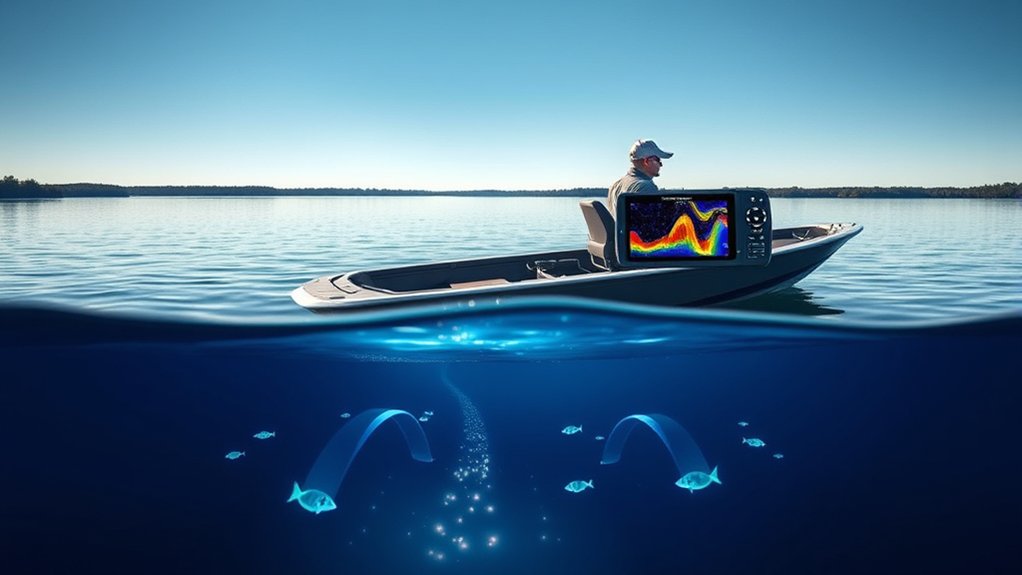
To use your fish finder well, you need to understand the basic idea behind sonar technology. The transducer sends sound pulses into the water. Those pulses bounce off fish, the bottom, weeds, rocks, bait, and other objects. The unit measures how long the echo takes to return, then displays that information on the screen.
Different sonar imaging techniques help you interpret readings more accurately. Some show a simple cone-shaped view under the boat. Others show detailed images below, to the sides, or in front of the boat. By learning what each sonar type does best, you can choose the right screen view for your fishing situation.
Types of Sonar Technology
Understanding the different types of sonar technology is essential for selecting the right fish finder for your fishing needs. Here’s a quick overview of the main sonar types you’ll encounter:
| Sonar Type | Description | Best Use |
|---|---|---|
| Traditional (2D) | Emits sound waves downward, showing bottom, fish, bait, and structure as returns or arches. | Basic fish finding, depth reading, and structure finding. |
| Side Imaging | Displays images to the sides, offering a wider view around your boat. | Identifying fish, weed edges, docks, rocks, and structures at distance. |
| Down-Scan Imaging | Provides enhanced detail of underwater features directly below the boat. | Viewing submerged trees, rocks, brush piles, and bottom transitions. |
| Forward-Facing (FFS) | Shows real-time imaging for tracking fish movements in front of the transducer. | Active strategy adjustments and precise casting. |
Sonar Imaging Techniques
Sonar imaging techniques play an essential role in modern fishing, providing anglers with the tools needed to navigate and locate fish effectively. Sonar technology operates by emitting sound waves from a transducer, which reflect off underwater objects and return to your fish finder. The unit then creates visual representations of the underwater environment.
Traditional sonar displays fish as arches, lines, dots, or marks, depending on movement and settings. Down-scan imaging gives you a sharper look at underwater structures. Side-scan imaging provides broader coverage beside your boat, which helps when you are searching new water. Forward-facing sonar (FFS) enhances your ability to visualize real-time fish movement and behavior, making it easier to target individual fish. Understanding these sonar imaging types helps you select the right technology for your fishing conditions.
Interpreting Sonar Readings
How can you make sense of the sonar readings displayed on your fish finder? First, recognize that sonar technology emits sound waves, which bounce off underwater objects and return to your transducer. Stronger echoes usually show harder bottom, larger objects, or dense targets. Weaker echoes may show soft bottom, small baitfish, weeds, or scattered returns.
Different colors on the display indicate varying signal strengths. On many palettes, red, orange, or yellow often show strong returns, while blue, green, or lighter colors show weaker returns. Fish may appear as arches on 2D sonar when they pass through the sonar cone. On down imaging or side imaging, they may appear as dots, bright marks, shadows, or small shapes.
Pay attention to the depth scale, because it connects fish location with underwater structure. By understanding the relationship between fish size, depth, bottom hardness, and sonar return shapes, you can interpret readings more accurately and improve your chance to catch more fish.
Power and Frequency Considerations
When selecting a fish finder, it’s essential to evaluate power and frequency, as these factors affect depth performance, image detail, and target separation. Here’s what you need to take into account:
- Power: Measured in watts, lower power can work for shallow freshwater, while higher power helps in deeper water and rougher conditions.
- Depth Penetration: Lower frequencies generally travel deeper, while higher frequencies provide more detail in shallower water.
- Frequency: Low frequencies such as 50 kHz penetrate deeper, while higher frequencies such as 200 kHz offer more detailed imaging in shallower areas.
- Dual-Frequency Transducers: These devices allow you to use more than one frequency range, which adds versatility in changing fishing conditions.
Utilizing CHIRP technology can further enhance your experience by sweeping across a range of frequencies instead of sending only one fixed frequency. This can improve depth penetration, reduce noise, and help separate fish from nearby cover. Understanding these power and frequency factors will greatly enhance your fishing effectiveness.
Pro Tip: Use lower frequencies when you need depth and higher frequencies when you need detail. When in doubt, start with CHIRP or dual-frequency mode and compare the screen views.
Choosing the Right Transducer
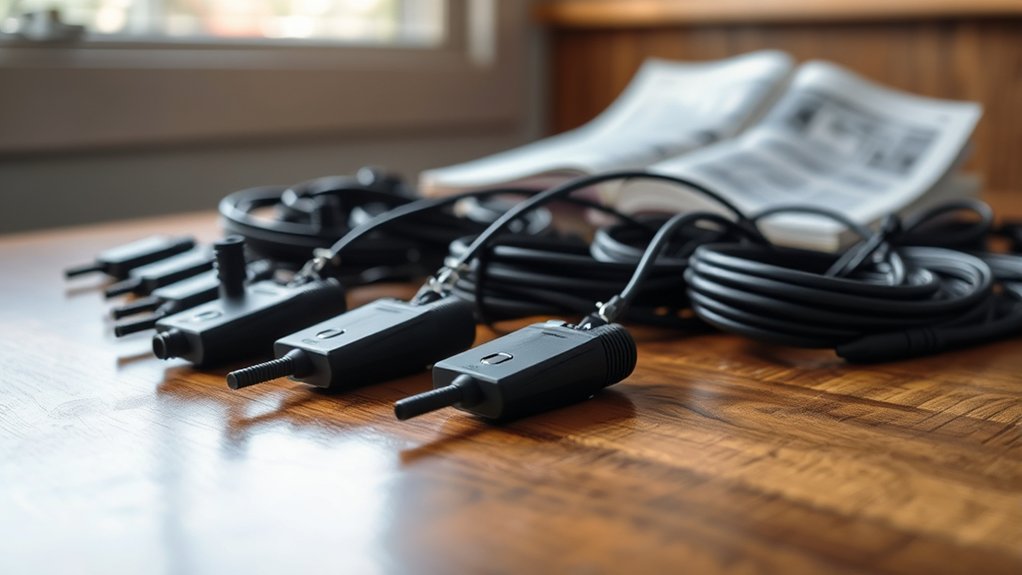
When selecting a transducer, it’s crucial to understand the frequency options available, as they directly impact your fishing experience. You’ll also need to reflect on the mounting types that suit your boat and the specific power requirements based on your fishing depth. By evaluating these factors, you can guarantee better sonar performance for your angling needs.
Frequency Options Explained
Understanding frequency options is essential for selecting the right transducer for your fish finder, as each frequency range serves distinct purposes based on your fishing environment. Here’s a quick breakdown:
- Low Frequency (50 kHz): Ideal for deeper waters, providing stronger penetration with less fine detail.
- High Frequency (200 kHz): Best for shallower waters, offering more detailed imaging and better target separation.
- Power Output: For many inland lakes, moderate power is enough; offshore or very deep-water fishing may require higher output.
- Dual-Frequency Transducers: Operate across more than one frequency range, offering versatility for changing depths and conditions.
For most inland fishing, a simple CHIRP or dual-frequency transducer is a practical choice. For advanced techniques, consider a CHIRP-enabled transducer, side imaging transducer, or forward-facing system for enhanced target separation and clarity.
Transducer Mounting Types
Choosing the right transducer mounting type can greatly impact your fish finder’s performance. For many small boats, transom mounts are the most common and easiest to install. They attach to the back of the boat and work well when positioned in clean water flow.
If you have a larger vessel, a thru-hull mount can offer strong sonar performance, though it requires drilling through the hull and careful installation. In-hull mounts work with some fiberglass hulls and provide a clean installation without external protrusions, but they may not work with every hull material or sonar type.
If you’re often fishing shallow water or using a bow-mounted trolling motor, trolling motor mounts allow directional signal control and help you scan the area where you are casting. For versatility, opt for dual-frequency transducers or CHIRP models that perform well in various fishing environments. Make sure your chosen mounting option aligns with your boat type, hull material, fishing style, and fish finder model.
Power and Depth Considerations
Selecting the appropriate power and frequency for your fish finder is essential for achieving ideal depth penetration and target clarity. Here are four key considerations:
- Power Rating: For shallow waters, lower to moderate wattage can be enough; deeper water usually needs more power and a suitable transducer.
- Frequency Choice: Low frequencies penetrate deeper, while high frequencies excel in detail at shallower depths.
- Transducer Type: Single-frequency transducers can work for basic inland fishing; dual-frequency and CHIRP models provide more flexibility.
- CHIRP Technology: This enhances performance by using a range of frequencies, improving depth performance and target separation for clearer imaging.
Choose wisely to maximize your fish-finding efficiency.
Warning: Do not drill into your boat hull unless you understand the installation requirements. A poorly placed transducer can leak, lose readings at speed, or create noisy sonar returns.
Screen Size and Resolution Options
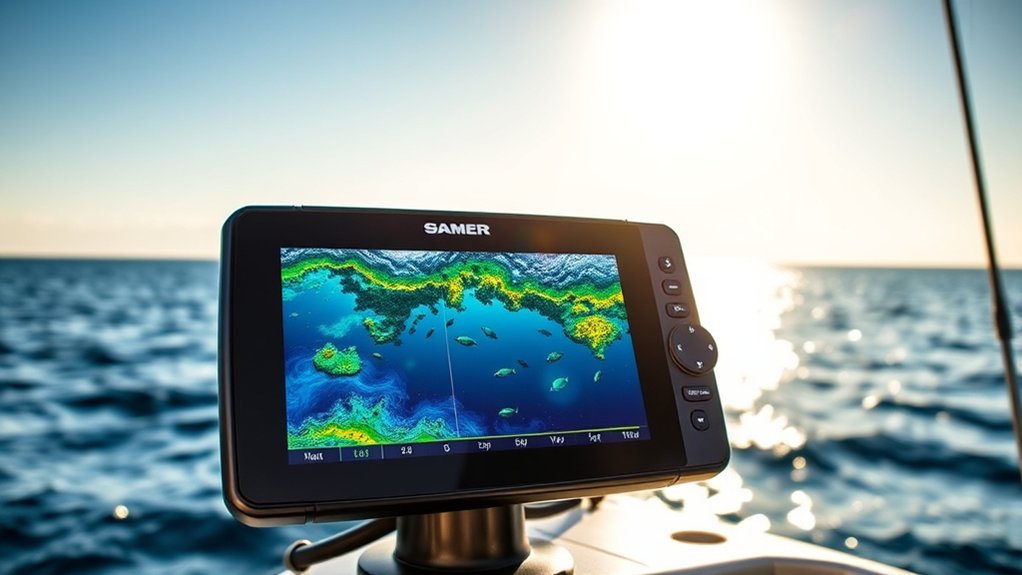
When it comes to fish finders, screen size and resolution greatly impact your fishing experience. Fish finder screens typically range from compact portable displays to large mounted units. Larger screens enhance visibility and navigation, especially when you use split-screen views for sonar, mapping, side imaging, and down imaging.
Screen size is also where budget units separate themselves, since a small display makes side imaging almost unreadable. Our comparison of Garmin Striker fish finders lines up the screen sizes and transducer types against each other.
Opting for a higher resolution display, measured in pixels, gives you clearer images and more detail. This makes it easier to identify fish, bait balls, rocks, weeds, timber, ledges, and underwater structures. Low-resolution screens can still show depth and fish activity, but they may make small details harder to interpret.
Also consider models with split screen functionality, which allows you to view multiple data feeds at the same time. This can enhance your situational awareness on the water. Don’t overlook screen brightness and contrast settings, either. These features are critical for maintaining visibility in bright sunlight, cloudy weather, early morning, or low-light conditions.
When selecting a fish finder, aim for the clearest screen within your budget. A readable screen helps you learn faster and prevents you from missing important detail.
Side Imaging and Down-Scan Features
Screen size and resolution set the stage for advanced features like side imaging and down-scan. These technologies enhance your fishing experience by providing critical underwater insights. Here’s what you need to know:
Side imaging helps you search water faster, while down-scan helps you inspect structure directly below the boat with more detail.
- Side Imaging: This feature offers a wide view of the underwater environment, displaying images to the sides and below your boat. It helps you identify fish, weed lines, docks, brush, rocks, and structure away from the boat.
- Down-Scan Imaging: Ideal for detecting detailed structures like submerged trees and rocks, it provides clarity that traditional sonar may not match.
- Frequency Utilization: Side imaging often uses higher imaging frequencies for detail, while some units may offer lower-frequency options for wider coverage or greater range.
- Split-Screen Functionality: Many modern fish finders allow you to view side imaging and down-scan at the same time for more complete underwater awareness.
Harnessing these features can greatly improve your success on the water. However, beginners should master basic 2D sonar first. Once you understand depth, bottom, and fish returns, side imaging and down-scan become much easier to interpret.
Mounting Your Fish Finder
To guarantee your fish finder functions at its best, you need to choose the right mounting location carefully. Aim for a spot where you can easily view the screen and access controls without blocking steering, casting, or movement inside the boat. Keep wiring tidy, protected, and away from sharp edges.
Here’s a quick overview of different mounting options your fish finder can offer:
| Mount Type | Ideal For |
|---|---|
| Transom Mount | Small boats, many aluminum boats, and common beginner installations |
| Thru-Hull Mount | Larger vessels and permanent installations |
| In-Hull Mount | Compatible fiberglass hulls where external mounting is not preferred |
| Trolling Motor Mount | Directional control and casting-focused fishing |
Always verify that the transducer is installed in the correct location for your boat and unit. Many transducers need clean water flow, proper angle, and the right depth below the hull line to provide accurate sonar readings. Transom mounts are excellent for many smaller boats, while thru-hull mounts are preferred for some larger vessels. If your boat has a compatible thin fiberglass hull, an in-hull mount may work well. Trolling motor mounts provide easy directional control, which can improve your fishing experience when working specific targets.
Basic Operation of a Fish Finder
Operating a fish finder effectively requires understanding its basic functions and settings. Start by powering on the device and ensuring it’s connected to your boat’s power system. Confirm that the transducer is connected, the screen is readable, and the depth reading looks reasonable before you begin fishing.
To get the most accurate readings, follow these steps:
- Set to Auto Mode: Begin with all settings in auto mode to establish a baseline for performance.
- Familiarize with Color Palettes: Learn how different colors indicate signal strength, bottom hardness, bait, fish, and structure.
- Utilize Zoom Functions: Focus on specific areas of interest, such as the bottom 10 feet, a brush pile, or a bait school.
- Practice Regularly: Analyze sonar images by examining the shape, size, color, depth, and movement of returns.
As you gain experience, adjust sensitivity, range, scroll speed, and noise rejection. Change one setting at a time so you can see what actually improves the image.
Interpreting Sonar Readings
When interpreting sonar readings, understanding color palettes is essential because they reveal information about signal strength and object density. Grasping depth scales helps you position your bait effectively, maximizing your chances of a catch. Recognizing underwater structures can further enhance your fishing strategy by guiding you to hotspots where fish are likely to gather.
Understanding Color Palettes
Understanding color palettes in fish finders is essential for interpreting sonar readings effectively, as they reveal important information about underwater environments. The exact colors vary by brand and palette, but the concept is similar. Strong returns usually appear brighter, thicker, or warmer, while weak returns appear softer, thinner, or cooler.
Here’s how different colors and shapes can help you:
- White or Light Background: Often represents open water or the display background, depending on your palette.
- Yellow or Orange: May indicate solid returns, hard bottom, larger fish, or stronger signal areas.
- Hot Red: Often signifies strong signals from larger targets, hard bottom, or dense cover, while shades of blue may suggest weaker returns.
- Arches and Shapes: Arches may indicate individual fish on 2D sonar, while dots, clusters, or round shapes may show bait or schools.
Do not rely on color alone. Always compare color with depth, shape, location, bottom type, and nearby cover.
Depth Scales Explained
Depth scales on fish finders are essential for locating fish in relation to the water’s bottom and surface. These scales indicate the water depth shown on the screen, helping you understand where fish might be positioned. For example, a mark at 12 feet in 20 feet of water tells you the fish is suspended rather than sitting on the bottom.
The depth markers on the screen provide context, allowing you to interpret sonar returns effectively. Shallow waters can show quick bottom changes, while deeper areas may require more careful range and sensitivity adjustments. By familiarizing yourself with depth scales, you can adjust your fishing techniques based on water depth, fish behavior, and the location of cover.
Identifying Underwater Structures
While you’re scanning the water with your fish finder, interpreting sonar readings is essential for identifying underwater structures that can harbor fish. Here are four key aspects to evaluate:
- Color Codes: Different colors on sonar displays indicate signal strength; brighter colors often show stronger returns, while softer colors may show weaker signals.
- Shape Recognition: Round clusters may show baitfish or schools, while larger arches or strong marks may indicate bigger fish.
- Depth Context: Utilize depth scales to understand where structures sit in the water column, aiding in technique adjustment.
- Shadows and Returns: On side imaging, shadows can indicate the height and orientation of objects like fallen trees, rocks, docks, or man-made structure.
Mastering these details enhances your fishing success because structure often holds bait, cover, shade, and ambush points.
Common Beginner Settings to Learn First
Most beginners leave the fish finder on factory settings, which is fine for the first trip. However, learning a few simple controls can make your screen cleaner and more useful.
- Sensitivity or Gain: Increases or decreases how many returns appear. Too high creates clutter; too low hides fish and bait.
- Range: Controls the depth shown on the screen. Auto range works well, but manual range helps when you want to focus on a specific zone.
- Zoom: Enlarges part of the water column, such as the bottom area where fish are feeding.
- Scroll Speed: Controls how quickly sonar history moves across the screen. Match it to boat speed for easier reading.
- Noise Rejection: Reduces interference, but setting it too high may hide weak targets.
- Color Palette: Changes how returns appear. Choose the palette that is easiest for your eyes in current light conditions.
Make one adjustment at a time. If the screen gets worse, return to auto mode and try again.
Fish Finder GPS and Mapping Basics
GPS turns a fish finder into a more complete fishing tool. With GPS, you can mark waypoints, follow routes, track your path, and return to productive areas. This is especially helpful when fishing deep structure, offshore humps, brush piles, ledges, channels, or open-water bait schools.
Use waypoints to mark more than fish. You can mark safe lanes, hazards, boat ramps, creek mouths, productive docks, and seasonal patterns. Over time, these marks create your own fishing map.
Some units include built-in maps, while others accept mapping cards or offer app-based updates. If you fish unfamiliar lakes or coastal water, mapping can help you understand depth changes before you ever make a cast.
Choosing a Fish Finder for Your Boat Type
Your boat type should influence the fish finder you choose. A kayak, jon boat, bass boat, pontoon, and offshore boat all need different mounting and power setups.
| Boat Type | Best Beginner Setup | Why It Works |
|---|---|---|
| Kayak | Compact 4- to 5-inch unit with portable power | Saves space and battery power |
| Jon Boat | 5- to 7-inch CHIRP unit with transom mount | Simple, affordable, and easy to install |
| Bass Boat | 7-inch or larger unit with GPS and imaging | Supports casting, mapping, and structure fishing |
| Pontoon | GPS unit with readable screen and transom transducer | Helps with depth, navigation, and family fishing |
| Offshore Boat | Higher-power unit with suitable transducer | Improves depth reading and performance in bigger water |
Troubleshooting Fish Finder Problems
If your fish finder looks confusing, the issue may not be the unit. Many problems come from installation, power, or settings. Check these common issues before replacing your device.
- No depth reading: Check the transducer connection, power supply, fuse, and transducer position.
- Depth disappears at speed: The transducer may be mounted too high, tilted incorrectly, or sitting in turbulent water.
- Screen is full of clutter: Lower sensitivity, adjust noise rejection, or return to auto mode.
- Fish do not show as arches: Boat speed, fish movement, cone angle, and settings all affect arch shape.
- Weak images on side imaging: Make sure the transducer has a clear side view and is not blocked by the motor, hull, or trailer hardware.
- Unit shuts off: Inspect battery charge, wiring, fuse size, and loose connections.
Note: A stable power connection is essential. Many screen issues, random shutoffs, and weak readings come from low voltage or loose wiring, not from the fish finder itself.
Tips for Successful Fishing With a Fish Finder
To successfully enhance your fishing experience with a fish finder, you need to familiarize yourself with its features and settings. Start by understanding the color coding. Strong returns may indicate hard bottom, larger fish, dense cover, or strong structure, while weaker returns may suggest softer bottom, smaller targets, or scattered activity.
Utilize the zoom feature to focus on specific areas, allowing you to observe fish and underwater structures in greater detail. This is especially useful when fishing deep water, vertical jigging, or targeting fish close to the bottom.
Adjust the sensitivity settings to find a balance that provides clear visibility of fish while minimizing screen clutter. Regularly monitor your fish finder for changes in fish activity and adjust your fishing depth accordingly. If bait is suspended at 15 feet over 30 feet of water, keep your lure near the bait rather than dragging the bottom.
Finally, implement various fishing techniques such as trolling, casting, drop-shotting, jigging, or drifting based on the insights your fish finder provides. By adapting your approach, you’ll maximize your chances of a successful fishing trip.
Related Guides
Frequently Asked Questions
How do you read a fish finder for beginners?
Start with the depth scale, bottom line, and color strength. Fish may appear as arches, dots, or bright marks. Look for fish near structure, bait, drop-offs, weeds, or bottom changes. Use auto mode first, then adjust sensitivity and zoom once you understand the basic screen.
Is a fish finder rig good for beginners?
Yes, a fish finder rig is great for beginners, but it is different from an electronic fish finder. A fish finder rig is a bait rig that lets fish take bait with less resistance. It works well for surf fishing, catfish, and bottom fishing in different depths.
How do you choose a fish finder for beginners?
Choose a beginner fish finder with CHIRP sonar, a readable 5- to 7-inch screen, GPS, simple menus, and a transducer that fits your boat. Avoid paying for advanced features unless you know you will use them. Good installation and practice matter more than extra buttons.
How long will a 12V battery run a fish finder?
Runtime depends on the battery capacity and the fish finder’s amp draw. To estimate it, divide the battery’s amp-hour rating by the unit’s amp draw. Screen brightness, GPS, imaging sonar, cold weather, and battery age can reduce real-world runtime.
Do fish always show as arches on a fish finder?
No. Fish arches are common on traditional 2D sonar, but they depend on boat speed, fish movement, cone angle, and settings. On down imaging or side imaging, fish may appear as dots, bright spots, small streaks, or marks with shadows.
Should beginners use auto mode or manual settings?
Beginners should start with auto mode because it gives a usable baseline quickly. After that, adjust one setting at a time. Sensitivity, range, zoom, and color palette are the first manual settings worth learning.
Conclusion
In the world of fishing, knowing your tools can make all the difference. By mastering the basics of your fish finder, from understanding sonar technology to interpreting readings, you’ll improve your decisions on the water. You do not need to understand every advanced feature on day one. Start with depth, bottom, fish marks, bait, and structure.
Practice makes perfect, so spend time getting comfortable with your device before relying on it completely. Use auto mode, compare screen views, mark productive spots, and adjust your presentation based on what you see. Soon, your fish finder will feel less intimidating and much more useful.
Sources
- NOAA Ocean Exploration: What is sonar? — supports the basic explanation of sonar sound pulses and returning echoes.
- Garmin Marine — supports general fish finder, sonar, GPS, and marine electronics terminology.
- Humminbird Sonar Learning Resources — supports basic sonar types, imaging concepts, and fish finder learning topics.
- Lowrance Fishfinders and Chartplotters — supports general fish finder feature categories such as sonar, chartplotting, and imaging.