Last updated: September 19, 2026.
Yes—many Toyota RAV4s have remote start, but not every RAV4 does. Availability depends on model year, factory equipment, market, and Toyota Connected Services eligibility. Recent U.S. model years also have important grade exceptions, so do not assume that Remote Connect automatically includes Vehicle Start/Stop. The safest way to confirm your RAV4 is to check its VIN in the Toyota app, review Toyota’s model-year applicability information, and consult the owner’s documentation.
Quick Answer
Yes—many Toyota RAV4s support factory remote start, but availability is not universal. Toyota’s 2023 feature guide marks Vehicle Start/Stop unavailable on the RAV4 LE/LE Hybrid, and its 2024–2025 applicability charts show that the LE/Hybrid LE row does not include Engine Start/Stop. Toyota says the 2026 RAV4 includes a one-year Remote Connect trial across all grades. Earlier RAV4s depend heavily on model year and multimedia equipment. Verify the exact VIN in the Toyota app or owner documentation before relying on trim name alone.
Key Takeaways
- Remote start is available on many RAV4s, but model year, multimedia equipment, grade, market, and Connected Services eligibility matter.
- Toyota’s 2023–2025 documents contain important LE exceptions, so Remote Connect availability does not always mean Engine Start/Stop is included.
- Toyota currently says Remote Connect can be used through the Toyota app or a compatible key fob with an active trial or paid subscription, although legacy connected vehicles can have different key-fob entitlement rules.
- Toyota’s published connected key-fob sequence is LOCK, a second LOCK within one second, then a third LOCK press held for about three seconds.
- Never remote-start a combustion vehicle in an attached or enclosed garage, and clear snow or debris from the exhaust outlet before starting.
How this guide was verified: Model-year claims were rechecked on September 19, 2026 against Toyota’s 2022–2026 Connected Services applicability/feature documents, current Toyota Connected Services guidance, and current RAV4 information. Connected Services can change, so the VIN-specific Toyota app and documentation remain the final check for an individual vehicle.
What Is Remote Start and How Does It Work?
Remote start lets you activate a parked vehicle before entering it. On a compatible RAV4, you may be able to send the command with the key fob or through Toyota Remote Connect in the Toyota app.
The feature is mainly used to begin warming, cooling, or defrosting the cabin. What the climate system does depends on the RAV4’s model year and settings. Some vehicles resume climate settings that were active when the vehicle was turned off, while newer systems may provide additional remote-climate controls through the app.
Remote start is different from these related features:
- Automatic stop-start: Shuts off and restarts an engine during certain traffic stops to reduce idling.
- Remote climate: Activates or schedules climate functions, particularly on electrified vehicles.
- Digital Key: Lets a compatible smartphone perform certain key functions on supported vehicles.
- Smart Key: Allows passive door access and push-button starting when the authorized key is nearby.
Is “Automatic Start” the Same as Remote Start?
No. “Remote start” is a driver-initiated command sent before you enter the vehicle. Automatic stop-start is a separate system that can shut off and restart an engine during a drive, such as at a traffic light. Push-button ignition is also different: having a Start button inside the cabin does not prove that a RAV4 supports remote start.
Note: A remote-started RAV4 remains subject to security interlocks. Remote operation does not normally make the vehicle ready to drive without the authorized key and required in-vehicle authentication, but remote start should not be treated as a guarantee against theft.
Does Your RAV4 Have Remote Start?
The most accurate answer comes from checking the specific vehicle, not from applying one rule to every RAV4. Toyota has changed its multimedia systems, Connected Services packages, grade structures, and remote functions across generations.
Which RAV4 Model Years Have Remote Start?
| Model year | What to expect | Best verification method |
|---|---|---|
| Before 2019 | Factory or dealer-installed remote starters were available on some vehicles, but availability varies widely. Many older RAV4s instead use an accessory or aftermarket starter. | Check the original window sticker, accessory records, key fobs, and model-specific owner documentation. |
| 2019–2021 | Remote Connect and remote-start capability existed on select equipped configurations. Multimedia hardware and factory equipment matter, so a trim badge alone is not enough to confirm the feature. | Check the VIN, original multimedia package, Toyota app eligibility, and model-year documentation. |
| 2022 | Toyota’s 2022 applicability chart shows how strongly multimedia equipment affects eligibility. Base “Audio” configurations on several RAV4 grades list Remote Connect as unavailable, while Audio Plus and Premium Audio configurations list it as available. | Use Toyota’s 2022 applicability chart plus the vehicle’s actual multimedia equipment. |
| 2023 | Toyota’s 2023 Remote Connect feature chart marks Vehicle Start/Stop unavailable on RAV4 LE/LE Hybrid. It lists Vehicle Start/Stop as available, if equipped, on other RAV4 grades including hybrids and on RAV4 Prime. | Check Toyota’s 2023 Remote Connect feature guide and your VIN. |
| 2024–2025 | Toyota’s applicability charts place LE/Hybrid LE in a Remote Connect row with a footnote stating that Remote Connect does not include Engine Start/Stop on LE. Other listed RAV4 configurations receive broader Remote Connect availability or an included trial depending on equipment. | Check the 2024 chart, 2025 chart, and Toyota app. |
| 2026 | Toyota says the 2026 RAV4 includes a one-year Remote Connect trial across all grades. Connected functions still vary by grade and require the appropriate account, vehicle eligibility, and service status. | Check the 2026 Toyota applicability guide, Toyota’s current RAV4 information, and the vehicle’s Toyota-app profile. |
Toyota’s 2025 Remote Connect feature guide lists Vehicle Start/Stop as available on the RAV4, including the hybrid, when equipped. It marks Remote Start with Drive-off as unavailable for that model year. That means owners should follow the normal authenticated starting procedure before driving rather than assuming the vehicle will remain ready to drive after entry.
How to Check Your Specific RAV4
- Start with the model-year chart. Check Toyota’s Connected Services applicability or feature guide for the exact year before assuming all grades behave alike.
- Add the VIN to the Toyota app. Sign in or create a Toyota account, add the vehicle, and review the available Connected Services. A Start command is strong evidence that the vehicle and account currently support that function.
- Check trial or subscription status. Current Remote Connect functions can require an active trial or paid subscription. Legacy connected vehicles can have different key-fob entitlement rules.
- Review the owner’s manual. Search the manual for “Remote Connect,” “remote start,” “remote engine starter,” or “remote climate.” Toyota provides manuals through its Owners portal.
- Look at the original equipment records. The window sticker, dealer build sheet, or accessory invoice may identify Remote Connect, an eligible multimedia package, or a dealer-installed starter.
- Test the documented fob sequence. A failed attempt does not by itself prove the vehicle lacks remote start because service status, button timing, range, or another vehicle condition may block the command.
Pro Tip: Use the VIN-based Toyota app check before buying a used RAV4. A seller may describe a vehicle as having remote start when it actually has only push-button ignition, an inactive Remote Connect service, or an aftermarket system with a missing remote.
Does RAV4 Remote Start Require a Subscription?
It may. Toyota’s current Remote Connect FAQ says compatible owners can use Remote Connect through the Toyota app or the vehicle’s key fob when they have an active trial or paid subscription. Trial length and included features vary by model year, vehicle, equipment, and original sale date.
That current rule should not automatically be applied backward to every older connected RAV4. Toyota’s earlier Remote Connect documentation describes different key-fob entitlement rules for some legacy connected vehicles. If you own an older RAV4, use the documentation for its exact model year and VIN rather than assuming that current subscription language or an old forum claim applies.
This creates three common situations:
- The Start button appears and works: The vehicle is compatible, the account is enrolled, and the required service is active.
- The Start button is missing: The vehicle may not support Vehicle Start/Stop, enrollment may be incomplete, the signed-in user may not have primary-owner access, or the exact grade may support other Remote Connect functions without Engine Start/Stop.
- The feature previously worked but stopped: The trial or subscription may have changed, billing may have failed, an account may need reauthorization, or the vehicle may have a connectivity or interlock problem.
Connected-service plans and prices can change. Review Toyota’s current Connected Services Plans rather than relying on an old monthly price quoted by a dealer, forum, video, or older article.
[Amazon Products Picked for You]

𝗩𝗲𝗵𝗶𝗰𝗹𝗲 𝗰𝗼𝗺𝗽𝗮𝘁𝗶𝗯𝗶𝗹𝗶𝘁𝘆: Toyota RAV4 (2019, 2020, 2021) models equipped with push-to-start ignition. Not compatible with hybrid models.
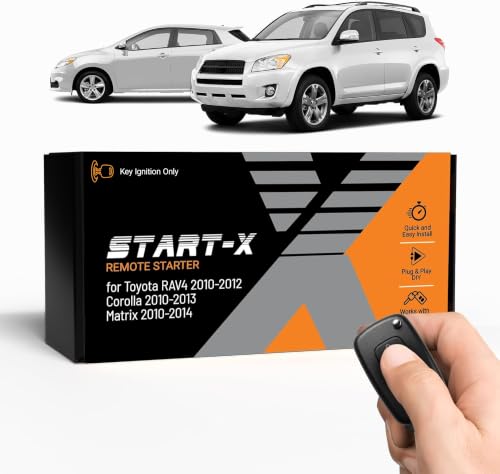
𝗩𝗲𝗵𝗶𝗰𝗹𝗲 𝗰𝗼𝗺𝗽𝗮𝘁𝗶𝗯𝗶𝗹𝗶𝘁𝘆: Toyota RAV4 (2010, 2011, 2012), Corolla (2010, 2011, 2012, 2013), and Matrix (2010, 2011, 2012, 2013, 2014) models equipped with G key ignition. Please make sure your key has a little "g" on it.

𝗩𝗲𝗵𝗶𝗰𝗹𝗲 𝗰𝗼𝗺𝗽𝗮𝘁𝗶𝗯𝗶𝗹𝗶𝘁𝘆: Toyota RAV4 (2013, 2014, 2015, 2016, 2017, 2018) and Corolla (2014, 2015, 2016, 2017, 2018, 2019) models with push-to-start ignition. *𝗡𝗼𝘁 𝗰𝗼𝗺𝗽𝗮𝘁𝗶𝗯𝗹𝗲 𝘄𝗶𝘁𝗵 𝗵𝘆𝗯𝗿𝗶𝗱 𝘃𝗲𝗵𝗶𝗰𝗹𝗲𝘀. 𝗡𝗼𝘁 𝗰𝗼𝗺𝗽𝗮𝘁𝗶𝗯𝗹𝗲 𝘄𝗶𝘁𝗵 𝗖𝗼𝗿𝗼𝗹𝗹𝗮 𝟮𝟬𝟭𝟵 𝗵𝗮𝘁𝗰𝗵𝗯𝗮𝗰𝗸 𝗺𝗼𝗱𝗲𝗹𝘀.*
How to Activate Remote Start in Your RAV4
At a Glance
| Time Required | About 2–10 minutes for testing; longer if Toyota-app enrollment is required |
| Difficulty | Easy |
| Tools Needed | Compatible key fob or smartphone with the Toyota app; VIN and owner’s manual may help |
| Cost | No separate hardware cost when factory-equipped; current connected app or compatible key-fob use may require an active Remote Connect trial or paid plan, while legacy systems can differ |
Start Your RAV4 With the Key Fob
On compatible Toyota Remote Connect vehicles, Toyota publishes this key-fob sequence:
- Make sure the RAV4 is parked outdoors in a safe location.
- Close the hood, liftgate, and all doors.
- Press and release the Lock button once.
- Press and release Lock again within about one second.
- Immediately press Lock a third time and hold it for about three seconds.
- Watch for the vehicle’s confirmation, such as flashing exterior lights, and confirm that remote operation has begun.
The button timing matters. Toyota documents this sequence in its Remote Connect key-fob guide. Confirmation behavior and eligibility can still differ by model year and system.
Toyota remote-start documentation commonly uses an approximately 10-minute remote-running cycle on supported factory systems. Because RAV4s can have factory-connected, accessory, or aftermarket systems from different years, confirm the exact timeout and restart limit in the documentation for your vehicle rather than assuming one rule covers every installation.
Start Your RAV4 With the Toyota App
- Download or update the Toyota app and sign in.
- Add the RAV4 using its VIN and complete owner verification or Connected Services enrollment.
- Confirm that Remote Connect and Vehicle Start/Stop are available for the vehicle and that any required trial or paid subscription is active.
- Park the vehicle safely, close its doors, hood, and liftgate, and lock it.
- Open the vehicle screen in the app.
- Press and hold the Start control or follow the on-screen confirmation prompt.
- Wait for the app to confirm whether the command succeeded.
The app can work beyond normal key-fob range, but it depends on the vehicle’s supported telematics service, network availability, Toyota’s connected-services systems, and the phone’s internet connection.
For a more detailed operating walkthrough, see how to remote start a Toyota RAV4 with the key fob and Toyota app.
Warning: Never remote-start a RAV4 with a gasoline engine inside an attached or enclosed garage, even when the garage door is open. Carbon monoxide is odorless and can enter the home. In snowy conditions, clear the exhaust outlet before starting the vehicle.
Common Problems and Solutions for RAV4 Remote Start
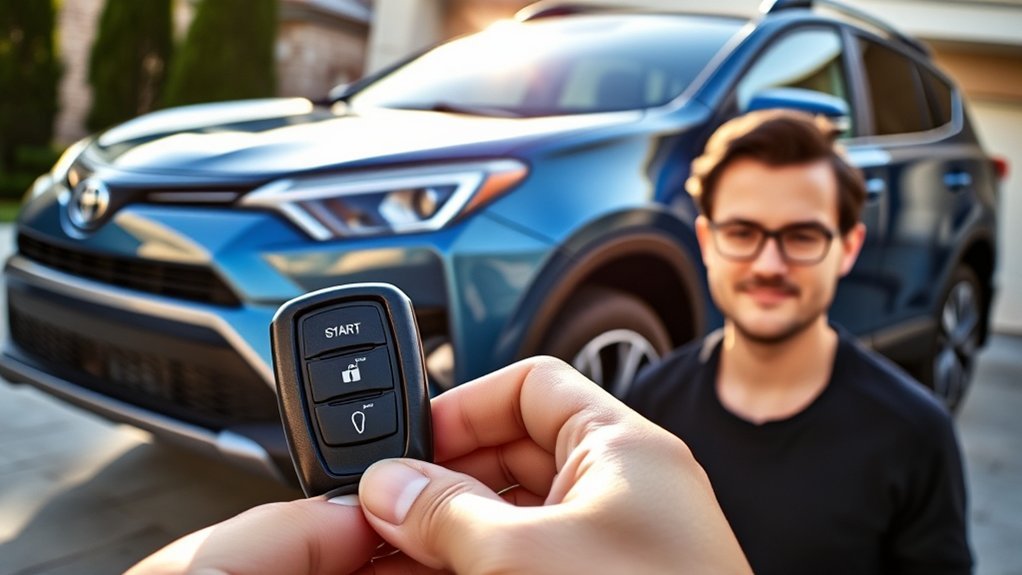
A failed remote-start command does not automatically mean the RAV4 lacks the feature. Start with the checks that do not require parts or programming.
| Problem | Likely checks | What to do |
|---|---|---|
| No Start control in the Toyota app | Vehicle or grade does not include Vehicle Start/Stop, incomplete enrollment, wrong account role, or inactive service | Verify the model-year feature chart, VIN, primary-owner access, Remote Connect enrollment, and plan status. On certain recent LE configurations, the missing Start command can be expected. |
| App command times out | Weak phone connection, poor vehicle cellular coverage, app problem, or connected-service outage | Move the vehicle to an area with usable network coverage if practical, refresh the app, sign in again, and retry after confirming service status. |
| Key-fob sequence does nothing | Incorrect button timing, weak fob battery, excessive distance, service entitlement, or incompatible vehicle | Press LOCK, press LOCK again within about one second, then hold LOCK on the third press for about three seconds. Move closer and replace the fob battery if other fob functions are weak. |
| Command is rejected | Door, liftgate, or hood not fully closed; vehicle not locked or not in Park; ignition already active; vehicle warning or another safety interlock | Secure the vehicle, check the instrument panel for warnings, and retry only after correcting the condition. |
| Vehicle starts but cabin stays uncomfortable | Climate control was off, prior HVAC settings were unsuitable, or the remote-running period was too short | Where the model relies on previous HVAC settings, leave the climate system at a practical temperature before parking. Use model-specific remote-climate controls where available. |
| Remote Connect fails in extreme cold | Remote Connect operating-temperature design range, weakened 12-volt battery, or network/vehicle conditions | Toyota RAV4 owner literature says Remote Connect is designed to operate above approximately -22°F (-30°C), subject to the vehicle’s own operating-temperature range. Check battery condition and vehicle warnings as well. |
| Vehicle shuts down before driving | The model does not support remote-start drive-off or requires normal authentication after entry | Enter with the authorized key and follow the normal starting procedure. Do not assume takeover behavior is the same across model years. |
| Aftermarket starter stopped working | Valet/service mode, hood-pin fault, module programming, wiring, bypass-module issue, or low 12-volt battery | Use the installer’s troubleshooting guide or return to the installer. Do not bypass hood or brake safety circuits. |
[Amazon Products Picked for You]

**Please confirm compatibility using the fitment guide located in the product images**

CONFIRM FIT **Please confirm compatibility using the fitment guide located in the product images** This battery will only fit your key fob if it exactly matches one of the examples in the compatibility guide.

" - Please check product image to confirm compatibility. (Opening/Pry Tool + Installation Video Included) "
A Practical Troubleshooting Order
- Confirm that the specific model year, grade, and VIN support Vehicle Start/Stop.
- Check Remote Connect trial, subscription, or legacy entitlement status.
- Close and lock the vehicle completely.
- Check for warning lights or messages.
- Retry the published key-fob sequence from closer range.
- Test the Toyota app on a stable internet connection.
- Replace a weak fob battery.
- Update the Toyota app and sign in again.
- For an aftermarket system, check its manual for valet mode and diagnostic flashes.
- Contact Toyota support, a dealer, or the original installer if repeated attempts fail.
Toyota RAV4 owner literature states that Remote Connect is designed to work at temperatures above approximately -22°F (-30°C). Toyota also notes that this Remote Connect specification depends on the vehicle’s own operating-temperature range, which may be different. An aftermarket remote starter may have different limits, so use its own documentation.
Remote Start on RAV4 Hybrid and Plug-In Hybrid Models
Hybrid and plug-in-hybrid RAV4s can support remote functions, but their behavior may not look or sound like a conventional gasoline vehicle.
- RAV4 Hybrid: A remote command can activate supported climate or hybrid-system functions without a steady gasoline-engine idle. The engine may start and stop as the system manages cabin heat, battery charge, and operating demand.
- RAV4 Plug-In Hybrid: Remote climate may use stored battery energy when conditions and charge level permit. Available controls vary by model year and equipment.
- Quiet operation is not proof of failure: Check the app confirmation, parking lights, climate airflow, or other vehicle indicators instead of listening only for a continuously idling engine.
- Remote operation is not drive-ready operation: Follow the normal authenticated starting procedure before driving unless the exact owner documentation explicitly describes a supported takeover method.
Use documentation for the exact model year because Toyota’s app controls and remote-climate functions have changed across generations.
Remote Start Safety, Fuel Use, and Idling Rules
Remote start is convenient, but it should be used for short, practical preconditioning rather than unnecessary idling.
- Prevent carbon-monoxide exposure. Never run the vehicle in an attached or enclosed garage. The CDC warns that carbon monoxide from vehicle exhaust can build up and cause sudden illness or death.
- Clear the exhaust outlet. Snow, ice, mud, or debris around the tailpipe can allow exhaust gases to accumulate.
- Check local idling rules. Remote-start equipment may be legal while state or local ordinances still restrict unattended idling or idling duration.
- Expect some fuel or energy use. A gasoline engine consumes fuel while idling. A hybrid may cycle its engine, while a plug-in hybrid may use battery energy for climate control.
- Keep the vehicle in view when practical. Confirm that it is parked safely and is not near dry grass, combustible materials, children, or pets.
- Do not leave occupants unattended. Remote climate is not a substitute for responsible supervision.
The U.S. Department of Energy explains that unnecessary idling wastes fuel and increases pollution and engine wear. Use remote start only as long as needed for visibility, defrosting, or reasonable cabin comfort.
Best Aftermarket Upgrades for Remote Start
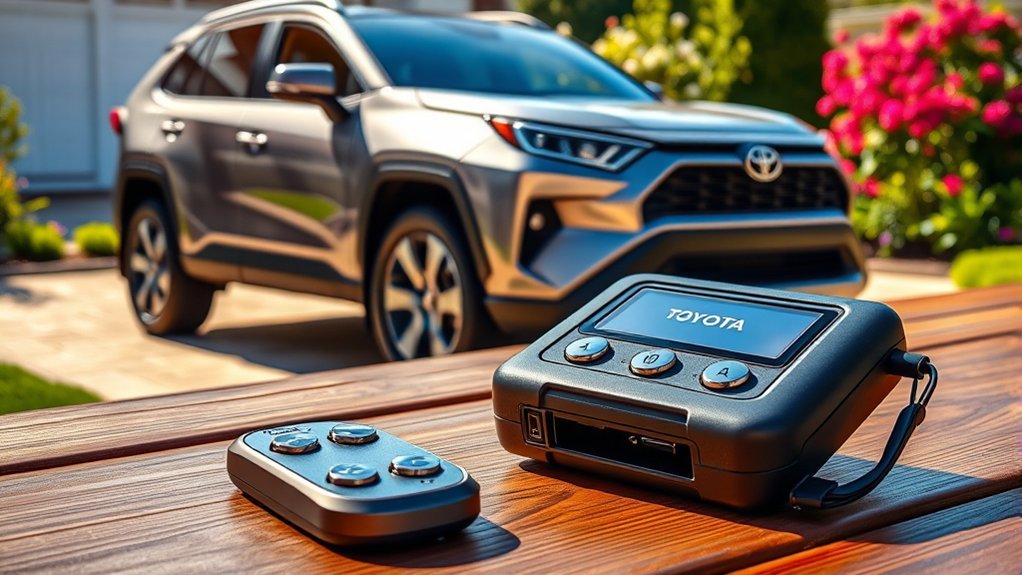
An aftermarket starter can be useful when a RAV4 was not factory-equipped or when the owner wants longer range or smartphone control. Before buying hardware, first confirm that the vehicle does not already have usable factory capability. For the installation decision in more detail, see how to add remote start to a Toyota RAV4.
[Amazon Products Picked for You]

𝗩𝗲𝗵𝗶𝗰𝗹𝗲 𝗰𝗼𝗺𝗽𝗮𝘁𝗶𝗯𝗶𝗹𝗶𝘁𝘆: Toyota RAV4 (2013, 2014, 2015, 2016, 2017, 2018) models equipped with key ignition.
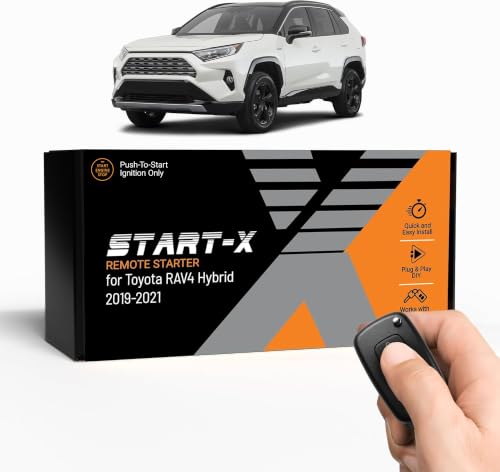
𝗩𝗲𝗵𝗶𝗰𝗹𝗲 𝗰𝗼𝗺𝗽𝗮𝘁𝗶𝗯𝗶𝗹𝗶𝘁𝘆: Toyota RAV4 (2019, 2020, 2021) hybrid models with push-to-start ignition. Vehicle must be hybrid for this kit to work.

WHAT'S INCLUDED - Complete remote start system compatible with Toyota RAV4 2013-2018. Includes an all-in-one remote starter data interface module and T-Harness. Firmware preloaded for your vehicle. All components required for installation are included. Automatic Transmission ONLY
What to Look For
- Exact compatibility: Match the model year, gasoline, hybrid or plug-in-hybrid powertrain, ignition type, transmission, and factory immobilizer.
- Hood-pin protection: The system must prevent remote starting while someone is working under the hood.
- Brake shutdown: Pressing the brake without proper authentication should stop the remote-start cycle.
- Secure immobilizer integration: Use a reputable data or bypass module designed for the vehicle rather than permanently defeating factory security.
- Two-way confirmation: A two-way remote or app can report whether the start command succeeded.
- Reasonable run-time controls: Choose a system with automatic timeout and limited restart cycles.
- Installer support and warranty: Confirm who handles programming, software updates, battery-drain complaints, and future service.
- Hybrid-specific approval: Do not assume a kit for a gasoline RAV4 also supports a hybrid or plug-in hybrid.
Some kits use plug-in harnesses, but installation time and difficulty vary. Trim panels may need to be removed, modules may require programming, and improper wiring can produce warning lights, parasitic battery drain, security faults, or no-start conditions. Professional installation is the safer choice when the kit requires splicing, immobilizer programming, or hybrid-system integration.
Will an Aftermarket Starter Void the Warranty?
Installing an aftermarket starter does not automatically cancel the RAV4’s entire factory warranty. The Federal Trade Commission explains that warranty coverage generally cannot be conditioned solely on using a particular branded product or service. However, warranty coverage can be denied for a repair when an aftermarket product or improper installation caused the problem.
Keep the product invoice, wiring documentation, installer receipt, and warranty terms. Before altering a leased vehicle or a RAV4 with substantial factory coverage remaining, review the lease terms and discuss the proposed system with the installer and servicing dealer.
Related Guides
Frequently Asked Questions
Can I install remote start on an older Toyota RAV4?
Yes. Many older RAV4s can accept an aftermarket remote starter, but the system must match the exact model year, ignition type, transmission, powertrain, and immobilizer. Hybrid compatibility should be confirmed explicitly. Use a system with hood-pin and brake-shutdown protection.
Does Toyota RAV4 remote start require a subscription?
It may. Toyota currently says Remote Connect can be used through the Toyota app or a compatible key fob with an active trial or paid subscription. Older connected vehicles can have different key-fob entitlement rules, so check the documentation and Toyota-app status for the exact VIN.
Does the Toyota RAV4 LE have remote start?
It depends on model year. Toyota’s 2023 feature guide marks Vehicle Start/Stop unavailable on RAV4 LE/LE Hybrid. Its 2024 and 2025 applicability charts place LE/Hybrid LE in a Remote Connect row whose footnote says Engine Start/Stop is not included on LE. Earlier years depend on equipment, while Toyota says the 2026 RAV4 includes a one-year Remote Connect trial across all grades. Verify the exact VIN because Remote Connect availability and individual remote commands are not the same thing.
How do I remote-start a RAV4 with the key fob?
On compatible Toyota Remote Connect vehicles, press LOCK once, press LOCK again within about one second, then immediately press and hold LOCK a third time for about three seconds. Eligibility and confirmation behavior can vary by model year, so check the documentation for the exact vehicle.
How long does RAV4 remote start run?
Toyota remote-start documentation commonly specifies an approximately 10-minute remote-running cycle on supported factory systems. Exact timeout and restart limits can differ by model year, factory or accessory system, and aftermarket equipment, so confirm the rule in the documentation for your RAV4.
Why does my RAV4 shut off when I open the door?
Some RAV4 generations do not support remote-start drive-off or secure takeover. Toyota’s 2025 feature guide marks Remote Start with Drive-off unavailable for the RAV4. Enter with the authorized key and follow the normal starting procedure before driving.
Does remote start reduce fuel economy?
Any time a gasoline engine idles, it uses fuel without adding driving miles. The total effect depends on how long and how often remote start is used. Hybrids may cycle the engine, while plug-in hybrids may use battery energy for some climate functions.
Is remote start legal in every state?
Remote-start equipment is generally available for lawful use, but state and local rules may restrict unattended idling, require the vehicle to remain in view, or limit idling duration. Rules and exemptions vary, so check the law where the vehicle is parked.
Can I use RAV4 remote start during extreme weather?
Toyota RAV4 owner literature says Remote Connect is designed to work above approximately -22°F (-30°C), subject to the vehicle’s own operating-temperature range. Cold can also weaken the 12-volt battery. In snow, clear the exhaust outlet before starting, and never operate a gasoline engine in an attached or enclosed garage.
Will remote start void my RAV4 warranty?
A factory system does not void the warranty. An aftermarket system does not automatically cancel the entire warranty either, but coverage can be denied for a repair when the aftermarket product or its installation caused the problem. Use compatible equipment, keep installation records, and choose a qualified installer.
Conclusion
The Toyota RAV4 can have factory remote start, but there is no safe one-line rule covering every model year and grade. The biggest recent exceptions are the LE configurations identified in Toyota’s 2023–2025 documents, while Toyota says the 2026 RAV4 receives a one-year Remote Connect trial across its grades. For an individual vehicle, check the model-year applicability chart, VIN in the Toyota app, Connected Services status, and owner documentation.
If the vehicle is compatible, use Toyota’s documented key-fob timing or the Toyota app, then work through enrollment, connectivity, interlock, temperature, and battery checks if the command fails. An aftermarket starter remains an option for many older or unequipped RAV4s, provided it matches the exact powertrain and retains essential hood, brake, and immobilizer safeguards.
Sources
- Toyota Remote Connect — current Remote Connect functions, enrollment, key-fob/app use, and subscription guidance.
- Toyota 2026 RAV4 — current U.S. RAV4 grade and vehicle information.
- Toyota USA Newsroom: 2026 RAV4 — one-year Remote Connect trial across 2026 RAV4 grades.
- Toyota 2026 Audio Multimedia & Connected Services Applicability Guide — Remote Connect and multimedia applicability.
- Toyota 2025 Audio Multimedia & Connected Services Applicability Guide — 2025 RAV4 Remote Connect availability and LE Engine Start/Stop exception.
- Toyota 2024 Audio Multimedia & Connected Services Applicability Guide — 2024 RAV4 Remote Connect availability and LE Engine Start/Stop exception.
- Toyota MY2023 Remote Connect Features by Model — 2023 RAV4 LE/LE Hybrid and other-grade Vehicle Start/Stop availability.
- Toyota 2022 Connected Services & Audio Multimedia Feature Applicability — RAV4 multimedia-system and Remote Connect availability.
- Toyota MY2025 Remote Connect Features by Model — RAV4 Vehicle Start/Stop and Remote Start with Drive-off availability.
- Toyota Remote Connect Guide — key-fob remote-start timing and legacy Connected Services notes.
- Toyota RAV4 Owner’s Manual: Remote Connect — Remote Connect operating-temperature guidance.
- CDC Carbon Monoxide Poisoning Basics — vehicle-exhaust and garage safety guidance.
- U.S. Department of Energy Idle Reduction — fuel, pollution, and engine-wear effects of unnecessary idling.
- Federal Trade Commission: Warranties and Repair Restrictions — warranty treatment of aftermarket products and damage caused by parts or installation.
