Toyota RAV4 Android Auto compatibility depends mainly on the vehicle’s model year and market. For U.S.-market vehicles, factory Android Auto begins with the 2020 RAV4. Models from 2020 through 2022 normally use a wired USB connection, while 2023 through 2026 RAV4 models include standard wireless Android Auto.
Quick Answer
Yes—for U.S.-market Toyota RAV4s, factory Android Auto starts with the 2020 model year. Most 2020–2022 models use a wired USB connection, while 2023–2026 models include standard wireless Android Auto. The 2019 RAV4 has factory Apple CarPlay, but not factory Android Auto. Equipment can differ outside the United States.
Key Takeaways
- 2020 is the first U.S. RAV4 model year with factory Android Auto.
- U.S. 2020–2022 RAV4 systems normally require a USB data connection.
- Standard wireless Android Auto arrived with the redesigned multimedia system for 2023 and continues through 2026.
- Google currently requires Android 9 or later for most wired connections and Android 11 or later for wireless use.
- Trim, country, phone, cable, and aftermarket equipment can affect compatibility.
At a Glance
| Time Required | About 5–10 minutes |
| Difficulty | Easy |
| Tools Needed | Compatible Android phone; high-quality USB data cable for wired systems |
| Cost | No separate Android Auto fee; mobile data, cables, paid apps, or Toyota connected services may cost extra |
Warning: Park the RAV4 before pairing a phone, changing connection settings, or accepting setup permissions. Use voice commands and steering-wheel controls whenever possible while driving.
Which Toyota RAV4 Model Years Have Android Auto?
For U.S.-market RAV4s, the important dividing lines are 2020 and 2023. Toyota’s official 2019 RAV4 technology description lists Apple CarPlay but not Android Auto. Toyota then announced that Android Auto was newly added to every 2020 RAV4 grade.
The next major change came for 2023, when Toyota introduced an updated multimedia system with standard wireless Android Auto compatibility. Toyota also confirms standard wireless Android Auto for the 2026 RAV4.
| U.S. RAV4 Model Year | Factory Android Auto | Typical Connection |
|---|---|---|
| 2018 and earlier | No | Aftermarket receiver required |
| 2019 | No | Apple CarPlay was included; Android Auto requires compatible aftermarket equipment |
| 2020–2022 | Yes | Wired through the multimedia USB data port |
| 2023–2026 | Yes | Standard wireless Android Auto; consult the manual for available USB behavior |
For U.S.-market RAV4s, factory Android Auto starts in 2020, and standard wireless Android Auto starts in 2023.
Note: This model-year guide covers factory-equipped U.S. vehicles. Canadian and other international RAV4s may have different equipment, release dates, or dealer-installed upgrades. Confirm your exact vehicle by VIN and model year in the Toyota owner’s manual portal.
What You Need Before Setting Up Android Auto
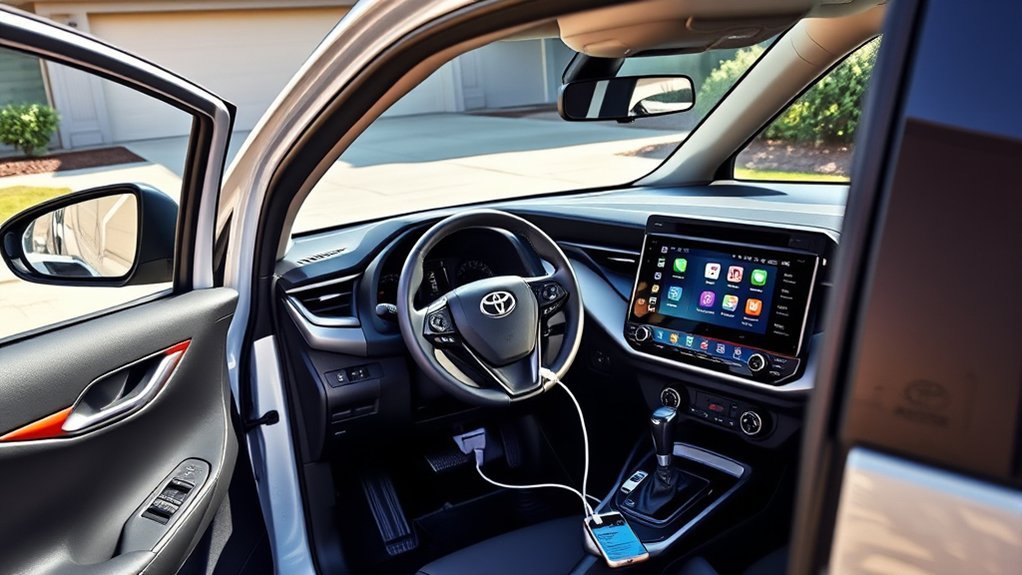
Before connecting your phone, confirm that the RAV4, Android version, and connection method are compatible. According to Google’s current Android Auto requirements, most wired connections require Android 9 or later. Wireless Android Auto requires Android 11 or later, a compatible phone, and a vehicle that specifically supports wireless Android Auto.
- Compatible RAV4: A U.S. 2020 or newer factory system, or a compatible aftermarket receiver.
- Compatible phone: Android 9 or later for most wired connections; Android 11 or later for wireless use.
- Android Auto software: Android Auto is integrated into Android 10 and later. A phone running Android 9 may require the Android Auto app.
- Wired setup: A short, high-quality USB cable that supports data, not only charging.
- Wireless setup: Bluetooth and Wi-Fi enabled on the phone.
- Vehicle position: The RAV4 parked with the transmission in Park.
- Phone permissions: Permission to access calls, contacts, messages, location, and notifications as needed.
Pro Tip: A phone can charge even when the cable or USB port does not support data. If Android Auto does not appear, try the designated multimedia USB port and replace the cable with a known data-capable cable before changing other settings.
[Amazon Products Picked for You]
![CONMDEX Android Auto USB Cable [3ft, 2-Pack] 10Gbps, 3A Fast Charging](https://m.media-amazon.com/images/I/41vy0X7qsdL._SL500_.jpg)
[Reliable Car Connectivity & Android Auto] Engineered specifically to solve "falling short" connection issues in vehicles. This cable provides a stable, high-speed link for Android Auto and Apple CarPlay, ensuring consistent navigation and music streaming in models like the Ford Raptor and other modern consoles
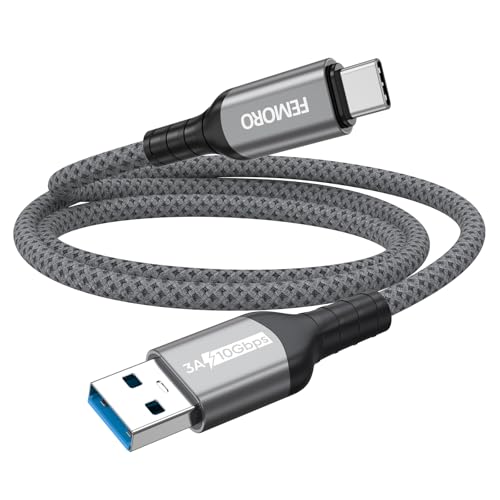
Note: To get the full 10 Gbps, both ends of the cable must be plugged into USB 3.2 Gen 2 ports (USB-C and USB-A). if in doubt, check with the device's brand service or FEMORO support

10Gbps Data Transfer: SUNGUY USB 3.1 Gen 2 cable supports super speed data transmission up to 10Gbps, transfer HD movies, songs, file or photos in seconds. Backwards compatible to USB 3.0 and 2.0; DOES NOT support video output.
How to Connect Android Auto in a Toyota RAV4
The correct procedure depends on whether the RAV4 uses a wired or wireless factory system. Menu names can vary slightly by model year and multimedia software version.
Wired Connection Process for 2020–2022 RAV4 Models
- Park the RAV4 and switch on the ignition or accessory mode.
- Unlock the Android phone and confirm that mobile data is available.
- Connect the phone to the RAV4’s multimedia USB data port with a high-quality data cable.
- Read and accept the prompts on the phone.
- When the multimedia screen asks whether to use Android Auto, select the affirmative option.
- Approve the requested permissions for navigation, calls, contacts, messages, and notifications.
- Select the Android Auto icon on the RAV4 display if it does not open automatically.
After the initial setup, Android Auto should launch when the phone is unlocked and connected to the correct USB data port. The phone may need to be unlocked again after a restart or software update.
Wireless Connection Process for 2023–2026 RAV4 Models
- Park the RAV4 and turn on the multimedia system.
- Enable Bluetooth and Wi-Fi on the Android phone.
- Open the RAV4’s device or Bluetooth settings and choose the option to add a new device.
- Select the phone when it appears on the vehicle display.
- Confirm that the pairing codes shown on the phone and RAV4 match.
- Accept the Android Auto and permission prompts on both screens.
- Choose Android Auto when the multimedia system asks which phone-projection service to use.
After the first pairing, a compatible phone should reconnect automatically when the vehicle starts. Google explains that Bluetooth is used during wireless setup, but the phone and vehicle must both support wireless Android Auto; ordinary Bluetooth audio compatibility is not enough.
Note: If several phones are saved in the RAV4, the multimedia system may connect to a different device first. Set the preferred device in the vehicle settings or temporarily disable Bluetooth on the other saved phones.
How to Fix Android Auto Connection Problems
Start with the simplest causes: the wrong model year, an incorrect USB port, a charging-only cable, disabled phone settings, or an incomplete wireless pairing. The following table covers the most common symptoms.
| Problem | What to Check | Recommended Fix |
|---|---|---|
| The phone charges, but Android Auto does not open | USB cable and port may support charging only | Use the designated multimedia data port and a different high-quality data cable |
| No Android Auto option appears | Vehicle year, market, phone permissions, or projection setting | Confirm that the RAV4 is a compatible 2020-or-newer U.S. model and enable Android Auto in device settings |
| Wired connection disconnects over bumps | Loose, damaged, excessively long, or low-quality cable | Clean the phone port gently and replace the cable |
| Wireless Android Auto will not reconnect | Bluetooth, Wi-Fi, saved pairings, or competing phones | Enable Bluetooth and Wi-Fi, disconnect other phones, then remove and pair the preferred phone again |
| Display is blank or frozen | Temporary phone or multimedia-system error | Restart the phone and multimedia system, then reconnect |
| Calls work, but media has no sound | Audio source, media volume, or app permissions | Select Android Auto as the source and raise media volume while audio is playing |
| Connection failed after a phone update | Old pairing data or changed permissions | Delete the RAV4 from the phone, delete the phone from the RAV4, restart both, and complete setup again |
[Amazon Products Picked for You]

Note: Car models with USB 2.0 ports may experience protocol mismatch with USB 3.2 Android Auto cable, potentially causing device recognition failure, slow charging speeds, or even complete charging failure.

✅【10Gbps High-Speed Data Transfer】USB 3.1 Gen2 USB A to USB C Data Cable supports super speed data transmission up to 10Gbps, transfer HD movies, music, files or photos in seconds. Backwards compatible to USB 3.0 and 2.0. Note: Not support video output.
![INIU USB C Cable, [6.6ft+6.6ft] 100W PD Fast Charging USB C to USB C Cable](https://m.media-amazon.com/images/I/41MKftNzlnL._SL500_.jpg)
[Charge Laptop 58% Faster Than 60W] The all-new 100W USB C to USB C cable tech takes charging speed to the next level. Fast charge your MacBook Pro 16” to 60% in just 45 minutes—58% faster than using a 60W cable.
Rebuild the Phone Pairing
For persistent wireless problems, remove the RAV4 from the phone’s saved Bluetooth devices and remove the phone from the RAV4’s device list. Restart the phone and vehicle multimedia system, then repeat the initial pairing procedure while parked.
Update the Phone and Check the Vehicle Manual
Install available Android system, Google Play system, Android Auto, Google Maps, and media-app updates. For vehicle-specific menu paths or multimedia reset instructions, select the exact year and model in Toyota’s manual and warranty portal.
If several compatible phones and cables fail, the USB data port, multimedia software, or head unit may need professional diagnosis. A Toyota dealer or qualified automotive electronics technician can check the system without relying on trial-and-error parts replacement.
Android Auto Apps, Updates, and Vehicle Features
Android Auto places a driving-focused version of compatible phone apps on the RAV4 display. Common categories include navigation, phone calls, messaging, music, audiobooks, and podcasts. App availability varies by country, account, phone, and software version.
[Amazon Products Picked for You]

Upgrade to Wireless CarPlay & Android Auto The 2 in 1 Wireless CarPlay and Android Auto Adapter converts your factory wired system into a wireless experience. It’s perfect for families using both iPhone and Android phones, allowing effortless switching without unplugging or swapping cables. This adapter is compatible with over 1,000 vehicle models—supporting 800+ with wired CarPlay and 500+ with wired Android Auto. Works with iPhone 6 or later and Android 11 or above devices.

【BROAD COMPATIBILITY FOR WIRED CARPLAY & ANDROID AUTO】Designed for vehicles equipped with factory-wired CarPlay or Android Auto. Supports iPhone with iOS 10 or later and Android phones with Android 11 or later. Please confirm that your vehicle has a factory-wired system before purchase.

💎【2-in-1 Dual Compatibility & USB-C Ready】 The ultimate solution for mixed-tech households. Fully supports both Wireless CarPlay (iOS 10+) and Wireless Android Auto (Android 11+). We include both USB-A and USB-C adapter cables, making it perfectly compatible with 2016-2026 car models, including newer vehicles equipped with Type-C ports.
Current Voice and Multimedia Features
Google is gradually integrating Gemini into Android Auto as a replacement for the classic Google Assistant experience. Availability can depend on the user’s account, phone, language, country, and rollout status. Drivers can use supported voice commands for tasks such as navigation, calling, sending messages, and playing media.
| Capability | What Android Auto Provides | Important RAV4 Distinction |
|---|---|---|
| Voice assistance | Hands-free navigation, calls, messages, media, and supported queries | Google’s Gemini rollout varies by account, device, language, and region |
| Compatible apps | Approved navigation, media, communication, and selected productivity apps | Not every phone app can appear on the vehicle display |
| Vehicle controls | Android Auto mainly projects compatible phone functions | Toyota’s climate and vehicle commands may use Toyota Intelligent Assistant or connected services instead and can require a trial or subscription |
Exploring Additional Apps
Open Android Auto settings on the phone to review compatible apps and organize the launcher. Only apps designed and approved for Android Auto will appear. Google maintains a current selection through the Android Auto app collection on Google Play.
Voice control and simplified on-screen controls reduce distraction, but they do not replace attentive driving. Choose media and enter destinations before moving whenever possible.
Frequently Asked Questions
Can I use Android Auto with an iPhone?
No. Android Auto is designed for compatible Android phones. Connect an iPhone with Apple CarPlay instead. The available wired or wireless method depends on the RAV4’s model year and multimedia system.
Is there a subscription fee for Android Auto?
Android Auto itself does not normally require a separate subscription. Your cellular plan, paid music or audiobook apps, and optional Toyota connected services may have their own charges. Android Auto does not require a Toyota Drive Connect subscription simply to project compatible phone apps.
Will Android Auto drain my phone’s battery quickly?
Navigation, mobile data, wireless connections, and media playback can increase power use. A wired connection normally supplies power to the phone, although charging speed varies. With wireless Android Auto, use the RAV4’s charging pad or a separate charging cable on longer trips.
Can I customize Android Auto’s interface?
You can organize compatible apps in the launcher and adjust selected notification, messaging, navigation, day/night, and startup settings. The driving interface itself remains restricted to layouts and controls designed for safer in-car use.
Does Android Auto work offline?
Some functions can work with content downloaded in advance. For example, Google Maps can navigate within a downloaded offline area, and supported media apps may play downloaded audio. Live traffic, alternate routes, cloud searches, streaming, and many voice features require an internet connection.
Can Android Auto be added to a 2019 Toyota RAV4?
A U.S.-market 2019 RAV4 did not include factory Android Auto. A compatible aftermarket multimedia receiver is the most common upgrade. Before buying one, confirm fitment, steering-wheel-control support, factory-camera compatibility, microphone requirements, and whether professional installation is needed. Region-specific dealer upgrades may differ.
Which Toyota RAV4 years have wireless Android Auto?
Toyota introduced standard wireless Android Auto for the U.S.-market RAV4 with the 2023 model year. Toyota continues to list standard wireless compatibility for the 2026 RAV4. Earlier 2020–2022 factory systems normally require a USB data connection.
Why does my phone charge without launching Android Auto?
The cable or port may provide power without carrying data. Connect through the RAV4’s designated multimedia USB port and try a short, high-quality data cable. Also confirm that the vehicle year supports Android Auto and that phone projection is enabled in the multimedia settings.
Conclusion
The U.S.-market Toyota RAV4 has factory Android Auto beginning with the 2020 model year. Expect a wired USB connection in most 2020–2022 models and standard wireless Android Auto in 2023–2026 models. A 2019 RAV4 does not have factory Android Auto, although a compatible aftermarket receiver can add it.
For the most reliable connection, verify the vehicle year, use a compatible Android version, connect through the correct USB data port when required, and complete the initial setup while parked. When problems continue after changing the cable and rebuilding the pairing, consult the exact RAV4 multimedia manual or arrange professional diagnosis.
Sources
- Toyota USA Newsroom: 2019 RAV4 Technology — confirms the U.S. 2019 multimedia features, including Apple CarPlay but not factory Android Auto.
- Toyota USA Newsroom: 2020 RAV4 Multimedia Enhancements — confirms that Android Auto was added across the 2020 RAV4 lineup.
- Toyota USA Newsroom: 2023 RAV4 Multimedia System — confirms standard wireless Android Auto for the 2023 RAV4.
- Toyota USA Newsroom: 2026 RAV4 — confirms continued standard wireless Android Auto compatibility.
- Google Android Auto — provides current phone requirements, connection guidance, app information, and official setup details.
- Toyota Manuals and Warranties — provides model- and year-specific multimedia instructions for U.S. Toyota vehicles.
