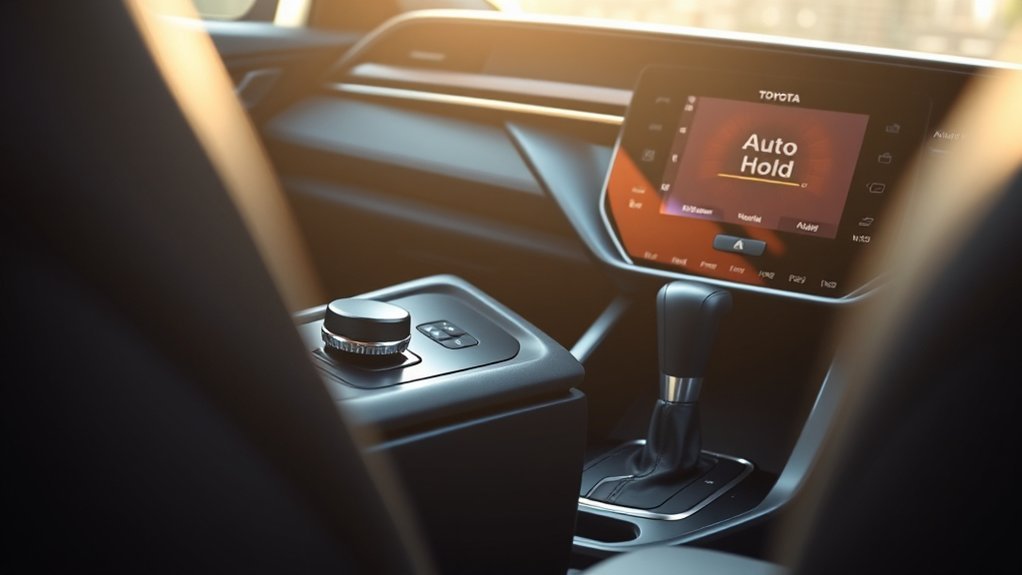
On an equipped Toyota Camry, Brake Hold (often called Auto Hold) keeps the service brakes applied after the vehicle stops so you can lift your foot from the brake pedal. Close the driver’s door, fasten the driver’s seat belt, press the HOLD switch, and stop fully. A green indicator means the system is standing by; a yellow operated indicator means the brakes are being held and you may release the pedal while remaining attentive. In U.S.-spec 2018–2024 Camrys, Toyota describes Brake Hold in D, S, or N; 2025–2026 manuals also list P. Confirm the exact procedure in the Toyota owner’s manual for your vehicle.
Last updated: September 19, 2026 — Brake Hold procedures, model-year differences, warning guidance, and recall information were rechecked against Toyota and NHTSA sources. This guide is documentation-based and does not claim hands-on vehicle testing.
Quick Answer
Start the Camry or place the hybrid system in READY, close the driver’s door, fasten the driver’s seat belt, and press the HOLD switch. The green standby indicator shows the system is enabled. Stop with the brake pedal until the yellow operated indicator appears; then you may release the pedal while staying ready to brake. In D or S, press the accelerator smoothly to move again.
Key Takeaways
- Brake Hold is available only on Camrys equipped with the HOLD switch; availability varies by year, trim, and market.
- Green means Brake Hold is in standby; yellow means it is actively holding the stopped vehicle.
- Toyota’s U.S. manuals list D/S/N for 2018–2024 Camrys and D/S/N/P for 2025–2026; accelerator release is described in D or S.
- Brake Hold is a convenience feature, not a substitute for the brake pedal or electronic parking brake.
At a Glance
| Time Required | About 1–2 minutes to learn |
| Difficulty | Easy |
| Tools Needed | None |
| Cost | $0 |
Note: Look for a physical switch marked HOLD or a brake-hold symbol near the shifter or center console. If your Camry does not have that switch, it may not be equipped with Brake Hold. Hill-start assist is a different feature.
How Toyota Camry Brake Hold Works
Brake Hold uses the vehicle’s braking system to keep the Camry stationary after you press the brake pedal and stop. The system first enters standby. When the required conditions are met and the vehicle stops, it changes to active hold. You can then remove your foot from the brake pedal while remaining ready to take control.
When the transmission is in D or S, pressing the accelerator normally releases the brakes and lets the car move. Brake Hold is not a parking system. Toyota warns that turning the vehicle off while Brake Hold is maintaining brake pressure may release the brakes, so keep the brake pedal applied, shift to P, and set the parking brake before leaving the vehicle.
Does Brake Hold Work in Park or Neutral?
Toyota changed the listed hold positions with the latest Camry generation. U.S.-spec 2018–2024 Camry manuals describe Brake Hold in D, S, or N. The 2025 and 2026 Camry manuals list D, S, N, or P. Across these manuals, automatic accelerator release is described in D or S. This distinction matters in a conveyor car wash because Brake Hold can maintain braking while the transmission is in Neutral.
| U.S. model years | Listed hold positions | Accelerator release |
| 2018–2024 | D, S, N | D or S |
| 2025–2026 | D, S, N, P | D or S |
How to Activate Brake Hold in Your Toyota Camry

- Confirm the car is equipped. Find the HOLD or Brake Hold switch and check the owner’s manual for your exact model year.
- Start the vehicle. Confirm the engine is running or the hybrid system shows READY.
- Meet the operating conditions. Close the driver’s door, fasten the driver’s seat belt, and make sure the display is not showing a Brake Hold or parking-brake malfunction message.
- Stop safely. Keep your foot firmly on the brake pedal. Using the switch while stopped is the simplest and safest method across model-year variations.
- Press the HOLD switch. The brake-hold standby indicator should appear in the instrument cluster or multi-information display.
- Press the brake firmly at a complete stop. When the active-hold indicator appears, carefully lift your foot from the pedal. The vehicle should remain stationary.
Warning: Keep your foot ready to press the brake. Do not rely on Brake Hold on a very steep grade, when the road is slippery, while the vehicle must roll in Neutral, or whenever a warning message says the system is unavailable.
[Amazon Products Picked for You]


Packag Included: The package includes 4 pieces of brake light switch stoppers, sufficient quantity to meet your daily requirements for usage and replacement, you can also share them with your friends and family.
How to Drive, Release, and Turn Off Brake Hold
[Amazon Products Picked for You]

【Brake Light Switch Replacement】84340-69015, 84340-09020, Check The Part Number Before Your Order, It saves you the time of buying back and forth, and also helps you save money.

【Brake Light Switch Replacement】SLS203T, Check The Part Number Before Your Order, It saves you the time of buying back and forth, and also helps you save money.
Moving Away From a Stop
With the transmission in a forward drive range, press the accelerator smoothly. The active-hold indicator should turn off as the brakes release. Avoid stabbing the accelerator, especially on a slope or in close traffic.
Stopping Again
Brake normally until the Camry comes to a full stop. If Brake Hold is still in standby and all operating conditions remain satisfied, the active-hold indicator should return and the system should hold the vehicle again.
Turning the Feature Off
Press and hold the brake pedal, then press the HOLD switch. Confirm that the standby indicator goes out before releasing the brake. Brake Hold normally resets to off when the vehicle is shut down.
Pro Tip: Disable Brake Hold before entering a conveyor-style automatic car wash or any situation that requires the Camry to roll freely in Neutral. Toyota lists N as a Brake Hold position on U.S. Camry manuals reviewed for 2018–2026, so selecting Neutral alone does not guarantee that the brakes will release. Follow the car wash operator’s instructions and your owner’s manual.
Brake Hold Indicators and What They Mean
Indicator design varies with the instrument cluster. In Toyota Camry manuals reviewed for the U.S. market, a green standby indicator means Brake Hold is switched on and ready, while a yellow operated indicator means the brakes are currently being held. Use the Toyota warning-light guide and your model-year manual if the symbol or message differs.
- Standby indicator on: The feature is enabled, but it may not be holding the brakes yet.
- Active-hold indicator on: The system is holding the vehicle after a stop.
- Indicator flashing, warning message, or buzzer: Keep the brake pedal pressed and read the display. A required condition may not be met, or the system may need inspection.
- Brake-system, ABS, or electronic parking-brake warning: Do not depend on Brake Hold. Stop safely and follow the manual’s warning instructions.
Conditions That Can Prevent or End Brake Hold
The exact logic differs by Camry generation, but Brake Hold may refuse to enter standby, may not begin holding, or may transfer control to the electronic parking brake when a required condition changes. Common examples include:
- the driver’s door is open;
- the driver’s seat belt is unfastened;
- a Brake Hold, parking-brake, or related brake-system malfunction message is displayed;
- the transmission is in a position that your model-year manual does not list for Brake Hold; Reverse is not listed in the U.S. Camry manuals reviewed, while Park is listed for 2025–2026 but not for 2018–2024;
- the vehicle is on a grade beyond the system’s operating range;
- a brake, ABS, stability-control, or parking-brake fault is detected;
- the ignition or hybrid system is turned off; or
- the vehicle has remained in active hold for the time limit specified in the owner’s manual.
U.S. Camry manuals reviewed from 2018 through 2026 state that the electronic parking brake is set automatically after Brake Hold has kept the vehicle stopped for about three minutes with the brake pedal released. Opening the driver’s door or unfastening the seat belt while the system is enabled can also end Brake Hold and trigger the parking brake. Follow your exact model-year manual because market-specific logic can differ.
Brake Hold reduces pedal effort at a stop, but the driver remains responsible for keeping the vehicle stationary and controlling it safely.
How to Troubleshoot Toyota Camry Brake Hold Problems
- Verify equipment and instructions. Confirm that your Camry has the HOLD switch and use the manual for the correct year, market, and production date.
- Restart the normal setup. Start the vehicle, close the driver’s door, fasten the seat belt, press the brake pedal, and release the electronic parking brake if your manual requires it.
- Check the shift position. Brake Hold does not actively hold the vehicle in every transmission position. Move to an eligible range only when it is safe.
- Read the cluster message. Do not assume every yellow icon is a malfunction; Toyota uses different icon colors for status and warnings. Follow the exact message shown.
- Look for related warning lights. ABS, brake-system, stability-control, or electronic parking-brake warnings can disable Brake Hold.
- Turn the vehicle off and restart once. A temporary condition may clear. If the message returns, do not repeatedly cycle the system or ignore it.
- Check for open recalls. Certain 2025 Camrys were included in NHTSA campaign 25V595 because the 12.3-inch instrument display could go blank at startup, which can hide malfunction indicators. Check your VIN with Toyota’s recall lookup or the NHTSA recall lookup.
[Amazon Products Picked for You]

Application:The brake rubber stopper can be replaced by the part number 90541-06036, 9054106036, which is suitable for Toyota Avalon 1995-2002, for Camry 1987-2011, for MR2 1990-1995, for Lexus ES330 2004-2006, for LS500 2018-2022, for RX400h 2006-2000, for Scion iM 2016, for TC 2005-2016 and other models. Please check your OEM number and car model before purchasing to ensure proper use
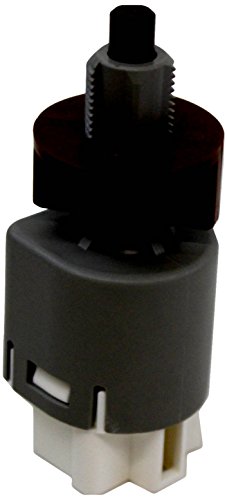
Fit type: Vehicle Specific
When to Have the System Inspected
Arrange professional diagnosis if Brake Hold will not switch on after the required conditions are met, releases unexpectedly, produces repeated warnings or buzzers, or appears with ABS, brake, stability-control, or electronic parking-brake warning lights. For a separate explanation of brake warnings, see Toyota Camry brake-system warning light meanings and fixes. Continue using the normal brake pedal and parking brake as directed by the owner’s manual.
Benefits and Limits in Daily Driving
Brake Hold can reduce leg fatigue during long traffic lights, drive-through lines, and stop-and-go congestion. It also prevents the normal low-speed creep of an automatic or hybrid drivetrain while the hold is active. The feature is most useful when the vehicle will remain stopped briefly but the driver is not parking.
It does not shorten stopping distance, replace attentive driving, or secure the vehicle after you park. For parking, stop fully, select Park, and apply the parking brake as your manual directs. If your Camry uses the electronic system, see how to use the Toyota Camry electric parking brake.
Brake Hold vs. Hill-Start Assist
Brake Hold can keep the Camry stopped during ordinary traffic after you activate the feature. Hill-start assist is designed mainly to reduce rollback for a short time when moving away on a slope. The systems may feel similar, but they have different purposes and operating logic.
Brake Hold vs. the Electronic Parking Brake
Brake Hold is temporary and intended for short driving stops. The electronic parking brake is the parking system used to secure the vehicle. Some Camrys automatically transfer from Brake Hold to the electronic parking brake under specified conditions, but you should not use that transfer as your normal parking procedure. For parking-specific guidance, see when to use the parking brake in a Toyota Camry.
Common Questions Before You Use Brake Hold
Before relying on the feature in traffic, learn the indicator sequence on level ground with plenty of space: green for standby, then yellow when the brakes are being held. Keep the brake pedal covered until you have confirmed the yellow operated indicator. Do not deliberately open the driver’s door or unfasten the seat belt to test the automatic parking-brake handoff; read that behavior in the model-year manual instead.
Because Toyota changes equipment and control logic between model years and markets, a procedure written for one Camry may not match another. Toyota Canada specifically advises using the production date to determine which manual applies to a vehicle; the label is normally inside the driver’s door area.
Frequently Asked Questions
How do I use Brake Hold in a Toyota Camry?
Start the vehicle or place the hybrid system in READY, close the driver’s door, fasten the seat belt, and press the HOLD switch. Confirm the green standby indicator. Stop with the brake pedal until the yellow operated indicator appears, then release the pedal while staying ready to take control.
Is it safe to drive with Brake Hold switched on?
It is designed for normal driving on an equipped vehicle when all operating conditions are met. Stay attentive, keep your foot ready for the brake, and turn it off when the vehicle must roll freely or when road conditions or warning messages make its use inappropriate.
What does the HOLD button do on a Toyota Camry?
It switches the Brake Hold system into standby. After you stop and the system confirms the required conditions, it maintains brake pressure so the vehicle stays stationary without continuous pressure on the brake pedal.
Can I leave Brake Hold on for the whole trip?
Usually, yes, while the vehicle remains on and all operating conditions stay satisfied. Expect to enable it again on a later trip. Do not use Brake Hold as a parking substitute; before shutting the vehicle down, keep the brake pedal applied, select P, and set the parking brake.
Why does Brake Hold switch to the parking brake?
U.S. Camry manuals reviewed for 2018–2026 state that the electronic parking brake is set automatically after about three minutes of active Brake Hold with the brake pedal released. Opening the driver’s door or unfastening the seat belt can also end Brake Hold and trigger the parking brake.
Why won’t Brake Hold turn on in my Toyota Camry?
First check that the driver’s door is fully closed and the driver’s seat belt is fastened. Then read any Brake Hold, parking-brake, ABS, or brake-system message in the instrument display. If the green standby indicator still does not appear when the listed conditions are met, Toyota advises having the system inspected.
Does Toyota Camry Brake Hold work in Neutral or Park?
In U.S.-spec 2018–2024 Camry manuals, Brake Hold is listed for D, S, or N. The 2025 and 2026 manuals list D, S, N, or P. In both generations, pressing the accelerator is described as releasing Brake Hold in D or S. Check your exact manual if your Camry was sold outside the U.S.
Conclusion
Brake Hold can make a Toyota Camry more comfortable in traffic when you use it as intended. Confirm that your vehicle is equipped, meet the required conditions, watch the standby and active indicators, and press the accelerator smoothly to move away. Keep using the normal brake pedal and electronic parking brake whenever the system is unavailable or the vehicle is being parked.
Sources
- Toyota Owners: Manuals and Warranties — official U.S. owner’s-manual lookup for model-specific Brake Hold operation and limitations.
- Toyota 2022 Camry Quick Reference Guide — official Toyota reference showing Brake Hold in D, S, or N and accelerator release in D or S for the XV70 generation.
- Toyota Canada: Owner’s Manuals and Emergency Response Guides — manual applicability by vehicle and production date.
- Toyota Owners: Warning Lights — official guidance on model-specific indicators and warning messages.
- Toyota: September 11, 2025 Instrument-Panel Recall — Toyota’s notice covering certain 2025 Camrys with a 12.3-inch display that may be blank at startup.
- National Highway Traffic Safety Administration: Recalls — official U.S. VIN-based safety recall lookup.
