Yes, you can add an aftermarket heads-up display (HUD) to many Toyota RAV4 models, but the correct unit depends on the model year, powertrain, dashboard design, and data connection. Model-specific speaker-grille HUDs are sold for many 2019–2025 RAV4s, but at least one widely sold version explicitly excludes the RAV4 Prime/PHEV. Earlier RAV4s use different aftermarket housings, and the redesigned 2026 RAV4 is a different generation, so a 2019–2025 unit should not be assumed to fit.
Toyota also offered a factory HUD on selected RAV4 Prime/Plug-in Hybrid XSE configurations with the appropriate Premium package, while the redesigned 2026 RAV4 makes a factory HUD available on selected Hybrid Limited and PHEV XSE configurations. If your RAV4 does not have a factory HUD, an aftermarket OBD-II or GPS-based display is usually the simpler upgrade path.
Last updated: September 22, 2026. This guide was revised to distinguish 2019–2025 aftermarket fitment, RAV4 Prime/PHEV limitations, factory-HUD availability, and the redesigned 2026 RAV4.
If you are trying to determine which RAV4 trims already have Toyota’s factory system, see which Toyota RAV4 models have a factory Head-Up Display.
RAV4 HUD Compatibility at a Glance
| RAV4 | HUD Upgrade Situation | What to Check |
|---|---|---|
| 2013–2018 | Separate model-specific aftermarket HUD products exist. | Do not buy a 2019–2025 speaker-grille unit. Confirm the exact year, steering position and dashboard/speaker configuration. |
| 2019–2025 gas/hybrid | Model-specific speaker-grille OBD-II HUDs are available from aftermarket sellers. | Confirm the exact year, left- or right-hand-drive layout, powertrain and seller fitment notes before ordering. |
| RAV4 Prime / Plug-in Hybrid | Selected XSE configurations were available with a factory Toyota HUD. Some aftermarket 2019–2025 speaker-grille units explicitly exclude Prime/PHEV models. | Do not assume a regular RAV4 HUD fits the Prime/PHEV. Check the exact product listing and your vehicle configuration. |
| 2026 RAV4 | The redesigned sixth-generation RAV4 offers a factory HUD on selected configurations. | Use only a product specifically confirmed for the 2026-generation dashboard; do not assume fifth-generation fitment carries over. |
Why Consider a Heads-Up Display for Your Toyota RAV4?
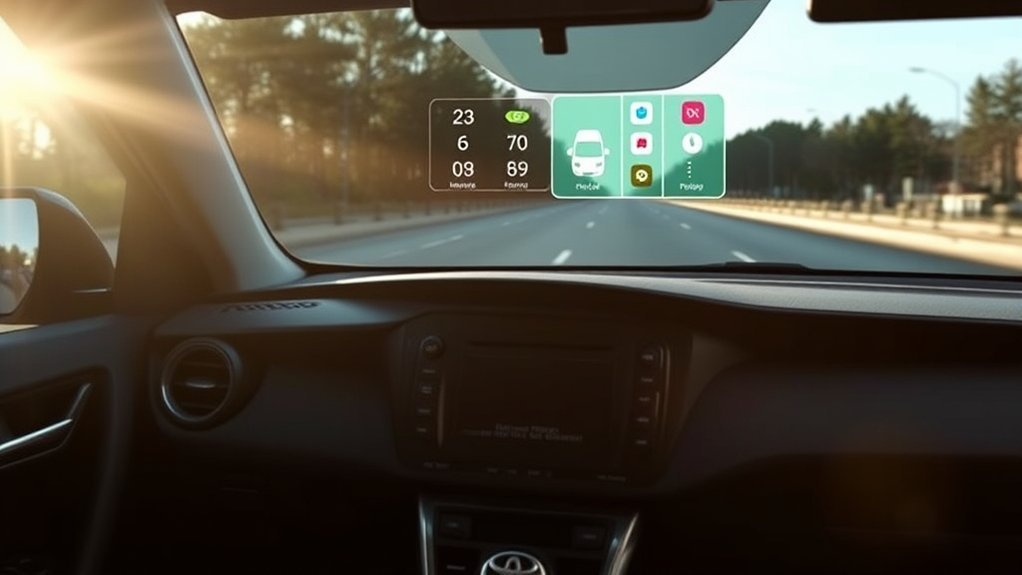
A HUD places selected information closer to your normal forward view, so you may not need to glance down at the instrument cluster as often. Depending on the aftermarket unit, the display may include vehicle speed, engine RPM, gear position, voltage or warning indicators.
That convenience should not be treated as a guarantee of safer driving. Toyota’s own HUD guidance warns drivers to set the display so its position and brightness do not interfere with the road view and not to stare continuously at the projection.
For 2019–2025 RAV4 owners, one common aftermarket design replaces or integrates with the driver-side dashboard speaker-grille area and reads supported vehicle information through the OBD-II port. However, compatibility varies between products, and some seller listings specifically exclude the RAV4 Prime/PHEV.
Also test visibility with your normal driving sunglasses. Toyota notes for its factory HUD that sunglasses, especially polarized lenses, can make the display appear darker or harder to see. Windshield-reflection aftermarket HUDs can have the same practical limitation.
Key Benefits of Aftermarket HUDs for RAV4 Owners
An aftermarket HUD can be useful when your RAV4 does not have the factory projection system and you mainly want a large, easy-to-read speed display.
- Forward-positioned speed information: A HUD can reduce how far your eyes move away from the road when checking speed.
- Factory-style appearance on some models: Model-specific speaker-grille units can look cleaner than a universal box sitting on top of the dashboard.
- Simple data connection: Many compatible units obtain power and vehicle information through the OBD-II connector instead of requiring major dashboard rewiring.
- Adjustable display: Depending on the product, you may be able to change brightness, MPH/KMH units and which supported data fields appear.
- Potentially reversible installation: A trim-replacement unit that requires no cutting or drilling can usually be returned to stock more easily than a factory-style retrofit. Confirm this before installation.
The important limitation is integration. A basic aftermarket OBD-II HUD is not equivalent to Toyota’s factory HUD. Unless the product specifically supports it, do not expect Toyota navigation guidance, driver-assistance graphics, multimedia information or smartphone-map projection.
How to Choose the Right HUD for Your RAV4 Model
Start with the exact model year and powertrain rather than choosing by appearance alone. A dashboard-shaped unit can fit one RAV4 generation while being physically incompatible with another, and a seller may exclude Prime/PHEV versions even when the model year looks correct.
Next, decide whether you want an OBD-II HUD or a GPS HUD. An OBD-II unit can read supported vehicle data such as speed or RPM, but compatibility depends on the vehicle and device. A GPS HUD can calculate vehicle speed without relying on RAV4 data-bus compatibility, although it normally cannot show the same engine or vehicle-status information.
Aftermarket Versus OEM Options
Factory and aftermarket HUDs solve the same basic problem in different ways.
- Factory HUD: Toyota’s factory system can integrate vehicle speed, selected driver-assistance information and navigation-related content when the vehicle is equipped for those functions.
- Model-specific aftermarket HUD: This is usually the most practical route for a compatible RAV4 that did not leave the factory with a HUD. It may provide a clean physical installation but usually has less vehicle integration than the Toyota system.
- Universal HUD: These units can work across more vehicles but may sit visibly on the dashboard and require more attention to projection angle, cable routing and windshield reflection.
A full OEM-style retrofit into a RAV4 that was not built for the factory HUD should not be treated as a simple plug-and-play modification. Dashboard, wiring, projector and windshield compatibility can differ by vehicle configuration. [VERIFY: confirm the exact OEM retrofit requirements for your VIN with Toyota parts/service information before purchasing factory components.]
Compatibility With RAV4 Models
For a 2019–2025 RAV4, verify the seller’s fitment statement word for word. For example, the CarTrimHome speaker-grille HUD currently sold for 2019–2025 RAV4s explicitly states that it is not suitable for the Prime version. Other products can have different restrictions.
The redesigned 2026 RAV4 is the sixth generation. Toyota says a factory HUD is available on the 2026 Hybrid Limited and PHEV XSE grades, depending on configuration. A speaker-grille unit designed around the 2019–2025 dashboard should therefore not be assumed to fit the 2026 interior.
If you have a 2018 or older RAV4, aftermarket HUD options still exist, but you need a product designed for that earlier dashboard rather than a fifth-generation unit.
How to Install an Aftermarket HUD in Your RAV4
Installation depends on the exact HUD. The steps below describe the general process used by model-specific speaker-grille/OBD-II systems; always follow the instructions supplied with your unit.
- Verify fitment before removing trim: Confirm model year, RAV4 versus Prime/PHEV, steering position and any other seller restrictions.
- Park securely: Put the vehicle in Park, switch it off and keep the key away from the vehicle if the product instructions require the electronics to remain off during installation.
- Remove the specified trim carefully: If the HUD replaces the driver-side speaker grille, use a plastic trim tool and follow the product’s removal points rather than forcing the panel.
- Route the cable safely: Keep wiring away from pedals, steering components and areas where it could interfere with an airbag or moving trim.
- Connect the HUD: For an OBD-II model, connect the supplied cable to the correct diagnostic port only as directed by the manufacturer.
- Reinstall the trim and test: Make sure all panels sit securely, start the vehicle, check the display and configure MPH/KMH, brightness and other supported settings while parked.
Do not assume every unit requires zero cutting, coding or additional wiring. Confirm those points on the exact product you intend to install.
Must-Have Features for Your RAV4 HUD
Prioritize readability and compatibility over the number of icons advertised on the display. A HUD that clearly shows speed in bright daylight can be more useful than a crowded screen with information you rarely need.
Before buying, verify the data source, supported RAV4 models, brightness controls, speed units and shutdown behavior. Do not assume every OBD-II HUD can read every data field from every RAV4.
Essential Display Information
The most useful display usually starts with a clear digital speed reading. Additional fields depend on the product and vehicle.
- Digital speed: Confirm that the unit supports MPH, KMH or both, depending on where you drive.
- Engine or vehicle data: RPM, voltage, coolant temperature, gear information and warning indicators may be available on some OBD-II units, but support is product-specific.
- Brightness control: Look for manual adjustment or automatic dimming so the projection remains readable without becoming distracting at night.
If navigation is important, verify it separately. A normal OBD-II telemetry HUD should not be assumed to mirror Google Maps, Waze, Apple CarPlay or Android Auto.
Customization Options Available
Customization varies by model, but these are the settings worth checking before purchase:
| Feature | What to Verify |
|---|---|
| Speed Display | MPH/KMH support and any calibration setting |
| RPM / Vehicle Data | Whether your exact RAV4 powertrain supplies the requested data to the HUD |
| Brightness | Manual adjustment and/or automatic day/night dimming |
| Warning Indicators | Which alerts are actually supported rather than simply pictured in advertising |
| Power/Data Source | OBD-II, GPS or another connection method |
Choose the smallest information set that gives you what you need without filling the lower windshield with unnecessary graphics.
Challenges of Installing a HUD and How to Overcome Them
Most problems with an aftermarket HUD fall into four categories: wrong fitment, unclear projection, unsupported data and unrealistic feature expectations.
A clean physical fit does not guarantee full electronic compatibility. Verify both before buying.
- Wrong model or powertrain: A unit advertised for 2019–2025 RAV4s may still exclude Prime/PHEV models. Check the exact listing rather than relying only on the year range.
- Ghosting or double images: Windshield-reflection HUDs can produce a secondary reflection. Use only a manufacturer-supplied reflective film or combiner when the product instructions call for it, and check local windshield-obstruction rules before applying film.
- No navigation integration: A basic OBD-II HUD reads supported vehicle data. Unless the product specifically states otherwise, do not expect Google Maps, Apple Maps, Waze, Apple CarPlay or Android Auto route graphics.
- Incorrect or missing data: If speed, RPM or another field is wrong or blank, confirm vehicle compatibility, units, settings and cable connections before assuming the HUD is defective.
If the main reason you want a HUD is turn-by-turn navigation rather than vehicle speed, a basic speaker-grille OBD-II display may not be the right product category.
Tips for Optimizing HUD Visibility and Functionality
Start with brightness and seating position. Set up the HUD while parked, then confirm that the projection remains readable in both daylight and darkness without blocking your view of the road.
If you normally drive with sunglasses, test them with the display. Toyota warns that its factory HUD can appear dark or difficult to see through sunglasses, especially polarized lenses, and windshield-reflection aftermarket displays can be affected as well.
Keep the inside of the windshield clean in the projection area. Dirt, haze or fingerprints can reduce contrast and make ghosting more noticeable.
Adjust Brightness Settings
A HUD should be bright enough to read quickly but not bright enough to dominate your forward view at night.
- Use automatic dimming when available: Keep the HUD’s light sensor unobstructed if the unit uses one.
- Check your seating position: Adjust the seat so the projected information sits naturally in view without forcing you to raise or lower your head.
- Make adjustments while parked: Do not work through HUD menus or calibration settings while driving.
After installation, check the display again after driving over normal roads. If the image position changes, inspect the HUD mounting and trim fit before changing calibration unnecessarily.
Avoid Polarized Sunglasses
If the HUD becomes faint or disappears while you are wearing polarized sunglasses, first test the display without the glasses before troubleshooting the electronics.
Toyota’s own factory-HUD guidance states that the image can appear dark or hard to see through sunglasses, particularly polarized sunglasses. The exact effect on an aftermarket unit depends on its display technology, windshield angle and your lenses.
Also keep papers, dash mats and other objects away from the HUD projector or projection path.
What to Know About HUD Installation Regulations
Windshield-obstruction and windshield-film rules vary by state, province and country. The safest approach is to keep both the physical HUD and any reflective film outside areas where they could obstruct your normal view of traffic, pedestrians, signs or signals.
- Keep the road view clear: Position and brightness should not mask objects outside the vehicle.
- Check rules before applying reflective film: A film patch may be regulated differently from a dashboard-mounted electronic device.
- Configure the unit while parked: Do not navigate settings menus or recalibrate the projection while the vehicle is moving.
If you are unsure whether reflective film or a particular mounting position is legal where you drive, check the applicable state/provincial vehicle code or local motor-vehicle authority before installation.
User Experiences: RAV4 Owners Share Insights on HUDs
Owner discussions can be useful, but evaluate comments about the exact HUD model you plan to buy rather than assuming all aftermarket units behave the same way.
Before ordering, search recent verified-purchase reviews and RAV4 owner discussions for four specific issues: daylight brightness, ghosting, speed-display lag and exact hybrid/Prime compatibility. Also check whether reviewers confirm that the unit shuts down normally after the vehicle is turned off and whether the trim piece remains secure over rough roads.
Navigation expectations deserve special attention. A basic OBD-II speaker-grille HUD is primarily a vehicle-data display. If a review shows full phone-map projection, confirm that it is the same product and hardware version rather than assuming every RAV4 HUD includes that function.
Alternatives to HUDs: Other Options for Enhanced Driving Safety
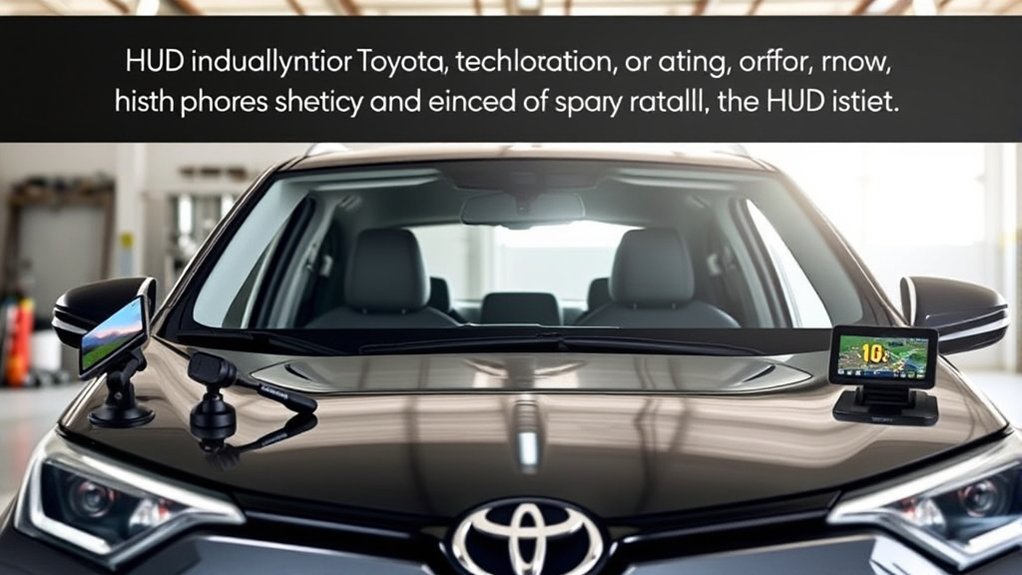
If windshield reflection or aftermarket wiring does not appeal to you, you still have several ways to make frequently used information easier to access.
- Use the factory digital speed display: Depending on model year and cluster, your RAV4 may already provide a large digital speedometer or configurable Multi-Information Display.
- Consider a GPS-based HUD: A GPS HUD can provide speed without reading vehicle data through the OBD-II port, although it normally offers less vehicle information.
- Use a secure phone mount for navigation: This is not a true HUD, but a properly positioned phone running Apple CarPlay/Android Auto-compatible navigation can provide maps and voice guidance without expecting an OBD-II HUD to mirror the phone. See the guide to RAV4 Apple CarPlay and Android Auto compatibility.
Sources and Verification
- Toyota USA — 2025 RAV4 Plug-in Hybrid equipment and Premium Package
- Toyota USA — redesigned 2026 RAV4 and HUD availability
- Federal Trade Commission — federal warranty law guidance
- CarTrimHome — example 2019–2025 RAV4 aftermarket HUD fitment and Prime exclusion
Frequently Asked Questions
Will Installing a HUD Void My RAV4 Warranty?
Installing an aftermarket device does not automatically void the entire vehicle warranty in the United States. FTC guidance says warranty coverage generally cannot be conditioned simply on using branded parts or service. However, coverage can be denied for a defect or damage caused by an aftermarket part or its installation. Keep the HUD installation reversible where practical, follow the product instructions and check the terms of your Toyota warranty if a dispute arises.
Can I Use a HUD With My Smartphone?
Do not assume so. The speaker-grille OBD-II HUDs discussed in this guide primarily read supported vehicle data. Smartphone mirroring, Apple CarPlay, Android Auto and navigation projection require a HUD or separate display specifically designed for those functions.
Are There Specific Brands Recommended for RAV4 HUDS?
No brand should be treated as universally compatible with every RAV4. CarTrimHome currently sells a model-specific example for 2019–2025 RAV4s, but its listing explicitly excludes the Prime version. Use a brand name only as a starting point; verify the exact product, model year, powertrain, steering layout and return policy before buying.
How Much Do Aftermarket HUDS Typically Cost?
Prices change frequently and vary between simple universal GPS/OBD-II displays and model-specific dashboard-integrated units. During this September 22, 2026 audit, the CarTrimHome 2019–2025 RAV4 example was listed at $128 before any applicable shipping or taxes. Check the live product price rather than relying on a permanent price range.
Can I Remove a HUD Without Damaging My RAV4?
A model-specific HUD can be relatively easy to reverse when it only replaces removable trim and plugs into the OBD-II port without drilling, cutting or permanent adhesive. That is not true of every product. Confirm the installation method before buying, keep the original trim and clips, and stop if removal requires force beyond the product instructions.
Does the 2026 RAV4 Have a Factory HUD?
Yes, on selected configurations. Toyota says a head-up display is available on the redesigned 2026 RAV4 Hybrid Limited and Plug-in Hybrid XSE grades. Because 2026 starts a new RAV4 generation, do not assume an aftermarket HUD designed around the 2019–2025 dashboard will fit.
Conclusion
You can add a HUD to many Toyota RAV4s, but compatibility matters more than the HUD’s advertised feature count. For a 2019–2025 RAV4, verify the exact model, powertrain and seller fitment notes—especially if you own a Prime/PHEV. For a 2026 RAV4, shop only for equipment confirmed for the redesigned sixth-generation dashboard.
If you want a simple speed display, a compatible OBD-II or GPS HUD can be a practical upgrade. If you want Toyota navigation, driver-assistance graphics and deeper vehicle integration, first check whether your RAV4 was factory-equipped for Toyota’s HUD rather than assuming an aftermarket telemetry display will provide the same functions.

