
Yes—some Toyota RAV4 SE models have remote start, but not every SE does. For U.S.-market vehicles, Toyota’s 2021 Connected Services table lists Remote Connect as unavailable on the RAV4 Prime SE. For 2022, the Hybrid SE’s base Audio configuration did not include Remote Connect, while the qualifying optional Audio Plus configuration did; the 2022 Prime SE again did not include Remote Connect. Toyota lists Remote Connect on SE variants from 2023 onward, and the redesigned 2026 RAV4 includes a one-year Remote Connect trial across its U.S. grades.
Prime or Plug-in Hybrid models need one extra distinction: remote climate or cabin preconditioning is not always the same thing as remotely idling the gasoline engine. For any used RAV4 SE, verify the VIN, Toyota app, equipment records, and actual key-fob response before assuming the badge confirms a specific remote function. This guide covers U.S.-market vehicles; equipment and Connected Services can differ in Canada and other regions.
Last updated: September 11, 2026
Quick Answer
A Toyota RAV4 SE can have remote start, but the answer changes by year and equipment. Toyota lists Remote Connect as unavailable on the 2021 Prime SE and 2022 Prime SE. For the 2022 Hybrid SE, Remote Connect depended on the multimedia configuration: Toyota’s applicability chart lists it as unavailable with base Audio and supported with qualifying Audio Plus. Toyota’s 2023–2025 materials list Remote Connect on SE variants, while the 2026 RAV4 includes a one-year Remote Connect trial across U.S. grades. Always confirm the exact VIN in the Toyota app.
Key Takeaways
- The SE badge and Smart Key system alone do not prove that a specific RAV4 can start remotely.
- For the 2022 Hybrid SE, Toyota’s U.S. applicability chart distinguishes between base Audio without Remote Connect and the qualifying Audio Plus configuration with Remote Connect.
- Remote Connect, a Toyota accessory remote starter, remote climate, and an aftermarket starter are different systems and should not be treated as interchangeable.
- Compatible Remote Connect functions require supported vehicle hardware, account activation, network connectivity, and an active trial or subscription when required.
- Never remote-start a vehicle inside an attached or enclosed garage, even when the garage door is open.
At a Glance
| Time Required | About 2–5 minutes to verify and test an existing system |
| Difficulty | Easy for verification and normal use; professional skill recommended for installation |
| Tools Needed | Vehicle key fob, Toyota app, VIN, and internet access |
| Cost | No installation cost when already equipped; connected-service, hardware, and professional-installation charges may apply |
Warning: Never remote-start your RAV4 in an attached, enclosed, or poorly ventilated garage, even with the garage door open. Make sure no child, pet, person, vehicle cover, or flammable material is in or near the vehicle.
Remote Start Options Available for the Toyota RAV4 SE
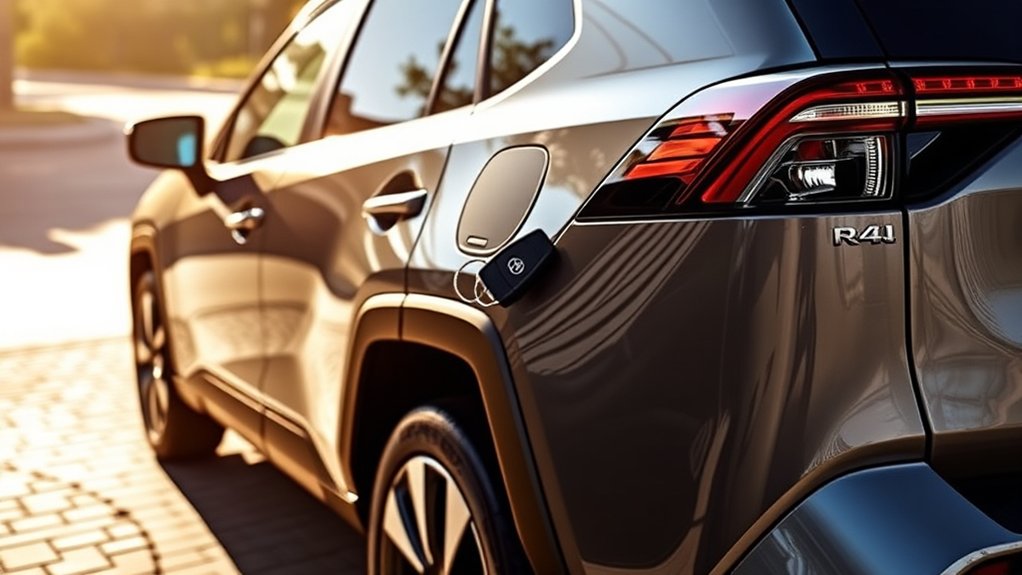
A RAV4 SE may use a legacy Toyota accessory starter, Toyota Remote Connect, or an aftermarket system. Prime and Plug-in Hybrid models may also offer remote climate or cabin preconditioning. These functions can look similar to the owner, but their hardware, controls, subscriptions, and behavior are not identical.
Toyota Genuine Remote Engine Starter
Some earlier RAV4 vehicles may have a Toyota Genuine Remote Engine Starter or dealer-installed Toyota accessory. These systems can operate through a compatible vehicle key fob and may use the climate settings selected before the vehicle was switched off.
Smart Key can be part of the compatibility requirements for some systems, but its presence does not prove that a remote starter was installed. Check the original purchase paperwork, accessory records, dealer service history, or VIN-specific fitment before assuming the vehicle has this hardware.
Toyota Remote Connect
Compatible newer vehicles may offer remote functions through Toyota Remote Connect. Toyota currently describes Remote Connect as allowing supported vehicles to start, lock or unlock doors, and perform other functions through a compatible smart device. Some compatible vehicles also support control from the factory key fob.
Remote Connect availability depends on the vehicle’s model year, multimedia hardware, grade, region, account activation, and network support. An active trial or paid subscription is required when Toyota’s terms for that vehicle call for one.
Prime/Plug-in Hybrid note: Remote Connect and remote engine start are not automatically the same thing on a plug-in hybrid. Depending on the year and configuration, the useful remote function may be climate preconditioning rather than commanding the gasoline engine to idle. Use the controls and descriptions shown for your VIN in the Toyota app.
Aftermarket Remote Start Systems
An aftermarket system may be an option when your RAV4 lacks the Toyota remote function you need. Depending on the product, you may control it with the factory fob, a separate long-range remote, or a phone app.
Installation difficulty varies. Some products use vehicle-specific interface harnesses, while others require additional wiring, programming, immobilizer integration, or subscription-based app service. Choose a system listed for your exact year, powertrain, ignition type, and vehicle configuration.
The most reliable answer comes from the VIN and installed equipment—not the SE badge alone. This is especially important for 2021 and 2022 Prime SE models and the 2022 Hybrid SE.
Which Toyota RAV4 SE Years Have Remote Start?
Toyota has used the SE name on gas, Hybrid, Prime, and Plug-in Hybrid versions at different times. The table below covers U.S.-market vehicles and separates Toyota Remote Connect from accessory or aftermarket systems.
Toyota’s official 2021 Connected Services table lists Remote Connect as unavailable on the Prime SE. Its 2022 feature-applicability chart lists Remote Connect as unavailable on the RAV4 SE with base Audio but supported when the SE has the qualifying Audio Plus configuration; the 2022 Prime SE is separately listed without Remote Connect.
| Model Year | SE Availability | Remote-Start Guidance |
|---|---|---|
| 2016 | Toyota introduced the gas RAV4 SE. | Do not infer remote start from the trim. Check Toyota/dealer accessory records and look for aftermarket equipment. |
| 2017–2018 | Toyota offered SE grades in the previous-generation range, including Hybrid SE models. | Smart Key or the SE badge does not prove that a remote starter is installed. Verify accessory and aftermarket history. |
| 2019–2020 | The standard U.S. RAV4 and RAV4 Hybrid lineups did not offer an SE grade. | Check any used-vehicle listing described as a 2019 or 2020 “RAV4 SE” for an incorrect trim designation. |
| 2021 | Toyota introduced the RAV4 Prime SE plug-in hybrid. | Toyota’s 2021 U.S. Connected Services table lists Remote Connect as unavailable on the Prime SE. Do not confuse separate climate-preconditioning behavior or aftermarket hardware with Toyota Remote Connect. |
| 2022 Hybrid SE | Toyota returned the SE grade to the RAV4 Hybrid lineup. | Toyota’s 2022 applicability chart lists Remote Connect as unavailable with the SE’s base Audio configuration but supported when the SE has the qualifying optional Audio Plus configuration. |
| 2022 Prime SE | Prime SE continued. | Toyota’s 2022 U.S. applicability chart lists Remote Connect as unavailable on the Prime SE. Treat remote climate or preconditioning as a separate capability. |
| 2023–2025 | Hybrid SE and Prime or Plug-in Hybrid SE models were offered. | Toyota’s U.S. brochures and applicability materials list Remote Connect on these SE variants. Exact remote commands, trial terms, and Prime/PHEV climate behavior remain configuration- and service-dependent. |
| 2026 | SE remains in the redesigned hybrid and Plug-in Hybrid RAV4 ranges. | Toyota lists a one-year Remote Connect trial across the U.S. 2026 RAV4 grades. Exact available commands still depend on grade, vehicle capability, activation, network support, and service status. |
Fast decision rule
- 2021 Prime SE: Do not expect Toyota Remote Connect; check separately for climate-preconditioning capability or installed aftermarket equipment.
- 2022 Hybrid SE: Check whether the vehicle has the qualifying Audio Plus/Remote Connect configuration rather than relying on the SE badge.
- 2022 Prime SE: Toyota’s applicability chart lists Remote Connect as unavailable; check separate climate functions or aftermarket equipment.
- 2023–2026 SE: Check the Toyota app and VIN for Remote Connect activation, available commands, trial status, and subscription status.
Note: “Factory remote start” can describe built-in connected functionality or a Toyota accessory installed before delivery. Those are not always the same system, and a used-vehicle listing may not distinguish them correctly.
How to Check Whether Your RAV4 SE Has Remote Start
- Check the Toyota app. Add the vehicle using its VIN. Open Connected Services and look for Remote Connect plus the actual controls available for that vehicle, such as Start or climate functions.
- Review the original equipment records. Look for Remote Connect, Remote Engine Starter, Audio Plus where relevant, or a dealer-installed remote-start accessory on the window sticker, purchase documents, or service history.
- Test the supported factory key-fob sequence outdoors. If your vehicle supports key-fob remote start, use Toyota’s three-press Lock sequence. Vehicle-light feedback or app confirmation is more reliable than listening only for engine noise on a hybrid or plug-in hybrid.
- Ask a Toyota dealer to check the VIN. A dealer can confirm original multimedia equipment and may identify Toyota accessories recorded for the vehicle.
- Look for aftermarket hardware. Check for an additional antenna near the windshield, a separate remote, installation paperwork, or an unfamiliar control module under the dashboard.
Pro Tip: When buying a used RAV4 SE, ask the seller to demonstrate the exact remote function before purchase. A key fob with a Lock button or Smart Key does not prove that Toyota Remote Connect or a dedicated remote starter is available.
How to Activate Remote Start in Your RAV4 SE
Use the method that matches the installed system and the controls Toyota shows for your VIN. Park outdoors in a safe, open area before testing. For broader setup and troubleshooting across other trims, see our Toyota RAV4 remote-start guide.
Start the RAV4 With the Factory Key Fob
For a compatible Toyota system, use the three-press sequence described in Toyota’s key-fob instructions:
- Press and release the Lock button once.
- Press and release Lock a second time in quick succession.
- Press Lock a third time and hold it for about three seconds.
- Watch for the vehicle’s confirmation, such as exterior-light feedback. On a hybrid or plug-in hybrid, do not rely only on hearing a gasoline engine run.
The fob must be within the effective radio range of the installed system. Range varies with the vehicle and system, nearby buildings and vehicles, radio interference, and key-fob battery condition. There is no single range figure that accurately covers every RAV4 SE model year and remote-start setup.
Start the RAV4 With the Toyota App
- Install or update the Toyota app and sign in with your Toyota account.
- Add the RAV4 using its VIN and complete the ownership-verification process.
- Open the vehicle dashboard and confirm that Remote Connect is available and active.
- Refresh the vehicle status if the information is old.
- Confirm that the vehicle meets the conditions shown in the app, including required door, hood, liftgate, and transmission status.
- Select the available Start or climate-control function and follow the app’s confirmation prompt.
Remote Connect requires compatible vehicle hardware, account activation, and supported network connectivity. An active trial or paid subscription is also required when applicable to that vehicle.
Note: A legacy Toyota Genuine Remote Engine Starter may rely on climate settings selected before shutdown, while newer connected vehicles may provide different climate controls through the Toyota app. Use the instructions for your exact VIN and system rather than assuming every RAV4 behaves the same way.
Factory vs. Aftermarket Remote Start: Key Differences
Both approaches can prepare the vehicle before a trip, but they differ in controls, range, subscription requirements, installation, integration, and warranty responsibility.
| Feature | Factory or Toyota System | Aftermarket System |
|---|---|---|
| Installation | Integrated with compatible Toyota electronics or installed as a Toyota accessory | Complexity varies; may require a harness, interface module, programming, or wiring |
| Controls | Factory key fob, Toyota app, climate controls, or a combination when supported | Factory fob, separate remote, third-party app, or a combination |
| Range | Key-fob range is radio- and environment-dependent; Remote Connect works through supported networks | Varies widely by remote, antenna, environment, and app service |
| Subscription | Remote Connect requires an active trial or subscription when applicable; a separate legacy accessory system may operate differently | Basic fob control may be subscription-free, while cellular app service may require a plan |
| Compatibility | Must match Toyota’s vehicle, hardware, grade, service, and regional requirements | Must match the exact year, ignition type, powertrain, immobilizer, and electrical system |
| Warranty | Toyota parts and dealer installation may include applicable Toyota parts or accessory coverage | Does not automatically void the whole vehicle warranty, but damage caused by the product or installation may not be covered |
| Best fit | Owners who want Toyota integration and vehicle-specific support | Owners who need compatibility or features unavailable from Toyota on their exact vehicle |
A quality installation matters more than choosing the lowest-cost hardware. Ask the installer how the system works with the immobilizer, hybrid controls, factory alarm, door locks, hood switch, and diagnostic network. Keep the product information, invoice, wiring documentation, and warranty terms.
Why Is Toyota RAV4 SE Remote Start Not Working?
Work through these checks in order. The app, vehicle, or accessory starter may reject a command when a required condition is not met.
- Confirm compatibility first. Make sure the Toyota app actually lists Remote Connect or confirm that a separate remote-start accessory is installed. This is especially important on 2021 and 2022 SE configurations.
- Check the service status. If you are using Remote Connect, verify that the required trial or subscription is active.
- Put the vehicle in Park. Confirm that the vehicle is fully parked and ready for remote operation.
- Check door status. Make sure every required door is closed and latched and follow the lock-state requirements shown for your system.
- Close the hood and liftgate completely. Check the app for an open-panel alert.
- Refresh the Toyota app. Run a vehicle-status update before trying the command again.
- Check the network connection. Move the phone to an area with service and retry after any temporary connectivity or Toyota-service interruption.
- Use the correct fob sequence. Press and release Lock twice in quick succession, then press Lock a third time and hold it for about three seconds on compatible systems.
- Move closer when using the fob. Walls, parked vehicles, radio interference, and a weak fob battery can reduce effective range.
- Check for warning messages. A weak 12-volt battery, active malfunction, open panel, or another vehicle condition may block remote operation.
- Check the run-time limit for your system. Toyota Genuine Remote Engine Starter documentation describes a ten-minute automatic shutdown and up to 20 minutes of total remote run time before a normal vehicle start/reset. For newer Remote Connect vehicles, follow the current limits shown for your VIN and system.
- Verify ownership in the app. A used vehicle may still be associated with a previous owner or may require Connected Services reactivation.
Why Does the RAV4 Stop When You Unlock or Open the Door?
Some Toyota remote-start systems shut down when the vehicle is unlocked, a door is opened, or another security condition is triggered. On those systems, you enter the vehicle and complete the normal start procedure before driving.
Toyota has also introduced drive-off support on certain 2023-and-newer vehicles equipped with Remote Connect. Because secure-takeover behavior varies by model and equipment, follow the instructions shown in your Toyota app and vehicle-specific owner documentation rather than assuming every RAV4 will shut down in the same way.
When to Contact a Dealer or Installer
Ask for professional diagnosis when the app confirms that Remote Connect is available and active but every command fails, a previously working fob system suddenly stops, warning lights are present, the vehicle has recently had electrical work, or an aftermarket system causes battery drain, alarm problems, no-start conditions, or intermittent door-lock operation.
Remote Start Safety
Warning: Carbon monoxide is colorless, odorless, and potentially deadly. Never remote-start the vehicle inside an attached garage or enclosed space, even when the garage door is open.
- Use remote start only when the vehicle is outdoors in a clear, open area.
- Confirm that no child, pet, or person remains inside or near the vehicle.
- Remove any vehicle cover before starting the engine or hybrid system.
- Keep the vehicle away from dry grass, fuel, solvents, and other flammable materials.
- Do not use remote start when a serious vehicle warning or malfunction requires attention.
- Check local anti-idling laws and property rules before leaving the vehicle running.
- Never rely on remote start as a substitute for clearing snow, ice, or a blocked exhaust outlet.
Related Guides
Frequently Asked Questions
Can I install remote start on an older RAV4 SE?
Often, yes. A Toyota accessory may be available for some earlier vehicles, and vehicle-specific aftermarket systems are another option. Compatibility depends on the exact model year, ignition system, powertrain, Smart Key equipment, immobilizer, and electrical configuration. Confirm fitment by VIN before purchasing.
Does an aftermarket remote starter void my Toyota warranty?
Not automatically. Under U.S. warranty rules, using an aftermarket part does not by itself cancel the entire vehicle warranty. However, coverage for a particular failure may be denied when the aftermarket product or its installation caused the damage. Use a qualified installer and retain the product and installation records.
Is remote start available in every RAV4 SE?
No. Availability changes by model year, powertrain, multimedia system, installed equipment, region, and Connected Services status. Toyota lists Remote Connect as unavailable on the 2021 Prime SE and 2022 Prime SE, while the 2022 Hybrid SE’s Remote Connect availability depended on its multimedia configuration. Check the VIN and Toyota app for the exact vehicle.
Does a 2022 Toyota RAV4 Hybrid SE have remote start?
It depends on the multimedia configuration. Toyota’s 2022 U.S. applicability chart lists Remote Connect as unavailable on the RAV4 SE with base Audio and supported on the SE with the qualifying optional Audio Plus configuration. Verify the exact VIN and Toyota app before relying on the trim badge alone.
Does the 2021 RAV4 Prime SE have Toyota Remote Connect?
Toyota’s 2021 U.S. Connected Services table lists Remote Connect as unavailable on the RAV4 Prime SE. Do not confuse separate climate-preconditioning behavior or an installed aftermarket starter with Toyota Remote Connect.
How far away can I remote-start my RAV4 SE?
There is no single distance that applies to every RAV4 SE remote-start system. Factory-fob range depends on the installed system, obstacles, radio interference, and fob battery condition. Remote Connect sends commands through supported data networks, while aftermarket-system range varies by product.
What are the benefits of remote start for my RAV4 SE?
Remote start or remote climate can prepare the cabin before you enter by warming, cooling, defrosting, or defogging it when the vehicle supports those functions. Prime and Plug-in Hybrid models may use climate preconditioning differently from a conventional gasoline-engine remote starter.
How long will my RAV4 run after a remote start?
The limit depends on the installed system. Toyota Genuine Remote Engine Starter documentation describes a ten-minute automatic shutdown and up to 20 minutes of total remote run time before a normal vehicle start/reset. For a Remote Connect-equipped RAV4, follow the current limits shown for your VIN in Toyota’s documentation or app.
Why does my RAV4 shut off when I unlock or open the door?
Some Toyota remote-start systems shut down when the vehicle is unlocked, a door is opened, or another security condition is triggered. Certain 2023-and-newer Remote Connect-equipped Toyota vehicles may support drive-off or secure takeover. Check the Toyota app and vehicle-specific documentation for your RAV4’s behavior.
Conclusion
A Toyota RAV4 SE may have remote start, but the exact model year and equipment matter. The biggest exceptions are easy to miss: Toyota lists Remote Connect as unavailable on the 2021 Prime SE and 2022 Prime SE, while the 2022 Hybrid SE needed the qualifying multimedia configuration for Remote Connect. Toyota’s 2023–2025 materials list Remote Connect on SE variants, and the 2026 RAV4 includes a one-year Remote Connect trial across U.S. grades.
Before purchasing hardware or paying for connected service, enter the VIN in the Toyota app and confirm which controls the vehicle actually supports. On Prime or Plug-in Hybrid models, also distinguish remote climate or preconditioning from conventional engine remote start. Once verified, use the system only outdoors and follow the operating limits shown for that exact vehicle.
Sources
- Toyota 2016 RAV4 release and Toyota 2019 RAV4 lineup — historical RAV4 grade information.
- Toyota 2021 Connected Services table — RAV4 and RAV4 Prime multimedia and Remote Connect applicability.
- Toyota 2022 Connected Services and Audio Multimedia Feature Applicability — 2022 RAV4 SE and Prime SE Remote Connect configuration details.
- Toyota 2023 RAV4 brochure and Toyota 2024 RAV4 brochure — Hybrid SE, Prime SE, and Connected Services information.
- Toyota 2025 Audio Multimedia and Connected Services Feature Applicability — 2025 Connected Services availability.
- Toyota 2026 RAV4 brochure — current RAV4 grades and Remote Connect trial information.
- Toyota Connected Services — current Remote Connect functions, activation, plans, and network guidance.
- Toyota key-fob remote-start instructions — factory key-fob operation guidance.
- Federal Trade Commission: Auto Warranties and Auto Service Contracts — aftermarket parts and warranty coverage.
- Centers for Disease Control and Prevention: Carbon Monoxide Poisoning Basics — vehicle-exhaust and garage safety.

