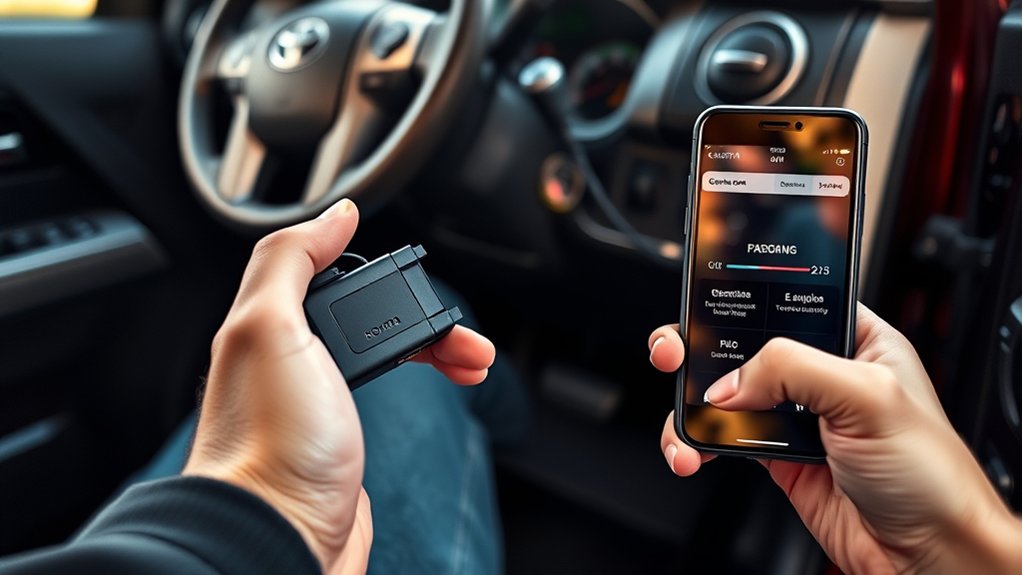
An OBD2 code reader can show why your Toyota Tundra turned on a check-engine light, but the code is only the beginning of the diagnosis. You need to connect the reader correctly, save the codes and freeze-frame data, understand what the scanner can access, and avoid clearing anything until you have investigated or repaired the underlying problem.
Quick Answer
Park your Tundra, set the parking brake, switch the ignition off, and plug a compatible OBD2 reader into the 16-pin port beneath the driver’s dashboard. Turn the ignition to On without starting the engine, connect the app if required, run the available scan, save every code and freeze-frame record, then diagnose before clearing anything.
Key Takeaways
- A basic OBD2 reader usually handles check-engine and emissions-related powertrain codes, but it may not read ABS, airbag, TPMS, body, or hybrid-system modules.
- Read and save stored, pending, permanent, and freeze-frame information before erasing any code.
- A diagnostic trouble code identifies a detected condition. It does not prove that one specific sensor, valve, wire, or converter has failed.
- Clearing codes can reset emissions-readiness monitors and may temporarily hide a warning without fixing the problem.
- Use the owner’s manual and Toyota-specific service information for your Tundra’s model year when a code or connector location is unclear.
At a Glance
| Time Required | About 5–15 minutes for a basic scan |
| Difficulty | Beginner |
| Tools Needed | Compatible OBD2 reader and, for a wireless reader, its supported phone or tablet app |
| Cost | No additional diagnostic cost if you already own a compatible reader; scanner and app prices vary |
Before You Start: Check Compatibility and Safety
Park your Tundra on level ground, shift into Park, apply the parking brake, and turn off accessories such as the climate-control fan and audio system. The truck’s 12-volt battery should have enough charge to keep the control modules and reader powered during the scan.
Check the reader’s coverage before you begin. A generic OBD2 reader normally retrieves emissions-related powertrain codes that can trigger the check-engine light. You may need an enhanced Toyota-compatible scan tool to access the transmission, ABS, SRS airbag, TPMS, four-wheel-drive, body, parking-assist, or hybrid control modules.
- Wired handheld reader: Plugs directly into the diagnostic connector and displays results on its own screen.
- Bluetooth or Bluetooth Low Energy reader: Sends information to a supported phone or tablet app.
- Wi-Fi reader: Creates a local wireless connection that you select in your device’s Wi-Fi settings.
- Enhanced scan tool: May access additional Toyota modules, active tests, and manufacturer-specific data when the model year is supported.
Warning: If the check-engine light is flashing, the engine is shaking badly, you smell raw fuel, or the truck shows an oil-pressure, overheating, brake, or airbag warning, reduce the load and stop safely. A routine code scan is not a substitute for prompt diagnosis of a serious engine or safety-system fault.
Locate the OBD2 Port on Your Toyota Tundra
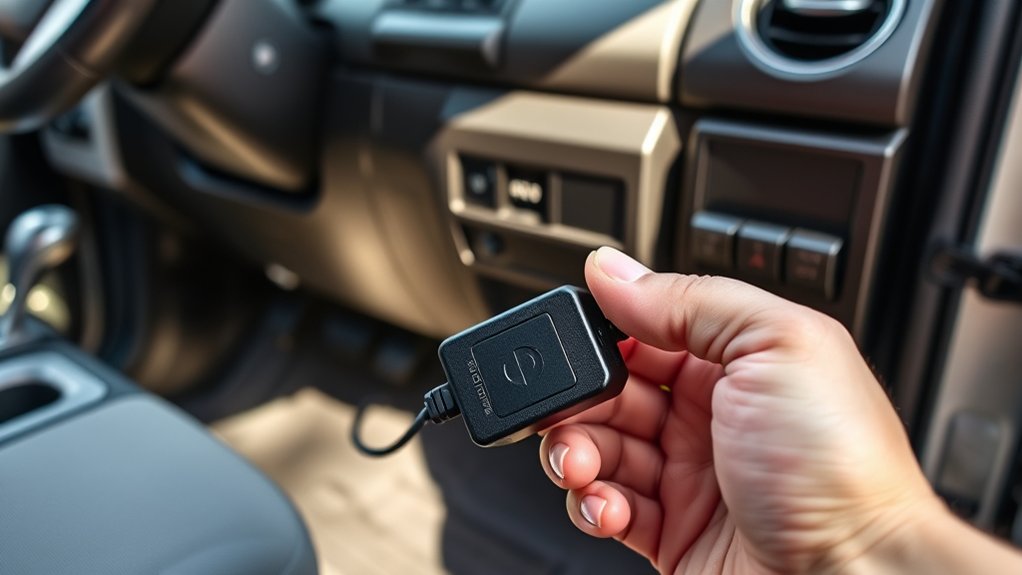
The Toyota Tundra’s OBD2 connector is normally beneath the driver-side dashboard near the steering column and footwell. Look above or near the brake-pedal area for a trapezoid-shaped, 16-pin diagnostic link connector.
The connector may face downward or toward the driver, and its exact position can differ slightly by generation, model year, or dashboard layout. Do not force the reader into a connector that does not match its shape. If you cannot find it, use Toyota’s manuals and warranties portal to select your model year and review the owner documentation.
Turn the ignition completely off before inserting the reader unless the scanner manufacturer gives different instructions. Inspect the reader plug and the vehicle connector for bent pins, moisture, dirt, or damage.
Connect the OBD2 Reader and Turn the Ignition On
- Switch the ignition off. Keep the engine stopped while you connect the device.
- Align the connector. Match the reader’s plug to the shape of the Tundra’s diagnostic port.
- Push it in gently. The connection should feel secure without excessive force.
- Turn the ignition to On. On a keyed truck, turn the key to the On position without starting the engine. On a push-button truck, follow the owner’s manual procedure for switching the ignition on without starting the powertrain.
- Allow the reader to start. Many handheld and wireless readers receive power through the diagnostic connector.
- Select the vehicle if requested. Enter or confirm the model year, make, model, engine, and VIN only when the reader asks for them.
- Start the scan. Choose options such as Read Codes, Scan Vehicle, Health Report, or Auto Scan, depending on the device.
For a basic check-engine scan, keep the engine off unless the reader specifically asks you to start it. The engine may need to run later when you view live data such as RPM, coolant temperature, fuel trims, air-fuel sensor activity, or charging voltage.
Pair Your OBD2 Code Reader With Your Smartphone or Tablet
Install the reader manufacturer’s official app before scanning. Confirm that the app supports your phone’s operating system and your Tundra’s model year. Then enable the connection type used by the adapter.
- Plug the wireless adapter into the Tundra’s OBD2 port.
- Turn the ignition to On without starting the engine.
- Enable Bluetooth, Bluetooth Low Energy, or Wi-Fi as required.
- Open the scanner app and grant only the permissions needed for the connection.
- Select the adapter inside the app.
- Wait for the app to confirm communication with the vehicle.
- Enter the VIN or vehicle details if automatic identification fails.
Note: Some Bluetooth Low Energy readers pair entirely inside their app and may not appear as a traditional paired device in your phone’s Bluetooth menu. Follow the reader manufacturer’s instructions instead of repeatedly forcing a system-level pairing.
If the connection fails, close other diagnostic apps, unplug and reconnect the reader, restart the app, and confirm that the ignition is on. Avoid using an unknown adapter or unofficial app that requests unrelated access to contacts, messages, photos, or other personal data.
Run a Complete Scan and Save the Results
Choose a full vehicle scan when your tool supports it. Otherwise, run the available OBD2 or powertrain scan. Do not clear anything when the first results appear.
Save or write down the following information:
- The complete five-character code, such as P0420 or P0441
- Whether the code is stored, confirmed, pending, permanent, current, or history
- The module that reported the code
- The check-engine or warning-light status
- Freeze-frame data connected to the code
- Any companion or related codes
- The mileage and symptoms present when the warning appeared
A screenshot or exported scan report gives you a baseline for comparing results after diagnosis and repair. It also gives a technician more useful information if you later need professional help.
Pro Tip: Record every code before disconnecting the battery, clearing the computer, or replacing a part. Freeze-frame data can show engine speed, load, temperature, vehicle speed, and fuel-control conditions from the moment an emissions fault was stored.
Read and Understand Toyota Tundra Diagnostic Trouble Codes
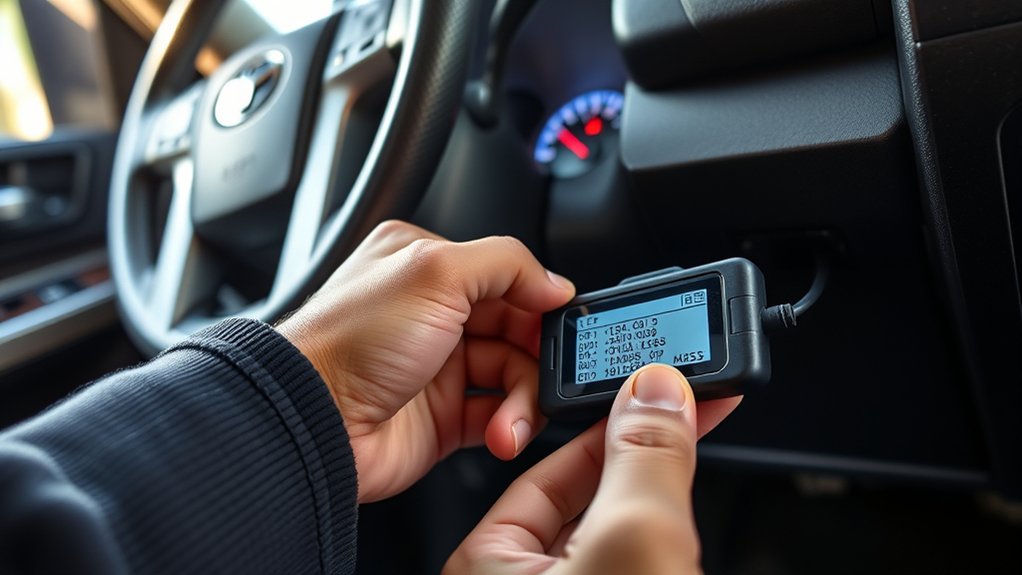
An OBD2 diagnostic trouble code normally contains one letter followed by four characters. The first letter identifies the general system:
- P: Powertrain, including engine and transmission-related systems
- B: Body systems
- C: Chassis systems
- U: Network communication systems
The remaining characters identify whether the code is generic or manufacturer-specific and narrow the fault category. Always copy the complete code. Searching only for part of it can produce the wrong definition.
| Code Status | What It Usually Means |
| Stored or Confirmed | The computer has seen enough evidence to store the fault. An emissions-related code may command the check-engine light. |
| Pending | The fault has been detected but may need to occur again before it becomes confirmed. |
| Permanent | An emissions code retained until the vehicle’s monitoring system confirms that the problem is no longer present. It may not disappear immediately after a manual clear command. |
| History | A fault recorded in the past that may not be active now. Availability depends on the module and scanner. |
A trouble code tells you what condition the computer detected. It does not tell you which part to buy.
Examples You May See
- P0420: A generic powertrain code related to catalyst-system efficiency on Bank 1. It does not prove that the catalytic converter itself has failed. Engine-running problems, exhaust leaks, sensor information, and converter performance may need testing.
- P0441: A generic powertrain code indicating incorrect flow in the evaporative-emissions purge system. Possible checks may involve hoses, the fuel cap seal, purge operation, electrical circuits, or other EVAP components.
- B0101: A body or SRS-related code example whose exact Toyota definition and diagnostic steps can depend on the model year and module. Do not attempt airbag-system repair based only on a generic code description.
- C1201: A Toyota-enhanced chassis-code example that should be interpreted with all companion engine, brake, and communication codes. A basic reader may not retrieve the information needed to identify the original fault.
Use the definition shown by a Toyota-compatible scanner and confirm it against service information for your exact model year, engine, drivetrain, and module. Do not assume that a code description from another Toyota model uses the same diagnostic procedure.
Use Freeze-Frame and Live Data to Narrow the Problem
Freeze-frame data captures selected operating conditions from when an emissions-related fault was stored. Compare that snapshot with the symptoms you experienced. For example, a fault stored during a cold start may require a different test approach from one stored during highway acceleration.
Live data shows values while the ignition is on or the engine is running. Depending on the reader and Tundra model year, you may be able to view:
- Engine speed
- Engine coolant temperature
- Calculated engine load
- Short-term and long-term fuel trims
- Air-fuel ratio or oxygen-sensor information
- Throttle position
- Intake-air temperature
- Vehicle speed
- Control-module voltage
One unusual value does not automatically prove a sensor is defective. Compare related readings, inspect wiring and mechanical conditions, and use the Toyota diagnostic procedure for the code. Never watch a phone or handheld scanner while driving. Have a passenger monitor the data or use a safe recording function.
Clear Codes Only After Diagnosis or Repair
Clearing a code can turn off the check-engine light, but it does not repair the condition that caused the code. The light and code can return immediately or after the computer reruns the affected monitor.
Before using the Clear Codes or Erase DTCs command:
- Save the complete scan report.
- Record freeze-frame data and code statuses.
- Investigate all related and companion codes.
- Complete the required repair or correction.
- Confirm that connectors, hoses, caps, wiring, and removed components have been reinstalled correctly.
- Follow the scanner’s instructions for ignition and engine status.
- Clear the codes only when you are ready to verify the repair.
Note: Erasing codes or disconnecting the battery can reset emissions-readiness monitors. Your Tundra may need normal driving and specific operating conditions before those monitors become complete again. Avoid clearing codes shortly before an emissions inspection.
Some apps may offer repair information, saved reports, live-data graphs, service reminders, or enhanced-module scans. These features depend on the reader, app version, subscription, operating system, and vehicle coverage. They are not guaranteed functions of every OBD2 device.
For current safety-recall information, search the truck’s 17-character VIN through the official Toyota recall and service-campaign lookup or the NHTSA recall database.
What to Do After Clearing the Codes
Turn the ignition off and follow the scanner manufacturer’s disconnection instructions. Restart the truck and check whether the warning light returns immediately.
- Run another scan after restarting.
- Check for current, pending, and permanent codes.
- Review live data for the system you repaired.
- Drive the truck normally if it is safe and no urgent warning is present.
- Rescan after the related monitor has had an opportunity to run.
- Check the readiness-monitor screen before an emissions inspection.
A permanent emissions code may remain visible even after a successful repair and manual clear command. It should clear only after the vehicle completes the required monitoring and confirms that the fault no longer exists.
Troubleshoot Common OBD2 Connection Problems
The Reader Does Not Power On
- Confirm that the reader is fully seated in the diagnostic connector.
- Inspect the reader plug and vehicle connector for bent or damaged pins.
- Check whether the Tundra’s 12-volt battery is weak or discharged.
- Review the owner’s manual for the fuse supplying the diagnostic connector or related power circuit.
- Test with another known-compatible reader before assuming the vehicle connector has failed.
Do not bridge, probe, or short diagnostic-connector pins unless you have the correct wiring information and test procedure.
The Reader Powers On but Cannot Communicate
- Confirm that the ignition is in the required On position.
- Close other apps that may already be connected to the adapter.
- Select the correct adapter and connection type.
- Remove and reconnect the reader with the ignition off.
- Confirm that the scanner supports the truck’s model year and the module you are trying to access.
- Try the generic OBD2 powertrain scan before attempting an enhanced module scan.
The App Will Not Pair
- Confirm that Bluetooth, Bluetooth Low Energy, or Wi-Fi is enabled as required.
- Allow the app to use nearby-device or local-network access when that permission is necessary for the connection.
- Pair from inside the app if the adapter instructions require in-app pairing.
- Restart the app and phone.
- Update the official scanner app and check its supported operating-system version.
The Code Returns After You Clear It
A code that returns indicates that the fault is still active, the repair was incomplete, a related problem remains, or the monitor detected the condition again. Stop repeatedly clearing it. Save the new freeze-frame information and continue the diagnostic procedure.
When to Stop and Get Professional Help
Arrange qualified diagnosis when:
- The check-engine light flashes.
- The engine runs roughly, stalls, loses substantial power, or produces a strong fuel smell.
- The truck overheats or shows an oil-pressure warning.
- An ABS, brake, steering, airbag, or hybrid-system warning remains on.
- The reader reports network communication faults across several modules.
- You need electrical testing, smoke testing, fuel-pressure testing, compression testing, or an active bidirectional test.
- The same code returns after a repair.
- You are unsure whether the vehicle is safe to drive.
A properly equipped independent repair facility can diagnose many OBD2 faults. Toyota dealership service may be appropriate for recall work, warranty repairs, software updates, immobilizer functions, or procedures that require Toyota-specific equipment.
Related Guides
Frequently Asked Questions
How do you use an OBD scanner step by step?
Park safely, switch the ignition off, connect the reader to the port beneath the driver-side dashboard, turn the ignition on without starting the engine, connect the app if required, scan for codes, and save every code and freeze-frame record. Diagnose or repair the cause before clearing anything.
Does the Toyota Tundra need to be running to use a code reader?
No. You normally read stored codes with the ignition on and the engine off. Start the engine only when the scanner’s instructions or a diagnostic procedure requires engine-running live data.
Which scanner settings are easiest for a beginner?
Begin with Auto Scan, Read Codes, or OBD2 Powertrain. Save the report before opening advanced functions. Avoid module coding, programming, active tests, or reset commands until you understand what the function changes.
What can a basic OBD2 code reader do?
A basic reader usually retrieves and clears generic emissions-related powertrain codes, displays readiness monitors, and may show freeze-frame and basic live data. Its exact functions depend on the reader and vehicle.
Can a basic OBD2 reader scan ABS and airbag codes?
Not always. Standard OBD2 coverage focuses on emissions-related powertrain data. ABS, SRS airbag, TPMS, body, four-wheel-drive, and hybrid modules often require an enhanced Toyota-compatible scanner.
Is it safe to clear a check-engine code?
Clear it only after saving the diagnostic information and addressing the likely cause. Erasing a code does not fix the truck and can reset readiness monitors, erase useful evidence, and temporarily hide a warning.
Conclusion
Using an OBD2 code reader on your Toyota Tundra is straightforward when you follow a careful process: connect with the ignition off, switch the ignition on, scan the available modules, and save every code and freeze-frame record. Treat the result as a diagnostic clue rather than proof that one component has failed.
After you identify and repair the cause, clear the codes only when appropriate, rescan the truck, and allow its readiness monitors to complete. Seek professional help for flashing warning lights, severe running problems, safety-system faults, or codes that return after repair.
Sources
- Toyota Manuals and Warranties — model-year owner documentation and vehicle-specific operating guidance
- California Air Resources Board OBD II Systems Fact Sheet — OBD warning lights, diagnostic storage, readiness indicators, and inspection guidance
- California Air Resources Board OBD Program — official explanation of onboard diagnostic monitoring
- NHTSA Recall Lookup — official VIN and vehicle safety-recall information
- Toyota Safety Recall and Service Campaign Lookup — Toyota VIN-based recall and campaign information