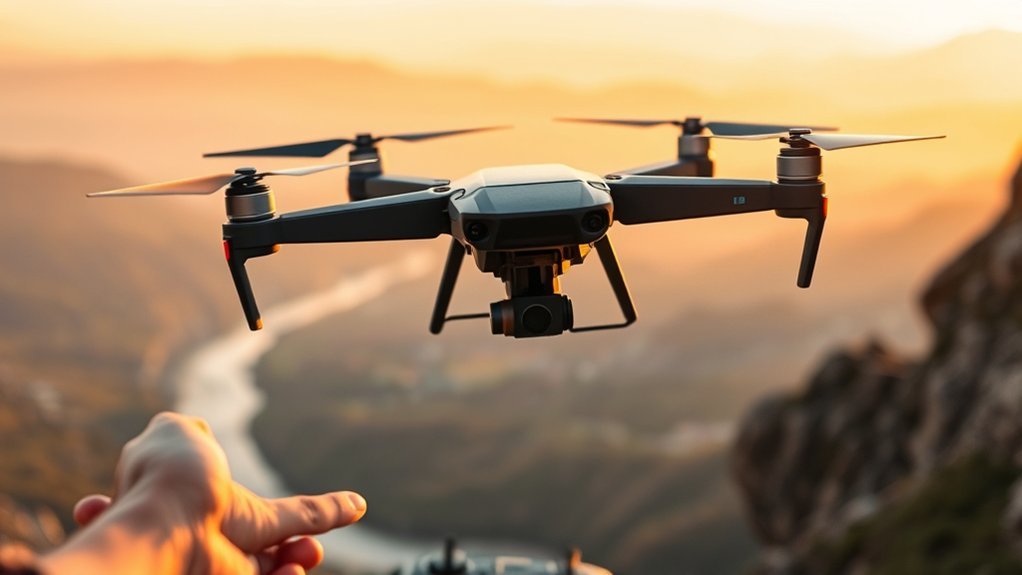
By GomyReview Editorial Team | Specification-based review
The K13 Max drone is a budget-oriented, foldable quadcopter designed for beginners who want simple controls and casual aerial photography. Its main attractions are a screen-equipped remote controller, optical-flow positioning, one-key takeoff and landing, and a dual-camera arrangement.
However, K13 Max listings and documentation contain conflicting claims about camera resolution, flight time, and control range. That makes the exact version you purchase more important than the advertised specifications. This review explains what the drone offers, where it falls short, and what to verify before buying.
QUICK VERDICT
K13 Max Drone: 6/10
Provisional editorial value score based on available documentation, not hands-on flight testing.
Best for: First-time pilots learning basic flight control in calm, open spaces.
Skip if: You need dependable 4K video, GPS-assisted navigation, strong wind resistance, or long flight sessions.
Bottom line: The K13 Max may be a reasonable beginner practice drone if the seller clearly identifies its specifications and provides suitable support. Its main weakness is the lack of consistent, independently verified performance information.
Before You Buy
- Confirm the exact K13 Max brand and version, because similarly named listings may describe different hardware.
- Request an original recorded video sample rather than relying on a 4K or 8K label.
- Check whether GPS, return-to-home, and obstacle avoidance are genuinely supported.
- Confirm the included battery count, controller power requirements, spare propeller availability, and warranty.
Jump to Review Sections
Is the K13 Max Right for Beginners?
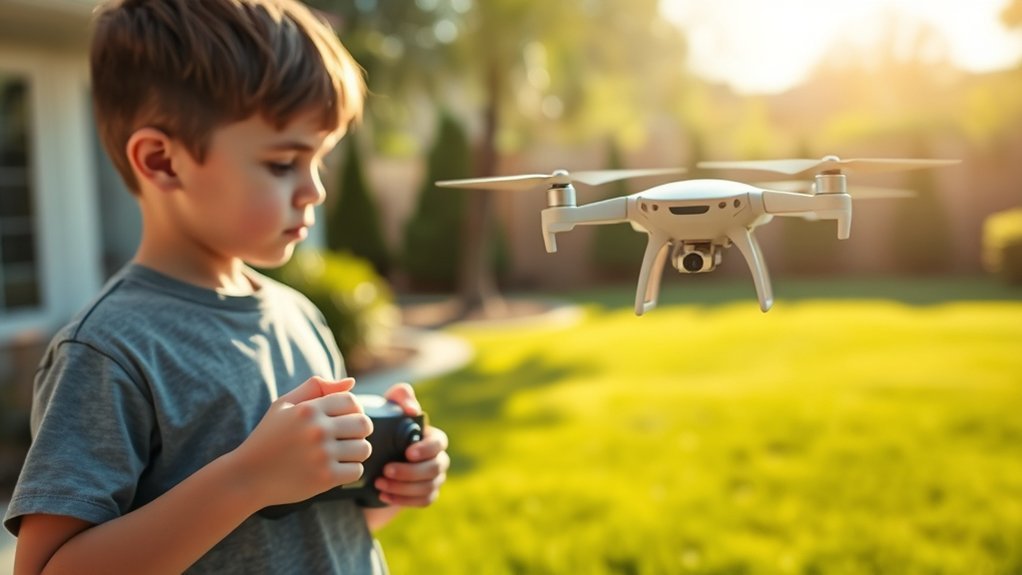
Yes, the K13 Max is potentially suitable for beginners who want to practice takeoff, hovering, turning, and landing without learning a complicated camera-drone system. Its basic flight assists and dedicated remote screen are its strongest beginner-oriented features.
The controller may display the drone’s live camera view without requiring a smartphone. This can make initial setup easier, although app pairing may still be needed for certain camera and flight functions.
Optical-flow positioning also helps new pilots. A downward-facing sensor estimates movement relative to the ground, assisting the drone in holding its position when the surface and lighting conditions are suitable.
This is not the same as GPS positioning. Optical flow works best near textured, well-lit surfaces. It can struggle over shiny floors, uniform surfaces, or when the drone flies beyond the sensor’s useful range.
Who Should Buy the K13 Max?
- First-time pilots: People learning basic joystick control and short hovering exercises.
- Casual hobbyists: Users who want a portable drone for occasional recreational flying.
- Controller-screen buyers: Users who prefer a built-in display instead of mounting a smartphone.
- Budget-conscious learners: Buyers prioritizing practice and convenience over professional imaging.
Who Should Skip It?
- Creators who require verified 4K recording and consistently stabilized footage.
- Pilots who need reliable GPS positioning and automatic return-to-home.
- Users planning long-distance flights or regular operation in windy conditions.
- Buyers who require a clearly documented manufacturer’s warranty and replacement-part network.
K13 Max Drone Specifications
K13 Max specifications vary across available listings. The table below separates information documented for a JIKEFUN-labeled K13 Max version from claims that still need confirmation for the exact unit being purchased.
| Specification | Available information |
|---|---|
| Model | K13 Max; seller or brand identification varies |
| Drone type | Foldable quadcopter |
| Flight assistance | Optical-flow positioning and altitude-hold features |
| Camera | Dual-camera arrangement; actual recorded resolution unverified |
| Controller | Built-in live-view screen on screen-controller versions |
| Flight battery | 3.7V, 1800mAh in the referenced manual |
| Flight time | Conflicting documentation: about 5–10 minutes per battery and approximately 15 minutes advertised |
| Charging time | Approximately 60 minutes claimed for the referenced version |
| Controller range | Approximately 80–100 meters claimed in one manual; not independently tested |
| FPV video range | Not reliably established for all variants |
| GPS | Not confirmed for the referenced version |
| Recommended age | 14+ in the referenced manual |
The JIKEFUN K13 Max manual reproduction provides several of these specifications. However, even that document contains conflicting endurance and camera claims. It should be treated as documentation for one listed version, not proof that every K13 Max has identical hardware.
What’s in the Box?
A referenced one-battery K13 Max package lists the drone, screen-equipped controller, flight battery, spare propellers, charging cable, screwdriver, and instructions. Some packages also list a memory card, card reader, and storage case.
Other bundles may include additional batteries or different accessories. Do not assume every item is included. The controller power supply also requires confirmation: one referenced version specifies three AAA batteries that are not included.
K13 Max Drone Pros and Cons
Pros
- Screen-equipped controller can reduce phone setup.
- Foldable frame is easier to carry and store.
- Optical-flow positioning assists hovering over suitable surfaces.
- One-key takeoff and landing simplify early practice.
Cons
- True recording resolution is not independently confirmed.
- Battery life claims conflict across documentation.
- Wind resistance and camera stability are limited compared with GPS camera drones.
Which K13 Max Features Matter Most?
The K13 Max’s most useful features are the controller screen, optical-flow hovering, and simplified flight controls. These affect the learning experience more directly than an unverified camera-resolution label.
1. Screen-Equipped Remote Controller
A built-in controller display is convenient because you can view camera framing without mounting a phone. It also helps keep your attention on the dedicated flight controls.
However, screen resolution, brightness, refresh rate, and outdoor visibility were not independently confirmed. The controller screen should be considered a convenience feature, not a substitute for a high-quality monitoring system.
2. Optical-Flow Hover and Altitude Hold
The optical-flow system assists horizontal hovering by tracking the surface beneath the drone. Altitude hold helps reduce the need for constant throttle adjustments.
These systems make basic practice easier, but neither guarantees that the drone will remain stationary. Wind, poor lighting, reflective floors, and unsuitable surfaces can cause drifting.
3. One-Key Takeoff and Landing
One-key takeoff and landing help beginners begin and end short flights with fewer control inputs. They are useful while learning stick movement, yaw, and orientation.
Some K13 Max materials also mention one-key return. This should not be confused with GPS-guided return-to-home. Without verified GPS navigation, you should not assume the drone can automatically find its launch point after losing signal.
4. Foldable Design
The folding arms make the K13 Max easier to store and transport than a fixed-frame quadcopter of similar dimensions.
Before each flight, fully extend the arms and inspect their hinges. Never fly with a loose arm, cracked propeller, or damaged motor housing.
5. Dual Cameras and Adjustable Viewing Angle
The K13 Max is advertised with a dual-camera system, and some versions allow camera-angle adjustment through the controller.
That may help with basic scene framing, but additional cameras do not automatically improve image quality. The sensor, processing, recording bitrate, and stabilization matter more than the number of lenses.
How Good Are the K13 Max Camera and Range?
The K13 Max camera is better treated as a recreational feature than a verified high-resolution photography system. Some listings advertise 4K or even higher resolution, but consistent independent evidence of genuine recorded output is lacking.
Can the K13 Max Record True 4K Video?
True 4K recording has not been reliably established across K13 Max versions. The original article described output between 480p and 1080p, while a referenced manual advertises 4K UHD. Neither claim should be treated as a measured result without checking an original video file.
Camera advertisements may refer to photo dimensions, interpolated images, live-view quality, or recording resolution. Those measurements are not interchangeable.
Before buying, look for an unedited sample file from the exact model. Check its pixel dimensions, frame rate, and appearance during camera movement.
How Far Can the K13 Max Transmit Video?
The K13 Max’s dependable FPV transmission distance remains unverified. The original article cited approximately 30–40 meters, while a referenced manual quotes roughly 80–100 meters for remote-control distance.
These claims measure different things. The drone may respond to steering commands farther away than its camera feed remains stable.
Buildings, trees, radio interference, and antenna orientation can also reduce performance. Regardless of the advertised range, keep the drone close enough to see clearly and control safely.
Camera and Range Assessment
| Aspect | Assessment |
|---|---|
| Camera resolution | Conflicting 480p, 1080p, and 4K claims; actual output unverified |
| Camera system | Dual-camera arrangement on referenced models |
| FPV range | Not independently verified |
| Viewing options | Controller screen; optional mobile viewing on supported versions |
| Stability aid | Optical-flow positioning, not confirmed GPS stabilization |
For short recreational clips, these limitations may be acceptable. For repeatable aerial photography or footage intended for serious editing, a drone with clearly published recording specifications and a dedicated stabilization system is a better choice.
What Is the K13 Max’s Real Flight Time and Cost?
The K13 Max’s actual battery endurance has not been established through reliable independent testing. Available documentation gives conflicting estimates, so buyers should not plan flights around the highest advertised number.
Battery Life: Advertised Versus Documented
The referenced K13 Max manual mentions approximately 15 minutes in its illustrated specifications, but its detailed specification table gives about 5–10 minutes per battery.
The original article also contained claims of 9–12 minutes and 15–18 minutes in real use, followed by a 25-minute advertised figure. Those figures lacked matching test conditions and should not be presented as verified findings.
The practical takeaway is to expect relatively short recreational sessions until your specific drone has been tested. Battery age, flight speed, temperature, wind, and recording activity can all affect endurance.
Battery and Charging Requirements
A documented K13 Max version uses a 3.7V, 1800mAh lithium battery, with an approximate charging time of one hour. Actual charging time depends on the battery and supplied charging system.
If you want longer practice sessions, a compatible spare battery may be useful. However, confirm its exact connector, voltage, dimensions, and compatibility before purchasing. Similar-looking batteries are not automatically interchangeable.
Charge lithium batteries with the approved equipment, on a suitable nonflammable surface, away from flammable materials. Stop using any battery that swells, overheats, leaks, or shows visible damage.
What Does the K13 Max Cost?
The original article described listings ranging from $45 to $300. That broad historical range does not establish a dependable current price for one exact product configuration, so it should not be used as a buying benchmark.
The K13 Max makes the most sense when priced as an entry-level practice drone. Its value becomes harder to justify when the total cost approaches a more established model with published camera specifications, warranty terms, and replacement-part support.
Compare the total package, not just the drone itself. A kit with additional compatible batteries, propellers, and a protective case may be more useful than a bare package.
What Are the K13 Max’s Biggest Drawbacks?
The K13 Max’s biggest weaknesses are inconsistent specifications, uncertain video quality, limited verified endurance, and basic flight stabilization. These matter more as your expectations move beyond learning to fly.
Uncertain Video Quality
There is no dependable evidence here that every K13 Max records genuine 4K footage. A high-resolution label cannot replace original footage or complete camera specifications.
For buyers who want sharp video with smooth motion, the absence of independently verified footage is a significant concern.
Short Flight Sessions
Conflicting battery-life figures make it difficult to predict how much practice time one battery provides. Frequent charging interruptions may become frustrating, especially for new pilots still learning basic maneuvers.
Limited Wind Resistance
The K13 Max’s optical-flow system can assist with hovering, but it does not make the aircraft immune to wind. Without verified wind-resistance testing, calm-weather flights are the safer expectation.
Lightweight recreational drones can drift quickly in gusts. Beginners should avoid flying near roads, trees, buildings, and water where an unexpected drift could cause damage or injury.
Basic Controller Display
The controller screen is convenient, but its actual resolution and brightness remain uncertain. Fine composition work may be harder than with a larger, higher-resolution display.
Unclear Manufacturer and After-Sales Support
Some K13 Max listings lack consistent information about the manufacturer and exact hardware version. That makes replacement batteries, propellers, warranties, and troubleshooting documentation harder to evaluate.
Choose a listing that clearly identifies the seller, model, included accessories, and return terms. Keep the product manual and purchase record.
Best Uses for the K13 Max Drone
Beginner Practice in an Open Indoor Area
In a spacious, obstruction-free indoor area, the K13 Max can be useful for learning takeoff, hovering, turning, and landing.
Use suitable propeller guards when available, keep people and pets clear, and start in a low-speed mode if your version supports it. Avoid reflective floors if optical-flow positioning becomes unstable.
Calm-Weather Outdoor Flying
A large, open field in calm weather provides space to practice basic movements while keeping the drone visible.
Begin close to your takeoff point, test the controls at a safe distance, and land before battery power becomes critically low.
Short Casual Video Clips
For basic aerial views and experimental camera angles, the dual-camera arrangement can be enjoyable.
Use good daylight and smooth control inputs. Do not expect stabilized, production-quality footage without seeing confirmed results from your exact version.
How to Fly the K13 Max for the First Time
The K13 Max’s simplified controls are helpful, but correct preparation still matters. Follow the manual supplied with your specific version, especially if its controller differs from the model described here.
- Charge the battery: Use the supplied compatible charger and follow the manufacturer’s charging instructions.
- Check the controller: Install or charge its batteries according to the supplied manual.
- Inspect the drone: Check the propellers, motors, folding arms, and battery connection.
- Choose a safe area: Find a clear location away from people, pets, roads, and obstacles.
- Power on and pair: Follow the supplied startup and pairing sequence.
- Calibrate if required: Complete any leveling or calibration steps specified in the manual.
- Take off: Use the one-key takeoff control if supported and hover at a safe, low practice height.
- Practice basic movement: Learn left, right, forward, backward, and yaw commands separately.
- Land early: Return while you still have comfortable battery power and a stable control connection.
Safety warning: Do not rely on a claimed one-key return feature as a replacement for safe manual control. Unless GPS-assisted return-to-home is specifically documented and verified for your version, assume you must bring the drone back yourself.
Common First-Flight Problems
- Drone drifts: Move to calmer conditions, inspect propellers, and repeat the manual’s calibration procedure.
- Controller does not connect: Check both power supplies and follow the pairing sequence again.
- Video feed freezes: Reduce distance, check interference, and confirm the correct camera or app connection.
- Drone loses height: Check battery level, avoid sudden control inputs, and land safely.
What Do K13 Max Owners Report?
Independent, model-specific owner feedback could not be verified well enough to establish reliable trends for this review. Because the K13 Max name appears on different listings, comments about one configuration may not apply to another.
The most useful evidence before buying would be unedited owner footage, documented battery tests, and long-term reports from purchasers of the exact version being offered.
Until those are available, the positive and negative judgments in this review should be understood as an assessment of published features and their practical limitations, not as conclusions from owner testing or our own flight tests.
K13 Max vs. Alternatives: Which Drone Makes More Sense?
The K13 Max faces competition from beginner drones with clearer manufacturer specifications. The alternatives below cover basic indoor practice, entry-level aerial photography, and more advanced camera use.
| Drone | Published video capability | Maximum flight time | Best for |
|---|---|---|---|
| K13 Max | Unverified; conflicting claims | Conflicting 5–10 and approximately 15-minute claims | Basic practice with a screen remote |
| Holy Stone HS420 | 1080p at 20fps | Up to 6 minutes per battery | Compact indoor practice |
| Holy Stone HS440 | 1080p to memory card | Up to 20 minutes | Beginner outdoor camera flying |
| Potensic ATOM SE | 4K at 30fps with EIS | Up to 31 minutes | GPS-assisted travel photography |
| DJI Neo 2 | Up to 4K at 60fps | Up to 19 minutes | Automated short videos and tracking |
Note: Alternative flight-time figures are manufacturer-published maxima under their respective conditions, not results from the same controlled test. They should not be interpreted as directly comparable real-world measurements.
Holy Stone HS420: For Compact Indoor Practice
The Holy Stone HS420 is a small mini drone with manufacturer-documented 1080p video at 20fps and up to six minutes of flight per battery.
Its compact design makes it a practical alternative for learning in suitable indoor areas. However, its short battery endurance also limits continuous practice. The live camera view uses a phone app rather than a built-in controller screen.
See the official Holy Stone HS420 specifications.
Holy Stone HS440: For Longer Beginner Flights
The Holy Stone HS440 has a foldable body, 1080p camera recording, and a manufacturer-stated maximum flight time of 20 minutes.
It is worth considering if your priorities are straightforward camera operation, clearer published specifications, and more advertised flight time than the K13 Max documentation supports.
Its remote controller does not provide the same screen-centered experience as the K13 Max versions discussed here.
See the official Holy Stone HS440 specifications.
Potensic ATOM SE: For GPS and Better-Documented Imaging
The Potensic ATOM SE is a more capable camera drone with manufacturer-published 4K recording at 30fps, electronic image stabilization, GPS positioning, and up to 31 minutes of flight time.
It is a stronger option if you want to move beyond basic hovering into planned aerial photography. Its GPS navigation and clearly published camera specifications address several important uncertainties surrounding the K13 Max.
See the official Potensic ATOM SE product information.
DJI Neo 2: For Automated Short Videos
The DJI Neo 2 offers manufacturer-published 4K recording at up to 60fps, a two-axis gimbal, subject-tracking features, and a maximum flight time of 19 minutes.
It is better suited to users interested in automated filming and short social-video clips. However, controller arrangements depend on the purchased package, so buyers should confirm what is included.
See the official DJI Neo 2 product information.
Is the K13 Max Worth the Price?
The K13 Max is worth considering only as an inexpensive learning drone with clearly confirmed specifications. Its foldable frame, hovering assistance, and controller screen offer genuine convenience for first-time pilots.
However, buyers should not pay a premium for unsupported camera claims, uncertain range, or advertised endurance that may not match the supplied hardware.
If the K13 Max is close in total cost to a better-documented beginner drone, the alternative may provide greater long-term value through clearer specifications, manufacturer support, and compatible replacement parts.
Buying Decision
Choose the K13 Max if you mainly want to practice flying, prefer the screen controller, and can verify the exact package. Choose a better-documented alternative if image quality, longer flight sessions, GPS, and manufacturer support matter more.
How We Evaluated the K13 Max
This is a specification-based editorial review. We did not conduct a hands-on flight test, measure battery endurance, test the video signal, or inspect an original K13 Max camera file.
Our evaluation considered the supplied article, a publicly available JIKEFUN-labeled K13 Max manual reproduction, competing manufacturers’ published specifications, and official aviation-safety guidance.
- Feature usefulness: Whether the controller, hovering system, and basic flight modes help beginners.
- Specification confidence: Whether camera, battery, and range claims are consistent and supported.
- Practical limitations: Likely constraints from basic positioning, wind sensitivity, and short endurance.
- Buying risk: Model identification, accessory compatibility, and manufacturer support.
- Alternatives: Comparison with drones that have clearly published manufacturer specifications.
The 6/10 score is a provisional editorial judgment of the product’s apparent beginner value and documentation quality. It is not a measured performance rating.
Frequently Asked Questions
What Do I Need to Know Before I Buy a Drone?
Before buying a drone, compare its intended use, real camera capabilities, flight time, control system, safety features, and local flight rules. For the K13 Max, confirm the exact seller and version because published specifications conflict. Also check battery compatibility, replacement parts, included accessories, and the return policy before paying.
Is It Illegal for My Neighbor to Fly a Drone Over My Property?
Flying a drone over private property is not automatically illegal in the United States. However, the operator must follow applicable aviation and airspace rules, and state or local privacy laws may apply. Unsafe flying, harassment, or intrusive recording can raise separate legal concerns. The FAA regulates flight safety but does not generally regulate privacy.
What Is the 1:1 Rule for Drones?
The 1:1 rule is a separation-distance principle used in certain European drone operations. It means the horizontal distance from an uninvolved person should be at least equal to the drone’s height. For example, a drone flying 40 meters high should remain at least 40 meters horizontally from that person, with additional minimum-distance requirements depending on the operating category.
What Should I Do Before Flying My Drone for the First Time?
Charge the batteries, inspect the propellers, confirm the controller connection, and follow the supplied calibration instructions. Practice in a clear area with no nearby people or obstacles. Learn the emergency controls before takeoff, keep the drone visible, and land early enough to avoid an unexpected low-battery shutdown.
Does the K13 Max Record True 4K Video?
True 4K recording has not been reliably confirmed across K13 Max variants. Some documentation advertises 4K, while other descriptions suggest lower-quality video. Marketing resolution can differ from the actual recorded file. Before buying, request original footage from the exact model and verify its resolution, frame rate, and clarity.
How Long Does a K13 Max Battery Last?
Reliable independent battery-life results are not available for every K13 Max version. A referenced manual gives approximately 5–10 minutes per battery in one specification table while also showing a claim of about 15 minutes elsewhere. Treat these as conflicting published estimates, not confirmed real-world results. Actual endurance depends on flight conditions and battery health.
Does the K13 Max Have GPS Return-to-Home?
GPS-guided return-to-home has not been verified for the K13 Max version discussed in this review. Some listings advertise one-key return, but that feature does not necessarily use GPS navigation. Never assume the drone can automatically find its takeoff location or recover from a lost connection without specific manufacturer documentation.
Can I Use the K13 Max Without a Phone?
A screen-controller K13 Max version is intended to support basic flying and live camera viewing through its dedicated remote. However, certain app-based camera features may still require a smartphone. Confirm the exact controller included in your package and check whether recording, playback, and camera switching work without installing an app.
Does the K13 Max Need FAA Registration?
For recreational flying in the United States, FAA registration is generally required when the drone weighs 250 grams or more, including attachments. The exact K13 Max takeoff weight has not been reliably confirmed here. Recreational pilots must also complete the FAA’s free TRUST test and follow applicable airspace and flight-safety rules.
How Far Can the K13 Max Fly?
The dependable operating range of the K13 Max has not been independently verified. One available manual lists a remote-control distance of approximately 80–100 meters, while the original article gave a shorter FPV distance estimate. Control range and video-transmission range are different. Always maintain visual line of sight and avoid testing range near obstacles.
Final Verdict: Should You Buy the K13 Max?
The K13 Max drone is a possible entry-level choice for buyers who want a foldable aircraft, simple flight assists, and a controller with a built-in screen. Its strengths are convenience and basic recreational use rather than verified camera performance.
The main concern is inconsistent documentation. Until the exact version’s camera output, battery endurance, range, and after-sales support are confirmed, it is difficult to recommend the K13 Max over a better-documented competitor.
FINAL EDITORIAL VERDICT
6/10 | Conditional Beginner Pick
Best reason to choose it: A screen-equipped controller and simple flight controls for beginner practice.
Biggest reason to hesitate: Conflicting camera, endurance, and performance claims across available descriptions.
Recommendation: Consider it only when the exact model and package are documented clearly. For dependable imaging or longer flights, prioritize a drone with manufacturer-confirmed performance and support.
Sources and References
- JIKEFUN K13 Max manual reproduction – Model features, package details, battery specifications, and conflicting advertised figures.
- Federal Aviation Administration: Recreational Flyers – Recreational flight rules, TRUST, registration, and visual-line-of-sight requirements.
- FAA: What To Know About Drones – Flying over private property, privacy issues, and safety responsibilities.
- European Union Aviation Safety Agency: Flying Over People – The 1:1 distance rule and applicable separation requirements.
- Holy Stone HS420 official specifications – Published camera and flight-time details.
- Holy Stone HS440 official specifications – Published flight endurance and camera details.
- Potensic ATOM SE official specifications – GPS, recording resolution, stabilization, and endurance.
- DJI Neo 2 official product information – Camera, stabilization, tracking, and advertised flight endurance.

