If you want to see tire pressure from a 2021 Toyota RAV4 on your phone, use Toyota’s official Toyota app. Whether individual tire pressures appear in the app depends on the vehicle, market, Connected Services eligibility, and current app version. The RAV4 can also provide TPMS information through its Multi-Information Display (MID), while a tire-pressure gauge remains the best way to verify cold inflation pressure.
Quick Answer
For a U.S.-market 2021 Toyota RAV4, use the official Toyota app for phone-based vehicle information. Depending on app version and eligibility, tire pressure may appear under Vehicle Status, Health, Maintenance, Service, or Tire Maintenance. If the app does not show PSI, check the RAV4’s MID or use a tire-pressure gauge.
Key Takeaways
- Use Toyota’s official Toyota app, not a separate “Toyota + Lexus” tire-pressure app.
- Add the 2021 RAV4 to your Toyota account and activate any eligible Connected Services needed by your vehicle.
- Toyota app menu names change over time, so look under Vehicle Status, Health, Maintenance, Service, or Tire Maintenance rather than relying on one permanent path.
- The 2021 RAV4 can provide TPMS information through the Multi-Information Display, and the warning lamp alerts you when pressure is significantly low.
- Always confirm the correct cold pressure on the driver’s-door Tire and Loading Information label and check the tires with a gauge regularly.
At a Glance
| Time Required | About 2–5 minutes to check the app or MID |
| Difficulty | Easy |
| Tools Needed | Toyota app and smartphone; tire-pressure gauge recommended |
| Cost | Toyota app download is free; some Connected Services features may require an active trial or paid subscription |
Which Toyota App Shows RAV4 Tire Pressure?
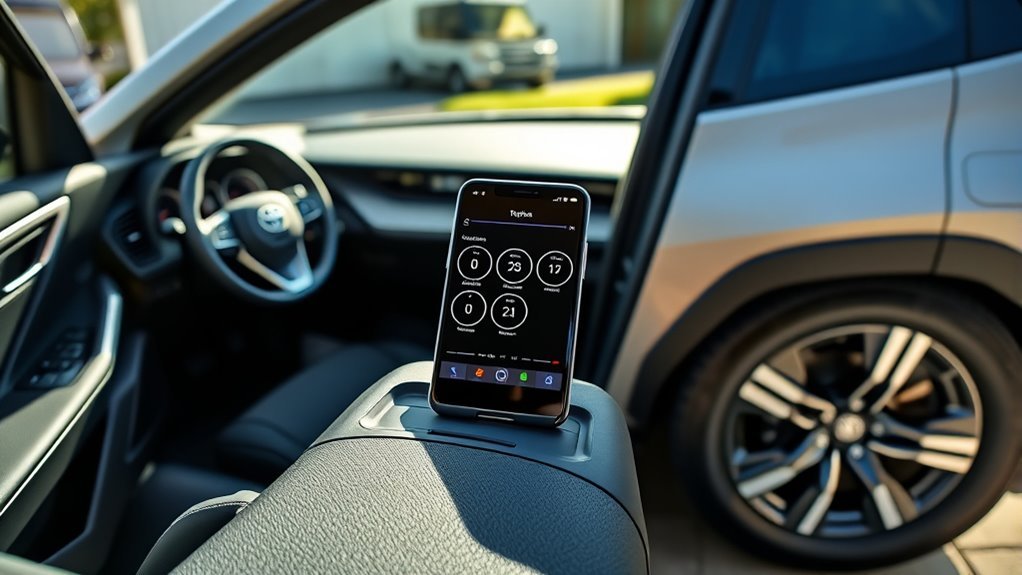
The correct mobile application for a U.S.-market 2021 RAV4 is Toyota’s official Toyota app. Toyota describes the app as the mobile hub for compatible Connected Services, including vehicle-health and status functions. You can review Toyota’s current app information on the official Toyota App page.
For phone-based RAV4 information, use Toyota’s official Toyota app. The exact tire-pressure screen can vary with app version, vehicle equipment, market, and Connected Services availability.
The app should not be described as a direct Bluetooth or Wi-Fi tire monitor. Toyota’s Connected Services use vehicle data transmission to deliver eligible vehicle-health information to Toyota systems and the app. Feature availability varies by vehicle and subscription status.
The RAV4’s tire-pressure sensors are part of the vehicle’s Tire Pressure Monitoring System (TPMS). The system monitors pressure and can warn the driver when a tire becomes significantly underinflated. The available Toyota documentation supports pressure monitoring; it does not justify promising tire-temperature readings in the phone app.
Note: App readings should be treated as vehicle-reported information rather than an instant substitute for a pressure gauge. Data may not refresh at the exact moment you open the app.
How to Set Up the Toyota App
Install the Toyota app from your phone’s official app store, sign in with your Toyota account, and add the 2021 RAV4 to your account. Vehicle registration normally uses the VIN and may require additional verification. If your RAV4 supports eligible Connected Services, review or activate them through the app.
| Setup step | Result |
|---|---|
| Install the Toyota app | Toyota mobile services become accessible |
| Sign in or create an account | Your Toyota profile is loaded |
| Add the 2021 RAV4 by VIN | The correct vehicle profile is linked |
| Review Connected Services | Available vehicle-health and status features can be activated |
Toyota states that Service Connect can provide vehicle-health reports, alerts, and maintenance information through the vehicle’s data transmission. Availability can depend on the specific vehicle and whether an applicable trial or subscription is active. See Toyota’s Connected Services information for current details.
Where to Find Tire Pressure in the Toyota App
Toyota has changed the app interface over time, so there is no safe reason to assume every current version uses exactly the same menu names. Older versions have placed tire information under areas such as Service, Tire Maintenance, or Vehicle Status. Current versions may organize the same type of information under Vehicle Status, Health, Maintenance, or a similar vehicle-data section.
Locate Tire Maintenance
Open the registered 2021 RAV4 in the Toyota app and look for a section related to Vehicle Status, Health, Maintenance, Service, or Tire Maintenance. If your version provides individual pressure readings for the vehicle, that is where they should appear.
Do not assume a missing menu means the TPMS sensors have failed. The app interface, account permissions, Connected Services availability, and vehicle equipment can all affect what is shown.
Open Service Tab
If your version of the app still includes a Service tab, open it and look for tire-maintenance information. Other Toyota app versions may place vehicle status elsewhere, so use the current labels shown in your app rather than relying on screenshots or instructions from an older release.
This distinction matters because the app is updated independently of the 2021 vehicle. A menu path that worked when the RAV4 was new may not match the 2026 app interface.
View Tire Pressures
When individual tire pressures are available, review the values for all four road tires. For the correct target pressure, use the Tire and Loading Information label on the driver’s door jamb or the owner’s manual rather than assuming one universal PSI value.
| Location | Action | Result |
|---|---|---|
| Toyota app | Select the registered RAV4 | Vehicle-specific data loads |
| Status/Health/Service area | Open the available vehicle-data section | Maintenance or status information appears |
| Tire-pressure area | Review each available reading | Vehicle-reported PSI is shown |
| Driver’s door jamb | Read the tire placard | Correct cold inflation pressure is confirmed |
| Physical tire check | Verify with an accurate gauge | Actual cold pressure is confirmed |
Different 2021 RAV4 wheel and tire configurations use different specified pressures, so one PSI number should not be applied to every trim.
Pro Tip: Check tire pressure when the tires are cold. NHTSA recommends checking at least once a month, even on vehicles equipped with TPMS.
Why RAV4 Tire Pressure May Not Show
Tire-pressure information may be missing from the Toyota app even when the vehicle itself is operating normally. The reason may be an app-interface change, account or vehicle-registration problem, Connected Services eligibility, data-transmission delay, or a temporary app synchronization problem.
Android and iPhone versions can also receive interface updates on different schedules, so the same Toyota account may not always look identical across devices. That difference alone does not prove the tire sensors are faulty.
Tire-pressure data missing from the app does not prove the tires are properly inflated. Verify the pressure using the MID when available and an accurate tire-pressure gauge.
If the issue starts after tires have been rotated, replaced, or fitted with new TPMS sensors, the vehicle’s TPWS may need initialization or sensor ID registration according to Toyota’s procedure. The 2021 RAV4 owner’s documentation includes separate procedures for TPWS initialization and wheel/sensor registration.
Deleting and reinstalling the Toyota app can be a reasonable software troubleshooting step after simpler account and update checks have failed, but it should not be presented as a guaranteed repair.
How to Check TPMS on the RAV4 Dashboard
The 2021 Toyota RAV4 provides a dashboard-based TPMS system. Toyota’s 2021 Quick Reference Guide states that tire pressure detected by the system can be displayed on the Multi-Information Display (MID). If you cannot find an individual-pressure screen, check the owner’s manual for your exact vehicle configuration.
A solid tire-pressure warning light generally means one or more tires are significantly underinflated. Stop when it is safe, inspect the tires, and check their pressure with a gauge.
If the warning light flashes for about one minute and then stays illuminated, Toyota and NHTSA treat that behavior as an indication of a TPMS malfunction rather than a normal low-pressure warning. The system should be inspected.
How to Initialize TPWS on a 2021 RAV4
Toyota’s 2021 RAV4 Quick Reference Guide gives the following general initialization sequence:
- First adjust the tires to the correct cold inflation pressure shown on the driver’s-door placard.
- Use the steering-wheel meter controls to open the settings area on the Multi-Information Display.
- Select Vehicle Settings.
- Select TPWS.
- Select Set Pressure.
- Press and hold the confirmation control until the tire-pressure warning light blinks three times.
You can verify this procedure in Toyota’s 2021 RAV4 Quick Reference Guide.
Warning: Do not initialize the TPMS using incorrect tire pressures. Set all tires to the vehicle’s specified cold pressure first. TPMS and app readings are safety aids, not replacements for routine pressure checks with an accurate gauge.
How to Fix Toyota App Sync Issues
If tire-pressure information is missing, start with the account and Connected Services connection rather than assuming the TPMS hardware is defective. Toyota Connected Services use the vehicle’s data transmission; keeping your phone connected to the RAV4 by Bluetooth or in-car Wi-Fi is not the universal requirement for remote vehicle-health data.
| Action | Purpose |
|---|---|
| Update the Toyota app | Ensures you have Toyota’s current software and interface |
| Confirm the correct RAV4/VIN | Prevents viewing the wrong or incomplete vehicle profile |
| Review Connected Services | Confirms that available vehicle-data services are active |
| Sign out and sign back in | Refreshes the account session |
| Drive the vehicle and recheck later | Allows vehicle systems and transmitted data time to update |
| Reinstall the app | Clears corrupted local app data if simpler steps fail |
If the app remains blank but the MID displays correct tire pressures and the TPMS warning lamp is normal, the problem is more likely to involve app/account availability than basic tire-pressure sensing.
When to Contact Toyota Support
Contact Toyota when the app repeatedly fails to load eligible vehicle information after you have updated the app, verified the correct vehicle account, and reviewed Connected Services. Toyota’s current Brand Engagement Center number is 1-800-331-4331.
If the TPMS warning lamp flashes for about one minute and then remains illuminated, or the system will not initialize correctly, arrange an inspection with a Toyota dealer or qualified service facility. A visible puncture, sidewall damage, rapidly falling pressure, or severely underinflated tire should be treated as a tire-safety problem rather than an app problem.
Call Toyota Assistance
When Toyota app functions do not operate correctly, the Toyota Brand Engagement Center can help with account, app, Connected Services, and vehicle-profile troubleshooting. The current contact number is 1-800-331-4331, and Toyota also provides support through its official Contact Us page.
Digital-key troubleshooting is a separate app function and normally is not part of diagnosing tire-pressure display problems. For TPMS concerns, describe the missing pressure data, warning-light behavior, recent tire service, and whether the MID still displays pressure information.
- Report missing vehicle-health or tire-pressure information in the app.
- Ask Toyota to verify account and Connected Services status.
- Report repeated TPMS or vehicle-data faults that remain after normal troubleshooting.
App Issue Troubleshooting
For app-related tire-pressure problems, use a stepwise process. First update the Toyota app and verify that the correct 2021 RAV4 is selected. Next check available Connected Services and sign out and back in. If the issue began after tire rotation or replacement, verify the vehicle’s TPWS initialization status.
If the phone interface appears corrupted, deleting and reinstalling the Toyota app can refresh locally stored data. Android and iPhone layouts may differ after app updates, so note your phone platform and app version if you contact Toyota.
If pressure data still does not appear, call Toyota support at 1-800-331-4331. Until the app issue is resolved, use the vehicle’s MID when available and verify tire pressure manually with a gauge.
Frequently Asked Questions
How Do You See Tire Pressure on a 2021 Toyota RAV4?
Use the Toyota app if tire-pressure information is available for your vehicle and account, or check the Multi-Information Display. Toyota’s 2021 RAV4 guide states that TPMS pressure can be displayed on the MID. For an actual maintenance check, verify the tires with a pressure gauge.
Why Can’t I See Tire Pressure on the Toyota App?
Possible reasons include an app-interface change, vehicle or account eligibility, inactive Connected Services, data-transmission delay, or an app synchronization problem. Update the app, verify the correct VIN and account, check Connected Services, and use the MID or a gauge while troubleshooting.
Does the 2021 RAV4 Have a Tire Pressure Display?
Toyota’s 2021 RAV4 Quick Reference Guide states that the tire pressure detected by the TPMS can be displayed on the Multi-Information Display. Equipment can vary by market and configuration, so consult the owner’s manual for your exact vehicle if the pressure screen is not present.
Can You Check Tire Pressure on the Toyota Dashboard?
Yes, applicable 2021 RAV4 configurations can show TPMS tire-pressure information on the MID. The dashboard warning lamp also alerts you to significant underinflation, but Toyota and NHTSA still recommend checking the actual tire pressure with a gauge.
What PSI Should a 2021 Toyota RAV4 Use?
There is no single PSI value for every 2021 RAV4 configuration. Toyota specifications vary with wheel, tire, and vehicle configuration. Use the Tire and Loading Information label on the driver’s door jamb for the correct cold pressure for your specific RAV4.
Does the Toyota App Require a Subscription to Show Vehicle Information?
The Toyota app itself is free to download, but Toyota states that some Connected Services require an active trial or paid subscription. Available functions depend on the vehicle, equipment, market, and service plan.
Conclusion
For a 2021 Toyota RAV4, the official Toyota app is the correct app for compatible phone-based vehicle information, including tire-pressure data when that function is available for the vehicle and account. Because Toyota changes the app interface, do not depend on one permanent Service-tab path.
The RAV4’s own Multi-Information Display and TPMS warning lamp provide the more direct vehicle-side information. For maintenance and safety, however, the final reference should be an accurate tire-pressure gauge and the cold-pressure specification printed on the driver’s-door placard.
If the warning lamp flashes for about a minute and then stays on, the TPMS may have a malfunction. If the app alone is missing data, check the account, Connected Services, current app version, and Toyota support before assuming the tire sensors have failed.
Sources
- Toyota 2021 RAV4 Quick Reference Guide — TPMS display and Set Pressure initialization procedure.
- Toyota App — current official Toyota app and Connected Services information.
- Toyota Connected Services — Service Connect, vehicle-health reports, service availability, and subscription information.
- NHTSA Tire Safety — cold-pressure checks, TPMS limitations, warning-light behavior, and monthly tire maintenance.
- Toyota Contact Us — Toyota Brand Engagement Center contact information.

