As an Amazon Associate I earn from qualifying purchases.
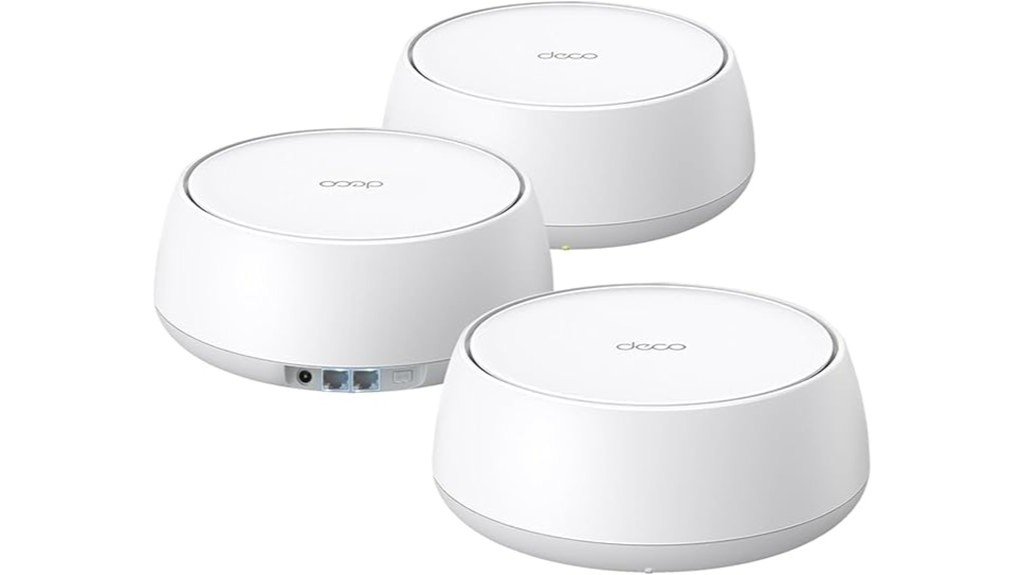
TP-Link’s Deco BE25 is a dual-band Wi-Fi 7 mesh (BE5000) system built for fast, simple whole-home coverage without the price tag of tri-band 6 GHz gear. It delivers up to 5 Gbps combined wireless throughput with Wi-Fi 7 features like Multi-Link Operation (MLO), 4K-QAM, and 240 MHz channels on 5 GHz. Every node includes two 2.5 Gbps WAN/LAN ports. The 3-pack covers up to 6,600 sq. ft. and handles 150+ devices, with AI-Roaming for smooth hand-offs and TP-Link HomeShield security built in.
Verdict
The Deco BE25 is one of the best budget-friendly ways to get Wi-Fi 7 into your home. It’s ideal for households that want mesh coverage with modern features, 2.5G wired ports, and room to grow. The biggest pro is the price-to-feature ratio. The biggest con is the lack of a 6 GHz radio, which limits wireless backhaul headroom under heavy load. If you can wire at least one satellite node, this system punches well above its price. Power users who need maximum wireless backhaul or 6 GHz should step up to a tri-band kit.
Deal tip: Comparing mesh systems? See the Deco X55 3-pack and the eero 7 in our October Prime Day mesh Wi-Fi deals.
Overview
- Class: Dual-band Wi-Fi 7 (BE5000), 4-stream
- Rated speeds: up to 4324 Mbps (5 GHz) + 688 Mbps (2.4 GHz) = 5 Gbps combined
- Coverage (3-pack): up to 6,600 sq. ft.
- Device capacity: 150+ devices (lab tested)
- Ports per unit: 2 × 2.5 Gbps auto-sensing WAN/LAN (only one can be WAN at a time)
- Backhaul: simultaneous wired + wireless backhaul supported; Wi-Fi 7 MLO for steadier links
- Roaming: AI-Roaming with single SSID
- Security: TP-Link HomeShield (Basic free; Pro is paid), VPN features including remote-server access and concurrent VPN + regular internet
- Assistants: works with Amazon Alexa and Google Assistant
- Compatibility: backward-compatible with earlier Wi-Fi generations; works with any ISP (modem likely required)
Best For / Not For
- Great for: Families and busy households looking for affordable Wi-Fi 7 mesh coverage. Also a strong pick if you have multi-gig internet, a NAS, or want to use wired backhaul between nodes.
- Good for: Smart-home setups with lots of IoT devices, since it handles 150+ connections and offers HomeShield security basics for free.
- Not ideal for: Power users who need dedicated 6 GHz wireless backhaul, or homes where running Ethernet between nodes isn’t possible and you have very high wireless backhaul demands.
Detailed Features
- Wi-Fi 7 toolkit: Multi-Link Operation (MLO), 4K-QAM, Multi-RUs, OFDMA, MU-MIMO work together to boost throughput and lower latency on supported clients.
- 240 MHz channel width (5 GHz only): enables higher single-client speeds where the spectrum is clear and the client supports it.
- Hardware and radio: each unit uses 4 high-gain antennas + 4 high-power FEMs for better range and stability.
- Multi-Gig friendly: every node has 2 × 2.5G ports, ideal for multi-gig internet, NAS, or wired backhaul. Only one port can act as WAN at a time.
- Combined backhaul: supports wired + wireless simultaneously for more resilient mesh links in tough layouts.
- AI-Roaming: auto-steers devices to the best node and signal strength with a single network name (SSID).
- HomeShield security: Basic plan includes Security Scan, IoT device identification, Parental Controls (basic), QoS, and weekly/monthly reports. HomeShield Pro adds advanced protections and reports (subscription required).
- VPN features: lets devices access remote VPN servers without per-device apps. Supports simultaneous VPN + regular internet for flexibility.
- Smart-home and voice: manage via the Deco app. Control basic functions using Alexa or Google Assistant.
- Deco ecosystem: works with other Deco units to build a mixed mesh. Backward-compatible with all Wi-Fi generations.
What’s in the Box (3-Pack)
- 3 × Deco BE25 units
- 3 × Power adapters
- 1 × RJ45 Ethernet cable
- Quick Installation Guide
Performance Notes and Fine Print
- Real-world speeds vary: the 5 Gbps rating is a combined PHY figure. Throughput depends on client support, interference, and layout.
- 240 MHz / Wi-Fi 7 features require compatible clients. 240 MHz is available on 5 GHz only.
- WAN/LAN ports: both are 2.5G auto-sensing. Only one can be WAN at a time.
- Dual-band design: there’s no 6 GHz radio. For wireless backhaul under heavy load, consider wired backhaul to preserve client throughput.
Pros and Cons
| Pros | Cons |
|---|---|
| Affordable entry into Wi-Fi 7 with strong BE5000 performance and MLO | Dual-band only, no 6 GHz spectrum for extra headroom |
| 2 × 2.5G ports on every node, excellent for wired backhaul and multi-gig | 240 MHz and other Wi-Fi 7 benefits need compatible clients and clean spectrum |
| Simultaneous wired + wireless backhaul support for tougher homes | Only one port can be WAN at a time |
| HomeShield security suite (Basic free) + practical VPN options | HomeShield Pro requires a subscription for advanced features |
| Easy app setup, AI-Roaming, voice assistant support | Older clients may need tweaks to roam or achieve best rates |
Concluding Thoughts
If you want Wi-Fi 7 features without paying tri-band prices, and you’re willing to wire at least one node for backhaul, the Deco BE25 is a compelling, future-leaning upgrade for busy homes. Power users who demand maximum wireless backhaul headroom (or want 6 GHz) should look at tri-band models. For most households, the BE25’s mix of speed, coverage, and 2.5G I/O is hard to beat at this price.
| Feature | Strengths | Considerations |
|---|---|---|
| Speed | Up to 4324 Mbps (5G) + 688 Mbps (2.4G); Wi-Fi 7 MLO and 4K-QAM | Client support needed; combined rating, real-world varies |
| Coverage | Up to 6,600 sq. ft. (3-pack) with high-gain antennas / high-power FEMs | Layout and materials can reduce range |
| Device Support | 150+ devices | Heavily mixed legacy clients may affect airtime |
| Ports | 2 × 2.5G WAN/LAN on every node; great for wired backhaul | Only one port can serve as WAN |
| Security | HomeShield Basic free; VPN without per-device apps | Advanced features in HomeShield Pro (paid) |
| UX | App-driven setup; single SSID; AI-Roaming | No 6 GHz; wire nodes if you push lots of backhaul |
Personal Experience
I set up a three-pack of Deco BE25 units in a typical home with a mix of Wi-Fi 7, Wi-Fi 6, and legacy clients. The Deco app walked me through it: create the network, scan each node, and let the firmware update run. From unboxing to a live network took just a few minutes with very little hands-on effort.
In daily use, stability and roaming stood out. With a single SSID, hand-offs during video calls and voice chats were smooth as I moved between rooms. On a Wi-Fi 7 laptop and phone, link rates were clearly higher than on Wi-Fi 6 gear, and MLO kicked in quickly to keep latency steady while moving between nodes. As expected for a dual-band design, wiring one satellite with the 2.5G port made the biggest difference. Throughput to far rooms stayed consistent even during busy hours.
- Setup and app: Clean onboarding, helpful placement tips, and painless firmware updates.
- Performance: Fast on Wi-Fi 7 clients, solid on Wi-Fi 6/5. 240 MHz on 5 GHz worked best when neighboring networks were quiet.
- Roaming: AI-Roaming kept devices on the right node. A couple of older IoT devices were “sticky” until I toggled fast roaming and band steering.
- Backhaul: Wiring at least one node is worth it. Mixed wired + wireless backhaul gave the most consistent results in my layout.
- HomeShield: The Basic tier’s security scan and simple parental controls are useful. The Pro features are nice to have but require a subscription.
- Noise and thermals: Silent and cool in normal use. No heat-related throttling noticed.
Limitations tracked the spec sheet: without a dedicated 6 GHz radio, heavy wireless backhaul loads can eat into client capacity. Wiring pays dividends if you can. If you want 6 GHz lanes or the absolute highest wireless backhaul headroom, a tri-band Wi-Fi 7 kit is the step-up option. For most homes, though, the BE25’s balance of price, coverage, and dual 2.5G ports makes it easy to recommend.
Frequently Asked Questions
Is the TP-Link Deco BE25 compatible with smart-home devices?
Yes. It’s backward-compatible with earlier Wi-Fi standards and supports 150+ clients. You can also control basics via Alexa or Google Assistant.
How does AI-Roaming improve connectivity?
AI-Roaming keeps a single SSID while steering devices to the best node and signal using TP-Link’s algorithms. This means smoother hand-offs as you move around the house.
What subscription options are available for TP-Link HomeShield?
HomeShield Basic is free and includes Security Scan, basic parental controls, QoS, and basic reports. HomeShield Pro is a paid upgrade with deeper protection and analytics.
Can the Deco BE25 mesh system be expanded with additional units?
Yes. Deco BE25 can mesh with other Deco models to expand coverage.
Does the Deco BE25 support guest network access?
Yes. You can create a separate guest SSID in the Deco app without exposing your main network.
Is wired backhaul required?
Not required, but strongly recommended. Wiring at least one satellite node with the included 2.5G ports gives you the most consistent speeds, especially under heavy load. The system works wirelessly too, but a dual-band design benefits a lot from a wired link between nodes.

